
We may receive a commission from our partners if you click on a link to review or purchase a product or service. Click to Learn More
The best vibe coding tool is Base44, with its easy to use interface, full-stack app generation capabilities, and the ability to generate apps with nothing more than natural language prompts. Plus, you can easily publish apps to the App Store and Play Store directly from the interface.
Depending on your particular needs, though, we found that there could be a variety of vibe coding tools that are a better fit, according to our in-depth, hands-on research.
If you have some basic coding knowledge, tools like Bolt.new and Lovable provide a more coding-friendly platform for app generation, while options like Cursor and v0 are full-on AI assistants to improve your coding.
- No-code solutions, like Bolt.new, Base44, and Lovable are tools that require no coding knowledge at all to generate apps, although they do generate editable code, so having some knowledge doesn’t hurt.
- Coding assistants, like v0 and Cursor provide you with AI suggestions for how to improve your code, rather than making the app for you.
- Pricing of the best vibe coding tools starts at around $18 per month, with enterprise-level plans typically having custom pricing.
- Every vibe coding tool on this list has a free forever plan, but they come with strict usage limits.
- When choosing a vibe coding tool, remember to consider business size, budget, integrations, and your team’s coding proficiency.
What Is Vibe Coding and When Should You Use It?
Vibe coding is a process by which users generate a web or mobile app from natural language prompts with one of many available tools. Like modern day chatbots, you have a basic text conversation with one of these tools to create an app from scratch.
There are a variety of use cases for vibe coding tools:
- Business operations: Web and mobile apps with customizable automation can substantially improve productivity, and vibe coding platforms can help develop them for your business.
- Prototyping: If you want to get your MVP (minimum viable product) created fast, vibe coding tools can generate apps quickly that are functional for a demonstration.
- Fixing errors: Some vibe coding tools act as AI coding assistants, which can help you debug code and solve problems in real time.
The use of vibe coding tools has become increasingly popular, with up to 47% of developers starting that they use natural-language prompts to generate non-trivial code at least weekly.
This is only likely to increase, with 69% of SMBs trusting AI to manage “mission-critical” business functions, including pricing, payroll and taxes, and compliance.
At Tech.co, research is an integral part of the reviewing and ranking process for business software. After all, how you can trust our judgement when it comes to platform recommendations if we aren’t making a comprehensive effort to evaluate them in a real way?
For vibe coding platforms, our expert team of writers and editors took time with a variety of resources, including online guides, documentation, and pricing pages, to see what was on offer. On top of that we also made sure to get hands-on experience with a dozen tools, in order to get a feel for how the platforms actually operate.
Best Vibe Coding Platforms Reviewed
Below, we’ve reviewed some of the best vibe coding platforms on the market in 2026, measured by features, functionalities, and pricing, so you can make the right decision for your business.
|
Brand
|
Price
|
Free plan
|
Free trial
|
Full-stack app generation
Does the platform build both the frontend and backend of the app for you?
|
Browser-based platform
Can you access the platform on a browser without downloading an app?
|
GitHub integration
Does the platform integrate with GitHub?
|
Real-time collaboration
Can multiple users collaborate in real-time on the platform?
|
Edit code
Does the platform generate editable code?
|
Plug-ins/extensions
Does the platform offer functionality with plug-ins and extensions?
|
Key strength
|
|
|---|---|---|---|---|---|---|---|---|---|---|---|
 |
 |
 |
 |
 |
|||||||
|
Base44 |
Bolt.new |
Cursor |
Lovable |
v0 |
|||||||
|
$16/month |
$18/month |
$16/month |
$21/month |
$20/month |
|||||||
|
|
|
|
|
|
|||||||
|
|
|
14 days |
|
|
|||||||
|
|
|
|
|
|
|||||||
|
|
|
|
|
|
|||||||
|
|
|
|
|
|
|||||||
|
|
|
|
|
|
|||||||
|
Paid plans only |
|
|
|
|
|||||||
|
|
|
|
|
|
|||||||
|
All-in-one ecosystem |
Full-stack browser app generation |
In-depth AI-powered coding assistance |
Valuable coding integrations |
Seamless hosting with Vercel |
1. Base44: Best for Ease of Use
- Price: $20 per month
- Free plan: Yes
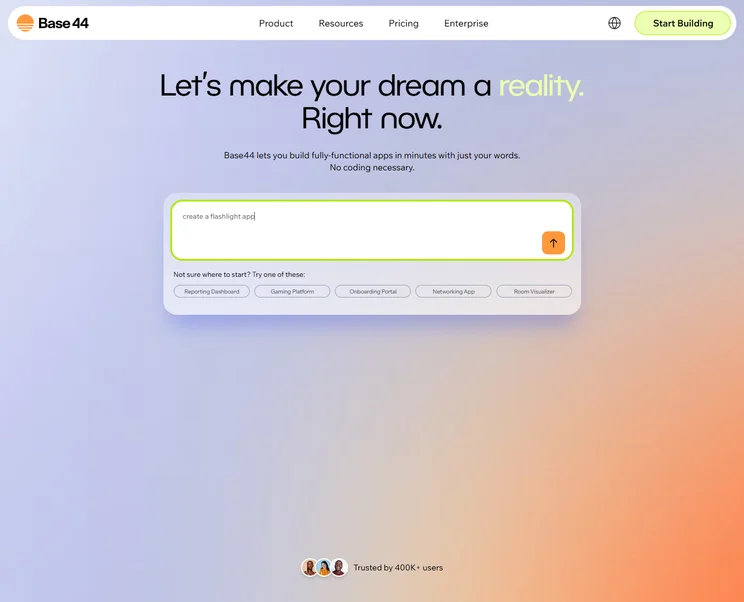
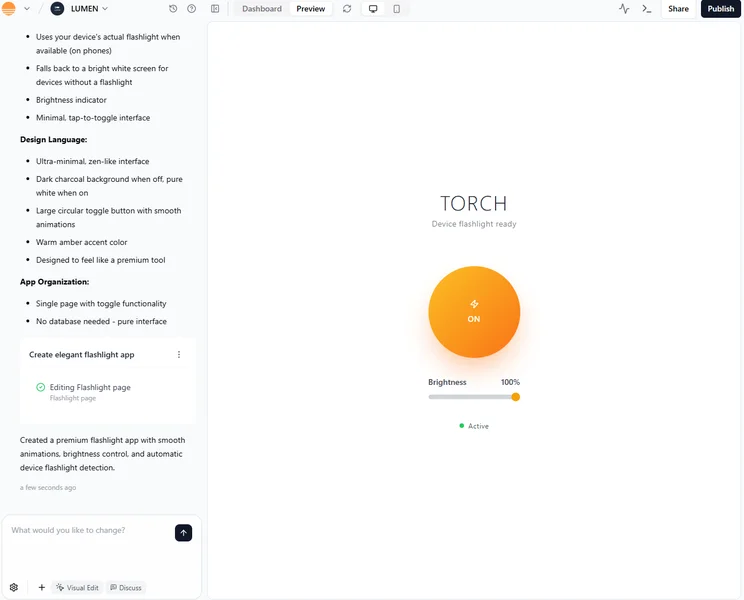
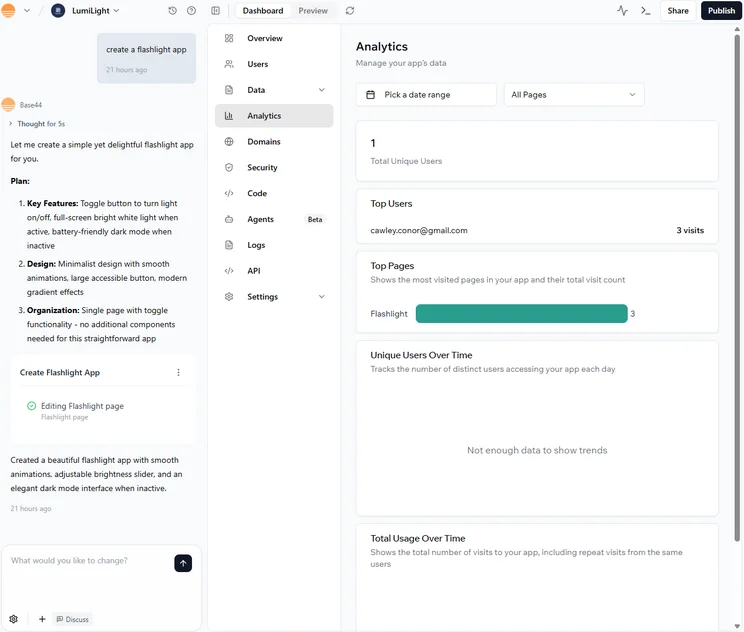
Base44 allowed us to take a fully no-code approach to generate functional, well-designed apps that were easy to deploy and maintain in our hands-on research.
This makes it the best vibe coding platform for beginners, because it’s exceptionally easy to use, even if you’ve never seen a line of code in your life.
For deployment, Base44 recently made it possible in a February 2026 update to publish your generated apps on the Apple App Store and the Google Play store directly from the platform.
Base44

In Short
-
Pros
- Very easy to use, even for beginners
- Affordable starting price
- Integrations with HubSpot, Slack, X, and more
-
Cons
- Very limited customization options
- No plug-ins or add-ons available
Pricing
- Free plan available
- Starter: $20/month
- Builder: $40/month
- Pro: $80/month
- Elite: $160/month
Images
Is Base44 a good vibe coding tool?
Base44 was acquired by Wix in 2025, which enabled us to create full-stack apps with just natural language prompts, making it a very intuitive tool, even for beginners. The tool generated and hosted the app on Wix infrastructure, all while providing a website builder-like user experience that requires no coding knowledge from us at all.
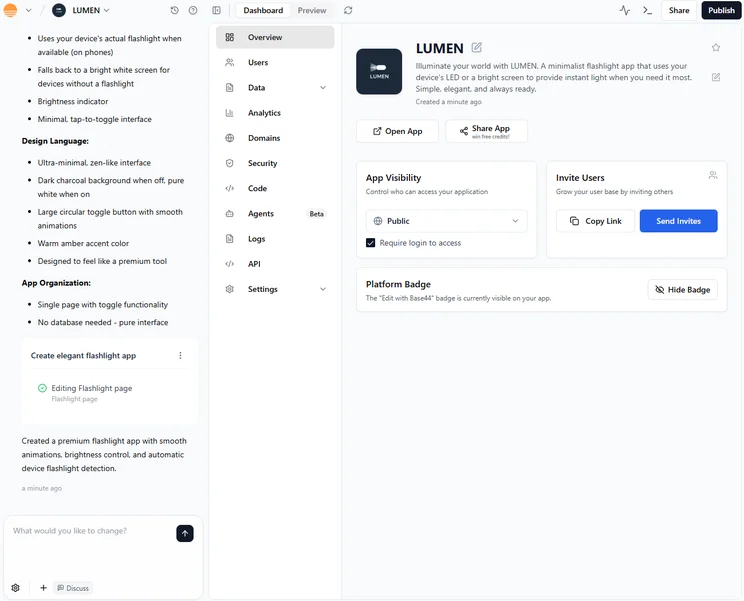
Base44 operating so seamlessly on the Wix infrastructure comes with some downsides, though. While you technically own your code, the closed-off system makes it harder to transfer your projects to other platforms. You’ll have to pay for at least the Builder plan ($40 per month) to access the GitHub integration, which allows you to download your code.
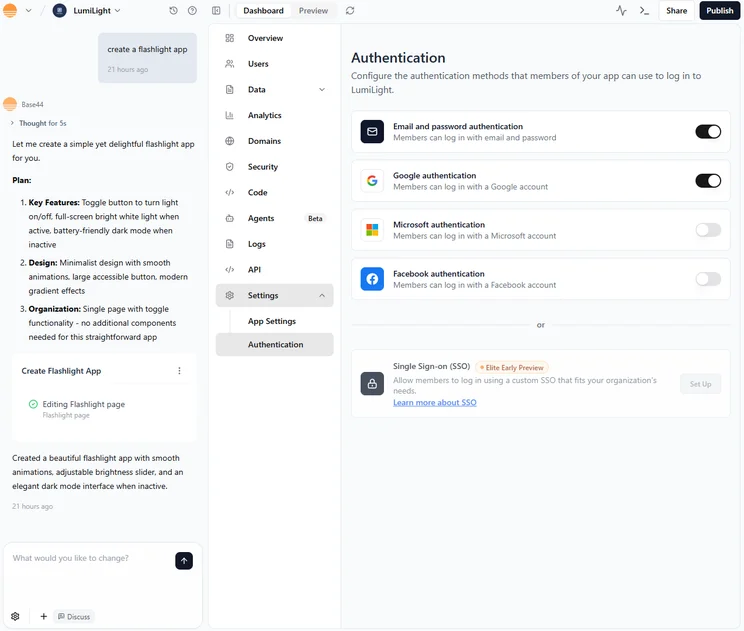
Base44 is also a highly secure platform. It has both SOC 2 Type II and ISO 27001 certifications, and adheres to strict governance and GDPR standards. This should reassure the 27% of SMB leaders concerned with the regulatory risks of vibe coding platforms.
In a February 2026 update, Base44 added the ability to publish apps directly to the App Store and Play Store. On top of that, the vibe coding tool added a Plan Mode, to make planning your app more effective, and a Gmail integration.
What is the pricing for Base44?
Base44 has the most comprehensive selection of plans, with four different pricing plans that can fit with pretty much any business’ specific needs.
There’s also, of course, the free forever plan, which provides 25 message credits per month to get you started.
- Starter: $20 per month
- Builder: $40 per month
- Pro: $80 per month
- Elite: $160 per month
Rather than tokens, Base44 limits its prompting by allotting messages in each plan. There’s also no way to add messages to a lower-tier plan, so if you want to do a lot of prompting, you’ll have to pay for a more expensive plan.
The prices listed above factor in the 20% discount you get on the plans for purchasing an annual subscription. The prices become $25, $50, $100, and $200, when you pay monthly.

Turn ideas into apps in minutes
Build fully-functional apps that work for you, with just your words
No coding needed
2. Bolt.new: Best for Web and Mobile Apps
- Price: $18 per month
- Free plan: Yes
Bolt.new is a great choice if you’re looking for a powerful, all-around vibe coding platform that can do a lot.
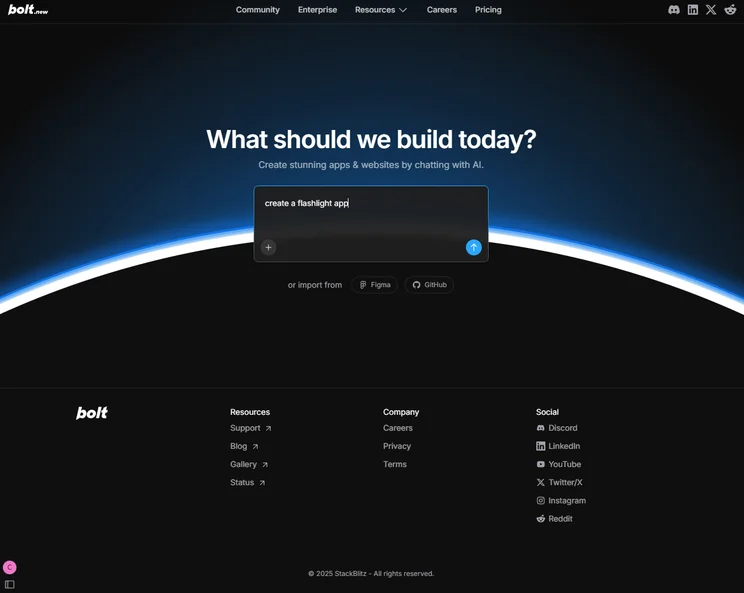
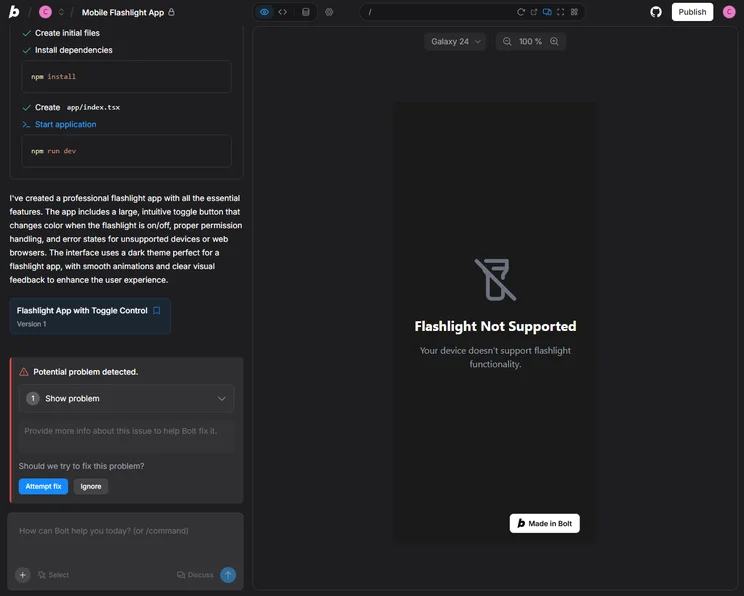
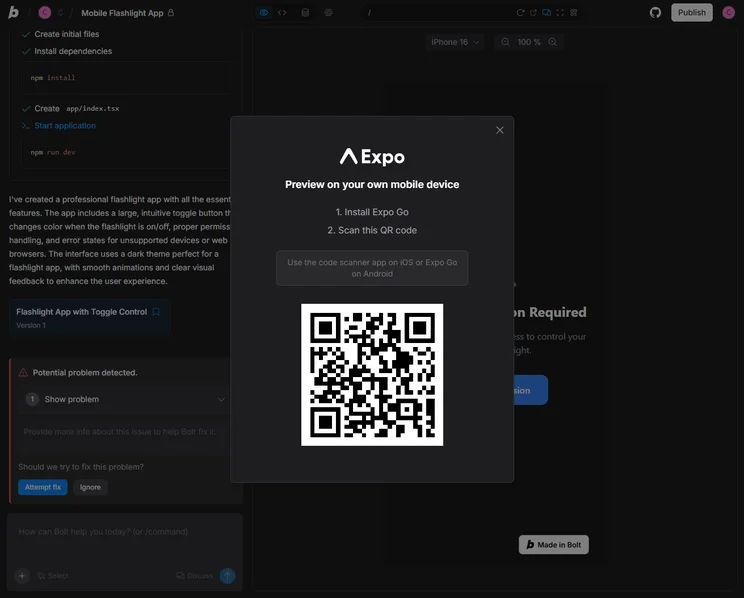
When testing, we found it easy to generate apps and make changes in both the frontend and backend. It was also functional with both web and mobile apps for a more complete experience.
To get your app live, Bolt.new integrates with Netlify or Vercel for cloud hosting, so as soon as you click the Deploy button, your code will be delivered to one of these services to get your app live immediately.
Bolt.new

In Short
-
Pros
- Browser functionality; no download required
- Can generate both web and mobile apps
- Integrates with GitHub, Stripe, Figma, and more
-
Cons
- Not as customizable as other options
- Requires clear and specific instruction
- Performance limitations on browser
Pricing
- Free plan available
- Pro: $18/month
- Teams: $30/month
Images
Is Bolt.new a good vibe coding tool?
Another benefit of Bolt.new is that it generates editable code, so those with limited coding knowledge will be able to customize their app a bit beyond the basic prompt generator. You’ll also notice that it integrates with GitHub and Figma, so you can really dig into the coding side of your app if you want.
With that in mind, though, Bolt.new is definitely a bit more complicated than your true no-code platforms out there, while being slightly less customizable than your coding assistance platforms like Cursor. If you’re trying to split the difference, Bolt.new is your best bet.
Bolt.new also lets users toggle between Claude AI models within the app itself, which means you can easily switch out models for more relevant ones depending on the kind of work you’re doing.
Bolt.new announced in a February 2026 update that Teams users can now create reusable templates from previous projects, making it easier to standardize your process across your business.
What is the pricing for Bolt.new?
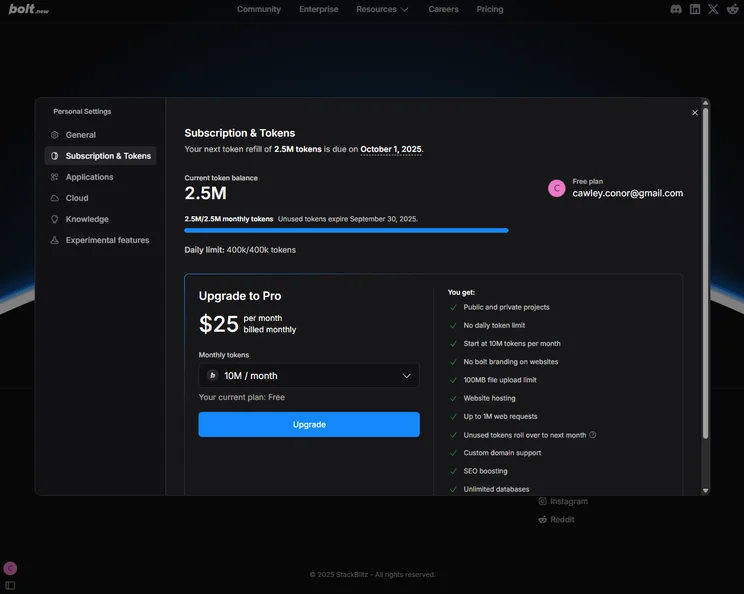
Bolt.new has a more affordable starting price than Base44, but only if you opt for the yearly contract. If you go with monthly, the $25 per month starting price is one of the higher options on this list.
Bolt.new also has a free forever plan that lets you get started at no charge, although that’s quite common for vibe coding platforms.
- Pro: $18 per month
- Teams: $27 per user, per month
- Enterprise: Custom
Each of the plans above provide users with 10 million tokens per month, which are used when you input prompts. If you want more than that, you’ll have to pay a bit extra. For example, if you want 120 million tokens per month, the Pro plan will cost $200 per month, instead of only $18 per month. Suffice to say, if you plan on doing a lot of prompting, it’s going to cost you.
3. Cursor: Best for Users Who Know How to Code
- Price: $16 per month
- Free plan: Yes
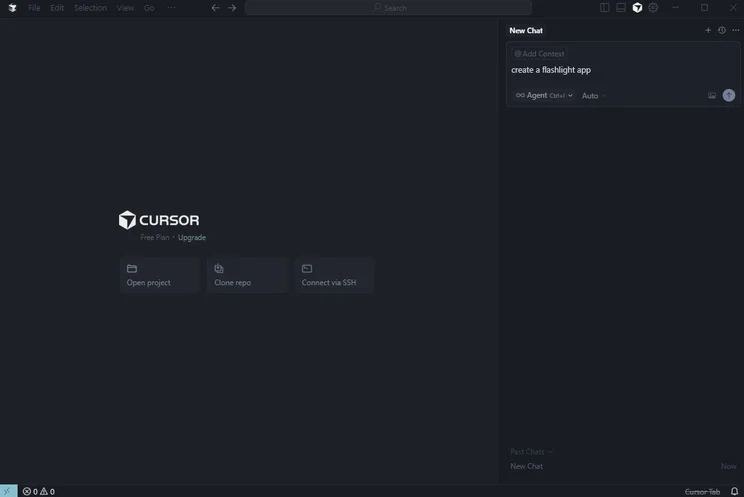
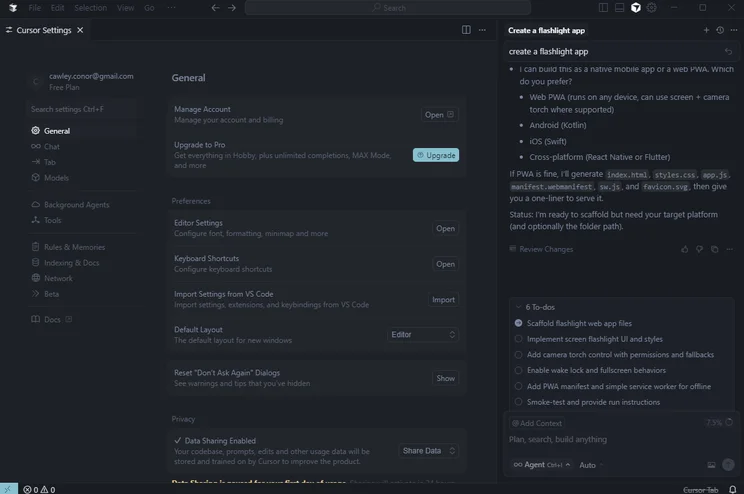
Cursor is ideal for those with coding experience who are looking for more of an AI coding assistant than a full-on app generator. It’s not a no-code solution like other options on this list, but if you know what you’re doing from a technical standpoint, it’s a very valuable tool.
We still found ourselves inputting natural language prompts, but a bit of coding proficiency was required to get the most out of the platform, because we were still mostly be building the app ourselves, with help from Cursor.
Cursor doesn’t have a one-step deploy option. Because it’s a bit more technically-focused, you’ll have to link the platform to your GitHub repository, so you can connect that to a cloud hosting service that can get your app live.
Cursor

In Short
-
Pros
- Affordable starting price
- Powerful AI coding tools for experts
- Free trial available for paid plan
-
Cons
- No browser functionality; download required
- Coding knowledge required
- No full-stack app generations
Pricing
- Free plan available
- Pro: $16/month
- Teams: $32/user/month
- Pro+: $48/month
- Ultra: $160/month
- Enterprise: Custom pricing
Images
Is Cursor a good vibe coding tool?
One of the biggest perks of Cursor is that it recently launched an AI-powered design tool for websites called Visual Editor, which is essentially a more focused vibe coding tool made specifically to aid with web design and functionality. If you’ve ever used (or are planning to use) Figma for this sort of task, it’s definitely worth checking out what it can do.
A notable difference between Cursor and other platforms is that it’s not available on your browser, so you’ll have to download an app. This provides the platform with a bit more data privacy and improved generation speed, even if it is a tad less convenient than browser-based tools.
In a February 2026 update, Cursor announced that it was improving its long-running agents functionality, which can autonomously work to improve projects without intervention. The feature is available for Ultra, Teams, and Enterprise plans.
What is the pricing for Cursor?
Cursor and Base44 are both tied for the most affordable starting price, but Cursor prices definitely get a bit higher when you opt for the larger plans. Unlike Base44, Cursor also offers a specific business-facing plan, which employs the per user, per month model. There’s also a free plan with Cursor, which comes with a two-week free trial of its Pro plan.
- Pro: $16 per month
- Teams: $32 per user, per month
- Pro+: $48 per month
- Ultra: $160 per month
- Enterprise: Custom
Cursor doesn’t set specific limits on prompting or messages for each plan, but instead includes a budget for varying API access for different models. You’ll get $20 with the Pro plan, for example, which can be used for between 200 and 600 prompts on models like Gemini and Sonnet.
4. Lovable: Best for Community Inspiration
- Price: $21 per month
- Free plan: Yes
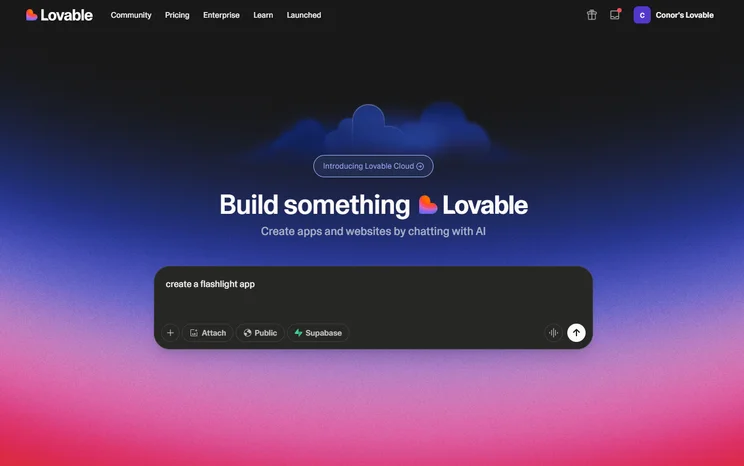
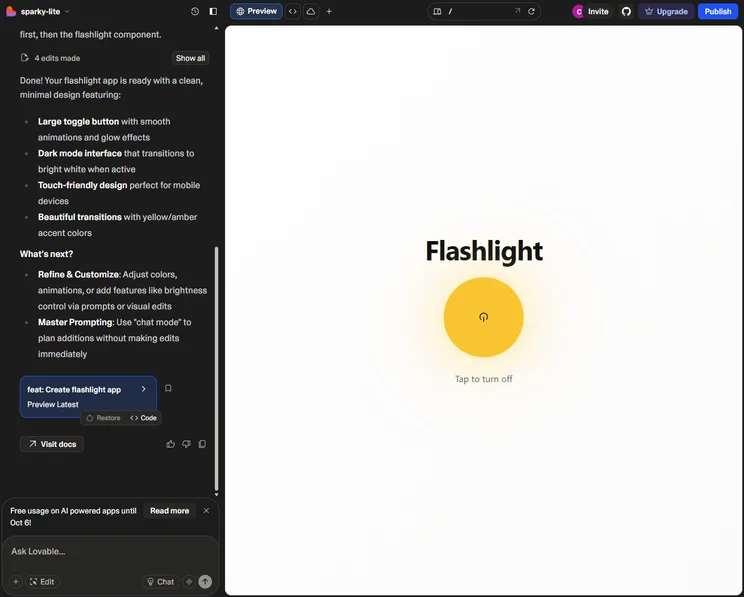
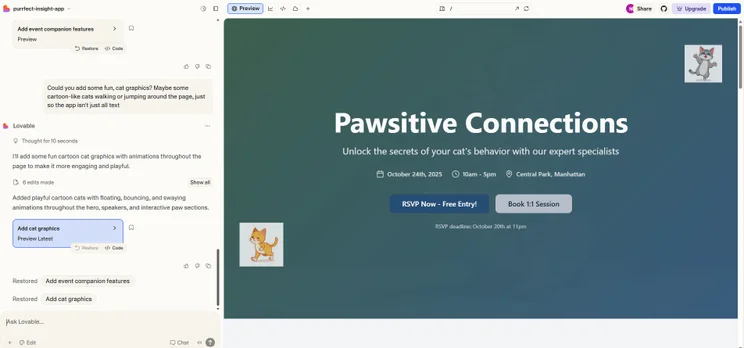
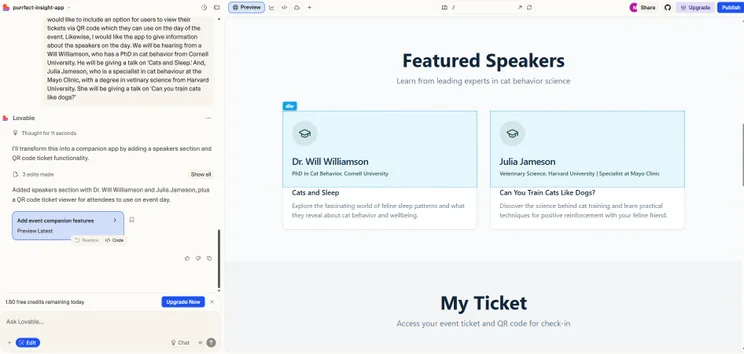
Lovable is a very similar platform to Bolt.new, in that it’s a good all-around tool for building full-stack apps with access to editable code on all plans. This allows a level of customization a bit beyond that of your standard no-code solution, while not requiring too much technical knowledge to get it done.
On top of that, Lovable provided us with a wide range of app templates from its community of users, which gave us a bit of inspiration for our app.
Getting your app live is easy, with Lovable integrating with GitHub for your code and Supabase for your database. Just click the Deploy to Production button and you’ll have a live app immediately.
Lovable

In Short
-
Pros
- All-in-one, full-stack app generation
- Customizable with editable code
- Large community for support and inspiration
-
Cons
- No AI assistant to help with coding
- No drag-and-drop functionality
Pricing
- Free plan available
- Pro: $21/month
- Business: $42/month
- Enterprise: Custom pricing
Images
Is Lovable a good vibe coding tool?
If you’re trying to build an ecommerce app, Lovable is also a clear choice, given that it offers integration with Shopify. This allowed us to use the platform to create an online store in seconds, equipped with all the advanced functionality of a Shopify site.
On top of that, Lovable offers a wide range of templates from other users, which can give you a bit of inspiration for your app. The community aspect of the platform can significantly speed up your app generation process in the idea phase.
In a February 2026 update, Lovable added a Plan Mode, which allows you to discuss with a chatbot how you will approach generating an app before actually getting started.
What is the pricing for Lovable?
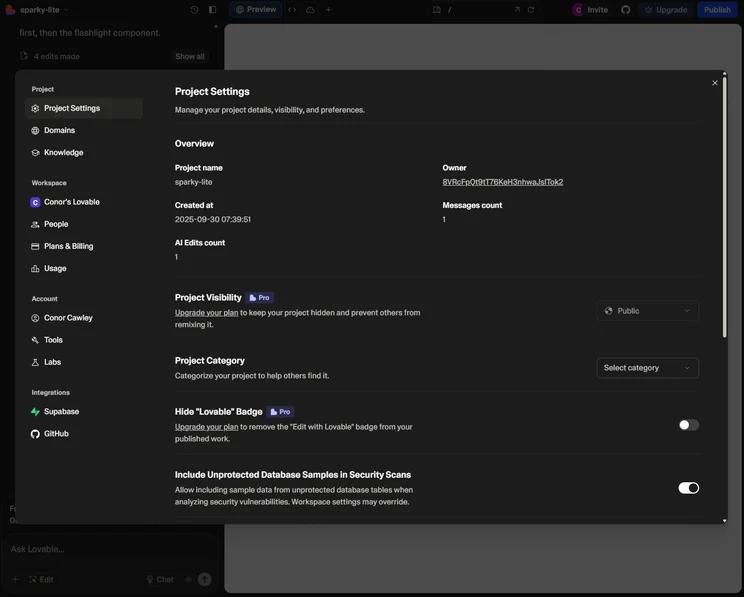
Lovable’s starting plan is a bit more expensive than Base44 and other options on this list, even if you opt for the yearly plan. However, its business-facing plan is not on a per user, per month basis, unlike Cursor and Bolt.new, which means you get unlimited users across all plans, a huge value feature across the industry.
There’s also the free forever plan, which has some fairly strict limits of five credits per day and 30 credits per month.
- Pro: $21 per month
- Business: $42 per month
- Enterprise: Custom
Lovable has a similar prompt allotment situation as Bolt.new, allowing you to add credits to specific plans. You get 100 credits per month by default, but if you want 800 credits, for example, you’ll have to pay $167 per month instead of $21 per month.
5. v0 by Vercel: Best for a Transparent Coding Process
- Price: $20 per month
- Free plan: Yes
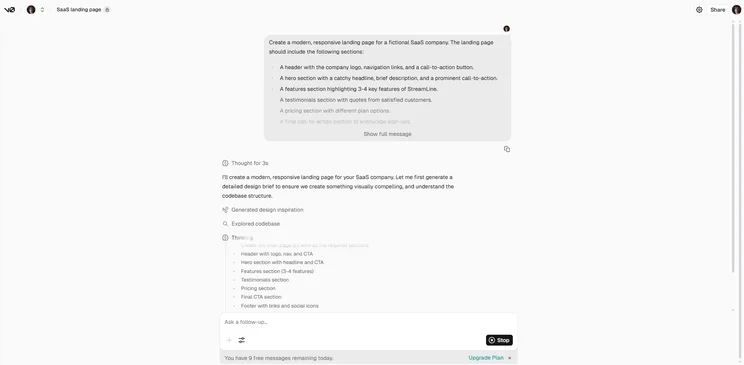
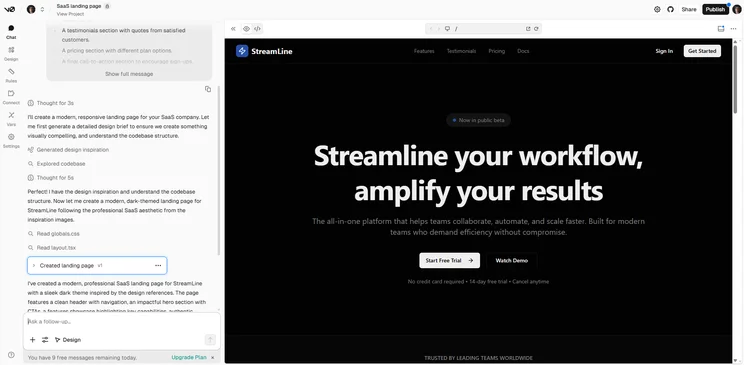
Another good option for those with a bit of technical knowledge, v0 by Vercel is a helpful tool for getting the frontend of your app just right. It was able to generate apps with editable code, so we were able ton change what we need and keep what we like.
v0 by Vercel also offers AI coding assistance, so you can ask it specific and technical questions and get guidance on how to make it work exactly how you need it to. Yes, the lack of backend functionality is definitely a downside, but if you only need frontend functionality, v0 is it for you.
v0 by Vercel

In Short
-
Pros
- Pre-set template database
- Recreates website elements from image uploads
- Integrates with Stripe, Grok, Upstash
-
Cons
- Not great for coding backend elements
- Credits can get expensive quickly
- Requires coding knowledge
Pricing
- Free plan available
- Premium: $20/month
- Team: $30/month
Images
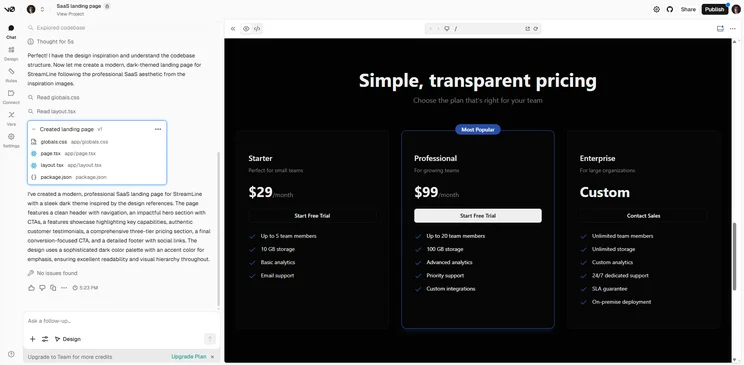
Is v0 a good vibe coding tool?
Like Lovable, v0 by Vercel also offers a robust community experience to give users inspiration. These templates can be used, liked, and followed, creating a bit of a social media-esque experience while generating your app.
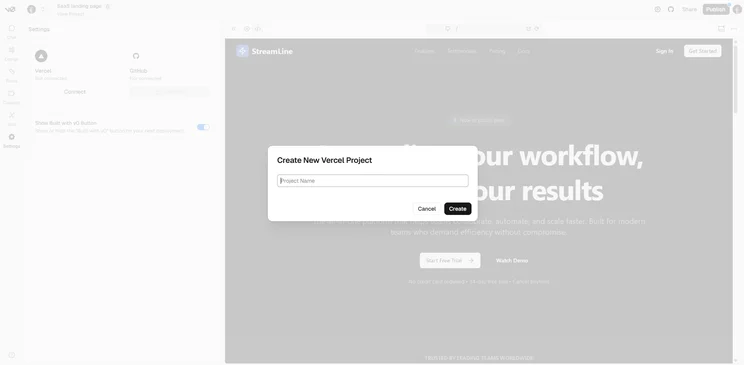
v0 is created by Vercel, the cloud hosting provider, so getting your app live is integrated directly into the tool. Just push the Deploy button, your app is live and hosted on the Vercel service.
v0 announced in a February 2026 update that it has added SSO page for team-specific authentication, which should improve security and ensure your team can log on quickly.
What is the pricing for v0?
The starting plan for v0 is the same as Base44 at $20 per month, making it slightly more expensive than most of the options on this list. Overall, though, it’s a fairly affordable option. The business-facing plan is only $30 per month, although it is per user, so costs could get up there if you have a big team. It also offers a free forever plan, that provides $5 worth of credits.
- Premium: $20 per month
- Team: $30 per user, per month
- Enterprise: Custom
The prompt allotments for v0 are a bit complicated, but they should actually help you save some money. You’ll get a certain dollar amount included with each plan ($20 for Premium and $30 for Team) but beyond that, you only pay for what you use. There’s a comprehensive pricing table on the v0 website that can give you a clearer picture.
How Do I Choose the Right Vibe Coding Tool?
Understanding the pros and cons of vibe coding platforms is one thing, but it’s also important to know exactly what should go into the decision. After all, one platform may offer more features, but if it doesn’t provide the ones that your particular business needs, you’ll be out of luck.
That’s why we’ve provided a few helpful tips on what you should consider before picking your platform.
- Coding proficiency: Some platforms truly require no coding knowledge whatsoever, while others operate as assistants to improve your coding, so you’ll want to decide which is a better fit for your business.
- Business size: Scalability is built into some platforms, while others are geared exclusively towards smaller businesses in both price and functionality. Make sure to consider where you are now and where you want to end up.
- Budget: Despite most of them having a free plan and a $20-$30 starting plan, the price of vibe coding platforms varies substantially due to the different credit/token allotments for each.
- Device storage: Some platforms are browser-based, but others require you to download an app. This can be demanding on the performance and storage of your device, although it does often provide better results.
- Integrations: Various third-party integrations are available with different vibe coding platforms, so make sure your systems work with the particular option you’re looking for.
- Vendor lock-in: Some vibe coding platforms won’t let you migrate your projects and codebases to other platforms if you decide you want to switch, whereas others will. So, if you’re in for the long haul and working on a large project, opting for a provider that operates under a vendor lock-in rule may cause you issues further down the line.
- Code exportability: If you plan on moving your code around, make sure your vibe coding tool allows for it. Some options require you to have a paid subscription to do so, while others include it at no charge.
More importantly, you should make sure that vibe coding is what you’re looking for in the first place. There is a wide range of different AI tools for different purposes. There are also free vibe coding tools and plans if you’d like to explore the software without paying anything.
How We Evaluate Vibe Coding Tools
When we evaluate vibe coding tools, we focus on the features and functionalities that are available with particular vibe coding platforms, so we can more effectively compare and contrast what is available. Here are some of the criteria with which we review vibe coding platforms.
- Full-stack capabilities: Full-stack describes a platform’s ability to generate and customize apps on the frontend and backend. Not all platforms can do both, which is why we took this into consideration when evaluating vibe coding options.
- Customization: Platforms have varying levels of customizability, allowing you to change how apps look with specific tools, like drag-and-drop editors, so you can understand what kind of control you have over your generated apps.
- Integrations: Vibe coding platforms, like most business software, can integrate with other services, like GitHub, Stripe, and Slack, so we make sure to evaluate how extensive these kinds of integrations are for each platform.
- Ease of use: Vibe coding platforms can get confusing fast, which is why we analyzed how easy it is to actually use the platform and navigate its features.
- Coding importance: Some of the options reviewed are true no-code platforms, while others are very code-heavy, which is why we look at this metric to understand exactly how technical you need to be to use it.
To learn more about how Tech.co investigates business software like vibe coding platforms, make sure to check out our research and analysis guide to get a peek at our process.
As we’ve shown above, the best vibe coding platform for you is going to be the best one for your particular needs.
If you need a true no-code solution that’s easy to use, Base44 is likely your best bet. If you need a comprehensive platform that does it all, Bolt.new or Lovable might be what you’re looking for. If you need coding assistance rather than a full-on app generator, Cursor or v0 are probably in your best interest.
The key is understanding what you need a vibe coding platform for. Are you trying to create an app from scratch with minimal coding knowledge, or are you trying to empower your team to create even more robust applications?
Frequently Asked Questions
Like most AI-powered technology in 2026, vibe coding is only going to get more comprehensive in the future. While many apps still have substantial bugs that require using more and more credits to fix them, future iterations of vibe coding will be mostly error free, prioritizing automation tools to improve productivity.
Base44 is a vibe coding tool, which allows users to generate functional, custom mobile and web apps, while Wix Studio and standard Wix are website building platforms that allow you to create and generate websites.
Most vibe coding tools can easily churn out CRUD apps without much of an issue, but complex logic for scalable apps can be more complicated. Tools like Cursor and v0 are a bit more catered to this kind of functionality, because they act as coding assistants rather than full-on generators, so the human element is still required.
If you click on, sign up to a service through, or make a purchase through the links on our site, or use our quotes tool to receive custom pricing for your business needs, we may earn a referral fee from the supplier(s) of the technology you’re interested in. This helps Tech.co to provide free information and reviews, and carries no additional cost to you. Most importantly, it doesn’t affect our editorial impartiality. Ratings and rankings on Tech.co cannot be bought. Our reviews are based on objective research analysis. Rare exceptions to this will be marked clearly as a ‘sponsored’ table column, or explained by a full advertising disclosure on the page, in place of this one. Click to return to top of page


