

We may receive a commission from our partners if you click on a link to review or purchase a product or service. Click to Learn More
After hours of research, we can confirm that ClickUp is a better choice for project management software than Asana. This is based on ClickUp having a better range of tools for task management and collaboration, compared to Asana.
Asana may be simpler and easier to set up, but ClickUp’s paid plans are much more affordable – starting from $7 per user, per month, compared to Asana’s starting price of $10.99 per user, per month.
Below, we break down these two top project management providers and conclude why ClickUp will get you the most out of your money, based on our in-depth and varied research categories.
That said, these aren’t the only options out there, so make sure you check out other top project management software deals before you make your decision.
|
Price from
All prices listed as per user, per month (billed annually)
|
Score
The overall score obtained from our most recent round of project management software user testing
|
Free plan
|
Pros
|
Cons
|
Support
|
Verdict
|
||
|---|---|---|---|---|---|---|---|---|
 |
 |
|||||||
|
ClickUp |
Asana |
|||||||
|
$7/user/month |
$10.99/user/month |
|||||||
|
4.5
|
4.5
|
|||||||
|
|
|
|||||||
|
|
|||||||
|
|
|||||||
|
|
|||||||
|
Slick software with a highly powerful core and an AI assistant, plus a genuinely usable free tier for individuals |
A simple task-list-based project management platform with an acceptable free tier |
ClickUp vs Asana: Head-to-Head
In short, ClickUp is the better option if you’d like a feature-rich project management platform that can function as a central collaboration hub for all of your business’s operations.
Asana will be the better choice for your team or business if you want a traditional, easy-to-use project management tool to help you get better visibility over the progress of tasks.
- ClickUp and Asana are both cloud-based
- ClickUp and Asana both offer capable project management tools
- ClickUp has better features than Asana and is more functional
- Asana has a better range of integrations than ClickUp
- ClickUp offers a better free plan than Asana
- ClickUp’s paid plans are better value than Asana’s plans
- Asana is easier to use and set up than ClickUp
- ClickUp offers more powerful features than Asana
When it comes to collaboration and task management, ClickUp takes the lead on Asana, partly due to ClickUp’s great time-tracking tool and team instant messenger.
Where ClickUp loses some steam is on its ease of use — Asana is simpler and easier to set up than ClickUp, with a beginner-friendly automation builder. ClickUp’s automation builder is also clunkier, but it has significantly more to offer teams that want a multi-purpose app to replace all the others they use.
Although Asana may edge things when it comes to new users, ClickUp makes the transition for people switching between project management software tools much easier. You can read more about this below.
Overall, ClickUp will be well-suited to teams that want to centralize their workday operations around a single space. Asana, on the other hand, will suit smaller teams that want a no-frills way to organize their projects, as well as the efficiency boost from automating mundane tasks.
One key area where they differ is value – ClickUp is far cheaper than Asana. Pricing plans for both ClickUp and Asana include advanced features that let businesses get painstakingly detailed, with expanded time tracking and custom views and fields, but it’s ClickUp that really excels when it comes to providing a wealth of useful features.
Here is a breakdown of the pros and cons of each software:
ClickUp

In Short
-
Pros
- 11+ ways to view project progress and data
- Useful “Chat” view for collaboration
- Team view for organizing tasks by team member
- Cheaper than monday Work Management or Wrike
- Agile project management features
- Vast number of features, even on cheap plans
-
Cons
- Customizability can be overwhelming to new users
- Not great at compiling project feedback
- Comparatively clunky automation builder
- Slow to load on our tests
Pricing
- Free plan available
- Unlimited: $7/user/month
- Business: $12/user/month
- Enterprise: custom pricing
Images
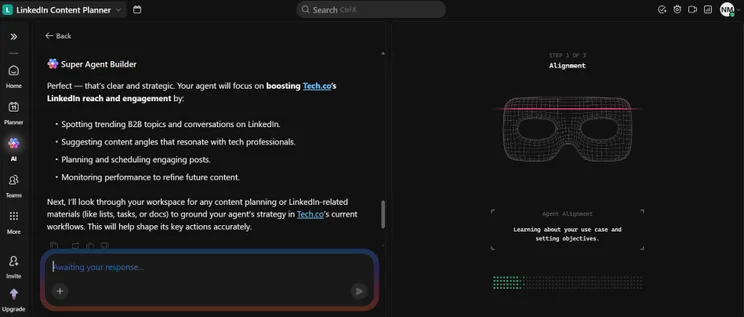
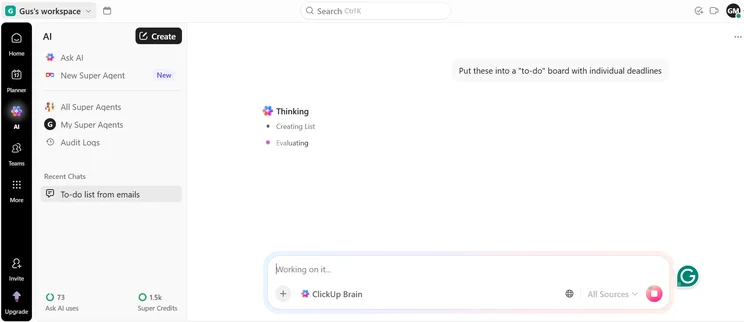
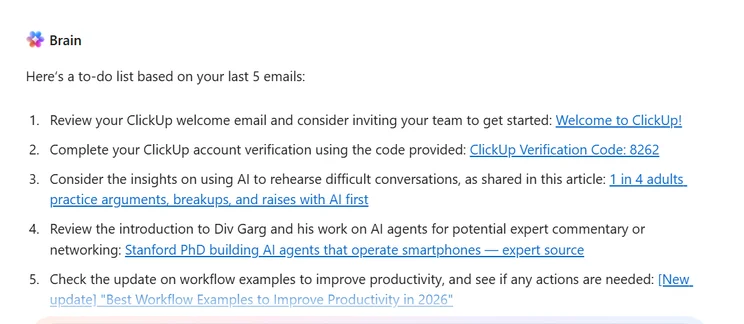
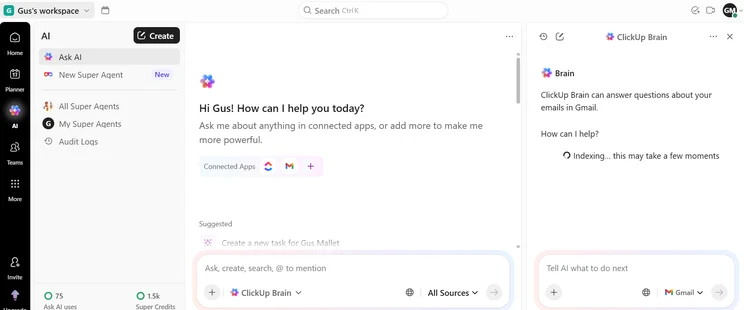
Asana

In Short
-
Pros
- Unlimited storage
- Plenty of third-party integrations
- Incredibly clean and intuitive interface
- Easy-to-use dashboards and chart builder
-
Cons
- Most key features require the Advanced plan
- Very high prices for larger teams
- No phone-based support
Pricing
-
 Free plan available
-
Starter: $10.99/user/month
-
Advanced: $24.99/user/month
Images
ClickUp Pricing vs Asana Pricing
Our head-to-head isn’t just about features – so, how do the two software’s prices compare? Here’s a summary:
- Both offer a free plan, but Asana’s has fewer features than ClickUp’s.
- Asana’s first paid plan costs $3.99 per user, per month more than ClickUp’s first paid plan – and offers fewer features.
- Asana’s Advanced plan is double the price of ClickUp’s Business plan – available for $24.99 per user, per month.
Asana is a competent piece of software, but its Starter plan is twice as expensive as ClickUp’s Unlimited plan – and it’s still not as good.
However, ClickUp has an excellent free plan and a very robust first paid plan that costs just $7 per user per month. This option (the Unlimited plan) has features like custom automations, an online whiteboard, and tools for managing resources, which Asana doesn’t offer.
ClickUp pricing
ClickUp pricing plans are as follows:
- Unlimited Plan ($7 per user per month, paid annually)
- Business Plan ($12 per user per month, paid annually)
- Enterprise Plan (contact sales for pricing)
ClickUp Unlimited comes with no limits on storage, additional features, integrations, and advanced reporting. ClickUp Business adds features useful for large operations: Two-factor authentication, quick sign-in through Google accounts, and (coming in the near future) advanced data exporting.
|
Price (annually)
The amount you'll pay per month, when billed annually
|
Users
|
Projects/boards
|
Automations
|
Gantt chart
|
Resource management
|
Time tracking
|
||
|---|---|---|---|---|---|---|---|---|
|
TRY IT FOR FREE
|
BEST FOR SMALL TEAMS
|
|
|
|||||
|
Free Forever |
Unlimited |
Business |
Enterprise |
|||||
|
Free |
$7/user/month |
$12/user/month |
Contact sales |
|||||
|
Unlimited |
Unlimited |
Unlimited |
Unlimited |
|||||
|
5 |
Unlimited |
Unlimited |
Unlimited |
|||||
|
100/month |
1,000/month |
10,000/month |
250,000/month |
|||||
|
60 uses per project |
|
|
|
|||||
|
60 uses per project |
100 uses per project |
|
|
|||||
|
|
|
|
|
- ClickUp has added a host of new features to its AI tool, ClickUp brain, including giving it the ability to search your Workspace, Connected Apps, and the internet.
- This month also introduced AI cards, which are custom Dashboard cards with an AI function that can summarize activity, analyze data, and provide real-time progress updates based on instructions.
ClickUp releases regular updates via its Changelog.
Asana pricing
In contrast, Asana pricing plans are:
- Starter ($10.99 per user per month, paid annually). This plan’s pricing changes to $9.99 per user after the first 15 users.
- Advanced ($19.99 per user per month, paid annually).
- Enterprise (contact sales for pricing)
- Enterprise+ (contact sales for pricing)
Note on Asana pricing: In May 2025, Asana transitioned customers on the Premium and Business plans to the new Starter and Advanced plans. The Premium and Business plans are no longer available, and are now represented by the Starter and Advanced plans.
|
Price (annually)
The amount you'll pay per month, when billed annually
|
Users
|
Projects/boards
|
Automations
|
Gantt chart
|
Resource management
|
Time tracking
|
||
|---|---|---|---|---|---|---|---|---|
|
TRY IT FOR FREE
 |
|
|
|
|
||||
|
Asana Personal |
Asana Starter |
Asana Advanced |
Asana Enterprise |
Asana Enterprise+ |
||||
|
Free |
$10.99/user/month |
$24.99/user/month |
Custom |
Custom |
||||
|
2 |
Unlimited |
Unlimited |
Unlimited |
Unlimited |
||||
|
Unlimited |
Unlimited |
Unlimited |
Unlimited |
Unlimited |
||||
|
N/A |
Unlimited |
Unlimited |
Unlimited |
Unlimited |
||||
|
|
|
|
|
|
||||
|
|
|
|
|
|
||||
|
|
|
|
|
|
Asana’s pricing is around or a little higher than the industry average — monday work management’s pricing ranges from $9 to $19 per user per month, for example.
ClickUp, on the other hand, actually undercuts the industry average across the board, with $7 per user, per month for its most popular plan, compared to Asana’s $10.99 price for a similar plan.
- Those using the Advanced plan can now export time tracking data from projects into a CSV format for analysis and reporting.
- Those on the Enterprise plan can now access both public and private work content within Asana as a ‘super admin’, within work access mode.
Asana releases monthly release notes via their Help Center.
ClickUp vs Asana: Which provider has the best free plan?
Both services offer a free plan, but the free ClickUp option is head and shoulders above Asana’s free plan. The sheer number of features you’re able to get for free with ClickUp significantly contributed to the provider coming out on top during our testing.
ClickUp’s free perks include unlimited users. The plan also supports task dependencies, which the free Asana Personal plan doesn’t offer. Task dependencies let users pick which tasks must be completed ahead of other tasks, setting up a steady, predictable workflow.
It’s these kinds of features that make even ClickUp’s free plan capable of managing groups of intricate tasks. The same cannot be said for Asana’s simpler offering, which is more limited on the whole and doesn’t include task dependencies (among other features).
Our researchers were impressed with the task management features available on ClickUp’s free plan, and it has all the task management tools the paid plans do, aside from burndown charts.
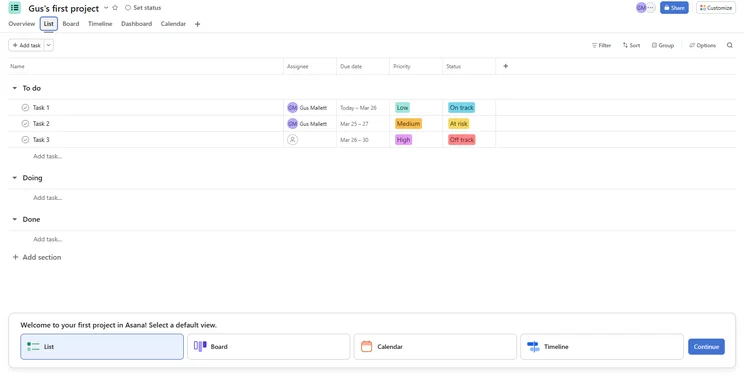
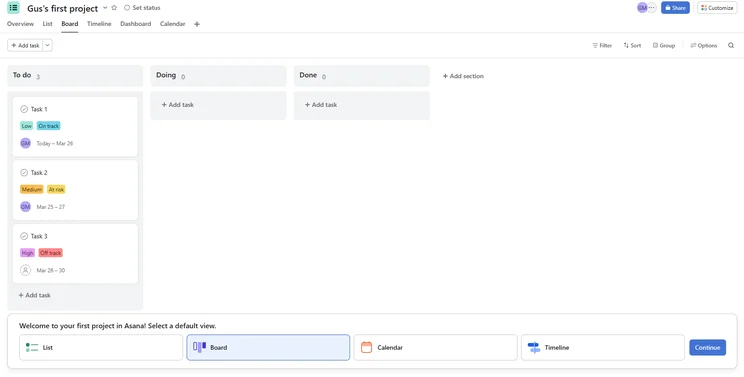
Asana’s free plan, Asana Personal, includes tasks that are sortable into a list view, board view, or calendar. It’s a decent sample of the basics for tracking projects, although it is limited to 15 users and doesn’t include task dependencies, milestones, or a timeline.
There are also no data visualization tools on Asana Personal, whereas ClickUp’s free plan has preset charts and widgets you can use, as well as a dashboard for displaying project data.
In summary, the Asana free plan can be seen as more of a taster. Whereas, the ClickUp free plan lets you operate the essentials of project management for your business. Still, in most cases, you’ll need to upgrade to a paid plan to meet the requirements of a decent-sized team.
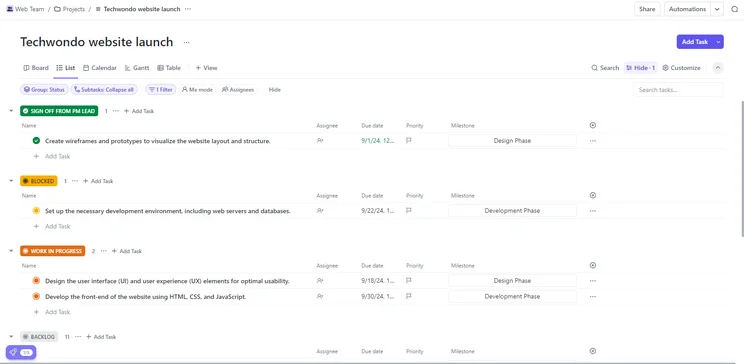
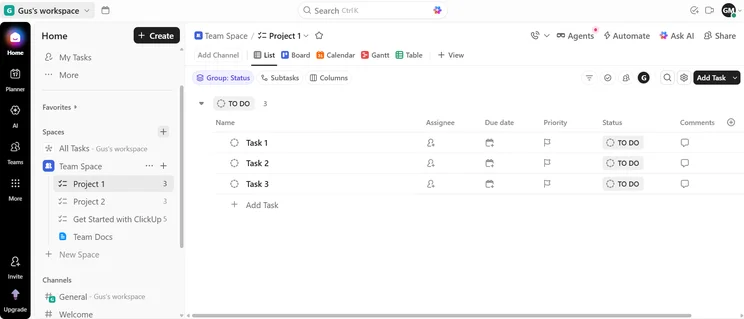
Our researchers found ClickUp’s List view to be straightforward and pleasing to the eye. Image: Tech.co’s testing process.
Best for Ease of Use: Asana
ClickUp and Asana both have customizable dashboards as their main view, with menus that allow users to quickly navigate to the right feature with a click or two.
However, Asana performed better for ease of use in our research. When we tested both pieces of software, it was Asana that had a tidier interface and was easier to navigate. This made it quicker to set up. All in all:
- ClickUp is more usable overall: It can handle more complex tasks and projects than Asana; it’s more useful overall.
- Asana is easier to use for beginners: It has a simpler interface, and it won’t overwhelm you with features like ClickUp.
Compared to Asana, we found ClickUp has stronger functionality, which means it will suit a wider variety of teams who are working on progressively more complex projects and tasks. It won’t leave you stranded on any front, with tools for managing resources, budgets, and multiple teams.
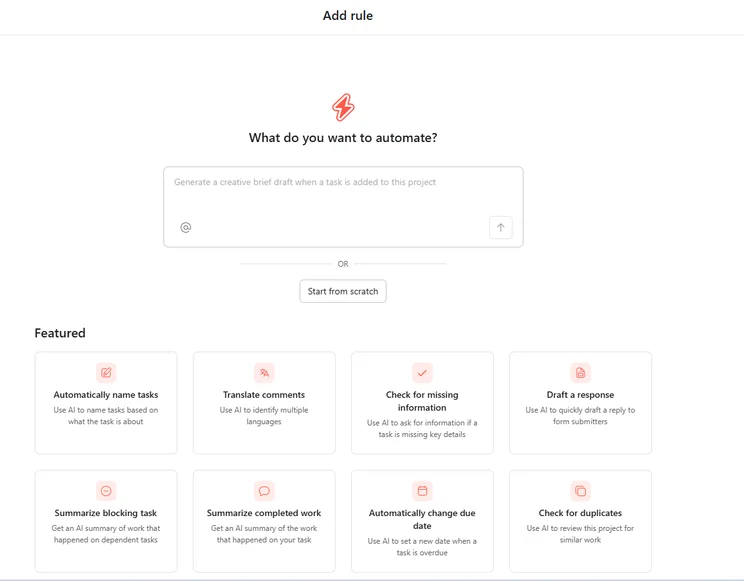
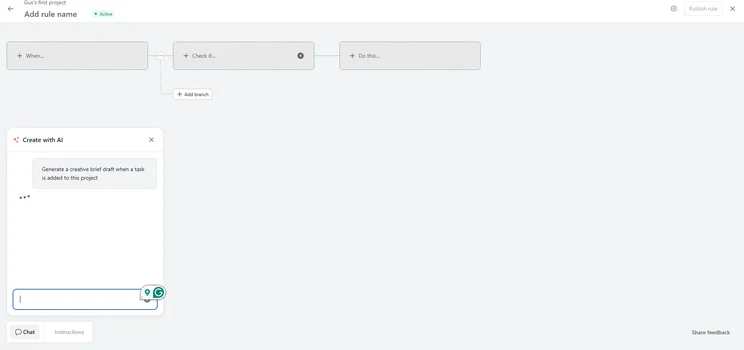
As we’ve said, Asana is simpler and therefore easier to use initially. We found Asana marginally quicker to set up than ClickUp, and it was easier to create automations with the provider’s rule-based automation builder.
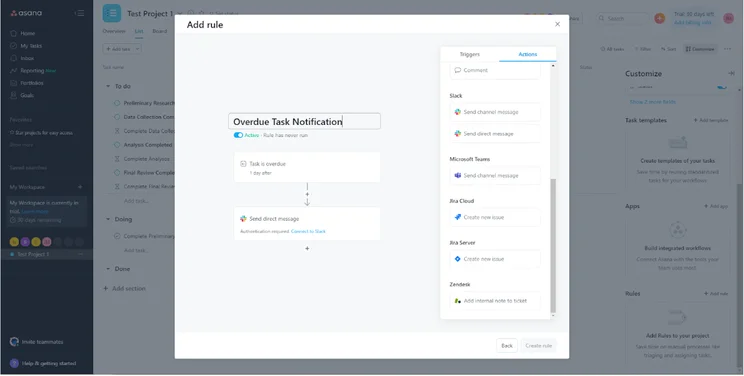
Automations can be tricky to set up, however, Asana’s automation builder made it simple and to-the-point in our testing. Image: Tech.co’s testing process.
It’s worth noting that we found Smartsheet’s spreadsheet-style interface easier to use than both ClickUp and Asana – Smartsheet is actually our easiest-to-use provider overall.
ClickUp does, however, offer a comprehensive spreadsheet functionality, as it supports formula columns, which allow you to calculate things automatically. Asana and other competitors like monday work management don’t provide this.
However, Asana wins with its automation and form builders, as both were not only easier to use, but also had more features and options within them.
In fact, ClickUp and Asana are fairly level on workflow creation features like this. In Asana, the ability to add questions to forms and create basic automations with ease means it can compete with the top-rated provider.
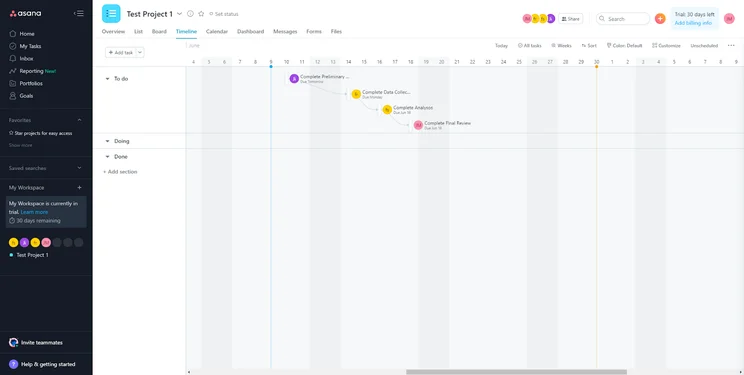
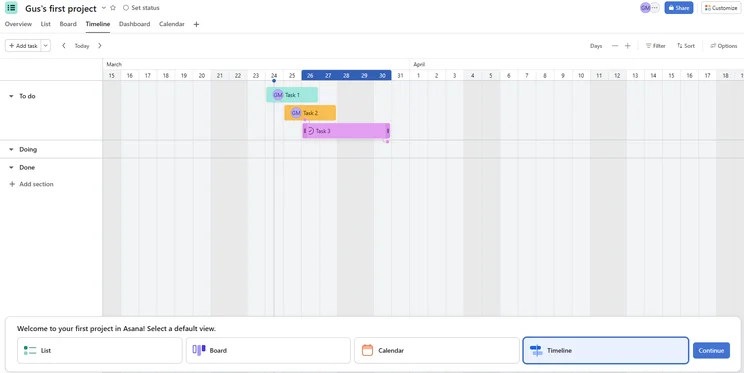
Asana’s Timeline view clearly lets you see what you’ve got coming up, and when. Image: Tech.co’s testing process.
Best for Business Features: ClickUp
ClickUp’s functionality was higher than the 9 other project management software tools we tested. Its various ways to view task progress (including a List View, Gantt Chart, Spreadsheet with formulae, and Kanban Board) helped it to impress our researchers on task management features.
This makes ClickUp a better option than Asana for teams who want to keep a keen eye on project progress. As well as there being no time-tracking function, Asana’s spreadsheet doesn’t have formulae options, either, making it less effective in this area.
ClickUp is also better for workflow creation. Although, one of Asana’s key strengths, its easy-to-use custom automation builder, is really useful – although custom automations are only available on the Advanced plan.
ClickUp actually offers this on its free plan (as well as all subsequent plans). So, although it might take a bit more getting used to, you won’t have to spend a cent to get to grips with it.
Both software performed the same for data visualization in our research. Both offer preset and custom charts and widgets, as well as a dashboard for displaying them. However, building these dashboards in ClickUp was easier, and they were more useful once we’d finished.
What’s more, ClickUp offers more data visualization tools, while Asana doesn’t offer any. Opt for ClickUp if your team doesn’t want to spend a cent on your data-heavy project, but both providers will be serviceable options otherwise.
One place where Asana does beat ClickUp is in available integrations, as Asana has a wider variety of software types available.
For instance, ClickUp has no common marketing integrations, and only integrates with a couple of communications tools like Zoom and RingCentral. Asana, on the other hand, integrates with over 50.
Overall, ClickUp is the best project management software tool for functionality, with a better score than the 10 other competitors we also tested, although Asana isn’t far behind.
ClickUp is also the best pick for task management and collaboration, whereas both providers scored highly for data visualization and workflow creation, so ClickUp wins comfortably.
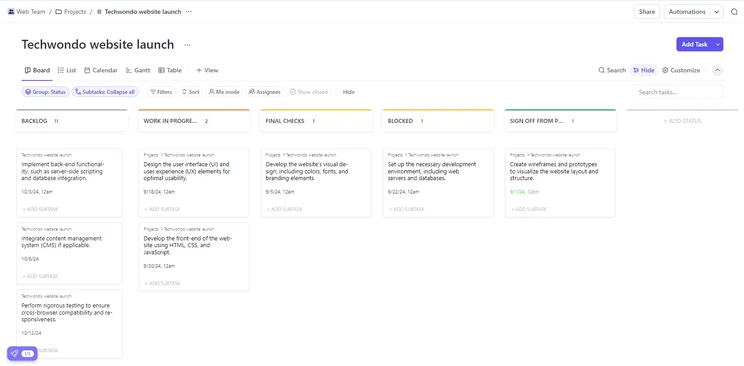
The Kanban board view in ClickUp made viewing which tasks needed to be done easy. Image: Tech.co’s testing process.
Best for Value: ClickUp
Value is all about how many features and tools you get for the price you pay. In terms of ClickUp vs Asana, ClickUp provides better task management and workflow creation features, all while being a cheaper product.
Overall, ClickUp scores the second highest out of all 10 providers we tested for pricing.
Even though ClickUp’s first paid plan is less than half the price of Asana’s (ClickUp’s Unlimited Plan is $7 per user, per month, while Asana’s Starter Plan is $10.99 per user, per month), it has custom automations, time tracking, 24/7 support, a resource management feature, and a team instant-messenger, all of which Asana does not offer on its Starter Plan (or not at all).
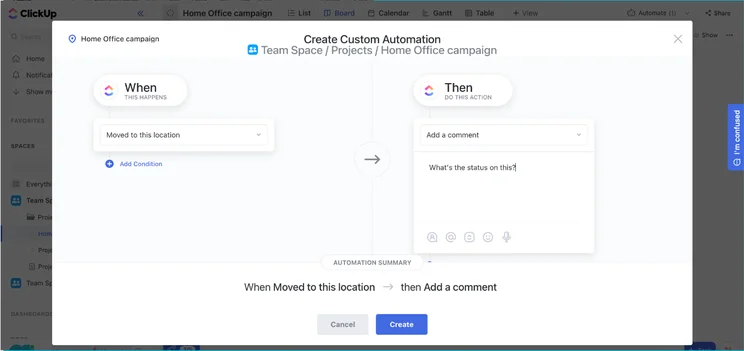
Custom automation in ClickUp, however, in our tests, we found that these could be a bit clunky when in place. Image: Tech.co’s testing process.
Asana is still a good project management tool, it’s just on the more expensive end of the spectrum.
Along with having a better set of features available on cheaper plans, our research found ClickUp to be slightly more usable. This is largely down to the fact it’s somewhat difficult to operate Asana when it doesn’t have a dedicated feature for something you want to do. In contrast, ClickUp has more dedicated features.
Zoho Projects is perhaps the only project management tool that provides better value for money, and that’s largely because it’s so cheap, at just $5 per user, per month for the Premium plan.
It has everything you need for basic task management and project tracking, along with an impressive set of collaboration features, but the user limit of 50 and a project limit of 20 means it’s unsuitable for medium-to-large businesses.
Best for Customer Support: Asana
Our research has shown that Asana has the edge in customer support. In fact, of the 10 services we tested, it came in joint second in this category.
You can contact ClickUp by email, and the provider has a knowledge base for troubleshooting issues yourself. However, the service doesn’t offer a community forum. Asana does, and this is available on all plans.
Asana used to have no live chat function, which ClickUp has provided for some time, but now, both providers offer it to subscribers on all plans.
If you contact Asana’s sales team, you’ll be able to acquire some sort of onboarding assistance on the provider’s Starter, Advanced, Enterprise, and Enterprise+ plans.
This support option is only available on ClickUp’s Enterprise plan. ClickUp’s Enterprise plan also comes with a dedicated success manager, which not every project management software offers.
The fact that ClickUp has better customer support options is a shame, as it’s slightly more complicated than Asana to set up, although compared to some programs like Jira, it’s still comparatively easy.
Overall, Asana offers more, yet you’re less likely to run into many problems thanks to the simplicity of the interface.
With downtime virtually a non-negotiable for businesses in the current economic climate, we’d recommend Asana over ClickUp for customer support.
ClickUp: Overview of Core Features
- Unlimited Tasks, Members, Storage, Integrations, and Dashboards
- Unlimited List, Board, and Calendar views
- Guests and Permissions
- Goals, Portfolios, and Custom Fields
- Google SSO
- Goal Folders
- Custom Exporting
- Private, Protected, and Default Views
- Mind Maps & Timeline Views
- Advanced Time Tracking
- Workload
ClickUp goes far beyond the basics of project management software. It isn’t simply a task tracker or fancy-looking “to-do list” – if that does sound more like what you need, we’d recommend Asana, which is a bit more basic.
ClickUp excels when it comes to collaboration and task management. Indeed, the company has positioned its software as a complete WorkOS – an operating system that will help a business or team arrange and plan all of their key tasks, long-term initiatives, and daily must-dos.
It’s an intriguing new approach to more effective project collaboration, and WorkOS might just be the future of project management.
This is quite different from Asana, which is a more traditional, straightforward project management tool. It doesn’t offer the wide variety of features that ClickUp’s cheapest paid plan does, such as unlimited storage, integrations, and dashboards, added to the unlimited tasks and members that the free plan starts out with.
With ClickUp, you’ll even have features specifically for “agile” teams like sprint points and Work in Progress limits, so it’s very versatile.
ClickUp’s Business plan includes SSO, custom export options, and private views for more granular control over who sees what. Time-tracking tools are included as well, helping managers keep an eye on workers’ movements.
Asana: Overview and Core Features
- Unlimited tasks, projects, messages, and activity log
- Unlimited file storage (100MB per file)
- Collaborate with up to 15 teammates
- List view, Board view, Calendar view
- Assignee and due dates
- Project Overview
- Project Brief
- iOS and Android mobile apps
- Custom fields
- Admin Console
- Custom rules builder
Asana’s paid plans come with Forms, Rules, and Milestones in addition to all the typical project management fixings (tasks, projects, messages, and activity logs). Projects can be summarized with overviews or briefs, and tasks can be checked off over the mobile app, available on iOS and Android.
It’s got a nice, uncluttered feel to the interface and isn’t as intimidating as some people find ClickUp’s endless list of features. Asana still scored highly for workflow creation in our tests thanks to a better automation builder than many of its competitors offer, including ClickUp.
If you opt for the cheaper plans, you’ll have to make do with preset automations, but custom automations can be used to streamline workflows on Asana’s Advanced and Enterprise plans.
Users will also get advanced integrations that can connect commonly used software, including Salesforce, Adobe Creative Cloud, and Tableau.
See how Asana matches up against Basecamp in our comparison guide
Switching between ClickUp and Asana is pretty easy, especially as both platforms offer straightforward how-tos on their websites.
You can import data directly from Asana to ClickUp with minimal downtime. However, you’ll have to convert your tasks and info into a Comma-Separated Value (CSV) file if you want to do it the other way around.
Instead of using a CSV, I’d recommend a tool like Relokia, which facilitates data migration between project management services.
Most project management tools, including both Asana and ClickUp, have put significant effort into making their setup processes quick and easy, so even converting your tasks and project data into a CSV file to switch from ClickUp to Asana won’t take up a lot of time.

ClickUp vs Asana: Our Project Management Research Explained
Here at Tech.co, we test all of the products, software, and services we write about. We put together research frameworks that take into consideration businesses’ pain points, concerns, and needs, and devise criteria upon which to test everything from project management software to CRM and Business Telephone systems.
We’ve put 10 of the top project management tools to the test to determine which is the best for your business. When we test project management software, the five key areas our we focus on are Ease of Use, Pricing, Security, Integrations, and Functionality.
There are also four sub-categories assessed within “Functionality”: Task Management, Workflow Creation, Data Visualization, and Collaboration.
Although we have commercial partnerships with some of the providers we write about, this never affects our research scores, writers’ opinions, or overall editorial independence, which are solely based on the data we collect from testing – whether it’s this ClickUp vs Asana head-to-head, or any other content we produce.
|
Score
The overall score obtained from our most recent round of project management software user testing
|
Ease of use
|
Pricing
|
Customer support
|
Functionality
|
Security
|
||
|---|---|---|---|---|---|---|---|
|
|
|
||||||
|
ClickUp |
Asana |
||||||
|
4.5
|
4.5
|
||||||
|
3.9
|
4.2
|
||||||
|
4.4
|
3.7
|
||||||
|
3.3
|
4.5
|
||||||
|
4.6
|
4.1
|
||||||
|
4.3
|
4.4
|
All in all, ClickUp is the more capable provider, offering more features for task management such as time tracking, better collaboration tools like an instant messenger. Asana, on the other hand, offers a better user experience.
This makes ClickUp much better value for money, with more tools available on cheaper plans, and capable of handling larger and more complicated projects. ClickUp’s first paid plan is also half the price of Asana’s equivalent at just $7 per user, per month.
It’s surprisingly useful and usable for a product at that price point, and undercuts almost all of its competitors while remaining the better option for medium-sized teams and small teams with complex project needs.
Asana, however, is smoother to set up and better for smaller teams starting out with project management software that just want a quick way to streamline their workflows and manage simple tasks. It has a better range of integrations and was awarded a better ease-of-use score.
ClickUp is more of a WorkOS – it’s perfect for businesses that are tired of using hundreds of apps and instead want a central hub that a business’s workers can use to stay in touch with each other each day.
FAQs
ClickUp is a better project management solution than Asana, as it offers slightly better features and ease of use, along with much more impressively low pricing. ClickUp has a lot more dedicated features for a wider variety of tasks than Asana, and although Asana had the easiest-to-use automation builder out of all of the project management software we tested, the software, on the whole, wasn’t quite as easy to use as ClickUp.
Yes, Asana is a solid project management service, offering an interface that clearly guides users to the correct functions. While Asana’s free plan is fairly limited, it’s a great choice for small businesses in particular, with a useful list view and portfolio feature that displays all ongoing projects. However, ClickUp is home to better task management features, better customer support, and better collaboration tools.
ClickUp is our highest recommended service out of all the best project management software, due to the depth of features, ease of use, 24/7 customer support, and industry-low pricing. We found that monday work management was the easiest-to-use provider, while ClickUp was the most functional. Wrike had excellent task management features and overall performed almost as well as Asana, whilst Zoho Projects was so cheap that it came out of our last round of testing as the best value-for-money provider.
Yes, the ClickUp Free plan is permanently free, and it offers unlimited projects and users as well, making it the best free plan available from the best project management software solutions on the market.
They’re not particularly comparable. Slack is a business communications platform that functions sort of like a huge WhatsApp for your company – it’s largely about messaging individuals and groups. Asana, on the other hand, is a project management tool for tracking tasks, creating workflows for team members, managing resources, and monitoring project progress as well as deadlines.
The two top project management software services, monday work management and ClickUp, are fairly neck and neck. They’re both highly recommended, due to features, ease of use, fair pricing, and depth of integrations.
If you click on, sign up to a service through, or make a purchase through the links on our site, or use our quotes tool to receive custom pricing for your business needs, we may earn a referral fee from the supplier(s) of the technology you’re interested in. This helps Tech.co to provide free information and reviews, and carries no additional cost to you. Most importantly, it doesn’t affect our editorial impartiality. Ratings and rankings on Tech.co cannot be bought. Our reviews are based on objective research analysis. Rare exceptions to this will be marked clearly as a ‘sponsored’ table column, or explained by a full advertising disclosure on the page, in place of this one. Click to return to top of page


