

We may receive a commission from our partners if you click on a link to review or purchase a product or service. Click to Learn More
Square POS is the best POS system for small and growing restaurants, due to its affordable pricing options, and robust set of tools for selling and scaling.
With its advanced hospitality features, such as tip-sharing and cost controls, Toast is a better option for established, full-service restaurants.
Clover POS, meanwhile, is the best option for quick-service restaurants, due to its durable, spill-resistant hardware, slick backend, and low transaction fees.
To inform this guide, our researchers tested 16 of the top POS systems across 40 user testing sessions. You can find our thoughts below.
- Square POS is ideal for small businesses seeking affordability and broad functionality, offering a free plan, cheap, durable card readers and a super-easy setup process, particularly for iPad users.
- Toast is best suited for established, full-service restaurants, providing strong hospitality features like tip-sharing and cost controls. The only catch is that it’s an Android-exclusive system.
- Clover POS is the best POS platform for quick-service restaurants, due to its easy-to-use interface, range of hardware, and low transaction fees.
- Consider transaction fees, hardware compatibility (iOS versus Android), and the availability of advanced, industry-specific features when choosing a POS system for your business. Toast will not be suitable for retail businesses, for instance.
- While Square and Toast offer free entry-level plans, comprehensive features like 24/7 support or advanced reporting often require upgrading to paid tiers.
To bring you this and our other reviews, we’ve tested 16 POS systems over the course of 40 user testing sessions, which amounted to 720 hours of testing in total.
We asked our test participants to carry out a range of preset tasks on each POS system and describe their user journey in detail.
We also developed a detailed methodology that focuses on six core categories of investigation — software features (30%), hardware (15%), pricing (10%), ease of use (20%), help and support (15%), and reputation (10%). These categories were broken down into a further 41 subcategories.
AI can’t test POS systems, so we don’t think it should write reviews about them either. That’s why 100% of Tech.co’s reviews are researched, written, and edited by humans.
Learn more about our restaurant POS system research below.
Toast vs Square vs Clover Head to Head
|
Price
The typical lowest starting price. The lowest price available for your business will depend on your needs
|
Free plan
|
Free trial
|
Lowest transaction fee
The lowest possible fee that will be incurred with each transaction
|
Highest transaction fee
The highest possible fee that will be incurred with each transaction
|
iPad app
Is there a version of the software made specifically for iPad use?
|
Android app
Is there a version of the software made specifically for Android tablet use?
|
24/7 support
|
Key benefits
|
Drawbacks
|
Card reader starting price
|
Hardware kit starting price
|
Who should
What kind of business should use this POS system?
|
Who shouldn't
What kind of business shouldn't use this POS system?
|
|||
|---|---|---|---|---|---|---|---|---|---|---|---|---|---|---|---|---|
 |
 |
 |
||||||||||||||
|
Toast |
Square |
Clover |
||||||||||||||
|
$0/month |
From $0/month |
From $16/month for 36 months (depending on plan) |
||||||||||||||
|
|
|
|
||||||||||||||
|
14 days |
30 days |
90 days |
||||||||||||||
|
2.49% + 15¢ |
2.5% + 15¢ |
2.3% +10¢ |
||||||||||||||
|
3.50% + 15¢ |
3.5% + 15¢ |
3.5% +10¢ |
||||||||||||||
|
|
|
|
||||||||||||||
|
|
|
|
||||||||||||||
|
|
|
|
||||||||||||||
|
|
|
||||||||||||||
|
|
|
||||||||||||||
|
Free |
Free for new users |
$199 |
||||||||||||||
|
Custom pricing |
$59 for the Square Reader |
From $1,799 + $84.95/month (software included) for Clover Station Solo |
||||||||||||||
| Visit Toast | Try Square | Compare Quotes | ||||||||||||||
|
|
|
||||||||||||||
|
|
|
Is Toast a Good Hospitality POS?
- Starting price: Free (with transaction fees)
Toast is the best POS system for established restaurants. With specialized, powerful features for managing inventory, profit margins, and customer loyalty, it is specifically built with large hospitality businesses in mind.
Toast

In Short
-
Pros
- Built-in customer engagement and loyalty program features
- Excellent inventory management tools, like stock alerts
- Support for tableside ordering and payment
-
Cons
- Main restaurant POS has no iOS compatibility
- No social media or email support
- No ecommerce app market integration
Pricing
-
 Free pay-as-you-go plan available
-
 POS pricing starts at $69/month
-
Transaction fee: 2.49% + 15¢
-
Customizable starter kits available
Images
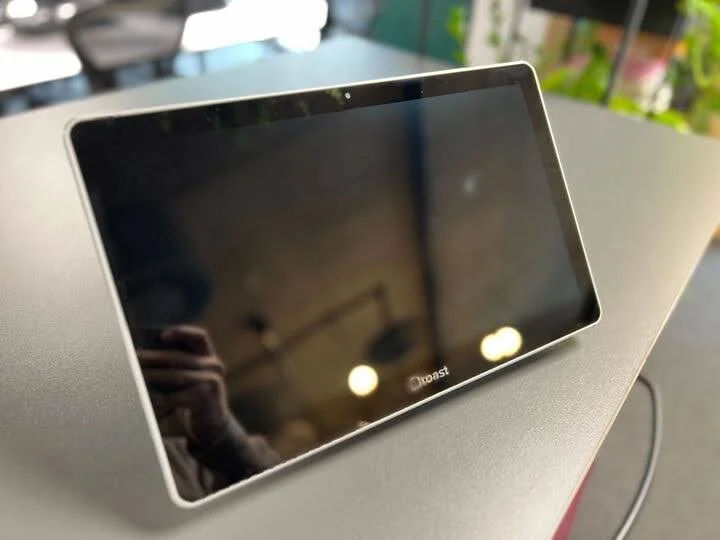
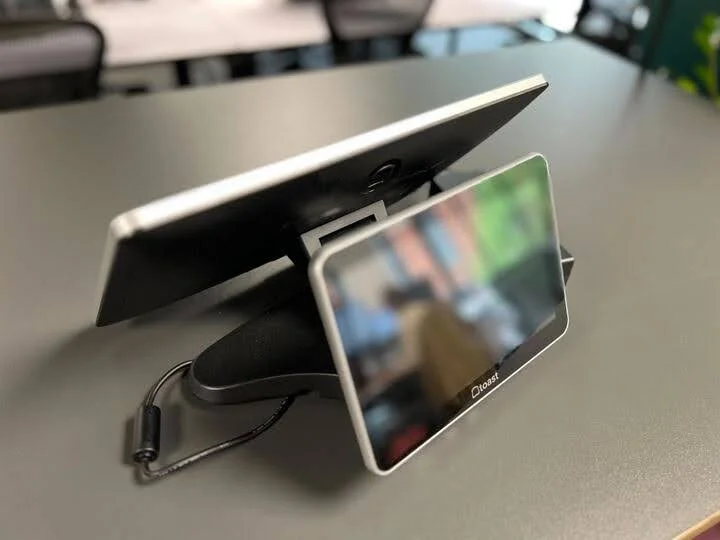
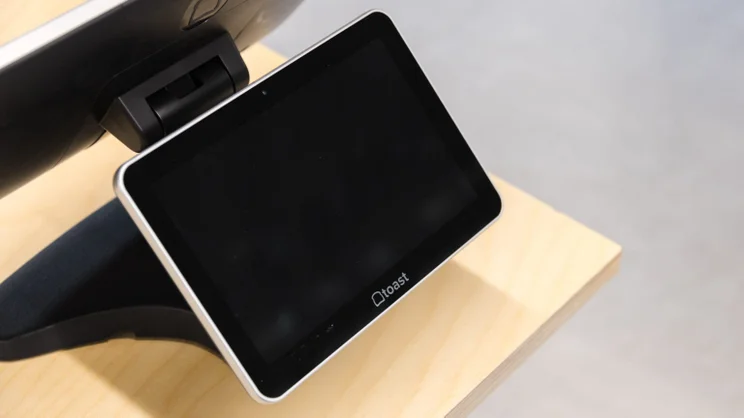
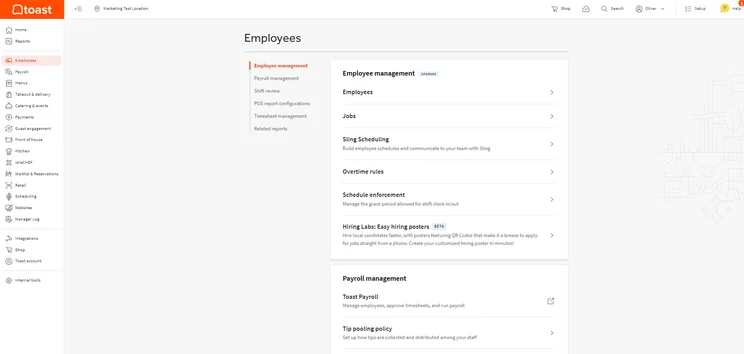
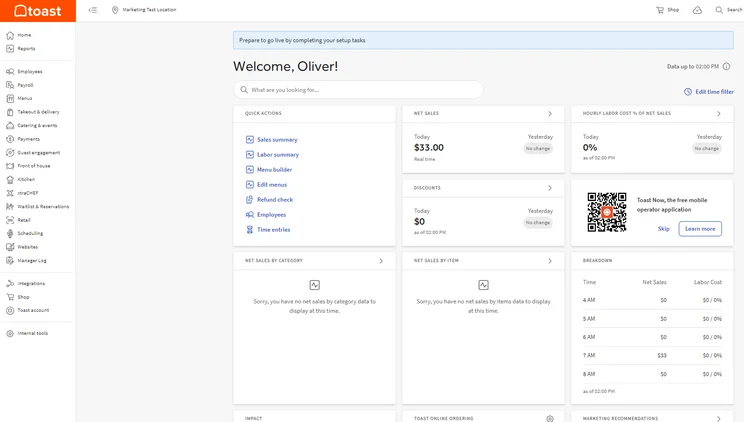
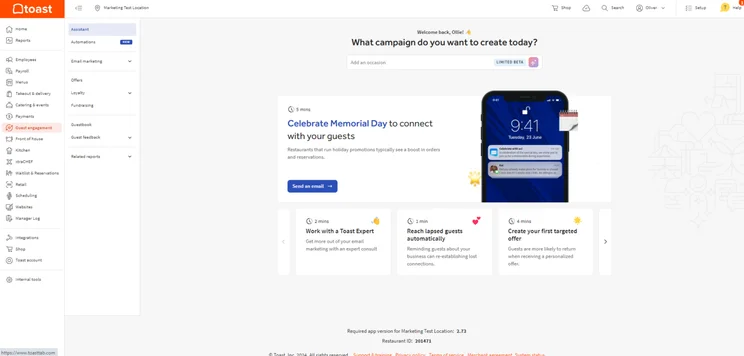
I was a big fan of Toast’s clean design and intuitive search tool, which allowed me to get to grips with the more complicated elements of the platform. However, I did find the vast array of advanced tools slightly overwhelming.
Overall, I found the backend easier to use than the frontend. If I could suggest one area of improvement, it would be that visually signposting the help section would improve the overall usability.

Why is Toast a good hospitality POS?
- Dedicated onboarding support makes it quick and easy to switch to the platform from your existing provider, minimizing potential downtime.
- Rugged, durable hardware is well-suited to the environmental stresses of the kitchen.
- Advanced inventory management tools mean you can keep operations running smoothly.
What could Toast improve?
- Vendor locks customers into two-year contracts with high cancelation fees, which can be stifling for smaller businesses.
- Toast is built exclusively on Android architecture. iOS natives might find this off-putting.
- Third-party integrations, including delivery options, can be expensive.
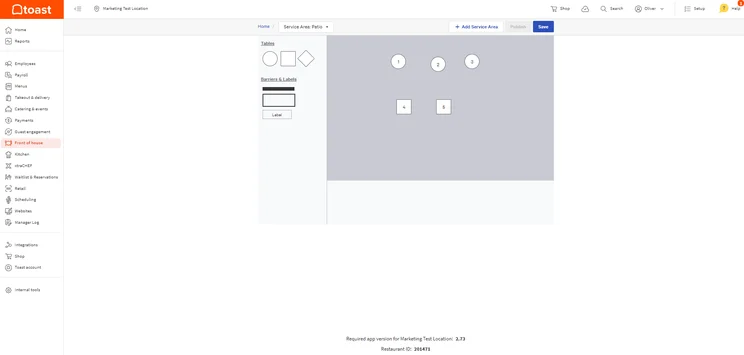
Toast gave me real-time table management updates straight from the POS. Source: Tech.co testing
Learn more about the system’s features and limitations in our Toast POS review.
How much does Toast cost?
- Starter Kit — $0 per month (with transaction fees)
- Point of Sale — $69 per month
- Build Your Own — Custom pricing
Is Square a Good Hospitality POS?
- Starting price: Free (with transaction fees)
Square is the best POS solution for small and growing restaurants, due to the fact that you can get started for free, it is easy to use, and it includes robust inventory and analytics tools.
Square POS

In Short
-
Pros
- Free to get started
- Serves businesses of all sizes and in all sectors
- Strong analytics, inventory, and third-party integrations
-
Cons
- Some necessary features for mid-sized businesses cost more
- 3.5% + 15¢ charge for keyed-in transactions on free plan
- Support options vary by plan
Pricing
-
Square Free plan at $0/month
-
Square Plus plan at $49/month
-
Square Premium at $149/month
Images
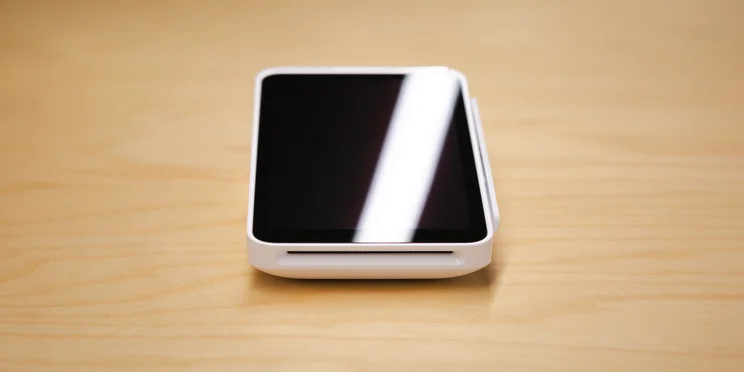
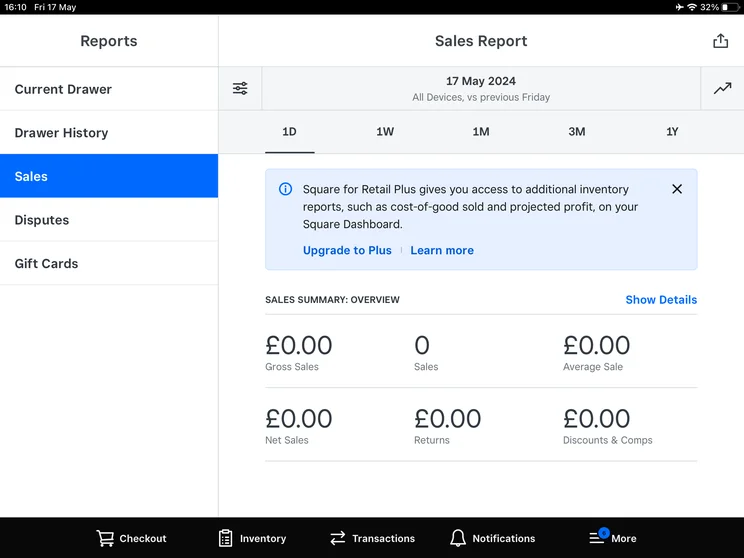
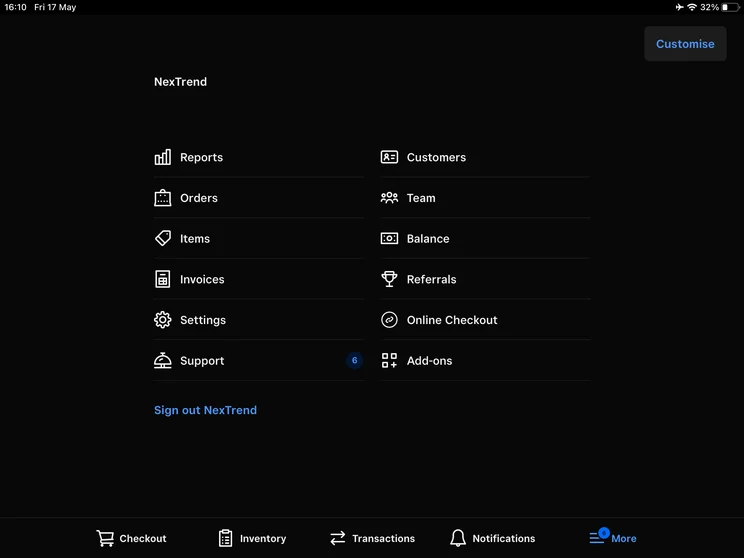
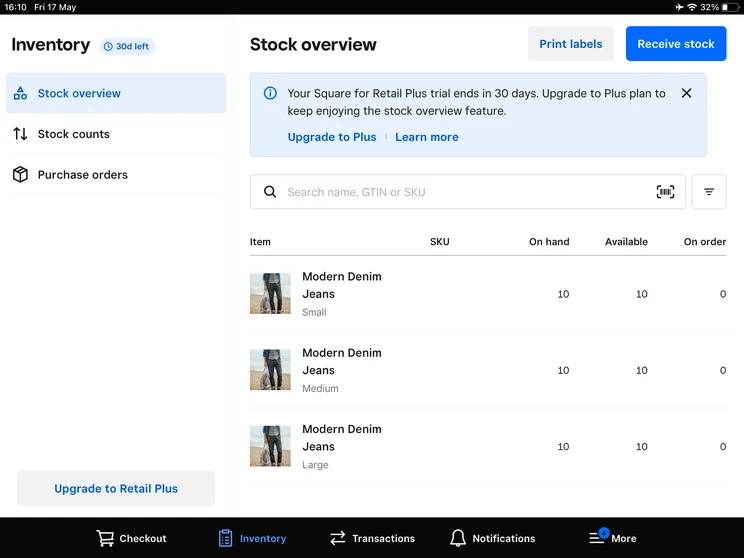
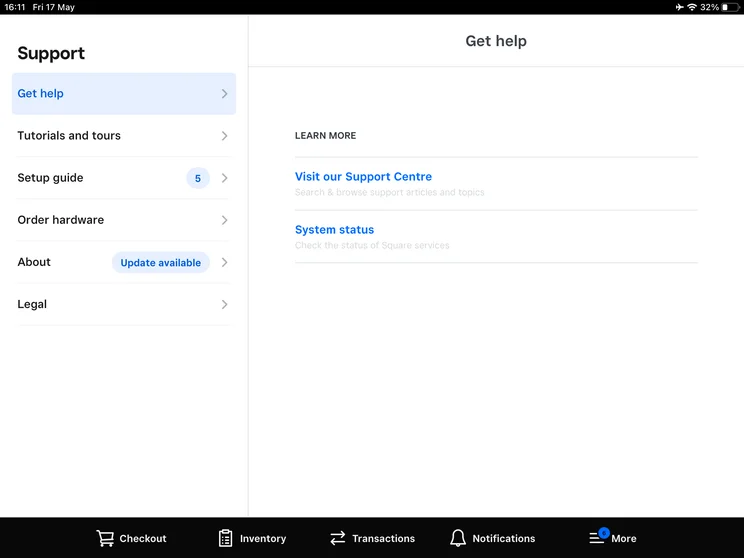
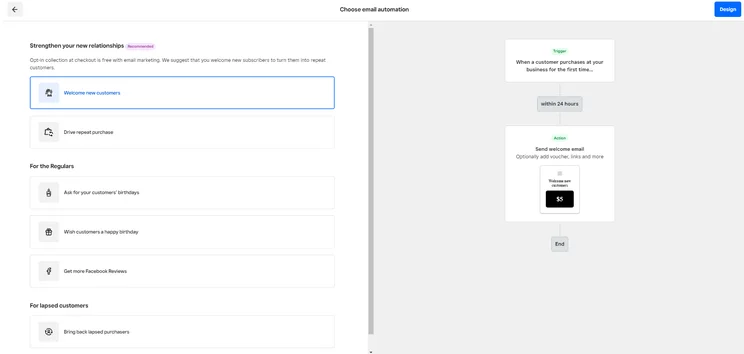
I recently put Square through a series of tests to evaluate its performance as a hospitality-focused POS system. Quite simply, it was an absolute pleasure.
Square is so easy to use, with a responsive touchscreen, a sleek interface, and logical site-mapping that means everything is where you would expect.
Aside from a few minor drawbacks, such as the inability to open item cards for individual items, it’s by far the best POS system that I’ve ever used.
Why is Square a good hospitality POS?
- Cost predictability of free plan will appeal to microbusinesses with low turnover, or businesses that plan to scale.
- Vertical-specific hardware setups, such as the countertop Square Stand, which includes built-in inventory tracking, barcode scanning, and employee management.
- Sleek, portable, and responsive hardware keeps service running smoothly.
What could Square improve?
- Restaurants with high table turnover will struggle with the absence of item-level seat routing.
- Adding multiple items or variations to an order is quite time-consuming.
- High transaction fees mean that Square isn’t a viable option for larger businesses.
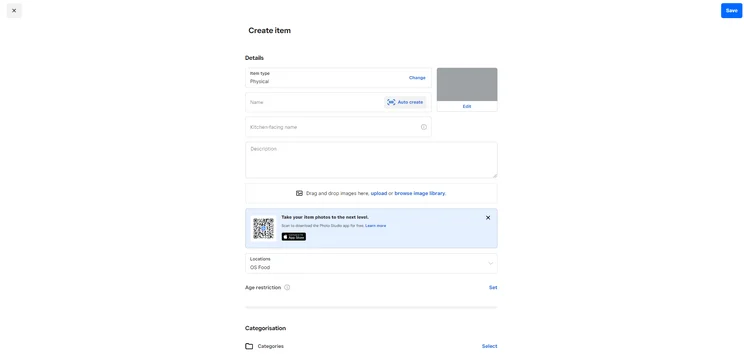
The Square POS uses clearly marked fields and a drag-and-drop editor to help guide users through item creation. Source: Tech.co testing
Learn more about the popular POS in our Square POS review.
How much does Square cost?
- Square Free — $0 per month (with transaction fees)
- Square Plus — $49 per month, per location
- Square Premium — $149 per month, per location
Is Clover a Good Hospitality POS?
- Price from: $14.95 per month (virtual terminal)
According to our research, Clover POS is the best POS system for quick-service restaurants. During the testing process, our researchers noted how intuitive and straightforward the platform was, compared with other POS providers.
Clover POS

In Short
-
Pros
- Solid range of hardware options
- 90-day free trial (software-only)
- Low transaction fees
-
Cons
- Need pre-existing website, unlike, for example, Shopify
- Additional features cost extra and can become expensive
- No inter-store transactions
Pricing
-
Cheapest Retail plan: $16/month
-
Transaction rates from 2.3% + 10¢ (Standard and Advanced)
Images
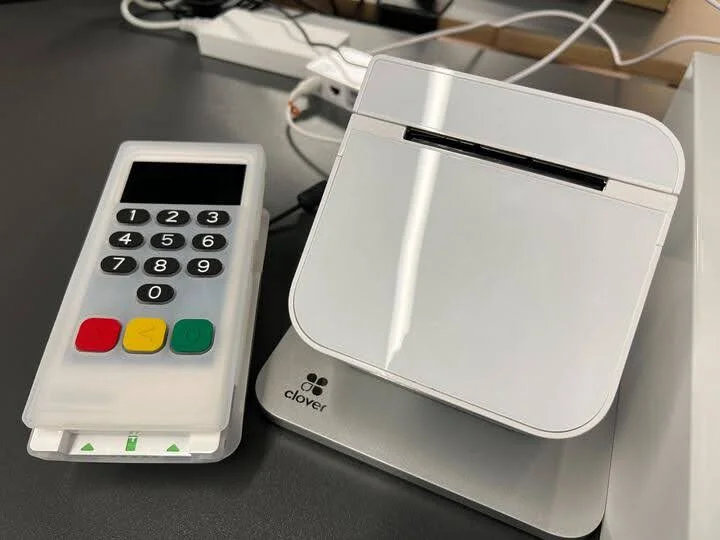
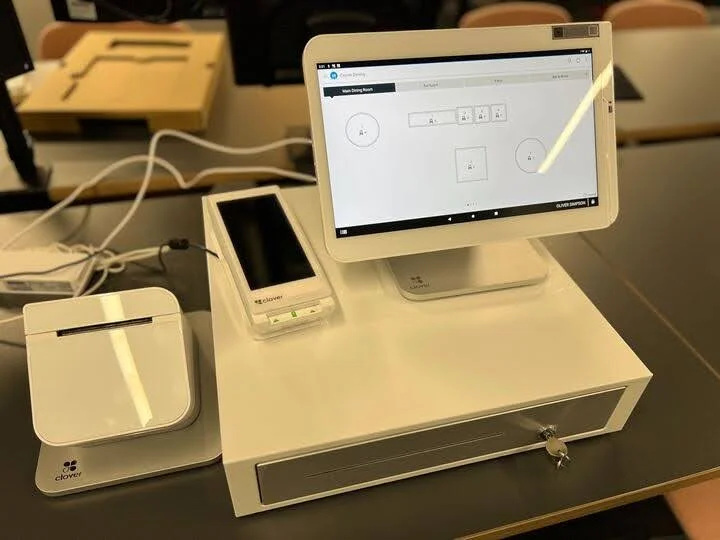
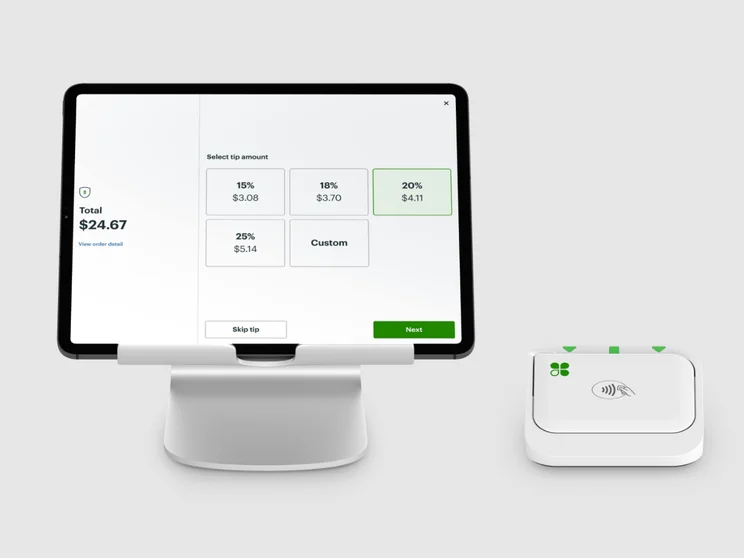
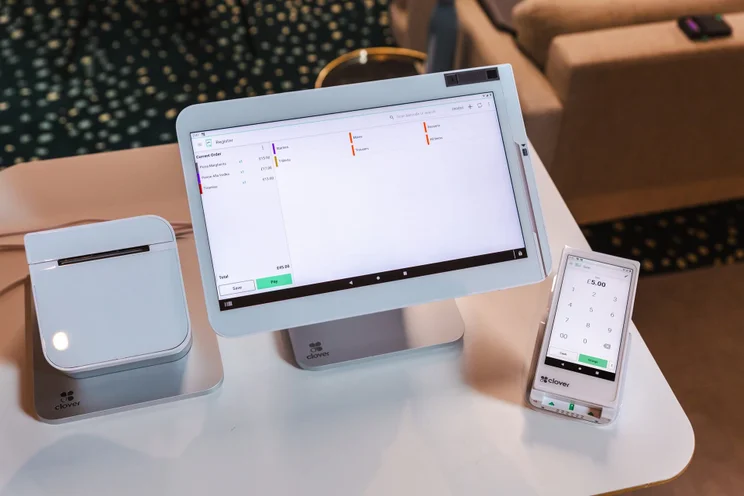
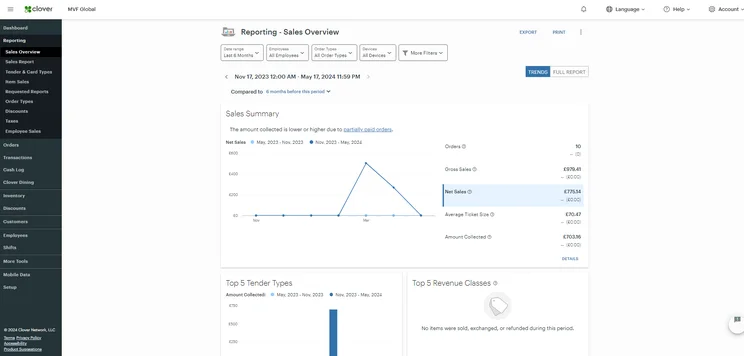
Clover’s interface is perfectly pleasant with a large, bright screen, clear buttons, and easy fixes to any problems I faced in testing. It’s also quick, and never found myself waiting on it to load or process something.
The area I struggled most with was pre-testing, adding products via the interface, but most restaurants should be doing this on their Clover POS account via a laptop.
Why is Clover a good hospitality POS?
- Extensive help and support options, including email, phone, live chat, knowledge base, image and video tutorials, and onboarding support.
- Highly responsive and intuitive hardware makes it easy to navigate the backend.
- Excellent table management features keep things ticking over during peak periods.
What could Clover improve?
- Some of the backend navigation isn’t very logical, which could potentially introduce bottlenecks to your service.
- Smaller businesses will likely be deterred by the large upfront hardware investment.
- Open third-party app marketplace can lead to disjointed performance.
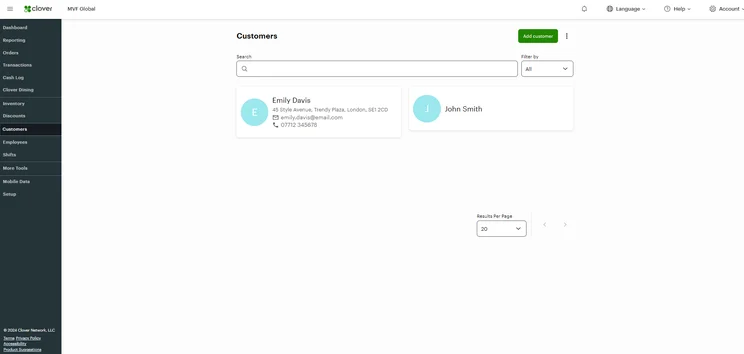
The Clover Customers page offers options to customize data. Source: Tech.co testing
Learn more in our Clover POS review.
How much does Clover POS cost?
Quick-service restaurant:
- Starter — $135 per month for 36 months, or $849 + $89.95 per month
- Standard — $185 per month for 36 months, or $1,899 + $89.95 per month
- Advanced — $245 per month for 36 months, or $2,648 + $109.90 per month
Full-service restaurant:
- Starter — $179 per month for 36 months, or $1,799 + $89.95 per month
- Standard — $239 per month for 36 months, or $2,548 + $109.90 per month
- Advanced — $354 per month for 36 months, or $4,447 + $129.85 per month
What Are the Best Alternatives to Square, Toast, and Clover?
|
Price
The typical lowest starting price. The lowest price available for your business will depend on your needs
|
Free plan
|
Free trial
|
Best for
Tech.co's verdict to help you identify the most suitable choice for your small business
|
Additional costs
Any additional costs you'll need to pay to get started
|
Lowest transaction fee
The lowest possible fee that will be incurred with each transaction
|
Highest transaction fee
The highest possible fee that will be incurred with each transaction
|
User limit
|
24/7 support
|
Get started
|
||
|---|---|---|---|---|---|---|---|---|---|---|---|
|
BEST OVERALL
|
 |
|
|
 |
 |
||||||
|
Square |
Shopify POS |
Toast |
Clover |
SpotOn |
SumUp |
||||||
|
From $0/month |
From $0/month |
$0/month |
From $16/month for 36 months (depending on plan) |
$0/month |
$0/month |
||||||
|
|
|
|
|
|
|
||||||
|
30 days |
3 days |
14 days |
90 days |
No |
Demo only |
||||||
|
Scaling and growing your business |
Managing in-store and online sales |
Restaurants with complex operations |
Professional hardware |
Simplifying staff scheduling and communication |
Speed, efficiency and data-driven sales insights |
||||||
|
Marketing, customer loyalty, and employee management features cost extra |
Shopify POS Pro is available for $89/location/month |
Digital ordering, third party delivery, email marketing, and catering/events cost extra |
Accounting integrations cost extra |
Loyalty programs cost extra |
Customer loyalty programs cost extra |
||||||
|
2.5% + 15¢ |
2.4% + 10¢ |
2.49% + 15¢ |
2.3% +10¢ |
2.79% + $0.20 |
1.5% + 10¢ |
||||||
|
3.5% + 15¢ |
2.6% + 10¢ |
3.50% + 15¢ |
3.5% +10¢ |
3.79% + $0.20 |
3.25% + $0.15 |
||||||
|
Unlimited (each till requires a new license) |
Single user/license across all plans |
Unlimited |
Unlimited (each till requires a new license) |
Unlimited |
Unlimited |
||||||
|
|
|
|
|
|
|
||||||
| Visit Square | Try Shopify | Visit Toast | Compare Prices | Compare Quotes | Try SumUp |
How Do We Evaluate POS Systems?
After identifying the most relevant, popular POS platforms on the market, we put them through their paces with hands-on testing to better understand their strengths and weaknesses.
In total, we put 16 POS systems to the test, with a vigorous research and testing methodology. In our testing sessions, participants were asked to carry out tasks on POS software and describe their user journey, to help us understand what it’s like to use the systems first-hand. Here’s an overview of our main testing categories for POS systems:
- What software features are available? (30%) The capabilities provided by the POS product. Includes general features like ordering and payment functionality, as well as industry-specific tools like inventory-level stock tracking and kitchen display system (KDS) software.
- What hardware can you use? (15%) The quality of a POS system’s hardware selection. The presence of an own-brand terminal, as well as hardware accessories like KDS, receipt printers, and barcode scanners.
- How much does it cost? (10%) The cost associated with acquiring and using the POS system, such as the initial purchase cost, transaction fees, licensing fees, subscription plans, and any additional charges or ongoing costs.
- Is it easy to use? (20%) We test out the software to gauge how intuitive and easy to navigate it is. We also consider how easy the software is to navigate and whether any errors took place during testing.
- What support options are available? (15%) The assistance and resources available to users when they encounter issues or need guidance while using the POS system, including documentation, tutorials, or knowledge bases.
- What is the provider’s reputation? (10%) The aggregate score from customer review sites like Trustpilot and TrustRadius, to understand how POS providers are viewed by their own customer bases.
When it comes to calculating a product’s final score, not all testing areas are weighted evenly, as we know some aspects matter more to our readers than others. For example, we’ll prioritize certain industry-specific features for specific reviews, like an offline mode when reviewing POS systems for food trucks or KDS when reviewing restaurant POS systems.
At Tech.co, we have a number of full-time in-house researchers who re-run this testing process regularly to ensure our results remain up to date.
Learn more about our research.
Square POS is better than Clover and Toast due to its affordable pricing options, ease of use, and robust inventory and analytics tools, which are even available on its free plan.
Clover offers a stronger selection of industry-specific features than Square and a lower learning curve than either provider.
Toast POS is still easy for novices to get started on and its extensive hardware options make it a great fit for full-service restaurants.
If you are interested in getting started with a POS system today, check out our POS guide for small businesses and our retail POS guide, so you can have all the important information you need to make an informed decision.
Frequently Asked Questions
Square is the cheapest POS system out of the three options. While both Square and Toast’s entry-level plans are free, Square’s mid-tier plan is significantly cheaper.
What’s more, Square has cheaper online transaction fees.
Yes, it is possible to use a Square Stand with just a cash drawer if the cash drawer is USB-connected.
Clover generally offers lower, more competitive in-person transaction fees for high-volume businesses than Square (2.3% + 10¢ versus 2.4% + 15¢). If you sell in high volume, it’s likely that Clover’s monthly costs will be offset by their lower transaction fees, relative to Square.
Toast and Clover are the best options for handling legacy data, as they offer more robust tools for migration.


