
We may receive a commission from our partners if you click on a link to review or purchase a product or service. Click to Learn More
The best POS system for bars is Square, because it offers an exceptionally intuitive interface that can handle high-volume spikes, and offers your staff a rapid and comprehensive onboarding processes.
Toast is another good POS for bars that need advanced tracking features, as it provides robust cost-of-goods analytics and pour-cost inventory tracking, while Clover provides the most durable and functional hardware across our in-depth, hands-on research of the best POS systems.
We take our impartial research and analysis seriously, so you can have complete confidence that we’re giving you the clearest, most useful product recommendations.
Here’s how our POS systems for bars research came about, by the numbers:
- More than 100 hours
- Four categories of investigation
- 17 tested tasks
The primary categories of investigation included software (40%), hardware ecosystem (20%), user experience (25%), and value and cost-efficiency (15%).
For more information on how we ranked these providers, please visit our research section.
|
Price
The typical lowest starting price. The lowest price available for your business will depend on your needs
|
Free plan
|
Tech.co rating
Score out of 5 based on Tech.co's independent market research
|
Pros
|
Cons
|
Who should
What kind of business should use this POS system?
|
Who shouldn't
What kind of business shouldn't use this POS system?
|
||
|---|---|---|---|---|---|---|---|---|
|
TOP RATED
 |
 |
 |
 |
 |
||||
|
Square |
Toast |
Clover |
SpotOn |
SumUp |
||||
|
$49/month |
$0/month |
From $16/month for 36 months (depending on plan) |
$0/month |
$0/month |
||||
|
|
|
|
|
|
||||
|
4.8
|
4.7
|
4.4
|
4.2
|
3.9
|
||||
|
|
|
|
|
||||
|
|
|
|
|
||||
|
|
|
|
|
||||
|
|
|
|
|
- Square is the best POS system for bars, because it offers an intuitive interface that allows for speedy transactions and staff onboarding.
- Alternatives: Toast offers excellent reporting tools, Clover is the top choice for durable, advanced hardware, SpotOn is great for its staff management tools, and SumUp is a good budget option for minimalist operations.
- Starting prices for POS systems ranges from $49 per month to $99 per month, with more advanced, enterprise-level plans costing as much as $289 per month.
- Many POS system providers offer free forever plans, but they often come with high transaction fees and limited features.
- Our research focused on POS systems that can handle high-volume bar environments, specifically focusing on rapid order input, menu modification, and strict inventory controls to analyze providers.
The Best POS System for Bars in 2026
- Square – Best bar POS for scaling establishments
- Toast – Best for bars with complex operations
- Clover – Best for impressive hardware
- SpotOn – Best for enhancing staff communication
- SumUp – Best for fast-paced operations
1. Square: Best Bar POS for Scaling and Growing
- Price: $49 per month
- Free plan: Yes
Bars are consistently inundated with high-volume spikes and employee turnover, which is why we believe Square POS is the best option for these kinds of businesses. Our research found that Square provides an intuitive interface that can facilitate speedy transactions during the rush and it’s easy enough for new hires to learn quickly.
Our hands-on testing shows that Square process a 10-item drink order with nested modifiers and specific varietals in two minutes and 40 seconds, performing twice as fast as competing systems.
Square

In Short
-
Pros
- Slick and stylish hardware that impresses guests
- Serves businesses of all sizes and in all sectors
- Strong analytics, inventory, and third-party integrations
-
Cons
- Some necessary features for mid-sized businesses cost more
- 3.5% + 15¢ charge for keyed-in transactions
- Support options vary by plan
Pricing
-
 Free to install
-
Plus plan starting from $49/month/location
-
 2.6% + 15¢ fees for card transactions
Images
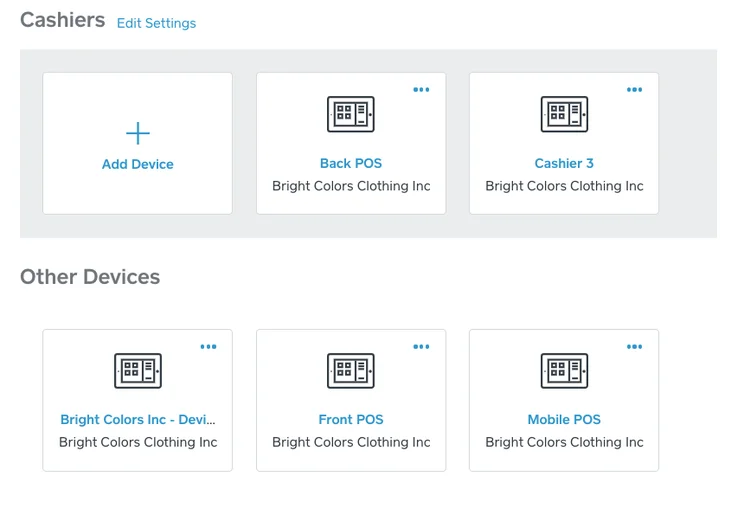
Why Square is great for bars
- Easy and intuitive platform: We were able to put in drink and food orders much faster with Square than other POS providers, and the intuitive interface made it easy to learn quickly.
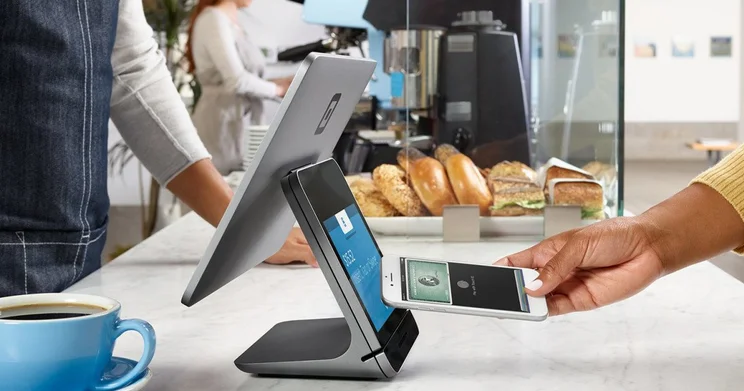
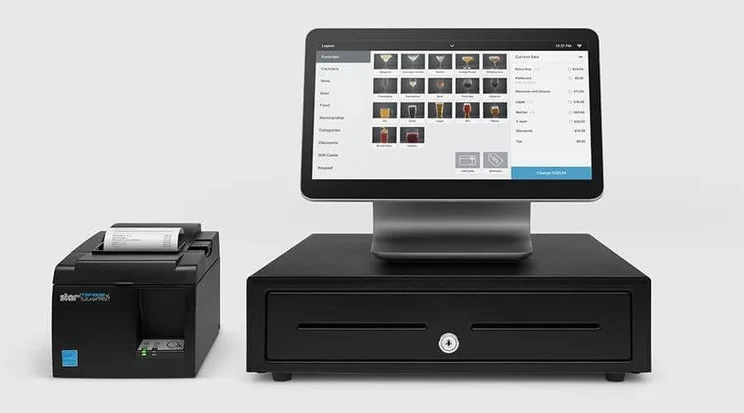
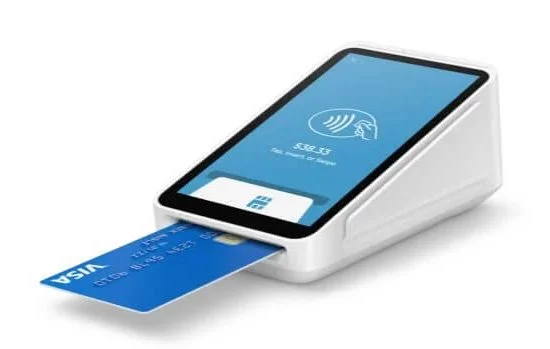
- Sleek and professional hardware: Square offers durable, spill-resistant hardware, which can be particularly helpful in hectic bar environments.
- Huge app marketplace: Gives users access to a wide range of platforms that can benefit multiple areas of your bar. For instance, the Food & Drink Exchange app can update prices in real time and the Pretamenu app can get bars online in minutes.
The interface is just a joy. It’s sleek, the touch screen is very responsive, adding items is really easy, navigating the platform is easy, and the site mapping is really logical. This is definitely a smoother and more intuitive experience than any platform I’ve used previously.

2. Toast: Best POS for Bars With Complex Operations
- Price: $69 per month
- Free plan: Yes
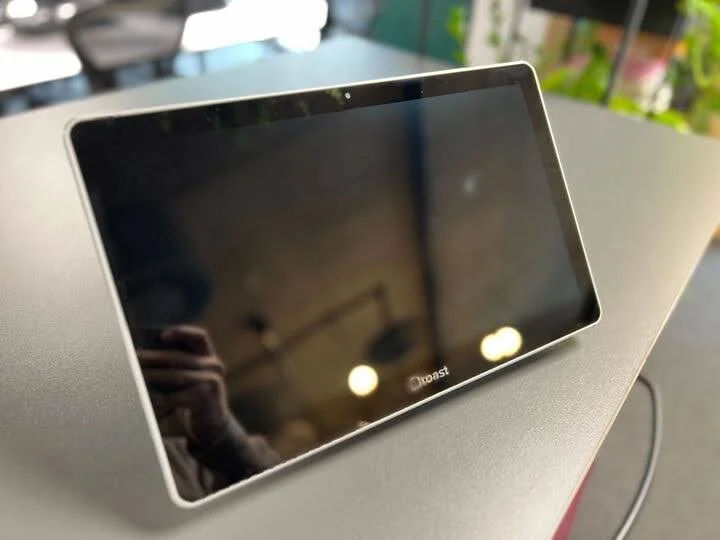
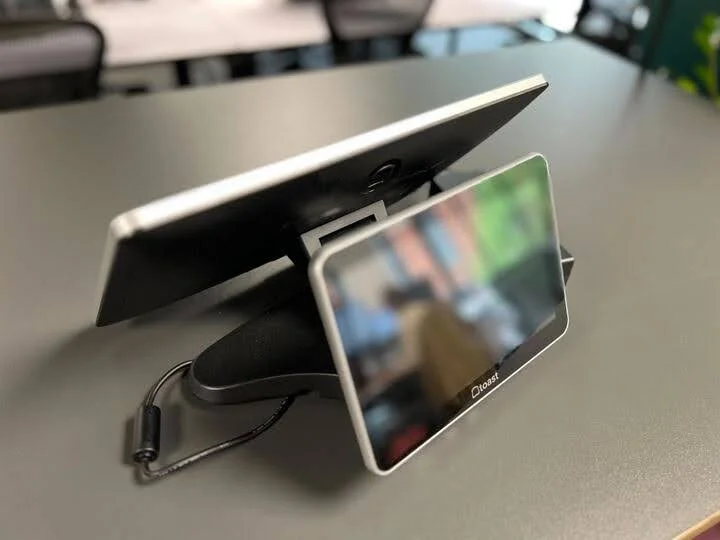
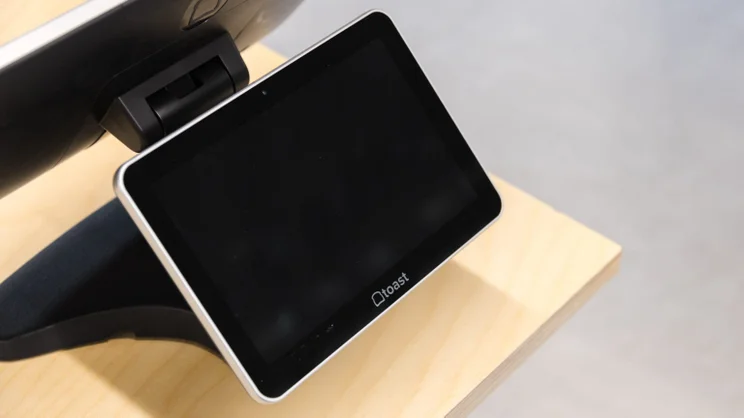
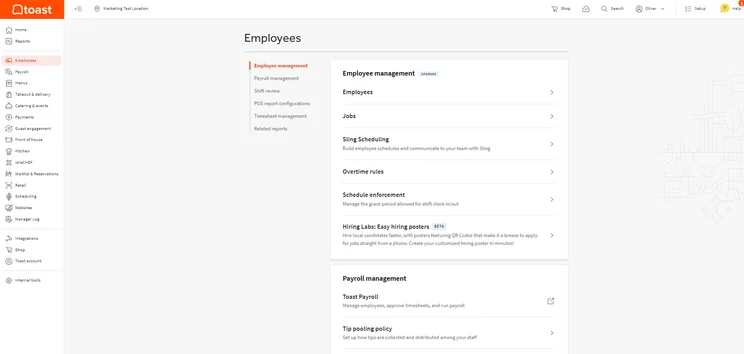
Toast POS provides a lot of in-depth reporting tools for your bar, including the ability to track cost-of-goods-sold analytics and pour-cost inventory. You can also employ advanced tip sharing algorithms to keep staff motivated.
This complexity can get confusing, but Toast provides deep kitchen and bar display coordination with a color-coordinated interface and deeply customizability menu options.
Toast

In Short
-
Pros
- Built-in customer engagement and loyalty program features
- Excellent inventory management tools, like stock alerts
- Support for tableside ordering and payment
-
Cons
- Main restaurant POS has no iOS compatibility
- No social media or email support
- No ecommerce app market integration
Pricing
-
Free pay-as-you-go plan available
-
POS pricing starts at $69/month
-
Transaction fee: 2.49% + 15¢
-
Customizable starter kits available
Images
Why Toast is great for bars
- Robust reporting tools: Toast offers in-depth reporting tools, allowing users to track granular metrics like pour-cost inventory, cost-of-goods-sold, and tip-sharing specifics.
- Kitchen and bar coordination: Toast offers a comprehensive kitchen-bar display system that is flexible enough for any kind of establishment, ensuring you don’t fall behind during the rush.
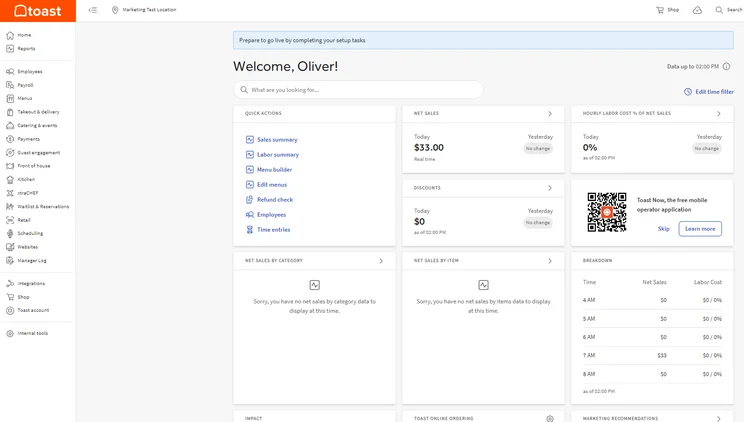
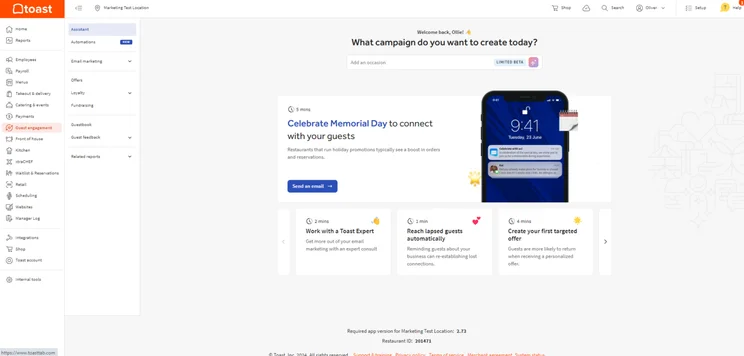
- Customer engagement tools: Toast gives users access to an extensive ecosystem of customer engagement options, including email marketing, websites, and in-house loyalty programs.
Toast’s ability to handle complex and large scale operations makes it perfect for bars with multiple locations. In particular, I thought its cost/profit management tool, which Square is actually missing, would be great for providing the in-depth numbers a large scale business will need.
The average small business would find the number of potential features in Toast overwhelming, especially as you might find you don’t need much of what is being offered by the platform.

3. Clover: Best Bar POS for Impressive Hardware
- Price: $89.95 per month
- Free plan: No
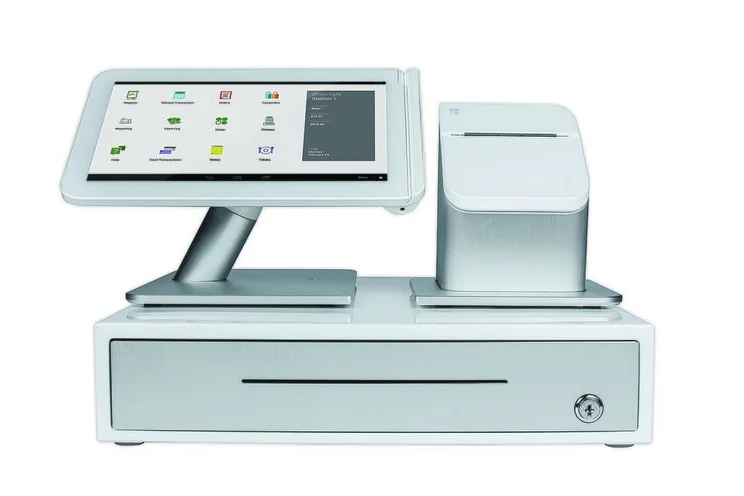
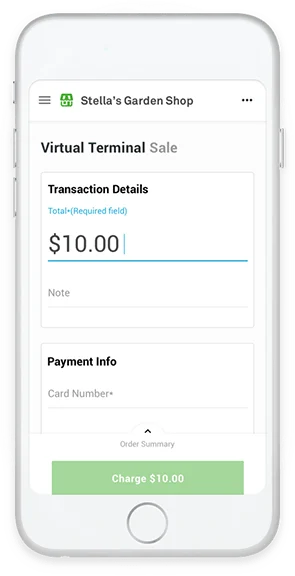
Clover is the best bar POS system for premium hardware options across our research, with modern, durable devices that offer advanced features, like tactile feedback and biometric logins.
Clover also offers a versatile backend interface, because it relies on a highly modular app-driven system, which means it doesn’t offer a lot of native features built into the platform.
Clover

In Short
-
Pros
- Great for companies that started online but need a physical presence
- Good range of hardware options
- 30-day free trial to test before you buy
-
Cons
- Need pre-existing website unlike Shopify, for example
- Additional features cost extra and can become expensive
- No inter-store transactions
Pricing
-
Cheapest plan is $14.95/month
-
Cheapest Retail plan is $16/mo, plus 2.6% + 10c fees for card-present transactions
-
Offers 'Quick-Service' & 'Full Service' dining plans
-
Quick Service plans start at $89.95/mo + set-up fee
Images
Why Clover is great for bars
- Impressive and durable hardware: Clover offers the best hardware across our research, with advanced features like biometric logins and tactile feedback. It is also spill-proof and comes with LTE connectivity, so Wi-Fi outages aren’t a problem.
- Lots of third-party apps: Clover provides users with a highly flexible system, because it relies almost exclusively on third-party apps for extra features, many of which are free to use.
- Training mode: Clover has a dedicated training mode that helps new users get to grips with the system quickly. Perfect for bars wanting to train up staff without too much stress.
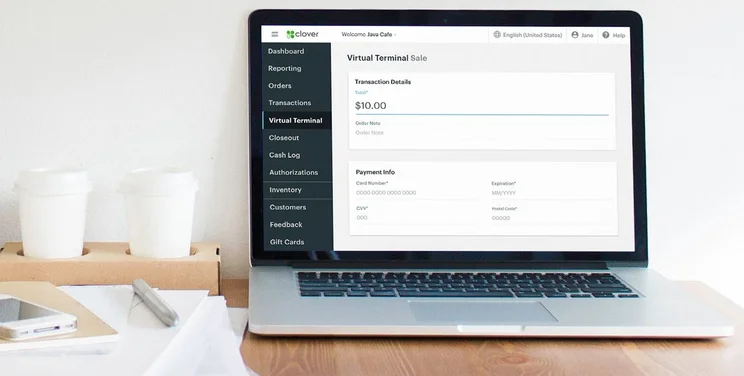
I have used POS systems in the past and, by comparison, Clover’s interface is perfectly pleasant, with a large, bright screen, clear buttons, and easy fixes to any problems I faced in testing. It’s also quick and I never found myself waiting on it to load or process something.
The area I struggled most with was pre-testing, adding products via the interface, but most restaurants should be doing this on their Clover POS account via a laptop.

4. SpotOn: Best Bar POS for Enhancing Staff Communication
- Price: $55 per month
- Free plan: Yes
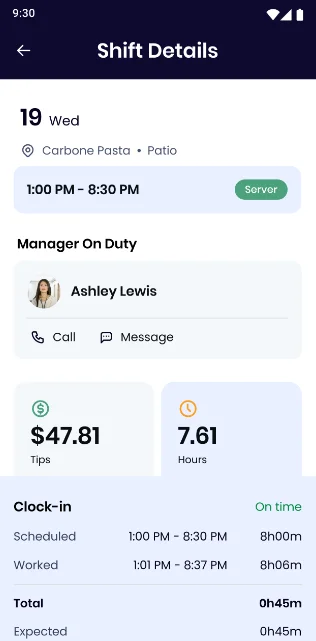
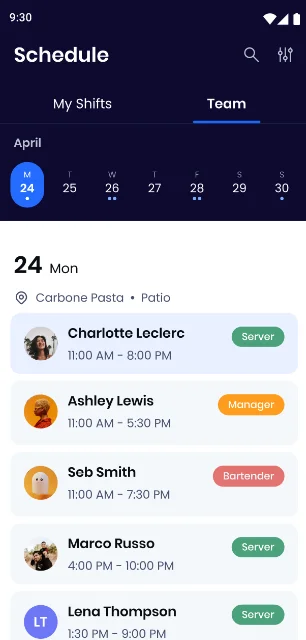
SpotOn offers an integrated staff communication service, called Teamwork, which allows users to easily create and release staff schedules, and enable clock-in notifications. Likewise, Teamwork will also integrate with your preferred payroll software and automate tip distribution amongst staff.
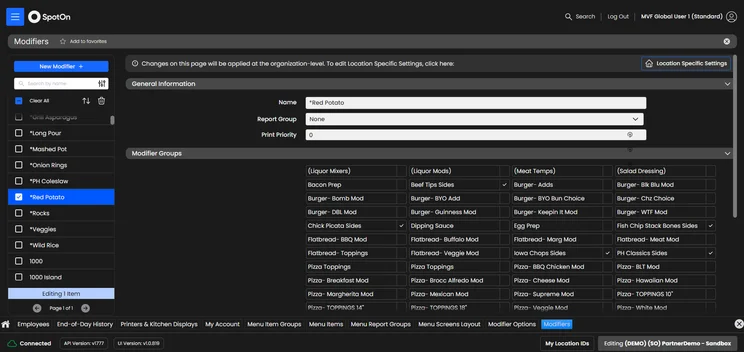
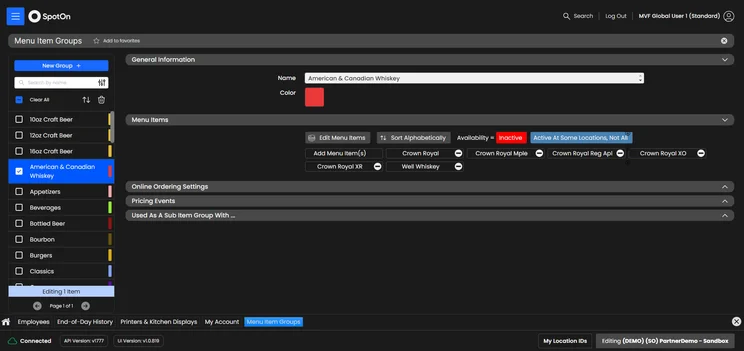
Like Clover, SpotOn also offers a highly customizable software interface, allowing bars to tailor the user experience for team members to make speedy transactions.
SpotOn

In Short
-
Pros
- Top tier free plan for small businesses
- Affordable hardware add-ons for in-person selling
- Automatic offline functionality without internet connection
-
Cons
- Few hardware options
- Expensive paid plans for restaurants
- Limited retail functionality only suited for small shops
Pricing
-
Free plan includes hardware
-
Restaurant plan (POS Essentials): From $55/month
-
Transaction fees from: 2.45% + 15¢
Images
Why SpotOn is great for bars
- Top-tier staff management tools: The Teamwork platform from SpotOn provides integrated communication and scheduling tools, and it integrates your with payroll software for transparent pay.
- Customizable software: SpotOn allows users to customize menu screens in an extremely granular way, allowing for modifications and varietals to be brought to the forefront for easy orders.
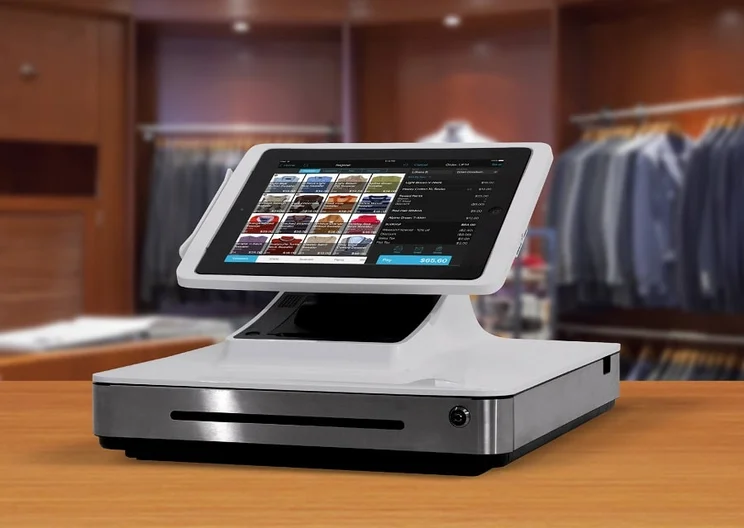
- Proprietary terminal: SpotOn offers its own terminal and customer display option, making it easy for bars to seamlessly connect all elements of their POS system.
I found SpotOn easy to set up during testing and the overall experience of using the platform was intuitive. A similar sentiment was expressed from our other users too.
However, I did find the backend a little easier to navigate than the frontend. This was because some frontend functions required a few extra clicks, compared with the other providers on our list.
5. SumUp: Best Bar POS for Fast-Paced Businesses
- Price: $99 per month
- Free plan: No
SumUp is a simple, easy-to-use POS system that we would recommend for smaller establishments. Its minimalist design and simple interface means you and your staff will be able to navigate to and complete tasks at a rapid and efficient rate.
This makes SumUp the perfect option for bars committed to providing a quick, fuss-free service that also want to be able to train new staff quickly.
SumUp

In Short
-
Pros
- Great range of hardware accessories for in-person selling
- Low monthly costs for small businesses on a budget
- Excellent stock management to track your inventory
-
Cons
- No customer display option
- No restaurant reservation system
- No handheld POS option
Pricing
-
Free plan: $0/month
-
POS with Connect Plus: $199/month
-
POS with Connect Pro: $289/month
Images
Why SumUp is great for bars
- Speed: SumUp’s simple, minimal interface means actions can be completed quickly and without much fuss. This is helped by the fact that the system only asked for necessary information when carrying out functions like adding new products or team members.
- Customer engagement tools: SumUp houses a range of built-in email and SMS marketing tools that let users send out personalized marketing materials.
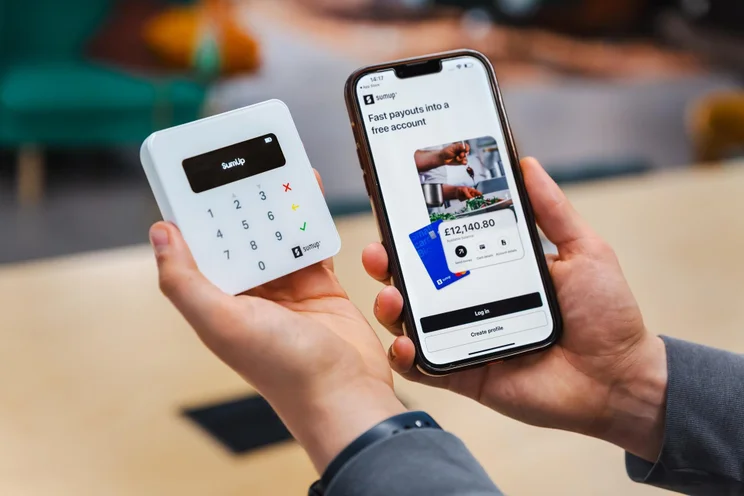
- Simple and high-quality hardware options: The POS provider offers its own kitchen display system, receipt printer, and terminal, all of which I found to be simple and easy to use.
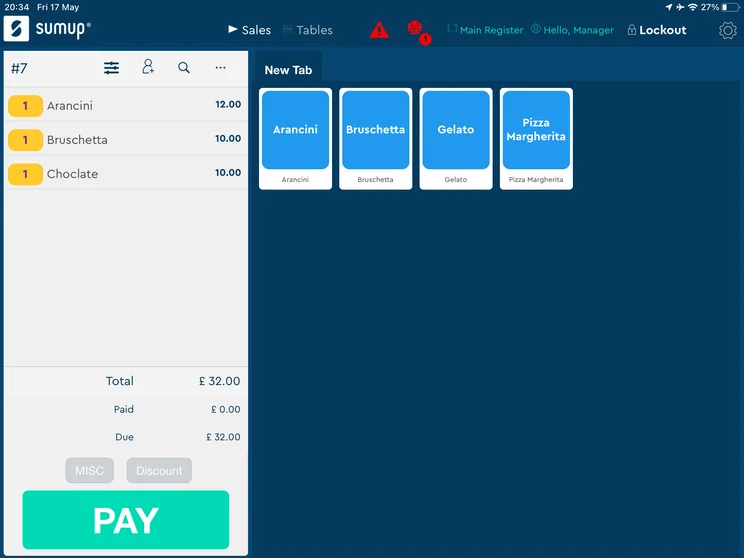
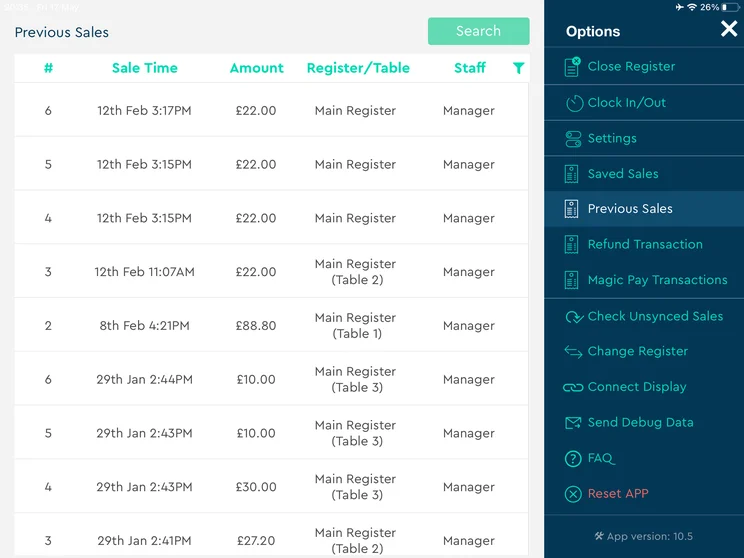
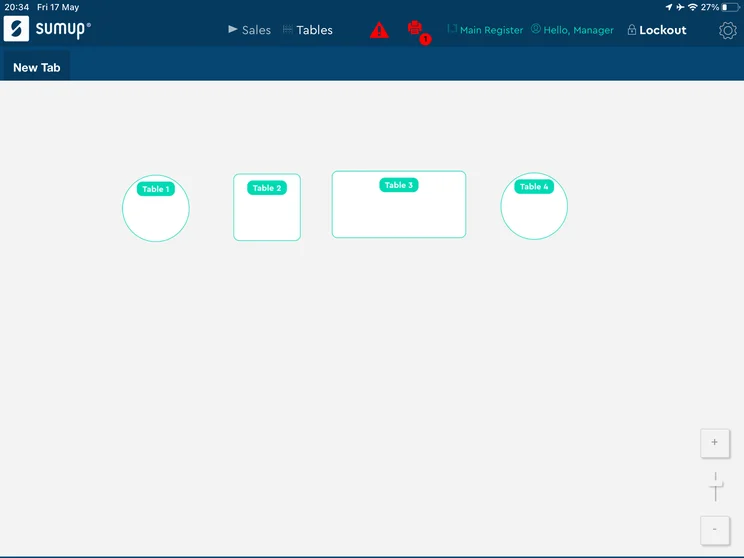
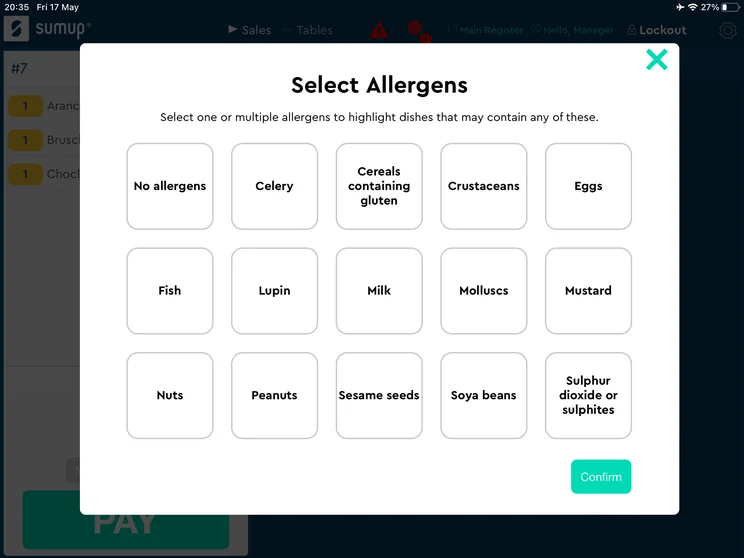
Adding items to create an order was super simple and intuitive, all I had to do was click on what I wanted to add, and it was on the bill.
The black and white layout made the whole system incredibly easy to navigate, and I could easily find what I was looking for without having to navigate different menus.
How We Researched the Best POS Systems for Bars
We take our impartial research and analysis seriously, so you can have complete confidence that we’re giving you the clearest, most useful recommendations.
For these POS systems, we focused on the fast-paced, high-volume nature of bars, heavily weighing our rankings on functionality that includes rapid order input, menu modifications, and strict inventory controls. Here’s an overview of our main testing categories for POS systems:
- Software (40%): The capabilities provided by the POS product. Includes general features like ordering and payment functionality, as well as industry-specific tools, like KSU uploads, and inventory-level stock tracking KDS software.
- Hardware (20%): The quality of a POS’ hardware selection. The presence of an own-brand terminal, as well as hardware accessories like kitchen display systems, receipt printers, and barcode scanners.
- Value and cost efficiency (15%): The cost associated with acquiring and using the POS system, such as the initial purchase cost, transaction fees, licensing fees, subscription plans, and any additional charges or ongoing costs.
- User experience (25%): We test out the software to gauge how intuitive and easy to navigate it is. We also consider how easy the software is to navigate, and whether any errors took place during testing.
At Tech.co, we have a number of full-time in-house researchers who re-run this testing process regularly to ensure our results remain reflective of the present day.
Learn more about our research.
Discussions about bar POS systems typically circle around front-end efficiency, including tabs, payments, speed, and categorization. But the most crucial (and often neglected) lever is inventory control. In a bar setting, even minor inconsistencies in pours, spillages, or unbilled drinks can significantly reduce profits.
Unlike food, where shrinkage management is much easier, alcohol inventory is notoriously prone to leakage and underreporting. A 2%-3% variation in liquor usage can lead to thousands of dollars in lost profit each year, even for a mid-sized venue.
Do not evaluate POS systems solely on transaction features. Instead, aim to choose POS systems that enable effective inventory-to-sales reconciliation and reporting. In bars, profitability depends more on control than on volume.

Vatsal Bhandari is a Certified Anti-Money Laundering Specialist (CAMS) and a financial and business operations consultant. He has a Master’s of Business Administration from Imperial College London and an LLM (Master of Laws) in Banking & Finance Law from the University of Edinburgh.
Our research found that Square is currently the best POS option available to bars because of its excellent hardware options, easy-to-use and intuitive interface, and affordable price points. For bars looking to streamline operations and optimize their growth, you can’t go wrong with Square.
I would also recommend Toast for businesses that need to manage complex operations with in-depth tools. And, for high quality hardware, look no further than Clover.
Best POS Systems for Bars FAQs
The average credit card processing fee for a bar POS is 1.5% to 3.5% per transaction, as well as a flat fee that ranges from 5¢ to 30¢ per transaction. These fees typically change depending on the paid plan and payment method.
Depending on your venue’s software needs, a POS system for a bar can cost anywhere from $29 to $199 a month. However, if your business is serious about cutting costs, free POS systems for bars, like Square, are also available. If your bar also requires hardware, this can cost an extra $1,000 per terminal.
Most bar POS systems are relatively easy to set up. If you’re working with an iPad or tablet, it can be as simple as downloading the provider’s POS application to your device. Alternatively, if you’re looking to set up more advanced hardware like a POS terminal, it’s advised that you seek assistance from your POS vendor.
When using a bar POS system, first you need to add your inventory to the system by scanning the product’s bar code or searching for items manually. Then before you start accepting orders and taking payments, it’s advised that you familiarize yourself with the POS software as much as possible.
According to our research, Square is one of the best POS systems for bars. It offers lots of useful features, is compatible with a range of hardware, and is great value for money, with free plans available.
If you click on, sign up to a service through, or make a purchase through the links on our site, or use our quotes tool to receive custom pricing for your business needs, we may earn a referral fee from the supplier(s) of the technology you’re interested in. This helps Tech.co to provide free information and reviews, and carries no additional cost to you. Most importantly, it doesn’t affect our editorial impartiality. Ratings and rankings on Tech.co cannot be bought. Our reviews are based on objective research analysis. Rare exceptions to this will be marked clearly as a ‘sponsored’ table column, or explained by a full advertising disclosure on the page, in place of this one. Click to return to top of page


