






We may receive a commission from our partners if you click on a link to review or purchase a product or service. Click to Learn More
Our latest round of research shows that Wix is the best website builder for Macs, due to its unbeatable features list, generous pricing, and excellent user experience. In fact, Wix is our best website builder overall.
The platform also offers a wide range of templates, time-saving AI tools, and impressive SEO support. What’s more, it has an easy-to-use iOS app that works on iPhones and iPads.
While Wix is our pick of Mac website builders, there are many more options out there that are worth looking into, depending on your business priorities. That’s why we’ve put together a list of our favorites.
So read on for a complete breakdown of the best website builders for Mac, with a particular focus on website functionality, design features, and more.
- Wix – Best overall website builder for Mac
- Squarespace – Best for growing businesses
- Shopify – Best for selling online
- GoDaddy – Best for quick setup
- Hostinger – Best for beginners
Best Website Builders for Mac
|
Cheapest price
|
Special deal
|
Free plan
|
Free trial
|
Pros
|
Cons
|
||
|---|---|---|---|---|---|---|---|
|
BEST OVERALL
 |
 |
 |
 |
 |
|||
|
Wix |
Squarespace |
Shopify |
GoDaddy |
Hostinger |
|||
|
$15.30/month with code TAKE10 |
$17.10/month with code TC10 |
$1/month for first 3 months |
Save 54% with annual contract |
$2.69/month with code TECH |
|||
|
|
|
|
|
|
|||
|
14-day free trial |
14-day free trial |
3-day free trial |
7-day free trial |
14-day free trial |
|||
|
|
|
|
|
|||
|
|
|
|
|
Why You Should Trust Tech.co
Finding the right website builder has the power to make or break your online store. So, we make sure every provider has undergone comprehensive research and user testing before they appear on our site.
When determining which is the best website builder for Mac users, we focused on several key metrics, including website features, design functionalities, value for money, customer support, customer satisfaction, and user experience.
Then, after ranking the website builder against these key criteria in tests conducted this year, we awarded each provider its own set of scores. These results then help to inform us which solutions have the most value, and why. If you’d like to know more about how we find you the best technology, read more about our research process here.
Wix – Best Overall Website Builder
After user-testing its software and comparing it against the best solutions on the market, we’ve decided that Wix is the most Mac-friendly website builder.
Wix

In Short
-
Pros
- Unrivaled selection of website features across design, sales, and support
- AI features can create a site in 60 seconds
- Quality free forever plan available
-
Cons
- No template switching once published
- Number of features can be overwhelming for some beginners
- Steep price increase for scaling businesses
Pricing
-
 Light: $17/month
-
Core: $29/month
-
Business: $39/month
-
Business Elite: $159/month
-
10% off any plan with code TAKE10
-
Free plan
Images
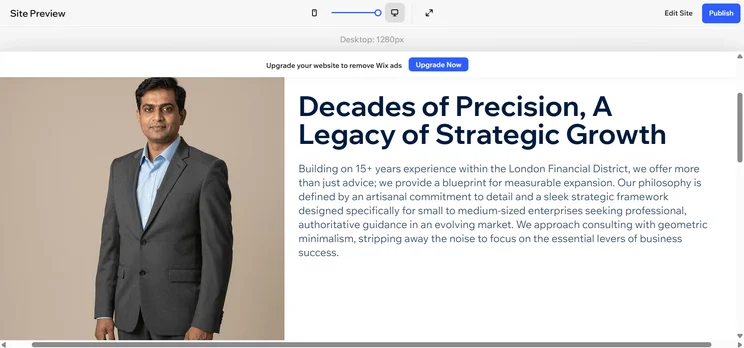

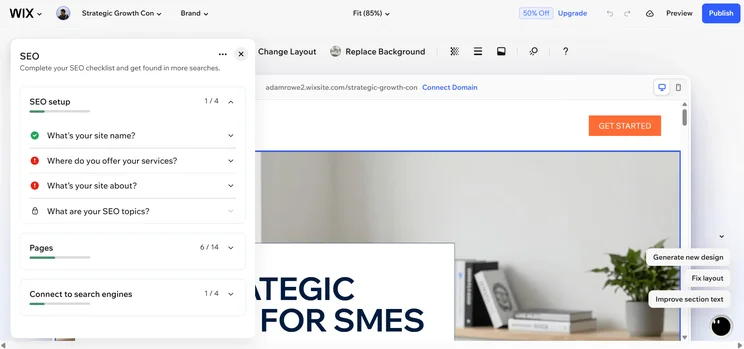
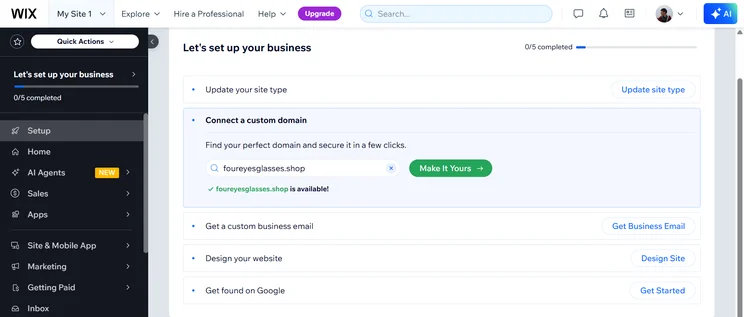

This is partially due to its massive feature catalog, which offers a logo maker, CRM functionality, and email and social marketing capabilities. Still, this shouldn’t come as a shock: Considering Wix is also the best website builder for small businesses as well as one of the easiest website builders for beginners, it’s no surprise that the tool tops the charts for Mac users as well.
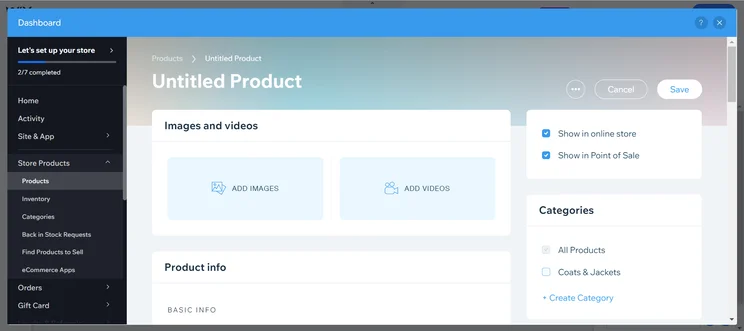
The Wix product dashboard lets users quickly add media with a drag-and-drop interface. Image: Tech.co
Why Wix is good for Mac users
Wix is refreshingly easy to use, with an intuitive drag-and-drop system that makes it a great choice for new starters, as well as those with some experience. In fact, we found it to be one of the simplest to navigate on this list.
If you’re looking to spend some time away from the desktop, Wix also offers an impressive iOS app that lets users create and edit their website and manage their online store. This app is compatible with iPhones and iPads, making it accessible to all Apple users.
Wix users can also benefit from the ‘Wix App Market,’ which allows you to add functions to your site with just a click, from appointment booking to live chat. It also gives users powerful SEO tools to ensure that their website doesn’t languish at the bottom of Google’s search engine.
For instance, Wix’s Semrush keyword integration gives users access to over 21 billion keywords, and the platform’s new SEO settings, which allow greater control over the process, definitely give businesses an advantage over their competitors.
Additionally, if you’re new to website design and don’t feel confident in what you’re doing, Wix AI Website Builder – the company’s new AI web builder – will design a website for you based on a few criteria you provide. Just answer a few quick questions, and you’ll be all set up fast and easy.
The online tool supports Safari versions 5 to 16 flawlessly, too, so its Mac compatibility is no concern. The platform’s built-in AI tools include a text generator and image background remover, among others.
The Wix App Store app requires iOS 15.1 or later (for iPhone) and iPadOS 15.1 or later (for iPad). There is no Mac-compatible app; rather, users access Wix through their browser of choice.
Wix has relaunched its free plan, but still offers a 14-day free trial. While the free plan is fine for solo users starting a blog or making a very basic site, the paid packages will let you build a professional-looking website up and running in minutes, for minimal cost.
That said, Wix’s overall value for money isn’t as great as it once was, with a starting cost that is now $17 per month following a May 2024 price hike. If you’re looking for budget-friendly website builders, we recommend Hostinger, which starts at just $2.99 per month.
Wix is very forthcoming with its updates and new features. For example, the platform recently made it possible for mobile users to create new courses using the Wix app. For event businesses, this is a great way of letting your end customers pay for sessions in bulk.
What’s more, users can now add their own custom code to the Wix app. With this, it’s possible to customize the app to your exact specifications, including integrating with various third-party tools, embedding interactive features, and more.
Squarespace – Best for Growing Businesses
Squarespace boasts more than 100 stunning website templates allowing businesses and entrepreneurs to whip up a professional-looking website in no time at all, and they are the linchpin of the service.
Squarespace

In Short
-
Pros
- Easiest website builder to use across our research
- Plenty of content-focused features for blogging
- Integrates with Acuity for booking and appointments
-
Cons
- Limited language support for international businesses
- AI site builder creates fairly generic output
- No autosave feature for website editor
Pricing
-
Basic: $19/month
-
Core: $29/month
-
Plus: $49/month
-
Advanced: $99/month
-
10% off with code TC10
-
14-day free trial
Images
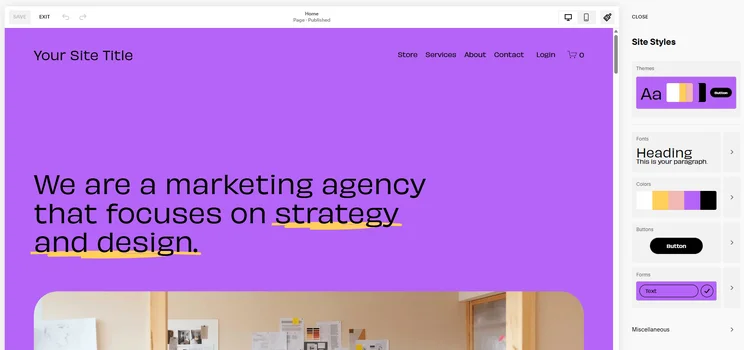
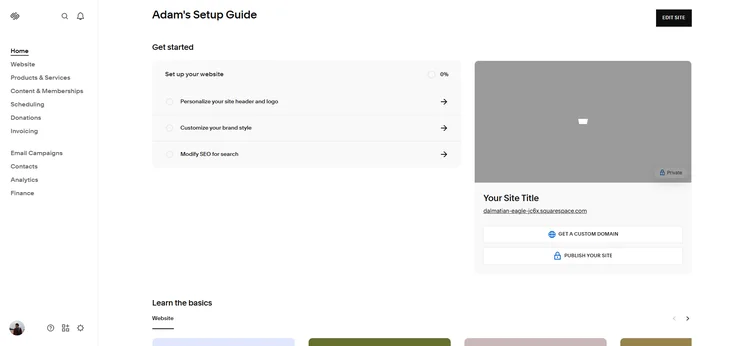
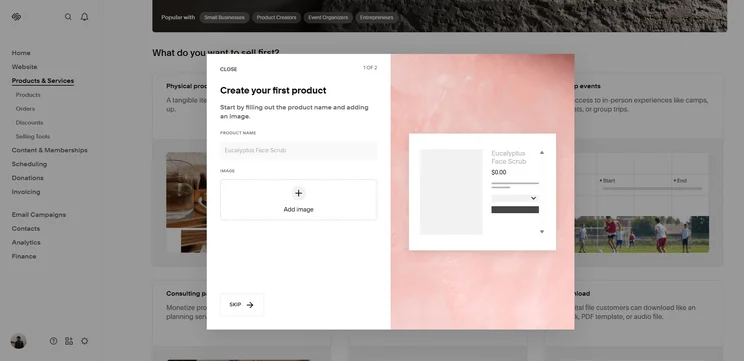
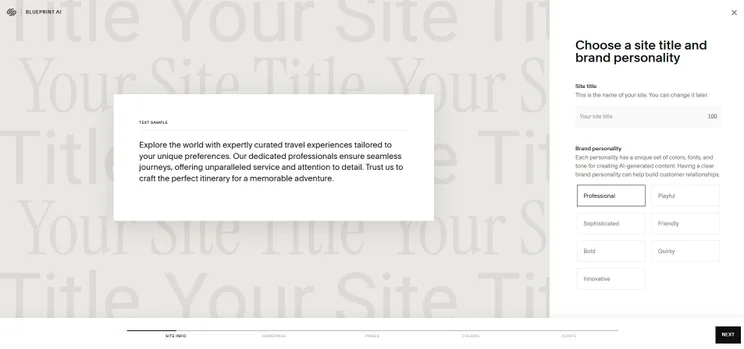
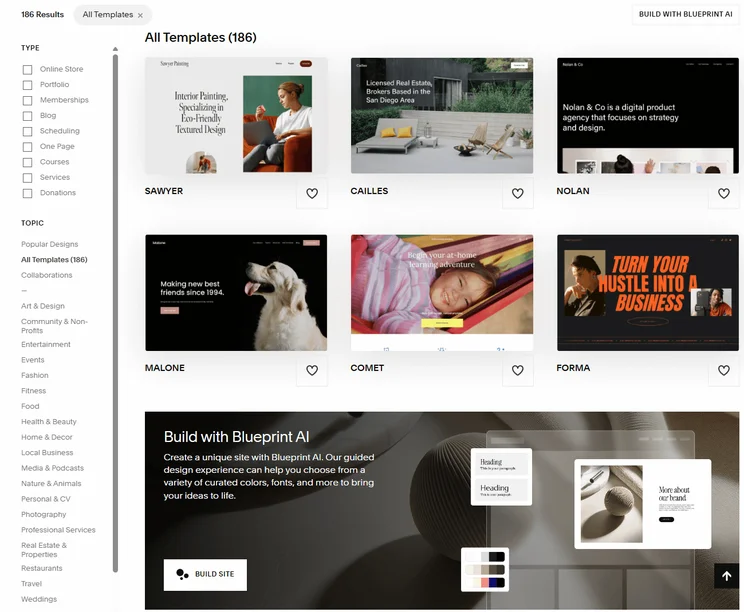
With an impressive selection of templates to choose from, there are plenty of options for Mac users for businesses in any industry. With pretty much every facet editable, there really is no limit to how your site can look with Squarespace, but that doesn’t mean it’s the best option for Macs.
While Squarespace offers a fantastic range of features for businesses looking to create a website that looks the part, the interface can be a little confusing for first-time users. Squarespace used to lag slightly behind Wix on this front, but our most recent test results suggest that’s a thing of the past. That’s great news for Mac users who are used to the intuitive design.
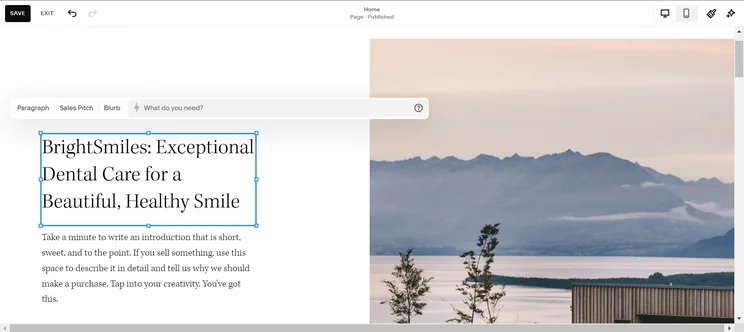
Squarespace offers AI text generation that can be directed to create new blurbs, sales pitches, and more. Image: Tech.co
Why Squarespace is good for Mac users
Usability aside, one of Squarespace’s top features is its great blogging function. Posts look the same when they’re being written as to how they will be on the finished page, removing the need to continually go back and forth, previewing the site.
What we do like about Squarespace is that it is constantly updating its features. For example, a couple of years ago Squarespace launched Fluid Engine: a faster, more customizable page editor that makes it super easy for Mac users to build their website on desktop and mobile, which has allowed it to keep pace with Wix. Other competitors, like Jimdo, don’t make fundamental changes like this so often.
The Squarespace App Store app requires iOS 17.4 or later (for iPhone), iPadOS 17.4 or later (for iPad), and macOS 14.4 or later and a Mac with Apple M1 chip or later (for Mac).
If you like the sound of Squarespace, you can try it for free for 14 days or find out more about its pricing
Among a suite of new updates, Squarespace has recently made it possible for users to generate and download QR codes for their site. If you run a hospitality business or charity, this will come in handy, as you can link away to a menu, reservation page, or donation page.
Additionally, Squarespace users can now create a “Bio Site” to let their followers book sessions from right within the link in their bio. This is a really neat way of harvesting more bookings and clicks from mobile users, opening your service or business up to a whole new demographic.
Shopify – Best for Selling Online
Shopify is a website builder that needs no introduction. It offers hundreds of practical features, but its strengths really lie in omnichannel selling. The platform allows businesses to sell across multiple channels, including Instagram, Facebook, and Amazon, and it’s also able to scale easily with growing online sales.
Shopify

In Short
-
Pros
- Vast selection of third-party integrations and apps
- Range of customer support including phone, live chat, and 24/7 options
- Excellent generative AI features to craft content
-
Cons
- Messy interface between backend and frontend
- No free domain, must pay extra
- Short 3-day free trial to try platform before you buy
Pricing
- Agentic plan: $0/month
- Basic plan: $29/month
- Grow plan: $79/month
- Advanced plan: $299/month
- Plus plan: $2,300/month
- Transaction fees from 2.9% + 30¢
Images




Shopify’s sterling reputation is well-earned. The platform offers a powerful suite of ecommerce tools that will suit users trying to get their online business off the ground.
In this way, it’s perfect for scaling businesses, as you can take advantage of a massive roster of web features, tap into SEO, and even email marketing, if you so choose. Our researchers did note some shortcomings with the platform’s SEO and email marketing functions, however. In particular, they find them both quite difficult to navigate.
Why Shopify is good for Mac users
Mac users can benefit from Shopify’s full suite of features, including abandoned cart recovery, product management, and dropshipping tools. As a matter of fact, Shopify was second only to Wix in terms of features during our most recent round of testing.
The service also offers a good user experience, making it a solid pick for Mac users with lots of digital experience as well as those picking up website-building software for the first time.
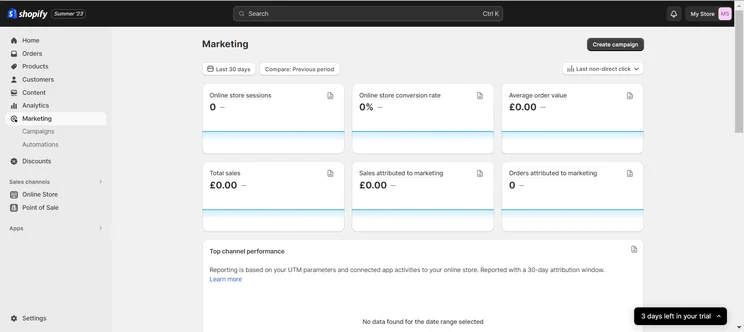
The Shopify sales dashboard tracks products sold along many metrics, including the number that can be directly attributed to a marketing campaign. Image: Tech.co
One area where Shopify falls down is price. While the website builder can be available for as little as $5 per month, larger stores can expect to pay as much as $299 per month for the service. What’s more, with Shopify charging extra for transaction fees and additional integrations, it might not be the perfect option for businesses on a budget.
If cheapness is a dealbreaker, we would definitely recommend Hostinger. While that platform can’t compare in terms of features, it is easy to use, has some impressive design options for its price points, and starts at just $2.99 per month.
The Shopify App Store app requires iOS 15.1 or later (for iPhone) and iPadOS 15.1 or later (for iPad). There is no native desktop app for macOS like Wix and Squarespace provide.
Interested in learning more about how much Shopify could cost your business? Read our assessment of its pricing plans
Shopify is very generous with its updates and new feature rollouts. In May alone, the platform launched an improved inventory transfers experience, designed to help users manage their inventories more efficiently. For example, you can now create and track multiple shipments per transfer.
Furthermore, your end customers can now reorder items that they’ve already purchased, thanks to a new “Buy again” button. To configure this option, simply toggle the button on or off in Settings.
GoDaddy – Best for Quick Setup
GoDaddy is a huge force in the web-building industry, with over 20 million users around the world. One of the reasons for its popularity, aside from its extensive marketing budget, is the ease with which it lets users create new sites thanks to a sophisticated drag-and-drop system.
GoDaddy

In Short
-
Pros
- AI generated websites in two steps (30 seconds)
- 24/7 phone support available for all plans
- Free forever plan can publish site
-
Cons
- No mobile website editor to modify pages on the go
- Overly generic website design with fewer templates than other builders
- No app market to branch out functionality across your site
Pricing
-
Basic: $9.99/month
-
Premium: $14.99/month
-
Commerce: $20.99/month
Images

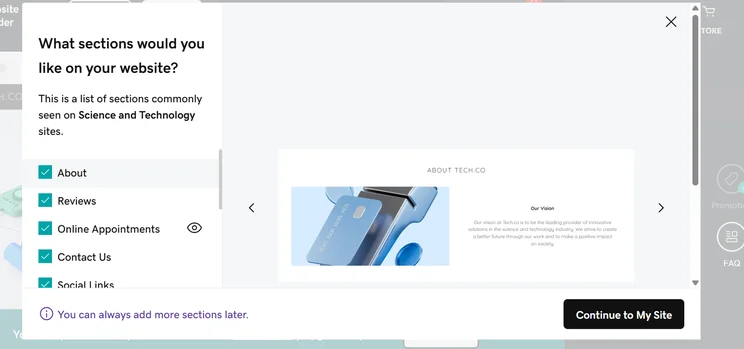
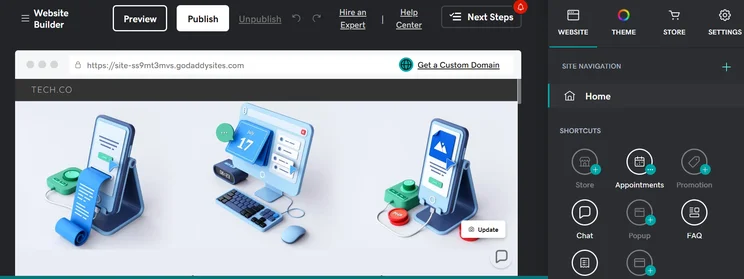
In our testing, we found GoDaddy provided the quickest setup process for a website, so you can establish your online presence in minutes.
What’s more, GoDaddy has added custom headers and URLs to its suite of SEO features. While it still lacks an SEO guidance page, the platform has a decent array of features. In that regard, it can’t compete with the likes of Wix and Shopify, but it certainly gives Squarespace and Hostinger a run for their money.
GoDaddy also offers solid customer support options, including 24/7 phone support on all plans, for any issues that might crop up as you’re building your dream page. However, we found its knowledge center more tricky to use than Wix and Squarespace’s and scored it lower for customer support on the whole.
The platform recently debuted its own AI tool, known as GoDaddy Airo. This lets users generate their own branded logos as well as new social media posts and marketing emails, and is included with every domain registered with GoDaddy.
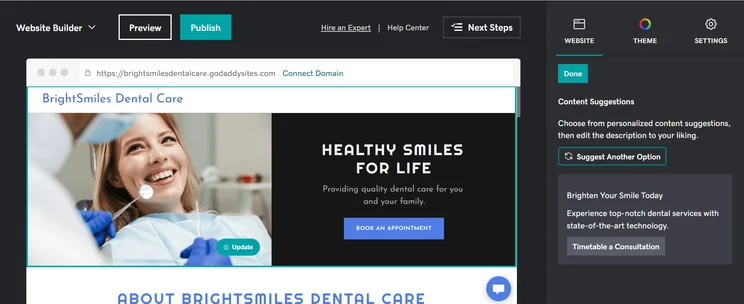
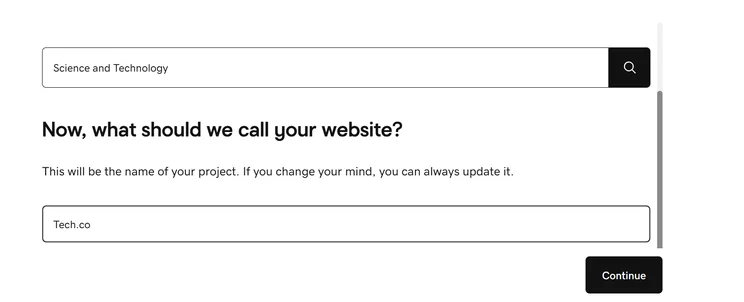
The GoDaddy website builder’s AI text generator suggests website descriptions that can be further customized by the user. Image: Tech.co
Why GoDaddy is good for Mac users
GoDaddy has risen in our estimation in recent years, allowing for more customization and better templates across all its plans. The addition of GoDaddy Airo, too, has done wonders for its core offering. The website builder is also fully compatible with Windows and Mac devices, so we can confidently recommend them to anyone looking for a quick website.
GoDaddy provides Mac users with great bang for their buck too: Along with Hostinger, GoDaddy is one of the best value platforms around, and noticeably more wallet-friendly than the frontrunners Wix and Squarespace.
The GoDaddy App Store app requires iOS 16.0 or later to run on iPhones, with iPad or Mac users directed to the web browser.
Check out our GoDaddy review for more info
GoDaddy is not as generous with its new features as some of its compatriots. The provider has not introduced any new features since January. The latest upgrades included enhanced site management that makes it easier to switch between sites while getting tasks done, quick access through sidebar navigation for reseller accounts, and a better site list for mobile users.
Hostinger – Best for Beginners
Outside of a free plan, you won’t find many website builders more affordable than Hostinger. Our researchers concluded that the platform is a great option for website builder novices looking to get their store online for a very modest sum.
Amazingly, you can get started with the software for only $2.69 per month when you use code “TECH” at checkout, a staggeringly low price for any website builder.
Hostinger

In Short
-
Pros
- AI generated site in three steps (60 seconds)
- Built-in heatmap for advanced site analytics
- Language translations capabilities
-
Cons
- No app market for third-party integrations
- No email marketing in any paid plans
- No free trial or free plan for users
Pricing
- Premium: $2.99/month
- Business: $3.99/month
Images

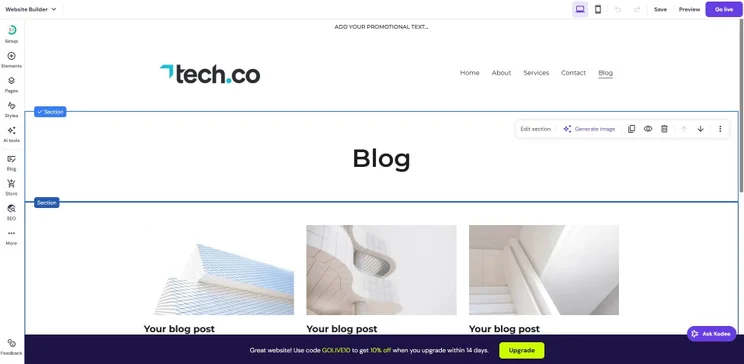
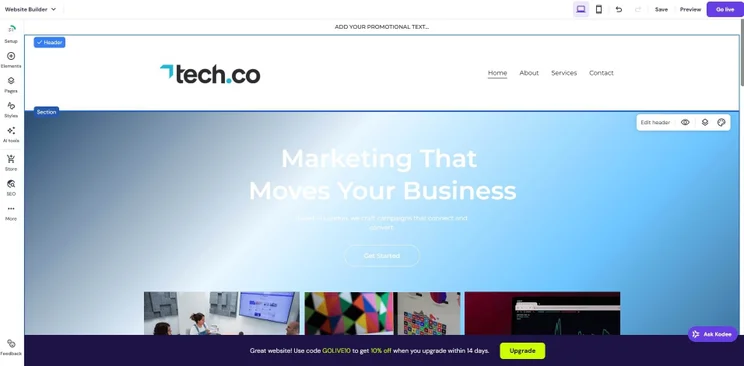
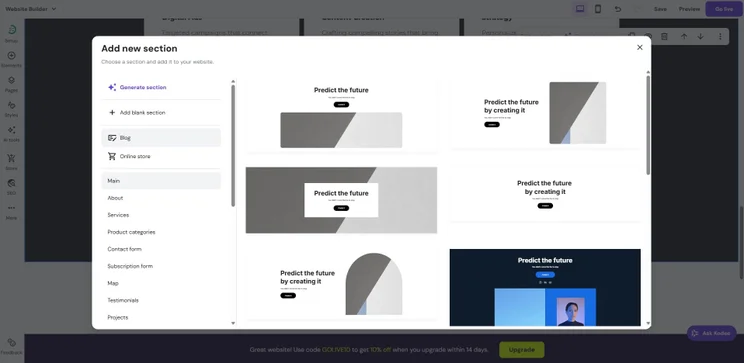
It’s worth noting that this low price does come at a cost. Hostinger is definitely a more stripped-down version of a website builder, not providing most of the advanced features found on your average platform.
In fact, the software lagged in two big categories. Our researchers didn’t rank it particularly highly for website functionality, putting it below all other providers on this list. They also found its design features, while decent, still trail the design options available from Wix, Squarespace, and even Shopify. In other words, Apple lovers who prize a sleek design should look elsewhere.
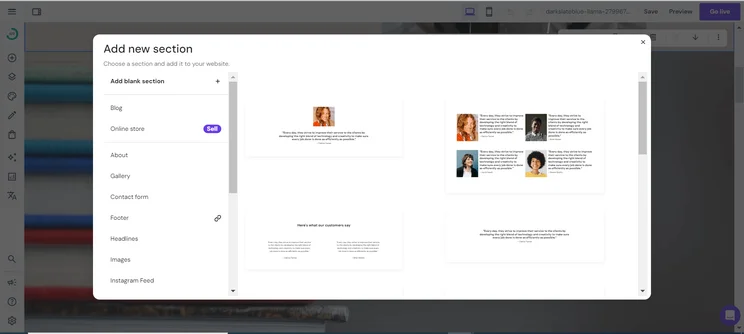
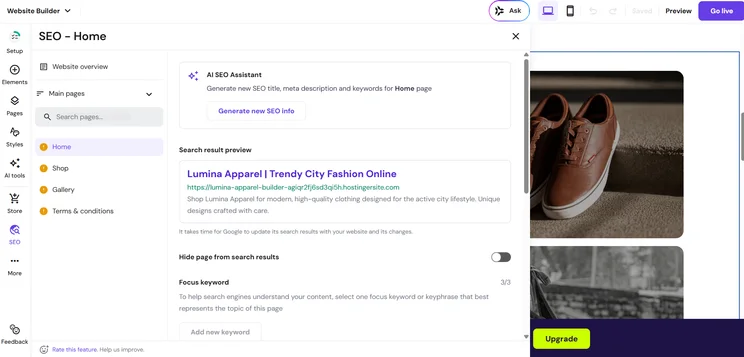
Hostinger’s website editing tools offer a range of sections, including an “About” page, a gallery page, and a contact form. Image: Tech.co
Why Hostinger is good for Mac users
The Hostinger software is easier to use than most other website builders on this list, and is well-suited for beginners who have never built a website before. This makes it perfect for Mac users looking for a cheap option.
Unlike every other provider in this guide, however, Hostinger doesn’t offer an iOS-specific mobile app like Wix and Squarespace. Instead, its mobile web editor can be used within a browser on an iPhone.
Check out our Wix vs Hostinger guide to see how these two options compare
In April, Hostinger announced that every website hosted with the company now officially runs on electricity sourced from 100% renewable energy. What’s more, the company rolled out “Hostinger Horizons,” an AI-powered tool that detects and fixes the most common errors and glitches that you may experience on a day-to-day basis.
What Do Mac Users Need From a Website Builder?
There’s just one truly crucial concern for a Mac user who’s on the market for a website builder: it should be compatible with the software of the Apple ecosystem. Your website builder system should work seamlessly on macOS and/or iPadOS. Ideally, it should also be accessible from iOS when you’re on the go: You can check the App Store to see if your website builder’s app is compatible with your current operating system.
In addition, you should check that the website builder’s customer support and online forums can address a Mac user’s needs just as well as a Windows user. The software should also work well with the iCloud storage service and offer integrations with Apple services you may use.
Beyond these requirements, though, a good Mac-compatible website builder will offer the same qualities that Apple is known for: Sleek aesthetics, intuitive interfaces, and tools that bolster creative projects, from rich media support to clean templates. Any of the website builders above will support websites built with great design principles, from color and imagery to composition and texture.
Why does my website builder not work on Safari?
Most cloud-based website builders — and all of those listed in this guide — are designed to function across all popular web browsers, including Safari in addition to Chrome and Edge. If you’re having trouble with a design situation, it could be a problem with the rendering engines, in which case we’d recommend reaching out to the support team for the software you’re using.
Website Builder vs Mac Website Software
While a web-based website builder is the most popular option, the right dedicated software can do the same job. Software has fewer benefits compared to online services like Wix — often, you’ll have to pay more upfront for licenses that you can only use with the machine they are installed.
Some may have high requirements that won’t pose a problem to newer Macs, but which older operating systems might struggle with. In contrast, a website service is accessible from any machine, costs a few bucks a month, and is guaranteed to run on your device.
However, dedicated software puts you fully in control – since they are not cloud-based, you are not relying on another person’s service, and you can continue using it offline. If you’re the sort of person who likes total control, then dedicated site-building software may appeal.
Here, we take a brief look at a couple of the most popular options.
Sandvox
Sandbox makes big claims about its accessibility, stating that users will be able to create a website in under an hour. Given its drag-and-drop interface, that’s not too hard to believe, and those with coding experience can inject their own CSS or HTML to really make their website their own. It also offers in-depth guides and on-hand customer support, should you need it.
Blocs
This web design tool is aimed squarely at Mac users and no one else, with support for Macs, iPhones, and iPads. You can get started with the free version, which lets users build unlimited websites in unlimited styles, with support for animations, scroll FX, and add-ons.
If you want to upgrade, it’ll be a hefty one-time fee of $119.75 to host your own sites and export your site code (among other perks), or $195.96 to receive priority support and the ability to customize interactions and SEO.
RapidWeaver
RapidWeaver doesn’t require any prior experience, and it’s a decent starting point for newcomers who simply want to create a functioning website. Integrated SEO tools make sure that your site will be spotted by Google and rank well, and there are dozens of themes to choose from. The automatic navigation system means that your site won’t suffer broken links.
How We Test: Best Website Builders for Mac
We take our impartial research and analysis seriously, so you can have complete confidence that we’re giving you the clearest, most useful product recommendations.
After conducting an initial exploration to identify the most relevant, popular, and established tools in the market, we put them through their paces with hands-on testing to see their real strengths and weaknesses. In this case, we put 16 website builder products to the test across 398 areas of investigation.
Based on years of market and user needs research, we’ve established a website builder testing methodology that scores each product in six core categories of investigation and 33 subcategories. This covers everything, from customer feedback to design, ease of use, and more.
Our main testing categories for website builders are:
- Website features: The capabilities and functionalities offered by a website builder, e.g. blog functionality, SEO capability, and marketing capacity.
- Design functionality: The aesthetic appeal and visual layout of a website created using a website builder. It encompasses aspects such as page templates and customizable themes.
- Customer satisfaction: External customer opinion. This is the feedback and ratings given by customers who have used a particular website builder — the market position and reputation a website builder holds.
- User experience: How user-friendly and intuitive a website builder is for people with varying levels of technical expertise.
- Value for money: The balance between the cost of a website builder and the benefits it provides. It considers factors such as pricing plans, subscription models, and available features.
- Help and support: The assistance and resources available to users when they encounter issues or need guidance while using a website builder.
When it comes to calculating a product’s final score, not all testing areas are weighted evenly, as we know some aspects matter more to our readers than others, which are simply “nice to have”. After hundreds of hours, our process is complete, and the results should ensure you can find the best solution for your needs.
At Tech.co, we have a number of full-time in-house researchers, who re-run this testing process regularly, to ensure our results remain reflective of the present day.
If you’re looking for the best website builder for Mac, you cannot go wrong with Wix. Across all operating systems and devices, this easy-to-use, feature-rich website builder is ideal for professionals and novices alike and is perfectly designed to cater to Mac users. On top of that, customers love it, and our research team couldn’t find another website builder that had better features.
Website builders do come in all shapes and sizes, though, particularly when you’re an avid Mac user. And, if you are, you’ll have plenty of options to choose from. Squarespace, for example, is a top alternative, with fantastic design features and a top user experience.
If you click on, sign up to a service through, or make a purchase through the links on our site, or use our quotes tool to receive custom pricing for your business needs, we may earn a referral fee from the supplier(s) of the technology you’re interested in. This helps Tech.co to provide free information and reviews, and carries no additional cost to you. Most importantly, it doesn’t affect our editorial impartiality. Ratings and rankings on Tech.co cannot be bought. Our reviews are based on objective research analysis. Rare exceptions to this will be marked clearly as a ‘sponsored’ table column, or explained by a full advertising disclosure on the page, in place of this one. Click to return to top of page


