
We may receive a commission from our partners if you click on a link to review or purchase a product or service. Click to Learn More
Our research shows that the best cleaning service software is Housecall Pro, as it offers an unmatched catalog of features for everything from scheduling and dispatching to invoicing and customer booking. It also offers robust customer support and provides a comprehensive mobile app for users.
Cleaning service software will optimize your admin processes, allowing your commercial cleaning business to dispatch staff, communicate with clients, and view analytics that can help your business go from good to great.
Below are the top options for optimizing housekeeping and cleaning service businesses, based on our extensive impartial research. Read on to compare all the details or use our price matching tool to find the best deal for your needs.
- Housecall Pro – Best overall cleaning service software
- ServSuite by FieldRoutes – Best training features
- GorillaDesk – Best value cleaning service software
- FieldEdge – Good invoicing features
- ZenMaid – Best cleaning service-specific software
- WorkWave – Good for growing businesses
- Jobber – Good for ease of use
Best Cleaning Service Software Providers
|
Starting Price
|
Free trial
|
24/7 support
|
|||||
|---|---|---|---|---|---|---|---|
|
SPONSORED
 |
 |
 |
 |
 |

|
 |
 |
|
Connecteam |
Housecall Pro |
ServSuite by FieldRoutes |
GorillaDesk |
FieldEdge |
ZenMaid |
WorkWave |
Jobber |
|
$29/month |
$49/month |
On request |
$49/month |
On request |
On request |
$30/month |
|
|
14 days |
14 days |
|
14 days |
|
14 days |
|
14 days |
|
|
|
|
|
|
|
|
|
| Try Connecteam | Try Housecall | Compare Quotes | Compare Quotes | Compare Quotes | Compare Quotes | Compare Quotes | Try Jobber |
Below, you’ll find in-depth reviews, comparing the features, pros, and cons of some of the best cleaning service software providers on the market today. Use the links below to jump to each review:
- Housecall Pro – Best overall cleaning service software
- ServSuite by FieldRoutes – Best training features
- GorillaDesk – Best value cleaning service software
- FieldEdge – Good invoicing features
- ZenMaid – Best cleaning service-specific software
- WorkWave – Good for growing businesses
- Jobber – Good for ease of use
Housecall Pro
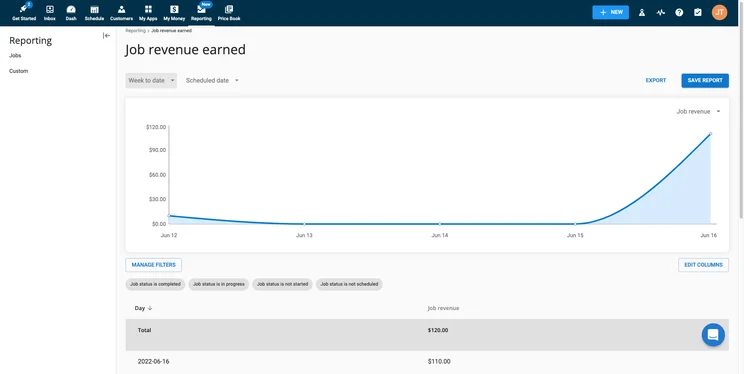
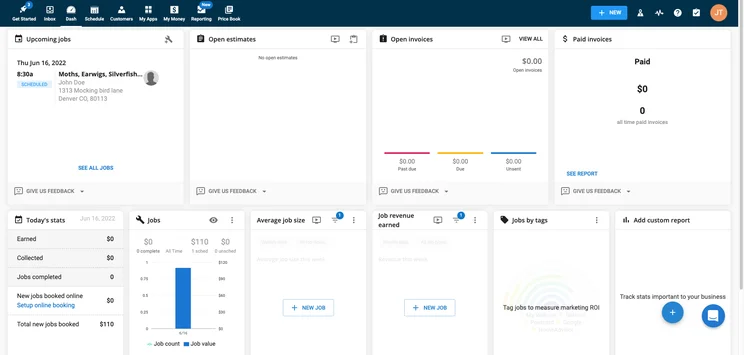
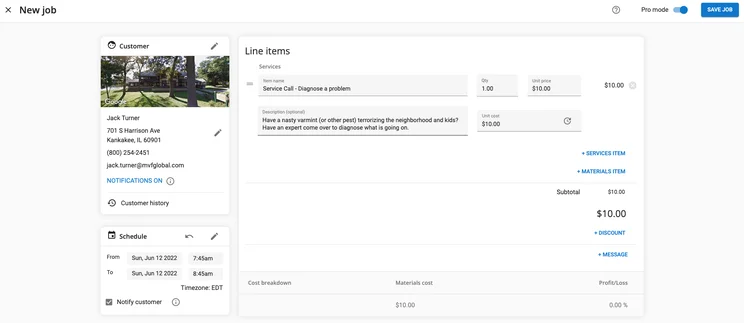
Simply put, Housecall Pro is the best field service management software on the market today, scoring highly in our research across every single category. Whether you need it for your cleaning service, your lawn care business, or your pool service company, this popular, feature-rich platform can help you schedule cleaners, communicate with clients, and track analytics, all in the same place. Most notably, Housecall Pro scored a perfect 5/5 in for scheduling, dispatching, and invoicing features, which are some of most important aspects of this kind of software.
In addition to all that, Housecall Pro also features marketing tools designed to help you attract new customers, in tandem with your day-to-day operations. You’ll be able to create postcard designs and set up email marketing, all in service of building your business. Sure, Housecall Pro is notably missing route optimization features, but nobody’s perfect.

Housecall Pro

In Short
-
Pros
- Covers most industries
- Includes marketing tools
- Support 7 days/week (5am-5pm PST weekdays)
-
Cons
- No route optimization
- Limited customization options
- Above average cost
Pricing
-
 Basic: $49/month
-
Essentials: $129/month
-
14-day free trial
-
 Available on web
-
 Available on Play Store
-
 Available on App Store
Images
Housecall Pro Pricing
Housecall Pro offers three different pricing plans, all offering different features and functionality for your housecleaning business. The Basic plan is a bit bare bones, not providing a huge number of features and costs $49 per month. The Essentials plan ramps this up a bit with a wide range of tools for your business and costs $129 per month. Finally, the Max plan allows for many of the same features, while proving advanced reporting to understand exactly what your business is doing right. There is no publicly available pricing for the Max plan.
ServSuite by FieldRoutes
While Housecall Pro is clearer the favorite for cleaning service businesses, ServSuite absolutely gives it a run for its money, scoring mere fractions of a point less than the popular field service management software. It offers excellent invoicing features, scoring a 5/5 in our research, and exemplary customer uspport, also notching a perfect scoring, which beats out the 4/5 from Housecall Pro.
The main reason ServSuite by Service Pro isn’t our top pick is that the mobile app lacks a bit compared to Housecall Pro, scoring only a 3/5 in our research. The app offers no offline functionality and has plenty of negative reviews on the App Store and Play Store respectively. Still, it’s an excellent option worth checking out if Housecall Pro doesn’t suit your needs.
ServSuite by FieldRoutes

In Short
-
Pros
- Great analytic tools for insightful data
- Very easy to use even for beginners
- 24/6 customer support options
-
Cons
- Add-ons necessary for full functionality
- Analytic reports can get complicated
- Above average cost
Pricing
-
No publicly available pricing
-
Previously started at $126/month
-
Free demo available
-
Available on web
-
Available on Play Store
-
Available on App Store
Images
ServSuite by FieldRoutes Pricing
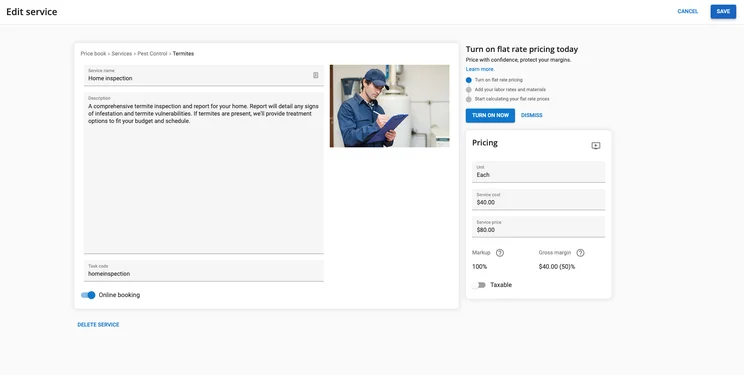
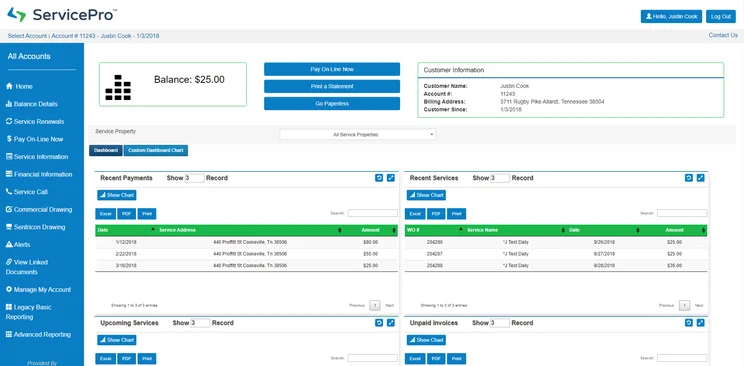
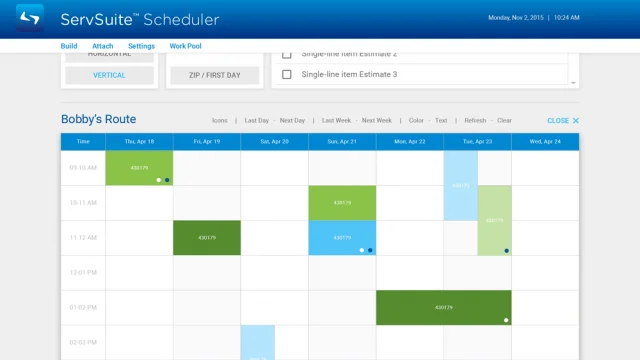
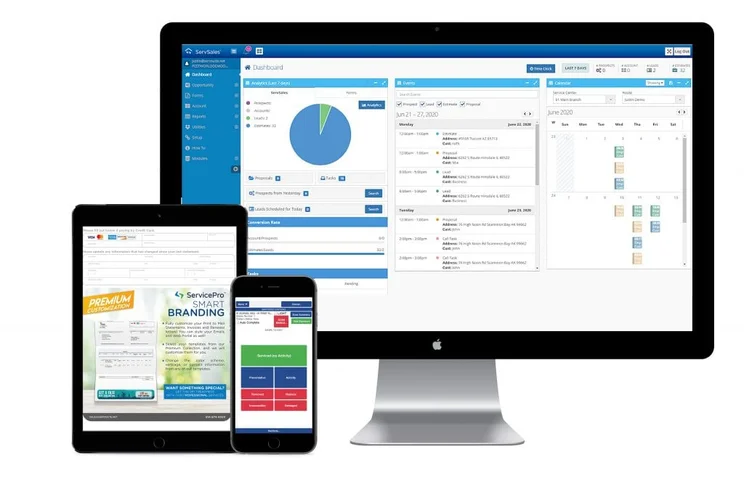
ServSuite was acquired by ServiceTitan in 2021, then merged with subsequent acquisition FieldRoutes, in 2022, and these changes mean it no longer offers public pricing. It previously offered three different pricing plans: Starter, Plus, and Pro, at $126, $186 and $339 per month, respectively, however prices may have gone up or down since, and you’ll need to request a quote for the latest information. ServSuite does not offer a free trial, but you can get a free demo to see how the software works before making a financial commitment.
If prices haven’t gone down since ServSuite’s acquisition then they are admittedly a bit more expensive than other options on the market and on the list, but you clearly get a lot of bang for your buck, particularly when it comes to practical features and customer support.
GorillaDesk
Don’t let the funny name and silly logo fool you; GorillaDesk is a serious competitor in the cleaning service software game. The platform scored a perfect 5/5 in scheduling, dispatch, invoicing, and customer support, notching the most perfect scores across our research. It also has a respectable mobile app that has limited offline capabilities, which is rare on this list.
The big downside for GorillaDesk that keeps it from the top two spots is that its online customer booking features aren’t nearly as robust as others. There’s no real-time booking or booking via Google, which can be a huge hit for some businesses that want to streamline the booking process for themselves and customers. It’s certainly not a dealbreaker, though, which is why we still highly recommend GorillaDesk for your cleaning service software needs.
GorillaDesk

In Short
-
Pros
- Very ease to use interface
- Plenty of learning modules available
- Responsive customer support team
-
Cons
- Limited customizability
- Outdated interface
- Fewer notifications in app compared to desktop
Pricing
-
Basic: $49/month
-
Pro: $99/month
-
14-day free trial
-
Available on web
-
Available on Play Store
-
Available on App Store
Images
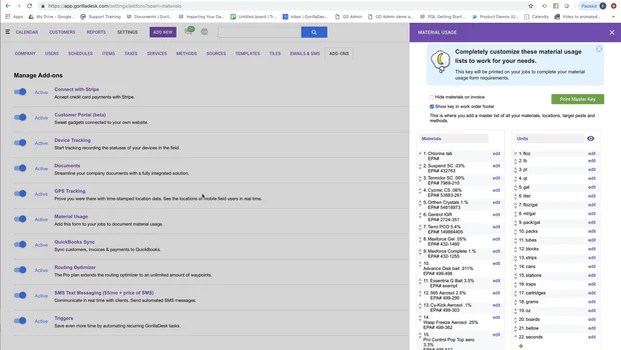
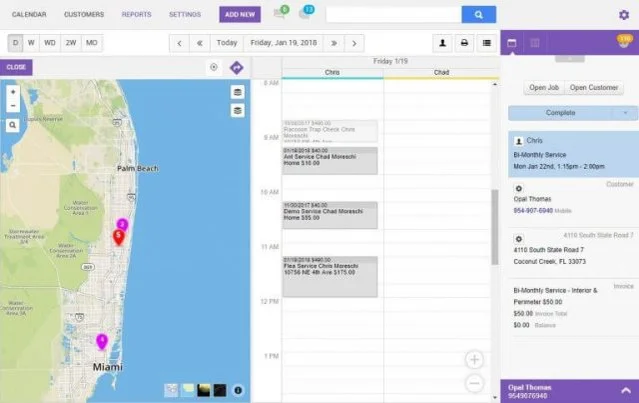
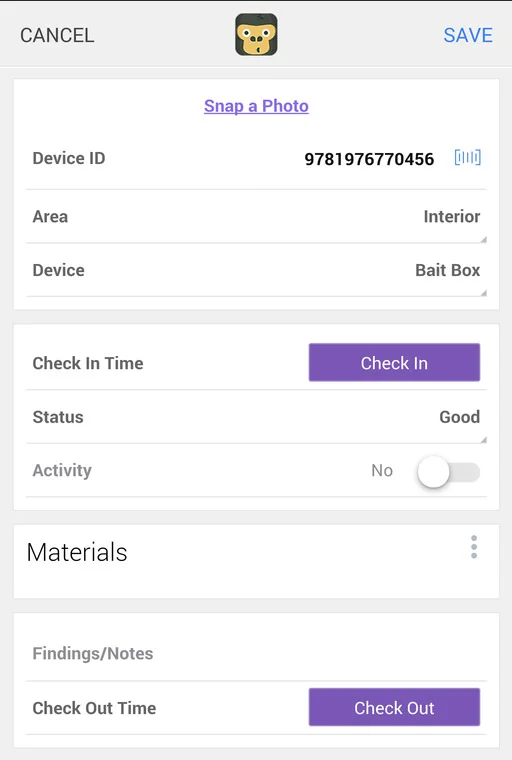
GorillaDesk Pricing
GorillaDesk offers two different pricing plans: Basic and Pro. The Basic plan starts at $49 per month and the Pro plan starts at $99 per month.
GorillaDesk pricing is based on the number of routes you have to keep track of. The prices listed above are based on if you only have one route, but the price increases for every route you add up to ten. After ten routes, you’ll have to contact the sales team to get a customized quote for your business.
FieldEdge
Another very respectable option in the cleaning service software industry, FieldEdge provides a lot of features, an easy-to-use interface, and good enough customer support to get you through any major problems. Like many options on this list, it offers robust scheduling, dispatching, and invoice features, which means you can likely handle anything you’d need with aplomb.
The issue with FieldEdge is the mobile app. While it offers offline capabilities and the majority of the website functionality, reviewers note that connectivity is a serious problem. In fact, it had some of the lowest ratings in our research, netting it a mere 3/5 for the mobile app. Still, if you think you’ll mostly be using the platform on a desktop, we see no reason that you shouldn’t consider FieldEdge for your business.
FieldEdge

In Short
-
Pros
- Easy to use
- Comparatively very affordable
- Integrates with Quickbooks
-
Cons
- No GPS or route optimization features
- Runs a bit slow at times
- Complicated reporting tools
Pricing
-
Must get a quote
-
Lower prices than average
-
Free demo available
-
Available on web
-
Available on Play Store
-
Available on App Store
Images
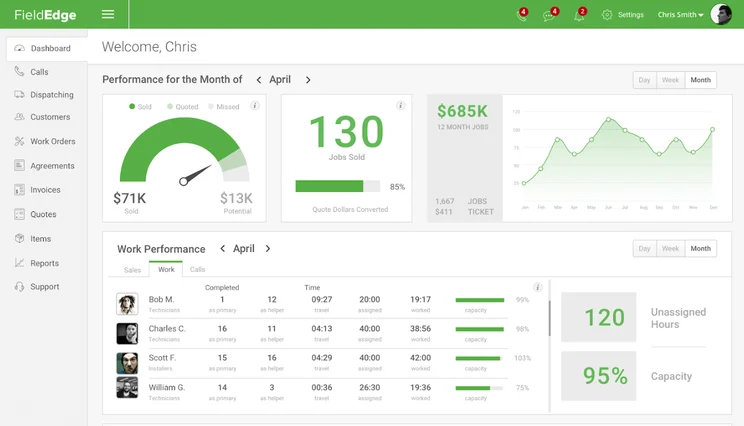
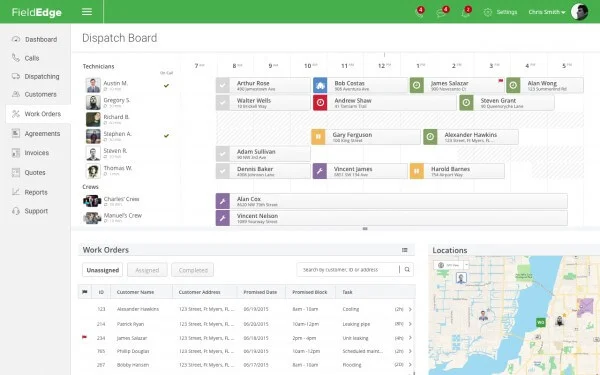
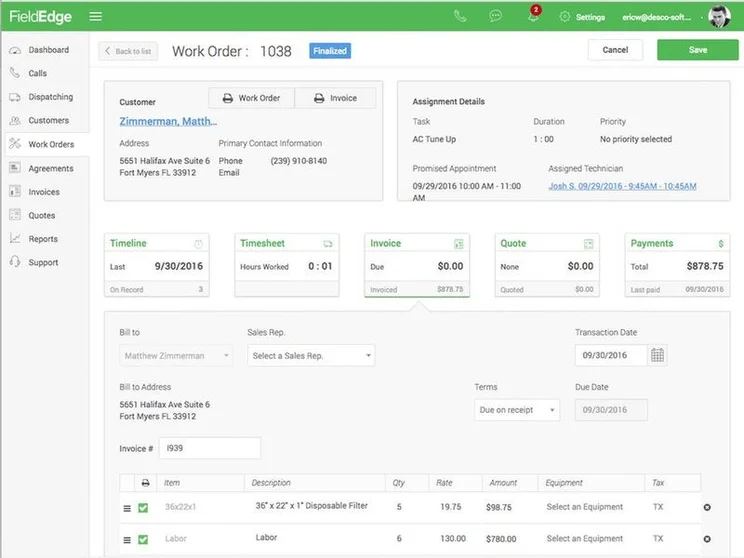
FieldEdge Pricing
FieldEdge does not provide publicly available pricing, so you’ll have to reach out on the website to get accurate information about how much your business will pay to use the software.
FieldEdge is unique in that it boasts that it offers a “flat-rate” pricing model, so you can keep costs low, but that remains to be seen given the lack of public pricing.
ZenMaid
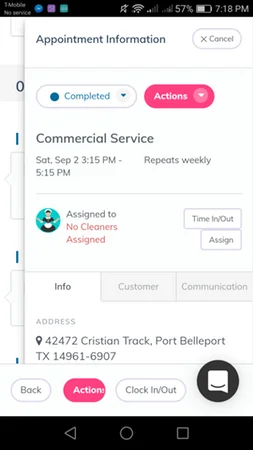
You can’t underestimate the value of utilizing cleaning service dedicated software for your business needs, and ZenMaid is one of the best. Built by former maid services owners (so you know it’s designed with the industry in mind), the software houses plenty of automated features that seamlessly integrate into your daily operations. Customer feedback and instant appointment booking and scheduling capabilities take the burden of small details off your plate, netting it a 5/5 in scheduling and dispatch features.
However, despite the easily automated design and cleaning-focused platform, ZenMaid is not without faults. Reviewers note that the mobile options have been spotty as far as connectivity goes, and customer support is not nearly helpful enough, receiving a paltry 2/5 in our research. However, if you’re aiming for software that’s cleaning service-specific, ZenMaid is easily your best option.
ZenMaid

In Short
-
Pros
- Stellar 24/7 customer support team
- Incredibly easy to use even for beginners
- Plenty of customization options for your business
-
Cons
- No free version available
- Connectivity issues on mobile
Images
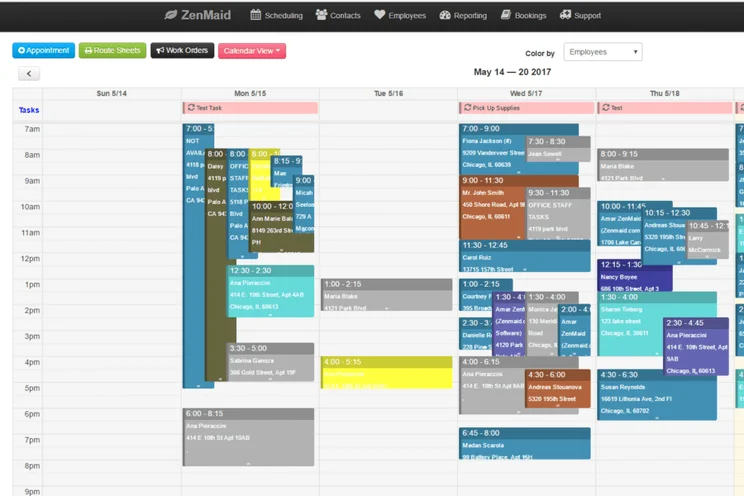
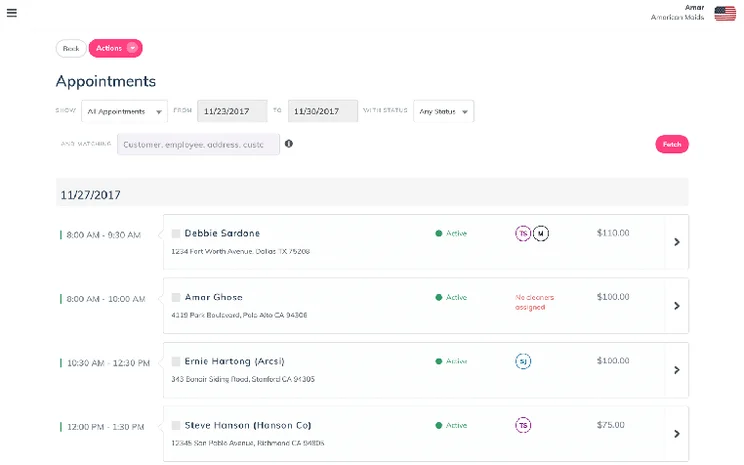
ZenMaid Pricing
ZenMaid only offers one pricing plan, starting at $58 per month for one employee. However, the price increases with every cleaner you add to your team. Subsequently, if you have, say, five cleaners, then you’ll be paying $94 per month. ZenMaid also offers a free forever plan, however, it offers far fewer features, so might be worth it to keep an eye on the paid plan.
WorkWave
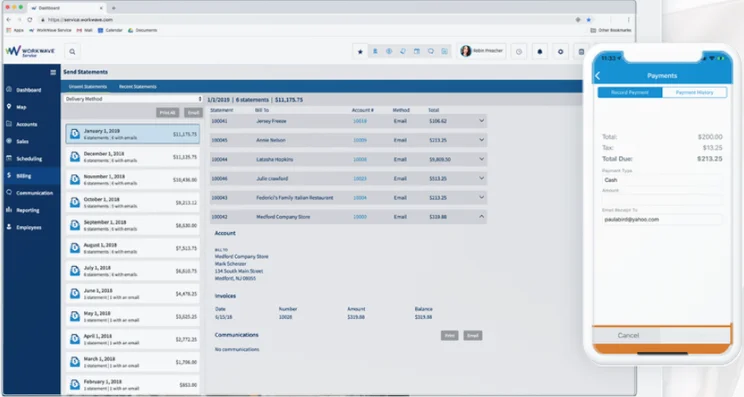
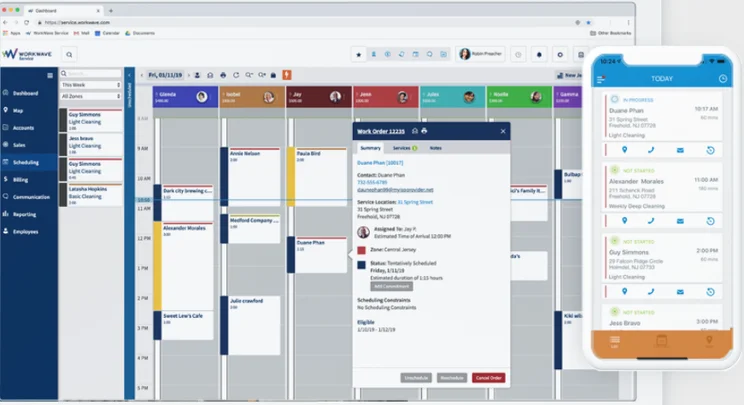
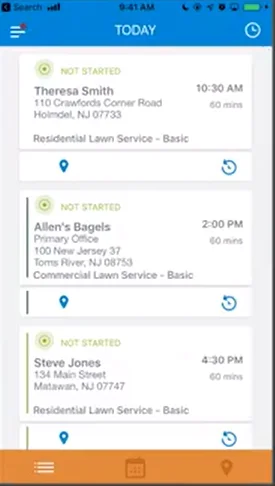
WorkWave costs a bit extra when you compare it to other iterations available on the market, but provides top scores for scheduling, dispatching, and invoicing, netting 5/5s across the board. The customer support is also robust, offering live chat, phone, and email support, along with knowledge bases and software integrations.
The biggest hit for WorkWave, however, was the online customer booking features, which scored only 2/5 in our research. You can’t upload images or utilize real time booking, both of which have become quite popular in the industry. With the higher price tag, this might be a turn off, but if you don’t think you’ll need these options, the plentiful feature catalog should still be attractive.
WorkWave

In Short
-
Pros
- Includes marketing features aimed at new clients
- Robust mobile options for working on the go
- Easy to use design even for beginners
-
Cons
- No inventory management
- Annual contract is a must
- Poor payment processing features
Pricing
-
Must get quote
-
Three custom plans
-
Free demo available
-
Available on web
-
Available on Play Store
-
Available on App Store
Images
WorkWave Pricing
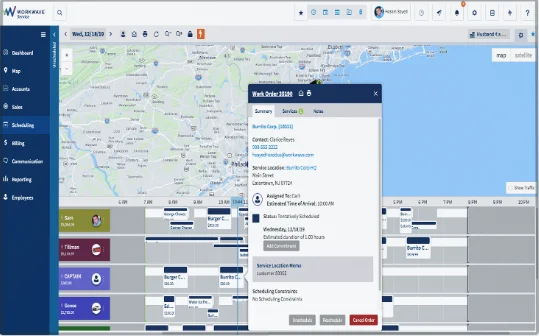
WorkWave offers three different pricing plans. Unfortunately, the actual price of those plans is not available, as they each require a tailored quote to get started. Still, they do state that you can get started for as little as $49 per month per vehicle, which is a good starting point for many businesses.
Jobber
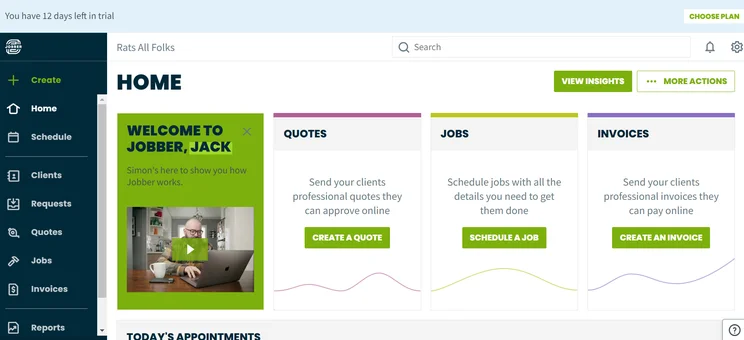
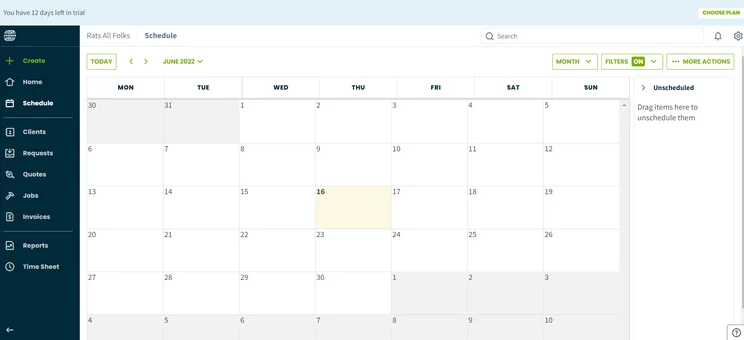
Cleaning service software admittedly isn’t a popularity contest but having 10 million users is nothing to scoff at. Jobber is widely used for good reason, namely because it’s incredibly easy to use and offers all the scheduling and dispatching features you could need, scoring a 5/5 in our research. The well-designed layout makes it simple to schedule and dispatch cleaners, while the automation features keep customer service and other day-to-day duties from taking up too much time.
No service software is perfect, obviously, and Jobber is no exception. While it does offer a lot, the lack of in-field communication features can be a deal-breaker if you’re looking for a means of connecting your cleaners on one platform. Plus, the customer support and online customer booking features are lacking a bit, scoring only 3/5 for both in our research, so suffice it to say, there are better option on the list. If ease of use is important, though, taking a look at Jobber is definitely in your best interest.
Jobber

In Short
-
Pros
- Great for automation, saves lots of time
- Easy to use for everyone
- Comprehensive mobile app
-
Cons
- QuickBooks integrations a bit messy
- No in-field communication capabilities
- Limited backup options
Pricing
-
Core: $49/month
-
Connect: $129/month
-
Grow: $249/month
-
Available on web
-
Available on Play Store
-
Available on App Store
Images
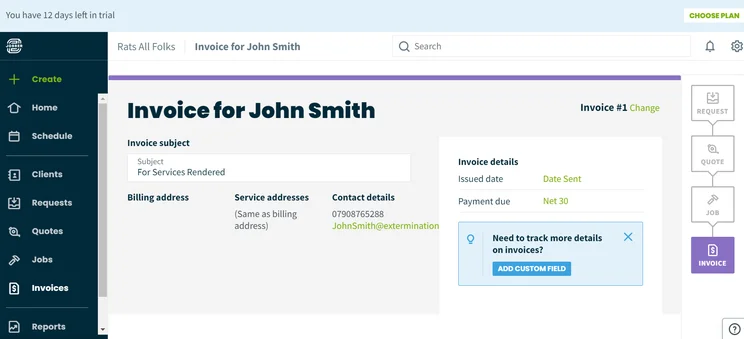
Jobber Pricing
Jobber offers four different pricing plans: Core, Connect, and Grow.
The Light plan costs only $19 per month, but offers very limited features, basically only allowing users to provide estimates to clients. The Core plan costs $49 per month allows for only a single user, but still allows for lots of features, missing out only on route optimization. The Connect plan costs $129 per month and allows for up to seven users and adds route optimization for your business. Finally, the Grow plan costs $249 per month and allows for 30 users and adds custom reporting to the feature list.
Do I Need Cleaning Service Specific Field Service Software?
As you’ve likely noticed, the majority of our cleaning service software providers above are not specific to the industry. Other than ZenMaid, every provider on this list can be used for a wide range of other industries, including HVAC, pool service, and lawn care.
While it may seem like industry-specific software providers are the way to go, our research has found that they don’t often offer much when it comes to actual features and functionality. In fact, because these broader providers are open to other industries, they typically provide more features, better customer support, and even easier to use interfaces.
Simply put, don’t let industry-specific providers convince you that you need to stick to cleaning service options when the vast majority of field service software will get the job done that much more efficiently.
Grab a cleaning service provider quote now with our comparison form
How We Research Cleaning Service Software
At Tech.co, we take our research quite seriously, spending hours traversing feature catalogs, perusing pricing plans, and generally investigating what makes these platforms tick. Subsequently, we want to be completely transparent about how we evaluated these cleaning service software providers, so you understand what you’re getting into. Here are the metrics we used to rate and rank these platforms:
- Online customer booking – The ability for customers to book your cleaning service online through a platform.
- Schedule and dispatch – The platform’s functionality when it comes to scheduling and dispatching cleaners to a particular job and location.
- Invoicing – Whether or not you can effectively quote and invoice through the interface to get paid quickly and on time.
- Mobile app – Does the platform have a mobile app that cleaners can use to manage schedules and take payments.
- Customer support – The responsiveness and expertise of the platform’s customer support team.
- Industry specific – Whether or not the platform is a cleaning-specific option or if other industries can utilize the software.
If you want to learn more about how Tech.co performs these tests, take a look at our research guide to get a clearer picture of our methods.
There are a lot of great options out there, but our research shows that Housecall Pro is the best cleaning service software out there, thanks to its massive feature catalog, its notable ease of use, and its simple integrations with other important business tools like QuickBooks.
Now that you’ve got a clear picture of what kind of cleaning service software is out there, you can make an informed decision. Whether you’re focused on features, customer support, or price, these software platforms are designed to streamline your cleaning service business so you can keep growing and boost profits.
Be sure to check out our customizable quote form before you dust off your search — so you can see exactly how much the best cleaning service software providers will cost your company.
Frequently Asked Questions
Cleaning service software is an online tool designed to help cleaning service businesses to more effectively run their day-to-day operations. Through automation and organization, these software will streamline processes and improve productivity across your company.
The price of cleaning service software varies quite a bit depending on the size of your business, the features you need, and what kind of provider you opt for. Still, prices typically range from between $20 per month and $300 per month, so plan your budget accordingly.
According to our research, Housecall Pro is the best cleaning service software, as it offers an unparalleled feature catalog, an incredibly intuitive interface, and a wide range of integrations that will make running your business that much easier.
If you click on, sign up to a service through, or make a purchase through the links on our site, or use our quotes tool to receive custom pricing for your business needs, we may earn a referral fee from the supplier(s) of the technology you’re interested in. This helps Tech.co to provide free information and reviews, and carries no additional cost to you. Most importantly, it doesn’t affect our editorial impartiality. Ratings and rankings on Tech.co cannot be bought. Our reviews are based on objective research analysis. Rare exceptions to this will be marked clearly as a ‘sponsored’ table column, or explained by a full advertising disclosure on the page, in place of this one. Click to return to top of page


