

We may receive a commission from our partners if you click on a link to review or purchase a product or service. Click to Learn More
The best plumbing service software is Housecall Pro, thanks to its easy-to-use interface for managing bookings, massive feature catalog, and built-in marketing functionality. ServSuite by FieldRoutes and GorillaDesk also scored highly in our research, making them excellent alternative options for your business.
Whether you’re looking to get started with field service software or just want to switch providers, we’re here to help. The field service software platforms listed below are designed to help achieve smooth operations for your staff and customers, in every way possible, including integration with QuickBooks Online, and we’ve got the research-backed insights to help you find the right one for you.
In this guide, we’ll cover our top picks for plumbing service software and help you understand that sometimes the industry-specific choice isn’t always your best option. When you’re ready to compare providers by price, just use our handy quotes form.
Below are our top picks, based on our extensive impartial research. To see how much plumbing software might cost your business and make sure you don’t overpay, get a custom price quote using our free pricing tool
- Housecall Pro – Best overall plumbing service software
- ServSuite by FieldRoutes – Best training features
- GorillaDesk – Best value service software
- FieldEdge – Good invoicing features
- WorkWave – Good for growing businesses
- Jobber – Good for ease of use
- KickServ – Good plumbing-specific software
Plumbing service software will help keep your team informed and on form, so you can guarantee excellent service every time. The right plumbing software will be an all-in-one hub for your business processes. From scheduling and dispatching technicians to accepting payments in the field, you’ll be able to handle everything with just a few clicks (or taps).
With the US plumbing industry worth $124 billion, it’s important to ensure you’re running your business as smoothly as possible, which plumbing service software can play a vital part in.
Take a look at the table below for the key pros and cons of the top plumbing service software, so you can see how they stack up against each other before you make a decision and read on for our in-depth research and reviews on top providers:
|
Best For
|
Starting Price
|
Pros
|
Cons
|
Free demo?
|
Free trial
|
|||
|---|---|---|---|---|---|---|---|---|
|
SPONSORED
 |
BEST OVERALL
 |
 |
 |
 |
 |
 |
||
|
Connecteam |
Housecall Pro |
ServSuite by FieldRoutes |
GorillaDesk |
FieldEdge |
WorkWave |
Jobber |
||
|
Not yet reviewed |
Overall usage |
Training features |
Scheduling features |
Invoicing features |
Customer support features |
Automation |
||
|
$29/month |
$49/month |
On request |
$49/month |
On request |
On request |
$30/month |
||
|
|
|
|
|
|
|
||
|
|
|
|
|
|
|
||
|
|
|
|
|
|
|
|
||
|
14 days |
14 days |
|
14 days |
|
|
14 days |
||
| Try Connecteam | Try Housecall | Compare Quotes | Compare Quotes | Compare Quotes | Compare Quotes | Try Jobber |
What Is Plumbing Software?
Plumbing software is an online tool used by plumbing service companies to organize, automate, and streamline day-to-day business operations, like booking appointments, scheduling and dispatching plumbers, and invoicing and quoting clients.
The overall goal of this kind of software is to improve productivity and efficiency across your business, freeing you up to focus on more big picture decisions rather than the nitty gritty details of your plumbing company.
Beyond plumbing service software, there are other industries that have use for field service platforms like the ones listed below, including lawn care, pool, and HVAC service.
Check out our field service software pricing guide for more information
Housecall Pro – Best overall plumbing service software
Housecall Pro

In Short
-
Pros
- Covers most industries
- Includes marketing tools
- Support 7 days/week (5am-5pm PST weekdays)
-
Cons
- No route optimization
- Limited customization options
- Above average cost
Pricing
-
 Basic: $49/month
-
Essentials: $129/month
-
14-day free trial
-
 Available on web
-
 Available on Play Store
-
 Available on App Store
Images
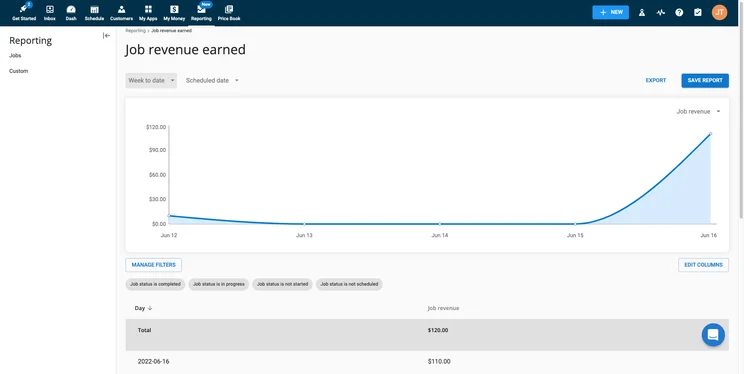
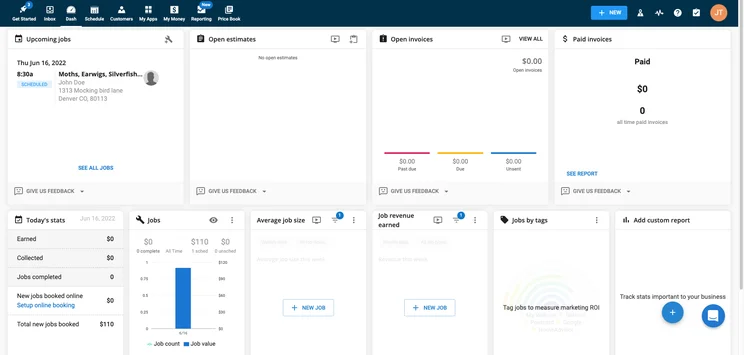
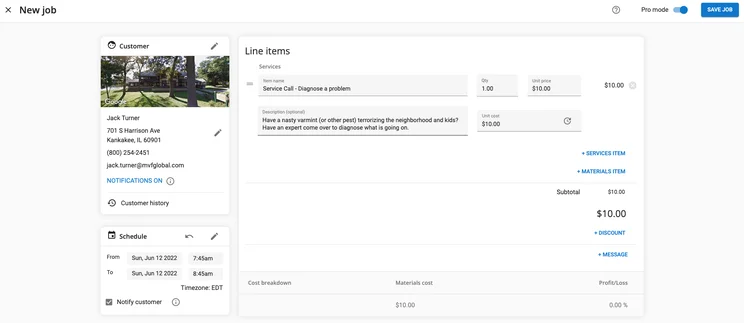
Housecall Pro is the best overall plumbing service software for a lot of reasons. This robust, popular software will be able to manage nearly every aspect of your plumbing business from a single, comprehensive platform. Housecall Pro can handle the workload of any sized company, all while making it fundamentally more productive, thanks to a wide range of helpful features.
In our research, Housecall Pro was the clear favorite, scoring highly across all features categories, notching 5/5 in schedule and dispatch and invoicing. Housecall Pro also has great customer support, scoring a 4/5 in our research, thanks to channels including email, phone, and live chat.
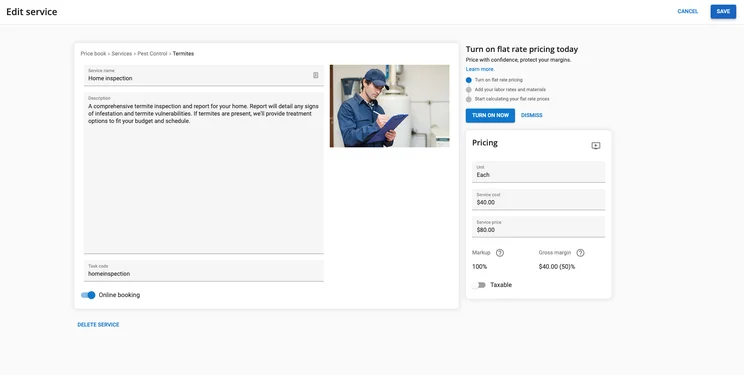
Our testers found editing a service in Housecall Pro quite easy
Image: Tech.co testingThe only ding against Housecall Pro was the lack of 24/7 coverage, although the hours are quite generous, particularly on weekdays.
Housecall Pro pricing
Housecall Pro offers three different pricing plans: Basic, Essentials, and Max. Unfortunately, Housecall Pro does not offer a free plan, but you can take advantage of the 14-day free trial if you want to try before you buy. Here’s how those pricing plans match up against each other:
|
Plan
|
Price
|
Users
|
Service dispatch
|
Job tracking
|
Route optimization
|
Inventory
|
Reporting
|
|
|---|---|---|---|---|---|---|---|---|
|
|
|
|
||||||
|
Basic |
Essentials |
Max |
||||||
|
$49 per month |
$129 per month |
On request |
||||||
|
1 |
5 |
100+ |
||||||
|
|
|
|
||||||
|
|
|
|
||||||
|
|
|
|
||||||
|
|
|
|
||||||
|
Basic |
Basic |
Advanced |
ServSuite by FieldRoutes – Best training features
ServSuite by FieldRoutes

In Short
-
Pros
- Great analytic tools for insightful data
- Very easy to use even for beginners
- 24/6 customer support options
-
Cons
- Add-ons necessary for full functionality
- Analytic reports can get complicated
- Above average cost
Pricing
-
No publicly available pricing
-
Previously started at $126/month
-
Free demo available
-
Available on web
-
Available on Play Store
-
Available on App Store
Images
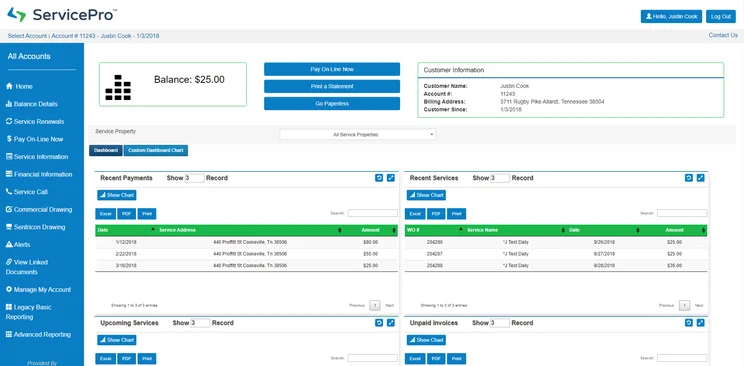
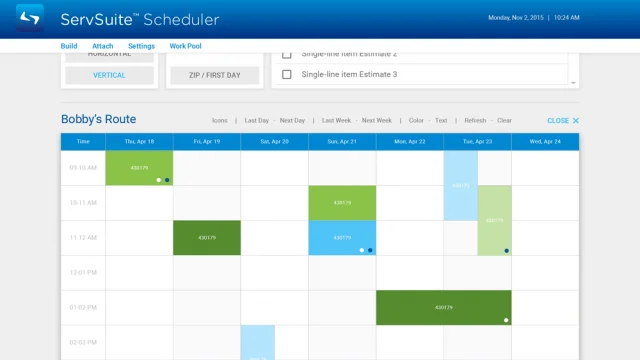
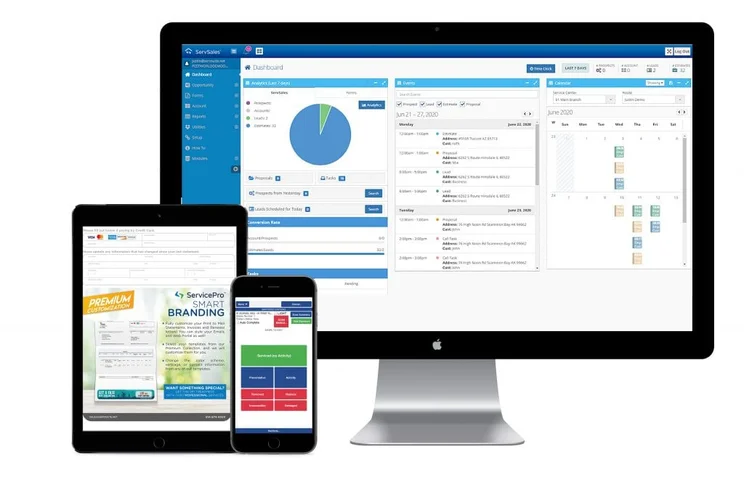
ServSuite is definitely a solid competitor to Housecall Pro for the top spot. It took the top spot for training features, offering an entire ServSuite University that encourages eight hours of live, interactive training before getting started.
As for the rest of our research, ServSuite scored 5/5 in invoicing and respectable 4/5 for schedule and dispatch, which should be able to hand the majority of your plumbing service needs. ServSuite even scored a 5/5 in customer support thanks to the fact that support is available 24 hours per day, six days a week.
However, there is a reason ServSuite Pro came in number two. The mobile app is a bit rough around the edges, particularly compared to Housecall Pro, and you could be looking at potentially much higher prices to get your business set up with ServSuite.
ServSuite Pro pricing
ServSuite’s pricing is available on request, so to find out exactly how much it’ll cost your business, you’ll need to get a quote.
However, if you want an indication of how much ServSuite might cost, then you can look at the prices that used to be charged prior to ServSuite’s acquisition. The Starter plan used to cost $126 per month, the Plus plan used to cost $186 per month, and the Pro plans used to cost $339 per month. ServSuite was acquired in 2021 so these prices will likely have changed, but we imagine they aren’t likely to have gone down to below Housecall Pro’s starting price of just $49/month.
There was no free plan with ServSuite Pro, and you won’t get a free trial to test out this service for yourself before you buy. What you can get, is a free demo from the company, so you’ll get information from an expert before making your decision.
GorillaDesk – Best value service software
GorillaDesk

In Short
-
Pros
- Very ease to use interface
- Plenty of learning modules available
- Responsive customer support team
-
Cons
- Limited customizability
- Outdated interface
- Fewer notifications in app compared to desktop
Pricing
-
Basic: $49/month
-
Pro: $99/month
-
14-day free trial
-
Available on web
-
Available on Play Store
-
Available on App Store
Images
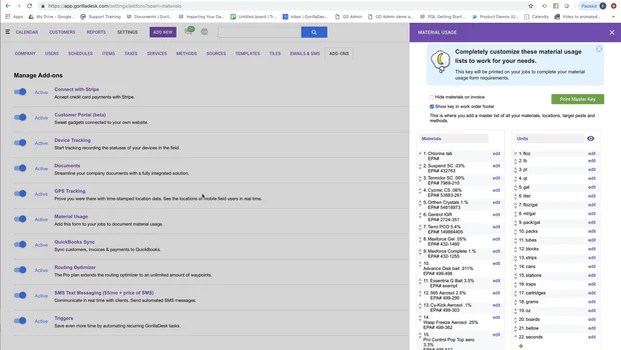
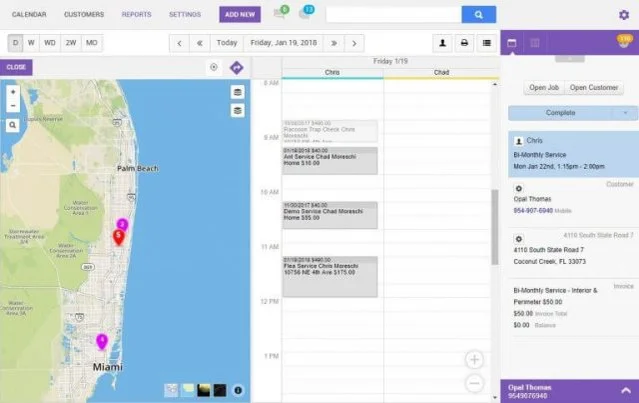
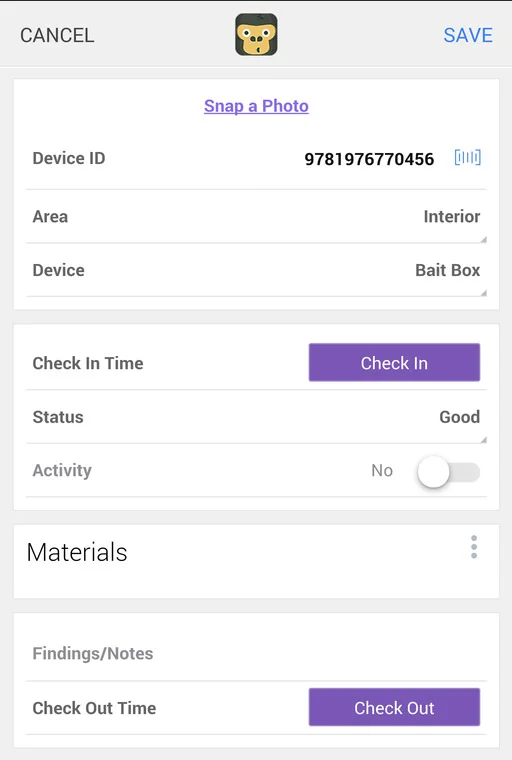
We love a clever brand name at Tech.co and GorillaDesk definitely caught our eye. It’s more than a funny name, though, as GorillaDesk really offers a lot, particularly when it comes to value, with the lowest pricing plans on this list, and excellent savings opportunities for small-sized teams.
In our research, GorillaDesk scored a 5/5 in both invoicing and schedule and dispatch feature categories, just like Housecall Pro. This provider also offers 24/7 support and email, phone, and live chat, netting it a 5/5 for customer service in our research. The pricing is varied and affordable too, which is attractive for businesses of all sizes.
The biggest ding against GorillaDesk that kept it out of the top two spots is its online customer booking features, which scored a 3/5 in our research. You can’t take advantage of real-time booking or Book via Google, which could be a dealbreaker for businesses that want to be able to eliminate some steps when it comes to the booking process.
GorillaDesk pricing
GorillaDesk trims down the pricing options a bit compared to Housecall Pro and ServSuite, only offering two plans for potential users: Basic and Pro. The Basic plan starts at $49 per month and the Pro plan starts at $99 per month.
Those prices may seem low, but GorillaDesk pricing is based on the number of routes. Subsequently, if you want more than one route, you’re going to have to pay more per month, with customized pricing kicking in at ten or more routes.
|
Plan
|
Price
|
Users
|
Service dispatch
|
Job tracking
|
Route optimization
|
Inventory
|
Reporting
|
QuickBooks Integration
|
|
|---|---|---|---|---|---|---|---|---|---|
|
|
|
||||||||
|
Basic |
Pro |
||||||||
|
$49 per month |
$99 per month |
||||||||
|
Unlimited |
Unlimited |
||||||||
|
|
|
||||||||
|
|
|
||||||||
|
|
|
||||||||
|
|
|
||||||||
|
|
|
||||||||
|
|
|
FieldEdge – Good invoicing features
FieldEdge

In Short
-
Pros
- Easy to use
- Comparatively very affordable
- Integrates with Quickbooks
-
Cons
- No GPS or route optimization features
- Runs a bit slow at times
- Complicated reporting tools
Pricing
-
Must get a quote
-
Lower prices than average
-
Free demo available
-
Available on web
-
Available on Play Store
-
Available on App Store
Images
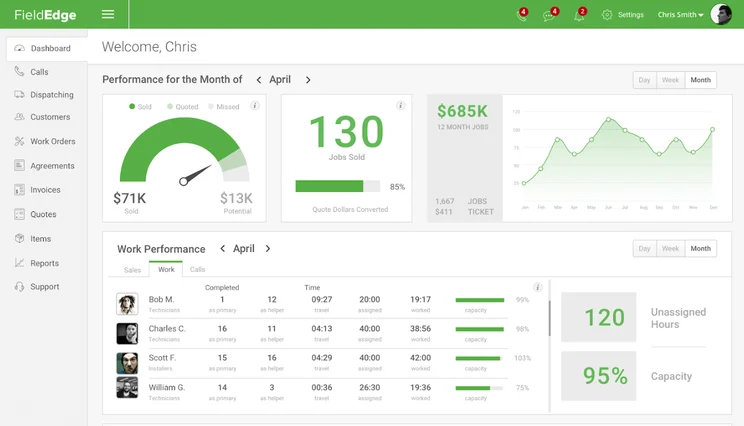
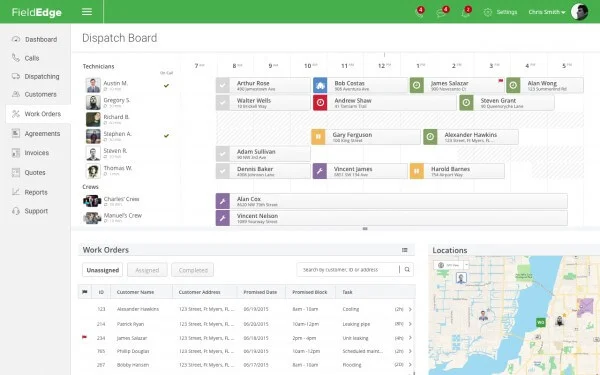
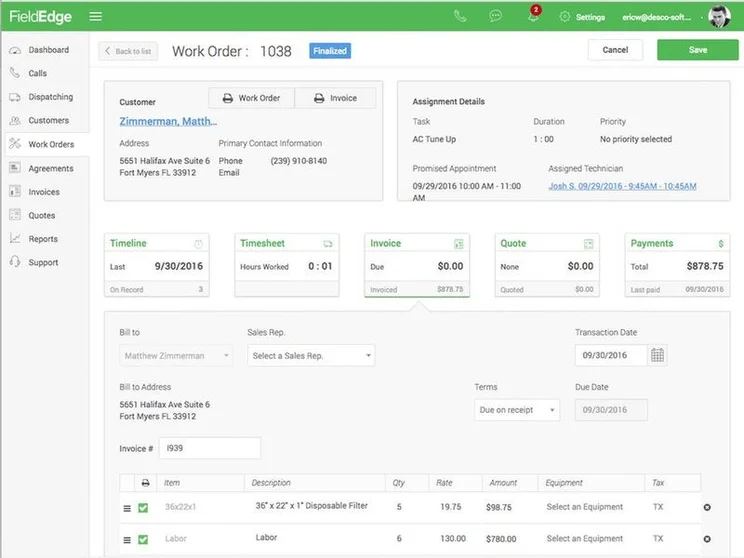
Like many of the options on this list, FieldEdge excels substantially when it comes to features, scoring 5/5 in scheduling, dispatching, and invoicing, respectively. For invoicing in particularly, FieldEdge is a solid option, allowing users the ability to do automated and batch invoicing, while also providing reminders, tracking, and templates for invoicing.
This means it can keep pace with the likes of Housecall Pro and GorillaDesk when it comes to features. Even customer support is pretty solid with a 4/5 in our research, offering phone, live chat, and email, along with plenty of tutorial videos.
FieldEdge has two problems, though. First off, the mobile app is a mess. Despite offline capabilities, users report regular connection problems and a generally difficult to use interface. That, combined with the lack of a rating tool for online customer booking means that FieldEdge remains lower on this list, particularly with the lack of publicly available pricing.
FieldEdge pricing
Unlike many providers on this list, FieldEdge unfortunately does not provide publicly available pricing. As a result, the only way to know exactly how much FieldEdge will cost your business is to reach out to the sales team and get the customized quote from them.
WorkWave – Good for growing businesses
WorkWave

In Short
-
Pros
- Includes marketing features aimed at new clients
- Robust mobile options for working on the go
- Easy to use design even for beginners
-
Cons
- No inventory management
- Annual contract is a must
- Poor payment processing features
Pricing
-
Must get quote
-
Three custom plans
-
Free demo available
-
Available on web
-
Available on Play Store
-
Available on App Store
Images
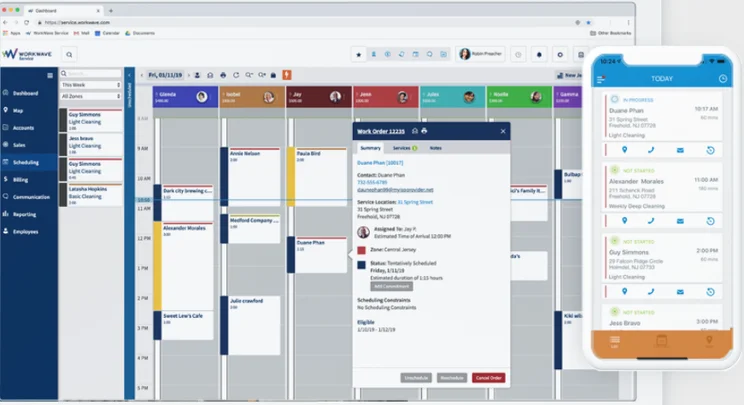
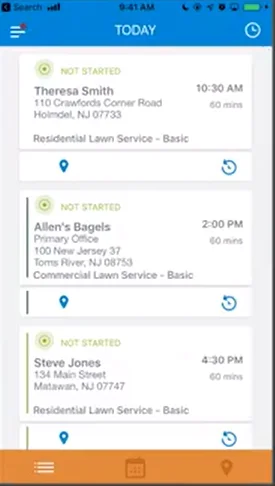
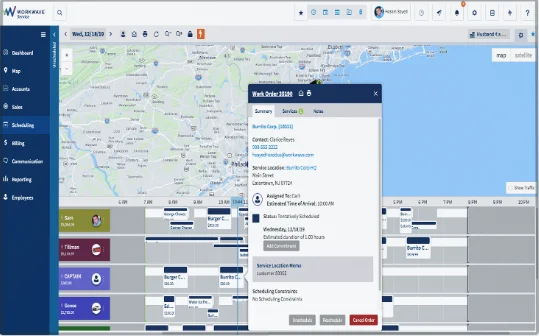
WorkWave is great for growing businesses because of its flexible pricing and robust training options. The provider is established in the business (founded in 1984) and has the resources to handle small businesses and enterprise-level organizations with aplomb.
Not to get too repetitive here, but WorkWave knocks scheduling, dispatching, and invoicing out the park with its feature set, scoring a 5/5 in all categories, which means it easily competes with other top options on this list. Given its status as a larger company, the customer support is sold too with a score of 4/5 thanks to live chat, phone, and email functionality.
Unfortunately, WorkWave received one of our lowest scores for online customer booking with a 2/5, largely due to a lack of overall functionality. You can’t upload images, you can book in real time, and as far as we could find, you could book via Google. On top of that, the WorkWave mobile app leaves a lot ot be desired, with limited functionality and lower ratings in the Google Play Store.
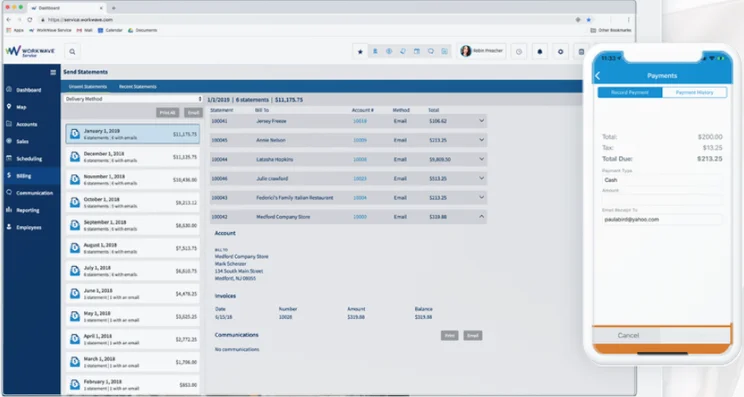
Managing payments in WorkWave wasn’t too complicated for our testers
Image: Tech.co testing
WorkWave pricing
FieldEdge and WorkWave are on the same wavelength here, as WorkWave does not provide publicly available pricing for potential users. The only way to know how much WorkWave costs is to reach out to the provider on its website to get a tailored estimate for your business.
Jobber – Good for ease of use
Jobber

In Short
-
Pros
- Great for automation, saves lots of time
- Easy to use for everyone
- Comprehensive mobile app
-
Cons
- QuickBooks integrations a bit messy
- No in-field communication capabilities
- Limited backup options
Pricing
-
Core: $49/month
-
Connect: $129/month
-
Grow: $249/month
-
Available on web
-
Available on Play Store
-
Available on App Store
Images
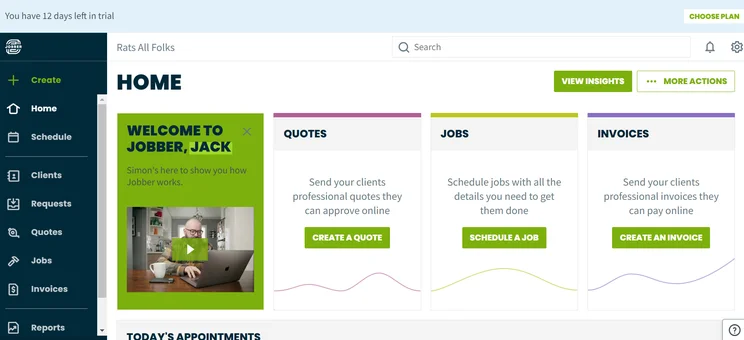
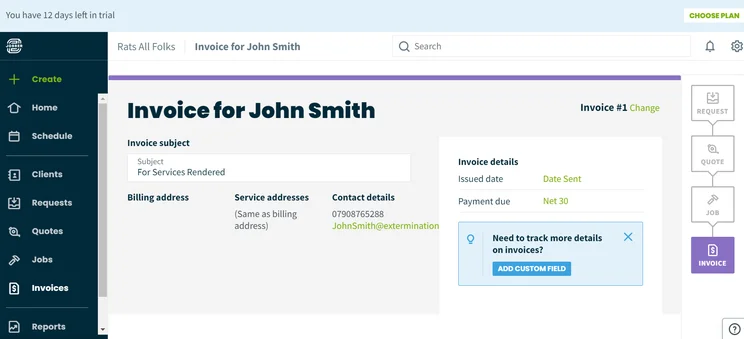
Users have reported that installing Jobber saves them up to seven hours per week, thanks to features that keep team members and field technicians ready and raring to go. On top of that, the easy-to-use interface has reviewers raving that it isn’t difficult to figure out, even as a beginner.
Our research backs that up, as Jobber scored a solid 5/5 in schedule and dispatch, although notched a mere 4/5 in invoicing, which puts it slightly behind other options like Housecall Pro and WorkWave. The mobile app is really easy to use, though, with more than 100,000 positive reviews on the App Store.
The customer support is the weak spot for Jobber, though, as it doesn’t offer 24/7 coverage and doesn’t provide email channels for communication, so you’ll have to get in touch via phone or live chat. There’s also no real-time booking available, which helped it to a mere 3/5 in the online customer booking category.
Check out our in-depth Jobber review for more info
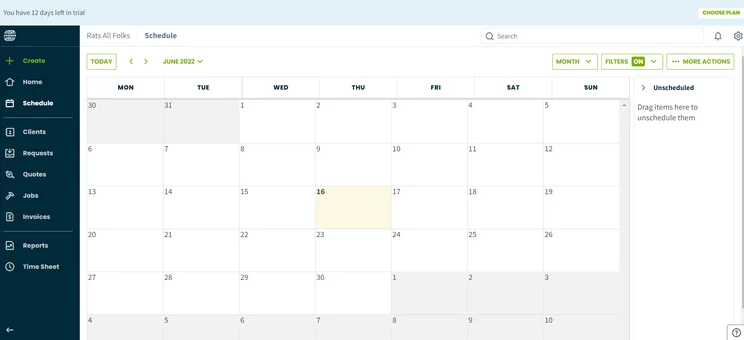
The comprehensive calendar system on Jobber makes scheduling easy for our testers
Image: Tech.co testing
Jobber pricing
Back to the publicly available pricing plans! Jobber offers four different options: Core, Connect, and Grow. Unfortunately, Jobber also does not offer a free plan, but it does provide a 14-day free trial, much like Housecall Pro, so you can test out the service before you make a financial commitment. Check out the pricing plans and their features below:
|
Plan
|
Price
|
Users
|
Scheduling
|
Service dispatch
|
Job tracking
|
Route optimization
|
Reporting
|
Estimates
|
|
|---|---|---|---|---|---|---|---|---|---|
|
|
|
|
|
||||||
|
Lite |
Core |
Connect |
Grow |
||||||
|
1 |
1 |
5 |
15 |
||||||
|
|
|
|
|
||||||
|
|
|
|
|
||||||
|
|
|
|
|
||||||
|
|
|
|
|
||||||
|
|
|
|
Custom |
||||||
|
|
|
|
|
KickServ – Good dedicated plumbing software
Kickserv

In Short
-
Pros
- Comprehensive training options
- Transparency-focused platform for customers
- Involved customer support team
-
Cons
- Limited invoicing capabilities
- Complicated automation features
Images
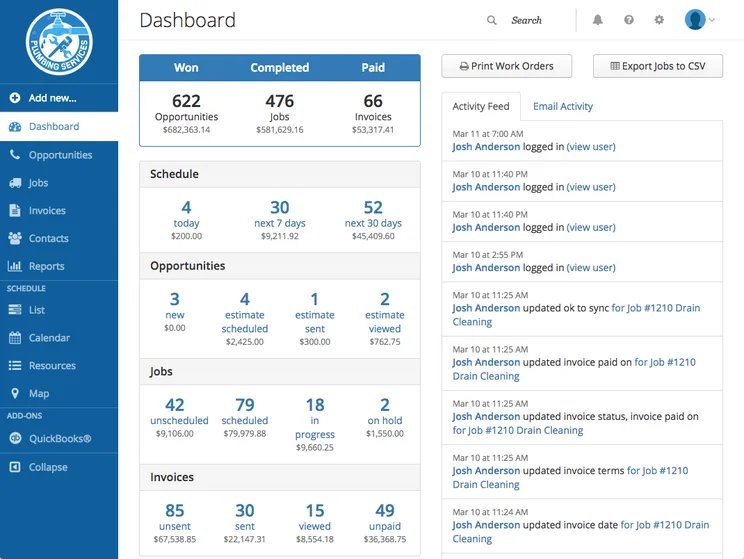
Don’t try to use KickServ for any industry other than plumbing, as it’s the only industry-specific option on the list, making it a go-to if you want to make sure you’re getting access to expert plumbing features.
KickServ has a lot going for it that others on this list don’t have. For one, it offers 24/7 customer support via phone, live chat, and email, so you’ll always be able to get in touch no matter what the problem, netting the provider a 5/5 for customer service. On top of that, it offers a free forever plan, which allows for up to two users. Some providers on this list don’t even have a free trial, so this is a big boost.
Of course, it’s not all sunshine and rainbows. KickServ suffers from some not great online customer booking features, as it lacks real-time booking, book via Google, and customer rating tool functionality, which meant the provider received a very low 2/5 in the category. Still, with a solid free plan, KickServ could be the best option for small businesses in need of some savings.
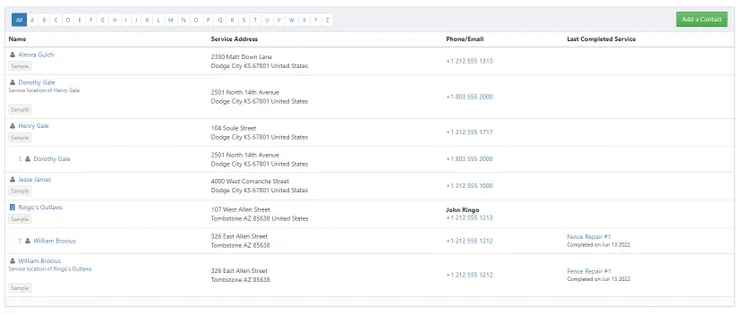
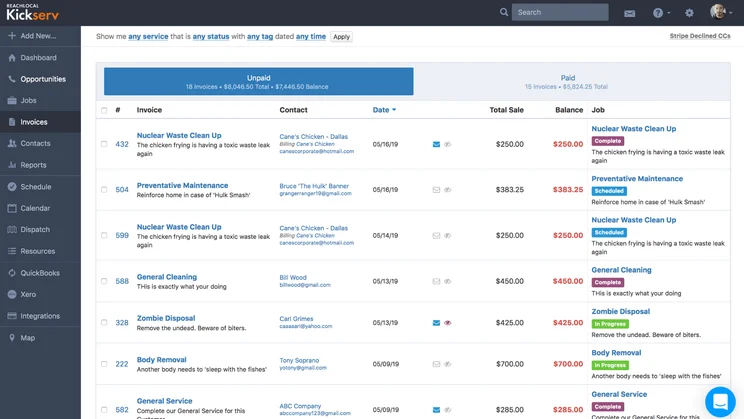
The customer profile page on KickServ allowed our testers to keep track of client information
Image: Tech.co testing
KickServ pricing
KickServ offers the most pricing plans in the bunch with a total of four: Lite, Standard, Business, and Premium. KickServ is also the only plumbing service software provider on this list that offers a free plan, which allows for up to two users. Features are naturally limited, but you will get access to estimates, invoices, and jobs functionality, so it’s a great place to start for smaller business. Here’s how those plans look compared to each other:
|
Plan
|
Price
|
Users
|
Scheduling
|
Service dispatch
|
Route optimization
|
Reporting
|
QuickBooks Integration
|
|
|---|---|---|---|---|---|---|---|---|
 |
|
|
|
|||||
|
Lite |
Standard |
Business |
Premium |
|||||
|
$47/month |
$95/month |
$159/month |
$239/month |
|||||
|
3 |
10 |
Unlimited |
Unlimited |
|||||
|
|
|
|
|
|||||
|
|
|
|
|
|||||
|
|
|
|
|
|||||
|
|
|
|
Custom |
|||||
|
|
|
|
|
Is Field Service Software Right for Your Plumbing Business?
There are a lot of online tools designed to help you run your business. Plumbing service software is certainly one of them, but with so many options, it can get confusing in terms of what you actually need to improve your business. Luckily, we’re here to help.
For starters, plumbing service software, and other field service software options, are primarily designed to manage field technicians. Scheduling and dispatching features are the core functionality, allowing you to effectively keep track of where your plumbers are and where they need to go. These platforms do have other features, though, like invoicing, billing, analytics, and customer relationship management.
Still, the reality is that there are plenty of dedicated options out there if these secondary features are more important to you. If your business is looking for accounting software that can bill and invoice customers, QuickBooks is one of the top choices amongst businesses of all industries, with robust functionality for your accounting needs. Conversely, if customer relationship management is the goal, CRM platforms like monday.com are specifically designed to help you stay in touch with your clients.
Suffice to say, there are a lot of options when it comes to the best software for small plumbing businesses. It all depends on what you actually need it for.
Check out our other industry pages for cleaning, and pest control service software for more information.
If you are unhappy with your current plumbing software provider, you’re likely on this page looking for a replacement that better fits your needs. Fortunately, switching providers doesn’t have to be a big to-do and we can help you get started.
To kick off the process, you’ll want to make sure your export all your data from your business to import into the new software. Then, you’ll want to cancel your current plumbing software subscription and get an end of service date. After that, you’ll be able to get your new software setup and installed, while importing your data into the platform.
How We Research Plumbing Service Software
Some websites simply aggregate plumbing service software into a list and provide you with information about those particular providers. Not us, though. At Tech.co, we aim to provide you with actionable information that is based on rigorous research performed by our expert team. We concretely compared 18 providers with scores based on a myriad of metrics. Here are those metrics:
- Online customer booking – whether or not you can use a service to book appointments online via a website or Google
- Schedule and dispatch – how many features the service offers for scheduling and dispatching field technicians to a job
- Invoicing – what kind of invoicing features are available for quoting, estimating, and accepting payments
- Mobile app – whether or not a service has a mobile app and how its rated on the app store
- Customer support – how available a service’s customer support team is and what kind of channels they are available through
If you want to learn more about the process by which we rate and rank business software providers, take a look at our in-depth research guide for more information. You can also check out reviews for other field service management software providers that aren’t on this list, including RazorSync, ServiceTitan, and Verizon Connect.
Our research shows that Housecall Pro is the best plumbing service software, offering a massive feature catalog, an easy to use interface — even for beginners — and a vast array of helpful integrations to help run your business seamlessly.
Now that you know about some of the best plumbing service software out there, it’s time to make a decision. The reviews above will help you narrow down your options, based on what’s important to you.
But now, you’re missing one piece of the puzzle: how much is it going to cost your company? Fortunately, you can get a customized quote today. With just a few simple clicks you’ll be on your way to a more efficient, more productive, and more successful plumbing business.
Frequently Asked Questions
Both! If a plumbing service provider has a mobile app, in most cases, you’ll have access to it on either operating system. However, this isn’t the case for all providers, so make sure to check out each specific brand before making a decision.
By consolidating and automating these work functions, plumbing software can provide a number of helpful benefits to your business. For one, you’ll save time on a daily basis not having to worry about all the nitty gritty details on your own. Secondly, you’ll increase the accuracy of time sheets, appointments, inventory, and anything else being tracked by the software. Finally, you’ll improve overall productivity by cutting back on double data entry, double bookings, inventory mix ups, and routing redundancies.
Plumbing software makes running a plumbing business easier by consolidating, automating, and organizing everyday business functions into a single platform. You can manage scheduling, streamline customer support, and facilitating easy payments, improving productivity and efficiency along the way. Some software has also been created for on-the-job plumbing measurements and assistance, but this is rarer and not commonly what is meant by “plumbing software,” including on Tech.co.
Plumbing software comes with a wide range of helpful features specifically designed to save time and increase accuracy. You’ll be able to improve nearly every aspect of your plumbing business with an easy-to-use platform, giving you a way to focus on the big picture. Top features include the ability to:
- Create work orders
- Manage inventory
- Track and direct field technicians and vehicles
- Optimize routes with GPS navigation
- Schedule appointments and work orders
- Record job notes
- Manage customer needs in convenient portal
- Provide job status updates
- Improve productivity with knowledge repositories
More often than not, yes! A lot of plumbing software suppliers will provide users with a mobile app that can manage most, if not all of your business needs. You’ll be able to manage your whole business while on-the-go, and your employees will be in touch with you, even when they’re out in the field.
Usually yes! A lot of plumbing software providers will make their platforms compatible with Quickbooks, making it incredibly easy to manage finances from one location. However, like Android or iOS mobile apps, each brand is different, so do a little research to make sure your desired provider has what you need before pulling the trigger.
If you click on, sign up to a service through, or make a purchase through the links on our site, or use our quotes tool to receive custom pricing for your business needs, we may earn a referral fee from the supplier(s) of the technology you’re interested in. This helps Tech.co to provide free information and reviews, and carries no additional cost to you. Most importantly, it doesn’t affect our editorial impartiality. Ratings and rankings on Tech.co cannot be bought. Our reviews are based on objective research analysis. Rare exceptions to this will be marked clearly as a ‘sponsored’ table column, or explained by a full advertising disclosure on the page, in place of this one. Click to return to top of page


