

We may receive a commission from our partners if you click on a link to review or purchase a product or service. Click to Learn More
The best lawn care software is Housecall Pro. Its large feature catalog combined with an easy-to-use interface makes it ideal for businesses of all sizes. However, ServSuite and GorillaDesk offer strong alternatives, with excellent training resources and great value plans, respectively. Not sure which is right for your business? Read on for a detailed guide or jump straight to our free price comparison tool to see how quotes from these and other providers stack up.
The right lawn care software will make your business operations far easier with features for everything from scheduling and dispatch to invoicing and customer support. On top of that, these platforms can automate simple functions, organize customer and technician data, and integrate with software like QuickBooks, so you can save time and work with customers to further grow your business.
Which lawn care software should you use? Keep scrolling to learn more.
Below are our top picks, based on our extensive impartial research. To see how much lawn care software might cost your business and make sure you don’t overpay, get a custom price quote using our free pricing tool
- HouseCall Pro – Best overall lawn care software
- ServSuite by FieldRoutes – Best training features
- GorillaDesk – Best scheduling and dispatching features
- FieldEdge – Good invoicing features
- WorkWave – Good for customer support features
- Jobber – Good for automation features
- YardBook – Best free lawn care software
What Is Lawn Care Software?
Lawn care software is an online business resource that can help you run your lawn care business for effectively. It provides a wide range of features and functionalities to streamline operations, from scheduling and dispatching to invoicing and providing support.
Lawn care software is an industry-specific version of a broader category of platforms called field service management software. Many of these platforms can handle multiple industries, including pool, cleaning, and HVAC service, typically offering specific features to work with each one.
For lawn care, there are many features you can find within particular platforms that cater to your business including chemical tracking for yard work. All in all, lawn care software is exactly what it sounds like; software that can help you run your lawn care business better.
Best Lawn Care Software Providers Compared
|
Best For
|
Starting Price
|
Pros
|
Cons
|
Free trial
|
24/7 support
|
|||
|---|---|---|---|---|---|---|---|---|
|
Featured Provider
 |
Best overall
 |
Best training features
 |
Best value
 |
 |
 |
 |

|
|
|
Connecteam |
Housecall Pro |
ServSuite by FieldRoutes |
GorillaDesk |
FieldEdge |
WorkWave |
Jobber |
||
|
Not yet reviewed |
Overall usage |
Training features |
Scheduling features |
Invoicing features |
Customer support features |
Automation |
Free usage |
|
|
$29/month |
$49/month |
On request |
$49/month |
On request |
On request |
$30/month |
||
|
|
|
|
|
|
|
|
|
|
|
|
|
|
|
|
|
|
|
14 days |
14 days |
|
14 days |
|
|
14 days |
Unlimited |
|
|
|
|
|
|
|
|
|
|
|
| Try Connecteam | Try Housecall | Compare Quotes | Compare Quotes | Compare Quotes | Compare Quotes | Try Jobber | Compare Quotes |
With the lawn care industry worth a projected $65 billion in the US by 2028, you’ll want to make sure that your customers are served as best as possible, and in many cases, dedicated lawn care software is the way to do this.
However, it’s important to understand exactly what you need a business software for before you make a commitment. While field service software is great for scheduling and dispatching field technicians and managing customer relationships, there are other tools out there that might be better suited to other aspects of your business.
For the financial side, for example, QuickBooks and Zoho Invoice might be a better fit. These dedicated tools are aimed specifically at invoicing customers, setting up payroll, and providing the financial infrastructure to manage your business. Even better, they often integrate with field service software, so you can still enjoy an all-in-one hub.

Housecall Pro for Lawn Care – Best overall
Price: starts at $49 per month
Housecall Pro

In Short
-
Pros
- Covers most industries
- Includes marketing tools
- Support 7 days/week (5am-5pm PST weekdays)
-
Cons
- No route optimization
- Limited customization options
- Above average cost
Pricing
-
 Basic: $49/month
-
Essentials: $129/month
-
14-day free trial
-
 Available on web
-
 Available on Play Store
-
 Available on App Store
Images
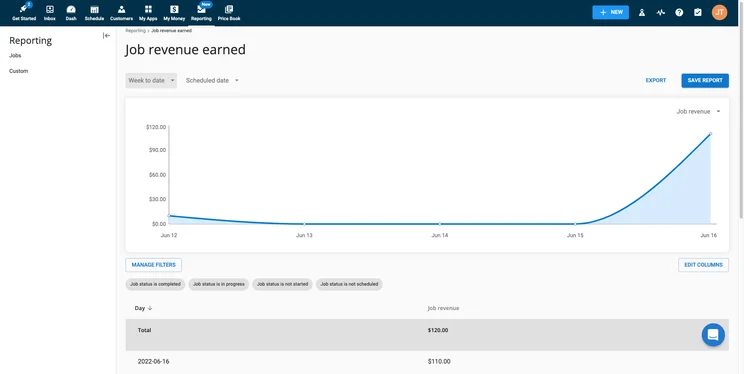
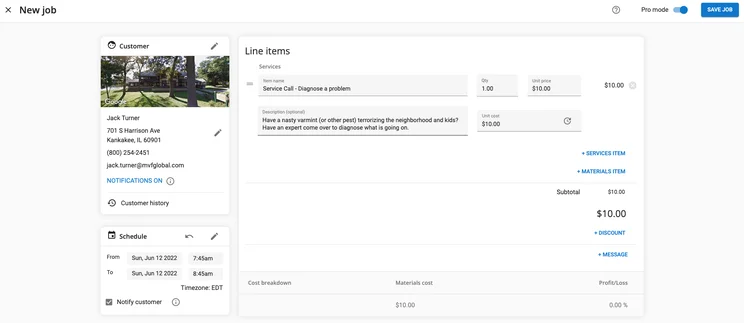
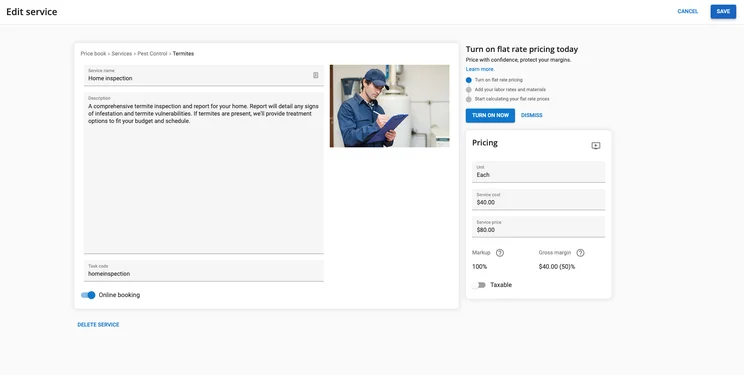
If you’re looking for an all-encompassing field service management software for your lawn care business, you can’t go wrong with Housecall Pro. This robust platform has just about every feature you could need in a software like this, from invoicing to scheduling and dispatching, which is why it scored the top overall rating in our testing of 4.4 out of 5.
Housecall Pro is suitable for a range of service businesses, including lawn care. Users will benefit from its 7 days a week customer support, easy setup reminders and alerts, and integrations with QuickBooks, Google, Alexa, Mailchimp, Zapier and more.
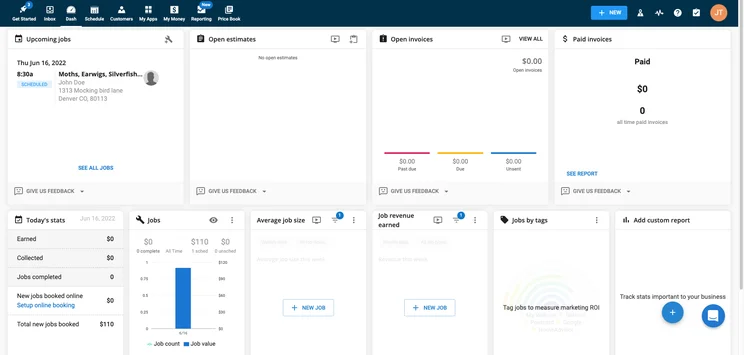
The home dashboard on Housecall Pro
Image: Tech.co testingHousecall regularly updates its offering and was one of the first providers to offer businesses the chance to gain more customers through Google local ads, with a one-click “Schedule” button. It also offers a Facebook booking integration.
Downsides? There’s no offline functionality and the app is higher rated on iOS (4.6 stars) than Android (3.8 stars). But there are a lot of upsides to consider. There’s a reason Housecall Pro is so popular.
One of the factors that makes Housecall Pro our top pick for lawn care service software is that it’s regularly updating its software in response to customer feedback. In November 2023, it launched a big winter update aimed at providing a range of new features to improve the platform for your lawn care service business.
Firstly, Housecall Pro now offers the ability to schedule and manage multi-day jobs, so you can keep those bigger jobs more organized in your system. In hope of managing employee benefits more efficiently, Housecall Pro also launched a new Benefits hub to manage compensation, time off, and health care. Finally, you can now save a bit of time on estimates thanks to Estimate and Proposal templates, so you don’t have to create new ones from scratch every time.
Housecall Pro pricing
Housecall Pro allows you to choose from three different pricing plans: Basic, Essentials, and Max. There is no free plan with Housecall Pro, but you can utilize the 14-day free trial to test out the platform before making a financial commitment. Here’s how all these plans match up against each other:
|
Plan
|
Price
|
Users
|
Service dispatch
|
Job tracking
|
Route optimization
|
Inventory
|
Reporting
|
|
|---|---|---|---|---|---|---|---|---|
|
|
|
|
||||||
|
Basic |
Essentials |
Max |
||||||
|
$49 per month |
$129 per month |
On request |
||||||
|
1 |
5 |
100+ |
||||||
|
|
|
|
||||||
|
|
|
|
||||||
|
|
|
|
||||||
|
|
|
|
||||||
|
Basic |
Basic |
Advanced |
ServSuite by FieldRoutes – Best training features
Price: Customized
ServSuite by FieldRoutes

In Short
-
Pros
- Great analytic tools for insightful data
- Very easy to use even for beginners
- 24/6 customer support options
-
Cons
- Add-ons necessary for full functionality
- Analytic reports can get complicated
- Above average cost
Pricing
-
No publicly available pricing
-
Previously started at $126/month
-
Free demo available
-
Available on web
-
Available on Play Store
-
Available on App Store
Images
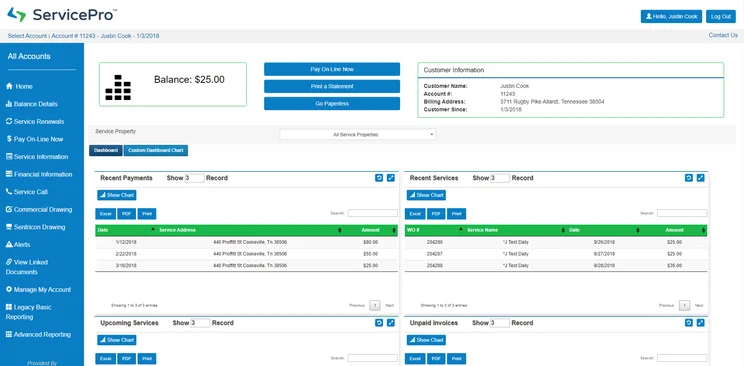
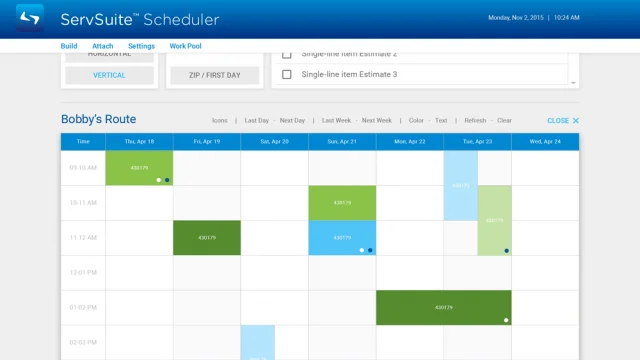
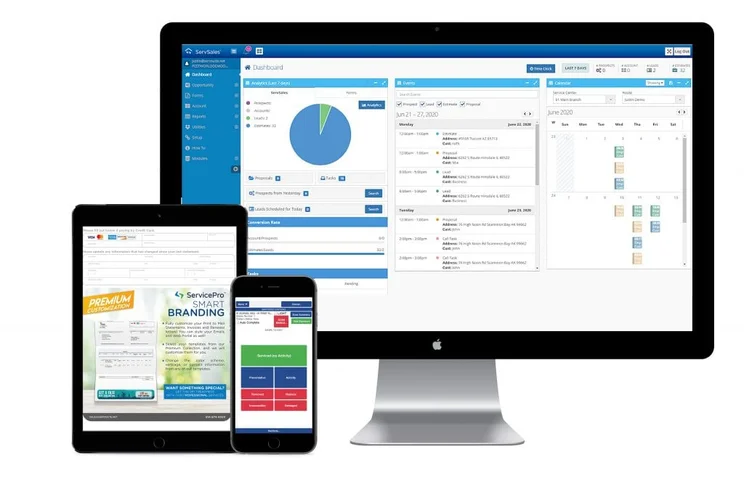
When we say that ServSuite just missed the top spot, we mean it. ServSuite offers many of the same features as Housecall Pro, plus has slightly better customer support and training than Housecall, proving 24/6 coverage, which is the best we’ve found across any industry.
ServSuite also offer the ServSuite university, which provides 8 hours of live, interactive training to get you confident with every feature and setting.
The biggest hit against ServSuite, that took it out of the top spot, is its mobile app. With exceedingly low scores on the App Store and Play Store, reviewers complain of extremely slow speeds and malfunctioning features. Suffice it to say, we’d recommend sticking to other options if mobile functionality is important to you. It also doesn’t offer offline functionality.
ServSuite pricing
Since being acquired by ServiceTitan in 2021, and merged with FieldRoutes in 2022, ServSuite no longer publicly details the prices of its plans. However, it previously offered three different pricing plans, Starter, Plus, and Pro, which were a bit more expensive than Housecall Pro.
The Starter plan was $126 per month, the Plus plan was $186 per month, and the Pro plan was a whopping $339 per month. It’s unclear how these prices may have increased or decreased, more recently, and prices likely depend on you getting a custom quote for your exact needs. There is no free plan nor a free trial, but you can get a free demo to see what the platform can do before you buy.
GorillaDesk – Best for scheduling and dispatching
Price: starts at $49 per month
GorillaDesk

In Short
-
Pros
- Very ease to use interface
- Plenty of learning modules available
- Responsive customer support team
-
Cons
- Limited customizability
- Outdated interface
- Fewer notifications in app compared to desktop
Pricing
-
Basic: $49/month
-
Pro: $99/month
-
14-day free trial
-
Available on web
-
Available on Play Store
-
Available on App Store
Images
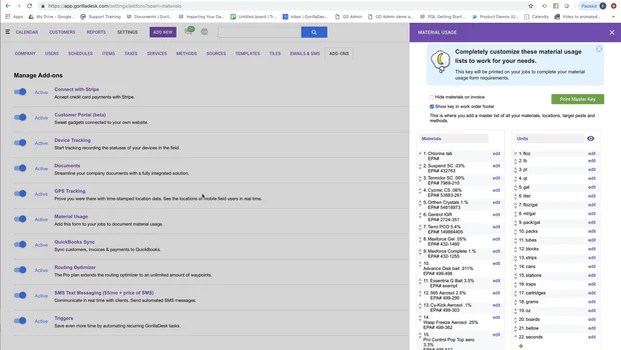
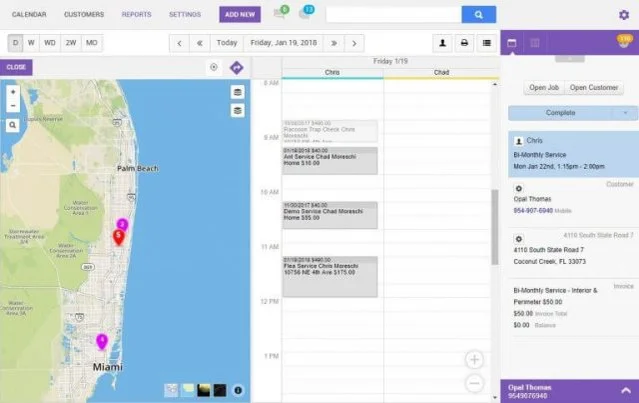
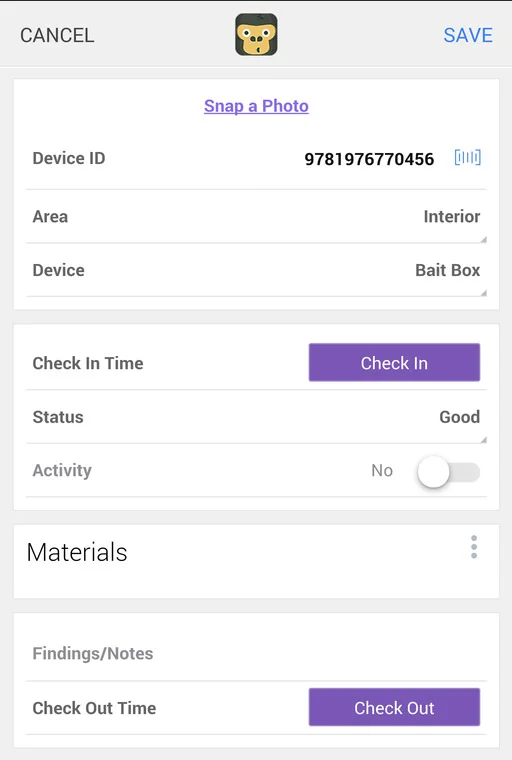
The name makes sense, because GorillaDesk is a very strong candidate for the best lawn care service software. In our research, it scored a perfect 5/5 in three different categories: customer support, invoicing, and scheduling and dispatching features, meaning you can expect industry-leading performance in these areas. It also gives Housecall Pro and ServSuite a run for their money, due to the more affordable pricing plans.
The main spot where GorillaDesk falls short is its online customer booking, scoring only a 3/5 in our research. This is due to the inability to take advantage of Book via Google, which can be a big loss for some companies. Customers won’t be able to confirm a booking in real-time, either, only submit a service request to be manually confirmed by your team.
GorillaDesk pricing
As we mentioned, GorillaDesk’s starting price is much lower than other options on this list, offering two affordable pricing plans: Basic and Pro.
This is great value for small businesses with just a few members of staff on the job at any one time. However, the prices can get higher fast if you have higher numbers of routes and staff on the go. In fact, the price increases for every single route you add to the software. Here’s how the pricing plans match up against each other.
|
Plan
|
Price
|
Users
|
Service dispatch
|
Job tracking
|
Route optimization
|
Inventory
|
Reporting
|
QuickBooks Integration
|
|
|---|---|---|---|---|---|---|---|---|---|
|
|
|
||||||||
|
Basic |
Pro |
||||||||
|
$49 per month |
$99 per month |
||||||||
|
Unlimited |
Unlimited |
||||||||
|
|
|
||||||||
|
|
|
||||||||
|
|
|
||||||||
|
|
|
||||||||
|
|
|
||||||||
|
|
|
FieldEdge – Good invoicing features
Price: Customized
FieldEdge

In Short
-
Pros
- Easy to use
- Comparatively very affordable
- Integrates with Quickbooks
-
Cons
- No GPS or route optimization features
- Runs a bit slow at times
- Complicated reporting tools
Pricing
-
Must get a quote
-
Lower prices than average
-
Free demo available
-
Available on web
-
Available on Play Store
-
Available on App Store
Images
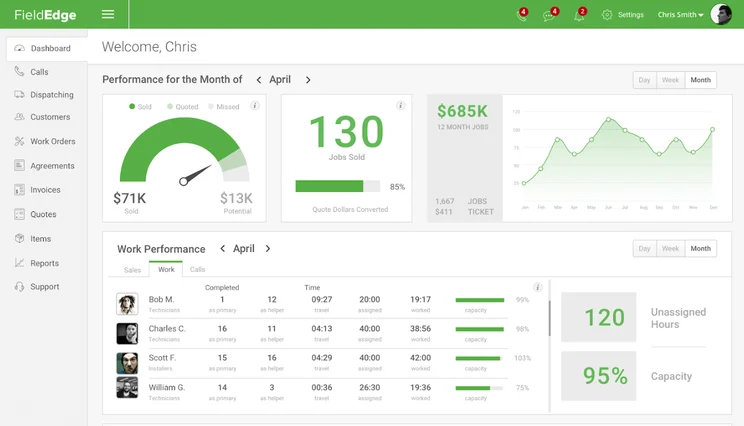
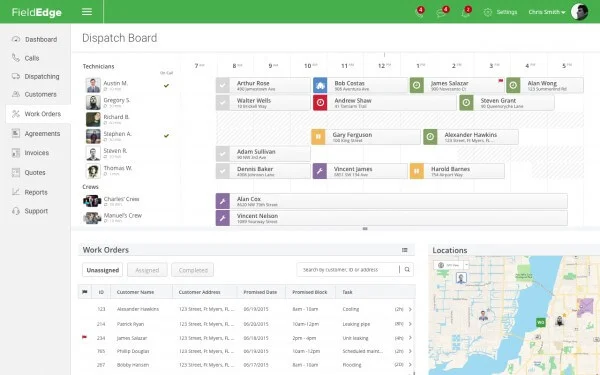
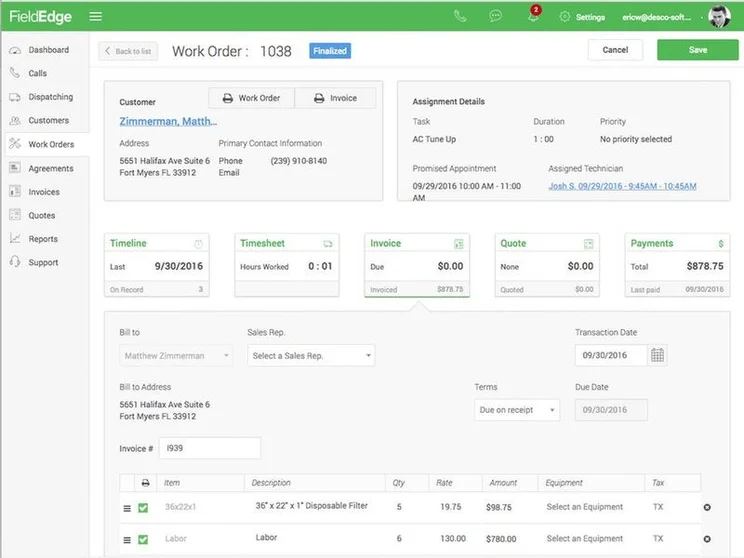
FieldEdge is just on the edge of competing with the top lawn care service software options on the list here, scoring a 4/5 overall in our research. It offers similar scheduling, dispatching, and invoicing features to Housecall Pro and ServSuite, and integrates with its own Payments and Flat Rate (formerly Coolfront) pricing tools, as well as Quickbooks, Mailchimp and others.
The FieldEdge app is rated very poorly by users however, suffering connectivity issues, according to reviewers on the App Store and Play Store.
FieldEdge pricing
FieldEdge does not provide publicly available pricing to users, so you won’t know exactly how much the service will cost your business until you actually contact them and get a quote.
WorkWave for Lawn Care – Good for customer support
Price: Customized
WorkWave

In Short
-
Pros
- Includes marketing features aimed at new clients
- Robust mobile options for working on the go
- Easy to use design even for beginners
-
Cons
- No inventory management
- Annual contract is a must
- Poor payment processing features
Pricing
-
Must get quote
-
Three custom plans
-
Free demo available
-
Available on web
-
Available on Play Store
-
Available on App Store
Images
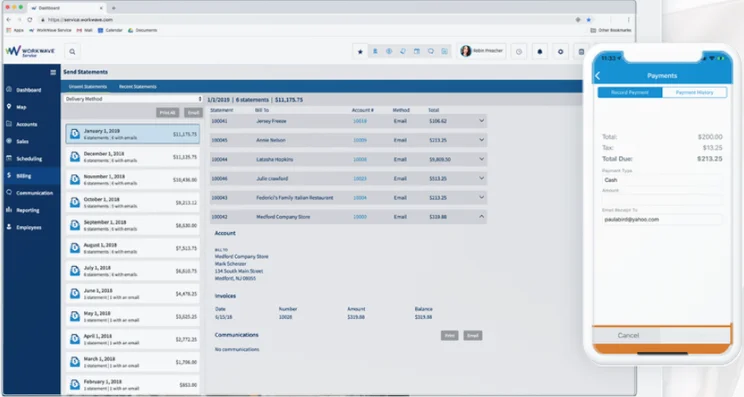
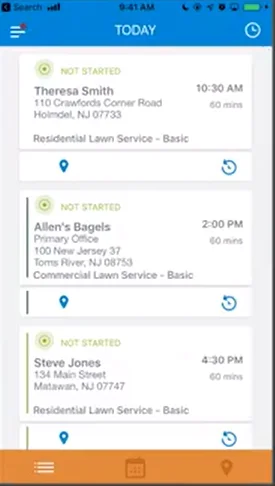
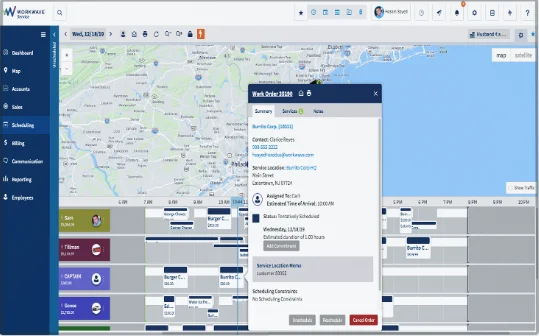
WorkWave’s comprehensive lawn care business software scored highly for customer support at 4/5, thanks to tutorial videos and email and phone options, and meets the all the best-in-industry features for scheduling, dispatching, and invoicing. Even the mobile app was good enough, with relatively highly ratings in the App Store and Play Store.
WorkWave’s main weak spot is its online customer booking options and it’s a bad one. Scoring only a 2/5, WorkWave doesn’t allow you to upload pictures to bookings and doesn’t allow for real-time booking, which can be a dealbreaker for many businesses.
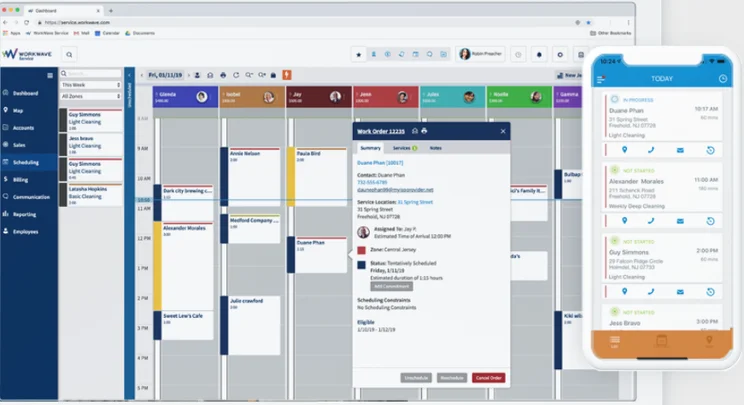
The scheduling page in WorkWave
Image: Tech.co testingOn the other hand, it does have a website builder to help your grow your business, as well as extensive planning and routing features, and it integrates with Quickbooks for accounting.
WorkWave pricing
Like FieldEdge, WorkWave does not list is prices publicly for anyone to see. Instead, you’ll have to contact their sales department to get a customized quote for your business.
Unfortunately, you won’t be able to enjoy a free plan or a free trial, but you can get a free demo to test it out before you buy.
Jobber for Lawn Care – Good for automation features
Price: starts at $19 per month
Jobber

In Short
-
Pros
- Great for automation, saves lots of time
- Easy to use for everyone
- Comprehensive mobile app
-
Cons
- QuickBooks integrations a bit messy
- No in-field communication capabilities
- Limited backup options
Pricing
-
Core: $49/month
-
Connect: $129/month
-
Grow: $249/month
-
Available on web
-
Available on Play Store
-
Available on App Store
Images
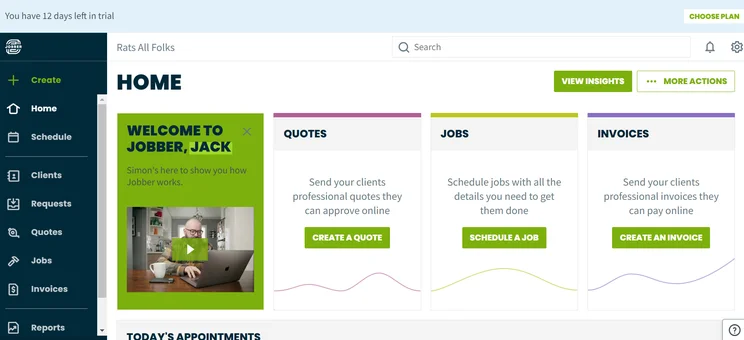
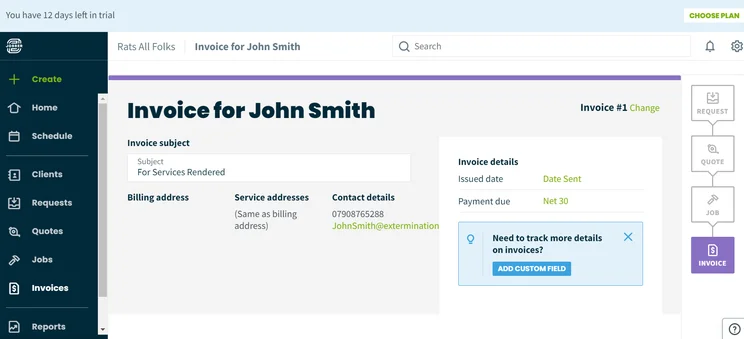
Jobber offers excellent schedule and dispatch features, with good enough invoicing features and a well-rated mobile app (4 stars from over 100k downloads). Considering the lower prices, that’s a pretty solid offering.
It’s also very easy to use and integrates with well-known tools like PayPal and Stripe as well as QuickBooks, Mailchimp and more, making this software great for lawn care businesses who haven’t utilized lawn care software before.
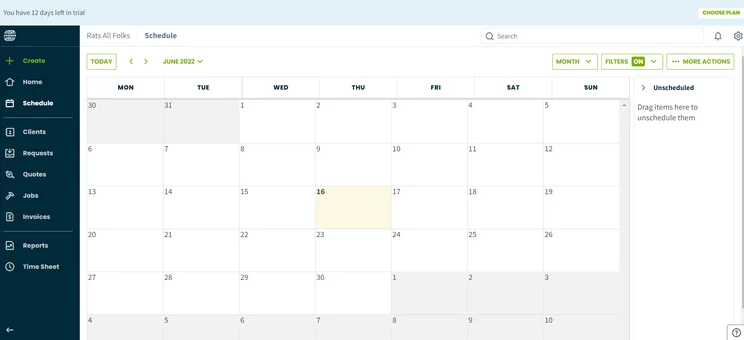
The scheduling page on Jobber
Image: Tech.co testingHowever, the lower price starts to become obvious when you realize Jobber has pretty poor customer support, scoring a 3/5 in our research, let down by lack of email support, and minimal online customer booking features, restricting this to the significantly more expensive plans. All that to say, Jobber is a good budget option, but it won’t be easy to grow with.
Check out our in-depth Jobber review for more information
Jobber pricing
Jobber is definitely on the lower end of pricing, offering four distinct plans: Lite, Core, Connect, and Grow. While the Lite plan is attractive due to its low price, it does lack some serious functionality, so be sure that you can do without the majority of online customer booking features if you just need to save some money. Here’s how these plans compare:
|
Plan
|
Price
|
Users
|
Scheduling
|
Service dispatch
|
Job tracking
|
Route optimization
|
Reporting
|
Estimates
|
|
|---|---|---|---|---|---|---|---|---|---|
|
|
|
|
|
||||||
|
Lite |
Core |
Connect |
Grow |
||||||
|
1 |
1 |
5 |
15 |
||||||
|
|
|
|
|
||||||
|
|
|
|
|
||||||
|
|
|
|
|
||||||
|
|
|
|
|
||||||
|
|
|
|
Custom |
||||||
|
|
|
|
|
YardBook Lawn Care Software – Best free lawn care software
Price: Free
YardBook

In Short
-
Pros
- Very intuitive, even for beginners
- Includes inventory management features
- Popular, free mobile app
-
Cons
- No dispatching features
- Limited invoicing capabilities
- Exclusive to lawn care businesses
Availability
-
Available on web
-
Available on Play Store
-
iOS app in beta
Images
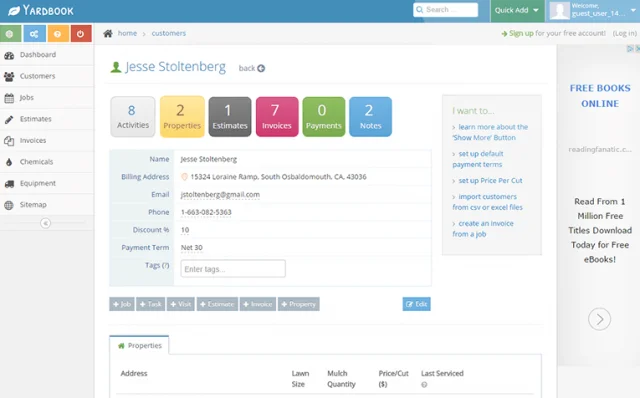
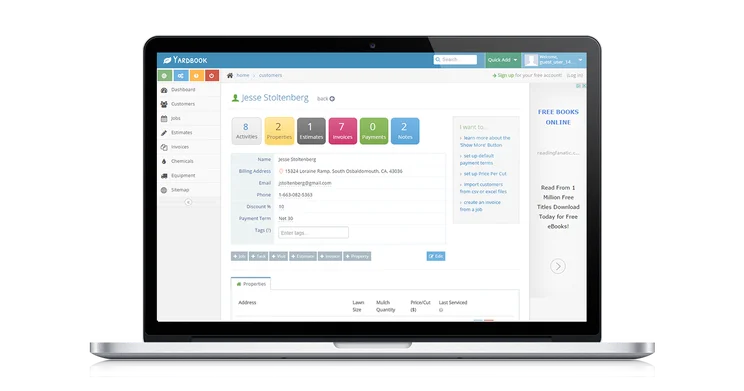
As the only lawn care-specific software on the list, YardBook likely has a special place in your heart as a go-to option. However, as we’ll explain in the section below, industry-specific options aren’t always your best bet, and YardBook’s lower ranking on this list should make that obvious.
Despite offering excellent invoicing options, scoring a 5/5, it lacked serious functionality in other major categories, scoring only a 2/5 for online customer booking, customer support, and the mobile app. It does offer a free forever plan, though, which could be enough to make you forget about those lost features.
YardBook pricing
YardBook offers two different paid pricing plans and a free plan. The free plan has no time limit, so you can use it indefinitely without a monthly charge. Still, the features are understandably quite limited, and as a business looking to grow, you’ll probably require a lawn care service software that has a bit more to it. The free option is a great way to give the platform a fair shake, so you know you like it before you make a commitment. Here’s how all the plans match up against each other:
|
Plan
|
Price
|
Service dispatch
|
Job tracking
|
Route optimization
|
Inventory
|
Reporting
|
QuickBooks Integration
|
|
|---|---|---|---|---|---|---|---|---|
|
|
|
|
||||||
|
Free |
Business |
Enterprise |
||||||
|
Free |
$34.99 per month |
$49.99 per month |
||||||
|
|
|
|
||||||
|
|
|
|
||||||
|
|
|
|
||||||
|
|
|
|
||||||
|
|
|
|
||||||
|
|
|
|
Benefits of Lawn Care Software
Now that you know what lawn care software is and your options when it comes to providers, it’s worth understanding exactly how this business resource can benefit your business. After all, what’s the point in investing all that money if you aren’t going to reap the rewards?
Here are some of the potential benefits of lawn care software for your business:
Improved customer support
One of the biggest benefits of lawn care software is that it can make dealing with customers infinitely easier. Most platforms track a lot of client information, like location, contact details, and job history, so all your interactions are streamlined and even sometimes automated to follow-up and provide top-tier support.
Better analytics
Another benefit of lawn care software is that all this data from your various jobs and customers is tracked thoroughly and effectively. Even better, it’s organized in reporting dashboards that can give you actionable insights about how your business runs.
Increased productivity
There’s no denying that working on platforms like lawn care software is a boon for employees and employers alike. They provide automated actions that can save time, improve transparency throughout your business, and generally make performing tasks easier on a day-to-day basis. This can almost instantly improve productivity at your business, as long as your team is actually using it right.
Is Field Service Software Right for Your Lawn Care Business?
All of the providers on this list are considered field service management services, which are primarily designed to provide businesses with the tools they need to schedule and dispatch field technicians to jobs. That’s not all they do, though, offering plenty of other features including estimates, quoting, and invoices to create an all-in-one hub for lawn care businesses.
However, we’ll be the first to admit that field service management software isn’t necessarily the best option when it comes to this kind of functionality. In fact, there are lots of other software out there that can handle the finances of your business more effectively, if that’s your ultimate goal.
QuickBooks, for example, is a more robust and easier to use platform if all you need is an accounting software to manage your finances. Even better, the majority of field service software platforms offer QuickBooks integrations, so you can use both. Zoho Invoice is another excellent option for invoicing clients with a lot of customization built in, although integrations with field service software is less common.
How to Choose the Right Lawn Care Service Software
You’ve received a lot of information about the different kinds of lawn care service software out there, but how exactly should you be choosing the right one for your business? Here are a few key metrics to consider when it comes to narrowing down the field to match your specific needs.
Budget
As is the case with any business investment, you need to consider how much you’re willing to pay for lawn care service software. Considering the price of lawn care service software can range from $19 to $249 depending on your provider and plan, you’ll need to know your financial bandwidth before pulling the trigger.
Yes, many of the providers don’t offer publicly available pricing, but as you progress through the sign-up process, you’ll eventually find out what the price is, and you’ll want to have your budget nailed down before that number comes through the pipeline to avoid overspending.
Team size
Lawn care service software providers offer different pricing plans, often aimed at providing more features. However, with some of them, the size of your team can increase the price as well, which is why you need to consider your employee count before making a decision. After all, some providers are aimed specifically at small businesses, while others are designed for enterprise-level organizations.
Integrations
There’s a good chance your business is already set up with other online software, like QuickBooks, that will need to integrate with your desired lawn care service software. Make sure that your top pick integrates with all the platforms that you need, so you don’t end up having to keep bouncing back and forth between multiple software systems.
How We Research the Best Lawn Care Service Software
At Tech.co, we don’t just throw business software providers on a list and that’s it. No, we take our research very seriously, spending hours looking at pricing plans, analyzing feature catalogs, and generally putting these platforms to the test, so we can give you the more pertinent information for your business. Here’s how we measured lawn care service software:
- Online customer booking – how well customers can book your company online with the platform
- Schedule and dispatch – how effective the scheduling and dispatching features are for sending out technicians
- Invoicing – how well the platform allows you to quote, estimate, and invoice your potential customers
- Mobile app – how good the mobile app functions on the App Store and Play Store respectively
- Customer support – what kind of customer support is available if something goes wrong with the platform
- Industry specific – whether or not the platform caters exclusively to a particular industry
If you want to learn about our methodology for ranking and rating business software, take a look at our research guide for more information. You can also check out reviews from providers that aren’t on this list, including Verizon Connect, RazorSync, and ServiceTitan.If you’re looking for field service software for an industry other than lawn care, you’re in luck. We’ve done a whole bunch of research on other industries, like plumbing and pest control service software, so you can make the right choice for your business.
Wondering how much you’ll pay for lawn care software? The best way to find out is by getting a personalized quote, and we can help via our handy lawn service software quotes form – just answer a few simple questions about your business needs, and we can put you in touch with providers.
Our research shows that HouseCall Pro is your best bet for lawn care software, as it offers some serious functionality when it comes to features, along with some excellent customer support options, rolled into an easy-to-use interface.
We also found that ServSuite by FieldRoutes is an excellent choice if you need solid training features, and GorillaDesk is the best value pick in our research.
When it comes to making your decision, there’s only one more thing you need to figure out: how much it’s going to cost. Fortunately, you can compare customized quotes for the best lawn care software providers by filling out a simple form today, and you’ll be on your way to a smoother running lawn care business before you know it.
Frequently Asked Questions
Lawn care service software is an online resource used by lawn care service businesses to make life a bit easier when it comes to running the company. It can streamline and generally improve day-to-day operations through organization and automation.
The price of lawn care service software depends on the size of your business and what you actually need to use it for. Still, you can expect to pay between $20 per month and $300 per month, so plan accordingly. Check out our field service pricing guide for more information.
According to our research, Housecall Pro is the best option for lawn care service software, thanks to its robust feature catalog, thorough mobile app, and stellar support offerings.
Yes, YardBook does have a free plan with no time limit, so you can utilize the software without any payment. The features are a bit limited, but it’s a great way to get started without a financial commitment.
In our research, we found that field service software can be helpful for businesses in a wide range of industries, including HVAC, pool, and pest control. These platforms allow for the same kind of features for these industries, although some have industry-specific options depending on how much you pay.
If you click on, sign up to a service through, or make a purchase through the links on our site, or use our quotes tool to receive custom pricing for your business needs, we may earn a referral fee from the supplier(s) of the technology you’re interested in. This helps Tech.co to provide free information and reviews, and carries no additional cost to you. Most importantly, it doesn’t affect our editorial impartiality. Ratings and rankings on Tech.co cannot be bought. Our reviews are based on objective research analysis. Rare exceptions to this will be marked clearly as a ‘sponsored’ table column, or explained by a full advertising disclosure on the page, in place of this one. Click to return to top of page


