

We may receive a commission from our partners if you click on a link to review or purchase a product or service. Click to Learn More
Google Voice lets you place and receive calls over the internet. It offers great security tools and decent features, making it a good telecommunication platform for small businesses, and our top pick for international phone call apps.
The platform has a low starting price compared to its VoIP competitors, costing just $10 per month for up to 10 users.
This informative guide explains what plans the service offers, what features it has, and what the experience of using it is like.
What Is Google Voice?
Google Voice is an internet-based VoIP service that gives users a phone number they can use to make calls, send texts, and manage voicemail.
You’ll need to connect a personal phone number to the new Google Voice number, which allows you to place or accept calls and texts from any platform that has internet access.
Launched in 2009, Google Voice remains one of the most straightforward ways to operate a phone number for personal or business use. Multiple devices or phone numbers can all be connected to one account, making it easy for you to juggle important communications that might be unwieldy or confusing without the platform.
Business vs. Personal plans
You can get a personal account for free (US only), or a business account starting at $10 per month.
Domestic calls to the US and Canada are always free, while international calls will cost a set amount per minute (typically $0.01 to $0.20). If you’re travelling internationally, a Google Voice account can help you avoid roaming charges by using Wi-Fi or data to make calls and send texts.
With a Business plan, you’ll still be charged for international calls, but you can own accounts outside the US. You’ll have 24/7 support, and you can use multiple phone numbers, so entire teams can use the platform. You’ll also get extra features with Business plans, such as voicemail transcription, call screening, and spam filtering.
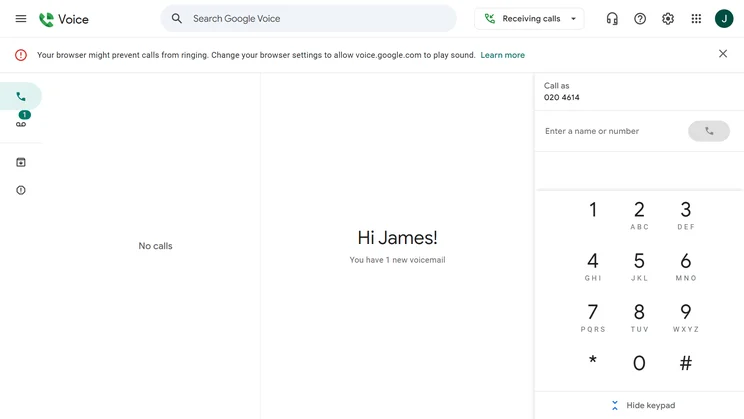
The Google Voice homepage offers a stripped-down, easy-to-parse collection of call logs, voicemail, and a number pad. Source: Tech.co testing
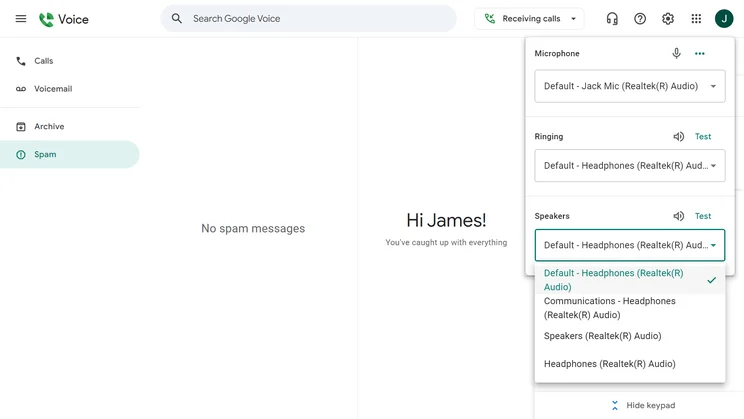
You'll need to adjust your speaker settings in order to use Google Voice on your desktop. Source: Tech.co testing
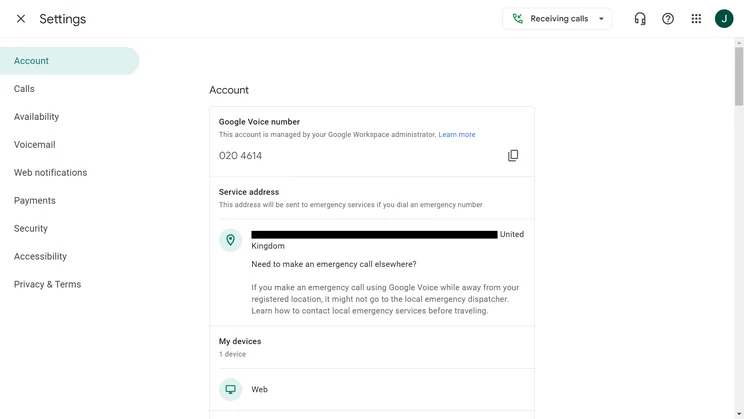
Google Voice includes a settings page for everything from service addresses to payment accounts. Source: Tech.co testing
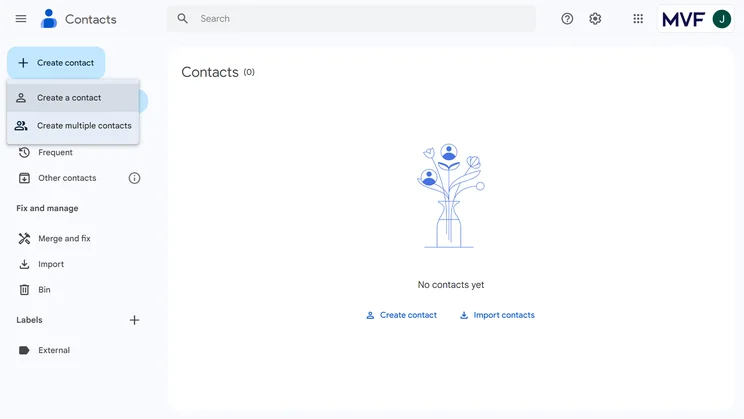
Google Voice has a "create contact" button on the upper left-hand side of the homepage. Source: Tech.co testing
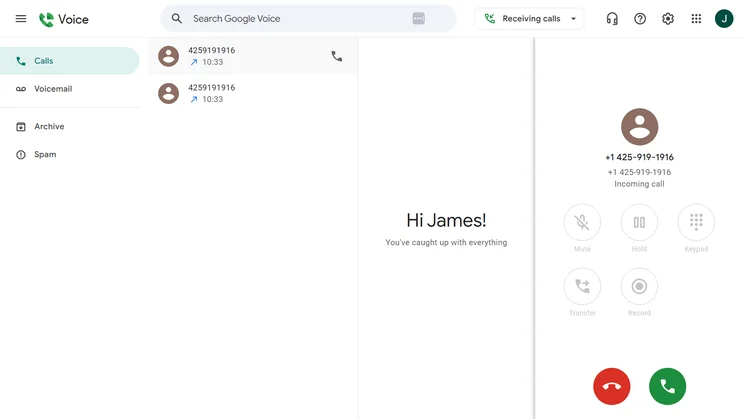
The Google Voice call log tracks all incoming and outgoing calls. Source: Tech.co testing
Who Can Use Google Voice
How can you access Google Voice? You’ll need a Google account, which is free to create. Then, just head to voice.google.com from the device you want to use.
There, you’ll be prompted to select a Google Voice number from a dropdown menu of available numbers, although you’ll need to provide an existing US mobile phone number to pair with your new one.
Business users can integrate Voice with other Google platforms, including Workspace, Google Calendar, Gmail, and Google Meet. While a free Voice account won’t cost a cent, you’ll need a Workspace plan to access the paid Voice plans. Workspace starts at $7 per month.
What Countries Is Google Voice Available in?
Google Voice can place international calls to a huge number of countries, but the number of countries whose citizens can have their own Voice accounts is much smaller. It includes the US, Canada, the UK, France, Germany, Spain, and a few others. You can find the full list in our full research review of Google Voice.
How Does Google Voice Work?
Like most Google platforms, your Google Voice account comes with a simple, uncrowded interface with plenty of white space. You can access the full desktop service through the web, with no need to download software, although you’ll need to download the Google Voice app for iOS or Android in order to use it from your mobile device.
The main homepage includes three sections: Starting from the left, you’ll see your call log, keypad, and voicemail. This setup is very similar to most VoIP software, so you should be right at home if you’ve used similar platforms.
From this homepage, all major tasks are just a click or two away. You can dig up old messages using the search bar on the top of the page, and the same top bar has a “do not disturb” function that can be toggled on or off. You can also use a left-hand column to check your text messages, archives, or spam.
It only took me a few minutes to figure out most of the tasks you can accomplish with Google Voice. Creating new contacts was easy: I just hit the “Create contact” button and was able to add the usual information, from job title and company to email address and phone number. There’s even an option for a birthday, as well as a general notes section.
One standout feature: you can select a profile image for each contact, from a huge selection of pre-set illustrations that Google offers, which you can further customize by color or style of crop. You can upload your own images, too. This is just an aesthetic, but it’s pretty fun – I went with a goofy llama and a parrotfish for the two contacts I added.
Contacts can be selected with a checkmark for group actions, such as merging them under a new label. Overall, a great balance between a simple interface and high functionality.

What Features Are Included in Google Voice?
Google Voice’s free personal account comes with all the basic tools we’ve mentioned in the previous section. It’s three business plans – Starter, Standard, and Premier – that add more functionality.
Google Voice Starter features
One of Starter’s best features is voicemail transcription, which automatically transcribes voicemails into text, making it easy to read messages without needing to listen to them. This is a big time-saver for anyone in a rush, and a must for those who are frequently in meetings or noisy environments.
Call forwarding is another Starter feature. You can even configure multiple devices to receive the same call, which helps a call reach you no matter where you are. You’ll also get spam filtering and call screening, which reduces time wasted on unknown or junk callers.
Google Voice Standard features
Standard has everything in Starter and adds a host of features helpful for a business support center: You’ll get a multi-level auto attendant that handles automated call answering and forwarding; ring groups, which allow multiple devices to ring simultaneously; eDiscovery for better record-keeping; desk phone support; and manual user call recording.
Google Voice Premier features
Premier has all the features in Standard and adds advanced reporting via Google’s BigQuery data analysis tool, along with automatic user call recording. The big reason to get Premier, however, is the expanded user caps: You’ll be able to support unlimited users across unlimited international locations, in addition to the unlimited regional and domestic locations that are supported by Standard. In contrast, Starter only supports up to 10 users and up to 10 domestic locations, with no regional or international locations supported at all.
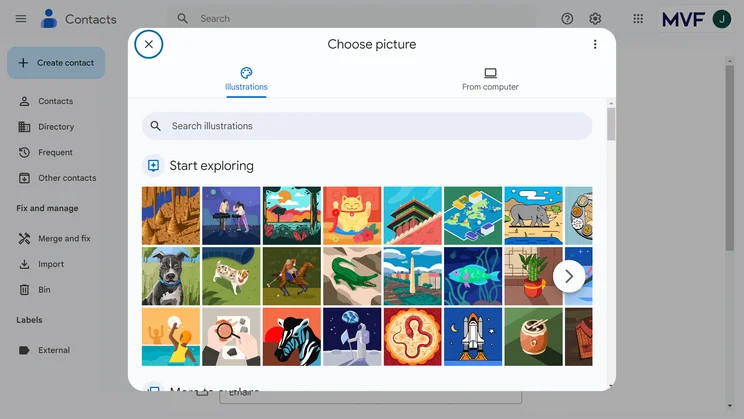
Google Voice stands out with a colorful range profile images that can be assigned to contacts. Source: Tech.co testing
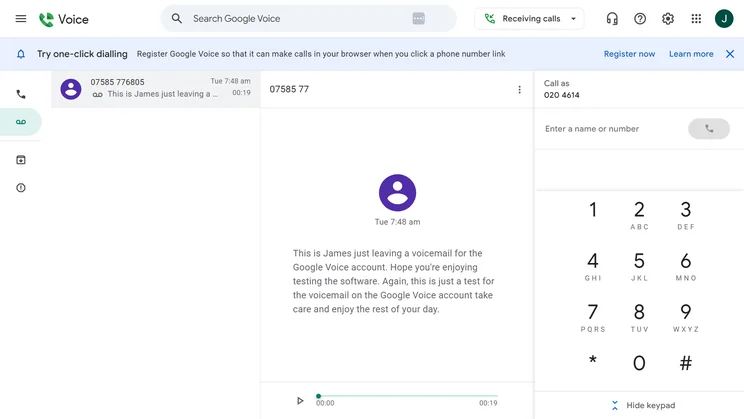
All paid Google Voice plans will automatically transcribe your voicemail to save you time. Source: Tech.co testing
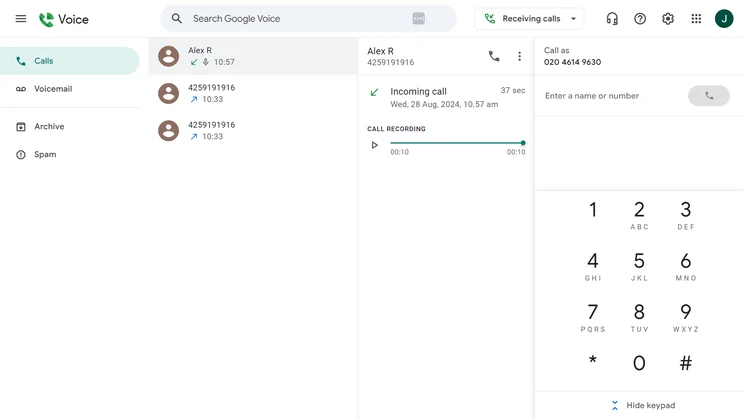
Google Voice supports call recording on its Standard and Premier plans. Source: Tech.co testing
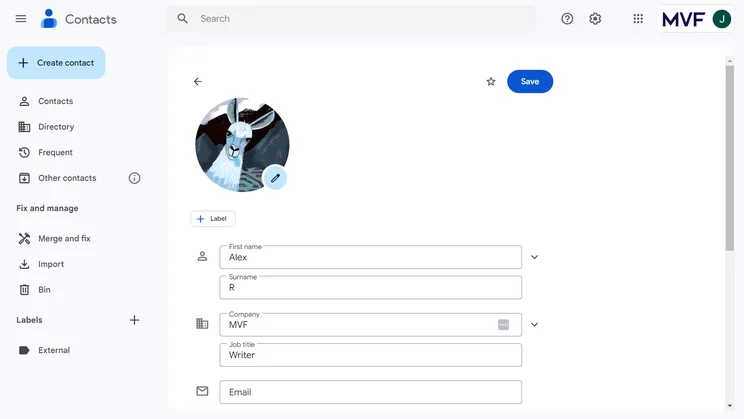
It's easy and simple to add a contact profile within Google Voice. Source: Tech.co testing
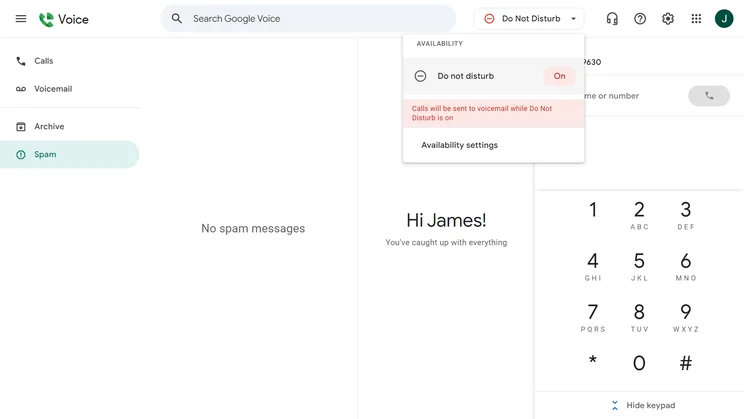
Google Voice lets users toggle a "do not disturb" mode on or off. Source: Tech.co testing
How Much Does Google Voice Cost?
A free account lets users make and receive calls, send texts, and manage voicemails. Opt for a paid account, though, and you’ll need to buy Workspace for $7 per month, on top of the Voice plans’ monthly costs:
- Google Voice Starter: $10 per month
- Google Voice Standard: $20 per month
- Google Voice Premier: $30 per month
Even with the Workspace plan included, these are low prices for VoIP services: for comparison, Ooma starts at $19.95 per user, per month. Businesses can easily upgrade to higher-tier Google Voice plans as their communication needs grow.
|
Plan
|
Price
|
Users
|
Unlimited calls in US
|
Team messaging
|
Video conferencing
|
Document sharing
|
Call recording
|
Analytics
|
Task management
|
Single sign-on
|
24/7 support
|
Call monitoring
|
|
|---|---|---|---|---|---|---|---|---|---|---|---|---|---|
 |
|
|
|||||||||||
|
Starter |
Standard |
Premier |
|||||||||||
|
$10/user/month |
$20/user/month |
$30/user/month |
|||||||||||
|
1 |
Unlimited |
Unlimited |
|||||||||||
|
|
|
|
|||||||||||
|
via Google Chat |
via Google Chat |
|
|||||||||||
|
|
via Google Meet |
|
|||||||||||
|
via Google Chat |
via Google Chat |
via Google Chat |
|||||||||||
|
|
Ad-hoc |
|
|||||||||||
|
|
|
|
|||||||||||
|
|
|
|
|||||||||||
|
|
|
|
|||||||||||
|
Add-on |
Add-on |
Add-on |
|||||||||||
|
|
|
|
Google Voice offers a simple but dynamic free international calling service that’s great for personal use, along with paid plans that are ideal for small businesses.
Any small or medium-sized business can rely on Google Voice as a cost-effective alternative to traditional telecom systems, thanks to professional-grade features such as call forwarding, voicemail transcription, and spam filtering. With rising inflation and tariff uncertainty, saving money is more important than ever, making Google Voice a wise pick.
For our subjective examination of the platform, including our testing scores on what to expect from Google Voice’s security and customer satisfaction, check out our full Google Voice review.


