
We may receive a commission from our partners if you click on a link to review or purchase a product or service. Click to Learn More
Starting at just $10.50 per user, per month, Zoom Phone is a low-cost, easy-to-use Voice over Internet Protocol (VoIP) platform with surprisingly robust call management features that make it ideal for teams fielding a high volume of inbound calls.
During our latest round of research and user testing, during which 10 platforms were evaluated across 44 areas of investigation, Zoom Phone performed better than most of the best VoIP providers for small businesses. However, its limited software integrations and basic reporting features are not suited towards large organizations.
Read on to learn more about Zoom Phone’s VoIP capabilities, pricing structure, user experience, and more, to find out if the VoIP provider is a good match for your business.
- Zoom Phone pricing start at $10.50 per user, per month, for the Metered plan, with its Unlimited package costing $16 per user, per month.
- Zoom Phone offers VoIP features like call recording, call queue, and ring groups, but offers a poor selection of only nine third-party CRM and helpdesk integrations.
- Zoom Phone integrates seamlessly with the video conferencing tool, Zoom Video, allowing users to access both services from one centralized platform.
- In terms of ease of use, Zoom Phone isn’t overloaded with too many features, providing a good user experience.
- Zoom Phone lets you resolve customer support queries through phone lines and a 24/7 live chatbot. However, you need to upgrade to a premium plan to talk to a member of the customer service team.
Based on years of research and testing, we’ve developed a unique framework for evaluating the best VoIP platforms on the market.
Breaking down each product into six core categories, and a further 44 subcategories, we measure how the platforms in question perform in a series of trials.
These findings are collated and passed to our team of (human) writers, who turn it into the guides and reviews that you’ll find across our site. All of our work is written by humans, and always will be.
(Prices updated July 27th 2026)
Zoom Phone at a Glance
Zoom Phone is one of the most popular VoIP platforms on the market. It balances robust call management features with an easy-to-use interface, marking it out as a great option for small businesses that process a high volume of inbound calls.
The provider has four available pricing plans, which you can learn about below.
- US & CA Metered – $10.50 per user, per month
- US & CA Unlimited – $16 per user, per month
- Pro Plus – $18.33 per user, per month
- Business Plus – $22.49 per user, per month
Alongside this, Zoom Phone also offers a Global Select plan ($20 per user, per month), with which companies in more than 40 countries can pay one flat rate per user.
Please note — Zoom Phone is distinct from Zoom Workplace, which is a bundle of products that combines the videoconferencing platform, Meetings, with Team Chat, Mail, Calendar, and more.
Zoom Phone

In Short
-
Pros
- Very low starting price, ideal for smaller businesses
- Excellent for managing high numbers of incoming calls (spam prevention, hold music, etc.)
- Top tier security protocol with abundance of compliance certificates
-
Cons
- Limited number of CRM and helpdesk integrations
- No email support available and you don’t get much help with onboarding
- Insufficient analytics tools with a lack of detail in reporting
Pricing
-
 US & CA Metered: $10.50/user/month
-
US & CA Unlimited: $16/user/month
-
 Pro Plus: $20.50/user/month
-
Business Plus: $24.50/user/month
Images

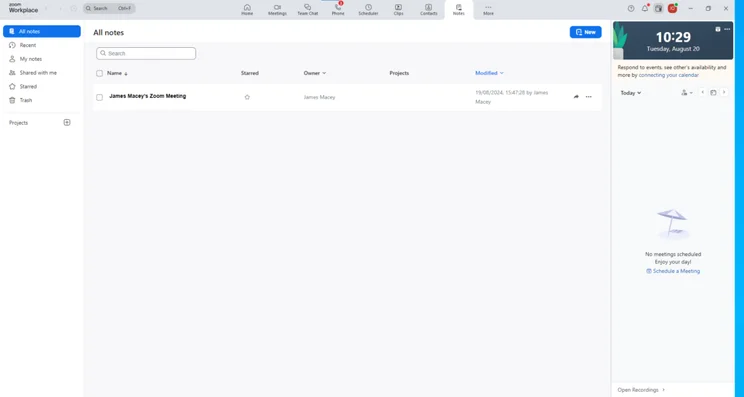
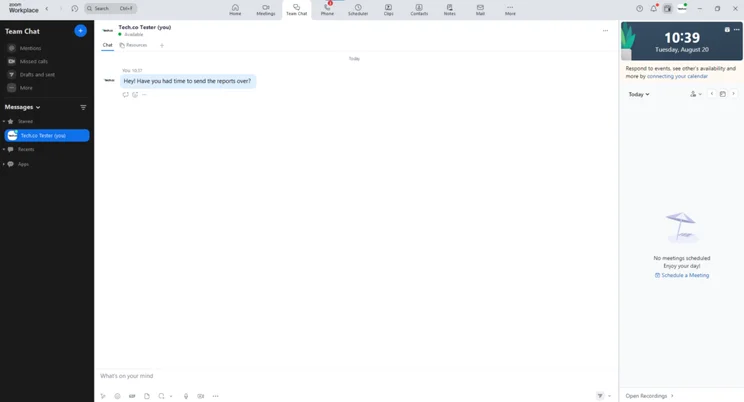
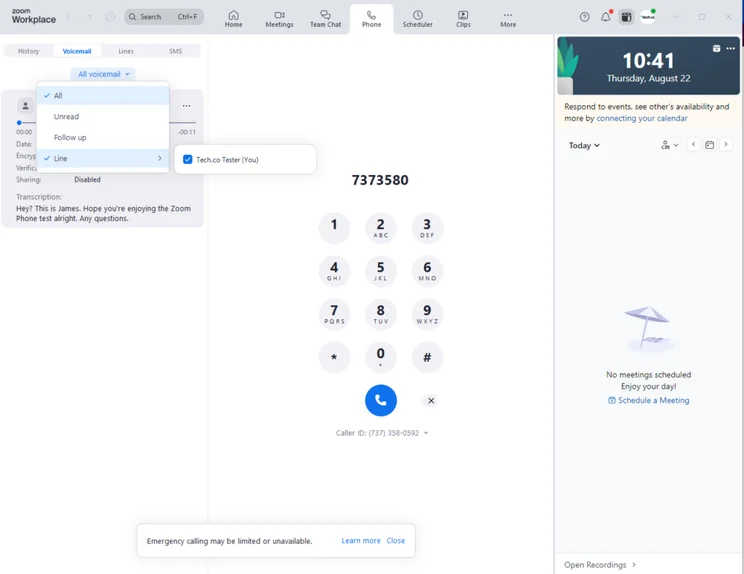
Zoom Phone’s interface was easy to get to grips with. I found the software intuitive, and it didn’t take me long to set up a call and locate basic features, such as call recording and calendar integrations.
The dashboard is very similar to Zoom Meetings too, so if you’re already using its video conferencing system, the learning curve with Zoom Phone will be even shallower.
However, it wasn’t all smooth sailing. When I tried to write notes when I was on a call, I was met with an error message and I wasn’t able to complete the task. This was the only major hitch I had when using the software and the issue was easy to resolve by using the provider’s extensive support center.

Zoom Phone Key Features
Zoom Phone scored very highly across our research, with our team drawing particular attention to its call management features, alternative communication channels, security credentials, and training features.
In this section, I’ll break down some of Zoom Phone’s standout features.
Does Zoom Phone have good call management features?
Yes, Zoom Phone has excellent call management features, compared to the other providers that I’ve tested. To begin with, all plans have HD call quality, advanced noise cancellation, active noise and echo cancellation, and keyboard typing suppression. In other words, your calls sound great, no matter how loud your workplace is.
This will suit businesses with large sales teams, in which lots of people are making calls at the same time.
The entry-level US & CA Metered plan ($10.50 per user, per month) has an impressive range of call management features for the price point. For example, you’ll get call recording, call distribution groups, and queuing.
For reference, Dialpad Standard ($15 per user, per month), does not offer queueing, despite costing 50% more per month.
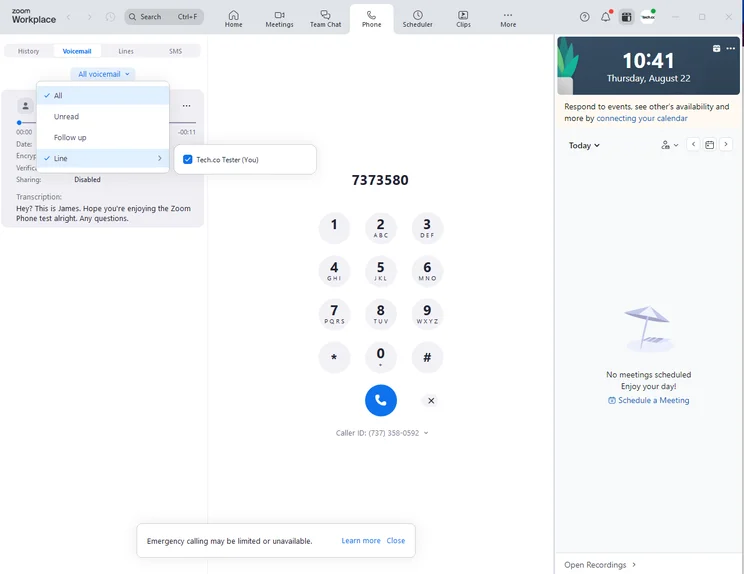
It was easy to leave voicemails with Zoom Phone and I could even leave a note alongside the message. Source: Tech.co testing
Our team of researchers was impressed with how easy it was to navigate the platform. One commented: “I thought it was a really clean-looking interface, really professional.”
What training features does Zoom Phone offer?
Zoom Phone has an impressive selection of training features, including call barge, monitor, whisper, and takeover on all of its plans.
With these tools in place, managers can keep an eye on their sales agents, monitoring on-call performance, and issuing instructions, if necessary.
These features are not a given across the VoIP landscape. Neither 8×8 nor RingCentral offer whisper on their respective first two plans. net2phone, another high-profile VoIP provider, does not offer these features at all.
Does Zoom Phone offer alternative communication channels?
Yes, Zoom Phone offers a generous selection of both internal and external alternative communication channels. For instance, SMS and live chat features are included in all plans at no additional cost. In contrast, NUACOM charges businesses per SMS.
Impressively, users can even send audio, video, and image files, and attach GIFs using the platform’s GIPHY integration. Because of these features, Zoom Phone is great for teams that are geographically spread out, as they enable you to effectively stay in touch.
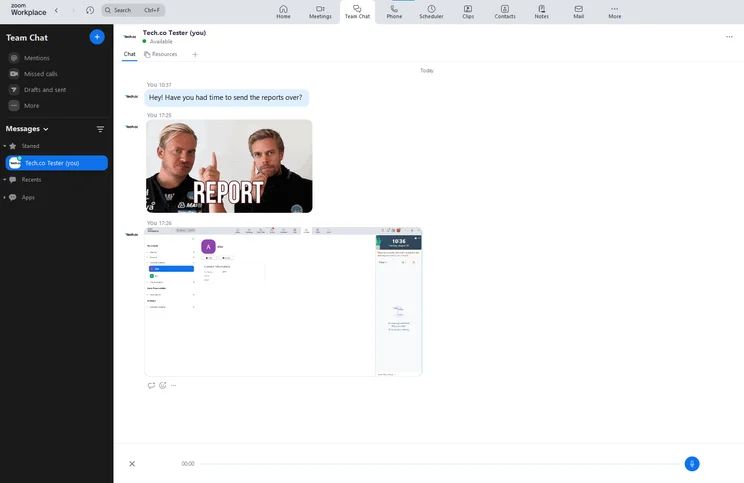
Zoom Phone lets you communicate with your team virtually with its chat feature. Source: Tech.co testing
Zoom Phone also lets you launch video calls with just a tap using its Zoom Video integration, but users should note that they will have to pay extra to make unlimited one-to-one calls, or to make calls over 40 minutes.
The VoIP provider also lacks e-fax features. So, if your business sends and receives internet faxes, I recommend opting for Dialpad or net2Phone instead.
How secure is Zoom Phone?
Zoom Phone is a highly secure VoIP platform.
Users can enable two-factor authentication and Zoom enforces a range of complex password rules, so users can’t create vulnerable passwords. All Zoom Phone voice recordings are stored in Zoom’s cloud.
Like most VoIP providers, with the exception of Ooma, Zoom Phone has a wide variety of security certifications, including ISO/IEC 27001:2013, SOC 2 Type II, and CSA STAR Level 2.
The provider also offers user permissions and role management features, which allow admins to restrict other users from accessing parts of the software.
What integrations does Zoom Phone offer?
If you want to get even more out of Zoom Phone, the VoIP provider offers a decent array of integrations.
Standout picks include leading CRM platforms, such as Salesforce, HubSpot, and Zendesk. VoIP and CRM is a powerful combination that will particularly suit businesses that make a high volume of outbound calls.
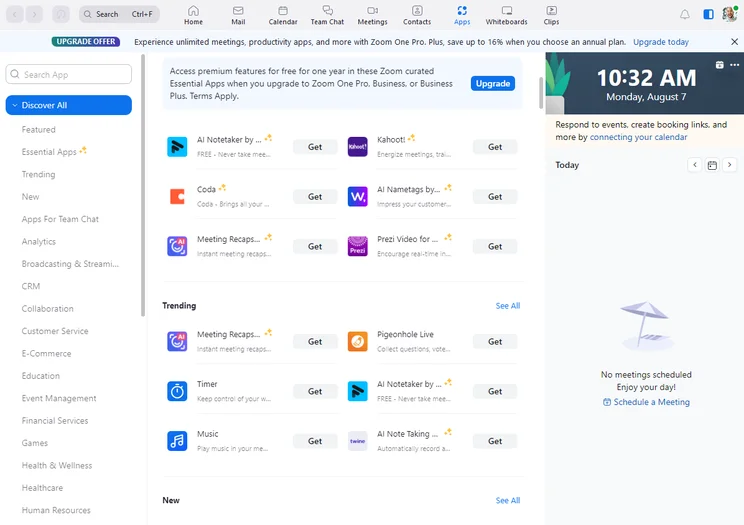
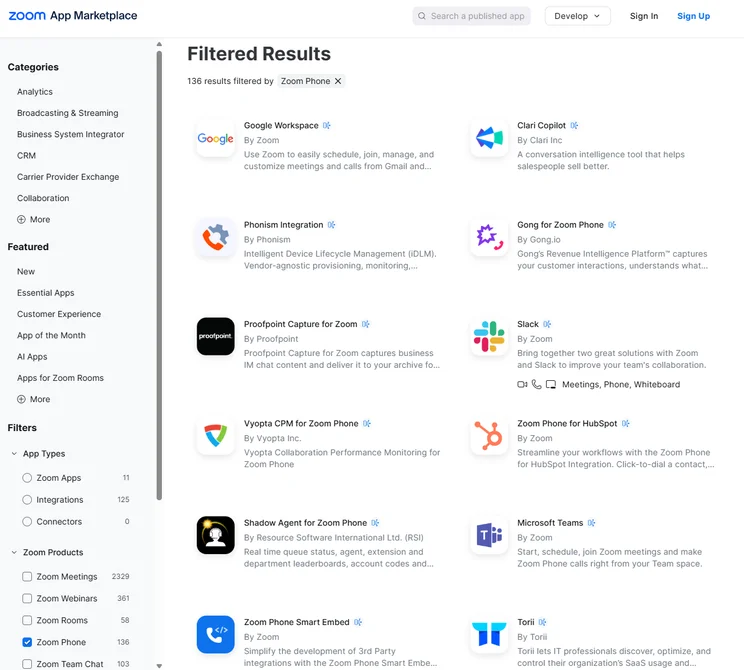
The Zoom App Integration Library. Source: Tech.co testing
Our team of researchers reserved particular praise for Zoom Phone’s integration with Google Workspace, with one commenting: “If I was having this as my software, I don’t feel like I’d have to have a window open for Gmail at all, or I wouldn’t have to have a window open for my calendar.”
However, the platform is no challenge for RingCentral, which offers more than 400 pre-built integrations, including 96 CRM-related integrations, at least 57 analytics integrations, and external live chat options, including WhatsApp and Facebook.
It should be noted that RingCentral pricing is much steeper than Zoom Phone.
What is Zoom Scheduler and how does it work with Zoom Phone?
Zoom Phone has an in-house scheduling feature, Zoom Scheduler, which connects users to their calendars.
Zoom Scheduler supports Google, Office 365, and Zoom Mail services, allowing users to streamline their schedules across different platforms.
Users can also customize meeting notifications and choose between email or SMS reminders based on their preference.
Zoom Scheduler is available for $4.99 per user, per month.
Zoom Phone Help and Support Options
Zoom Phone’s help and support options are poor. To begin with, you can only access support on the Pro Plus plan ($18.33 per user, per month).
Opt for this plan, and you’ll unlock a user forum, extensive online knowledge base, AI chatbot, and live phone support.
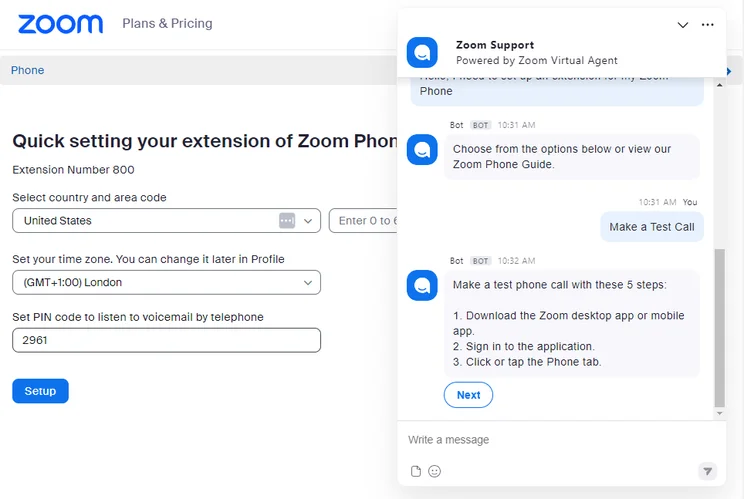
Zoom’s AI live chatbot in action. Source: Tech.co testing
While it is easy to use, Zoom Phone has no onboarding support, so businesses that hire and train staff on a regular basis should consider an alternative, such as RingCentral.
In July 2026, Zoom rolled out a series of firmware updates for various phone models, including those from Cisco, Poly and Yealink. It also added real time transcription and note capture during phone calls. In June 2026 AI-powered captions and summaries were added for Zoom Push to Talk.
How Much Does Zoom Phone Cost?
Zoom Phone has four pricing plans — US & CA Metered, US & CA Unlimited, Pro Plus, and Business Plus. Find out more about them in the table below.
Zoom also offers a Global Select plan, which gives users in over 40 countries a flat price rate per user.
|
Plan
|
Price
|
Users
|
Unlimited calls in US
|
|
|---|---|---|---|---|
 |
|
|
|
|
|
US & CA Metered |
US & CA Unlimited |
Pro Plus |
Business Plus |
Global Select |
|
$10.50/user/month |
$16/user/month |
$20.50/user/month |
$24.50/user/month |
$22/user/month |
|
1-99 |
1-99 |
1-99 |
1-250 |
1-250 |
|
|
|
|
|
|
What features does US & CA Metered have?
Alongside Google Voice Starter, Zoom Phone’s US & CA Metered plan is the one of the cheapest VoIP provider plan I tested.
However, while Google Voice’s Starter plan is capped at 10 users, US & CA Metered’s unlimited user limit makes it better value for large teams looking to keep costs low.
Google Voice doesn’t let you record or monitor calls on its entry-level tier either, making it less suitable than Zoom for users looking to train new hires.
Combining an attractive price tag ($10.50 per user, per month) with an excellent selection of call management, training, and AI features, US & CA Metered is our favorite VoIP plan for microbusinesses.
However, the US & CA Metered plan charges extra for outbound calls. So, if you make a lot of calls, the amount you pay for the plan could add up over time.
What features does US & CA Unlimited have?
Zoom Phone’s mid-tier package ($16 per user, per month) offers everything in US & CA Metered, with unlimited calls to the US and Canada, and an optional, paid, add-on for unlimited calling to 19 countries.
Our research team dubbed it the best VoIP plan for small businesses.
Which features does Pro Plus have?
At $18.33 per user, per month, Pro Plus grants access to the entire catalog of Zoom productivity apps, including Meetings, Team Chat, Docs, Mail, Clips, and more.
Which features does Business Plus have?
Business Plus costs $22.49 per user, per month, and allows for unlimited e-faxes and online whiteboards. You’ll also get 15GB of cloud storage, as opposed to only 10GB on the Pro Plus plan.
This is also the only plan that allows for more than 99 users, with a user cap of 250 instead.
Does Zoom have any additional costs?
Zoom has a few optional add-ons, which you can see below.
- Toll-free numbers: from $5 per month
- Additional phone numbers: from $5 per month
- International calling: from $10 per month
- Zoom Scheduler: from $4.99 per user, per month
There’s also a Zoom Phone Power Pack that costs $25 per month, designed for call center supervisors and receptionists. It includes enhanced call queue analytics as well as historical insights.
How Zoom Phone Compares With Other VoIP Providers
According to our research and testing, Zoom Phone is one of the best VoIP platforms for small businesses. However, it won’t be perfect for everyone.
RingCentral is a better option for larger teams, as it offers a broader selection of call management features, as well as more than 400 integrations.
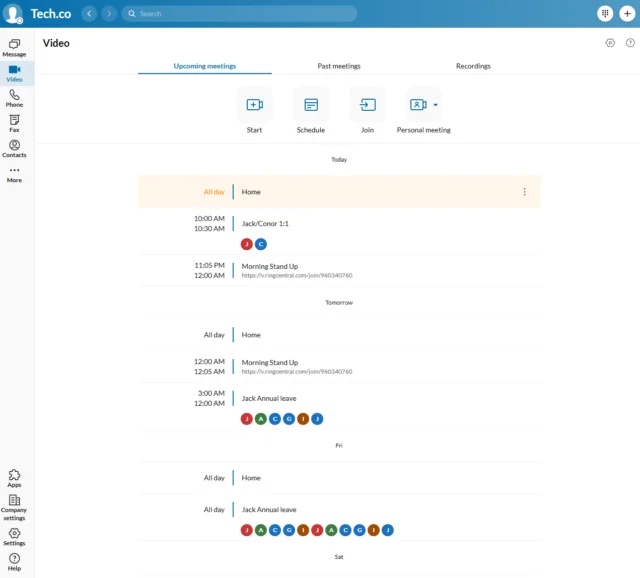
RingCentral’s calendar integration makes it easy to view scheduled events and meetings in the platform. Source: Tech.co testing
Dialpad, on the other hand, has a wealth of AI and advanced call management features available at just $15 per user, per month. It also offers useful onboarding assistance, making it more suitable for rapidly growing teams than Zoom Phone.
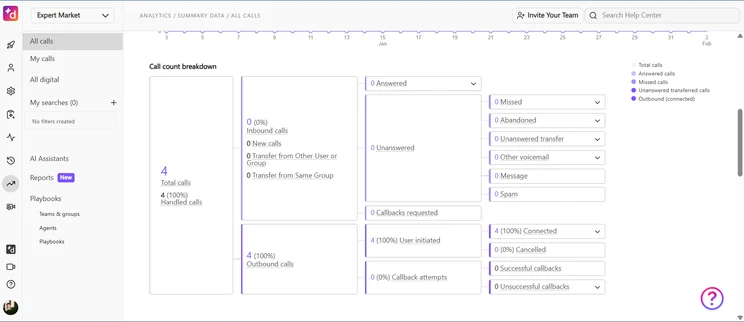
Dialpad’s call analytics dashboard. Source: Tech.co testing
Another option is Google Voice, a reliable VoIP service that also starts at $10 per user, per month. The caveat is that you need to subscribe to Google Workspace to use the software, which costs an additional $7 per user, per month.
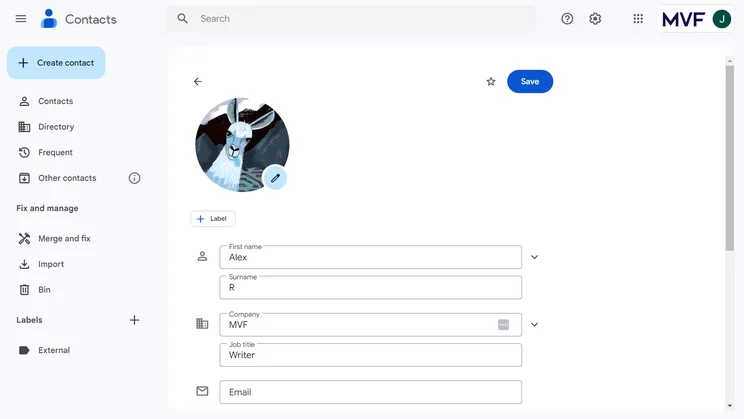
It’s easy and simple to add a contact profile within Google Voice. Source: Tech.co testing
Find out how Zoom compares with its competition by checking out the best Zoom alternatives, and by looking at our comparison table below.
|
Starting price
The typical lowest starting price. The lowest price available for your business will depend on your needs
|
Our rating
Relative score out of 5
|
Best for
|
Core benefit
|
|||||||
|---|---|---|---|---|---|---|---|---|---|---|
|
|
BEST Zoom Alternative
 |
 |
 |
 |
 |
 |
 |
 |
 |
 |
|
Zoom Phone |
RingCentral |
8×8 |
Vonage |
GoTo Connect |
Ooma |
Nextiva |
Net2Phone |
NUACOM |
Dialpad |
Google Voice |
|
$10.50/user/month |
$20/user/month |
Custom |
$13.99/user/month |
Custom |
$19.95/user/month |
$20/user/month |
$19.99/user/month |
$19/user/month |
$15/user/month |
$10/user/month |
|
4.6
|
4.8
|
4.6
|
4.3
|
4.2
|
3.3
|
4.1
|
4.1
|
3.9
|
3.8
|
3.2
|
|
Call management features |
Integrations |
24/7 customer support |
Training features |
Unifying internal communications |
Customer experience |
Professional services |
Great for international businesses |
Great customer satisfaction |
Small customer service teams |
Google Workspace users |
|
Affordable pricing |
Large variety of helpdesk and CRM integrations |
Integrates with various other communication tools |
Staff improve on the job, due to top training and management tools |
Provides call management features at low cost |
Crystal-clear call quality |
Unlimited calls in US and Canada |
Integrates with Microsoft Office, Google, and others |
Great automation and analytics tools |
High customer satisfaction at low prices |
Integration with the Google platform |
Our Research Methodology: How We Tested Zoom Phone
We take our hands-on testing and impartial analysis seriously, so you can have complete confidence that we’re giving you the clearest, most useful recommendations.
After conducting an initial exploration to identify the most relevant, popular, and established business phone platforms on the market, we selected 10 top VoIP systems and took a deeper dive into their plans to find out more about the features and functionality on offer.
Based on years of market research, product testing, and user needs analysis, we’ve established a VoIP system research methodology that scores each product in six core categories of investigation, which are broken down into 44 further subcategories.
With this framework we cover everything, from internal communication tools and security options to niche training features, and it ensures we can accurately assess each product’s value for its price and suitability for different types of businesses.
Our main research categories for VoIP phone systems are:
- Call management features: The presence and quality of call handling features, including basic features such as call forwarding and voicemail, as well as more advanced features like auto-attendant and interactive voice response (IVR).
- Communication channels: Features designed to support communication other than calling, including integrations with websites and social media platforms.
- Training features: The presence and quality of features designed to support onboarding and training, like call barge, call whisper, and performance dashboards.
- Customer support: The assistance and resources provided by the VoIP service provider to customers, including online resources, knowledge bases, and access to customer support representatives and AI chatbots.
- Security options: The measures and features implemented by the VoIP service to ensure the confidentiality, integrity, and protection of voice communications and data.
- Pricing factors: The pricing structure associated with the VoIP service, including factors such as monthly subscription fees, domestic and international call rates, setup fees, hardware costs, and extra costs, like add-on features or services.
When it comes to calculating a product’s final score, not all testing areas are weighted evenly, as we know some aspects matter more to our readers than others, which are merely “nice to have.” After hundreds of hours, our process is complete, and the results should ensure you can find the best solution for your needs.
Learn more about our research testing process.
Zoom Phone is one of the best VoIP providers I’ve tested, offering a solid set of features for just $10.50 per user, per month.
This is particularly impressive when you consider how many inbound and outbound call features Zoom Phone has, as well as conversation features and training tools, which some providers don’t offer at all.
Frequently Asked Questions
Zoom Phone is the VoIP system, Zoom Meetings is the video conferencing platform, and Zoom Workplace is the consolidated plan that combines the two, along with a variety of other platforms like Team Chat and Whiteboard.
Zoom Phone lets you procure new phone numbers, or migrate existing ones from your current service provider at no extra cost.
Porting takes place between Monday and Friday, but as Zoom ports numbers from all over the globe, porting windows will depend on where your company is based.
Zoom Phone does not offer a free plan, free trial, or a money-back guarantee.
If you click on, sign up to a service through, or make a purchase through the links on our site, or use our quotes tool to receive custom pricing for your business needs, we may earn a referral fee from the supplier(s) of the technology you’re interested in. This helps Tech.co to provide free information and reviews, and carries no additional cost to you. Most importantly, it doesn’t affect our editorial impartiality. Ratings and rankings on Tech.co cannot be bought. Our reviews are based on objective research analysis. Rare exceptions to this will be marked clearly as a ‘sponsored’ table column, or explained by a full advertising disclosure on the page, in place of this one. Click to return to top of page


