
We may receive a commission from our partners if you click on a link to review or purchase a product or service. Click to Learn More
Google Voice has all the core call management tools a micro business needs to get going, bolstered by unbeatable security, internal communication channels, and 99.9% uptime (that means it will keep internet service active at least 99.9% of the time across an entire year).
While we recommend other VoIP software for mid-size or large operations, Google Voice is our absolute top choice for the best international phone call app, and it’s great for small or micro businesses.
Google Voice starts at an impressively low $10 per user, per month – although you’ll need to set up Google Workspace to use it, which costs another $7 per user per month.
Google Voice: At a Glance
- Inexpensive starting costs at just $10/user/month
- Good call management tools, including call routing, call forwarding, and automatic screening
- Unbeatable security features, including security certificates, password rules, an uptime guarantee of 99.9%
- No call queue, call flip, or call barging and whisper functions across any plans
- Virtually no third-party software integrations are offered
Google Voice

In Short
-
Pros
- Lowest starting price
- Seamless integration with other Google Workspace tools (if paying for Google Workspace)
- Easy-to-use, clear interface
-
Cons
- Requires Google Workspace to access up to 10 users
- Limited customer support options in lower pricing plans
- Lacks training features like call monitoring and whisper
Pricing
-
 Starter: $10/user/month
-
 Standard: $20/user/month
-
Premier: $30/user/month
Images
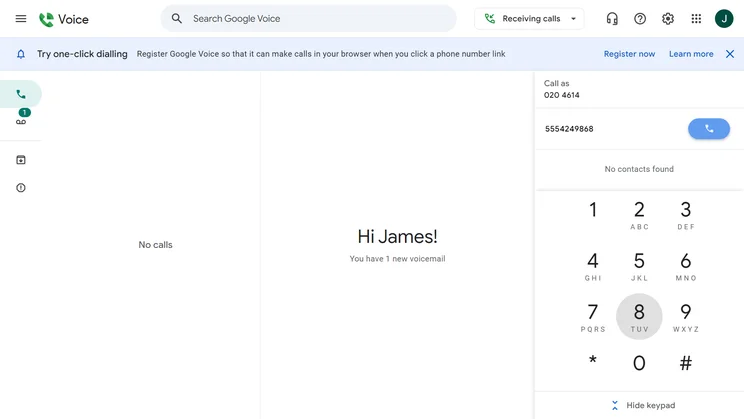
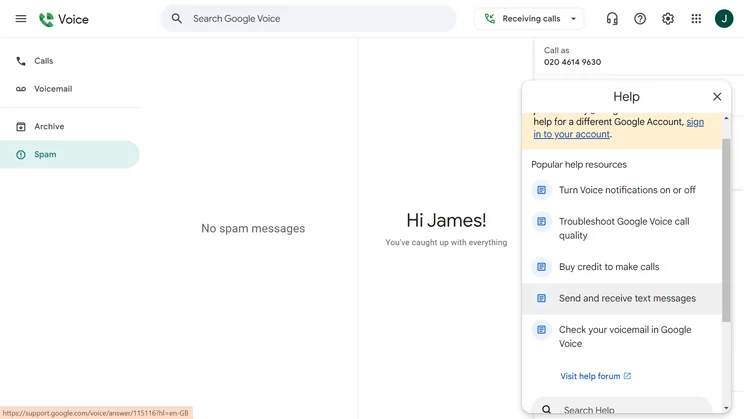

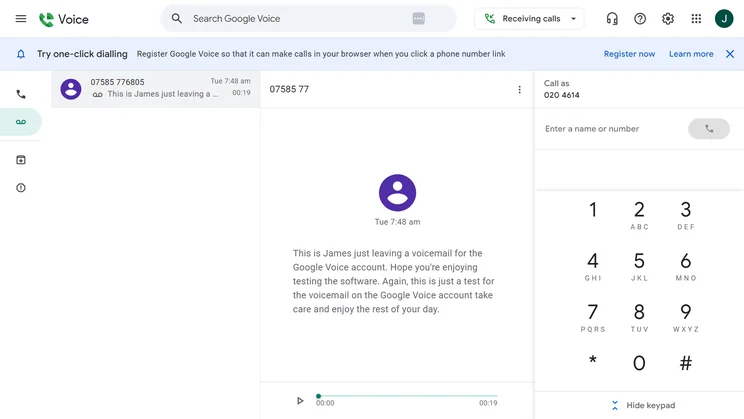
Who is Google Voice best for?
Google Voice is squarely aimed at micro and small businesses – the smaller, the better. This is because the platform offers core tools at a low cost, helping a tiny operation stretch a budget while getting the functionality it needs.
You won’t get great employee training tools with Google Voice because they’re not as important for a tiny team, even if they are key for helping a medium-sized business avoid growing pains. You will get iron-clad security protocols and 99.9% uptime, however, since these are top priorities for a tiny business that can’t afford a brand-threatening data breach or service failure.
If you’re a medium-sized business – or even a small one that plans to scale up fast – we’d recommend considering an alternative VoIP provider such as Zoom Phone for a broader range of training and call management tools. However, if you’re a startup or a tiny operation that just needs a painless way to start handling calls now, Google Voice is for you.
Google Voice Review: Key Features
Google Voice offers a nice range of core tools, but it lacks plenty of features as well. Here’s our full rundown on what Voice does and doesn’t handle.
Call management tools
Google Voice offers a decent set of features for handling calls: Every Google Voice plan has voicemail with transcriptions, caller ID, call blocking, call routing, call forwarding, and automatic screening tools.
However, not all common functions are included. Starter plan lacks custom greetings and ring groups, a feature that allows multiple team members’ phones to ring when a single phone number (like a customer service line) is dialed.
No plans offer call queuing, a key tool for managing significant amounts of callers, and one that many small businesses with few customer service representatives will find themselves in need of. You also won’t get call flipping, the term for the ability to switch an ongoing call from one device to another, or the ability to set custom hold music.
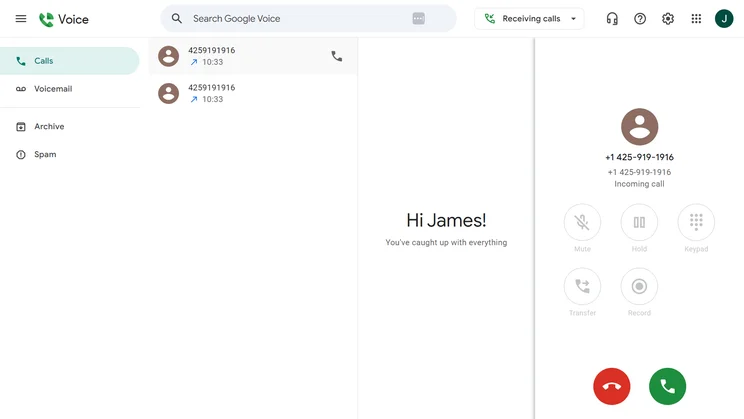
Google Voice calling features are fairly basic, but they will be able to meet the needs of smaller teams. Source: Tech.co user testing
Internal communication
Google Voice supports plenty of internal communication channels for talking with your team, although some of them are technically available through the Workspace plan bundle that you’ll be using if you use Voice: You can message your team through Google Chat or video call with them through Google Meet. If you want to stay within the Voice platform, you can still send SMS messages or stick with an audio conference call.
Just about the only option that Google Voice won’t support is e-faxing, which isn’t that common for most businesses today.

Google Voice let me record calls easily, all I had to do was tap 4 to start and stop the recording. Source: Tech.co user testing
Hardware and software integrations
The lowest-priced plan, Google Voice Starter, does not offer hardware integrations. But starting with the $20-a-month Standard plan, you’ll be able to use one specific brand of handsets: Polycom. Google offers an online list of the supported models and firmware minimums.
Google Voice is available as a mobile app on iOS and Android, but that’s the extent of the additional software options available to you: Unlike many competitors, Voice has no internal marketplace for third-party integrations or applications whatsoever. If your team already relies heavily on another brand’s CRM, video conferencing platform, or helpdesk software, you won’t be able to add interoperability.
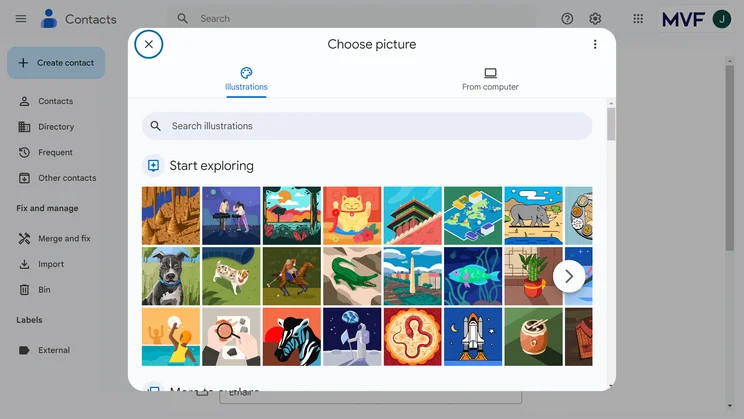
Google Voice offers colorful profile images that can be assigned to contacts for a little extra fun. Source: Tech.co testing
Training tools
When it comes to helping onboard new employees smoothly, Google Voice’s selection of features is limited. You’ll get data analytics across all plans, but call recording to limited to Standard and Premier, and call monitoring isn’t offered on any plans.
Also not supported on any Google Voice plans? Call barging – a feature that lets managers join an active call to offer their guidance – and call whisper, which lets managers join an active call to offer advice that only the agent can hear. In short, managers won’t be able to directly review employee performance with Starter, and they have limited options available with more costly plans, too.
Google Voice Pricing Plans Explained
Google Voice comes in three plans, differentiated by the features each one supports.
- Starter plan – Available for $10 per user, per month. You’ll get a maximum of 10 users and 10 domestic locations, along with 24/7 support, a user forum, a knowledge base, and a phone line to contact.
- Standard Plan – Available for $20 per user, per month. You’ll get everything available with Starter, but the user and location caps are removed under this plan. Plus, a variety of features are added for the first time: Multi-level auto-attendant/virtual receptionist, customizable call routing, ring groups, desk phone support, eDiscovery for calls, and voicemail and SMS records.
- Premier Plan – Available for $30 per user, per month. You’ll get localized and toll-free numbers (although Google requires you to have a genuine presence in the location), as well as everything in Standard. However, it’s not a huge leap in functionality. Competing providers like GoTo Connect still offer more features – like customizable hold music, call flip, and a call queue – for a lower price.
Check out the table below for a quick look at Google Voice’s plans.
|
Plan
|
Price
|
Users
|
Unlimited calls in US
|
Team messaging
|
Video conferencing
|
Document sharing
|
Call recording
|
Analytics
|
Task management
|
Single sign-on
|
24/7 support
|
Call monitoring
|
|
|---|---|---|---|---|---|---|---|---|---|---|---|---|---|
 |
|
|
|||||||||||
|
Starter |
Standard |
Premier |
|||||||||||
|
$10/user/month |
$20/user/month |
$30/user/month |
|||||||||||
|
1 |
Unlimited |
Unlimited |
|||||||||||
|
|
|
|
|||||||||||
|
via Google Chat |
via Google Chat |
|
|||||||||||
|
|
via Google Meet |
|
|||||||||||
|
via Google Chat |
via Google Chat |
via Google Chat |
|||||||||||
|
|
Ad-hoc |
|
|||||||||||
|
|
|
|
|||||||||||
|
|
|
|
|||||||||||
|
|
|
|
|||||||||||
|
Add-on |
Add-on |
Add-on |
|||||||||||
|
|
|
|
Google Voice Help & Support
Don’t look for a ton of live support from Google Voice: You’ll need to have an Enterprise Essentials Google Workspace license to get any live support across phone, email, or chat. Everyone on a typical plan will be limited to Google’s user forum and online knowledge base.
There’s no onboarding support, either, which puts Google Voice in line with Zoom Phone, but below other VoIP competitors, including RingCentral and 8×8 – both of which offer onboarding support at no extra cost.
Google Voice is, however, great for security, earing a perfect score in our tests, since it offers compliance certificates including ISO/IEC 27001, ISO/IEC 27017, ISO/IEC 27018 (Cloud Privacy), ISO/IEC 27701 (Privacy), SOC 2, and SOC 3 reports and HIPAA. The platform has multi-factor authentication, and password rules so that everyone in your organization has to create a password, as well as user permissions. It matches or beats all other major competitors for security.
Finally, Google Voice offers a 99.9% Uptime SLA, committing to keeping internet access in operation for the vast majority of the time. While impressive, a 99.9% uptime offer is far from unusual in the VoIP business, and Ring Central and Vonage even one-up Google Voice with a flashy 99.999% uptime promise.
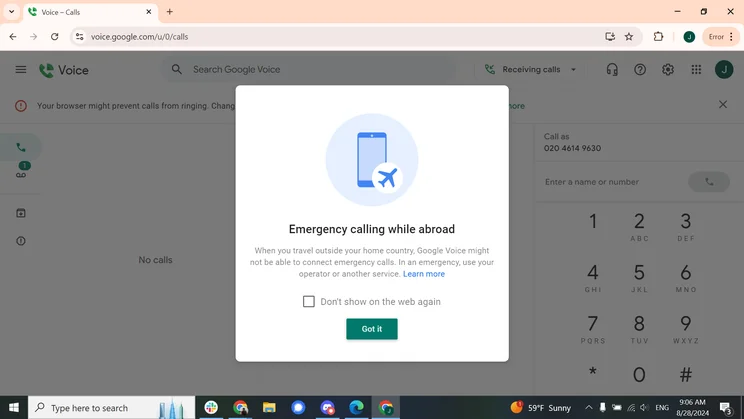
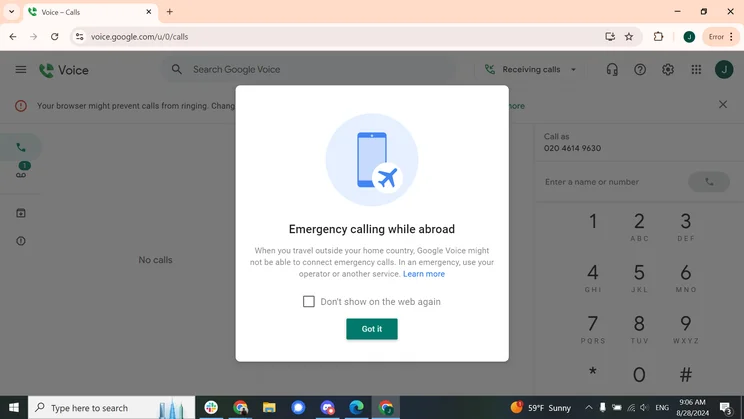
Google Voice advises you against making emergency calls with the service when you’re abroad. Source: Tech.co user testing
Google Voice Alternatives
Google Voice is a pared-down VoIP platform compared to many feature-rich competitors. If your operation is large enough to require a few more bells and whistles, you might want to consider top alternatives like 8×8, which has around-the-clock live support, or RingCentral, which has hundreds of third-party integrations you can use to craft the perfect tech stack.
Check out our table for the fastest comparison of alternative picks, or read on to see a quick summary of the best.
|
Starting price
The typical lowest starting price. The lowest price available for your business will depend on your needs
|
Best for
|
Users
|
Domestic call Fees
|
||
|---|---|---|---|---|---|
|
BEST ALTERNATIVE
 |
BEST OVERALL
 |
 |
 |
 |
 |
|
8×8 |
RingCentral |
Vonage |
GoTo Connect |
Ooma |
Nextiva |
|
Custom |
$20/user/month |
$13.99/user/month |
Custom |
$19.95/user/month |
$20/user/month |
|
24/7 customer support |
Integrations |
Training features |
Unifying internal communications |
Customer experience |
Professional services |
|
Unlimited (discounts for 50+ users) |
Unlimited |
Unlimited |
Unlimited |
Unlimited |
|
Unlimited (Free) – Inbound & Outbound |
|
Unlimited US Minutes |
Unlimited (Free) – Inbound & Outbound |
Unlimited (Free) – Inbound & Outbound |
Unlimited (Free) – Inbound & Outbound |
8×8: Best for 24/7 customer support
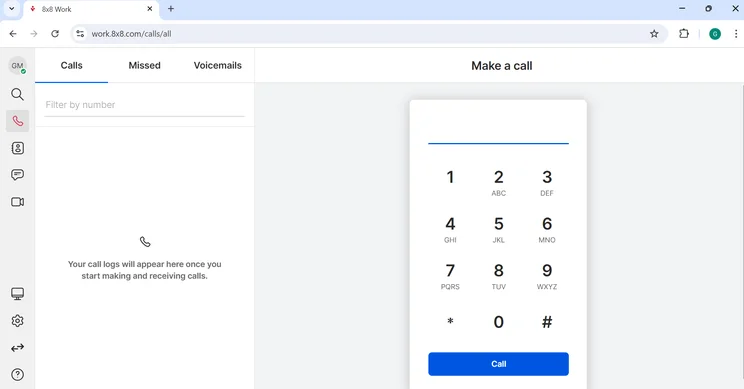
Like many competitors, 8×8 includes a virtual dialpad for making calls within the software. Source: Tech.co user testing
If your business is too large for Google Voice, 8×8 is an attractive alternative. You’ll get around-the-clock support via phone, email, and live chat alike, as well as all the training tools that Google Voice lacks, from call barge and whisper to call monitoring.
You’ll get comprehensive call management tools, including everything Google Voice has, plus call queue and call flip. You’ll also get many more software integrations. It’ll cost a little more, though, with a starter price of $20 per user per month. Check out our full 8×8 review for more details.
RingCentral: Best for integrations
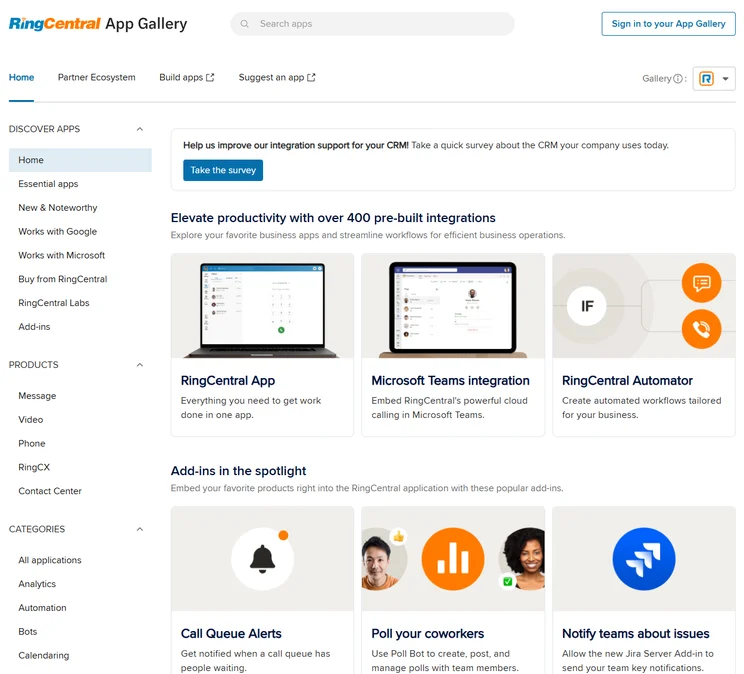
RingCentral stands out for the hundreds of third-party integrations available to its users. Source: RingCentral
RingCentral offers the most integrations of any top VoIP platform, covering many popular business software, from CRM and helpdesk software to video conferencing, customer service live chat platforms, and even calendars. You’ll also get better call management and training tools in comparison to Google Voice. In addition to common options that Google Voice lacks, such as call monitoring and call queue, you’ll get rare tools like voicemail screening. Our RingCentral review has more information, if you’re interested.
Vonage: Best for training features
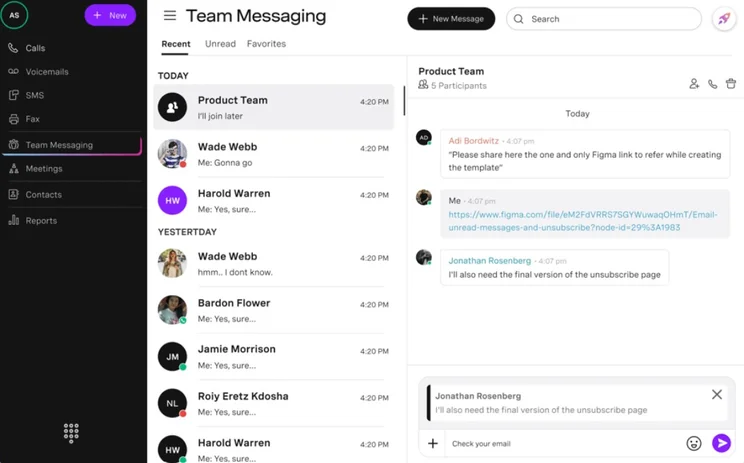
Vonage offers a comprehensive in-house team messaging functionality for streamlined internal communication. Source: Vonage
Like RingCentral and 8×8, Vonage stands out in comparison to Google Voice in a few key areas: It has more integrations (granted, RingCentral still takes the crown here), and it has more training tools. You’ll get the same great core call features and internal communication channels. Read our Vonage review for more details.
Our Experience With Google Workspace
Google Voice is only available to Google Workspace customers. Google Workspace plans start from $7 per user, per month for a business start package, which includes a business email, video meetings, cloud storage, and management controls. There’s also a Business Standard plan ($14 per user, per month) with 2TB of storage, a Business Plus plan ($22 per user, per month) with enhanced security controls, and an Enterprise Plan (customizable).
To be completely transparent, we use Google Workspace at Tech.co and are big fans of the service. Here’s what our own Head of B2B Content Jennifer McIlveen has to say about it:
“Google Workspace makes our daily tasks, file sharing, storage, communication and team calls extremely easy, and knowing the security is top-notch is reassuring. Plus, the service is familiar and fast when it comes to user experience, especially for those of us who use Google products in our personal lives.
“It’s also incredibly reliable; in five years of using the tools, we’ve not once had it compromise our ability to communicate or get things done.
When compared to other VoIP services, factoring in the baseline Workspace cost, as well as the monthly Google Voice calling cost, does not change the fact that it’s one of the cheapest options for a small business. And in both our objective testing results given below, and our Editor’s subjective opinion, Google comes out pretty well.
Methodology: How We Tested VoIP Systems
We take our hands-on testing and impartial analysis seriously, so you can have complete confidence that we’re giving you the clearest, most useful recommendations.
After conducting an initial exploration to identify the most relevant, popular, and established business phone platforms on the market, we selected 10 top VoIP systems and took a deeper dive into their plans to find out more about the features and functionality on offer.
Based on years of market research, product testing, and user needs analysis, we’ve established a VoIP system research methodology that scores each product in six core categories of investigation, which are broken down into 44 further subcategories.
With this framework we cover everything, from internal communication tools and security options to niche training features, and it ensures we can accurately assess each product’s value for its price and suitability for different types of businesses.
Our main research categories for VoIP phone systems are:
- Call management features: The presence and quality of call handling features, including basic features such as call forwarding and voicemail, as well as more advanced features like auto-attendant and interactive voice response (IVR).
- Communication channels: Features designed to support communication other than calling, including integrations with websites and social media platforms.
- Training features: The presence and quality of features designed to support onboarding and training, like call barge, call whisper, and performance dashboards.
- Customer support: The assistance and resources provided by the VoIP service provider to customers, including online resources, knowledge bases, and access to customer support representatives and AI chatbots.
- Security options: The measures and features implemented by the VoIP service to ensure the confidentiality, integrity, and protection of voice communications and data.
- Pricing factors: The pricing structure associated with the VoIP service, including factors such as monthly subscription fees, domestic and international call rates, setup fees, hardware costs, and extra costs, like add-on features or services.
When it comes to calculating a product’s final score, not all testing areas are weighted evenly, as we know some aspects matter more to our readers than others, which are merely “nice to have.” After hundreds of hours, our process is complete, and the results should ensure you can find the best solution for your needs.
Learn more about our research testing process.
Google Voice is a great pick for a tiny business that needs a fast, cheap, and trusty call management platform. It has the tools you need to manage calls, provided you can get over the lack of call queuing.
However, it’s not for medium-sized and large operations, which means it’s not for small ones that plan to grow in the near future, either. It won’t help you train new employees, for one thing, while the lack of third-party integrations means that you won’t be able to streamline other business software you’ll need as you grow, from CRM to helpdesk support.
If you click on, sign up to a service through, or make a purchase through the links on our site, or use our quotes tool to receive custom pricing for your business needs, we may earn a referral fee from the supplier(s) of the technology you’re interested in. This helps Tech.co to provide free information and reviews, and carries no additional cost to you. Most importantly, it doesn’t affect our editorial impartiality. Ratings and rankings on Tech.co cannot be bought. Our reviews are based on objective research analysis. Rare exceptions to this will be marked clearly as a ‘sponsored’ table column, or explained by a full advertising disclosure on the page, in place of this one. Click to return to top of page


