
We may receive a commission from our partners if you click on a link to review or purchase a product or service. Click to Learn More
RingCentral is a business communication company that offers one of the best VoIP solutions on the market today, offering an extensive app library for third party integrations and a vast selection of call management and training features, like voicemail screening and call monitoring.
RingCentral is ideal for medium-sized and large businesses, because it offers competitively priced enterprise-level solutions that unlock the majority of valuable features like the app library. On the other hand, its starting price is notably a bit higher than other competitors at $20 per user, per month, which makes it a bit less accessible for smaller businesses.
In this guide, you’ll learn about all the nitty-gritty details of RingCentral, including its pricing, features, and available integrations, as well as how it compares to other popular VoIP solutions.
RingCentral RingEX

In Short
-
Pros
- Flexible range of pricing plans, with easy scaling for all businesses
- Largest library of third-party integrations across our research
- All-in-one hub for internal and external communication
-
Cons
- No automatic downloads for video meeting transcripts
- High starting price makes it prohibitive for smaller businesses
- CRM and helpdesk integrations reserved for more expensive plans
Pricing
-
 Core plan: $20/user/month
-
Advanced plan: $25/user/month
-
AI Customer Engagement Bundle with AIR: custom pricing
-
 AI Customer Engagement Bundle with AIR and ACE: custom pricing
Images
RingCentral Review: Quick Fact File
Before we dig into the nitty-gritty details of what kind of VoIP provider RingCentral is, let’s get some of the basics out of the way. After all, you don’t want to spend half an hour on this review only to discover there’s a key dealbreaker right under your nose.
Here are some quick facts about RingCentral to get you started:
- Pricing: RingCentral pricing starts at $20 per user, per month billed annually, and $30 per user, per month billed monthly.
- Integrations: RingCentral provides a wide range of third-party integrations that make setting up the provider very easy.
- Desk phone compatibility: RingCentral offers no hardware options but is compatible with phones from Poly, Cisco, Yealink, and Unify.
- Scalability: RingCentral is very scalable, offering training features like call monitoring, call barge, and call whisper.
- Video meetings: RingCentral is also equipped with one of the best video conferencing platforms in our research.
Who is RingCentral best for?
In addition to testing out RingCentral, we’ve also done extensive research on other VoIP providers to get a better understanding of how they match up against each other. As a result, we can provide some unique insights into who RingCentral might be best for, as well as what some viable RingCentral alternatives might be.
Our latest round of research found that RingCentral is really best suited for medium-sized to large businesses, because its real value doesn’t unlock until you opt for the more expensive pricing plans. Customizable call routing features, CRM and helpdesk software integrations, and training tools like call monitoring and call barge are all unavailable in the least expensive plan, which means small businesses aren’t going to be able to save money and get access to the valuable functionality of RingCentral.
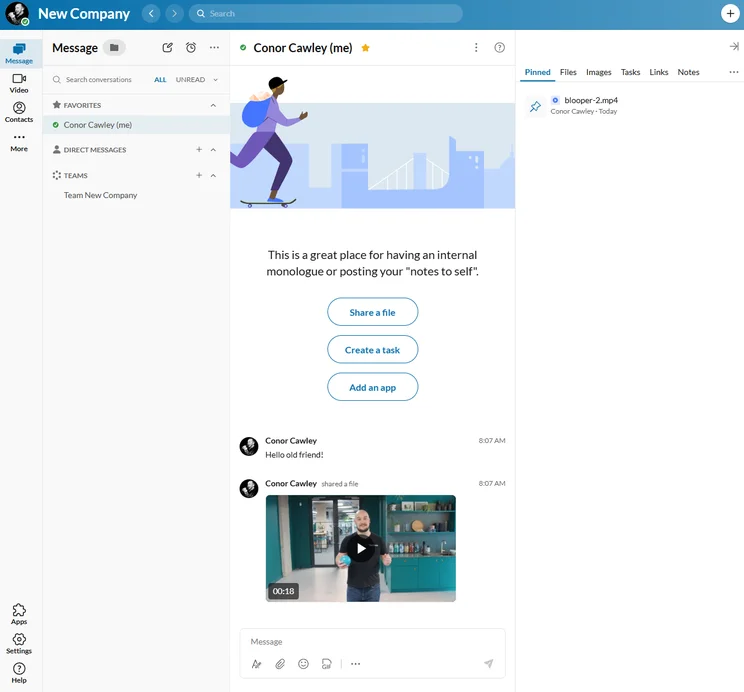
When it comes to industries, RingCentral has a strong range of inbound call management features, which makes it useful for customer service teams and companies that receive high volumes of calls. It’s also got built-in team messaging and an excellent videoconferencing platform, which means it can cater to the collaboration needs of large businesses.
Only interested in the provider’s video service? Check out how much it could cost you in our RingCentral Video pricing guide.
We had the pleasure of testing out the Advanced plan from RingCentral, getting a hands-on look at how the platform performs when put through an array of standardized tests to evaluate how easy it was to use and navigate for first-time users.
Right out of the gate, RingCentral impressed thanks to the simple and intuitive setup process. Thanks to a third-party integration with Google, we were able to get our contacts set up almost immediately by simply signing in. Beyond that, adding other information like contacts or meetings was simple, with clear icons in the sidebar to take you where you need to go.
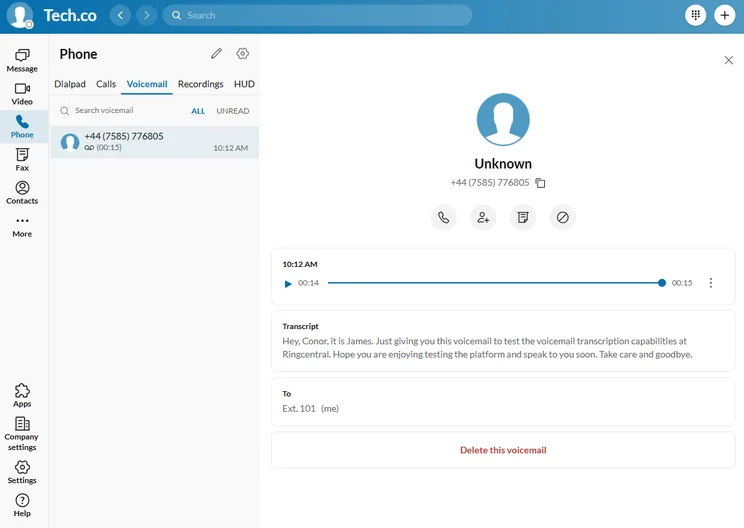
Perhaps one of the most valuable features of RingCentral that impressed me the most was the audio transcription for meetings and voicemails. These AI-powered services were nearly perfect every time, mixing up some simple names here and there with the occasional punctuation mistake. The downside, though, was that saving and sharing transcriptions was a bit messy and not as intuitive as the rest of the platform.
Still, RingCentral was overall a pleasant experience, providing a clear, navigable platform that makes it easy to integrate the VoIP system with other services like CRM and video conferencing.
RingCentral Features
Now that you know some basics about RingCentral, it’s time to get a bit deeper into what this VoIP provider actually offers. Below, we’ve outlined some of the key features that we found useful while testing RingCentral, making it one of our top picks for businesses looking for a VoIP phone system.
Call features
RingCentral is first and foremost a VoIP provider, so having an understanding of what kind of call features are available is likely at the top of your mind. Here are some of the key functionalities available in all RingCentral plans that deal with actually making a call.
- Unlimited domestic calling
- Incoming caller ID
- HD voice
- AI noise cancellation
- Multi-level auto attendant
- Call queues
- Shared lines
- Enhanced business SMS
- Admin console
- Call log reports
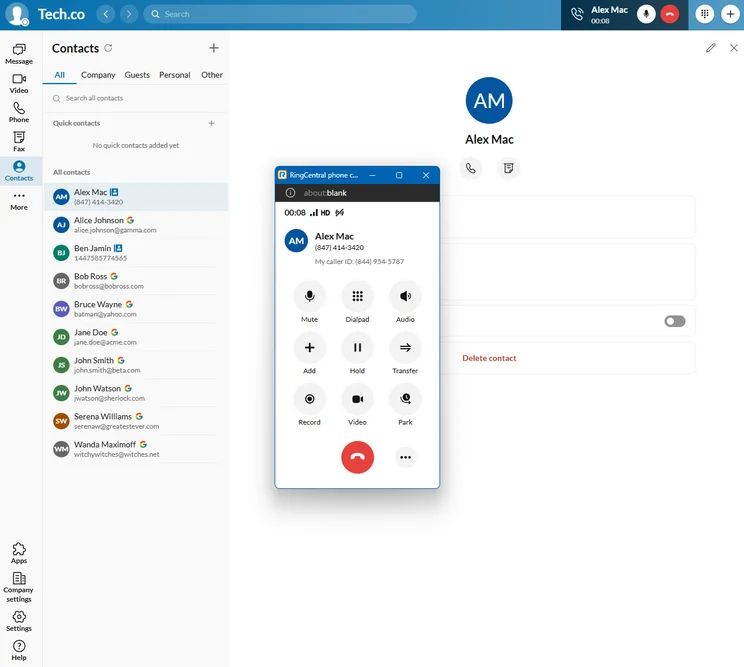
When we placed a call, the pop-up dial-pad made it easy to interact with the interface. Source: Tech.co testing
Team infrastructure
We found that RingCentral is primed for growing and larger businesses since it offers a wide range of team infrastructure features that can help you manage your team more effectively. More specifically, the VoIP system offers a Workspace tool that can house tasks and events in calendar and list formats. You can also save files and take notes directly in the platform, which, unlike the analytics tool, does exist directly in the RingCentral app.
Even better, we found that the Advanced plan from RingCentral allows for CRM integration with Salesforce, Zendesk, Microsoft Dynamics, and HubSpot, so you can turn the VoIP platform into an all-in-one hub for your business operations.
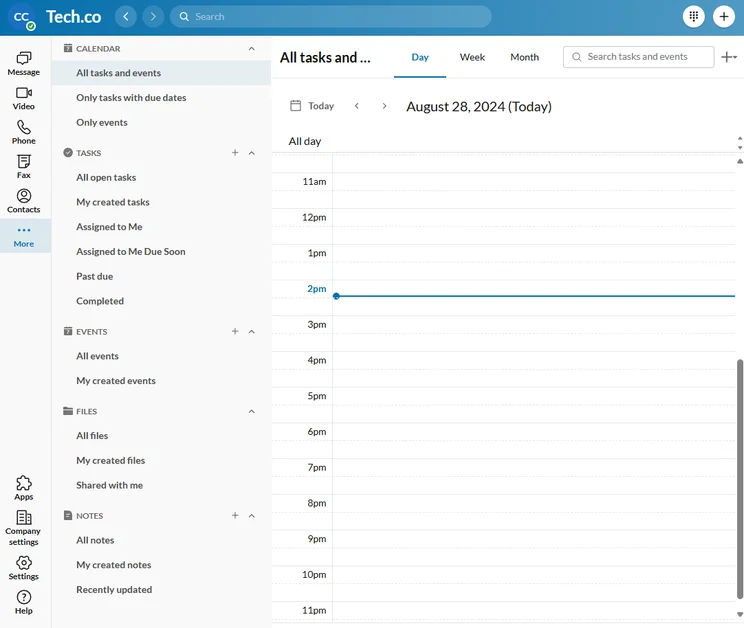
RingCentral also offers task management functionality in more expensive plans for easy scalability. Source: Tech.co testing
Analytics & reporting
For businesses that want to be able to track how their team is making calls, RingCentral provides a robust analytics and reporting tool that can help you monitor it all. Most notably, Quality of Service reports are available, even in the cheapest pricing plan. For the more expensive plans, we were able to get performance reports, adoption and usage data, room and device analytics, and company number details.
One aspect of the analytics functionality from RingCentral that we didn’t love, however, is that it lives on a different platform to the actual RingCentral app. When you click on the Analytics tab in the sidebar, it opens a new browser window that houses all of the reports, somewhat slowing down the overall process, but it’s certainly not a dealbreaker.
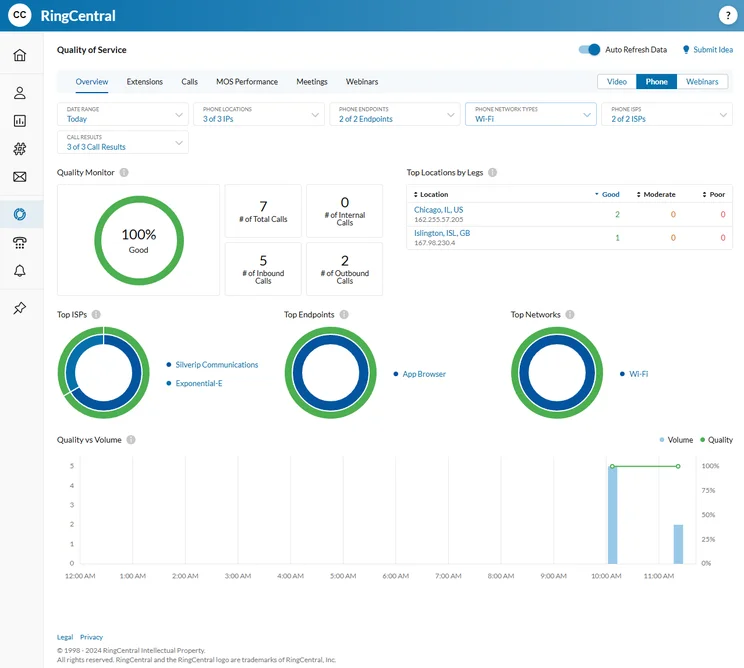
We found the quality-of-service reports in RingCentral easy to understand, providing helpful information about your calls. Source: Tech.co testing
AI features
Nearly every business software in the world is adding some kind of AI functionality to its platform, and RingCentral is no different. This comes in the form of RingSense AI, the service from RingCentral that powers all of its audio transcription functionality.
We found this to be quite impressive in video meetings and audio voicemails, getting nearly perfect results for complex requests and long discussions. Even better, you were able to save transcriptions directly to your computer, although you will have to select that option before you exit your meeting.
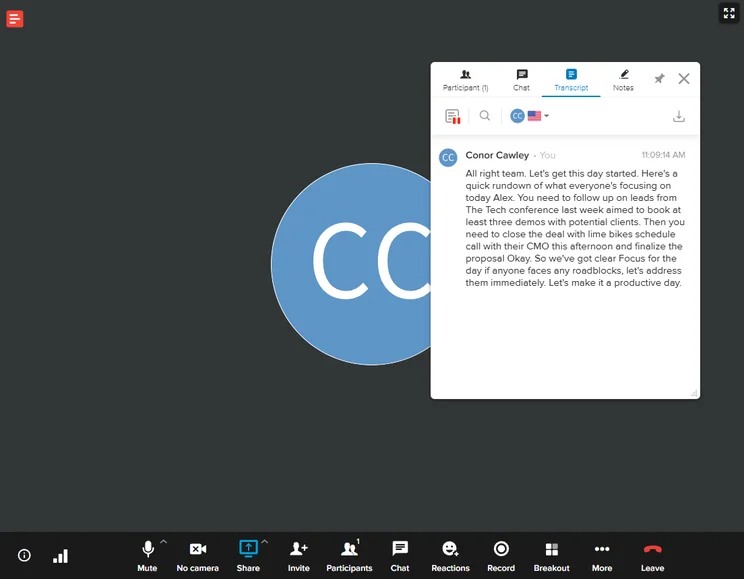
We used RingCentral’s audio transcription services in a video meeting, and it was nearly perfect. Source: Tech.co testing
Hardware integrations
The beauty of VoIP technology is that you can use it on your smartphone, but that’s not always what businesses are looking for. Sometimes, a good old desk phone is needed, and having a VoIP service like RingCentral that can integrate with hardware options can go a long way in making it easier for businesses in the long run.
RingCentral is pretty middle-of-the-pack when it comes to hardware integrations, offering compatibility with four different desk phone brands, including Poly, Cisco, Unify, and Yealink. You can even buy them directly from the RingCentral website to make the process even simpler.
RingCentral Pricing and Plans
RingCentral’s offers three different pricing plans for its VoIP service: Core, Advanced, and Ultra. Check out how the plans match up against each other on price and features below or learn more in our RingCentral pricing guide.
|
Plan
|
Price
|
Unlimited calls in US
|
Video conferencing
|
Analytics
|
Custom call routing
|
Call monitoring
|
CRM integration
|
Call barge
|
Customer engagement
|
|
|---|---|---|---|---|---|---|---|---|---|---|
 |
|
|
||||||||
|
Core |
Advanced |
Customer Engagement Bundle |
||||||||
|
$20/user/month |
$25/user/month |
Custom |
||||||||
|
|
|
|
||||||||
|
200 participants |
100-200 participants (depending on plan) |
200 participants |
||||||||
|
Quality of Service (QoS) reports |
|
|
||||||||
|
|
|
|
||||||||
|
|
|
|
||||||||
|
|
|
|
||||||||
|
|
|
|
||||||||
|
Add-on |
Add-on |
|
RingCentral Core plan
The Core plan from RingCentral costs $20 per user, per month and it’s your basic phone system offering. This plan is ideal for businesses that are looking for a phone system, nothing more and nothing less. It offers all the standard features you’d need from a phone system but doesn’t have anything flashy like CRM integration or advanced analytics.
You will be able to integrate your contacts with Google and Microsoft, though, which will speed up your setup process. But that lack of CRM connectivity will definitely turn a lot of businesses off, especially when competitors like GoTo Connect and Zoom integrate with Salesforce, HubSpot, and other major platforms on all of their plans.
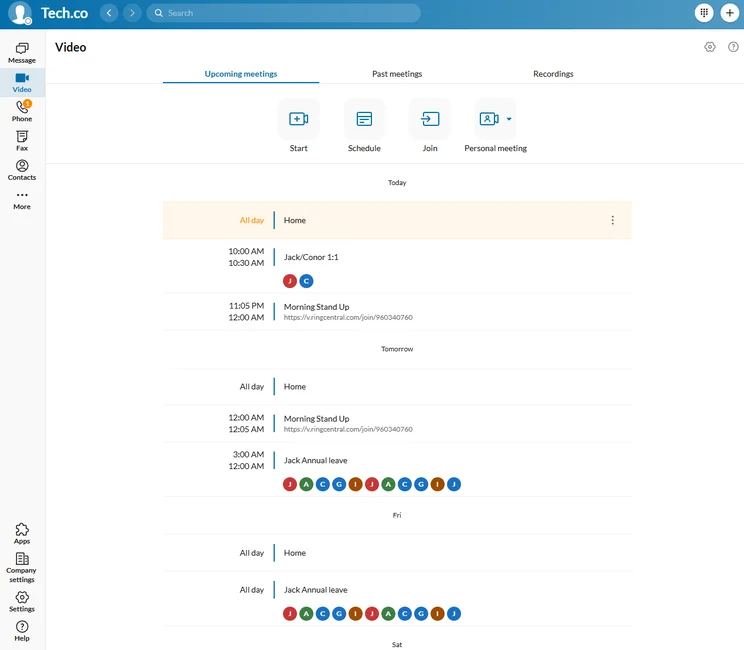
All RingCentral pricing plans allowed us to connect with Google or Microsoft to easily integrate your calendar. Source: Tech.co testing
RingCentral Advanced plan
The Advanced plan from RingCentral costs $25 per user, per month, and it’s our most recommended plan from the VoIP provider. The main reason being that this plan unlocks CRM integration, advanced analytics, custom roles, and a wide range of other features that can help you manage a larger team without losing track of anything.
RingCentral Review: How It Compares to Other VoIP Providers
For medium-sized to large businesses, there is no better option than RingCentral. Once you’re willing and able to pay for the Advanced or Ultra plans, you’re getting access to arguably the most robust VoIP solution on the market, thanks to a huge catalog of call management and training features, a bounty of communication channels to stay in touch with customers, and the largest app library for third party integrations across all of our research. All that, for as little as $25 per user, per month makes RingCentral the best option for larger businesses.
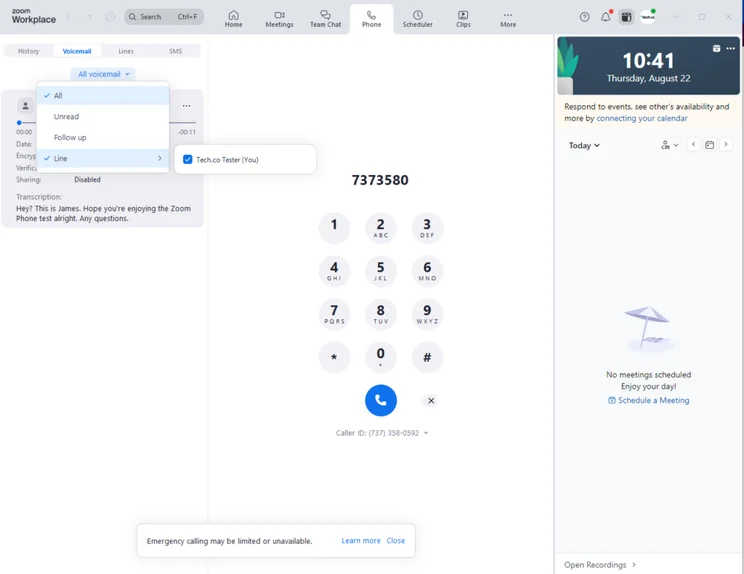
Zoom Phone was one of the easiest to use VoIP interfaces in our research, and its starting plan costs half as much as RingCentral. Source: Tech.co testing
For smaller businesses, RingCentral has a lot more competition. Its starting price of $20 per user, per month is double the cost of other entry-level solutions like Google Voice, Zoom, and MagicJack, which start at only $10 per user, per month. On top of that, RingCentral puts a lot of functionality behind that initial paywall, like the CRM integrations and training tools, so you don’t even have access to the reason the provider is so highly rated in our research.
Below, we’ve included a helpful comparison table that compares RingCentral pricing against other VoIP providers in our research based on their mid-tier pricing plans aimed at medium-sized and large businesses.
|
Plan
|
Price
|
Desk phone compatibility
How many desk phone brands is the service compatible with?
|
24/7 support
|
Call monitoring
|
Call queue
|
Call barge
|
Voicemail screening
|
||
|---|---|---|---|---|---|---|---|---|---|
|
|
 |
 |
 |
 |
 |
 |
 |
 |
 |
|
RingCentral |
Zoom Phone |
Dialpad |
GoTo Connect |
8×8 |
Net2Phone |
Nextiva |
Vonage |
Ooma Office |
Google Voice |
|
Advanced |
US & CA Unlimited |
Pro |
Phone System |
Work |
Professional |
Engage |
Premium |
Pro |
Premier |
|
$25/user/month |
$16/user/month |
$25/user/month |
Custom |
Custom |
From $24.99/user/month |
$25/user/month |
$20.99/user/month |
$24.95/user/month |
$30/user/month |
|
4 brands |
7 brands |
4 brands |
10 brands |
4 brands |
2 brands |
6 brands |
3 brands |
2 brands |
1 brand |
|
Phone + chat |
Phone + chat |
Phone + chat |
|
Phone + chat |
Phone |
Phone, email + chat |
|
Phone + chat |
Add-on |
|
|
|
|
|
|
|
|
Add-on |
|
|
|
|
|
|
|
|
Add-on |
|
Add-on |
|
|
|
|
|
|
|
|
|
|
Add-on |
|
|
|
|
|
|
|
|
|
|
|
|
|
Methodology: How Did We Evaluate RingCentral?
We take our hands-on testing and impartial analysis seriously, so you can have complete confidence that we’re giving you the clearest, most useful recommendations.
After conducting an initial exploration to identify the most relevant, popular, and established business phone platforms on the market, we selected 10 top VoIP systems and took a deeper dive into their plans to find out more about the features and functionality on offer.
Based on years of market research, product testing, and user needs analysis, we’ve established a VoIP system research methodology that scores each product in six core categories of investigation, which are broken down into 44 further subcategories.
With this framework we cover everything, from internal communication tools and security options to niche training features, and it ensures we can accurately assess each product’s value for its price and suitability for different types of businesses.
Our main research categories for VoIP phone systems are:
- Call management features: The presence and quality of call handling features, including basic features such as call forwarding and voicemail, as well as more advanced features like auto-attendant and interactive voice response (IVR).
- Communication channels: Features designed to support communication other than calling, including integrations with websites and social media platforms.
- Training features: The presence and quality of features designed to support onboarding and training, like call barge, call whisper, and performance dashboards.
- Customer support: The assistance and resources provided by the VoIP service provider to customers, including online resources, knowledge bases, and access to customer support representatives and AI chatbots.
- Security options: The measures and features implemented by the VoIP service to ensure the confidentiality, integrity, and protection of voice communications and data.
- Pricing factors: The pricing structure associated with the VoIP service, including factors such as monthly subscription fees, domestic and international call rates, setup fees, hardware costs, and extra costs, like add-on features or services.
When it comes to calculating a product’s final score, not all testing areas are weighted evenly, as we know some aspects matter more to our readers than others, which are merely “nice to have.” After hundreds of hours, our process is complete, and the results should ensure you can find the best solution for your needs.
Learn more about our research testing process.
After all our research, we feel more than comfortable recommending RingCentral for the majority of businesses. The VoIP system is easy to set up thanks to third-party integrations and offers a lot of flexibility for larger businesses with a huge selection of training features.
It’s definitely best for medium-sized to large businesses, though, due to the high starting price and lack of CRM integrations and training features in the Core plan. The Advanced and Ultra plans, however, are two of the best options on the market for those in search of a VoIP system, while being competitively priced for businesses with a bit of wiggle room in the budget.
If you want to get started with a VoIP system today, feel free to fill out this quick form that will allow you to compare VoIP prices and find a provider that fits your particular needs.


