

We may receive a commission from our partners if you click on a link to review or purchase a product or service. Click to Learn More
Our research shows that Vonage is better than Ooma for most businesses, because it offers more features, more integrations, better security, and is the more scalable software – all of which make it a better value for the money. Ooma does come out on top if you’re looking for a cheap VoIP provider, though, since it offers lower per-month costs on most plans in addition to a good featureset and its impressive 24/7 live chat and phone support.
Read on to see exactly what you get with each of these two best-in-industry providers, and to find out whether Ooma or Vonage will suit your business best.
- Vonage is the better overall choice for most businesses, offering a more comprehensive feature set, more integrations, and better value for money.
- Vonage has a generous deep discount if you pay annually.
- While Vonage is more scalable, Ooma is a strong contender for companies that require a straightforward, budget-friendly phone system without the need for advanced features.
- Ooma offers superior 24/7 customer support on all its plans, a key consideration for businesses that need reliable, round-the-clock assistance.
- Alternative providers that are worth considering include RingCentral, which features excellent video conferencing tools.
After conducting an initial exploration to identify the most relevant, popular, and established VoIP services in the market, we put them through their paces with hands-on testing to see their real strengths and weaknesses. In this case, our research consisted of:
- 10 VoIP service providers
- 200 hours
- Eight core categories of investigation
- 44 subcategories
At Tech.co, we have a number of full-time in-house researchers, who re-run this testing process regularly, to ensure our results remain reflective of the present day.
(Pricing updated 28th September 2026)

Looking for the best price on VoIP?
Get a tailored quote and see how much you could save on your communications
Ooma vs Vonage: VoIP Comparison
Vonage is a better VoIP provider than Ooma, due to its stronger value offering, enhanced in-house communication and training features, and broader selection of integrations. That said, we went into much more detail when we compared these two major VoIP players. When we tested them, we found both offer a high level of service. Beyond that, they differ in significant ways.
Ooma is great for customer experience, providing excellent support, whereas Vonage has better training and onboarding features and more hardware options, which makes it a good choice for retail and customer service teams. In this Ooma vs Vonage guide, we cover the following criteria to compare the two providers:
Before diving into the individual factors, we thought it would be beneficial to give a quick overview of the comparison between the two suppliers. Check out the table below to compare top-level features and pricing:
|
Starting price
The typical lowest starting price. The lowest price available for your business will depend on your needs
|
Best for
|
Core benefit
|
Pros
|
Cons
|
Free trial
|
Integrations
|
||
|---|---|---|---|---|---|---|---|---|
|
RECOMMENDED
 |
 |
|||||||
|
Ooma |
Vonage |
|||||||
|
$19.95/user/month |
$13.99/user/month |
|||||||
|
Customer experience |
Training features |
|||||||
|
Crystal-clear call quality |
Staff improve on the job, due to top training and management tools |
|||||||
|
|
|||||||
|
|
|||||||
|
30 days |
14 days |
|||||||
|
14 |
20+ |
Ooma vs Vonage: Pricing and Value
Overall, Ooma and Vonage are both worth considering. Their starting plans are just about equal at about $20 per month for each before discounts, but Ooma pulls ahead when it comes to their mid-range plans, offering a $24.95 per month cost for Ooma Office Pro compared to Vonage’s $29.99 per month fee for Vonage. However, Vonage’s current 30% off deal means you can knock this down to $20.99 if you commit to an annual pricing plan.
If your business plans to outgrow its initial plan down the road, Ooma will be a better deal for businesses when it comes to price than Vonage, although either option may be a fit for you.
Ooma pricing
|
Plan
|
Price
|
Team messaging
|
Video conferencing
|
Document sharing
|
Call recording
|
Analytics
|
24/7 support
|
Call monitoring
|
|
|---|---|---|---|---|---|---|---|---|---|
|
|
|
|
|||||||
|
Pro |
|||||||||
|
$24.95/user/month |
|||||||||
|
|
|
|
|||||||
|
|
|
|
|||||||
|
|
|
|
|||||||
|
|
|
|
|||||||
|
|
|
|
|||||||
|
Phone + chat |
Phone + chat |
|
|||||||
|
|
|
|
Ooma offers two pricing plans, Office and Enterprise. The Office plan is a bit more basic, offering just VoIP features that can help you keep your team in touch. The Enterprise plan offers more management and collaboration tools, but costs a bit extra in the long run.
The most affordable Ooma Office plan starts at $19.95 per user, per month. There are no annual contracts, and you can cancel at any time without penalty. Its flexibility and price range makes it best suited to smaller businesses over larger ones, and the features and integrations offered reflect the lower expectations smaller businesses might have.
|
Plan
|
Price
|
Team messaging
|
Video conferencing
|
Document sharing
|
Call recording
|
Analytics
|
24/7 support
|
Call monitoring
|
|
|---|---|---|---|---|---|---|---|---|---|
|
|
|
|
|||||||
|
|
|
|
|||||||
|
|
|
|
|||||||
|
|
|
|
|||||||
|
|
|
|
|||||||
|
|
|
|
|||||||
|
|
|
|
|||||||
|
|
|
|
The Ooma Enterprise plans are aimed at larger businesses that are perhaps interested in a full-on call center, with prices ranging from $19 per user, per month, $27 per user, per month, and $49 per user, per month.
Vonage pricing
|
Plan
|
Price
|
Users
|
Unlimited calls in US
|
Video conferencing
|
Call recording
|
24/7 support
|
Email integration
|
CRM integration
|
|
|---|---|---|---|---|---|---|---|---|---|
|
|
|
|
|||||||
|
Mobile |
Premium |
Advanced |
|||||||
|
$13.99/user/month |
$20.99/user/month |
$27.99/user/month |
|||||||
|
Unlimited |
Unlimited |
Unlimited |
|||||||
|
|
|
|
|||||||
|
|
|
|
|||||||
|
|
|
|
|||||||
|
|
|
|
|||||||
|
|
|
|
|||||||
|
|
|
|
Vonage for Business comes in three different pricing plans: Mobile, Premium, and Advanced. The Mobile plan will cost you $19.99 per month, per line, the Premium plan costs $29.99 per month, per line, and the Advanced plan costs $39.99 per month, per line.
Even better, as of July 2026, Vonage is offering a 30% discount on all plans if you opt for an annual contract instead of monthly subscription. This means that you can get the Mobile plan for only $13.99 per month, the Premium plan for only $20.99 per month, and the Advanced plan for only $27.99 per month.
Ooma vs Vonage: Pros and Cons
If you’ve been looking into a VoIP system for your business, you’ve likely come across Vonage, as it’s one of the more recognizable names in the industry and for good reason. The provider scores respectably across most categories in our research, slightly beating Ooma’s scores in our estimation. Here’s how they compare.
Ooma Pros and Cons
Ooma

In Short
-
Pros
- Easy to use interface for simple ingoing and outgoing calls
- Seamless integration with Google Calendar
- Automatic and voicemail screening available in all pricing plans
-
Cons
- Third-party integrations only available on more expensive plans
- White noise interference with voicemail audio quality
- Can only invite users to video meeting with external link
Pricing
-
 Essentials: $19.95/user/month
-
Pro: $24.95/user/month
-
 Pro Plus: $29.95/user/month
Images
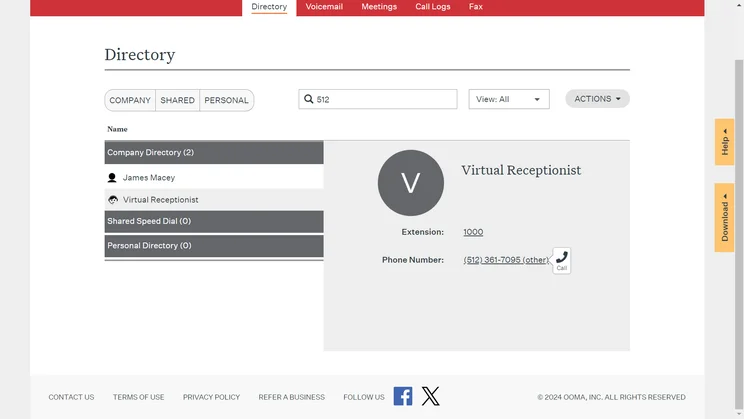
In May, Ooma rolled out a huge suite of AI-enabled features, including AI transcriptions, an AI answering service, as well as a couple of beta features, including an AI receptionist and AI insights.
Vonage Pros and Cons
Vonage

In Short
-
Pros
- Great central hub for collaborating, with team messaging on all plans
- Great training and management features, perfect for sales and customer service teams
- Lots of big-name integrations means minimal changes for your team
-
Cons
- Analytics features are quite primitive, making it difficult to get actionable insights
- Lots of features include additional fees, so it’s hard to get a good gauge of your final price
Pricing
-
Mobile: $13.99/user/month
-
Premium: $20.99/user/month
-
Advanced: $27.99/user/month
Images
In June, Vonage announced industry-specific AI agents for healthcare, financial services and retail contact centers. These agents are able to handle industry-related queries, and can also hand off to human agents if needed.
Ooma vs Vonage: Business Features
Winner: Vonage
When it comes to features, it’s Vonage that takes the crown, although it’s a close call between the two. The tiered offerings mean that Vonage can provide more advanced features, such as CRM integration, for those customers willing to pay a little extra.
In our research, we found that Ooma is a middle-of-the-pack phone system. It provides a good catalog of features and respectable pricing.
Both platforms support common call management functions including custom call routing, call forwarding, call flip, and a virtual receptionist. Vonage has call queuing, however, while Ooma reserves this feature for its most expensive plan, Pro Plus.Perhaps most impressive about Vonage is the size of its feature catalog and the amount of scalability you’ll find with the system, offering notably more than the majority of providers we researched.
While Ooma still offers a great suite of features in its own right, it can’t compete with Vonage on offerings like video conferencing and online meetings. However, if you’re considering Vonage, it’s worth noting that some of these, such as call recording, do incur an extra cost.
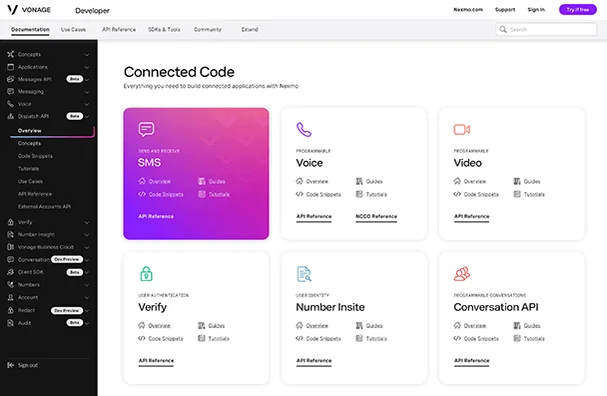
Vonage user interface. Image: Vonage
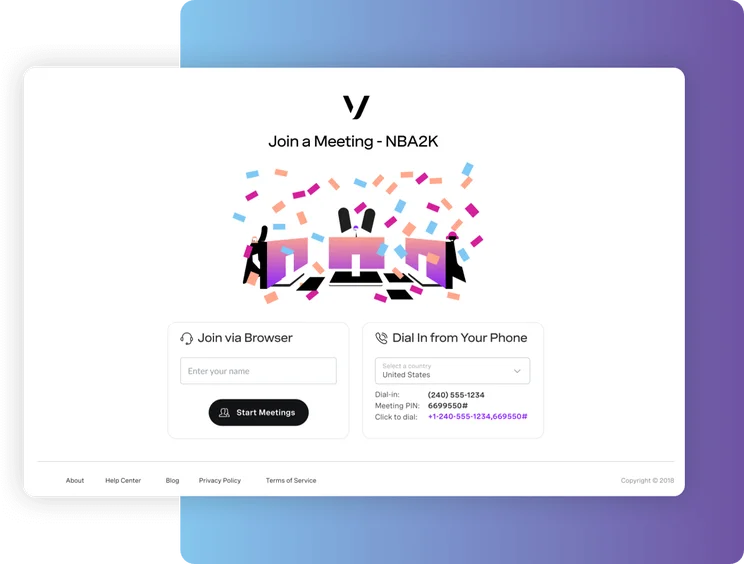
The Vonage "join a meeting" screen. Image: Vonage
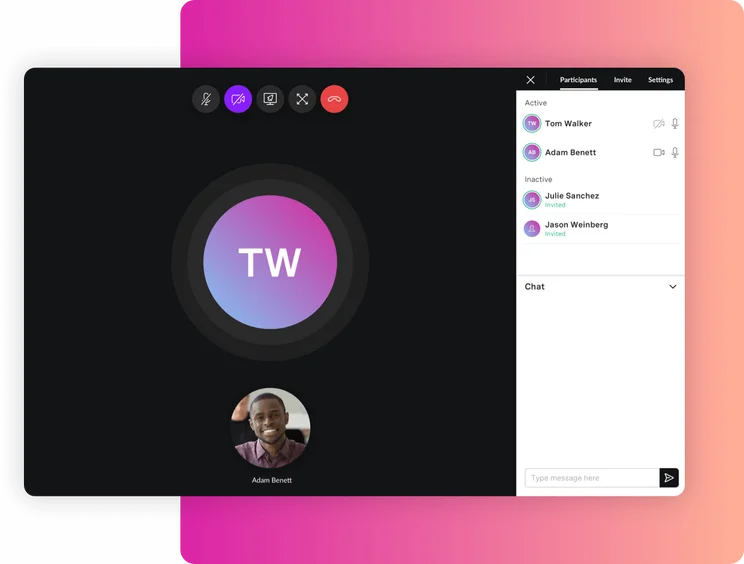
The Vonage call interface. Image: Vonage
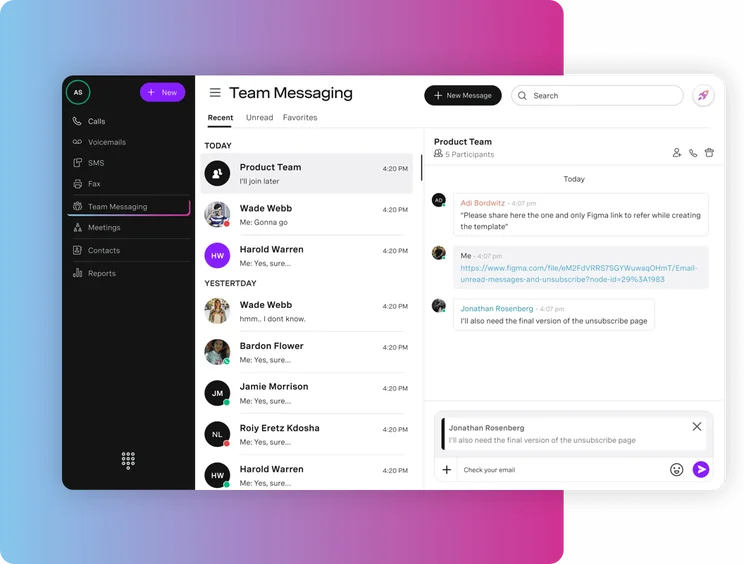
The Vonage main interface. Source: Vonage
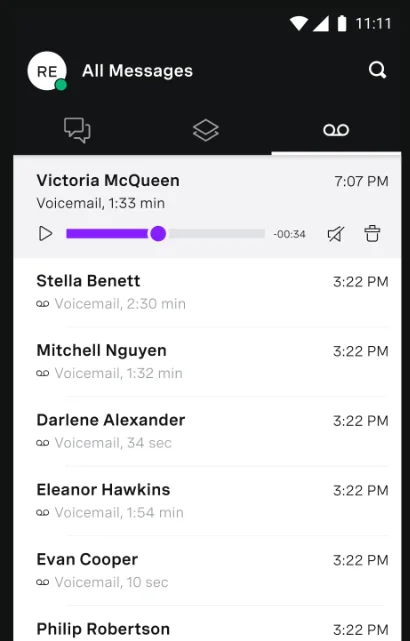
The Vonage business feature offering is robust and expansive. Source: Vonage
Ooma vs Vonage: Customer Support
Winner: Ooma
Both Ooma and Vonage offer plenty of support when it comes to setting up your system and providing on-the-spot help should you need it, with a variety of ways to get in touch including email, telephone, or live chat.
However, when comparing the availability and number of channels between Ooma and Vonage, a winner is clear. Ooma is better than Vonage when it comes to customer support. Ooma really does shine here, offering 24/7 live chat and phone support to users across its plans. In contrast, Vonage lists “phone and chat support” as well as “24/7 chatbot assistance for questions,” but does not offer 24/7 phone support for all plans. Users can pay for the “Vonage Support PLUS” add-on, which offers fast call and chat support seven days a week, but this costs an extra $9.99 a month and is from 7 am to 9 pm CST — not 24/7.
Additionally, our customer score research — which weighed app reviews across sites like G2, Capterra, Trustpilot, and TrustRadius — found that Ooma also comes out on top against Vonage. This shows that while our research shows that Vonage is better than Ooma, customers aren’t necessarily inclined to agree.
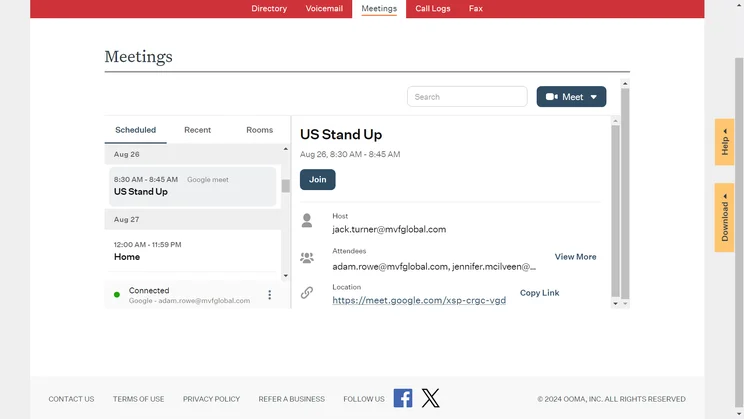
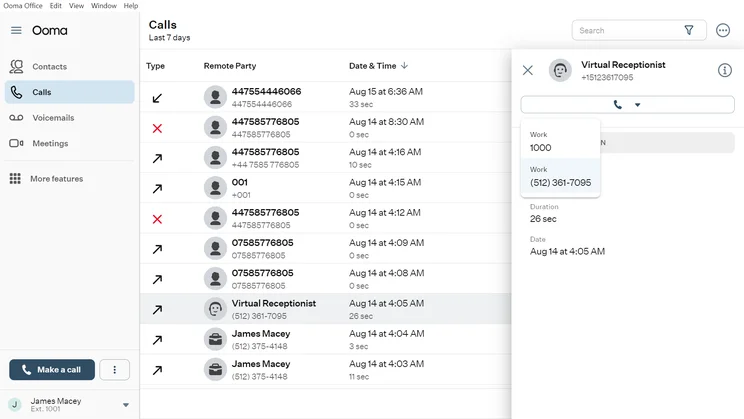
When using Ooma's meeting integration in the web view rather than the desktop app, the interface can look a little squished. Source: Tech.co testing
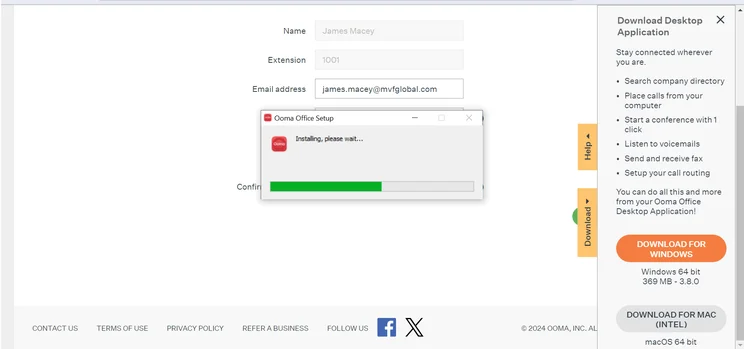
Installing the Ooma desktop app is a straightforward process. Source: Tech.co testing
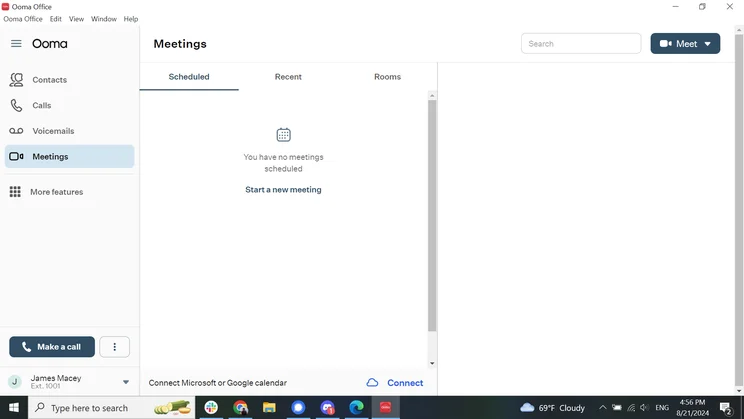
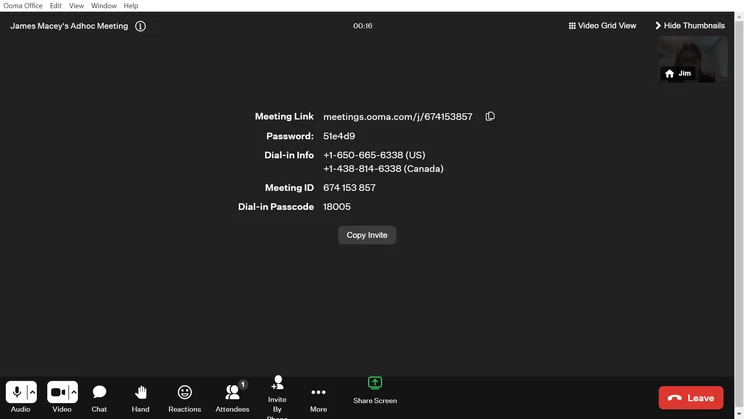
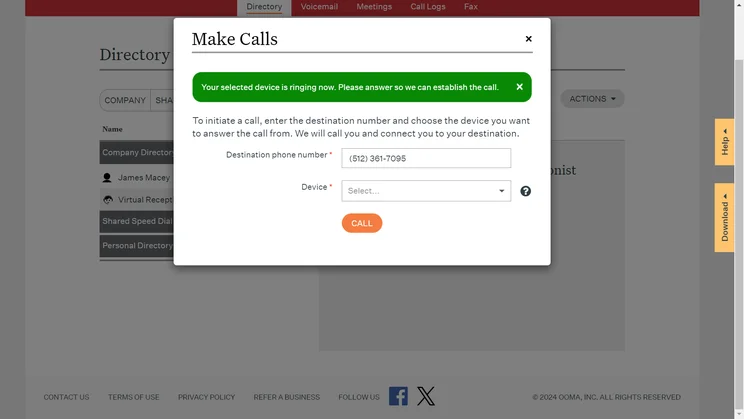
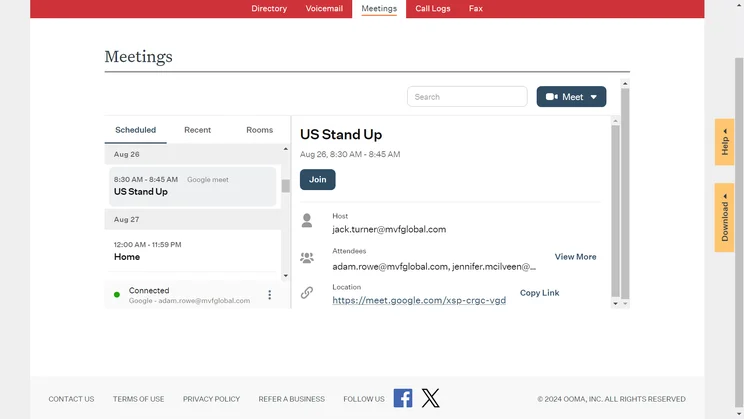
Ooma video meetings can be shared with participants through links or phone numbers. Source: Tech.co testing
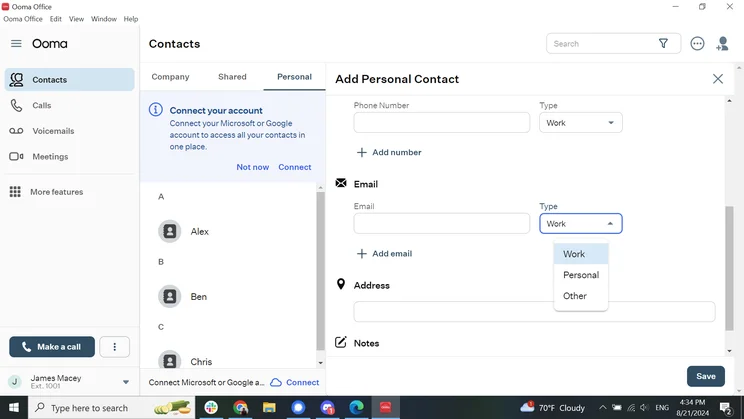
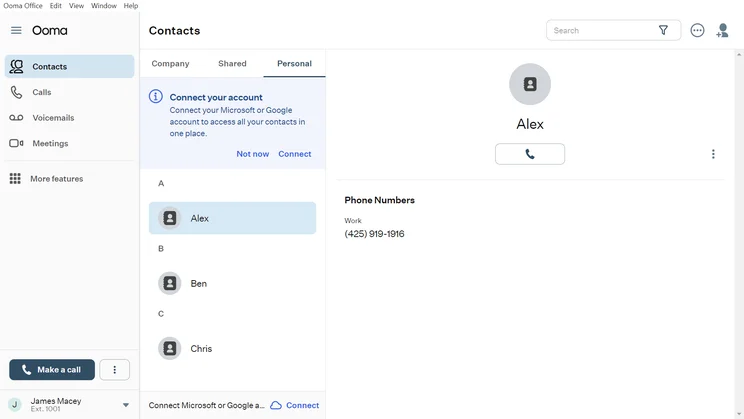
Ooma lets users fill out multiple emails for each contact. Source: Tech.co testing
The Ooma interface is simple and easy, albeit a bit outdated. Source: Tech.co Testing
Ooma vs Vonage: Security
Winner: Vonage
When it comes to Ooma vs Vonage on security, Vonage definitely has more robust security offerings, while Ooma has made strides since our last round of research. However, neither Ooma nor Vonage is particularly great when it comes to VoIP security.
Vonage offers TLS/SRTP encryption for its phone system and user permissions across its plans for US, UK, and Australian users. Ooma provides the same level of encryption, and now supports the user permissions, password rules, and multi-factor authentication it needs to keep up with Vonage.
Ultimately, Vonage comes out ahead thanks to plenty of compliance certifications, including HIPAA. In contrast, Ooma only has HIPAA compliance on two out of three plans, and offers no other additional certifications on any plan.
If you’re looking for robust security features, we’d still recommend Google Voice for businesses who are looking for advanced safeguards like stringent password rules and multi-factor authentication. However, Zoom Phone has greatly improved its security practices since the pandemic, and confirmed several improvements to Tech.co via email earlier this year, such as enforceable password rules.
Ooma vs Vonage: Integrations
Winner: Vonage
Rarely are businesses interested in a standalone VoIP solution that can’t connect with any of their other business software. The best option will allow you to connect a wide range of business software, like CRM and team messaging tools, so you can have an all-in-one hub to manage your business communication.
Luckily, both Ooma and Vonage offer a wide range of integrations, although Vonage has the edge, offering 20+ free and paid integrations compared to the 14 offered by Ooma. Here’s a quick look at most of the integrations offered by each of the two VoIP providers:
Vonage integrations:
- Aptivo
- Authvia
- Bullhorn
- Clio
- Connectwise
- Coronet
- G Suite
- HubSpot
- JobDiva
- Microsoft Dynamics
- Microsoft 365
- NetSuite
- Prodoscore
- Salesforce
- Slack
- Surfly
- Unytalk
- Visuwell
- Zapier
- Zendesk
- Zoho
Ooma integrations:
- AgencyZoom
- Clio
- Freshdesk
- Google Chrome
- HubSpot
- Jobber
- Microsoft Dynamics 365
- Nexhealth
- Pipedrive CRM
- QuickBooks Online
- Salesforce
- Square
- Zendesk
- Zoho
When it comes to integrations, less is not more. In fact, more is more, which is why Vonage is the clear winner, offering more integrations to connect with the VoIP solution.
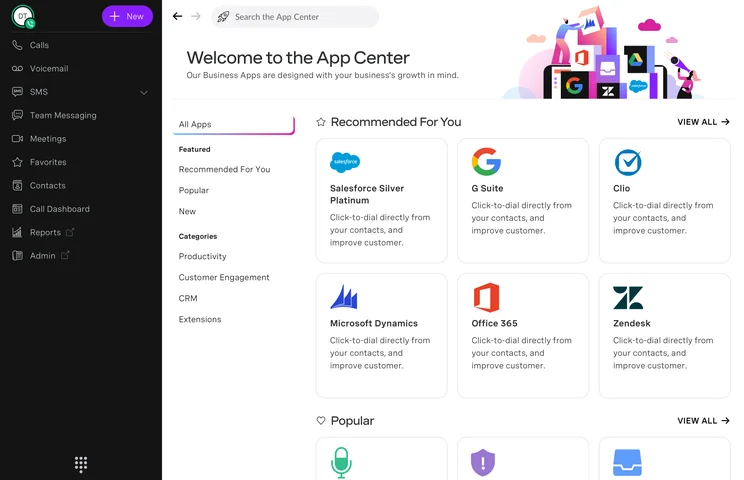
The Vonage app center provides plenty of third-party app integrations. Source: Vonage
Ooma vs Vonage for International Calling
Winner: Vonage
Both Ooma and Vonage include calls to domestic numbers in the US and Canada in their standard fee, as well as Puerto Rico and Mexico at no added cost. If you do most of your business with these nations, there will be no difference between Ooma and Vonage’s international call rates.
However, if most of your business is further afield, Vonage will probably be the cheaper option as an international phone call app. For example, calls to India are included with Vonage, whereas they will cost you with Ooma.
|
US & Canada
|
Mexico
|
UK
|
India
|
||
|---|---|---|---|---|---|
|
|
|
||||
|
Ooma |
Vonage |
||||
|
Included |
Included |
||||
|
Included |
Included |
||||
|
$0.028 |
Included |
||||
|
$0.029 |
Included |
If you’re interested in comparing international calling rates for a particular country between Ooma and Vonage, it’s important to remember that each country has its own quirks for certain numbers that might cost more or less. Vonage does have an impressive global unified communications solution, too, if you’re an international workforce to be reckoned with.
Alternatives to Ooma and Vonage
Vonage and Ooma are two solid VoIP providers, but they obviously aren’t the only ones out there. In fact, the VoIP industry is filled with great options, and few of them are one-size-fits-all – so another provider might actually be a better fit.
RingCentral is the best overall option and performed very well on our tests, with excellent video conferencing tools and even some nice task management extras for organizing workflows and projects. We also concluded that 8×8 will be the best option for small businesses that need a flexible VoIP solution with the ability to grow with teams using it.
|
Starting price
The typical lowest starting price. The lowest price available for your business will depend on your needs
|
Best for
|
Core benefit
|
||||||
|---|---|---|---|---|---|---|---|---|
|
BEST OVERALL
 |
|
 |
 |
 |
 |
|
 |
 |
|
RingCentral |
Vonage |
magicJack for Business |
8×8 |
Zoom Phone |
GoTo Connect |
Ooma |
Nextiva |
Net2Phone |
|
$20/user/month |
$13.99/user/month |
$15.99/user/month |
Custom |
$10.50/user/month |
Custom |
$19.95/user/month |
$20/user/month |
$19.99/user/month |
|
Integrations |
Training features |
Smaller businesses |
24/7 customer support |
Call management features |
Unifying internal communications |
Customer experience |
Professional services |
Great for international businesses |
|
Large variety of helpdesk and CRM integrations |
Staff improve on the job, due to top training and management tools |
Basic, affordable option for smallest businesses |
Integrates with various other communication tools |
Affordable pricing |
Provides call management features at low cost |
Crystal-clear call quality |
Unlimited calls in US and Canada |
Integrates with Microsoft Office, Google, and others |
How We Test VoIP Providers
We take our hands-on testing and impartial analysis seriously, so you can have complete confidence that we’re giving you the clearest, most useful recommendations.
After conducting an initial exploration to identify the most relevant, popular, and established business phone platforms on the market, we selected 10 top VoIP systems and took a deeper dive into their plans to find out more about the features and functionality on offer.
Based on years of market research, product testing, and user needs analysis, we’ve established a VoIP system research methodology that scores each product in six core categories of investigation, which are broken down into 44 further subcategories.
With this framework we cover everything, from internal communication tools and security options to niche training features, and it ensures we can accurately assess each product’s value for its price and suitability for different types of businesses.
Our main research categories for VoIP phone systems are:
- Call management features: The presence and quality of call handling features, including basic features such as call forwarding and voicemail, as well as more advanced features like auto-attendant and interactive voice response (IVR).
- Communication channels: Features designed to support communication other than calling, including integrations with websites and social media platforms.
- Training features: The presence and quality of features designed to support onboarding and training, like call barge, call whisper, and performance dashboards.
- Customer support: The assistance and resources provided by the VoIP service provider to customers, including online resources, knowledge bases, and access to customer support representatives and AI chatbots.
- Security options: The measures and features implemented by the VoIP service to ensure the confidentiality, integrity, and protection of voice communications and data.
- Pricing factors: The pricing structure associated with the VoIP service, including factors such as monthly subscription fees, domestic and international call rates, setup fees, hardware costs, and extra costs, like add-on features or services.
When it comes to calculating a product’s final score, not all testing areas are weighted evenly, as we know some aspects matter more to our readers than others, which are merely “nice to have.” After hundreds of hours, our process is complete, and the results should ensure you can find the best solution for your needs.
Learn more about our research testing process.
|
Value
How much of a value the service is
|
External connections
How many third-party integrations the service allows
|
Features
How many features the service has
|
Customer support
How available customer support teams are for the service
|
Security
How many security features the service has
|
Customer score
How users rate the services in app stores and other sources
|
Scalability
How many scalable features the service has
|
Overall score
An aggregate score of all other metrics
|
||
|---|---|---|---|---|---|---|---|---|---|
|
|
|
||||||||
|
Ooma |
Vonage |
||||||||
|
3.5
|
3.8
|
||||||||
|
2.7
|
3.5
|
||||||||
|
4.1
|
4.4
|
||||||||
|
4.5
|
3.4
|
||||||||
|
1.0
|
3.0
|
||||||||
|
4.4
|
4.0
|
||||||||
|
4.1
|
4.5
|
||||||||
|
4.1
|
4.3
|
Our research shows that Vonage is better than Ooma on everything from features and scalability to security and integrations. The more affordable pricing plans make Vonage better value than Ooma as well, particularly given how much you get for the money. We’d recommend Vonage for most businesses, particularly since its training features can keep your employees operating at their best.
Still, both platforms are worth considering, and, if customer support is your main concern, Ooma could be a great fit, thanks to its well-reviewed 24/7 support team. The Ooma platform is great for dependable inbound and outbound communication as well.
If you’re ready for the next step, try our comparison tool to get custom quotes for your business, today, so you can decide which VoIP phone system can help you improve your bottom line.
Read more about Cloud Phone Systems on Tech.co
If you click on, sign up to a service through, or make a purchase through the links on our site, or use our quotes tool to receive custom pricing for your business needs, we may earn a referral fee from the supplier(s) of the technology you’re interested in. This helps Tech.co to provide free information and reviews, and carries no additional cost to you. Most importantly, it doesn’t affect our editorial impartiality. Ratings and rankings on Tech.co cannot be bought. Our reviews are based on objective research analysis. Rare exceptions to this will be marked clearly as a ‘sponsored’ table column, or explained by a full advertising disclosure on the page, in place of this one. Click to return to top of page


