
We may receive a commission from our partners if you click on a link to review or purchase a product or service. Click to Learn More
The best cloud phone system is RingCentral, thanks to its library of over 300 third-party integrations, with particular standouts including Salesforce and HubSpot, and outstanding call management features, such as automatic screening and intelligent routing, to improve the on-call experience for your end customers.
However, RingCentral is not the only top Voice over Internet Protocol (VoIP) provider on the market. In this guide, we’ll outline some of the best cloud phone systems available, showcasing features, price plans, pros, cons, and more.
We’ve spent hours researching and testing the best VoIP platforms, developing a rigorous framework comprising 8 core categories and 44 subcategories to evaluate strengths and weaknesses. Here are our thoughts.
- RingCentral was the unequivocal best cloud phone system in our research, with more features and third party integrations than any other solution, as well as 24/7 support and end-to-end encryption.
- For smaller businesses that need an affordable, easy to use cloud phone system, Zoom Phone is clearly the top choice with a simple interface and low entry price.
- Dialpad represents the best option for customer service, thanks to its high call volume options and live chat integrations.
- GoTo Connect and 8×8 are both geared towards larger businesses, with custom pricing options and excellent internal communication features.
- The entry cost for cloud phone systems is typically around $15–$30 per month, but additional plans are typically available with more advanced features.
Through a combination of research, user analysis, and testing, we’ve developed a comprehensive framework to evaluate the top VoIP products.
We measure VoIP performance through eight core categories and a further 44 subcategories. From there, our research team hands the reins over to our writers, who do the rest.
All of our work is proudly written by human writers. You won’t find any AI-generated copy on any of our pages.
(Pricing updated 23rd July 2026)
What Are the Best Cloud Phone Systems?
Below, we’ve ranked our top cloud phone systems, providing in-depth reviews of each one. Use the links to navigate to your desired section or check out the table below for a quick overview of each provider.
- RingCentral RingEX – Best overall cloud phone system
- Zoom Phone – Easiest cloud phone system to use
- Dialpad Connect – Best cloud phone system for customer services teams
- GoTo Connect – Best cloud phone system for unifying internal communications
- 8×8 Work – Best for 24/7 customer support
Please note — in this guide, I’ll be recommending specific plans belonging to each provider.
|
Plan
|
Price
|
Our rating
|
||
|---|---|---|---|---|
 |
 |
 |
 |
 |
|
RingCentral |
Zoom Phone |
Dialpad |
GoTo Connect |
8×8 |
|
Advanced |
US & CA Unlimited |
Pro |
Phone System |
Work |
|
$25/user/month |
$16/user/month |
$25/user/month |
Custom |
Custom |
|
4.8
|
4.6
|
4.2
|
4.2
|
4.2
|
1. RingCentral RingEX: Best Overall Cloud Phone System
- Entry-level plan: Core plan ($20 per user, per month)
- Tech.co recommends: Advanced plan ($25 per user, per month)
RingCentral RingEX is the best cloud phone provider on the market. It provides excellent call management features, including automated call screening, which 8×8 Work lacks.
Other standout features include a dedicated AI assistant, which takes notes in real-time, captures actions, transcribes calls, and more. This will help your employees to plan next steps, follow up with potential leads, and ultimately secure new business.
RingCentral RingEX

In Short
-
Pros
- Flexible range of pricing plans, with easy scaling for all businesses
- Largest library of third-party integrations across our research
- All-in-one hub for internal and external communication
-
Cons
- No automatic downloads for video meeting transcripts
- High starting price makes it prohibitive for smaller businesses
- CRM and helpdesk integrations reserved for more expensive plans
Pricing
-
 Core plan: $20/user/month
-
Advanced plan: $25/user/month
-
AI Customer Engagement Bundle with AIR: custom pricing
-
 AI Customer Engagement Bundle with AIR and ACE: custom pricing
Images
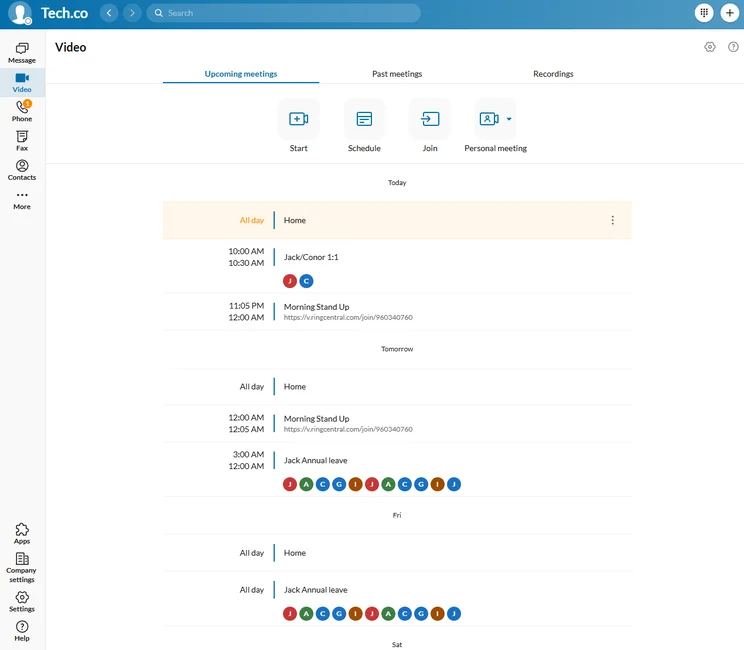
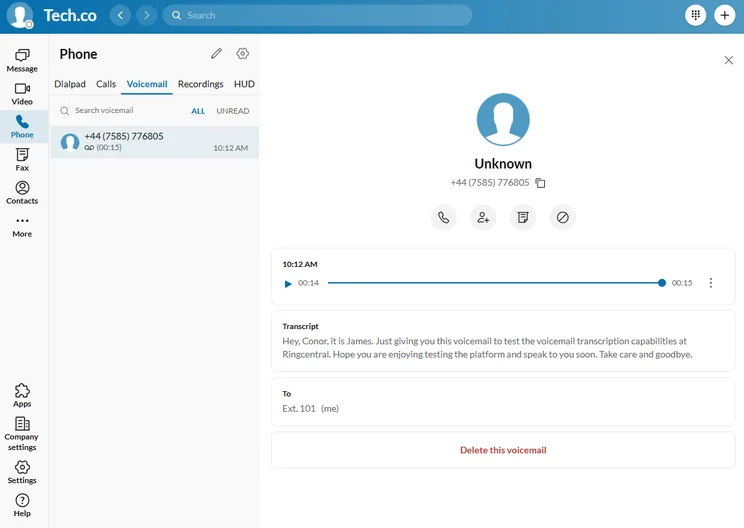
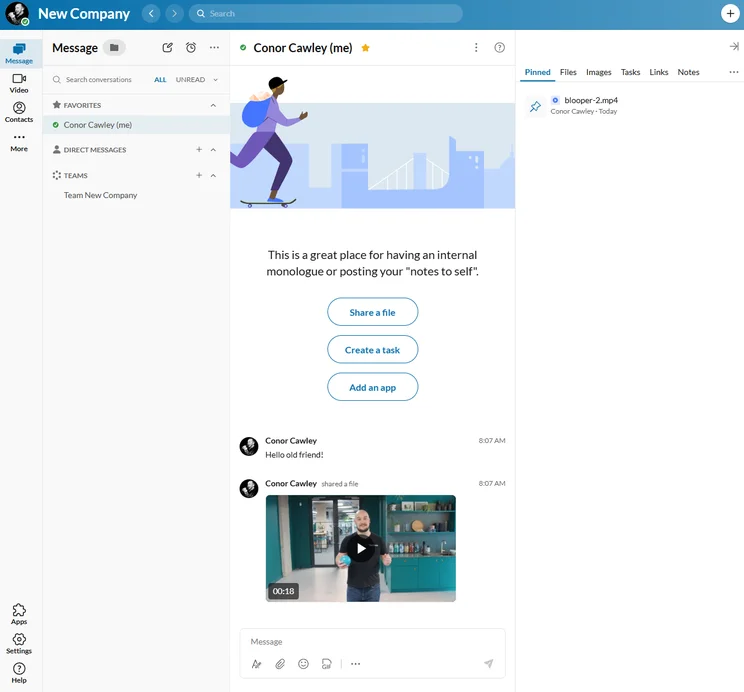
What do we like about RingCentral RingEX?
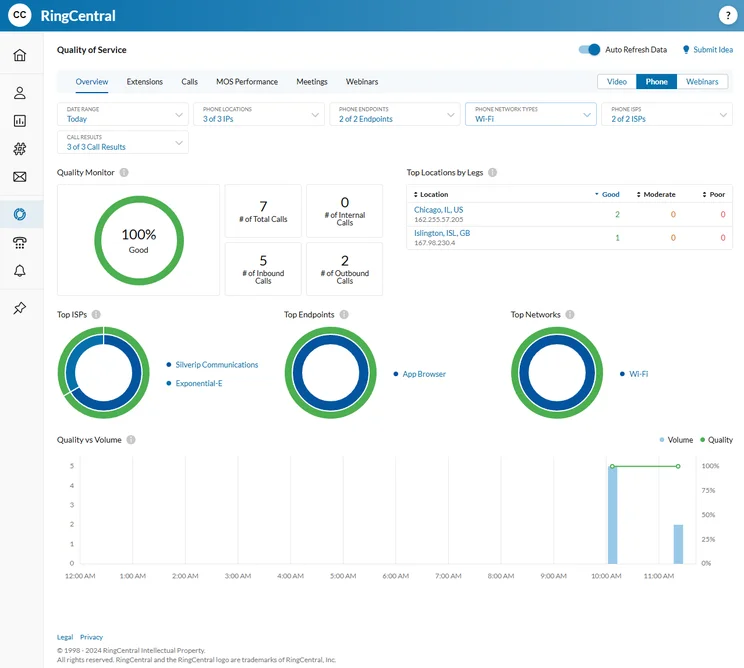
During our research process, the team was particularly impressed with RingCentral RingEX’s huge selection of features for managing both inbound and outbound calls, as well as its vast array of alternative communication channels.
Users can choose from phone, email, chat, SMS, and even e-fax, centralizing all your communications into one platform. What’s more, you can switch from phone call to video with one click, which is really useful for sharing content with a client.
RingCentral RingEX offers more than 300 third-party integrations, and from the Advanced plan ($25 per user, per month), you can get your hands on several CRM tools, including Salesforce and Zendesk.
Used together, VoIP and CRM centralizes your customer information and call records into one interface, meaning that you don’t need to switch between platforms, and you won’t lose track of any relevant data.
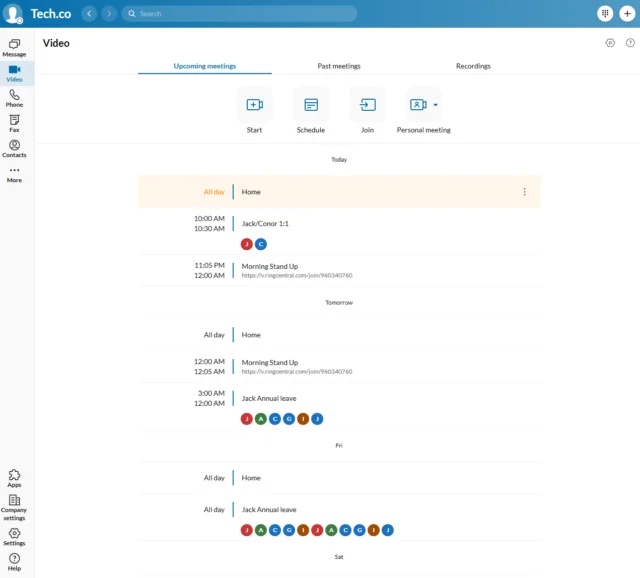
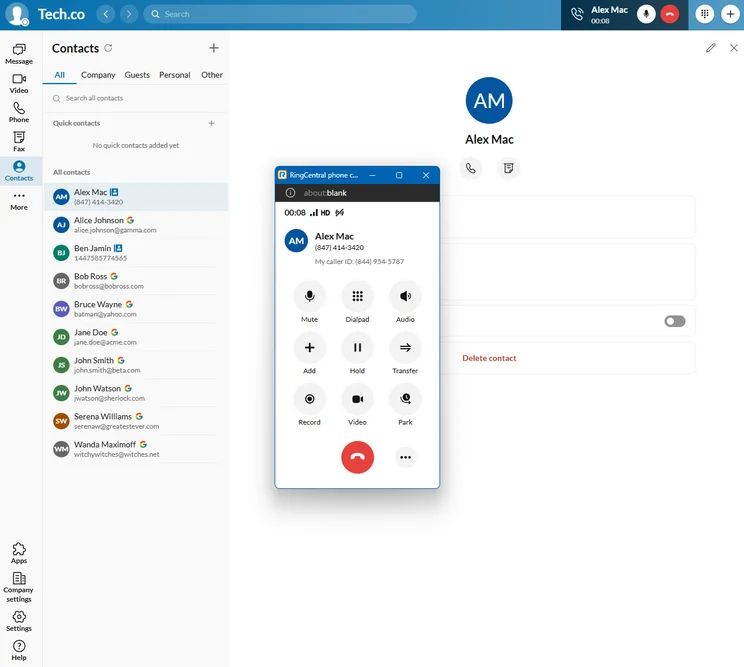
RingCentral’s calendar integration makes it easy to view scheduled events and meetings in the platform. Source: Tech.co testing
Additionally, we found RingCentral RingEX Advanced offers plenty of training tools, including call whisper and call recording, which allowed us to effectively keep track of how our calls were going in real-time. Dialpad Connect doesn’t offer whisper on any of its plans.
What limitations does RingCentral RingEX have?
While RingCentral RingEX is strong across the board, it doesn’t offer the same variety of hardware integrations as some of its contemporaries, including GoTo Connect and Zoom Phone.
However, with many businesses transitioning to softphones in 2026, this is a relatively minor complaint.
How much does RingCentral RingEX cost?
Below, you’ll find a breakdown of RingCentral RingEX’s pricing plans.
- Core: $20 per user, per month
- Advanced: $25 per user, per month
- Ultra: $35 per user, per month
RingCentral also has several available add-ons, which you can learn about below.
- RingCX AI Contact Center: $65 per user, per month
- RingCentral Events: $99 per organizer, per month
- RingCentral Rooms: $39 per room, per month
- Push to Talk: $5 per user, per month
Check out our guide to RingCentral pricing for more information.
|
Plan
|
Price
|
Users
|
Unlimited calls in US
|
|
|---|---|---|---|---|
|
|
|
|
||
|
Core |
Advanced |
Ultra |
||
|
$20/user/month |
$25/user/month |
$35/user/month |
||
|
100 lines max (for more, contact sales) |
100 lines max (for more, contact sales) |
100 lines max (for more, contact sales) |
||
|
|
|
|
2. Zoom Phone: Easiest Cloud Phone System to Use
- Entry-level plan: US & CA Metered plan ($10.50 per user, per month)
- Tech.co recommends: US & CA Unlimited ($16 per user, per month)
Zoom Phone is the easiest to use cloud phone system around. It is clearly laid out, with excellent site mapping for ease of navigation. We loved testing Zoom, with one individual from our testing group labelling the interface “quite calming.”
Zoom Phone

In Short
-
Pros
- Very low starting price, ideal for smaller businesses
- Excellent for managing high numbers of incoming calls (spam prevention, hold music, etc.)
- Top tier security protocol with abundance of compliance certificates
-
Cons
- Limited number of CRM and helpdesk integrations
- No email support available and you don’t get much help with onboarding
- Insufficient analytics tools with a lack of detail in reporting
Pricing
-
US & CA Metered: $10.50/user/month
-
US & CA Unlimited: $16/user/month
-
Pro Plus: $20.50/user/month
-
Business Plus: $24.50/user/month
Images

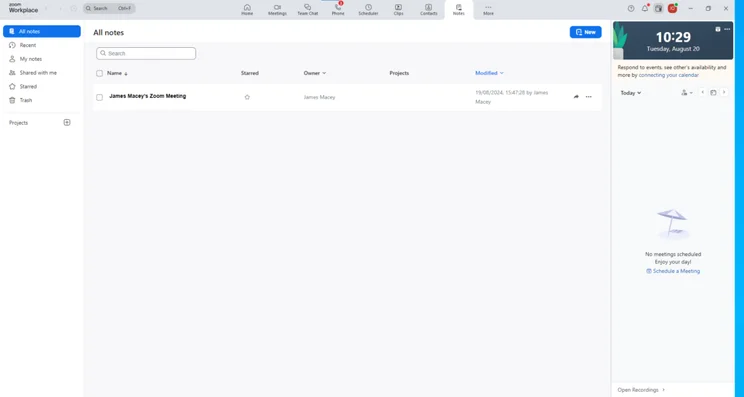
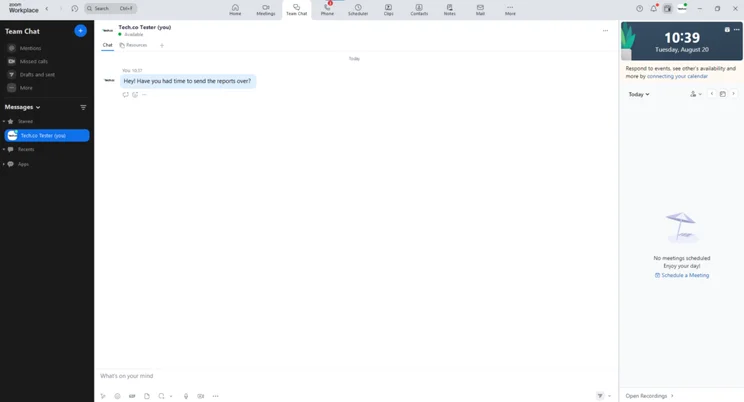
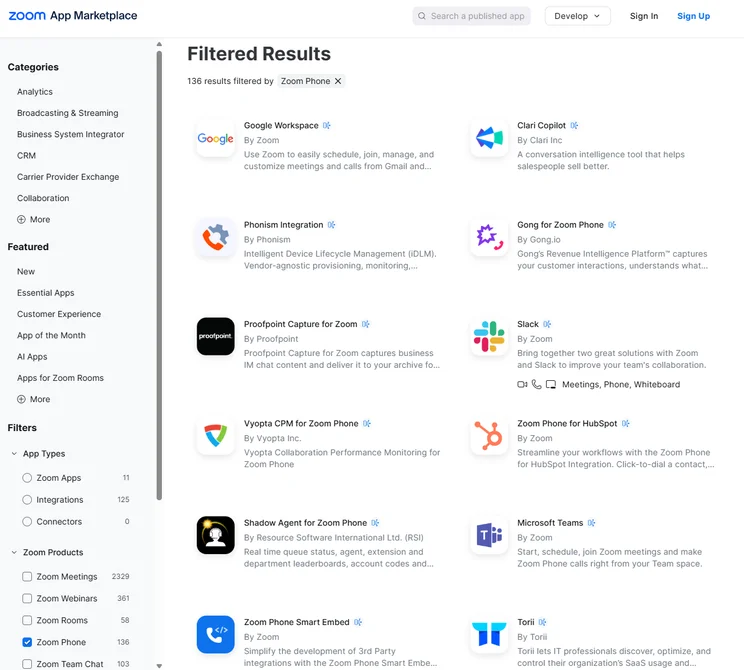
What do we like about Zoom Phone?
Zoom Phone is a highly affordable, streamlined VoIP platform with a shallow learning curve that will suit first-time users and price-conscious small businesses.
Despite its modest price point, the US & CA Unlimited Plan ($16 per user, per month) rivals RingCentral RingEX’s call management features, with call monitoring, automatic screening, and call barge all included.
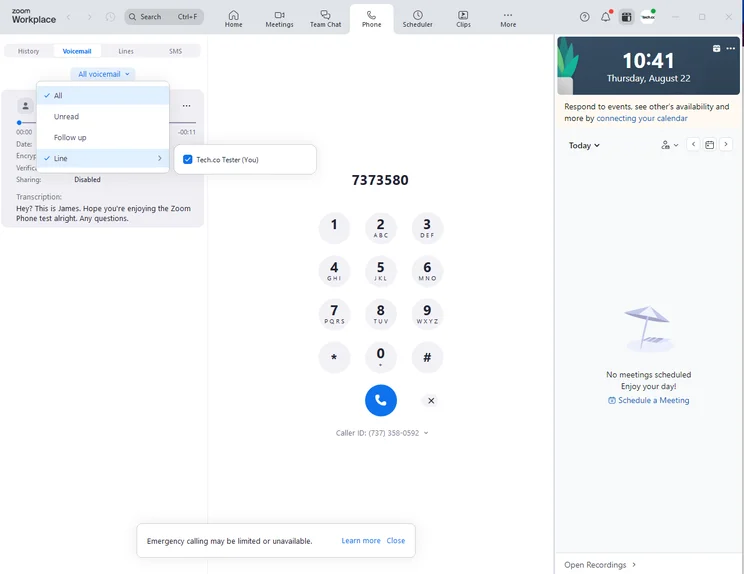
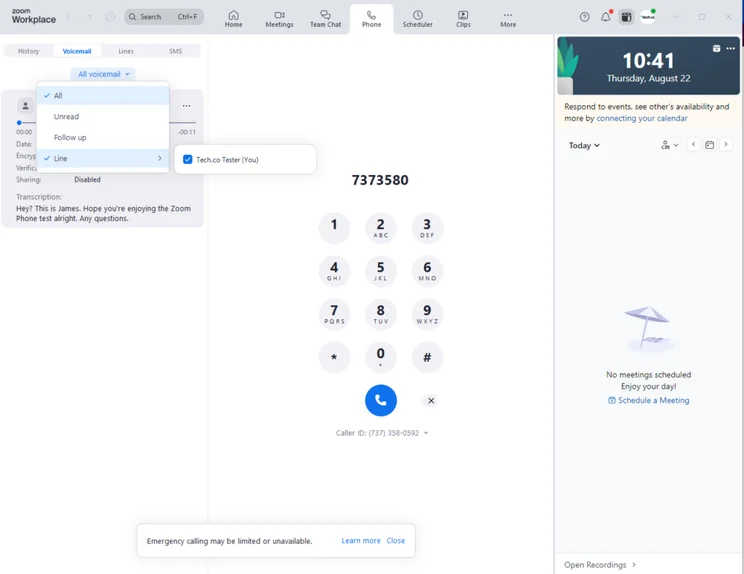
It was easy to leave voicemails with Zoom Phone, and I could even leave a note alongside the message. Source: Tech.co testing
Zoom is famous for its flagship video conferencing tool, and you’ll get access to it if you sign up to the Pro Plus plan ($17.43 per user, per month). This will appeal to B2B sales businesses, in which it is common to correspond with your leads over video call, as you progress down the sales funnel.
With its robust call management features, Zoom Phone is a great option for businesses that process a high volume of inbound and outbound calls — and want to keep an eye on spiraling overheads in 2026.
What limitations does Zoom Phone have?
The main drawback of Zoom Phone is its limited range of software integrations. It has far fewer CRM and helpdesk integrations than RingCentral, so if your business is expected to scale in the near-future, I would not recommend this provider.
How much does Zoom Phone cost?
Here, you’ll find a breakdown of Zoom Phone’s pricing plans. Our standout pick is the US & CA Unlimited plan ($16 per user, per month), which is easy to use, cheap, and has some great call management tools and security credentials.
- US & CA Metered: $10.50 per user, per month
- US & CA Unlimited: $16 per user, per month
- Pro Plus: $17.43 per user, per month
- Business Plus: $19.60 per user, per month
- Global Select: $22 per user, per month
Zoom Phone also has a few available add-ons, which you can learn about below.
- Zoom Phone Power Pack: $25 per month
- Additional phone numbers: $5 per month
- International calling: $10 per month
Check out our Zoom Phone review to learn more.
|
Plan
|
Price
|
Users
|
Unlimited calls in US
|
|
|---|---|---|---|---|
|
|
|
|
|
|
|
US & CA Metered |
US & CA Unlimited |
Pro Plus |
Business Plus |
Global Select |
|
$10.50/user/month |
$16/user/month |
$20.50/user/month |
$24.50/user/month |
$22/user/month |
|
1-99 |
1-99 |
1-99 |
1-250 |
1-250 |
|
|
|
|
|
|
3. Dialpad Connect: Best Cloud Phone System for Customer Services Teams
- Entry-level plan: Standard plan ($15 per user, per month)
- Tech.co recommends: Pro plan ($25 per user, per month)
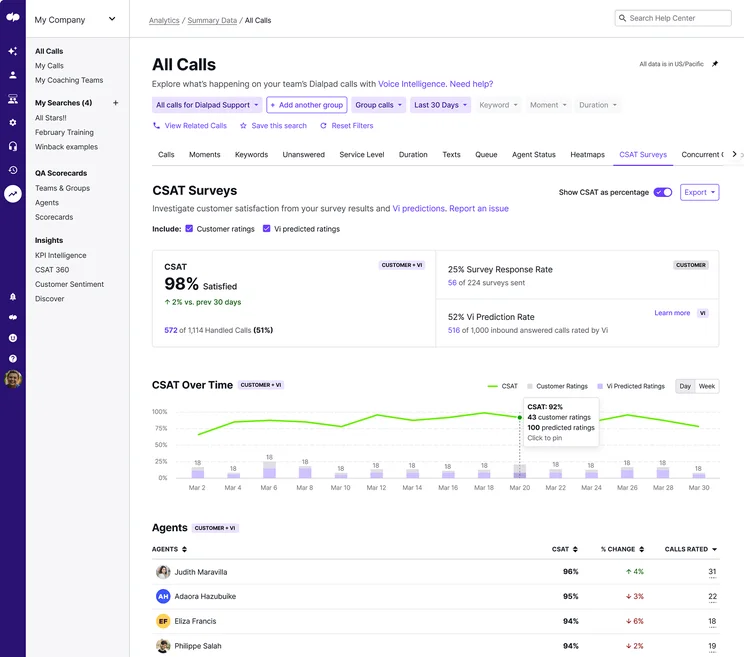
Dialpad Connect is the best cloud phone system for customer services teams, due to its massive selection of call management features, meaning that it can handle high call volumes. Examples include automatic screening, call routing, and voicemail transcription.
Opt for the Pro plan ($25 per user, per month), and you’ll also unlock third-party integrations to CRM tools including Salesforce, Zendesk, HubSpot, and ServiceNow. With these tools in your arsenal, you’ll be able to view all of your customer data in one place, and ultimately manage your correspondences with greater efficiency.
Dialpad

In Short
-
Pros
- Good value pick with lower starting price than competitors
- Vast selection of communication channels to reach customers, including SMS and e-fax
- Includes all call management features like customizable call routing
-
Cons
- Missing training features like call monitoring and call whisper
- Limited CRM and helpdesk software integrations
- Onboarding support for your team costs extra
Pricing
-
Standard: $15/user/month
-
Pro: $25/user/month
-
14-day free trial
Images

What do we like about Dialpad Connect?
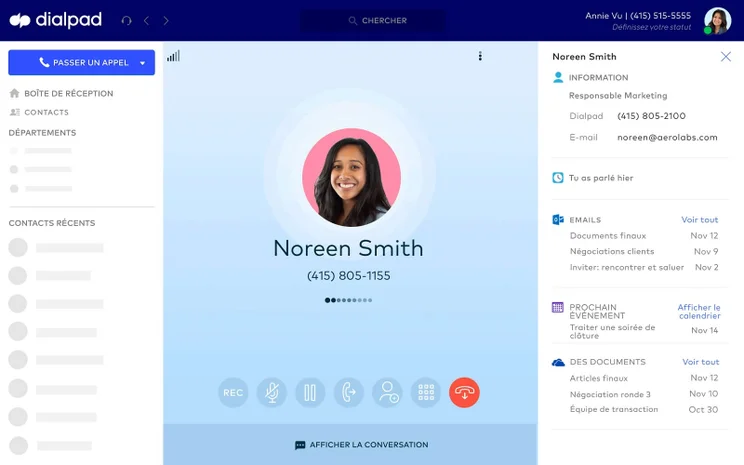
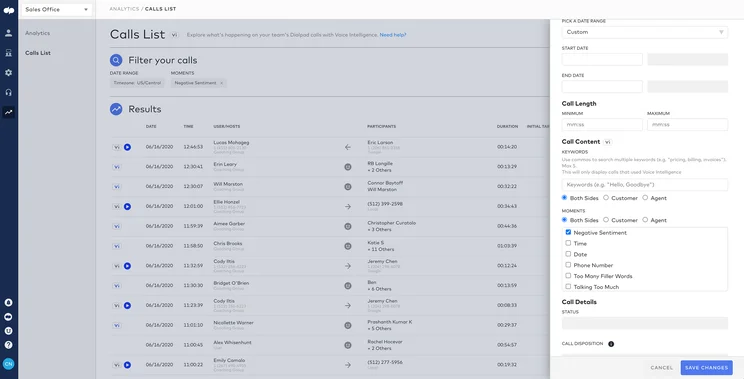
Dialpad Connect is a moderately priced cloud phone system built with customer services teams in mind. Users can reach out to customers via email, phone, chat, and SMS, giving you the flexibility to nurture your potential leads in whatever way you see fit.
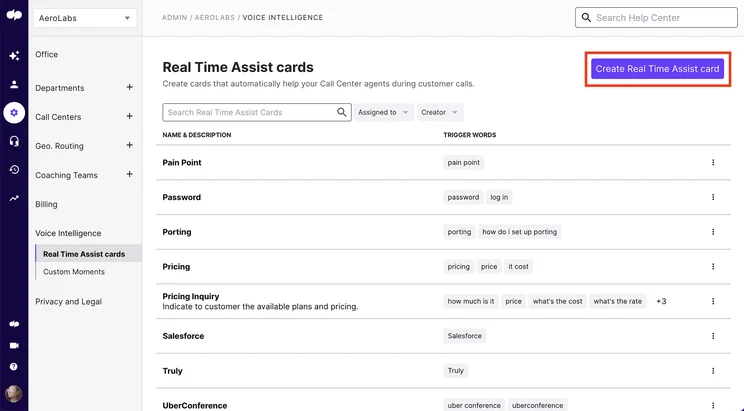
As already alluded to, Dialpad Connect excels in terms of call management features. You can customize your routing options for inbound calls, so that the experience for your end customer is as streamlined as possible.
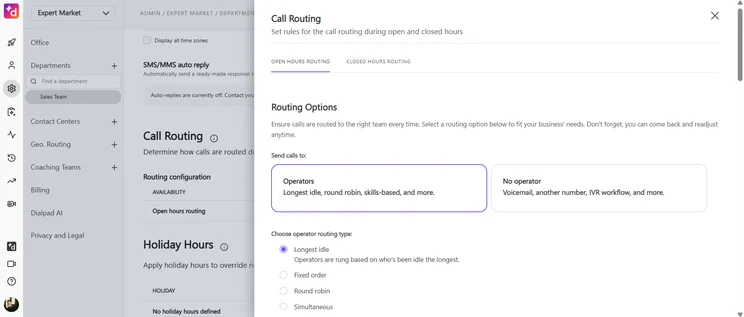
Set rules to make sure that calls are routed to the correct team every time, improving the experience for your end customer. Source: Tech.co testing
Another area in which Dialpad Connect excels is security. On all of its plans, you can manage user permissions, roll out single sign-on, and lock meeting rooms, meaning that you can control what your staff are able to access.
This will prove particularly valuable for organizations that employ freelancers, such as a customer services team that scales up during peak periods.
What limitations does Dialpad have?
Dialpad Connect’s integrations library is not as robust as some of the other providers on this list, with 60 available tools, compared with more than 300 on RingCentral.
On top of that, we rated Dialpad Connect as one of the worst VoIP platforms for training features, with the provider missing tools like call monitoring, call barge, and call whisper. Because of these two shortcomings, Dialpad Connect is a poor choice for larger businesses.
How much does Dialpad Connect cost?
Find out how much each Dialpad Connect plan costs below.
- Standard: $15 per user, per month
- Pro: $25 per user, per month
- Enterprise: Custom
|
Plan
|
Price
|
Users
|
Unlimited calls in US
|
|
|---|---|---|---|---|
|
|
|
|
||
|
Standard |
Pro |
Enterprise |
||
|
$15/user/month |
$25/user/month |
Custom |
||
|
Unlimited |
Unlimited |
Unlimited |
||
|
|
|
|
4. GoTo Connect: Best Cloud Phone System for Unifying Internal Communications
- Entry-level plan: Phone System plan (custom pricing)
- Tech.co recommends: Phone System plan (custom pricing)
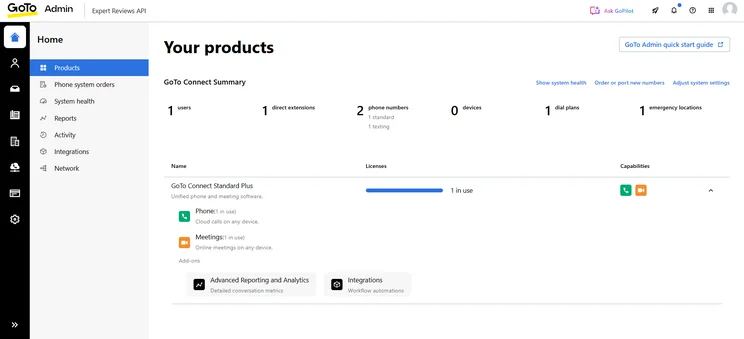
GoTo Connect is the best cloud phone system for unifying your internal business communications, with great tools including a team messenger, video conferencing with up to 250 participants, and a virtual fax manager.
For this reason, it’s a great option for businesses with multiple sites and/or hybrid workers.
GoTo Connect

In Short
-
Pros
- Huge selection of training features, including call whisper and monitoring
- Compatible with over 180 desk phone models
- Robust internal messaging and communication built in
-
Cons
- Unlimited calling time for your team will cost extra
- Limited CRM integrations beyond Salesforce, Zoho, and Zendesk
- High starting price is prohibitive to small businesses
Pricing
-
Custom pricing
-
50+ countries included free
-
Hardware add-ons available
Images

What do we like about GoTo Connect?
GoTo Connect is a good solution for businesses that want to unify their internal communications. In particular, we found that the in-built team messaging and video conferencing platforms are helpful tools for keeping employees in the loop.
Beyond that, our research team was impressed by GoTo Connect’s selection of call management features, with robust tools including call routing and ring groups, which can connect you to the right person, even if they’re based in a different location.
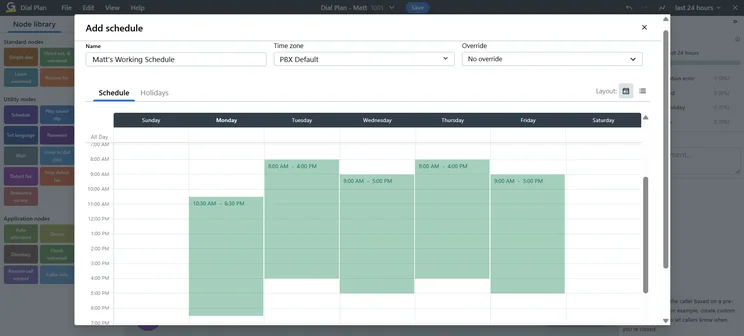
The team also highlighted the ability to map out call flows via a simple drag-and-drop interface. This customizability is a great tool for training your new starters.
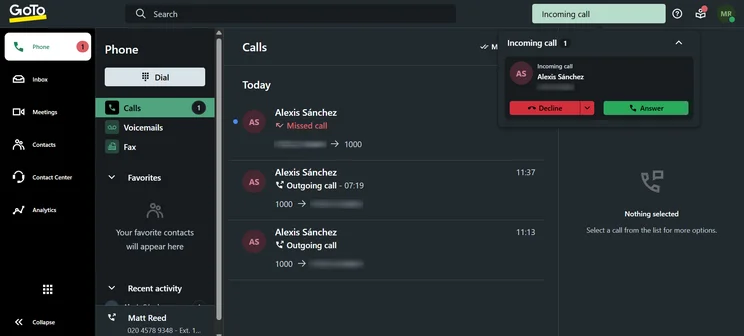
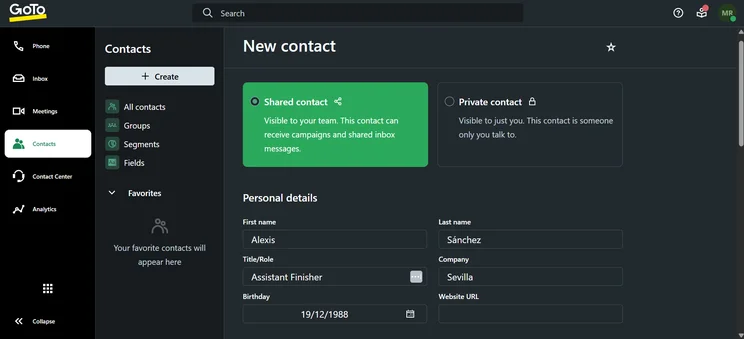
The GoTo Connect call screen, with an incoming call. Source: Tech.co testing
GoTo Connect has three plans, and we concluded that the entry-level plan, Phone System (custom pricing) is sufficient for most small businesses. The Customer Experience (CX) plan (custom pricing) and Contact Center plan (custom pricing) are oriented towards large organizations that process a very high volume of calls.
What limitations does GoTo Connect have?
GoTo Connect has a limited selection of software integrations, with scarce options for helpdesk platforms and customer service live chat systems.
Check out our GoTo Connect review to learn more.
How much does GoTo Connect cost?
GoTo Connect has three different plans — Phone System, CX, and Contact Center. None of them have public pricing, so you’ll need to contact the company directly for a quote.
5. 8×8 Work: Best for 24/7 Customer Support
- Entry-level plan: Work plan (Custom pricing)
- Tech.co recommends: Work plan (Custom pricing)
8×8 Work has the best help and support options out of all the cloud phone providers that we’ve tested. These platforms can be difficult to figure out, especially for users migrating from desk phones to softphones. To mitigate this, 8×8 Work offers comprehensive live support for all users.
8×8

In Short
-
Pros
- Huge selection of third-party software integrations available
- Responsive 24/7 support team via email, chat, or phone
- Training features, like call whisper and call barge, to help staff improve
-
Cons
- Non-transparent pricing is reportedly quite expensive
- No voicemail screening, automatic or otherwise
Pricing
-
Four different plans available
-
All plans have custom pricing
-
Free demo available
Images
What do we like about 8×8 Work?
We scored 8×8 highly across several categories, with particular praise for its robust training features, like call monitoring, and huge selection of integrations for CRM and helpdesk software.
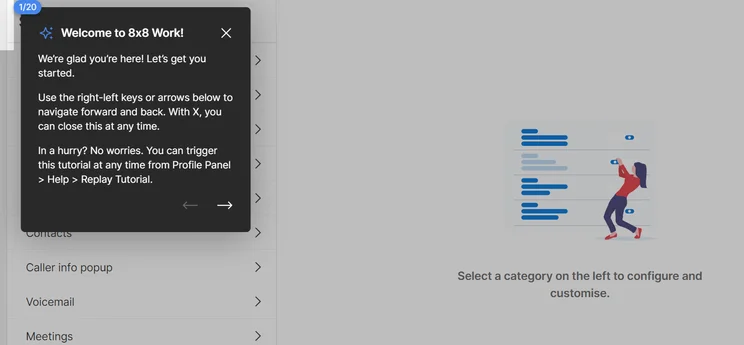
I tested 8×8 Work myself, and I found it to be a highly intuitive platform, with a well-laid out interface and easy navigation. First-time users can benefit from a helpful tutorial, which walks you through the setup process.
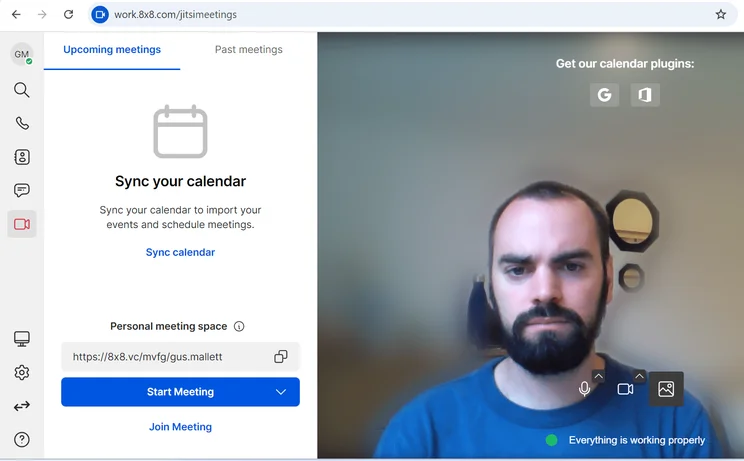
The 8×8 video call interface was easy to operate in our research. Source: Tech.co testing
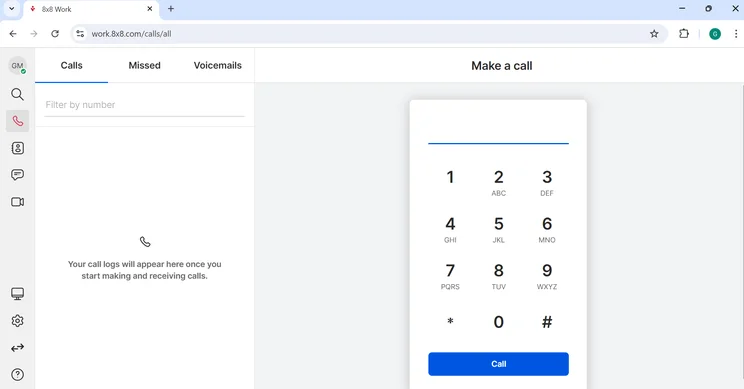
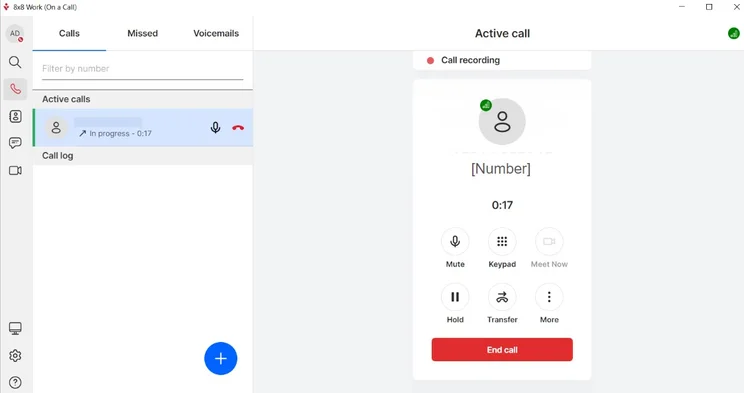
Here's a look at the 8×8 dialpad for making calls. Source: Tech.co testing
Me, testing out 8×8 Work. Source: Tech.co testing
Between the 24/7 live support and number of channels to seek help — from phone and email to chat and user forum — we did not experience a problem that 8×8 was unable to solve, with an expert team of service reps always on hand.
What limitations does 8×8 Work have?
The lack of transparent pricing will likely deter smaller, cost-conscious businesses. Furthermore, the most recent information that we have access to suggests that 8×8 Work is one of the more expensive cloud phone systems on the market.
How much does 8×8 Work cost?
8×8 has three plans available — Contact Center, Engage, and Work. None of them have public pricing.
Check out our 8×8 pricing guide to learn more.
Benefits of Cloud-Based Phone Systems
In 2026, the best cloud phone systems will have a myriad of advantages over traditional phone networks. These include:
- Resource savings: There are a lot of affordable VoIP phone services out there that are cheaper than traditional landline networks, not only in terms of initial installation, but in ongoing costs.
- Setup: Because there are no telephone lines to install, a cloud-based system can be set up quickly and easily.
- Remote connectivity: Cloud systems can facilitate operations when teams are geographically dispersed, with remote staff being able to connect and take calls, regardless of their location.
- Advanced functionality: Cloud systems have a range of advanced features that can be added, such as extensions, management of messages, call forwarding and business messaging.
- Flexibility: Cloud VoIP systems allow companies to add an unlimited number of new users, no matter where they’re located. This way, you never have to stress about exceeding your phone system’s capacity and, with many providers, you only pay for what you need. By contrast, expanding legacy and other on-site systems is complicated and costly.
- Frees up resources: By hosting your phone system in the cloud, you can eliminate common IT headaches that arise from on-premises system glitches. Instead of spending time and money fixing phone problems, your team is free to focus on more important tasks.
- New features are easily added: If you host your phone system on-site, you’re limited to the features that the system comes with out of the box. Upgrading is a painful and expensive experience. Cloud systems use a single, centralized software platform. New features can be seamlessly added to all users at the same time without disrupting service or requiring the use of additional hardware.
- Disaster recovery: Some on-premises phone systems do offer redundancy and back-up features, but they require additional installation. Many cloud system providers, however, offer disaster recovery services as part of their initial implementation. In the event of a power outage, natural disaster, or other failure, calls are saved and rerouted to alternate lines.
How to Choose Your Ideal Cloud Phone System
Every business will be looking to get something slightly different out of a cloud phone system. If you’re unsure how to start your search, here are some important questions to consider:
- Features: Before you compare the market, you need to identify what you will be using the cloud system for. If you’re using the system to make sales, 8×8 will be a better match, while Dialpad is the strongest system we tested for customer services teams.
- Integrations: You definitely want to be sure your cloud phone system can integrate with other business software, like top softphone apps, so check on those external connections before making a decision for your business.
- Scalability: Some cloud phone systems are a lot more scalable than others. For instance, RingCentral’s modular packages are much more adept at scaling alongside growing businesses than more static options, like Zoom Phone.
- Security: If you’re a business that deals with sensitive information, like healthcare providers or legal firms, you’ll want to be sure your cloud phone system offers advanced VoIP security features like encryption and vulnerability updates.
- Call quality: Some cloud phone systems offer better call quality than others, so if you’re a business that needs crystal clear audio and no connection issues, you’ll want to consider that before you buy.
- International calling: If your company regularly makes calls overseas, we’d recommend opting for a provider that offers flat-rate pricing for unlimited international calls, like Zoom Phone.
- Desk phone compatibility: Some VoIP providers are only compatible with select brands of desk phones, so make sure your chosen provider works with your devices.
- Cost: Your budget should play a big role in deciding which solution to go with, especially because VoIP system costs can vary dramatically from one provider to another.
Methodology: How We Test Cloud-Based Phone Systems
We take our hands-on testing and impartial analysis seriously, so you can have complete confidence that we’re giving you the clearest, most useful recommendations.
After conducting an initial exploration to identify the most relevant, popular, and established business phone platforms on the market, we selected 10 top VoIP systems and took a deeper dive into their plans to find out more about the features and functionality on offer.
Based on years of market research, product testing, and user needs analysis, we’ve established a VoIP system research methodology that scores each product in six core categories of investigation, which are broken down into 44 further subcategories.
With this framework we cover everything, from internal communication tools and security options to niche training features, and it ensures we can accurately assess each product’s value for its price and suitability for different types of businesses.
Our main research categories for VoIP phone systems are:
- Call management features: The presence and quality of call handling features, including basic features such as call forwarding and voicemail, as well as more advanced features like auto-attendant and interactive voice response (IVR).
- Communication channels: Features designed to support communication other than calling, including integrations with websites and social media platforms.
- Training features: The presence and quality of features designed to support onboarding and training, like call barge, call whisper, and performance dashboards.
- Customer support: The assistance and resources provided by the VoIP service provider to customers, including online resources, knowledge bases, and access to customer support representatives and AI chatbots.
- Security options: The measures and features implemented by the VoIP service to ensure the confidentiality, integrity, and protection of voice communications and data.
- Pricing factors: The pricing structure associated with the VoIP service, including factors such as monthly subscription fees, domestic and international call rates, setup fees, hardware costs, and extra costs, like add-on features or services.
When it comes to calculating a product’s final score, not all testing areas are weighted evenly, as we know some aspects matter more to our readers than others, which are merely “nice to have.” After hundreds of hours, our process is complete, and the results should ensure you can find the best solution for your needs.
Learn more about our research testing process.
The best cloud phone system for small businesses is RingCentral RingEX. The platform combines excellent call management features, AI enhancements, and a huge library of available integrations.
Depending on your business needs, you might consider an alternative to RingCentral. Zoom Phone, for instance, is the easiest platform to use, so is a great option for first-time users. At the same time, Dialpad Connect is well-suited to businesses that process a high volume of calls.
If you click on, sign up to a service through, or make a purchase through the links on our site, or use our quotes tool to receive custom pricing for your business needs, we may earn a referral fee from the supplier(s) of the technology you’re interested in. This helps Tech.co to provide free information and reviews, and carries no additional cost to you. Most importantly, it doesn’t affect our editorial impartiality. Ratings and rankings on Tech.co cannot be bought. Our reviews are based on objective research analysis. Rare exceptions to this will be marked clearly as a ‘sponsored’ table column, or explained by a full advertising disclosure on the page, in place of this one. Click to return to top of page


