

We may receive a commission from our partners if you click on a link to review or purchase a product or service. Click to Learn More
Ooma is a solid pick for a cheap, quality VoIP software, due in large part to strong support options and a focus on customer experience that makes phone calls simple and easy.
With pricing that starts from a competitive $19.95 per user, per month, along with a good selection of core features and a clean interface, Ooma is a good pick for small businesses. On the other hand, it doesn’t offer many integrations and the starter plan is not HIPAA compliant, which led to Ooma losing marks in our last round of research.
If you’re still interested, however, Ooma may be a cost-effective pick for you. Continue reading this Ooma review to find out how we got on when we tested out the software and to learn more about the specific features you’ll unlock with each plan available to you, so you can make an informed decision.
Ooma Review: At a Glance
Ooma is a popular VoIP solution with a suite of decent features including a mobile app, virtual receptionist, extension dialing and monitoring, and 500 minutes of inbound calls per month at its cheapest plan. Prices start at a reasonable $19.95 per user, per month, with no minimum contract required.
Ooma stands out as a solution for small businesses in the retail space, due to its selection of call management features, as well as a handy call flow designer, which is perfect for small teams who want to ensure customers can get the information they need as quickly and efficiently, even if there aren’t any agents immediately available.
However, one big downside is that Ooma has few compliance certifications available out of the box, so companies that are handling sensitive data might want to steer clear. What’s more, training tools are limited across all plans: The starter plan, Ooma Essentials, lacks call recording, while all plans lack call whisper and call monitoring. Internal team communication channels are also limited: Ooma Pro adds the video conferencing and SMS channels that Essentials lacks, but neither plan offers in-app team messaging.
The brand’s starter plan earned a 2.5/5 small business score in our latest round of testing, while Ooma Pro earned an also-low 3.3/5 score for medium businesses.
Finally, our team doesn’t recommend Ooma for price-conscious companies: Users might want to consider Zoom Phone instead, if they’re looking for an inexpensive way to access similar call functionality. Zoom Phone has plans that cost $10.50 or $16 per user, per month, undercutting Ooma’s $19.95 per user, per month starting cost.
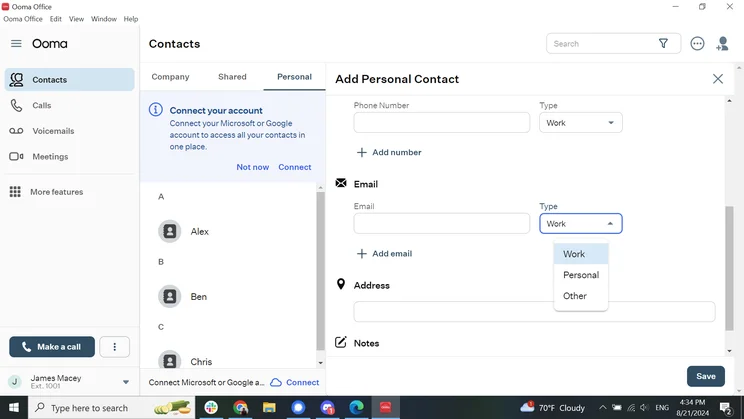
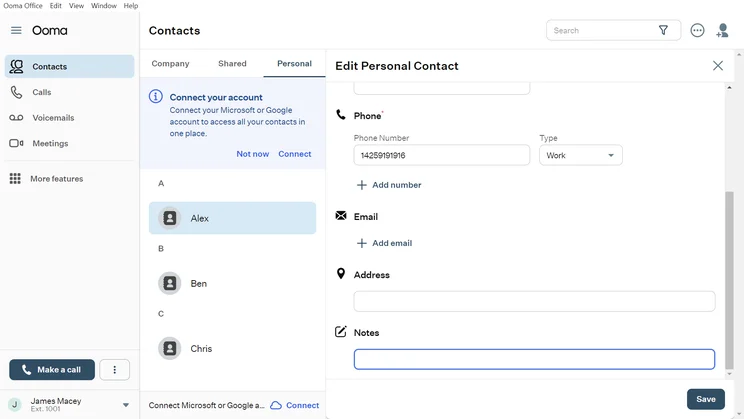
Ooma offers a streamlined interface, so I found it easy to complete typical VoIP tasks, from placing outbound calls to adding new contacts. The “New Contact” form includes a helpful notes section alongside normal fields like phone number, email, address, full name, company and department, and job title.
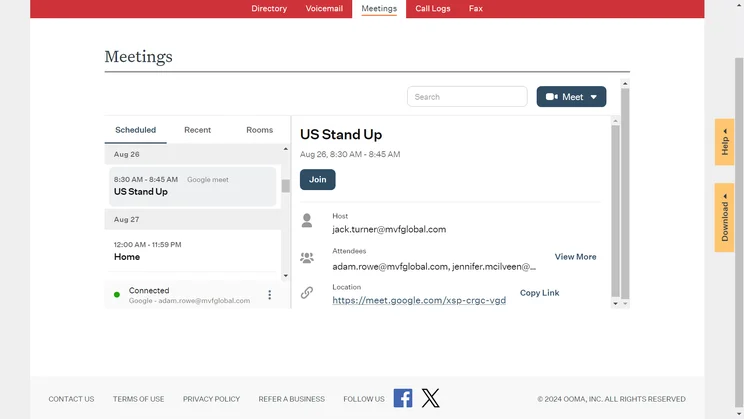
The process of integrating a Google Calendar account with the Ooma platform was simple, but afterwards, I found the interface a little confusing. You need to use the “Join” button to open a Google video call and the “Meet” button to open an Ooma video call, which wasn’t initially clear. It’s a quick learning curve, so this isn’t a longterm concern.
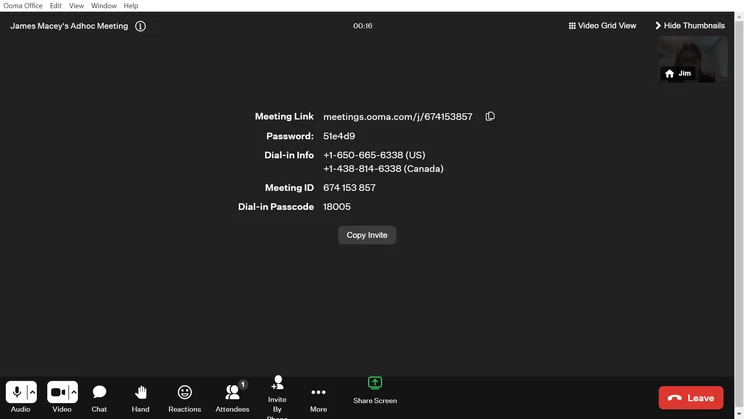
Another issue was the process for inviting people to your video meeting: It requires sending external links such as email, even though the system already lists contacts internally. This feels like a missed opportunity to streamline the meeting setup process. The interface is otherwise very easy to figure out.
Ooma’s simple approach to core needs makes it a flexible tool, and great for managing calls. I recommend it overall.

In this Ooma Review, you’ll find:
Ooma

In Short
-
Highlights:
- Unlimited calling in US, CA, MX, PR
- 100+ features included at no extra cost
- Easy DIY installation
- 24/7 support
-
Key Features:
- Free number transfer
- Multi-level virtual receptionist
- Free smartphone app with SMS/MMS messaging incorporated
Pricing
-
 Best customer experience for small businesses
-
 From $19.95/user/month
-
 60-day free trial of Ooma Premier with every plan
Images
Ooma Core Features
Ooma offers a solid range of business features. You’ll get a decent baseline set of functions and tools, no matter which Ooma plan you choose.
The provider excels in some areas, such as call management, while lacking in others, such as security and integrations. Here’s a quick rundown of Ooma’s core features, plan by plan:
|
Plan
|
Price
|
Team messaging
|
Video conferencing
|
Document sharing
|
Call recording
|
Analytics
|
24/7 support
|
Call monitoring
|
|
|---|---|---|---|---|---|---|---|---|---|

|
|
|
|
|
|
||||
|
Pro |
|||||||||
|
$24.95/user/month |
|||||||||
|
|
|
|
|
|
|
||||
|
|
|
|
|
|
|
||||
|
|
|
|
|
|
|
||||
|
|
|
|
|
|
|
||||
|
|
|
|
|
|
|
||||
|
Phone + chat |
Phone + chat |
|
|
|
|
||||
|
|
|
|
|
|
|
Call management
Ooma Office comes with a wide selection of call management features that are designed to help you organize your incoming calls from clients. There’s Call Flip, which allows users to move a call between devices, without any interruption. There’s also Call Park, which lets users put a call on hold, and then pick it up from a different device. It can also be picked up by another call handler.
Other core call management tools offered by Ooma include call routing, custom greetings, call blocking and caller ID, hold music, voicemail, and ring groups. Ooma Pro adds automatic screening and voicemail transcriptions, which Ooma Essentials does not have, and Ooma Pro Plus includes call queuing, a feature that both Essentials and Pro lack.
In addition, there are several varieties of call transfers available. Blind transfer sends the caller to a new extension with no need for interaction, while attend transfer lets the user announce the call before transferring it. It’s also possible to directly transfer a caller to a user’s voicemail.
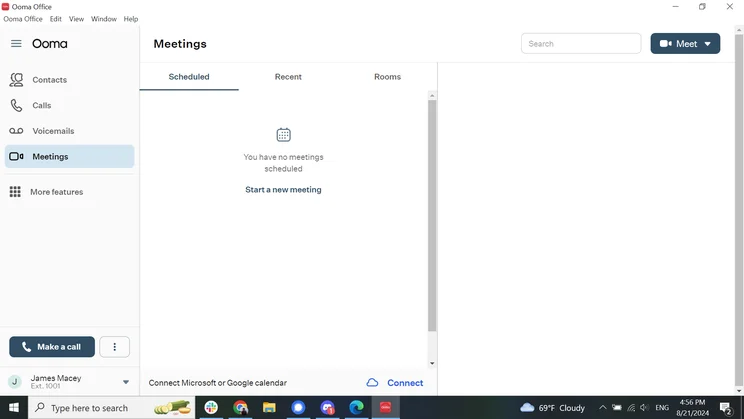
The Ooma meetings tab can be connected to Microsoft or Google Calendar. Source: Tech.co testing
Integrations
While Ooma integrates with a sufficient number of other programs, it isn’t as compatible as some of its competitors, such as Vonage or RingCentral, the latter of which has over 50 CRM integrations.
With Ooma Pro Plus, integrations are available with Salesforce, Microsoft Dynamics, Zendesk, and Microsoft 365. It’s no slouch in this regard, but these integrations are not available for the much more popular Essentials and Pro plans. Essentials has no major integrations, we found in our research, while Pro includes just Google Meet for video calls and both Google Workspace and Office 365 for calendar integrations.
Plus, there are no internal or external live chat integrations on any plans or analytics integrations.
You may run into some learning curves when figuring out how other brands’ interfaces function when integrated with Ooma – I found the Google Calendar integration to be a little cramped within the web version of Ooma, for example. The functionality worked perfectly well for me, in that case.
Overall, we were underwhelmed with Ooma’s integrations, particularly since you’ll need at least Ooma Office Pro, Ooma’s second plan ($24.95 per user, per month), to get any integrations at all – and no CRM and Helpdesk integrations are available until the Office Pro Plus plan for $29.95 per user, per month.
Apps
Ooma Office is a modern telecom solution so, naturally, it has its own app. Available on the Apple App Store and Google Play, both versions are well-reviewed by users. The app includes a range of features, including group messaging, call transfer, voicemail access, and the ability to pick up calls from another device.
The Android app is compatible with devices running Android 5.0 or higher, while the iOS app requires iOS 10.3.1 or higher.
Security
This is one area where Ooma is slightly behind the market, since Ooma does not display any compliance certificates online – and also, in its terms and conditions, it says that it isn’t HIPAA compliant.
To be fair, Ooma does now have HIPAA mode for its Pro and Pro Plus plans, but when a provider states so adamantly that their services are not designed to securely manage patient information, I’d suggest looking elsewhere, especially if data security is a top priority for your customers, clients or service users. RingCentral and 8×8 are both HIPAA compliant, by way of contrast.
That said, it could be worse: Ooma now offers multi-factor authentication and enforces password rules, two recent changes that shore up the platform’s security.
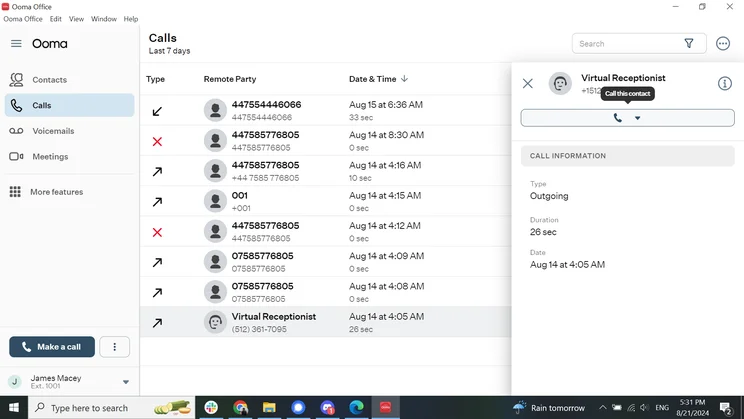
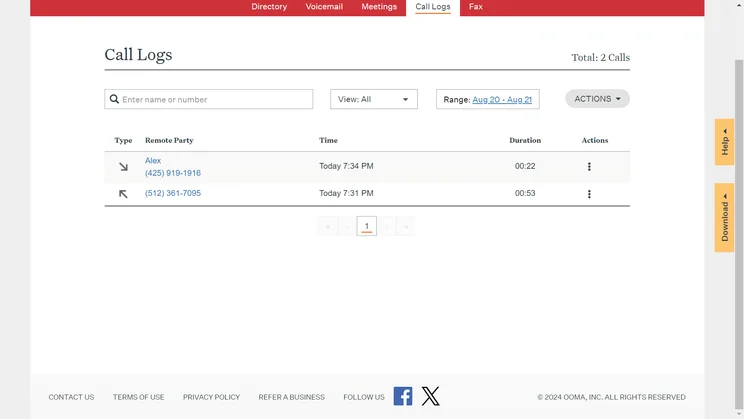
The Ooma desktop app has a call log that tracks the duration and date of all calls. Source: Tech.co testing
Reporting
Ooma’s level of reporting depends on the package that you take. For the Ooma Office tiers, you’ll get all the basic information, such as what calls have been made, and when.
For high-level reporting, you’ll need to look to Ooma Enterprise. A customizable dashboard gives oversight of important metrics for your team, while also allowing a granular deep dive. Pre-built reports can identify trends for your team, phone numbers, and channels.
The Ooma Enterprise Call Center package goes even further, adding voice analytics to help identify training opportunities.
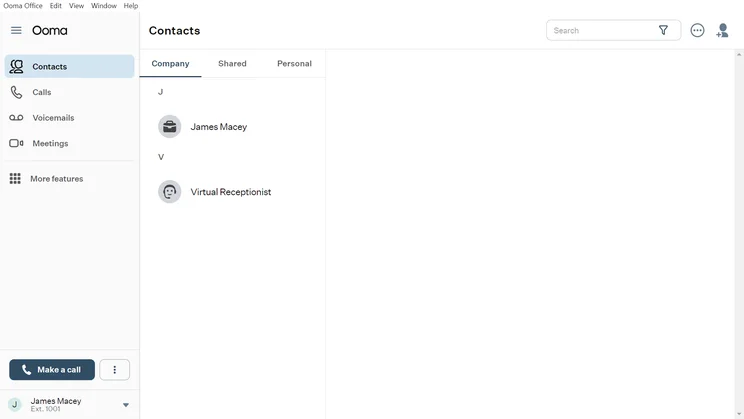
The Ooma homepage dashboard is a simple interface with plenty of white space. Source: Tech.co testing
Hardware
Ooma has VoIP phone hardware available, and its home phone hardware range is ideal for people with home offices, perhaps who work for themselves and are only expecting a low call volume.
In terms of hardware, Ooma Telo costs $99.99 (ethernet connection), while Ooma Telo Air with two HD3 handsets is available for $139.99 (Wi-Fi router connection). Finally, Ooma Telo LTE costs $129.99 (cellular network connection) – which represents a $30 reduction in price since the last time we reviewed this platform. These prices are all for the official brand websites, however: We recommend searching for the same hardware on Amazon, where you’ll likely find a better deal.
You can buy IP and Wi-Fi desktop phone models from Ooma, with prices from $59.99, and prices begin at $69.99 for third-party phones, like the Yealink SIP-T21P E2 – a solid choice for small businesses.
Ooma Pricing
Ooma has two price plan categories, Ooma Office – which will suit small businesses – and Ooma Enterprise, which is geared towards large businesses and includes a plan for companies that operate call centers. Ooma’s Enterprise plans have features that Ooma’s Office plans don’t, most notably management and collaboration tools. Read on for more details on Ooma pricing, or get a quote from Ooma now to find the best deal for your business.
Ooma small business plans
- Ooma Essentials ($19.95 per user, per month): although Ooma’s first plan is limited when compared with a provider like Vonage because it has no integrations available, it still has all the basics you need. This list of features includes voicemail, ring groups, localized and toll-free numbers, call conferencing, a mobile app, and phone-based 24/7 live support.
- Ooma Pro ($24.95 per user, per month): Ooma Pro is the first of its plans with email and workspace app integration, such as Google Workspace. It also has management features that include call recording, analytics tools, video conferencing, and a spam prevention feature, which other providers, like 8×8, don’t have on any of their plans.
- Ooma Pro Plus ($29.95 per user, per month): This is the last plan geared towards small businesses specifically, and it’s the first Ooma plan with helpdesk and CRM integrations, like Salesforce and Zendesk. You’ll also get the benefit of videoconferencing reporting, online whiteboarding, team chat, and team presence.
Ooma Enterprise plans
- Ooma Enterprise Standard is priced at $19.99 per user, per month: Ooma’s Standard plan for larger businesses has advanced features that aren’t available on any Office plans, such as a dedicated Customer Success Hero and White Glove onboarding.
- Ooma Enterprise Enhanced is priced at $27.99 per user, per month: This plan also offers spam prevention and voicemail to text for enterprises, as well as video calling, enhanced text messaging, a web-based admin portal, and more. CRM integrations, like Salesforce, are also available.
- Ooma Enterprise Call Center is priced at $49.99 per user, per month: The call center package has a call-flow designer and skills-based routing among its extra management features, plus a call queue, which is incredibly useful for managing high volumes of calls.
Ooma Home phone plans
- Ooma Home Basic is priced at $129.99 (one-time payment): This will get you the Ooma Telo hardware you need (there’s no monthly subscription). On this plan, you’ll get free US calling, a mobile app, Amazon Echo integration, an answering machine, call logs via the MyOoma online portal, and a 60-day trial of Ooma Premier.
- Ooma Home Premier is priced at $99.99 + $9.99 per month: You’ll get everything in the free plan plus some useful additional features, including advanced call blocking, a second phone line, voicemail monitoring, call forwarding, voicemail-to-email audio forwarding, free calling to Canada/Mexico, and three-way conferencing.
It’s also worth pointing out that Ooma offers special “starter kits” for new customers. They’re a great option for small businesses that want to get started quickly, and currently don’t have the time to research a longer-term solution.
Ooma User Experience
Setup and installation
If the thought of setting up a new telephone system has you breaking out in a cold sweat, then don’t worry: with VoIP, it’s refreshingly simple. Gone are the days of disruption, specialist teams needing a site visit, and complicated hardware, as companies are able to set up VoIP systems quickly and easily by themselves.
In fact, Ooma is so confident in how quick and easy its system is to install that it quotes an average time of just 20 minutes to get up and running.
We can confirm that most tasks were pretty easy to figure out: When I tested the interface myself, I was able to add a new contact within 30 seconds. I also figured out how to connect my Google Calendar account to the Ooma Meetings page in less than a minute.
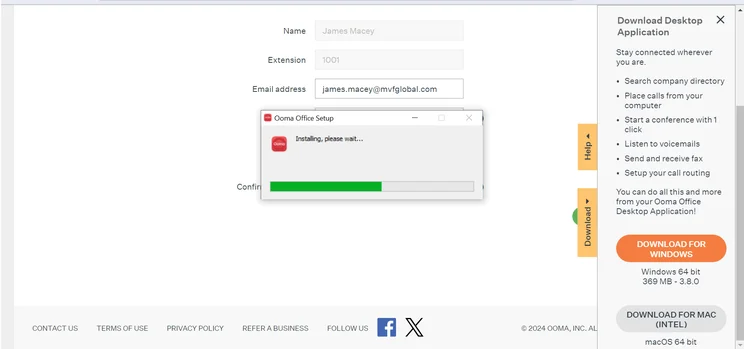
Installing the Ooma desktop app is a straightforward process. Source: Tech.co testing
Call quality
From somewhat rocky origins, VoIP has made some serious ground in recent years to compete with traditional analog phones, and it’s now difficult for the average caller to tell the difference between VoIP and landline.
For instance, call quality is exceptional. It’s something that Ooma takes seriously, so much so that it regularly sends out its own surveys to customers. In its most recent survey, 76% of Ooma Office users rated its sound quality as an eight or higher on a scale of one to 10. Less than 3% of users reported experiencing regular call quality issues.
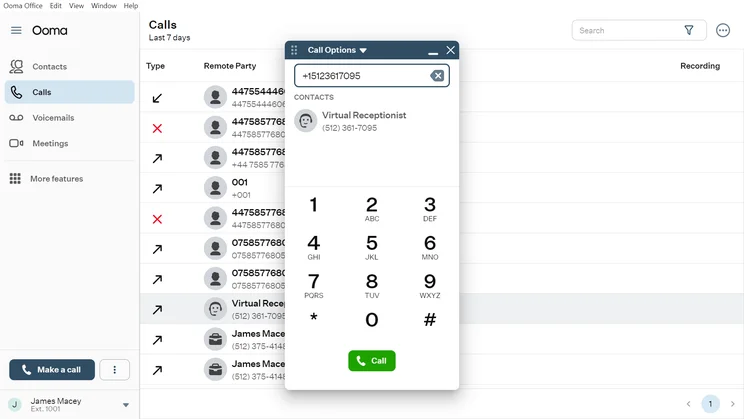
Placing an outgoing call with the Ooma desktop app just requires pulling up a popup window and dialing the number. Source: Tech.co testing
Customer support
When it comes to customer support, Ooma users aren’t left wanting. Ooma scores well for customer support overall, since it makes a good selection of contact methods and online information available to its users. If you’d like to contact Ooma yourself and you’re using either the Office or Enterprise plan, you’ll have a live chat option, a phone line, and 24/7 live support.
If you’re someone who likes to troubleshoot issues yourself, then you can peruse Ooma’s user forum and knowledge base for answers to whatever you may be having.
User ratings and satisfaction
As of writing, Ooma has an average customer score of 3.5/5 across three major rating sites Capterra, G2, and Trustpilot. These are middle-of-the-road results. However, Ooma Office scores very well on the App Store, with an impressive average of 4.9/5 stars from over 7,100 people. The rating on Google Play (4.5/5) is less impressive, but still above average — and it has actually risen by a tenth of a star since our previous check-in.
Alternatives to Ooma
Ooma offers an excellent customer experience and was also highlighted by our research teams as a good option for retail companies. This is because it has the features to deal with large levels of inbound calls. However, it is poor for security, as the starter plan Ooma Essentials isn’t HIPAA compliant, even though most VoIP systems we tested are.
The business VoIP world is a busy one, and there are plenty of Ooma alternatives. We’ve included our top picks for medium-size businesses here. You may even want to skip all the hassle and instead fill in a 60-second questionnaire for a free quote tailored to your business’ size and needs. Just check out our comparison tool.
|
Starting price
The typical lowest starting price. The lowest price available for your business will depend on your needs
|
Best for
|
Core benefit
|
||||||
|---|---|---|---|---|---|---|---|---|
|
BEST OVERALL
 |
 |
 |
 |
 |
 |
|
 |
 |
|
RingCentral |
Vonage |
magicJack for Business |
8×8 |
Zoom Phone |
GoTo Connect |
Ooma |
Nextiva |
Net2Phone |
|
$20/user/month |
$13.99/user/month |
$15.99/user/month |
Custom |
$10.50/user/month |
Custom |
$19.95/user/month |
$20/user/month |
$19.99/user/month |
|
Integrations |
Training features |
Smaller businesses |
24/7 customer support |
Call management features |
Unifying internal communications |
Customer experience |
Professional services |
Great for international businesses |
|
Large variety of helpdesk and CRM integrations |
Staff improve on the job, due to top training and management tools |
Basic, affordable option for smallest businesses |
Integrates with various other communication tools |
Affordable pricing |
Provides call management features at low cost |
Crystal-clear call quality |
Unlimited calls in US and Canada |
Integrates with Microsoft Office, Google, and others |
Ooma vs RingCentral
Our top Ooma alternative is RingCentral, which is also our top-rated VoIP provider, due in part to its features, support, and value-to-cost ratio. Its plans are only slightly more expensive than Ooma’s, but you get access to a lot more features.
RingCentral stands out for scalability thanks to a range of useful management and collaboration features, and unlike Ooma’s starter plan, is HIPAA compliant and suitable for healthcare teams without the need for any further action. With Ooma, you’ll have to activate HIPAA mode. RingCentral has a wealth of available integrations, with users gaining access to more than 50 CRM integrations alone, for example.
Even when it comes to Ooma’s strongest point, customer support, RingCentral still comes out on top. It has everything Ooma offers, plus email support.
View our Ooma vs RingCentral Comparison.
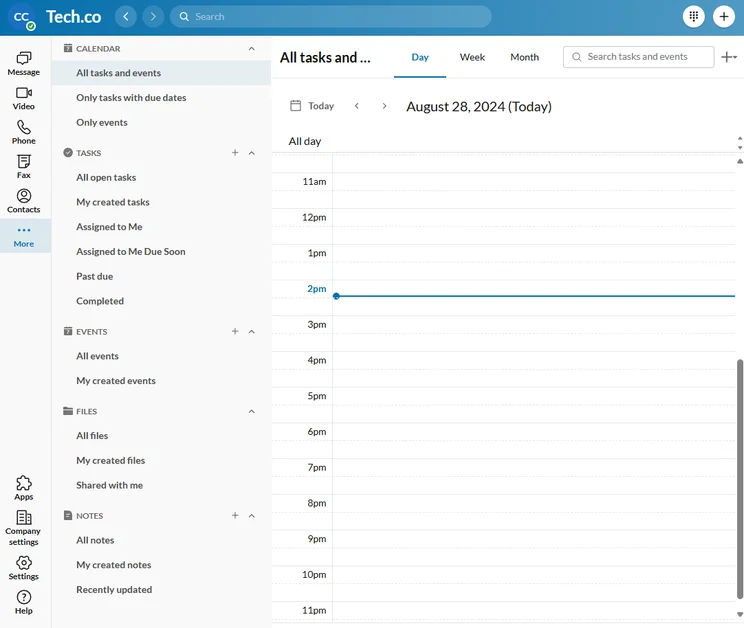
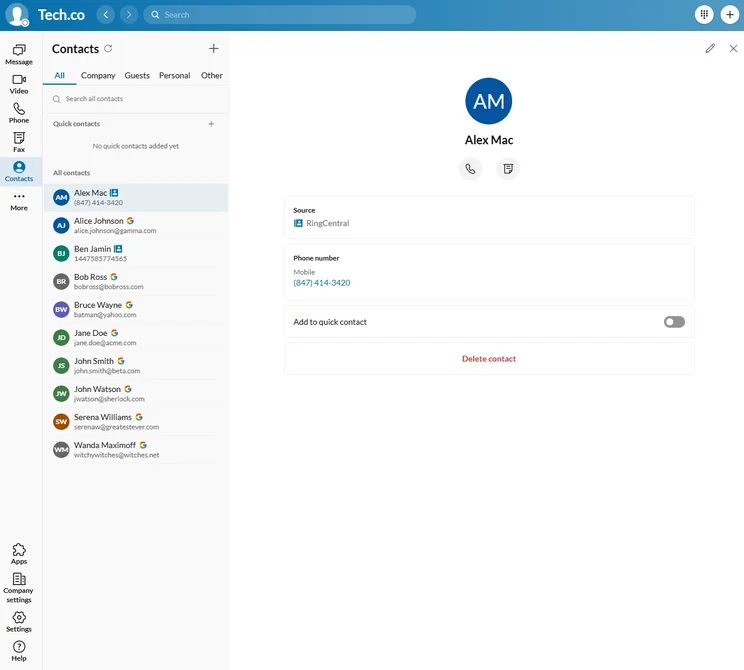
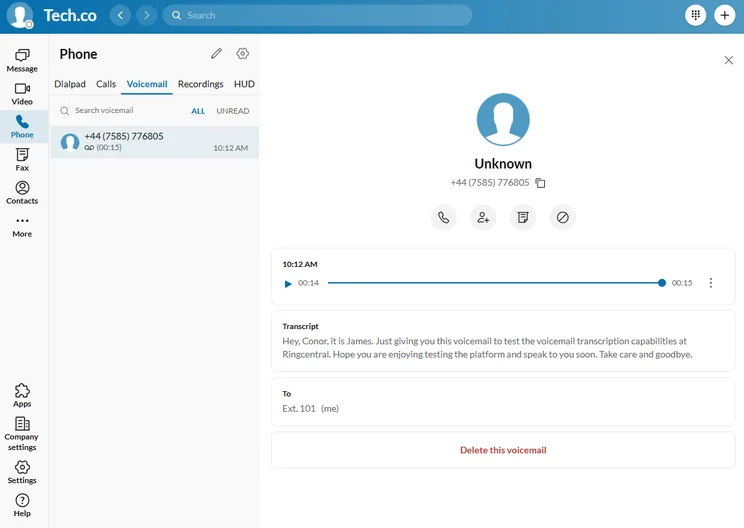
RingCentral's voice mail features offer in-built transcription, reducing the need to transcribe calls manually. Source: Tech.co testing
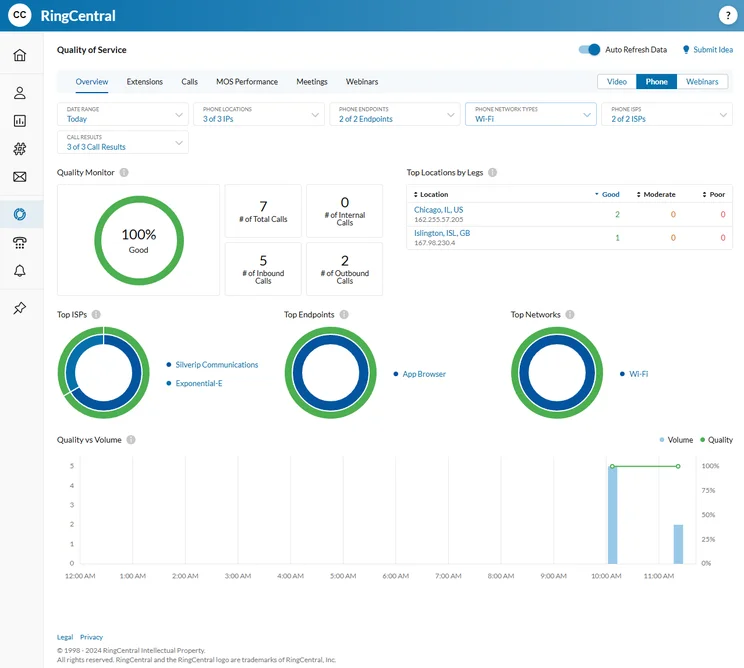
We found the quality-of-service reports in RingCentral easy to understand, providing helpful information about your calls. Source: Tech.co testing
RingCentral platform in action. Source: Tech.co testing
Ooma vs 8×8
8×8 is not quite as impressive as RingCentral overall, but it is better than Ooma for small businesses, in the long run. Although it may be slightly pricier, it has great integrations and top marks for customer support and security, making it great value for money.
Ooma will let you enforce multi-factor authentication on all its plans and password rules after its first paid plan. It also has more compliance certificates than RingCentral and user permission options. This makes it an excellent choice for any company managing sensitive calls and data, such as those in the healthcare industry.
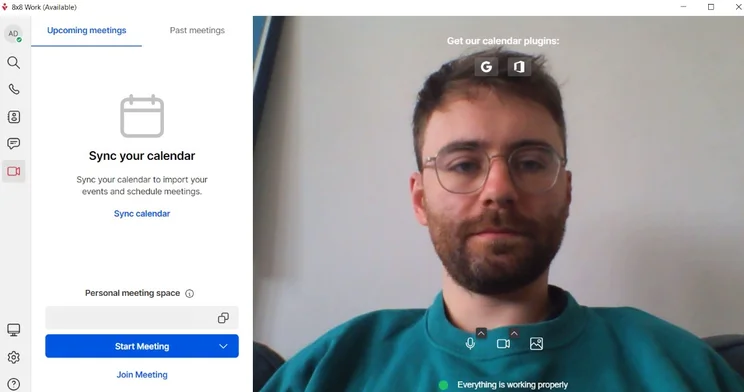
8X8's video calling capabilities on full display. Source: Tech.co testing
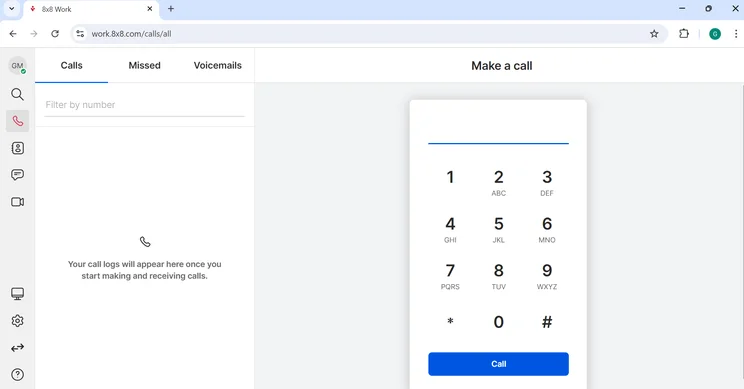
Here's a look at the 8×8 dialpad for making calls. Source: Tech.co testing
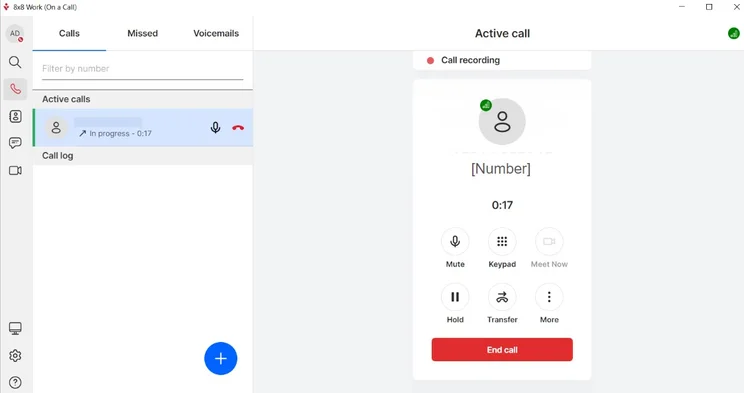
Starting a call in 8×8 was simple for our team. Source: Tech.co testing
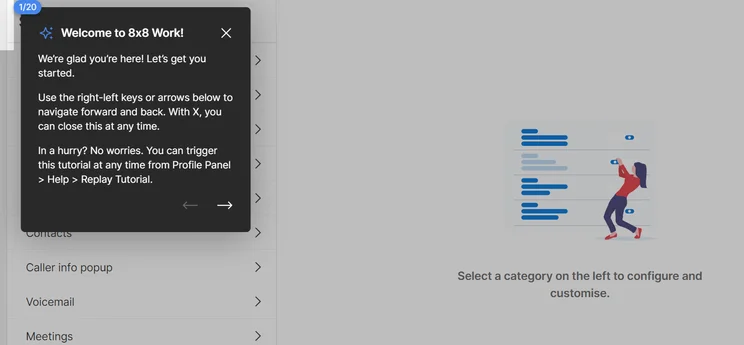
The 8×8 tutorial was helpful in getting everything set up. Source: Tech.co testing
Using the 8×8 platform. Source: Tech.co testing
Ooma vs Google Voice
Although Google Voice can’t compete with Ooma or RingCentral when it comes to features, it does excel when it comes to security, and it has a great customer score, which means users are having a good time with the service.
Google Voice is also inexpensive, starting as low as $10 per month, and is significantly cheaper than RingCentral or 8×8. However, it’s only really suitable for small teams, and there are better options out there for enterprises. If your top concern is the security of your business, it’s worth a look.
View our Ooma vs Google Voice Comparison
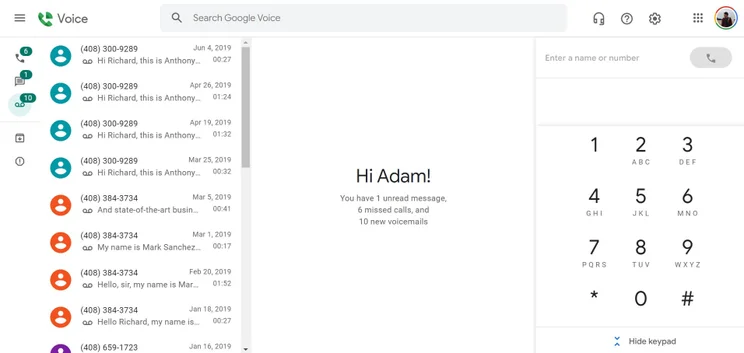
The Google Voice homepage is stripped back and modern, and includes the contact list and on-screen numbers. Source: Tech.co testing.
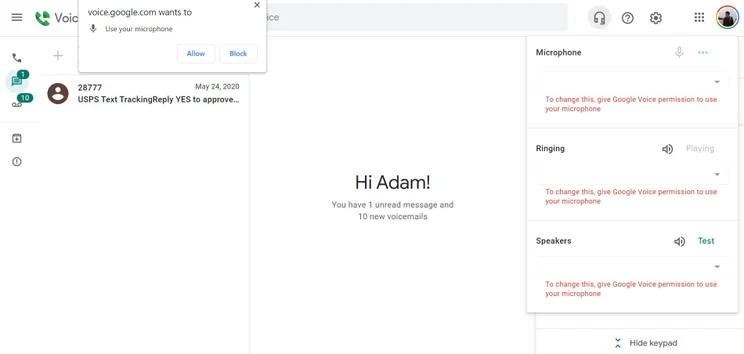
The Google Voice interface requires control of your computer's microphone. Source: Tech.co testing.
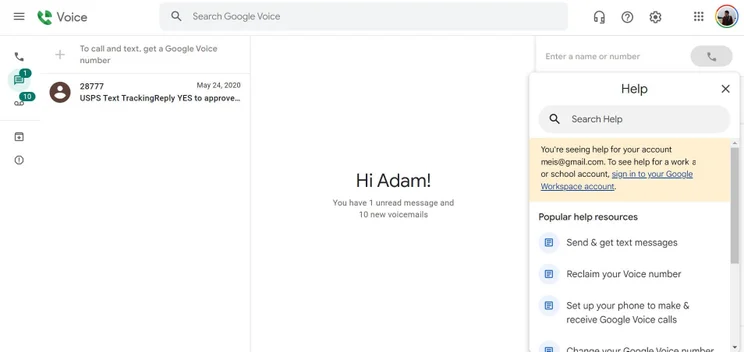
Google Voice includes a help page for quick support questions. Source: Tech.co testing.
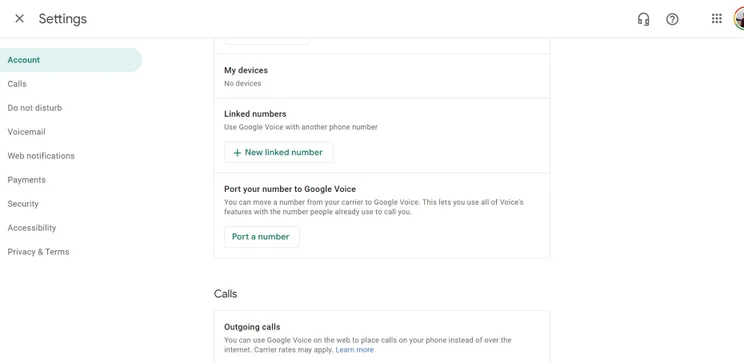
The Google Voice settings page covers a wide range of information. Source: Tech.co testing
Testing Google Voice. Source: Tech.co testing
Ooma vs MagicJack
MagicJack has few relevant integrations and poor security, which will make it an inappropriate choice for businesses operating in industries like healthcare. There’s also a lack of management and collaboration features, which can lead to trouble as your business grows and scales up its operations.
In fairness, MagicJack won’t set you back quite as much as Ooma, RingCentral or 8×8, but it’s got so few features that you’re almost definitely better off looking elsewhere.
View our MagicJack vs Ooma Comparison
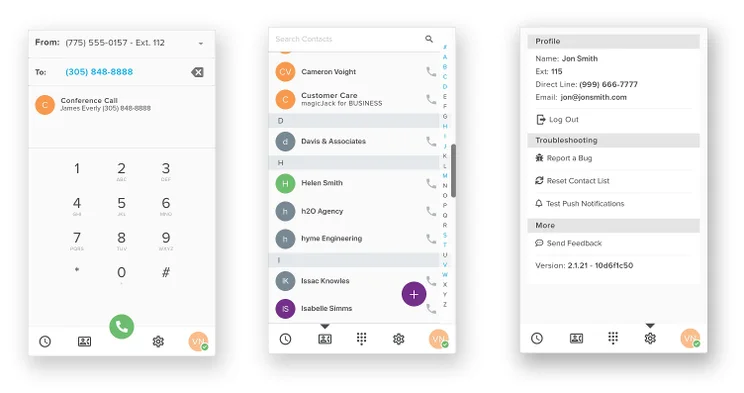
The MagicJack Mmobile app interface has all the button you'd expect. Source: MagicJack
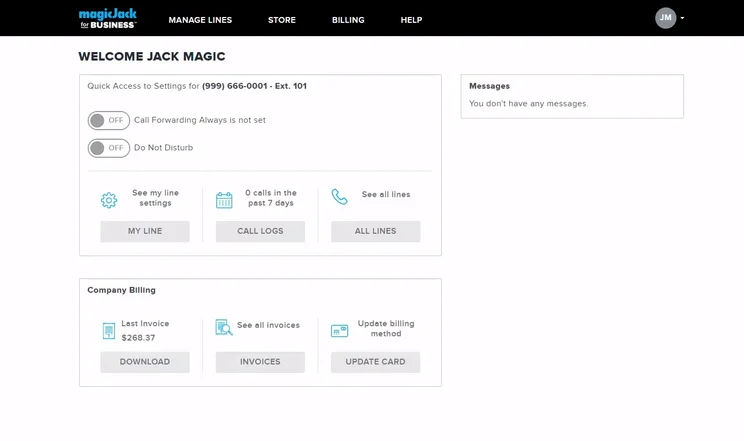
With the MagicJack desktop app, users can place calls from their work computer. Source: MagicJack
Using MagicJack. Source: MagicJack
Ooma vs Vonage
Another big-name VoIP service, Vonage, is also a worthy contender.
One of the reasons we might suggest Ooma over Vonage is that the price you see is the price you get with Ooma. With Vonage, its base price is the same, but there are a number of optional extras that carry additional charges, such as installation, call transfer, and virtual numbers – which are all included with Ooma.
Ooma also has the advantage of phone support, which Vonage doesn’t offer. But otherwise, Vonage performs well overall, with more integrations and features than Ooma, as well as better security tools.
View our Vonage vs Ooma comparison
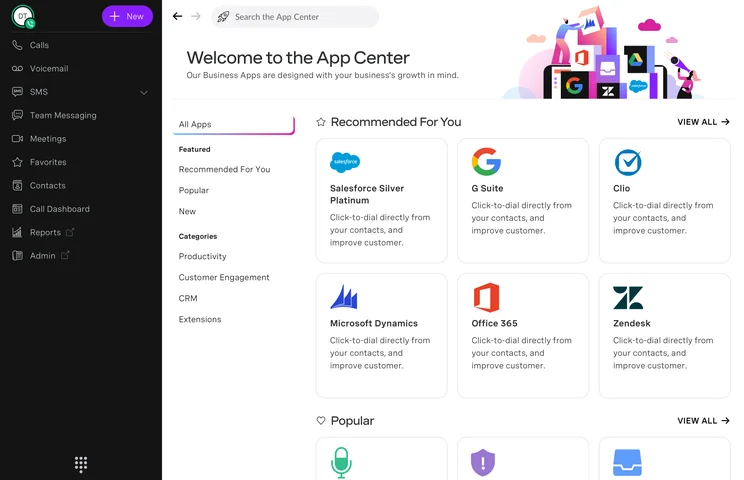
The Vonage app center offers plenty of integrations. Source: Vonage
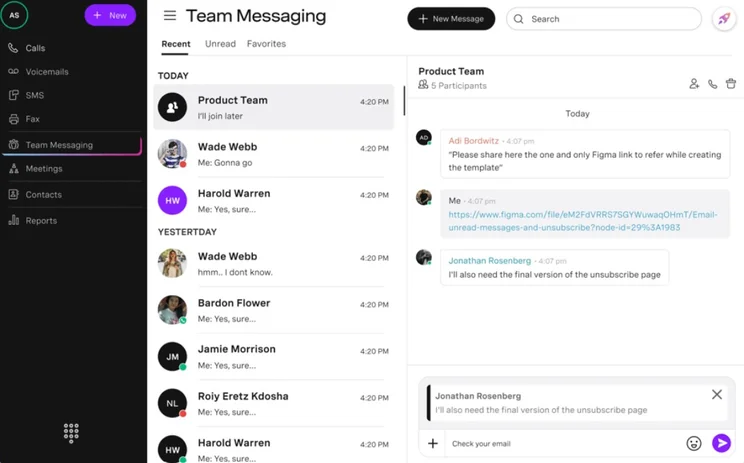
The in-house team messaging functionality in Vonage is quite comprehensive. Source: Vonage
Using the Vonage platform. Source: Vonage
Want to find out which VoIP provider fits your business best? Get a free quote using our comparison tool.
How We Reviewed and Tested Ooma
At Tech.co, we’re lucky enough to have a full-time research team who road-test software on a daily basis. They also conduct detailed market research so that we’re aware of the latest industry trends, changes, and movements. This team allows us to provide our readers with the most accurate, up-to-date information, and to assist our expert writers when they review products. This Ooma review draws on that same testing process.
Features, customer support, security, scalability, customer score, and pricing were the areas of inquiry our research team focused on when testing business phones because these were found to be the most important factors to our readers, like you. Each provider we test gets an individual score for each category, based on how it performs against a variety of criteria.
Tech.co has commercial partnerships with some of the service and system providers we write articles about. However, it is important to know that we’re completely editorially independent. When we say a product is the best, that’s down to our independent testing and research – and nothing else. Find out more about our research – or read on to find out our final verdict on Ooma.
Ooma offers good features for a fair price. Although it didn’t score top marks for security, the brand stands out for customer support and the overall customer experience. Ooma’s cheaper office plans would suit small businesses well, especially those operating in the retail sector. In fact, our research found that Ooma stands as a reliable VoIP provider.
That said, RingCentral Advanced is our pick for the best provider plan for medium businesses, and it stands out for three big reasons: It has better customer support options than Ooma, more integrations, and a wider range of compliance certifications. Small businesses may want to consider the Zoom Regional plan as well, since it offers similar call tools but costs just $15 per user, per month, undercutting Ooma Essentials by nearly five dollars.
Ooma home phones are great if you’re self-employed. If you like the sound of Ooma and want to try it, then the next step is to grab yourself a quote using our Ooma quote service.
If you click on, sign up to a service through, or make a purchase through the links on our site, or use our quotes tool to receive custom pricing for your business needs, we may earn a referral fee from the supplier(s) of the technology you’re interested in. This helps Tech.co to provide free information and reviews, and carries no additional cost to you. Most importantly, it doesn’t affect our editorial impartiality. Ratings and rankings on Tech.co cannot be bought. Our reviews are based on objective research analysis. Rare exceptions to this will be marked clearly as a ‘sponsored’ table column, or explained by a full advertising disclosure on the page, in place of this one. Click to return to top of page


