
We may receive a commission from our partners if you click on a link to review or purchase a product or service. Click to Learn More
Vonage is a better VoIP solution than Google Voice, offering far more outbound communication features for international calling, more third-party integrations, better customer support, and training features.
Google Voice is no slouch, though. The VoIP provider rated highly for VoIP security in our research, and its low entry cost of only $10 per user, per month is an attractive option for those trying to keep costs low.
In this guide, we’ll compare Google Voice vs Vonage on everything from features and pricing to customer support and security, to help you make a decision for your business.
Google Voice vs Vonage: At a Glance
|
Starting price
The typical lowest starting price. The lowest price available for your business will depend on your needs
|
Our rating
Relative score out of 5
|
Best for
|
Pros
|
Cons
|
Domestic call Fees
|
International call fees
|
||
|---|---|---|---|---|---|---|---|---|
|
WINNER
 |
 |
|||||||
|
Vonage |
Google Voice |
|||||||
|
$13.99/user/month |
$10/user/month |
|||||||
|
4.3
|
3.2
|
|||||||
|
Training features |
Google Workspace users |
|||||||
|
|
|||||||
|
|
|||||||
|
Unlimited US Minutes |
Unlimited US Minutes |
|||||||
|
|
Google Voice vs Vonage: Key Differences
Before we start to compare the specific differences between Google Voice and Vonage, it’s important to get some base-level information about what these top VoIP providers are all about. Here are some key differences between the two:
- Pricing: Google Voice is more affordable than Vonage, with a starting price of only $10 per user, per month compared to $13.99 per user, per month.
- Features: Vonage has more inbound, outbound, conversation, and management features built into the platform than Google Voice.
- Security: Google Voice offers more security features than Vonage, including multi-factor authentication and password rules.
- Third-party integrations: Vonage integrates with more third-party solutions, whereas Google Voice is mostly just compatible with other Google Workspace services.
- Customer support: Vonage offers better customer support, with live chat and email options, unlike Google Voice.
As we mentioned above, we give Vonage the overall edge, largely due to its features score being so much higher than Google Voice, making it perfect for businesses of all sizes, rather than just small businesses that need a more affordable VoIP system.
Who is Google Voice best for?
Healthcare providers are likely to be speaking and communicating with colleagues and patients a lot, meaning Google’s Workspace applications like Gmail and file-sharing capabilities will come in handy. Google Voice is a good choice for healthcare teams, because it’s one of the best for security, and healthcare teams have to handle sensitive data and comply with high standards for data collection.
For the same reasons, small professional services teams handling sensitive data will find Google Voice a good option, because the safety of client data will be of utmost importance to businesses. Google Voice is also well-suited to small teams that make a lot of international calls, as it’s easy to use, with good rates.
Google Voice

In Short
-
Pros
- Lowest starting price
- Seamless integration with other Google Workspace tools (if paying for Google Workspace)
- Easy-to-use, clear interface
-
Cons
- Requires Google Workspace to access up to 10 users
- Limited customer support options in lower pricing plans
- Lacks training features like call monitoring and whisper
Pricing
-
 Starter: $10/user/month
-
 Standard: $20/user/month
-
Premier: $30/user/month
Images
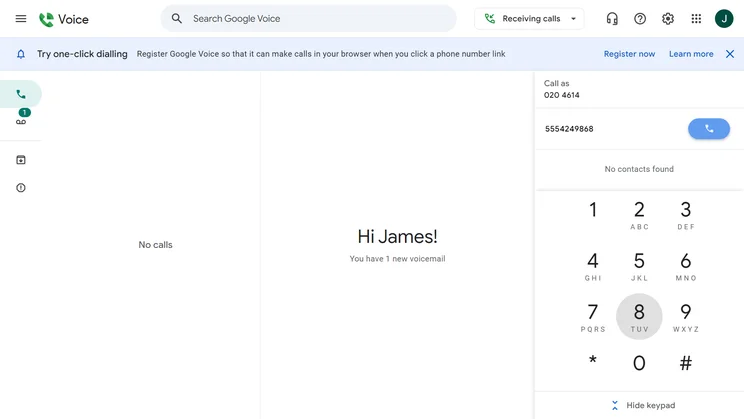
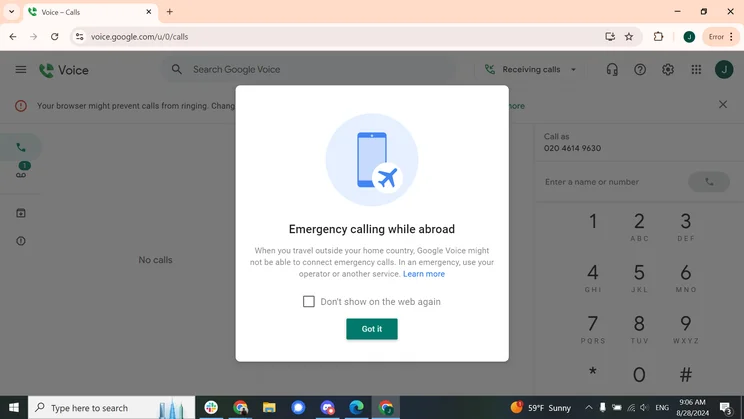

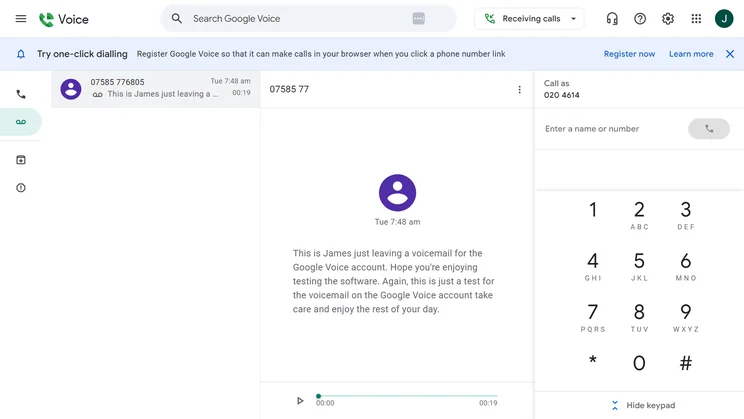
Who is Vonage best for?
Retail and customer service teams deal with a higher-than-average number of inbound calls when compared to other industries, so Vonage’s wealth of features for dealing with incoming customer calls will be incredibly useful.
Upskilling employees is also very important for retail and customer service businesses, which often have lower-skilled workforces, some of which will be young or working part-time. This means things like call transcripts and recordings, and other features that can be used for training purposes are important, and this is one of the key areas where Google Voice falls down, yet Vonage does well.
Vonage

In Short
-
Pros
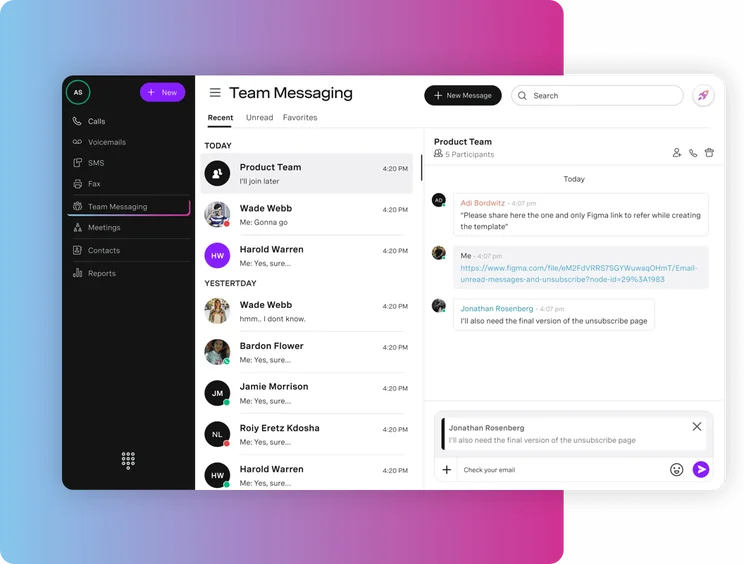
- Great central hub for collaborating, with team messaging on all plans
- Great training and management features, perfect for sales and customer service teams
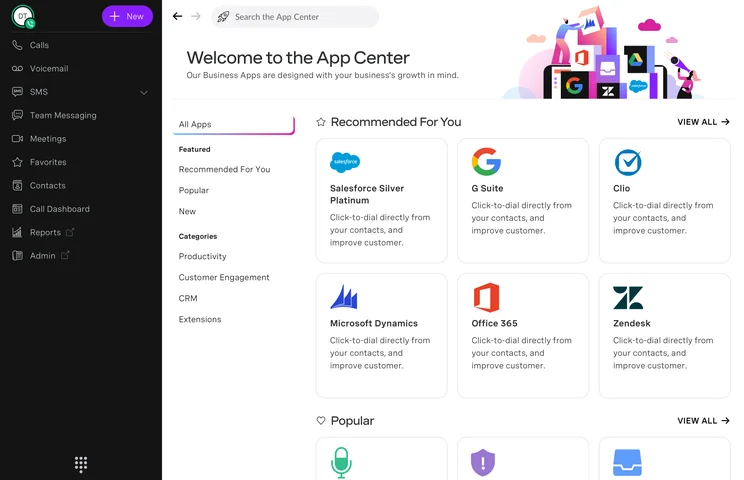
- Lots of big-name integrations means minimal changes for your team
-
Cons
- Analytics features are quite primitive, making it difficult to get actionable insights
- Lots of features include additional fees, so it’s hard to get a good gauge of your final price
Pricing
-
Mobile: $13.99/user/month
-
Premium: $20.99/user/month
-
Advanced: $27.99/user/month
Images
Google Voice Pricing vs Vonage Pricing
Google Voice and Vonage both have three pricing plans, although the cost is obviously a bit different. Overall, Google Voice’s plans are cheaper than Vonage plans, with Google Voice starting at only $10 per user, per month and Vonage coming in at $13.99 per user, per month.
However, if you don’t already have Google Workspace, you’ll be required to get a subscription. This will set you back an additional $7 per user, per month, potentially bringing your total fee to $17 per user, per month, and so on. With the suite of Google products at your fingertips, though, you will get great value for money.
Below, we’ll outline the pricing options available from both VoIP providers, as well as give you some insight into which one offers better value and which one comes with potential hidden costs.
Google Voice pricing
- Starter ($10 per user, per month): Google’s first plan is only for very small businesses, with a maximum of 10 users and 10 domestic locations, but you’ll still get 24/7 support and a phone line to contact. You’ll also be able to set up voicemails, and there’s a spam prevention service, as well as some reporting tools.
- Standard ($20 per user, per month): The Standard plan offers everything on the Starter plan, but the limits on users and locations are removed. There are customizable greetings, multi-level auto attendant/virtual receptionist, and desk phone support capabilities too.
- Premier ($30 per user, per month): This plan isn’t all that different from Google’s second plan, but it’s what you’ll need if you want advanced reporting tools and localized, toll-free numbers (providing you have a presence in a location).
On all of Google’s Voice plans, calls to the US from other countries are free, and there’s free calling to Canada from the US, as well as unlimited domestic minutes. However, international call rates apply when you’re phoning out from the US.
Google Voice hidden costs
Before you buy Google Voice, it’s important to note that Google Voice offers standalone single-user plans available with a personal Gmail account, while multi-user business plans require a Google Workspace subscription.
Google Workspace packages start from $7 per user, per month for a Business Starter plan, which includes video meetings with Google Meet, cloud storage, and management controls for your organization. Therefore, the minimum cost would be $17 per user, per month for both Google Workspace and Google Voice.
On top of this, there’s a Business Standard plan ($14 per user, per month) with 2TB of storage, a Business Plus plan ($22 per user, per month) with high-level security features, and an Enterprise Plan (custom pricing) for larger businesses. All that to say, the low costs can really add up.

Have you used VoIP software before?
Use our comparison tool to find out which provider suits your business's needs
|
Plan
|
Price
|
Users
|
Unlimited calls in US
|
Team messaging
|
Video conferencing
|
Document sharing
|
Call recording
|
Analytics
|
Task management
|
Single sign-on
|
24/7 support
|
Call monitoring
|
|
|---|---|---|---|---|---|---|---|---|---|---|---|---|---|
|
|
|
|
|||||||||||
|
Starter |
Standard |
Premier |
|||||||||||
|
$10/user/month |
$20/user/month |
$30/user/month |
|||||||||||
|
1 |
Unlimited |
Unlimited |
|||||||||||
|
|
|
|
|||||||||||
|
via Google Chat |
via Google Chat |
|
|||||||||||
|
|
via Google Meet |
|
|||||||||||
|
via Google Chat |
via Google Chat |
via Google Chat |
|||||||||||
|
|
Ad-hoc |
|
|||||||||||
|
|
|
|
|||||||||||
|
|
|
|
|||||||||||
|
|
|
|
|||||||||||
|
Add-on |
Add-on |
Add-on |
|||||||||||
|
|
|
|
Vonage pricing
On all of Vonage’s plans, you’ll have unlimited domestic minutes (both inbound and outbound), and there’s no limit to how many users you can have using the software either.
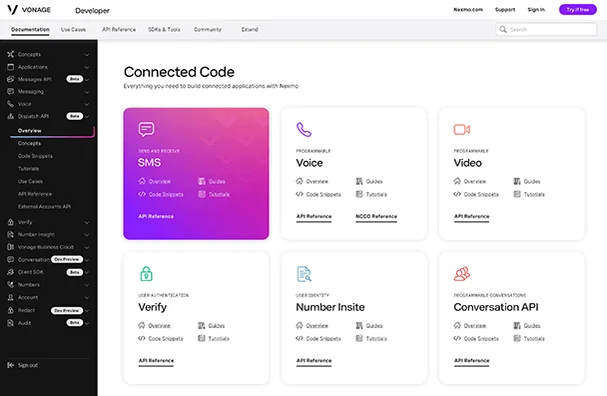
A wealth of integrations is available on all plans too, with everything from CRM systems to Microsoft Dynamics, Zoho Projects, HubSpot, and Zendesk. The uptime guarantee of 99.999% on all plans is actually slightly higher than Google’s (99.90%) but in reality, this is negligible.
- Mobile (US) ($13.99 per user, per month): Vonage’s first plan includes a large collection of inbound communication features like spam prevention, customizable hold music, company hours, localized + toll-free numbers, as well as external video and conference calling. You’ll also be able to record calls, create transcripts, and use analytics and reporting tools. There are CRM and Helpdesk integrations too.
- Premium (US) ($20.99 per user, per month): Vonage’s second paid plan has a virtual receptionist option and a customizable greeting feature, as well as custom call routing.
- Advanced (US): ($27.99 per user, per month): This is the first US plan on which ring groups are available, although they’re available in Australia and the UK on the previous plan. Aside from that, there’s not all that much difference between this plan and the prior one.
Vonage hidden costs
The prices listed above are a part of the current deal offered by Vonage, which provides users with 30% off for the duration of the service (annual contracts only). While this is a nice discount, it can be a bit surprising when costs go up at the end of the year.
This means that, after your first year, you’ll be paying $19.99 per user, per month for the Mobile plan, $29.99 per user, per month for the Premium plan, and $39.99 per user, per month for the Advanced plan. So, you can see why we still give Google Voice the edge on price, even when it looks comparable at first glance.
|
Plan
|
Price
|
Users
|
Unlimited calls in US
|
Video conferencing
|
Call recording
|
24/7 support
|
Email integration
|
CRM integration
|
|
|---|---|---|---|---|---|---|---|---|---|
|
|
|
|
|||||||
|
Mobile |
Premium |
Advanced |
|||||||
|
$13.99/user/month |
$20.99/user/month |
$27.99/user/month |
|||||||
|
Unlimited |
Unlimited |
Unlimited |
|||||||
|
|
|
|
|||||||
|
|
|
|
|||||||
|
|
|
|
|||||||
|
|
|
|
|||||||
|
|
|
|
|||||||
|
|
|
|
Best for Business Features: Vonage
The Vonage vs Google Voice comparison is stark when it comes to features, as Vonage offers a lot and Google Voice doesn’t. In fact, across virtually every research category, including inbound, outbound, conversation, and team management, Vonage offers more tools to help your team.
For example, Google Voice offers no customizable hold music, e-fax, call barge, call whisper, call queue, or call monitoring functionality on any of its paid plans. Conversely, Vonage provides those on all paid plans, although some of those features may cost extra.
That’s not to say Google Voice doesn’t offer any business features. You’ll find lots of options like call recording and voicemail to text, as well as integrated functionality with other Google services like Gmail and Google Docs.

Google Voice let me record calls easily; all I had to do was tap 4 to start and stop the recording. Source: Tech.co user testing
Best for Security Features: Google Voice
Google Voice is one of the top providers for VoIP security, offering the most protocols to keep your data secure. More specifically, compared to Vonage, Google Voice offers multi-factor authentication and password rules, which Vonage does not.
It’s worth noting how important these kinds of features can be in the long run for a business, as security lapses in these areas can create weak points in your network. And given the average cost of a data breach is now in the $10 million range, it’s safe to say that being secure is in your best interest.
Luckily, neither VoIP provider is lacking too much when it comes to security. Both offer TLS/SRTP encryption, user permissions functionality, and compliance certification for a wide range of organizations.
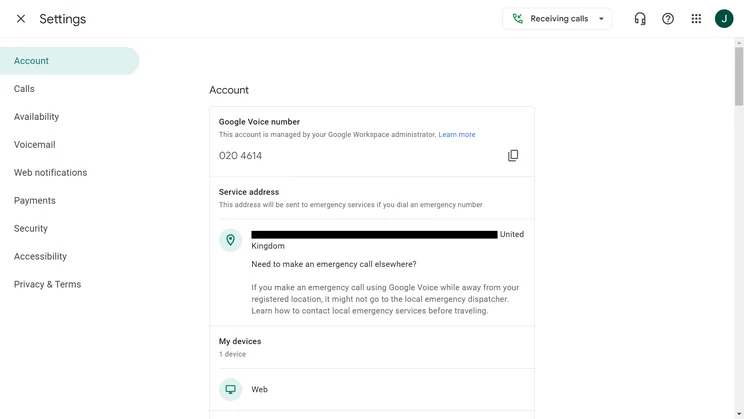
Google Voice includes a settings page for everything from service addresses to payment accounts. Source: Tech.co testing
Best for Customer Support: Vonage
Neither Google Voice nor Vonage scored particularly high or low for customer support in our research. Both providers have a user forum and knowledge base, as well as a phone line (of course). While Google has 24/7 live support, Vonage has live chat and email support, which Google Voice is missing, so Vonage wins here.
Vonage also provides onboarding support (for an additional cost), but Google Voice doesn’t offer this. Both providers offer stronger help and support options than MagicJack, however.
Check out our MagicJack vs Vonage guide to see how the two providers compare in full.
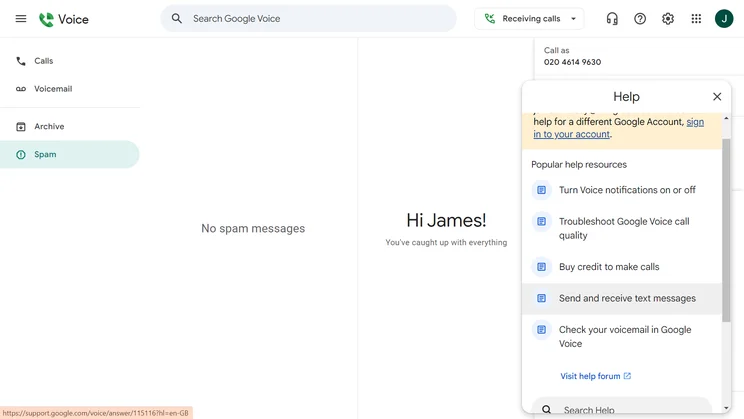
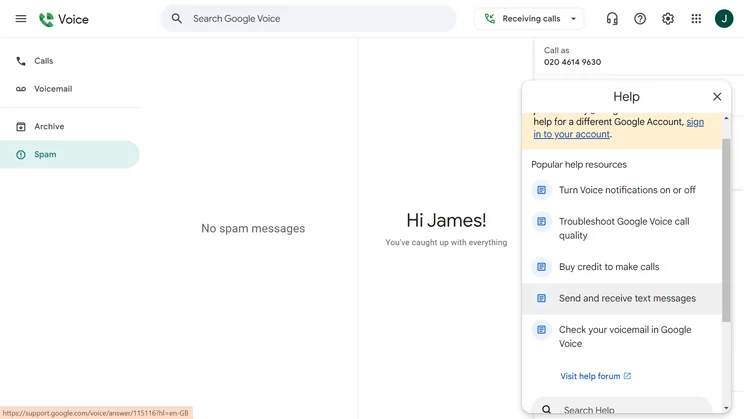
Google Voice highlights some popular help resources in its pop-up Help bar to help you resolve issues. Source: Tech.co user testing

Think VoIP software could take your business to the next level?
Use our comparison tool to find out the provider that's perfect for you
Best for Scalability: Vonage
Google Voice isn’t really built for big teams — they can use it, but the bigger your team, the more features you’re going to need — and Google Voice doesn’t have many when compared to providers like Vonage.
Our Scalability scoring assesses a product’s ability to scale with business growth, in multiple use cases. The scores are arrived at based on the presence and function of features like user limits, call queues, call barges, call whispers, and local numbers, as well as the overall capability of management, collaboration, software integrations, and security.
Google Voice scored quite lowly in this regard because it’s missing many of those features. Vonage, on the other hand, scored impressively, offering virtually all those features, so if scalability is what you’re looking for, there’s one clear winner here.
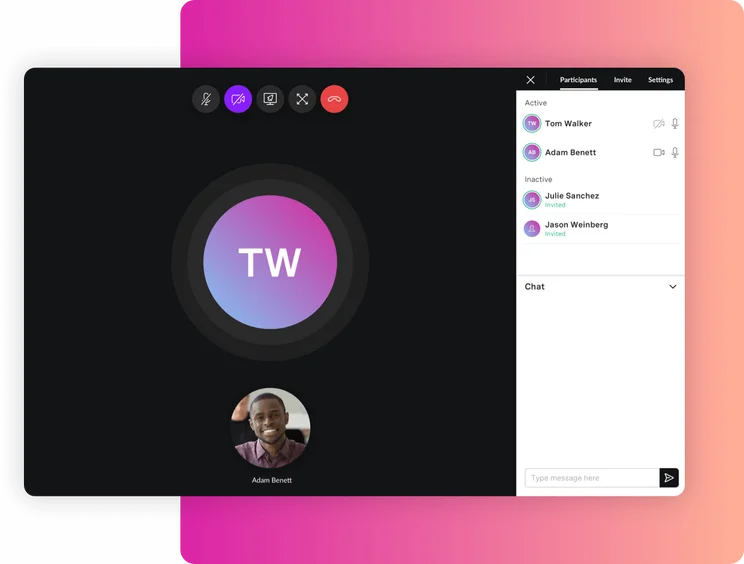
The Vonage call interface. Image: Vonage
Best for Customer Satisfaction: Google Voice
Customer opinions regarding the trustworthiness of these two vendors have been compiled by our research team, and in the Google Voice vs Vonage debate, Google Voice comes out on top in this case.
Overall, customers seem to prefer using Google Voice over Vonage. This isn’t too surprising – the Google suite of products is heralded as having a great user experience, and customers who are already familiar with other Google products will no doubt be at an advantage here.
VoIP Alternatives to Google Voice and Vonage
If you’re in the market for a VoIP phone system and neither Google Voice nor Vonage is appealing to you, there are options. There are plenty of VoIP solutions that make for great Vonage alternatives or Google Voice alternatives.
Below, we’ve created a small table to help you compare VoIP solutions on pricing and features, so you know exactly what your options are in the world of business communication.
|
Starting price
The typical lowest starting price. The lowest price available for your business will depend on your needs
|
Best for
|
Pros
|
Cons
|
|||
|---|---|---|---|---|---|---|
|
|
|
 |
 |
 |
 |
|
|
Vonage |
Google Voice |
RingCentral |
Zoom Phone |
8×8 |
GoTo Connect |
|
|
$13.99/user/month |
$10/user/month |
$20/user/month |
$10.50/user/month |
Custom |
Custom |
|
|
Training features |
Google Workspace users |
Integrations |
Call management features |
24/7 customer support |
Unifying internal communications |
|
|
|
|
|
|
|
|
|
|
|
|
|
|
|
| Compare Quotes | Get Quote | Compare Quotes | Get Quote | Get Quote | Get Quote |
How Did We Compare Vonage to Google Voice?
We take our hands-on testing and impartial analysis seriously, so you can have complete confidence that we’re giving you the clearest, most useful recommendations.
After conducting an initial exploration to identify the most relevant, popular, and established business phone platforms on the market, we selected 10 top VoIP systems and took a deeper dive into their plans to find out more about the features and functionality on offer.
Based on years of market research, product testing, and user needs analysis, we’ve established a VoIP system research methodology that scores each product in six core categories of investigation, which are broken down into 44 further subcategories.
With this framework we cover everything, from internal communication tools and security options to niche training features, and it ensures we can accurately assess each product’s value for its price and suitability for different types of businesses.
Our main research categories for VoIP phone systems are:
- Call management features: The presence and quality of call handling features, including basic features such as call forwarding and voicemail, as well as more advanced features like auto-attendant and interactive voice response (IVR).
- Communication channels: Features designed to support communication other than calling, including integrations with websites and social media platforms.
- Training features: The presence and quality of features designed to support onboarding and training, like call barge, call whisper, and performance dashboards.
- Customer support: The assistance and resources provided by the VoIP service provider to customers, including online resources, knowledge bases, and access to customer support representatives and AI chatbots.
- Security options: The measures and features implemented by the VoIP service to ensure the confidentiality, integrity, and protection of voice communications and data.
- Pricing factors: The pricing structure associated with the VoIP service, including factors such as monthly subscription fees, domestic and international call rates, setup fees, hardware costs, and extra costs, like add-on features or services.
When it comes to calculating a product’s final score, not all testing areas are weighted evenly, as we know some aspects matter more to our readers than others, which are merely “nice to have.” After hundreds of hours, our process is complete, and the results should ensure you can find the best solution for your needs.
Learn more about our research testing process.
Overall, Vonage performed better than Google Voice when we tested both products, thanks to superior business features and better customer support.
The business features are so varied that it allows Vonage to be applied to a wide variety of businesses in a number of different sectors, but the excellent training features mean it’s particularly good for retail and healthcare teams when compared to other VoIP providers.
Google Voice does, however, have better security options than Vonage – as well as all the other VoIP software we tested. Google Voice is also low cost, but when we take it down to the software versus the software, it’s not as good as Vonage’s offering.
If you click on, sign up to a service through, or make a purchase through the links on our site, or use our quotes tool to receive custom pricing for your business needs, we may earn a referral fee from the supplier(s) of the technology you’re interested in. This helps Tech.co to provide free information and reviews, and carries no additional cost to you. Most importantly, it doesn’t affect our editorial impartiality. Ratings and rankings on Tech.co cannot be bought. Our reviews are based on objective research analysis. Rare exceptions to this will be marked clearly as a ‘sponsored’ table column, or explained by a full advertising disclosure on the page, in place of this one. Click to return to top of page


