
We may receive a commission from our partners if you click on a link to review or purchase a product or service. Click to Learn More
Zoom US & CA Metered is the best Google Voice alternative. Starting at just $10.50 per user, per month, it has an impressive range of features for small businesses, and it is very easy to use.
Another great option is Dialpad Standard ($15 per user, per month), which balances unlimited outbound and inbound calls with excellent call management features.
To put together this guide, we conducted in-depth research into 10 of the biggest VoIP platforms on the market. You’ll find our thoughts below.
- Zoom US & CA Metered is the top Google Voice alternative, offering robust functionality and great ease of use for just $10.50 per user, per month.
- While affordable, Google Voice lacks advanced features, like an auto-attendant and integrations, that competitors, like Zoom, RingCentral, and Nextiva, provide.
- When looking for a VoIP solution, it’s important to think about your business case. High-volume inbound call centers will benefit from Zoom’s features, while businesses with low call volume might find Google Voice sufficient.
- Paid alternatives to Google Voice have a wide price range, from budget-friendly options at around $10 per user, per month, to comprehensive omnichannel solutions costing over $30 per user, per month.
After conducting an initial exploration to identify the most relevant, popular, and established business phone platforms on the market, we selected 10 top VoIP systems and took a deeper dive into their plans to find out more about the features and functionality on offer.
Based on years of market research, product testing, and analysis of user needs, we’ve established a VoIP system research methodology that scores each product across six core categories of investigation and 44 further subcategories.
Learn more about our Google Voice alternative research below.
What Are the Best Google Voice Alternatives?
|
Plan
|
Price
|
Users
|
Desk phone compatibility
How many desk phone brands is the service compatible with?
|
Unlimited calls in US
|
Unlimited international calls
|
Call recording
|
Analytics
|
24/7 support
|
Call monitoring
|
CRM integration
|
Call queue
|
Call barge
|
Voicemail screening
|
||
|---|---|---|---|---|---|---|---|---|---|---|---|---|---|---|---|
|
FEATURED SPONSOR
 |
 |
|
 |
 |
 |
||||||||||
|
RingCentral |
Zoom Phone |
Zoom Phone |
Dialpad |
net2phone |
Nextiva |
||||||||||
|
Core |
US & CA Metered |
US & CA Unlimited |
Standard |
Essentials |
Core |
||||||||||
|
$20/user/month |
$10.50/user/month |
$16/user/month |
$15/user/month |
$19.99/user/month |
$15/user/month |
||||||||||
|
100 lines max (for more, contact sales) |
1-99 |
1-99 |
Unlimited |
1–100+ |
Unlimited |
||||||||||
|
4 brands |
7 brands |
7 brands |
4 brands |
2 brands |
6 brands |
||||||||||
|
|
|
|
|
|
|
||||||||||
|
|
|
|
|
Available as an add-on |
|
||||||||||
|
On-demand |
|
|
|
|
Add-on |
||||||||||
|
Quality of Service (QoS) reports |
|
|
|
|
5 reports |
||||||||||
|
Phone + chat |
Phone + chat |
Phone + chat |
Add-on |
Phone |
Phone, chat + email |
||||||||||
|
|
|
|
|
|
|
||||||||||
|
|
|
|
|
Add-on |
Add-on |
||||||||||
|
|
|
|
|
Add-on |
|
||||||||||
|
|
|
|
|
|
|
||||||||||
|
|
|
|
|
|
|
- Zoom US & CA Metered — Best Google Voice alternative
- Zoom US & CA Unlimited — Best Google Voice upgrade
- Dialpad Standard — Best for small customer service teams
- net2phone Essentials — Best for call management features
- RingCentral Core — Best for multi-location businesses
- Nextiva Core — Best for omnichannel communication
Google Voice is a great option if you’re already using Google Workspace and want to extend your stay under Google’s reassuring security umbrella. In fact, it’s one of the most secure ways to make a call over the internet.
However, providers like Zoom have significantly upgraded their security offerings in recent years. I spoke with the Zoom team directly, and they pointed out several improvements they’d made to the platform, such as providing more ways for users to authenticate their accounts.
Now that it’s closed the security gap, it’s actually a much better platform overall than Google Voice — Zoom has way more features for managing inbound calls, so will be a better choice than Google Voice for healthcare, customer service, and retail teams.
There’s also 24/7 customer support available, which is always great to have on hand.

1. Zoom US & CA Metered: Best Google Phone Alternative Overall
Price: $10.50 per user, per month
Zoom US & CA Metered is our pick of the best Google Voice alternatives. It offers excellent pricing (from $10.50 per user, per month), robust functionality, and great ease of use, courtesy of an intuitive, streamlined, and slick platform.
Zoom US & CA Metered

In Short
-
Pros
- Very low starting price, ideal for smaller businesses
- Excellent for managing high numbers of incoming calls (spam prevention, hold music, etc.)
- Top tier security protocol with abundance of compliance certificates
-
Cons
- Limited number of CRM and helpdesk integrations
- No email support available and you don’t get much help with onboarding
- Insufficient analytics tools with a lack of detail in reporting
Pricing
-
 US & CA Metered: $10.50/user/month
Images


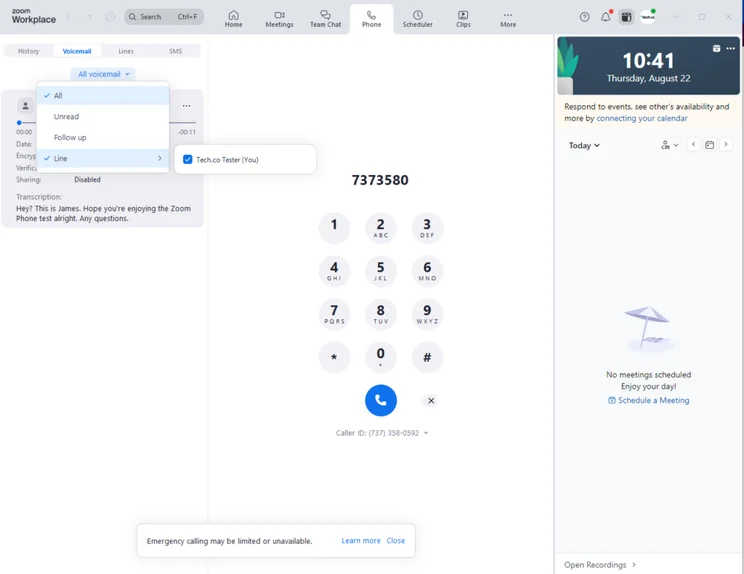
Zoom Phone has a highly intuitive interface, so it was easy to set up a call and locate basic features, including call recording and calendar integrations.
With a similar dashboard to Zoom Meetings, Zoom Phone will be easy to get to grips with for users who are familiar with that platform.
I did encounter an issue when I tried to write notes during a call. I was met with an error message, and ultimately wasn’t able to complete the task. Otherwise, my experience with Zoom Phone was highly positive.

Why is Zoom US & CA Metered a good Google Voice alternative?
- Impressive feature catalog for managing inbound calls for the price point, such as automatic call distribution groups, to improve the experience for your end user.
- Great training tools, including call monitoring, call barging, and call whisper, none of which are offered on any Google Voice plans.
- Cheapest plan on the market, with users of the similarly priced Google Voice required to pay an additional $7 per user, per month, for access to Google Workspace.
What could Zoom US & CA Metered improve?
- Lacks unlimited outbound calls, unlike Google Voice, which won’t suit teams that perform high volumes of outreach.
- Limited range of integrations, which won’t suit scaling businesses.
- Video meetings are capped at 40 minutes, which might deter users who like to conduct video calls.
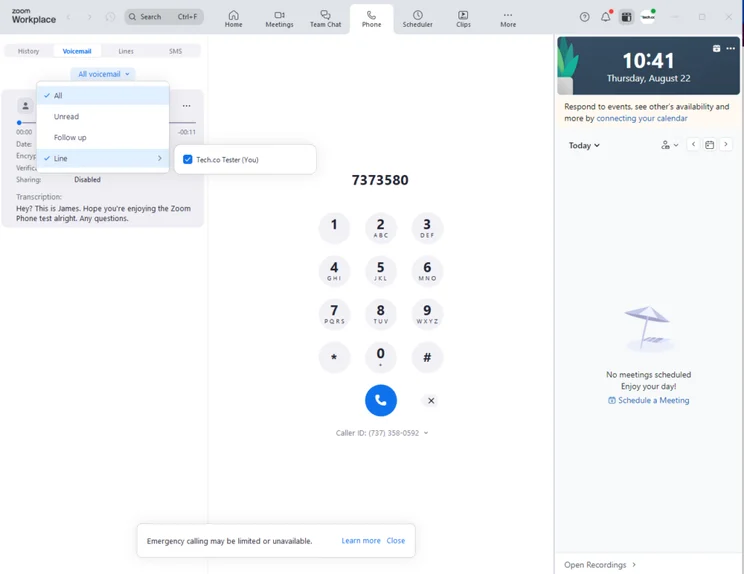
It took me a couple of taps to check my voicemail with Zoom Phone. Source: Tech.co user testing
How much does Zoom Phone cost?
- US & CA Metered: $10.50 per user, per month
- US & CA Unlimited: $16 per user, per month
- Pro Plus: $20.50 per user, per month
- Business Plus: $24.50 per user, per month
2. Zoom US & CA Unlimited: Best Google Voice Upgrade
Price: $16 per user, per month
Zoom US & CA Unlimited is the best Google Phone upgrade that you will find. For $16 per user, per month, you’ll get your hands on some outstanding call management features, hardware integrations, and top-of-the-line security.
Zoom US & CA Unlimited
In Short
-
Pros
- Unlimited domestic calls
- Unlock unlimited calls to 19 extra countries through a paid add-on
- Gentle learning curve and intuitive interface make it ideal for VoIP beginners
-
Cons
- Limited number of CRM and helpdesk integrations
- No email support available and you don’t get much help with onboarding
- Insufficient analytics tools with a lack of detail in reporting
Pricing
-
US & CA Unlimited: $16/user/month
Images
Why is Zoom US & CA Unlimited a good Google Voice alternative?
- Offers unlimited inbound and outbound domestic calls, which is a great opportunity to generate new leads, nurture relationships with existing ones, and ultimately boost your revenue.
- Features round-the-clock phone and live chat support, alongside a user forum and online knowledge base, so you can get help in whichever way you prefer.
- Good selection of native AI-first features, including post-call summaries, next-step extractions, and voicemail prioritization, which Google Voice doesn’t offer.
What could Zoom US & CA Unlimited improve?
- Lacks unmetered outbound calls beyond the US & Canada, enforcing variable pay-as-you-go rates or expensive international add-ons.
- Still lacks several popular integrations, including Salesforce, Microsoft, Google, ServiceNow, and HubSpot.
- Absence of advanced reporting features, which may deter users looking to onboard and train new hires.
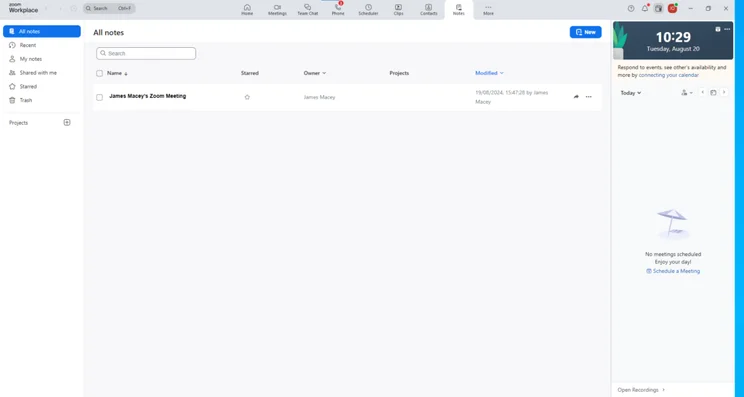
The dashboard in Zoom Phone lets users quickly navigate to areas including Messages, Team Chat, Phone, and more. Source: Tech.co testing
How much does Zoom Phone cost?
- US & CA Metered: $10.50 per user, per month
- US & CA Unlimited: $16 per user, per month
- Pro Plus: $20.50 per user, per month
- Business Plus: $24.50 per user, per month
Check out our Zoom Phone review for more information.
3. Dialpad Standard: Best for Small Customer Service Teams
Price: $15 per user, per month
Dialpad Standard is the best Google Voice alternative for customer service teams, due to its excellent call management features and good range of communication channels.
Dialpad Standard

In Short
-
Pros
- Excellent, comprehensive suite of features
- Great array of alternative communication channels
- Excellent security
-
Cons
- Slim range of software integrations with CRM, helpdesk, or PMS
- Lacks some training tools
- No call queue functionality
Pricing
-
 Standard: $15/user/month
Images
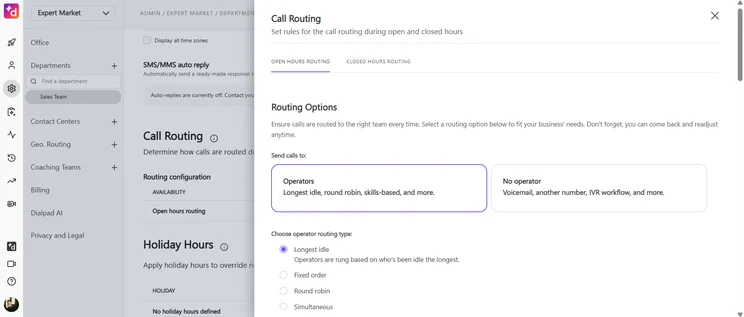
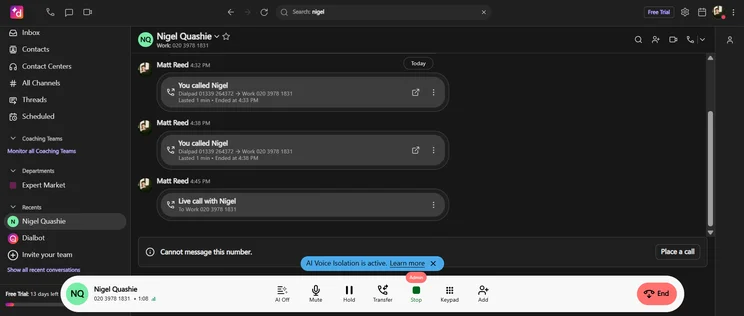
Dialpad Standard has a huge range of AI features that will free up staff to conduct more specific, targeted duties as it handles everyday tasks like transcribing calls.
What’s more, with real-time text logging you can immediately access key call metrics to monitor your employee productivity and performance — all without needing to integrate third-party software.
Why is Dialpad Standard a good Google Voice alternative?
- It boasts a wide range of alternative communication channels, including team messaging, SMS messages, call conferencing, and video conferencing.
- The comprehensive feature catalog for managing inbound calls means that it excels at processing high call volumes.
- Integrations with Salesforce, HubSpot, and Zendesk ensure that larger companies can get the joint benefit of CRM and VoIP.
What could Dialpad Standard improve?
- There are limited training features. It does have call recording and analytics, but lacks call monitoring, barging, whispering, and queueing.
- It has very few integrations, including an absence of CRM, helpdesk, or customer service options.
- Users are limited to three ring groups, which won’t suit multi-location companies.
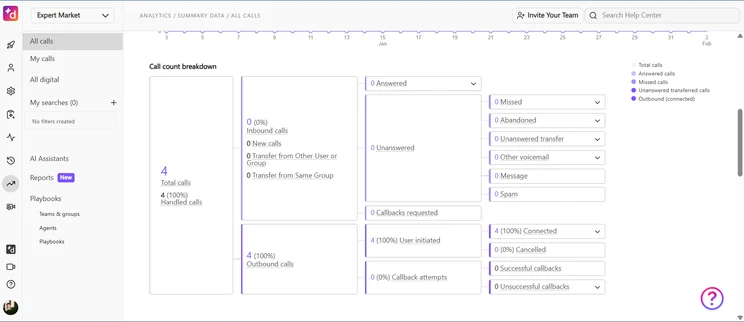
Dialpad offers in-depth analytics, which can be used to coach your agents. Source: Tech.co testing
How much does Dialpad cost?
- Standard: $15 per user, per month
- Pro: $25 per user, per month
- Enterprise: No public pricing
4. net2phone Essentials: Best Call Management Features
Price: From $19.99 per user, per month
net2phone Essentials has outstanding call management, as well as security features. A standout examples is voicemail screening, which allows you to filter out unwanted calls, such as spam.
net2phone Essentials

In Short
-
Pros
- Excellent call management features
- Built-in onboarding support
- Excellent security features
-
Cons
- Video conferencing and AI features very limited in Essentials plan
- Toll-free and international numbers cost extra in all plans
- Training features are limited
Pricing
-
Essentials: From $19.99/user/month
Images
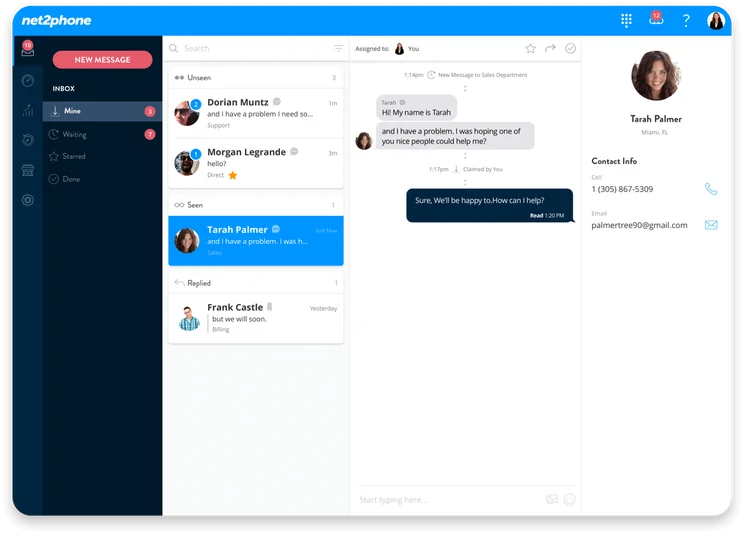
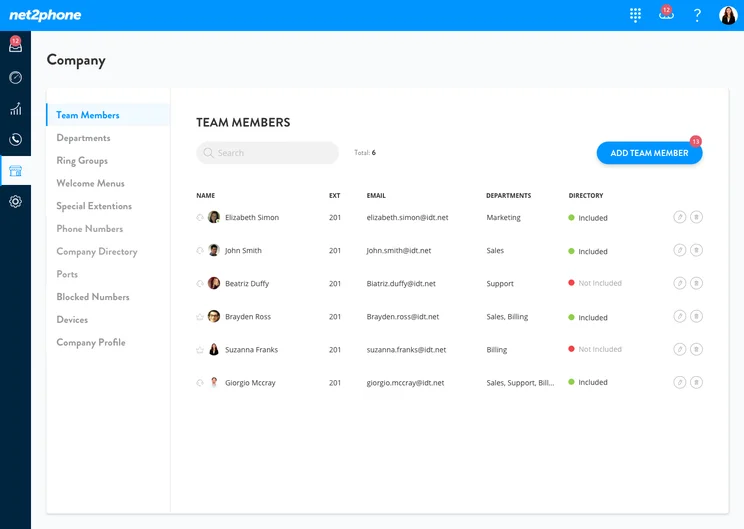
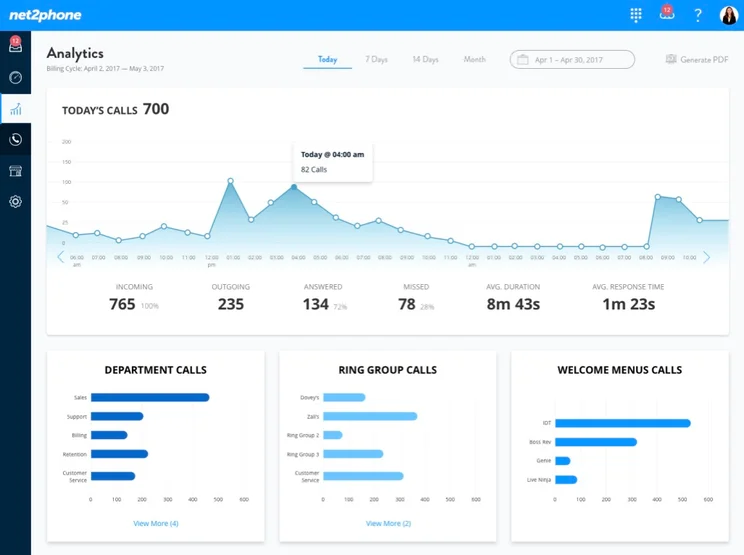
With the widest selection of call management tools out of any provider we researched (excluding Zoom Phone), net2phone Essentials excels at helping small businesses handle calls.
It has all the staples you’d expect, including call forwarding, call recording, ring groups, and customizable call routing. Unlike Dialpad Standard and Ooma Office, the Essentials also offers call queuing — so you can manage incoming calls when your team is busy.
Why is net2phone Essentials a good Google Voice alternative?
- It has over 50 communication features, with standouts including welcome menus and custom hold music, so you can provide a cohesive caller experience.
- It has excellent security and compliance standards, including two-factor authentication (2FA), single sign-on (SSO), video meeting encryption, HIPAA, PCI, SOC2, and more.
- Per-user pricing means that larger teams can find more value.
What could net2phone Essentials improve?
- Video conferencing is limited to 10 participants. Zoom US & CA Metered, meanwhile, allows up to 100 participants, and is significantly cheaper.
- The $19.99 starting price is quite expensive compared with other providers on this list.
- AI features, such as call transcription, are only available as an add-on.
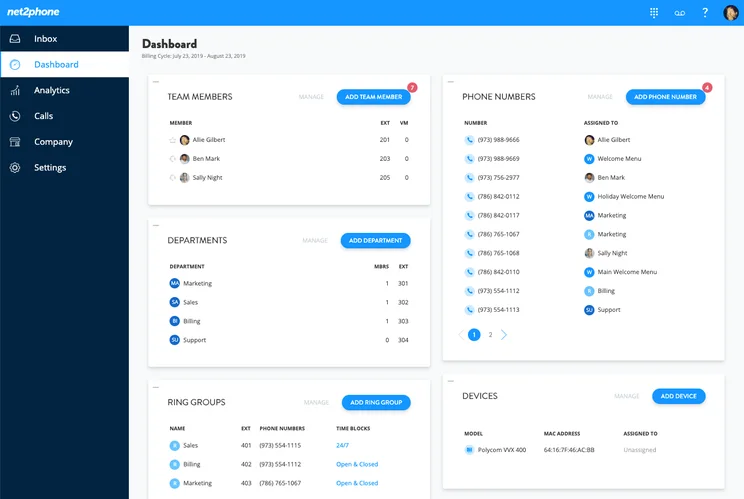
net2phone offers plenty of useful call management features including call routing and ring groups. Source: net2phone
How much does net2phone cost?
net2phone pricing works on a per-user basis. The prices given below are for 25–99 users.
- Essentials: $19.99 per user, per month
- Professional: $24.99 per user, per month
- Ultimate: $29.99 per user, per month
Check out our net2phone review for more in-depth information.
5. RingCentral Core: Best for Multi-Location Businesses
Price: $20 per user, per month
RingCentral Core is the best Google Voice alternative for multi-location businesses due to its strong set of features for transferring and queuing calls, meaning that you can seamlessly connect end customers with the department relevant to their needs without disrupting the call experience.
RingCentral Core

In Short
-
Pros
- 24/7 support available
- Call queuing available
- Good range of alternative communication channels
-
Cons
- Learning curve for beginners
- Quite pricey for small businesses
- Lack of CRM integrations
Pricing
-
Core: $20/user/month
Images
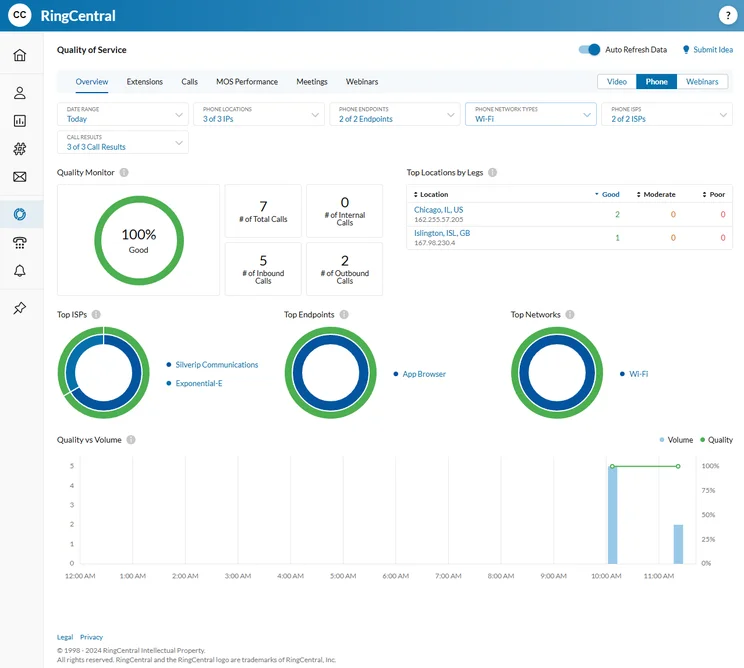
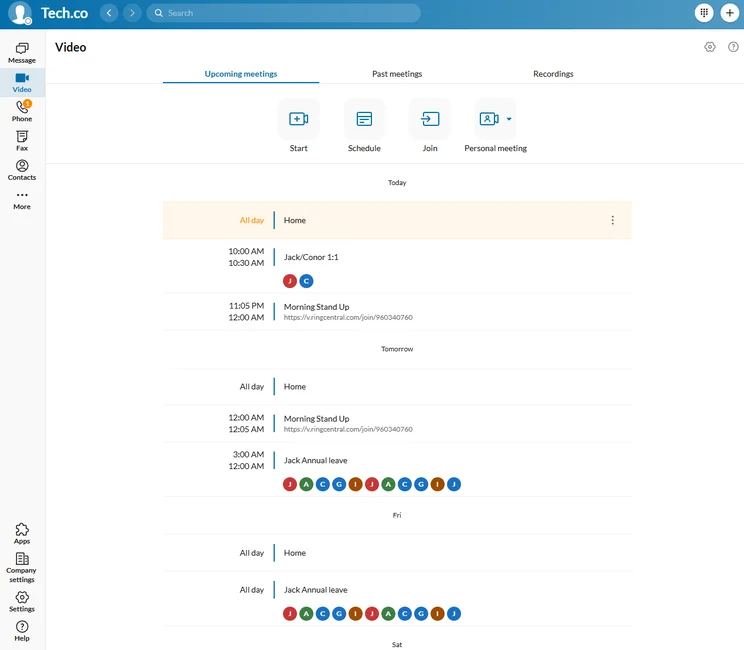
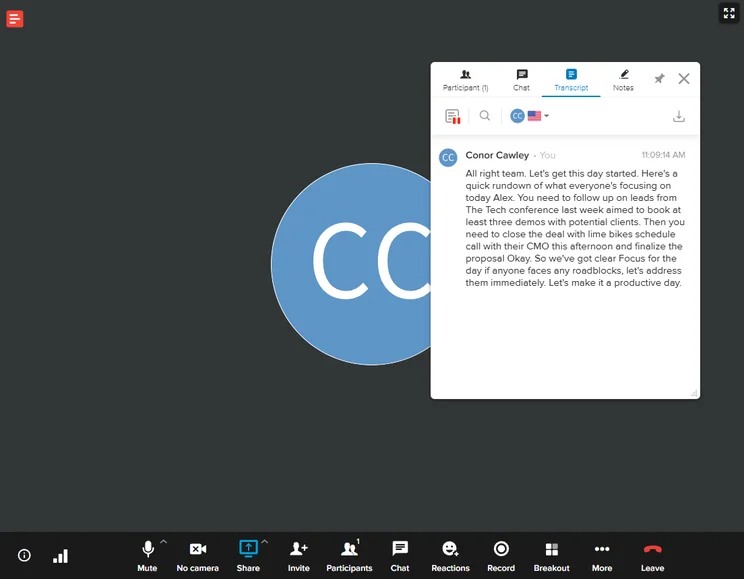
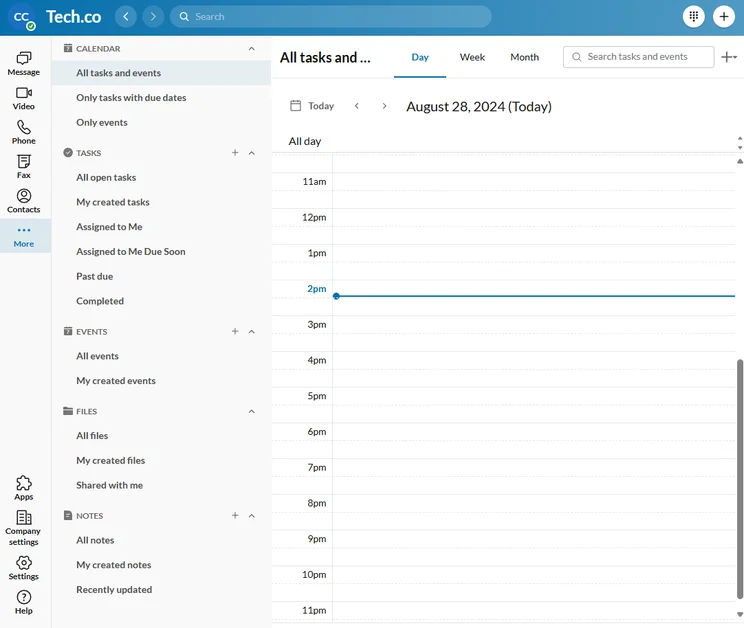
I was really impressed with RingCentral’s AI-powered audio transcription, which was nearly perfect every time, barring the occasional punctuation mistake. Saving and sharing transcriptions was a bit messy and not as intuitive as the rest of the platform, however.
To be honest, you don’t unlock RingCentral’s real value until you opt for the more expensive pricing plans. However, customizable call routing, CRM and helpdesk software integrations, and basic training tools are all unavailable in the Core plan.
Why is RingCentral Core a good Google Voice alternative?
- The best help and support options out of all the providers we’ve tested, including 24/7 phone support, ensures downtime is minimized.
- Comprehensive range of compatible hardware, including desk phone brands Yealink, HP Poly, Grandstream, Cisco, and more.
- Built-in AI virtual assistant to streamline basic tasks and boost productivity.
What could RingCentral Core improve?
- It has strict SMS allowances (25 per user, per month), despite the premium price point ($20 per user, per month).
- Scarce training features mean that RingCentral Core is not well-suited to businesses with high staff turnover.
- There is a limited range of integrations, including a lack of CRM options.
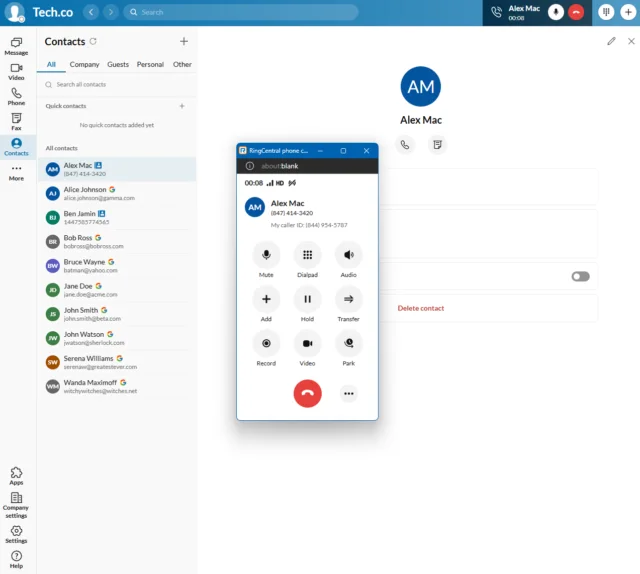
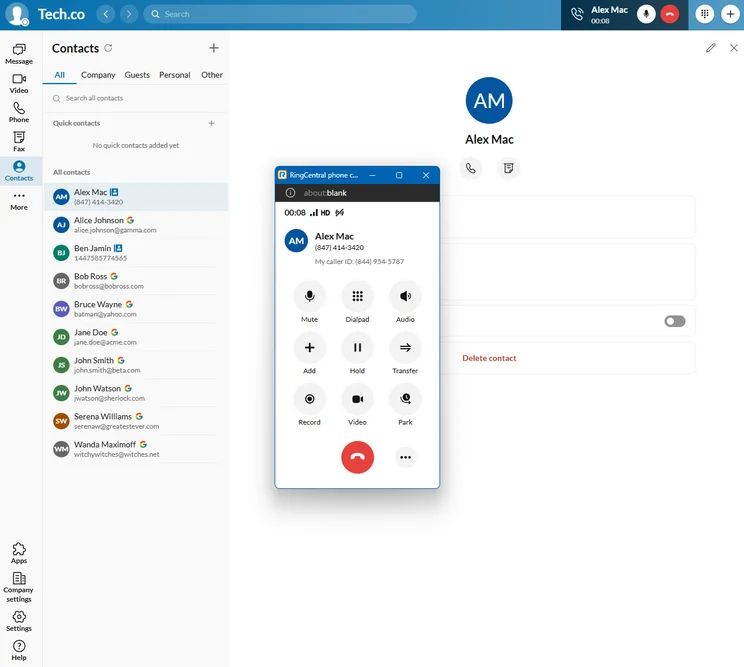
RingCentral’s call pop-up appears on your screen when you’re receiving an incoming call. Source: Tech.co testing
How much does RingCentral cost?
RingCentral Core starts at $20 per user, per month.
- Core: $20 per user, per month
- Advanced: $25 per user, per month
- Ultra: $35 per user, per month
- Customer Engagement Bundle: Custom pricing
For more information, read our full RingCentral review.
6. Nextiva Core: Best for Omnichannel Communication
Price: $15 per user, per month
Nextiva Core is a fantastic omnichannel communications platform, with ecommerce and social media functionality in addition to its phone calling functions.
Nextiva Core

In Short
-
Pros
- Intuitive, flexible interface that’s great for beginners
- Social media integrations for Facebook and Instagram
- Reasonably priced compared with other options
-
Cons
- May not integrate with older systems
- Strong learning curve that could benefit from training
Pricing
-
Core: $15/user/month
Images
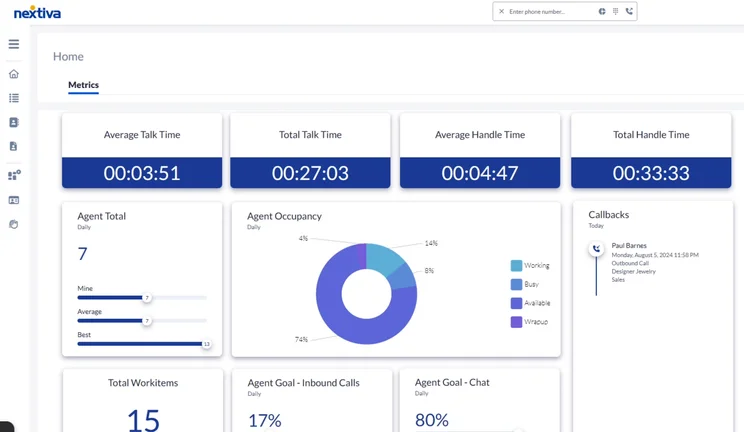
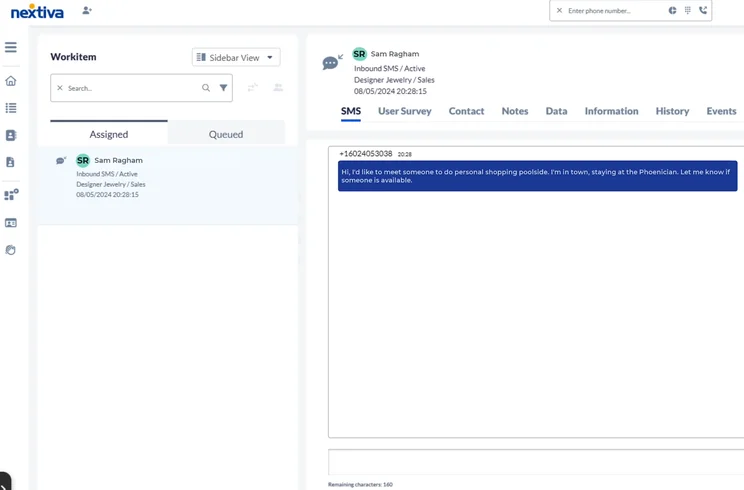
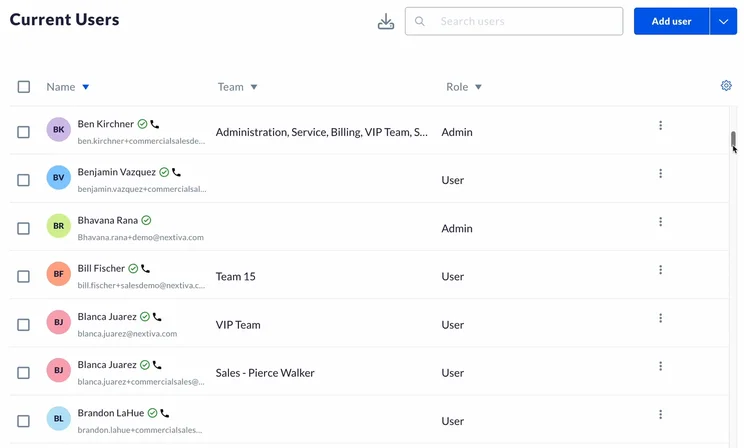
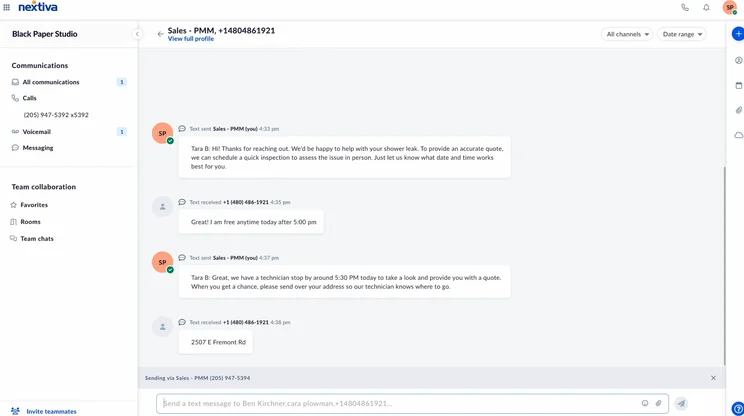
Nextiva Core is a solid VoIP plan, but small businesses may find themselves paying for features that they don’t need.
For instance, it integrates with social media platforms, including Facebook and Instagram, but it’s unlikely that your average SMB will benefit from this.
Still, it has excellent call management features, including ring groups, call flip, and transcription, and at $15 per user, per month, it’s far from the most expensive option on this list.
Why is Nextiva Core a good Google Voice alternative?
- The all-in-one platform will enable you to manage the end-to-end customer experience without the need for multiple vendors.
- It has a good range of VoIP features, including unlimited inbound and outbound calls, caller ID, voicemail transcription, call blocking, call forwarding, ring groups, and more.
- Impressive range of internal communication channels, including team messaging, video conferencing, SMS, and call conferencing tools, and e-fax as an add-on.
What could Nextiva Core improve?
- It has limited training options. Call barging is supported, but call recording and analytics are only available as add-ons.
- There are only basic analytics features. Teams will not be able to access customizable performance dashboards.
- Key integrations, such as Salesforce and HubSpot, are only available as paid add-ons.
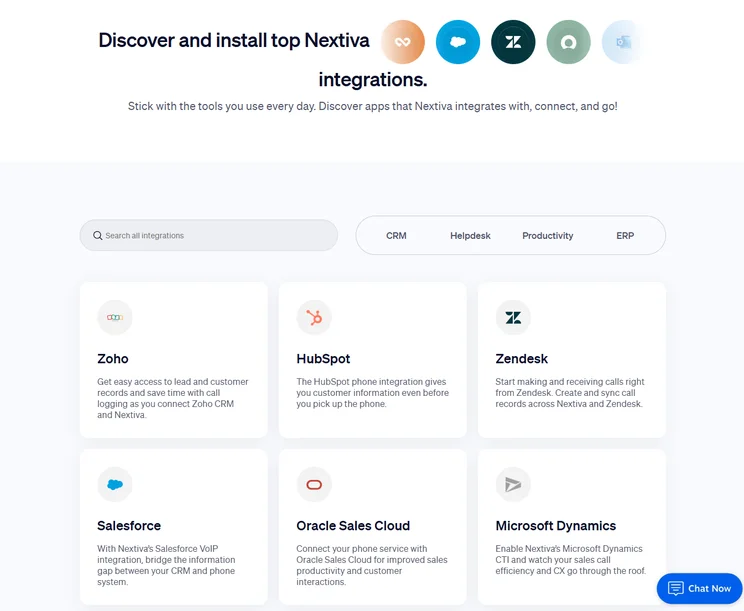
Nextiva provides a huge library of third-party integrations to make the platform an all-in-one hub for communication. Source: Nextiva
How much does Nextiva cost?
- Core: $15 per user, per month
- Engage: $25 per user, per month
- Power Suite CX: $75 per user, per month
Read our full Nextiva review for more information.
Methodology: How We Test Google Voice Alternatives
We take our hands-on testing and impartial analysis seriously, so you can have complete confidence that we’re giving you the clearest, most useful recommendations.
With this framework we cover everything, from internal communication tools and security options to niche training features, and it ensures we can accurately assess each product’s value for its price and suitability for different types of businesses. Our main research categories for VoIP phone systems are:
- What call management features are available? The presence and quality of call handling features, including basic features such as call forwarding and voicemail, as well as more advanced features like auto-attendant and interactive voice response (IVR).
- What different communication channels can you use? Features designed to support communication other than calling, including integrations with websites and social media platforms.
- What training features are available? The presence and quality of features designed to support onboarding and training, like call barge, call whisper, and performance dashboards.
- Which support options are available? The assistance and resources provided by the VoIP service provider to customers, including online resources, knowledge bases, and access to customer support representatives and AI chatbots.
- How secure is it? The measures and features implemented by the VoIP service to ensure the confidentiality, integrity, and protection of voice communications and data.
- How much does it cost? The pricing structure associated with the VoIP service, including factors such as monthly subscription fees, domestic and international call rates, setup fees, hardware costs, and extra costs, like add-on features or services.
When it comes to calculating a product’s final score, not all testing areas are weighted evenly, as we know some aspects matter more to our readers than others, which are merely “nice to have.” After hundreds of hours, our process is complete and the results should ensure you can find the best solution for your needs.
Learn more about our research testing process.
Zoom US & CA Metered is the best Google Voice alternative. At $10.50 per user, per month, it is cheaper than Google Voice, which requires a concurrent Google Workspace subscription ($7 per user, per month). It also has superior training, team management, and on-call features.
Other options include Dialpad Standard, which has excellent call management features that make it well-suited to customer service teams.
Frequently Asked Questions
Yes, there are free Google Voice alternatives. Examples include WhatsApp, Line, and Facebook Messenger.
Quo (formerly OpenPhone) is the best option for most small teams, due to its sleek, easy-to-use interface and standout features including the collaborative inbox, which allows multiple team members to manage the same thread without overlapping.
Generally speaking, seat-based pricing is better for teams of under 10 people, as it means that you can avoid the complexity that comes with opting for usage-based pricing. On the other hand, if your business makes calls on a seasonal basis, usage-based pricing might be a better option for you.
Nextiva is generally considered the more reliable option for mobile users. Users report more consistent call handoffs (switching from Wi-Fi to cellular data without dropping) and superior notifications.
To switch from Google Voice, start by checking what type of account you have. If switching from a full account, you’ll either need to swap your Google Voice number to a new line or change your telephone number entirely, which a new provider can do for you.
If you want to port your number to your new provider, unlock the number, which is a simple process that is either free or a $3 charge depending on how your number was set up in the first place. If your new provider requests an account number to complete the porting process, give them your Google Voice number.


