We may receive a commission from our partners if you click on a link to review or purchase a product or service. Click to Learn More
Starting at $10 per user, per month, Google Voice Starter is the cheapest VoIP plan available.
However, Zoom Phone US & CA Metered, starts at $10.50 per user, per month, and provides far more functionality.
Google Voice and Zoom Phone are not the only cheap VoIP plans. Led by our own in-house research, which involved scoring 10 major VoIP providers across 44 different categories, we’ve broken down the cheapest options on the market.
- Google Voice Starter is the cheapest VoIP platform, starting at $10 per user, per month, for a single user.
- Starting at $10.50 per user, per month, Zoom US & CA Metered is the best cheap VoIP platform overall, with vastly superior features to Google Voice.
- Other options include Dialpad Standard at $15 per user, per month, net2phone Essentials at $19.99 per user, per month, and RingCentral Core at $20 per user, per month.
- VoIP services offer a modern alternative to traditional phone systems, using the internet to drive significant cost savings for businesses.
After conducting an initial exploration to identify the most relevant, popular, and established VoIP services in the market, we put them through their paces with hands-on testing to see their real strengths and weaknesses. In this case, our research consisted of:
- 10 VoIP service providers
- 200 hours
- Eight core categories of investigation
- 44 subcategories
At Tech.co, we have a number of full-time in-house researchers, who re-run this testing process regularly, to ensure our results remain reflective of the present day.
(Pricing updated September 9, 2026)
What Is the Cheapest VoIP Phone Service?
- Google Voice Starter ($10 per user, per month) — Lowest starting price
- Zoom US & CA Metered ($10.50 per user, per month) — Best overall
- Dialpad Standard ($15 per user, per month) — Best for small customer service teams
- net2phone Essentials ($19.99 per user, per month) — Best for unifying internal communications
- RingCentral Core ($20 per user, per month) — Best for customer support options
|
Plan
|
Price
|
Users
|
Unlimited calls in US
|
Unlimited international calls
|
Video conferencing
|
Call recording
|
Analytics
|
Call monitoring
|
Call queue
|
Call barge
|
Voicemail screening
|
Our rating
|
||
|---|---|---|---|---|---|---|---|---|---|---|---|---|---|---|
|
FEATURED
 |
BEST OVERALL
 |
 |
 |
 |
 |
|||||||||
|
Phone.com |
Zoom Phone |
Google Voice |
Dialpad |
net2phone |
RingCentral |
|||||||||
|
Basic |
US & CA Metered |
Starter |
Standard |
Essentials |
Core |
|||||||||
|
$15/user/month |
$10.50/user/month |
$10/user/month |
$15/user/month |
$19.99/user/month |
$20/user/month |
|||||||||
|
Scalable, starting from 1 (contact sales for more information) |
1-99 |
1 |
Unlimited |
1–100+ |
100 lines max (for more, contact sales) |
|||||||||
|
|
|
|
|
|
|
|||||||||
|
|
|
|
|
Available as an add-on |
|
|||||||||
|
|
Requires Zoom Meetings |
|
|
|
200 participants |
|||||||||
|
|
|
|
|
|
On-demand |
|||||||||
|
|
|
|
|
|
Quality of Service (QoS) reports |
|||||||||
|
|
|
|
|
|
|
|||||||||
|
|
|
|
|
Add-on |
|
|||||||||
|
|
|
|
|
|
|
|||||||||
|
|
|
|
|
|
|
|||||||||
|
4.6
|
4.2
|
4.2
|
3.9
|
3.7
|
Today, businesses are much more concerned with how a cheap VoIP phone service handles inbound calls, meaning that call management features are high on the agenda.
Forwarding, queues, virtual receptionists — these are features that have grown in importance, while two-factor authentication (2FA), single sign-on (SSO), and other security protocols are less of a deal-breaker these days.
As always, cost remains top of mind for a lot of these businesses, particularly smaller enterprises with fewer than 50 employees.
Ultimately, our research indicates that a winning cheap VoIP phone service combines affordability, abundant call management features, streamlined communications channels, and possible CRM integrations.

1. Google Voice Starter: Lowest Starting Price
- Starting price: $10 per user, per month
Google Voice Starter is the cheapest VoIP plan available, starting at just $10 per user, per month. However, you will be limited to a single user, so it’s only suitable for individuals.
Google Workspace users, however, can add Google Voice Starter to their existing subscriptions for the same cost, but with access for up to 10 users.
Google Voice

In Short
-
Pros
- Lowest starting price
- Seamless integration with other Google Workspace tools (if paying for Google Workspace)
- Easy-to-use, clear interface
-
Cons
- Requires Google Workspace to access up to 10 users
- Limited customer support options in lower pricing plans
- Lacks training features like call monitoring and whisper
Pricing
-
 Starter: $10/user/month
-
 Standard: $20/user/month
-
Premier: $30/user/month
Images

What’s good about Google Voice Starter?
- Covers most cloud phone system basics, such as unlimited domestic calls, call recording, and voicemail transcription
- Access to 24/7 customer support
- Outstanding UX design
What could Google Voice Starter improve?
- Limited to a single user (unless you opt for an additional Google Workspace subscription, which costs $7 per user, per month, if you don’t already have one)
- Lacks basic call management tools, including call queue
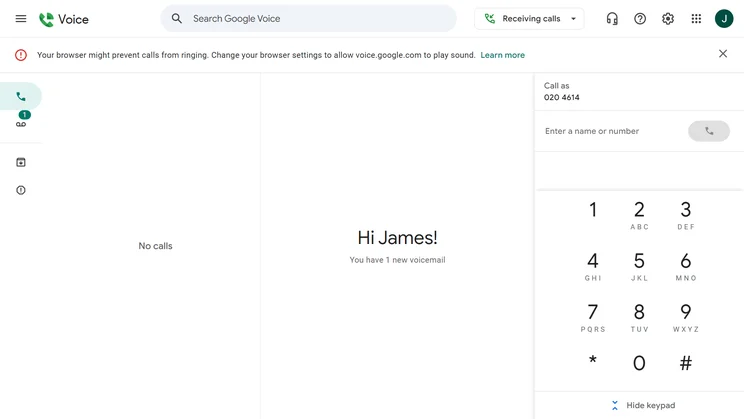
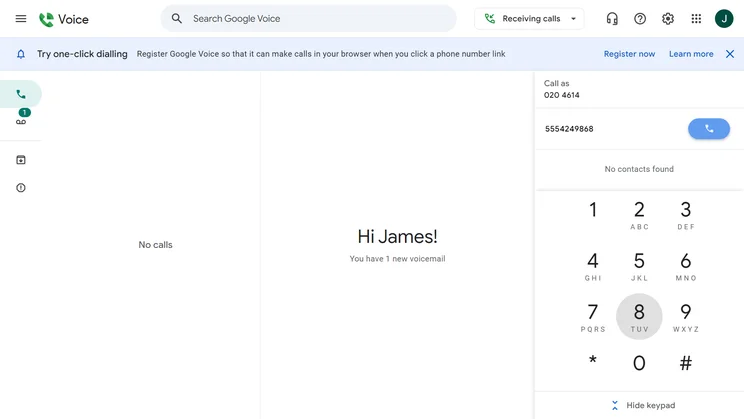
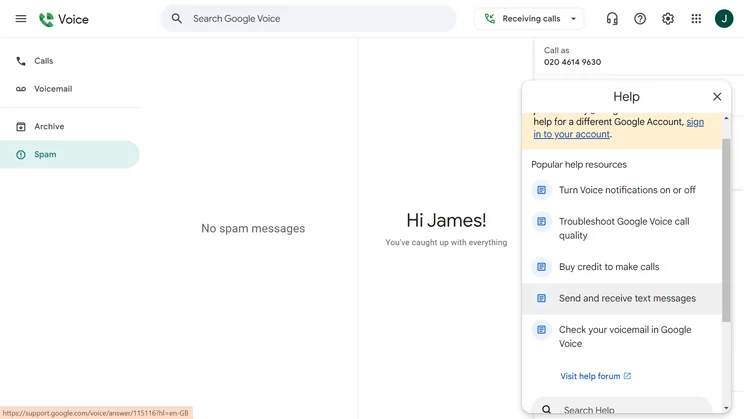
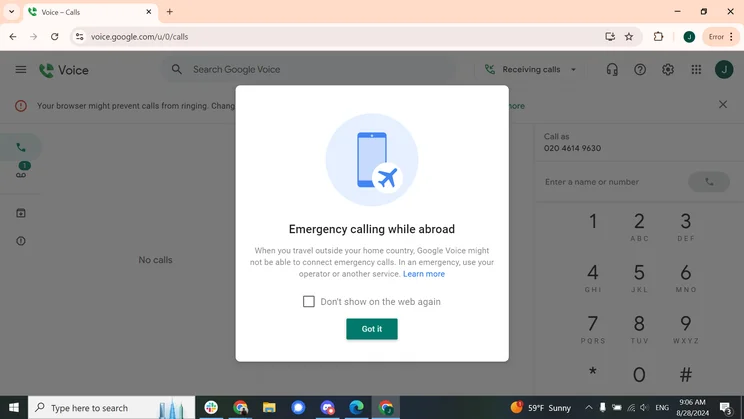
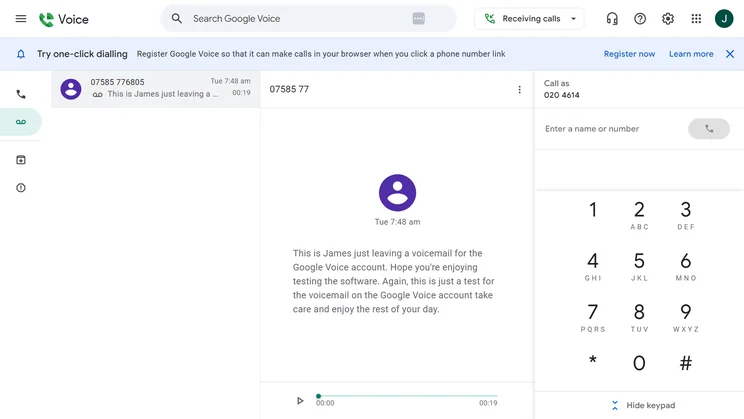
The Google Voice interface is clearly laid out, with minimal clutter and generous use of white space for ease of navigation. Source: Tech.co testing
Google Voice’s UX design is one of the best on the market. I tested the product myself and found it to be very easy to use.
The dial pad, which is located on the right of the screen, has large keys for ease of dialing. Additionally, it can be hidden on demand. While small, these design touches can make a big difference to users who need to dial multiple numbers in quick succession.
Inclusive design is baked into everything Google does and this is evident across Google Voice, which emphasizes white space, logical site-mapping, and general intuitiveness.
How much does Google Voice cost?
- Starter: $10 per user, per month
- Standard: $20 per user, per month
- Premier: $30 per user, per month
Read our Google Voice review for more.
2. Zoom US & CA Metered: Best Overall
- Starting price: $10.50 per user, per month
Zoom US & CA Metered is the best overall cheap VoIP plan. Starting at $10.50 per user, per month, it is fifty cents more expensive than Google Voice Starter, but it boasts a far superior feature catalog.
Zoom Phone

In Short
-
Pros
- Very low starting price, ideal for smaller businesses
- Excellent for managing high numbers of incoming calls (spam prevention, hold music, etc.)
- Top tier security protocol with abundance of compliance certificates
-
Cons
- Limited number of CRM and helpdesk integrations
- No email support available and you don’t get much help with onboarding
- Insufficient analytics tools with a lack of detail in reporting
Pricing
-
US & CA Metered: $10.50/user/month
-
US & CA Unlimited: $16/user/month
-
Pro Plus: $20.50/user/month
-
Business Plus: $24.50/user/month
Images

What’s good about Zoom Phone US & CA Metered?
- Excellent call management features for price point, including interactive voice response (IVR), queuing, and distribution groups
- Great training tools, including call recording and call whisper
- Seamless integration with Zoom Meetings
What could Zoom Phone US & CA Metered improve?
- Limited help and support options, with chatbot, live chat, phone support, technical support, and knowledge base access gated behind the Pro Plus plan ($20.50 per user, per month)
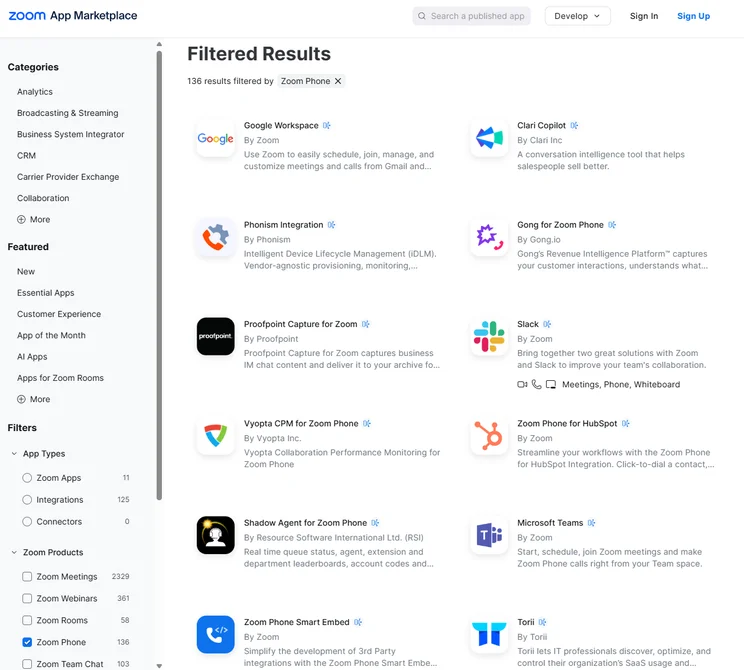
- Limited range of available integrations — Outlook, Salesforce, Gmail, Microsoft Teams, ServiceNow, and HubSpot are only available on the Pro Plus plan
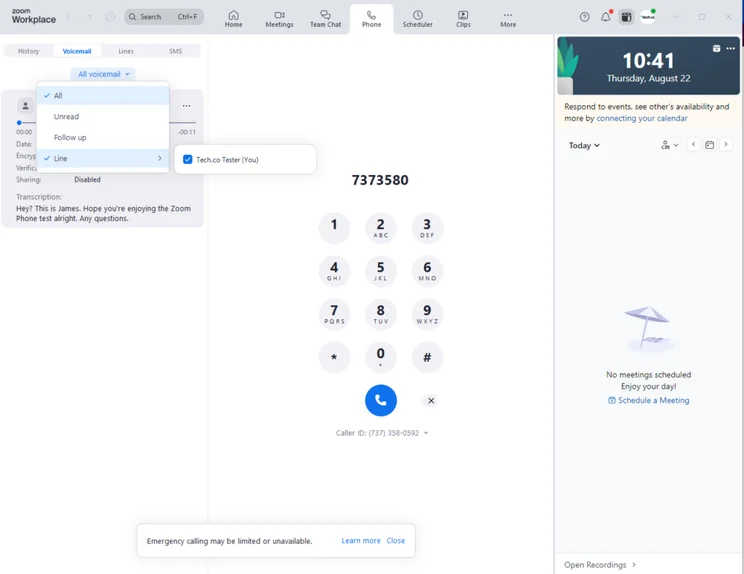
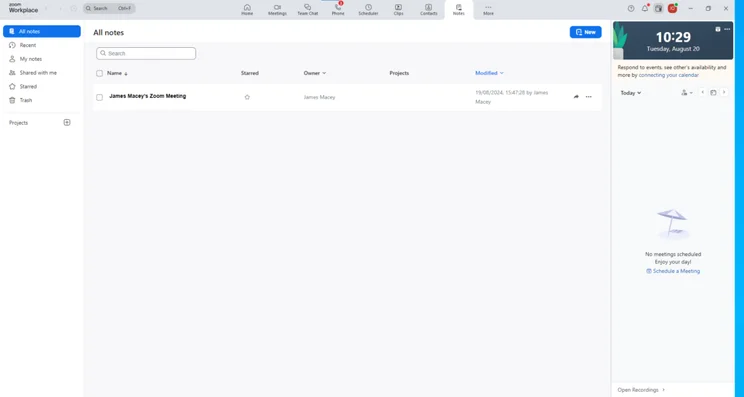
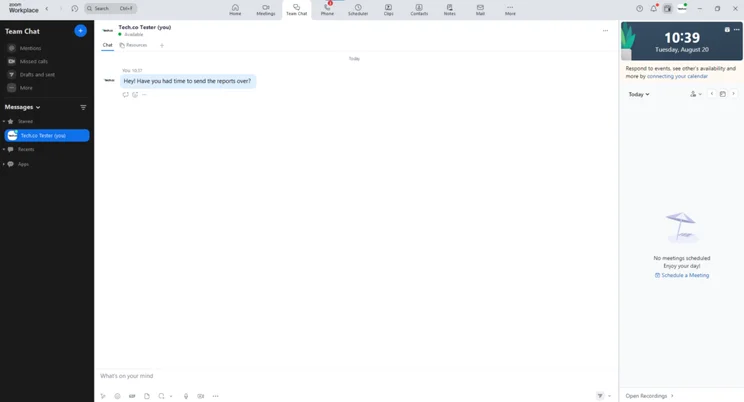
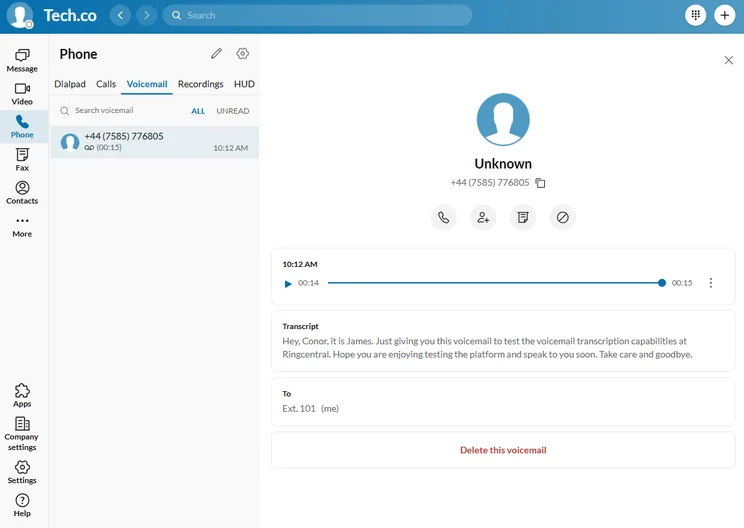
The voicemail interface in Zoom Phone. Source: Tech.co testing
I loved testing Zoom Phone. As part of our research process, I put the platform through its paces to evaluate ease of use, features, and overall experience.
From the outset, you’re hit with a super-clean interface, which looks really professional and premium, especially relative to the rock-bottom entry price.
Impressively, considering how stacked the feature catalog is, Zoom isn’t overwhelming to use. Thanks to the logical signposting, everything is easy to find.
How much does Zoom Phone cost?
- US & CA Metered: $10.50 per user, per month
- US & CA Unlimited: $16 per user, per month
- Pro Plus: $20.50 per user, per month
- Business Plus: $24.50 per user, per month
- Global Select: $22 per user, per month
3. Dialpad Standard: Best for Small Customer Service Teams
- Starting price: $15 per user, per month
Dialpad Standard is the best cheap VoIP plan for small customer service teams, due to its excellent range of tools for handling inbound calls, including instant messaging and ring groups.
Dialpad Connect

In Short
-
Pros
- Excellent, comprehensive suite of features
- Great array of alternative communication channels
- Excellent security
-
Cons
- Slim range of software integrations with CRM, helpdesk or PMS
- Lacks some training tools
- No call queue functionality
Pricing
-
Standard: $15/user/month
-
Pro: $25/user/month
-
Enterprise: Custom
Images
What’s good about Dialpad Standard?
- Impressive toolkit for managing inbound calls, including a multi-level auto attendant, visual voicemail, routing, and forwarding
- Excellent AI-enhanced tools, with examples including real-time call transcriptions, voicemail transcriptions, and real-time call analytics
What could Dialpad Standard improve?
- Lacks call queuing, unlike Zoom Phone’s US & CA Metered plan ($10.50 per user, per month)
- Limited range of integrations, with Google Workspace the only available option — which will incur an added cost of $7 per user, per month, if you don’t already have access to it
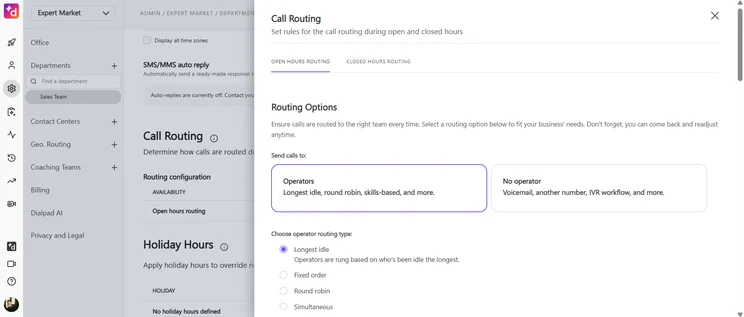
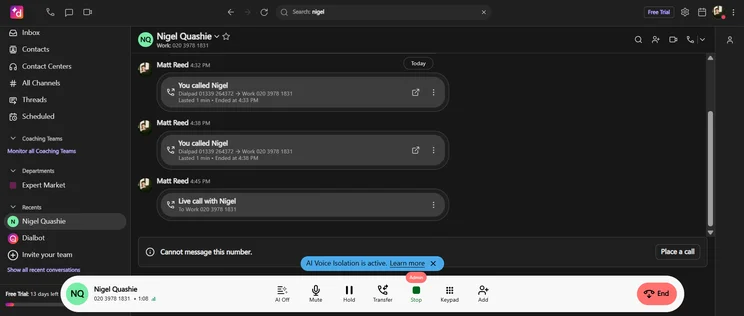
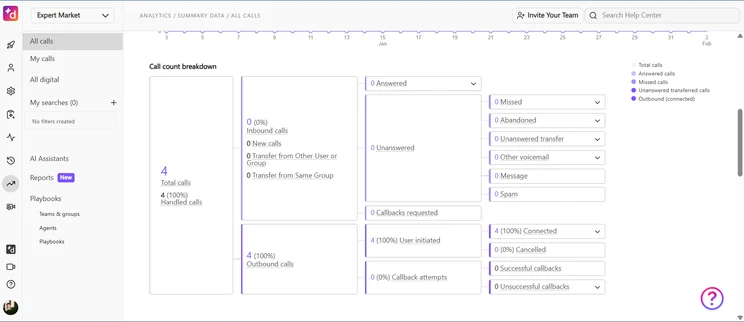
With Dialpad, you can customize your routing options to ensure your calls are always connected to the right party. Source: Tech.co testing
In May 2026, Dialpad introduced the Dialer, a new feature that automates high-volume outreach, meaning that users can increase their daily connect rate. It’s a particularly useful feature for fundraising drives and sales prospecting.
Also in May, Dialpad rolled out an estimated wait time feature, so that users can better manage end customer expectations by playing data-driven wait time ranges instead of queue positions, which are more frustrating.
Users can now also view schedules in greater detail, including remaining working hours and approved time off, for increased transparency. This is a great feature for managers with several agents operating underneath them.
How much does Dialpad cost?
- Standard: $15 per user, per month
- Pro: $25 per user, per month
- Enterprise: Custom pricing
4. net2phone Essentials: Best for Unifying Internal Communications
- Starting price: $19.99 per user, per month
net2phone Essentials is the best cheap VoIP plan for unifying internal business communications. This is because it offers a range of alternative communication channels in addition to calling, including video conferencing, messaging, and fax.
net2phone

In Short
-
Pros
- Excellent call management features
- Video conferencing platform built-in for team communication
- Plenty of AI features to save time and improve productivity
-
Cons
- Video conferencing and AI features very limited in Essentials plan
- Toll-free and international numbers cost extra in all plans
- Training features are highly limited
Pricing
-
Essentials: From $19.99/user/month
-
Professional: From $24.99/user/month
-
Ultimate: From $29.99/user/month
Images
What’s good about net2phone Essentials?
- Good selection of call management features, including call waiting, forwarding, transfer, parking, and routing
- Impressive selection of available integrations, including Salesforce, Microsoft Teams, Zapier, Zoho, and Slack
What could net2phone Essentials improve?
- Mediocre training features. While you get access to call recording, it lacks barge, whisper, and monitor, three fundamental training features that you can find on the Zoom US & CA Metered plan ($10.50 per user, per month)
In February 2026, net2phone announced the release of Hospitality Solution, a dedicated communications platform for the hospitality sector.
Hospitality Solution connects hotel property management systems (PMS) with net2phone to centralize room status management, minibar charges, and more.
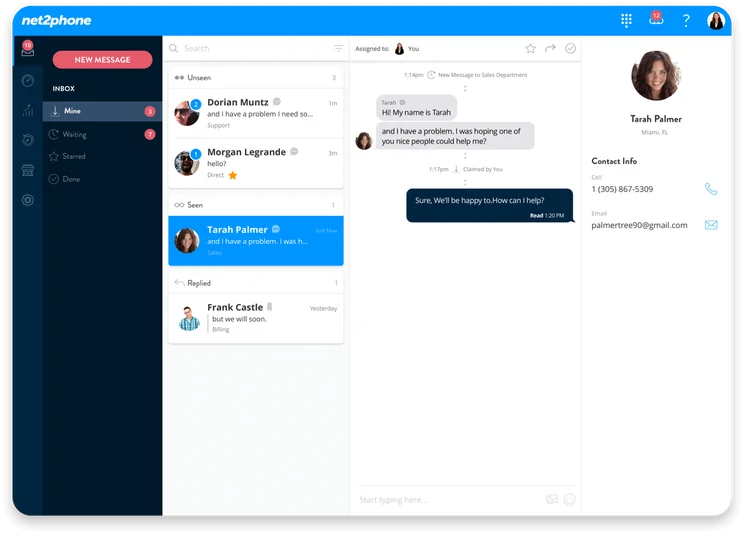
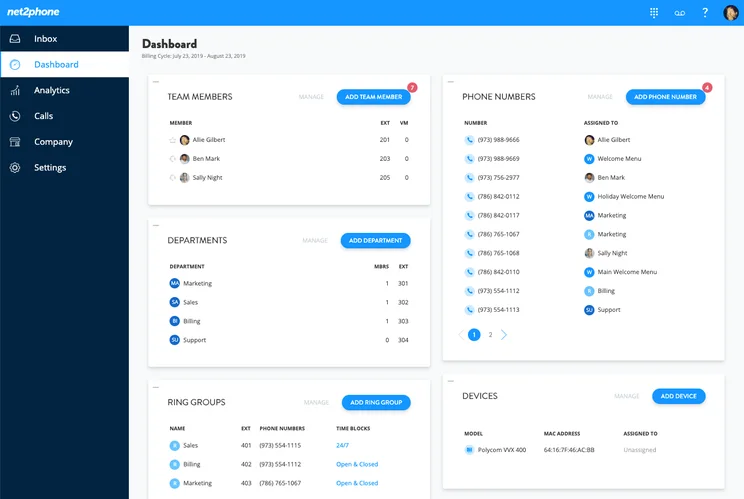
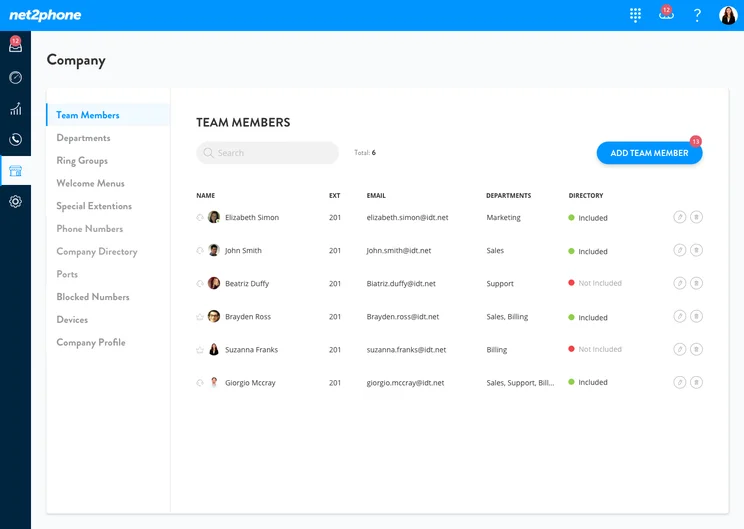
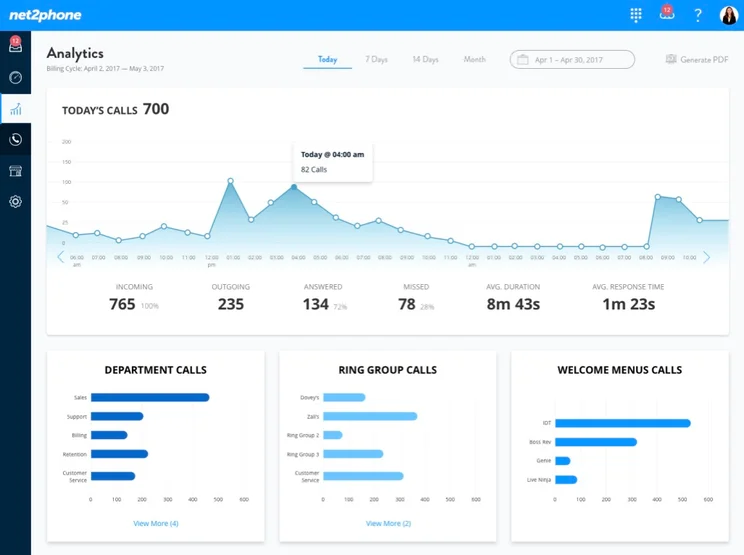
Team messaging lets you stay in instant contact with your team members, no matter where they are in the world. Source: net2phone
How much does net2phone cost?
net2phone pricing operates on a per-user basis. The prices given below are applicable for 25–99 users.
- Essentials: $19.99 per user, per month
- Professional: $24.99 per user, per month
- Ultimate: $29.99 per user, per month
Read our net2phone review for more information.
5. RingCentral Core: Best for Customer Support Options
- Starting price: $20 per user, per month
RingCentral Core is the best cheap VoIP plan for help and support options, with 24/7 support and dedicated onboarding support to help you get up and running quickly.
RingCentral RingEX

In Short
-
Pros
- Flexible range of pricing plans, with easy scaling for all businesses
- Largest library of third-party integrations across our research
- All-in-one hub for internal and external communication
-
Cons
- No automatic downloads for video meeting transcripts
- High starting price makes it prohibitive for smaller businesses
- CRM and helpdesk integrations reserved for more expensive plans
Pricing
-
Core plan: $20/user/month
-
Advanced plan: $25/user/month
-
AI Customer Engagement Bundle with AIR: custom pricing
-
AI Customer Engagement Bundle with AIR and ACE: custom pricing
Images
What’s good about RingCentral Core?
- Fantastic onboarding support, which is not widely offered across the VoIP landscape
- Great selection of help and support options, including 24/7 phone and chat support. Zoom Phone doesn’t offer 24/7 phone support on any of its plans
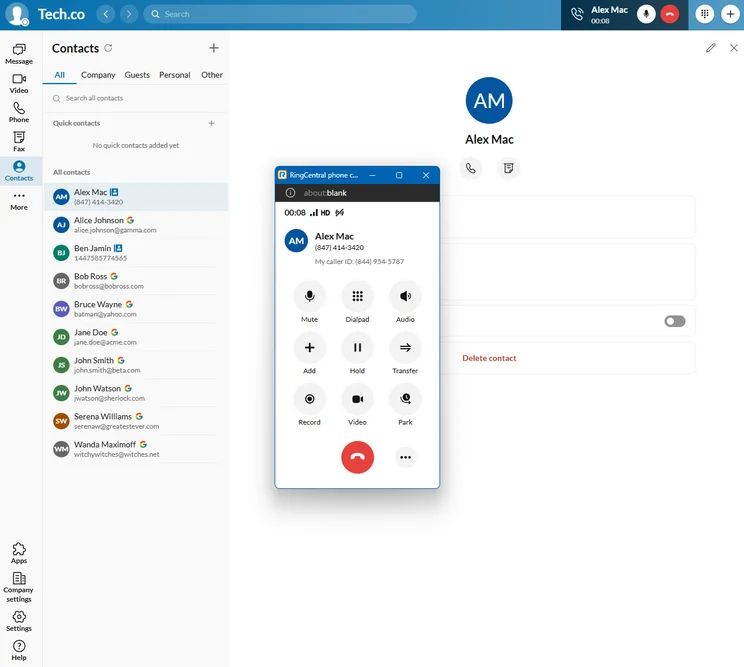
- Impressive array of call management features, including call queues, forwarding, transfer, screening, and logs
What could RingCentral Core improve?
- Limited selection of third-party integrations, such as a lack of CRM options
- Most expensive provider on this list
One thing that stood out for me when I tested RingCentral was the quality of the call recording feature, which clearly captured the voices in the conversation.
The voicemail transcription feature was also pretty good, although it did mix up punctuation, tenses, and names in a few instances.
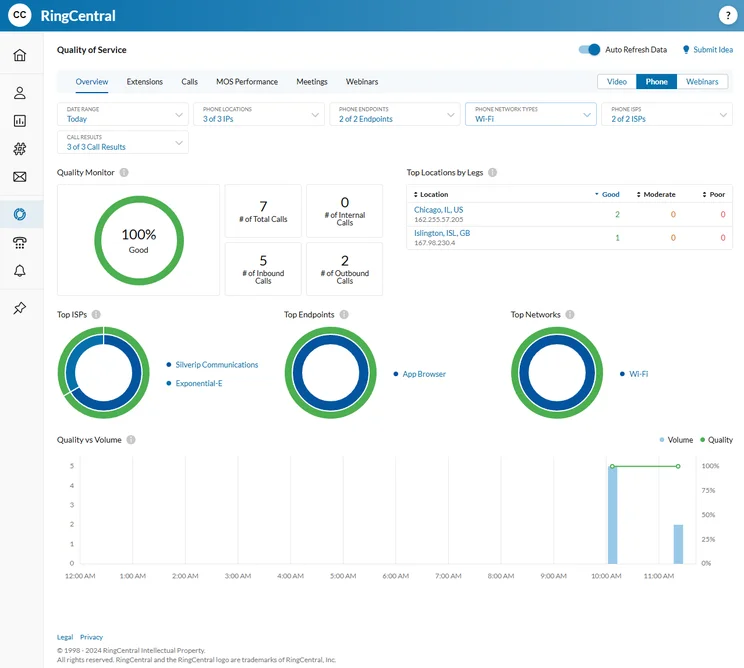
Detailed analytics gave me a deeper insight of the calls that I made, and I could see how valuable they would be for a company with a high volume of outbound calls.
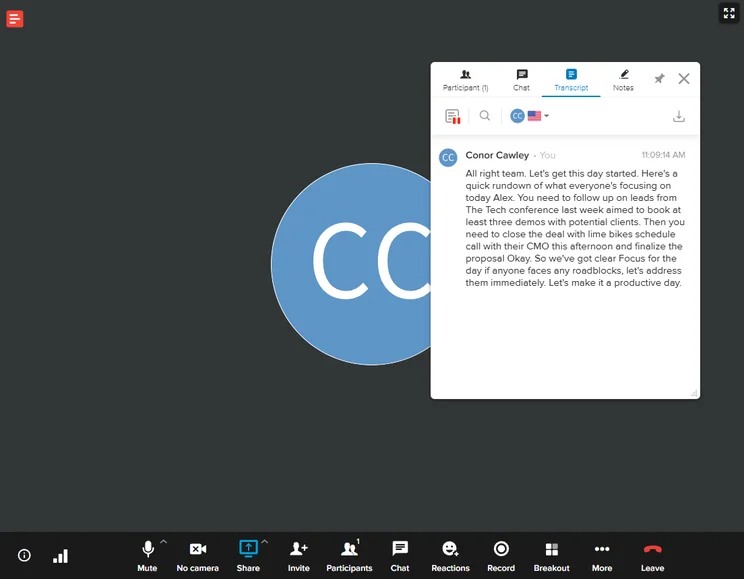
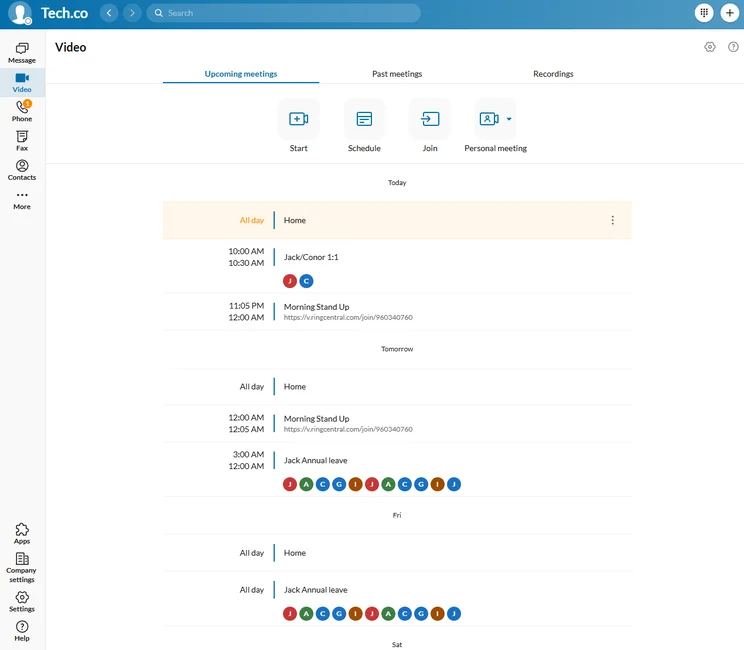
We used RingCentral’s audio transcription services in a video meeting, and it was nearly perfect. Source: Tech.co testing
How much does RingCentral cost?
- Core: $20 per user, per month
- Advanced: $25 per user, per month
- Ultra: $35 per user, per month
Can I Use VoIP for Free?
Yes, you can use VoIP for free, with services including WhatsApp, Skype, and Line.
Google Voice can be used for free, but only to make calls in the US, and you will be required to pay for Google Workspace ($7 per user, per month), if you don’t already.
Read our guide to the best free and paid Google Voice alternatives for more options.
Do any VoIP providers offer free trials?
Yes, a few companies offer free trials, including Dialpad, RingCentral, and GoTo Connect, so you can work out whether the software is a good fit for you.
How We Evaluate the Best VoIP Software
We take our hands-on testing and impartial analysis seriously, so you can have complete confidence that we’re giving you the clearest, most useful recommendations.
After conducting an initial exploration to identify the most relevant, popular, and established business phone platforms on the market, we selected 10 top VoIP systems and took a deeper dive into their plans to find out more about the features and functionality on offer.
Based on years of market research, product testing, and user needs analysis, we’ve established a VoIP system research methodology that scores each product in six core categories of investigation, which are broken down into 44 further subcategories.
With this framework we cover everything, from internal communication tools and security options to niche training features, and it ensures we can accurately assess each product’s value for its price and suitability for different types of businesses.
Our main research categories for VoIP phone systems are:
- Call management features: The presence and quality of call handling features, including basic features such as call forwarding and voicemail, as well as more advanced features like auto-attendant and interactive voice response (IVR).
- Communication channels: Features designed to support communication other than calling, including integrations with websites and social media platforms.
- Training features: The presence and quality of features designed to support onboarding and training, like call barge, call whisper, and performance dashboards.
- Customer support: The assistance and resources provided by the VoIP service provider to customers, including online resources, knowledge bases, and access to customer support representatives and AI chatbots.
- Security options: The measures and features implemented by the VoIP service to ensure the confidentiality, integrity, and protection of voice communications and data.
- Pricing factors: The pricing structure associated with the VoIP service, including factors such as monthly subscription fees, domestic and international call rates, setup fees, hardware costs, and extra costs, like add-on features or services.
When it comes to calculating a product’s final score, not all testing areas are weighted evenly, as we know some aspects matter more to our readers than others, which are merely “nice to have.” After hundreds of hours, our process is complete, and the results should ensure you can find the best solution for your needs.
Learn more about our research testing process.
Zoom US & CA Metered is the best cheap VoIP solution on the market.
It is just ¢0.50 more expensive than Google Voice Starter, and has a vastly superior feature catalog. Standouts include automatic call distribution groups and queuing, alongside call barge, monitor, whisper, and takeover.
The plan also scored highly for communication channels, as it offers video conferencing and messaging, in addition to voice calling.
Frequently Asked Questions
Traditional landline phones can cost businesses an average of $50–100 per line, while VoIP systems can cost as little as $10 per user, per month.
Yes, you can keep your landline number if you switch to VoIP. However, this is only possible if the provider offers number porting features, so check that your desired package offers this before purchasing.
No, you don’t need to buy designated hardware for your VoIP platform. Softphones can be used on mobiles, laptops, and desktops, although they often have inferior sound quality to VoIP desk phones.


