
We may receive a commission from our partners if you click on a link to review or purchase a product or service. Click to Learn More
RingCentral pricing starts at $20 per user, per month, for its Voice over Internet Protocol (VoIP) service, RingEX. There is no free plan available, but you can use the 14-day free trial to get a feel for the interface before making a financial commitment.
RingCentral’s starting price is higher than the industry average of $15 per user, per month, especially when you consider that most of the functionality unlocks with the $25 per user, per month, Advanced plan. Still, the value in RingCentral’s pricing is very much there, with the platform providing more functionality than most of the top VoIP providers in our in-depth, hands-on research.
In this guide, we’ll outline all of the RingCentral RingEX pricing plans, including how much they cost and what they can do, as well as some of the paid add-ons and third-party integrations that are available with this VoIP platform.
- Pricing: RingCentral pricing starts at $20 per user, per month, for its VoIP service, with $25 per user, per month, and $35 per user, per month, options.
- Free plan: RingCentral does not provide a free plan for its VoIP service, but it does offer video meetings at no cost and a 14-day free trial.
- Add-ons: RingCentral offers a lot of paid add-on options like events, webinars, and contact center tools.
- Integrations: The true value of RingCentral comes from its massive third-party app library, which is only available with the Advanced ($25 per user, per month) and Ultra ($35 per user, per month) plans.
- Competition: RingCentral’s starting price is a bit higher than competitors, but the value is there if you’re willing to pay a bit extra.
Tech.co has been around longer than the iPhone, and we’ve been advising businesses on the must-have tech for just as long. We have spent hundreds of hours researching VoIP products over the years, using them ourselves and assessing the highs, and lows, of each platform, so your company doesn’t make a costly mistake.
When it comes to the cost of VoIP, we take a deep dive into not just the displayed price, but also what you’ll get for it, as well as the hidden costs the providers might not shout about. We can also tell you if the final price really offers great value, or whether you’re better taking your business elsewhere.
(Pricing updated 23rd July 2026)
RingCentral RingEX Pricing Plans
RingCentral offers four different pricing plans for its VoIP service — Core, Advanced, Ultra, and Customer Engagement Bundle — each offering an increasing number of features and functionality for your VoIP needs. Read on for more in-depth information about what these plans offer.
|
Plan
|
Price
|
Unlimited calls in US
|
Video conferencing
|
Analytics
|
Custom call routing
|
Call monitoring
|
CRM integration
|
Call barge
|
Customer engagement
|
|
|---|---|---|---|---|---|---|---|---|---|---|
 |
|
|
||||||||
|
Core |
Advanced |
Customer Engagement Bundle |
||||||||
|
$20/user/month |
$25/user/month |
Custom |
||||||||
|
|
|
|
||||||||
|
200 participants |
100-200 participants (depending on plan) |
200 participants |
||||||||
|
Quality of Service (QoS) reports |
|
|
||||||||
|
|
|
|
||||||||
|
|
|
|
||||||||
|
|
|
|
||||||||
|
|
|
|
||||||||
|
Add-on |
Add-on |
|
Core — Best for Small Businesses With Basic Needs
- Price: $20 per user, per month
As you can guess from the name, Core is the first plan from RingCentral, and it provides – you guessed it – the core essentials of VoIP technology for your business.
What features are available with the Core plan?
- Call management: This plan offers unlimited calls to the US and Canada, voicemail-to-text functionality, and functions like call queues, visual voicemail, an auto-attendant, AI-enhanced noise cancellation, and on-demand call recording.
- Team management: You’ll find basic team management features on this plan, including team messaging and document sharing, as well as a video meeting tool for up to 100 participants.
- Customer support: RingCentral provides 24/7 customer support across all paid plans, which includes the Core plan.
- AI features: The Core plan does offer some AI Assistant features, including closed captioning, transcribing calls, taking real-time notes, capturing actions, and syncing with call history.
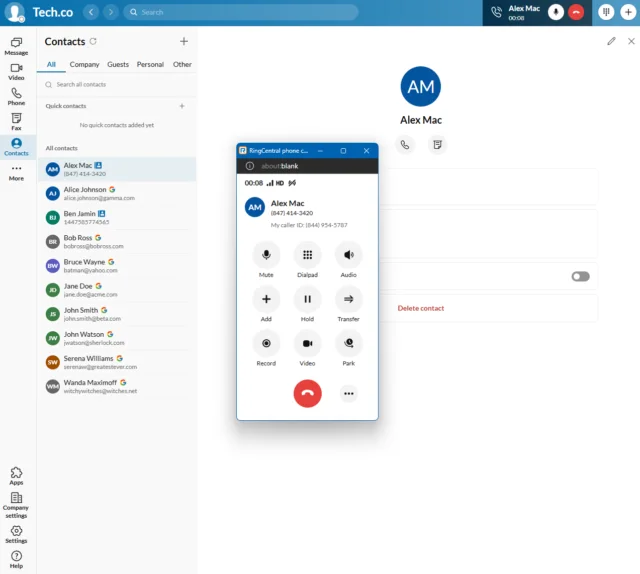
RingCentral’s call pop-up appears on your screen when you’re receiving an incoming call. Source: Tech.co testing
Advanced — Best for Remote or Hybrid Businesses
- Price: $25 per user, per month
Geared towards larger businesses than Core, the Advanced plan nonetheless has its shortcomings.
What features are available with the Advanced plan?
- Call management: This plan offers automatic call recording, a hot desking feature, a virtual receptionist, and conversation-based training features, like call monitoring, whisper, and barge.
- Team management: You’ll only add unlimited internet fax with this plan and nothing else.
- Integrations: Most importantly, the Advanced plan unlocks third-party integrations, which allows the platform to work in tandem with other systems, like Salesforce, Zendesk, Canvas, and Smarsh.
- AI features: This plan unlocks the remainder of the AI features from RingCentral, including generative tools to write, draft, and edit SMS and team messages. It can also summarize unread messages and translate messages from team members.
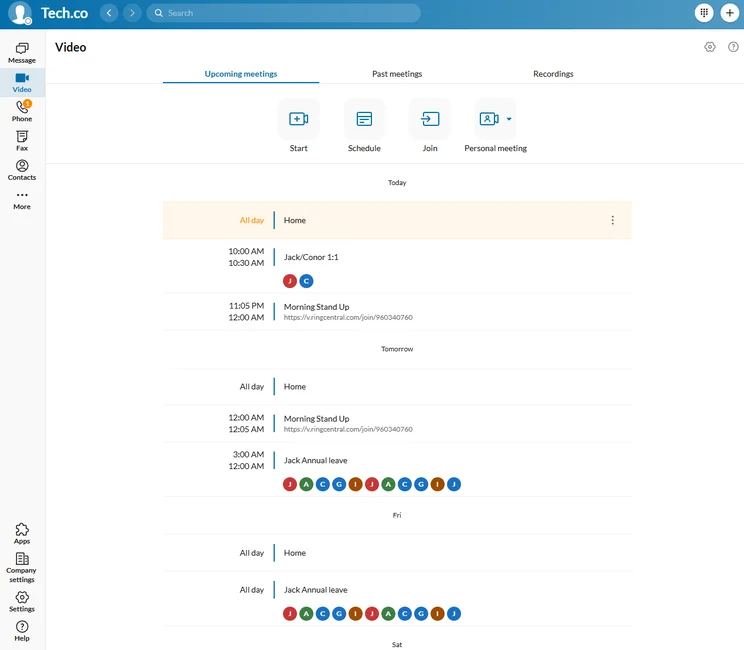
All RingCentral pricing plans allowed us to connect with Google or Microsoft to easily integrate our calendar. Source: Tech.co testing
Ultra — Best for Businesses With High Call Volume
- Price: $35 per user, per month
If you’ve got a bigger budget, and rely heavily on VoIP solutions in your day-to-day operations, chances are RingCentral Ultra will be your best bet. Its advanced feature offering naturally makes it a bit more expensive, but it easily provides the best value out of any other RingCentral plan in this guide.
What features are available with the Ultra plan?
- Call management: RingCentral Ultra offers 10,000 toll-free numbers and minutes, advanced rules and routing on its call queues, eight-digit extensions, and end-to-end encryption for video and messaging. You’ll also find audio transcription functionality on meetings with this plan.
- Team management: 200 participants for video meetings, unlimited storage for team messaging and file sharing, and unlimited storage for files, messaging, transcription, notes, recordings, as well as access to the AI Assistant for team messaging.
- Analytics: This plan unlocks Business Analytics Pro, which allows you to customize your reports and analytics. You’ll also get device analytics and alerts.
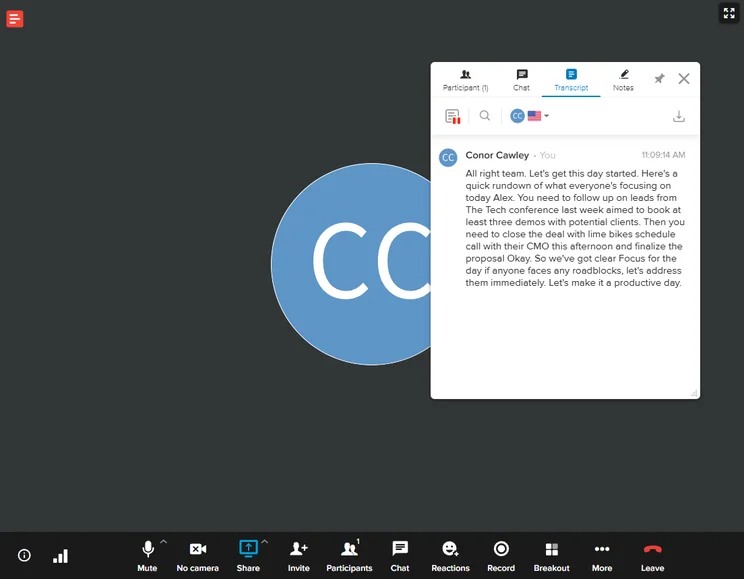
We used RingCentral’s audio transcription services in a video meeting, and it was nearly perfect. Source: Tech.co testing
Customer Engagement Bundle — Best for Large Customer Service Operations
- Price: Custom
The Customer Engagement Bundle is less of a pricing plan itself and more of a more functional version of the Ultra plan that includes add-on services at custom pricing. More specifically, it provides users with access to the Business SMS Booster and the Call Queue Booster, both of which are available as paid add-ons for the other pricing plans.
What features are available with the Customer Engagement Bundle?
- Business SMS Booster: This feature allows users to communicate with customers via text message more effectively. You’ll get access to company reply templates, SMS compliance management, a shared SMS inbox, and analytics.
- Call Queue Booster: The call queue booster makes your on-hold experience more enjoyable for customers, with features like estimated-wait-time and place-in-queue announcements, and live reports for real-time call queue management.
Does RingCentral RingEX Have a Free Plan?
Unfortunately, RingCentral RingEX does not offer a free plan, so you’ll have to pay if you want access to the VoIP provider. However, RingCentral does offer a 14-day free trial, so you can test out the platform before you make the financial commitment.
Also, there is a free plan for the RingCentral video meeting tool, but that does not provide any VoIP functionality.
RingCentral Add-On Costs
RingCentral offers great features in its main offering. But some businesses need a bit more functionality, which is why we explored the third-party integration library of RingCentral and found that it is one of the most expansive in the industry, with more than 500 different add-ons, both free and paid. For those interested in expanding RingCentral’s basic packages, we outline the costs of these add-ons below:
- Additional vanity numbers — $30 up-front, plus a monthly $4.99 fee
- RingCentral Rooms license — $49 per room, per month, or $468 annually
- Push to Talk license — $5 per user, per month
- Additional international numbers — $5.99 per number, per month
- Additional international toll-free numbers — $14.99 per user, per month, plus one time $25 set-up fee
- Additional toll-free or local numbers — $4.99 per month
- RingCentral Webinar — $30 per organizer, per month
- RingCentral Events — $99 per organizer, per month
- AI Conversation Expert — $60 per user, per month
- RingCentral AI Receptionist — $39 per user, per month
Check out our in-depth RingCentral review to learn more.
Hardware options
In addition to software add-ons, we found that RingCentral is also one of the better VoIP providers when it comes to desk phone compatibility. The company presents its customers with two choices — you can either purchase a plug-and-play phone from the provider directly, or Bring Your Own Device.
In terms of the former, you can choose between several different Poly, Mitel, Cisco, or Yealink models. You can view the full list here.
For users who want to use their preexisting hardware, RingCentral is compatible with several models across Alcatel, AudioCodes, Avaya, Cisco, Mitel, Poly, Snom, Unify, and Yealink. You can view that complete list here.
Other RingCentral Service Prices
As we mentioned, RingEX isn’t the only tool offered by RingCentral to improve your business communication. In fact, the company provides access to quite a few services that are designed to make staying in touch with your team and your clients a little bit easier. Here are some of the other RingCentral services and their pricing:
RingCentral Video pricing — $10 per user, per month
RingCentral is not only a VoIP service, but also a top video conferencing platform. In fact, our research found that RingCentral offers the best video conferencing platform for small businesses, thanks to its generous call limits, robust customizability, and affordable price tag.
RingCentral does offer a free video plan – called Video Pro – but with some notable restrictions, such as 50-minute and 100-participant meeting limits. You can, however, pay $10 per user, per month for the RingCentral Video Pro+ plan, which gives you access to advanced analytics, third-party integrations, and end-to-end encryption.
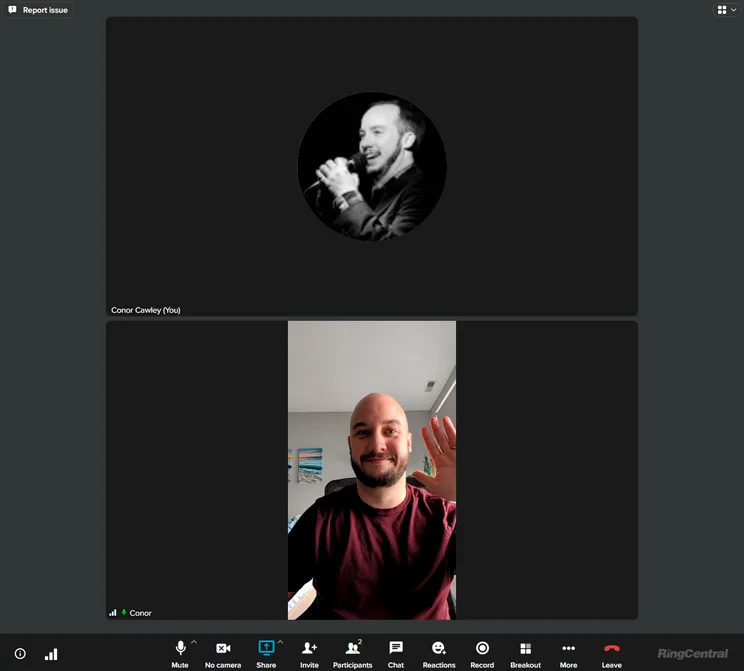
The RingCentral Video interface is unique in making 1:1 meetings vertical rather than horizontal. Source: Tech.co testing
Even better – the free version of RingCentral Video is built into the VoIP service, so you’ll be able to launch video meetings and make internal and external audio calls all on the same platform.
On the pricing front, RingCentral Video stacks up pretty well against the competition. Its first paid plan is cheaper than the equivalent Zoom plan, which costs $14.16 per host, per month. It is, however, more expensive than Google Meet’s first paid plan, which starts at just $7 per user, per month.
Learn more about how much the service can cost you in our RingCentral Video pricing guide, or take a look at our table below. And for more information on Zoom, take a look at our RingCentral versus Zoom guide to see which VoIP provider comes out on top.
|
Price
|
Licenses
|
Participants
|
Time limit
|
Whiteboard
|
Breakout rooms
|
End-to-end encryption
|
Integrations
|
||
|---|---|---|---|---|---|---|---|---|---|
|
|
|
||||||||
|
Video Pro |
Video Pro+ |
||||||||
|
Free |
$10/user/month |
||||||||
|
1 |
Unlimited |
||||||||
|
100 |
200 |
||||||||
|
50 minutes |
24 hours |
||||||||
|
|
|
||||||||
|
|
|
||||||||
|
|
|
||||||||
|
|
|
RingCX pricing — $65 per user, per month
If you need more than a top cloud phone system, RingCentral also offers a contact center tool — called RingCX — that costs from $65 per user, per month. This service is designed to improve customer experiences at your business, allowing you to create an omnichannel support platform for your team to solve problems quickly and efficiently.
Even better, we were able to use a wide range of AI-powered tools in our testing of RingCentral, automating a bunch of operations to save time. There were also AI-powered insights, which allowed us to stay up-to-date on our teams performance.
The top-paid tier of the RingCX product is the RingCentral Contact Center Enterprise plan, which adds advanced functionality, like guided customer journeys, keyword tracking, post-call speech analytics, and agent notifications. Pricing isn’t public for this plan, though, so you’ll have to contact the RingCentral sales team to get more information.
Is RingCentral a Good Value?
RingCentral might be a bit more expensive than competitors when it comes to starting price, but is this a get-what-you-pay-for situation? Does RingCentral have enough functionality to warrant the slightly higher price tag?
In our research, we found that RingCentral is absolutely worth the cost of entry. For one, the majority of functionality with VoIP providers — like third party integrations and advanced call management features — comes in the second pricing plan, which is only $25 per user, per month, for RingCentral, right around the industry average.
On top of that, RingCentral remains by far the most functional VoIP provider at this price point, providing features like call monitoring, call queue, call barge, and voicemail screening, which can be vital for larger operations. You’ll also get 24/7 support with RingCentral, which can’t be said for all.
Suffice to say, RingCentral might seem a bit more expensive, but you’re definitely getting what you pay for. It’s not just a VoIP service; RingCentral provided us with a full-on communication hub that allowed us to stay in touch in a lot of ways, like through its helpful and easy to use team messaging platform.
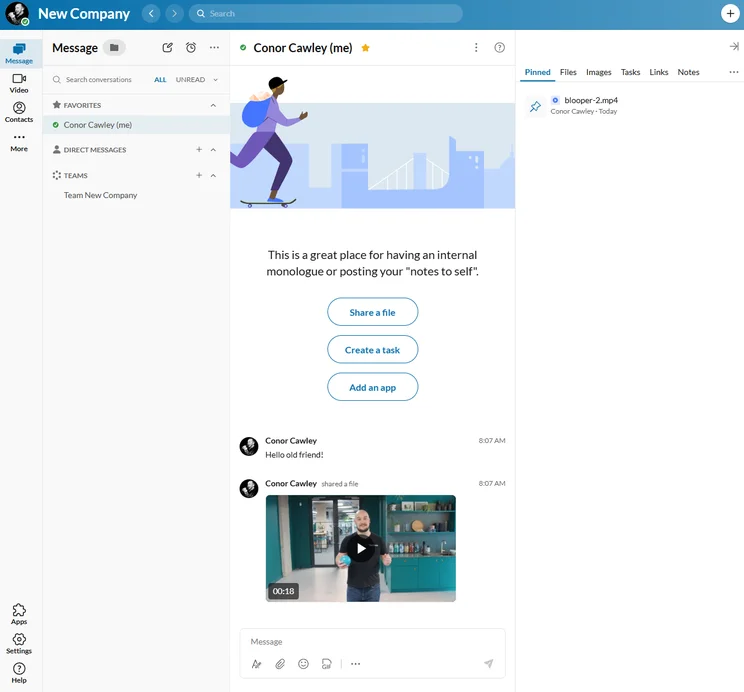
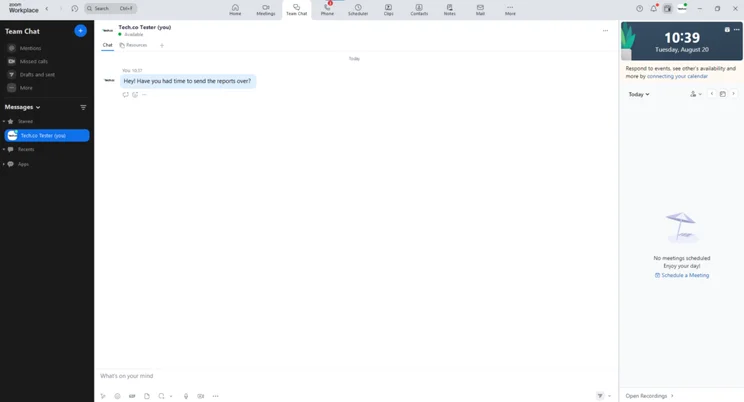
The RingCentral Messages platform is simple and effective for staying in touch with your team. Source: Tech.co testing
How Does RingCentral Compare With Other VoIP Providers?
RingCentral is a great VoIP provider, but it’s not perfect for every business. Fortunately, the VoIP market is packed to the rafters with a wide range of solid options for businesses of all shapes and sizes. Check out the table below to see how RingCentral and other VoIP providers compare with each other.
On top of the options below, RingCentral was also considered one of our top Slack alternatives, as it offers a robust built-in team messaging platform.
|
Plan
|
Price
|
Desk phone compatibility
How many desk phone brands is the service compatible with?
|
24/7 support
|
Call monitoring
|
Call queue
|
Call barge
|
Voicemail screening
|
||
|---|---|---|---|---|---|---|---|---|---|
|
|
 |
 |
 |
 |
 |
 |
 |
 |
 |
|
RingCentral |
Zoom Phone |
Dialpad |
GoTo Connect |
8×8 |
Net2Phone |
Nextiva |
Vonage |
Ooma Office |
Google Voice |
|
Advanced |
US & CA Unlimited |
Pro |
Phone System |
Work |
Professional |
Engage |
Premium |
Pro |
Premier |
|
$25/user/month |
$16/user/month |
$25/user/month |
Custom |
Custom |
From $24.99/user/month |
$25/user/month |
$20.99/user/month |
$24.95/user/month |
$30/user/month |
|
4 brands |
7 brands |
4 brands |
10 brands |
4 brands |
2 brands |
6 brands |
3 brands |
2 brands |
1 brand |
|
Phone + chat |
Phone + chat |
Phone + chat |
|
Phone + chat |
Phone |
Phone, email + chat |
|
Phone + chat |
Add-on |
|
|
|
|
|
|
|
|
Add-on |
|
|
|
|
|
|
|
|
Add-on |
|
Add-on |
|
|
|
|
|
|
|
|
|
|
Add-on |
|
|
|
|
|
|
|
|
|
|
|
|
|
Ooma — pricing starts at $19.95 per user, per month
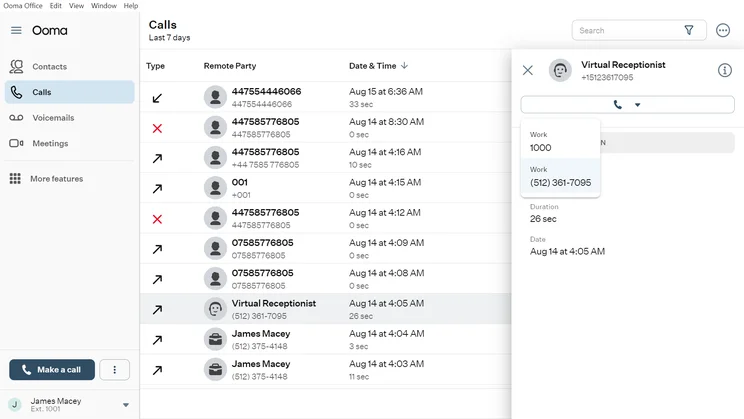
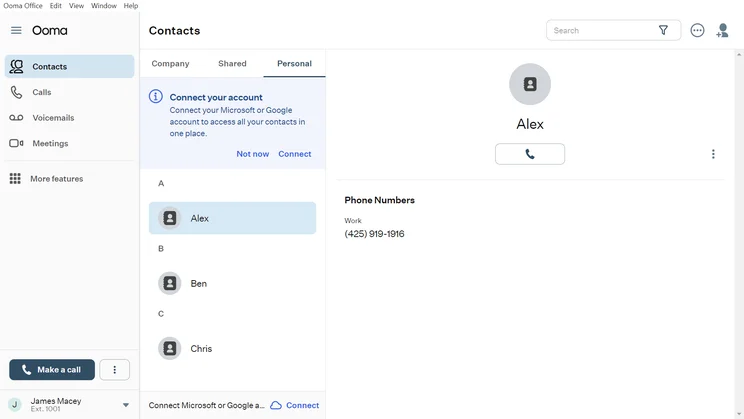
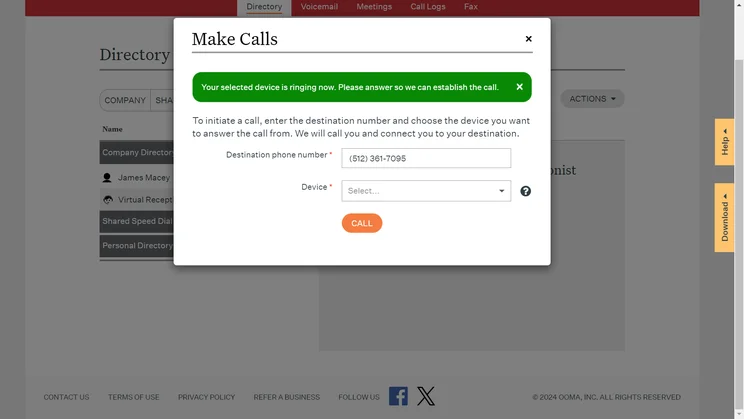
If you’re looking for a VoIP provider that is geared towards medium-to-large businesses, Ooma is definitely worth considering.
Its higher tiers are priced at $24.95 per user, per month, and $29.95 per user, per month, respectively, which is pretty reasonable when compared with some of Ooma’s competitors. Smaller businesses might be deterred by the entry price point of $19.95 per user, per month, however.
Learn more about the VoIP provider in our Ooma Office review.
Ooma

In Short
-
Pros
- Easy to use interface for simple ingoing and outgoing calls
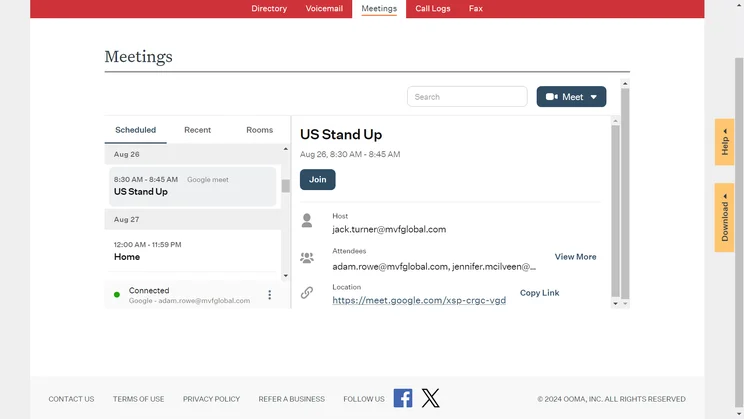
- Seamless integration with Google Calendar
- Automatic and voicemail screening available in all pricing plans
-
Cons
- Third-party integrations only available on more expensive plans
- White noise interference with voicemail audio quality
- Can only invite users to video meeting with external link
Pricing
-
 Essentials: $19.95/user/month
-
Pro: $24.95/user/month
-
 Pro Plus: $29.95/user/month
Images
Zoom Phone — pricing starts at $10.50 per user, per month
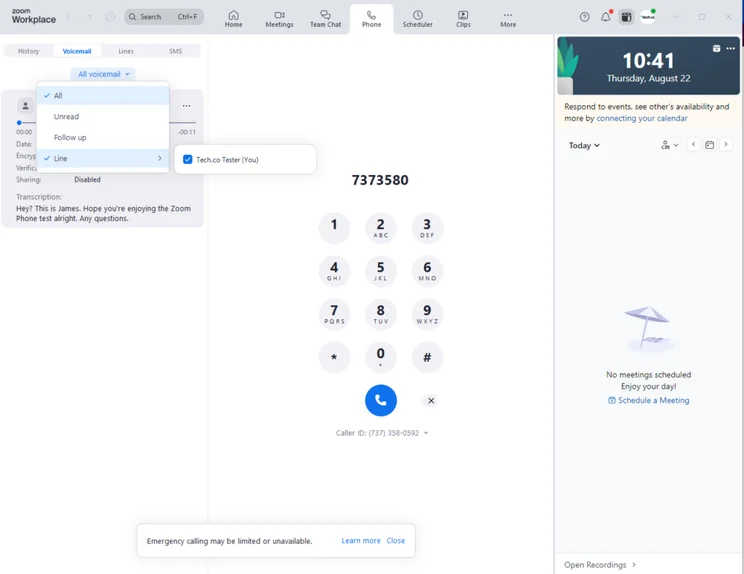
Zoom is our pick of VoIP platforms for small businesses, owing to its rock-bottom pricing, robust feature set, security options, and training features. Among its standout features, users can get call barge, monitor, whisper, and takeover, on all plans, which is rare when compared with other options on the market.
You can find out more about how it weighs up to RingCentral in our RingCentral versus Zoom guide.
Zoom Phone

In Short
-
Pros
- Very low starting price, ideal for smaller businesses
- Excellent for managing high numbers of incoming calls (spam prevention, hold music, etc.)
- Top tier security protocol with abundance of compliance certificates
-
Cons
- Limited number of CRM and helpdesk integrations
- No email support available and you don’t get much help with onboarding
- Insufficient analytics tools with a lack of detail in reporting
Pricing
-
US & CA Metered: $10.50/user/month
-
US & CA Unlimited: $16/user/month
-
Pro Plus: $20.50/user/month
-
Business Plus: $24.50/user/month
Images
Starting at $20 per user, per month, the first RingCentral plan is pretty expensive. However, considering the next two plans aren’t that much more expensive and offer many more features, you’ll find some good value for money by upgrading.
In addition to RingCentral’s excellent suite of features and streamlined user experience, the provider also offers 24/7 support options in all of its tiers, making it an especially great value for businesses using VoIP technology for the first time.
However, RingCentral won’t be perfect for all businesses. It offers no free service for small businesses with limited budgets, and its call-handling features are slightly less sophisticated than those offered by 8×8.
RingCentral Pricing FAQs
RingCentral is compatible with most VoIP phones, so you should be all set when it comes to that. Some notable brands that are compatible include Yealink, Polycom, Cisco, and Avaya.
Yes, there are free VoIP services. However, as is the case with lower priced RingCentral plans, you’re going to miss out on a lot of advanced features that could seriously improve your business. If you have room in the budget, we highly recommend opting for a paid option.
Yes, you can port over your cell phone or landline phone number to a VoIP provider. Most setups are a bit different, so check with your VoIP provider to learn how to bring your number over.
If you click on, sign up to a service through, or make a purchase through the links on our site, or use our quotes tool to receive custom pricing for your business needs, we may earn a referral fee from the supplier(s) of the technology you’re interested in. This helps Tech.co to provide free information and reviews, and carries no additional cost to you. Most importantly, it doesn’t affect our editorial impartiality. Ratings and rankings on Tech.co cannot be bought. Our reviews are based on objective research analysis. Rare exceptions to this will be marked clearly as a ‘sponsored’ table column, or explained by a full advertising disclosure on the page, in place of this one. Click to return to top of page


