
We may receive a commission from our partners if you click on a link to review or purchase a product or service. Click to Learn More
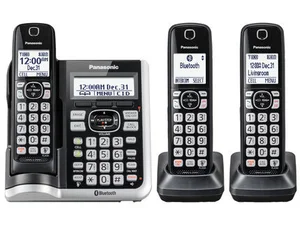
The best cordless phone available today is the Panasonic KX-TGF573S, due to its impressive battery life and high-end features such as noise reduction and call blocking. You can also hook your smartphone up via Bluetooth to receive calls on the go and ensure you never miss a beat.
To bring you this article, we’ve taken a closer look at the US phone hardware market and identified the five best cordless devices currently available to consumers.
Here, we’ll run through their pros, cons, and prices, and discuss everything you need to know about buying cordless and wireless phones for your company. Alternatively, consider VoIP desk phones for a modern, feature-rich solution.
Best Cordless Phones: At a Glance
In the table below, you’ll find a quick at-a-glance rundown of the five best cordless phones on the market. While finding the right phone for your business is essential, the real savings are to be made by changing over to a VoIP system, which won’t require you to invest in any hardware if you don’t want to.
Use our VoIP comparison form to find out how much you could save today.
|
Starting price
The typical lowest starting price. The lowest price available for your business will depend on your needs
|
Best for
|
Pros
|
Cons
|
||
|---|---|---|---|---|---|
|
Best all-round
|
|
|
|
|
|
|
Panasonic KX-TGF573S |
AT&T DL72210 |
VTech CS6719-2 |
Panasonic KX-TGD562M |
VTech IS8151 |
|
|
$129.99 |
$59.95 |
$19.98 |
$49.99 |
$90 |
|
|
Best all-around cordless phone |
Mobile workers who use cell phones as well as cordless phones |
Offices that need inexpensive cordless phones |
Offices that need a lot of phones |
Large offices |
|
|
|
|
|
|
|
|
|
|
|
|
Best Cordless Office Phones Reviewed
With so many options and even more features, it can be hard to decide which cordless phone is the best.
However, both the Panasonic KX-TGF573S, AT&T DL72210, and VTech CS6719-2 stand out for their unmatched mobility, impressively easy-to-use interface, and durability, respectively. These characteristics, combined with their communication features, make them our best cordless phones this year.
With this round-up of some of the best cordless DECT IP phones available for businesses, we’re confident that you’ll find exactly the right cordless DECT phone for your unique business requirements – whether you’re a solo entrepreneur, a small business, or a larger enterprise, the models reviewed below include options for all scenarios.

Get Cordless Phone Prices Now
Find the best phones provider for your business with our free tool
- Panasonic KX-TGF573S – Best all-around office phone
- AT&T DL72210 – A strong and slightly cheaper second place
- VTech CS6719-2 – Best cheap cordless phone
- Panasonic KX-TGD562M – Best for multiple handsets
- VTech IS8151 – Best for connection range
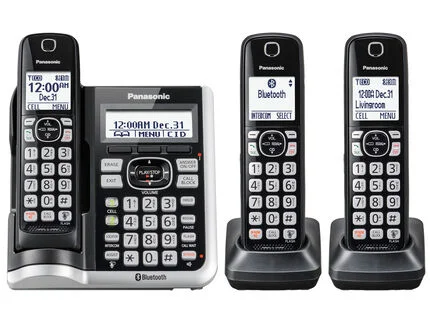
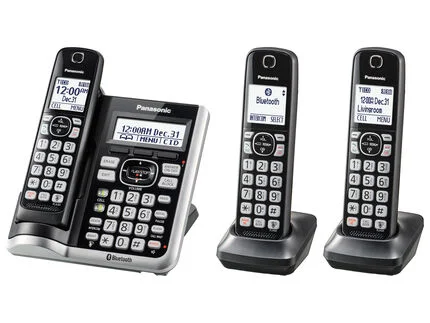
1. Panasonic KC-TGF573S
Best all-around cordless phone. Price: from $129.99
This Panasonic phone makes the perfect partner for any office. The large 1.8-inch displays make it easy to see who’s calling, and it can block up to 250 numbers.
What’s more, its noise reduction feature makes it perfect for noisy offices, while its extensive range means that, if you’re working from home, you can easily walk around without fear of the signal dropping out.
You can link up to two smartphones via Bluetooth to the KX-TGF573S, making it easy to make and receive calls to your cell phone regardless of where your phone is in the office. It’s also easy to make conference calls with the KX-TGF573S, and you can have up to three participants in each call.
It also has an answering machine with a total of 18 minutes of recording time, which is more than enough for even the busiest offices.
However, what really makes the KX-TGF573S is its impressive battery life – up to 12 hours of talk time and up to seven days of standby time – as well as the fact that it comes with three handsets as standard.
If you’re looking to equip your office with a new cordless phone, the Panasonic KX-TGF573S is the way to go.
Panasonic KX-TGF573S
In Short
-
Pros
- Noise reduction feature helps in busy offices
- Long battery life
- Extensive call-blocking list
- Supports conference calling
-
Cons
- Relatively expensive
Pricing
-
 Starts from $129.99 for three handsets
Images
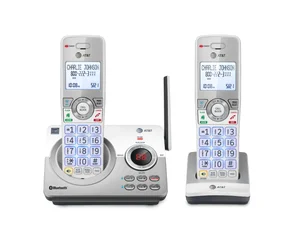
2. AT&T DL72210
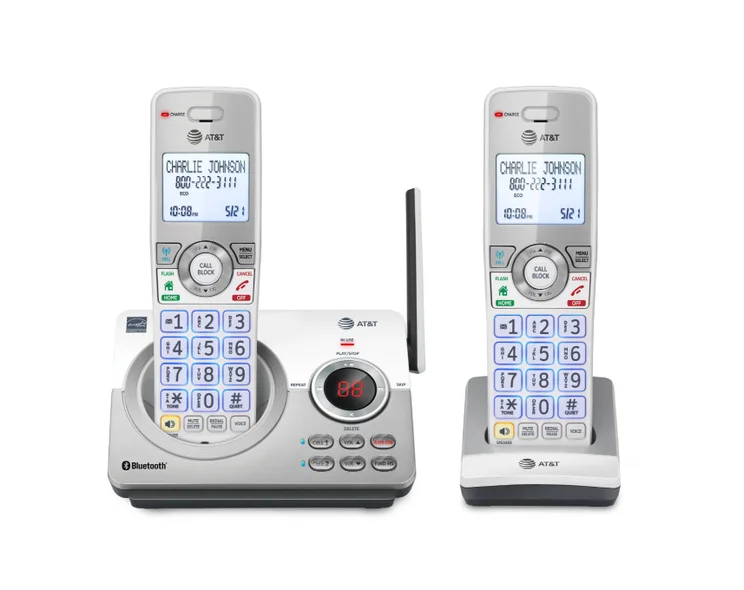
A strong and slightly cheaper second place. Price: from $59.95.
The AT&T DL72210 can’t quite match our top-choice Panasonic model when it comes to features but at $59.95, it’s a very enticing cheaper option.
Perhaps the most interesting part of the DL72210 is how it interacts with cell phones. The Connect to Cell feature allows it to make calls through your cell phone plan, so you can stay in touch with friends and family on your cell phone and a landline, your choice!
The AT&T phone also comes with a second handset, and both can be connected to a cell phone to help take calls. What’s more, if you have an Android phone, the DL72210 will even notify you when your cell receives a text, email, calendar, or social media notification.
You can download 6,000 cellular phonebook entries to the cordless handsets as well, and you can swap between cellular and home line calls easily.
If you’re used to carrying around a dedicated cell phone for your work, the DL72210 could be the perfect fit for anyone who is often on the go and away from the office.
AT&T DL72210
In Short
-
Pros
- Cheaper than some similarly impressive phones
- Can be connected to a cell phone to take calls
- Mirrors notifications from cell phones
- Can download up to 6,000 names and numbers from a cell phonebook
-
Cons
- Cell phone features might get annoying
Pricing
-
Starts from $59.95 for two handsets
Images
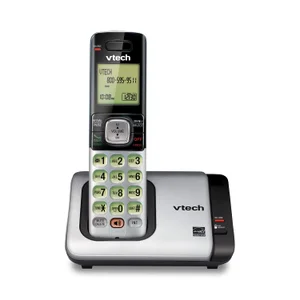
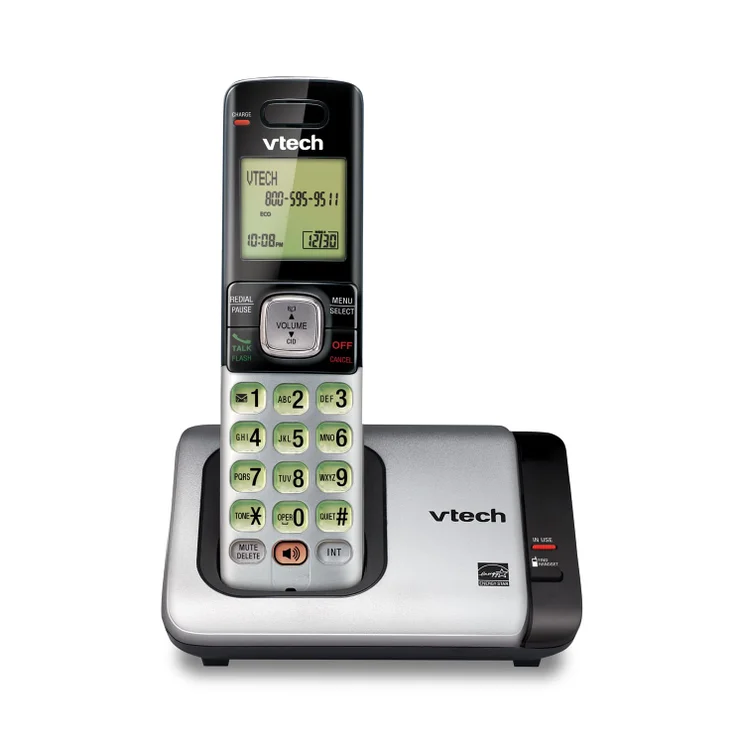
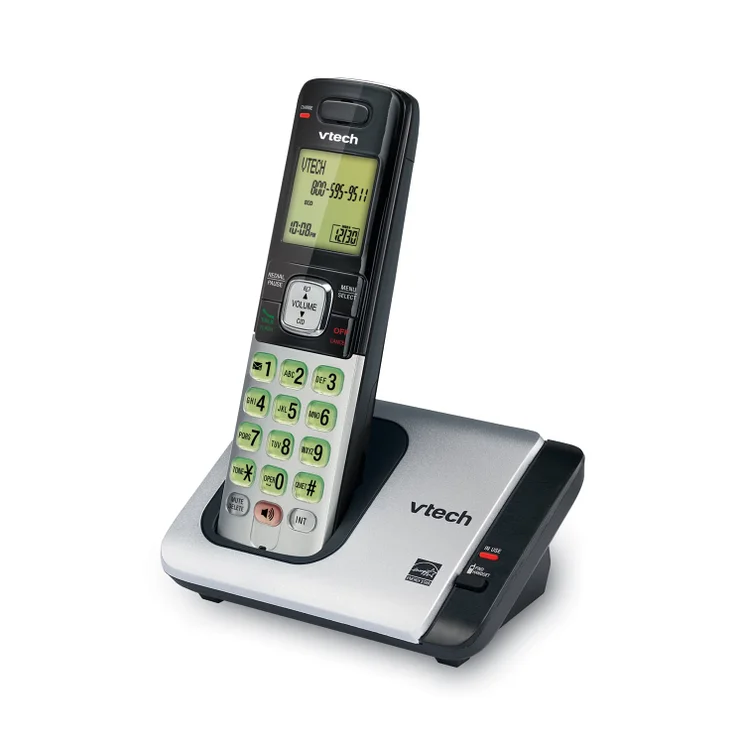
3. VTech CS6719-2
Best cheap phone. Price: from $19.98.
The first VTech model on our list isn’t blessed with features. In fact, it’s a pretty bare-bones device, but for less than $20, it’s a great deal for a cordless office phone.
The CS6719-2 can store up to 50 phone numbers, and while it doesn’t have an answering machine, it does allow for three-person conference calling and will block spam callers.
You can also add up to five additional handsets to the base CS6719-2, making it a cheap way to stack an office with multiple devices. It doesn’t have Bluetooth and nor does it have a headphone jack, which might make hands-free calling an issue.
You’d be forgiven for thinking that the CS6719-2 is too basic to be useful. However, if all you need your office phone to do is make and receive phone calls (which, let’s face it, is all they really do), you can save a huge amount of money choosing this VTech model.
There’s precious little else to say about the VTech phone. But, for just $19.98, would you expect anything more?
VTech CS6719-2
In Short
-
Pros
- Less than $20
- Stores up to 50 phone numbers
- Blocks spam calls
- Pairs with up to five additional handsets
-
Cons
- No answerphone
- No Bluetooth
Pricing
-
Starts from $19.98 for one handset
Images
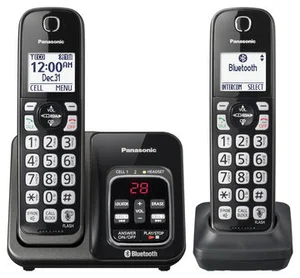
4. Panasonic KX-TGD562M
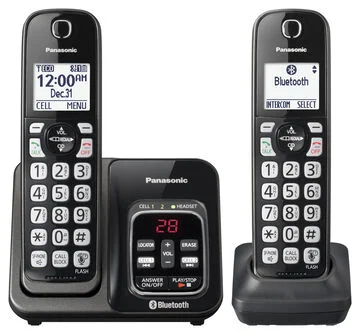
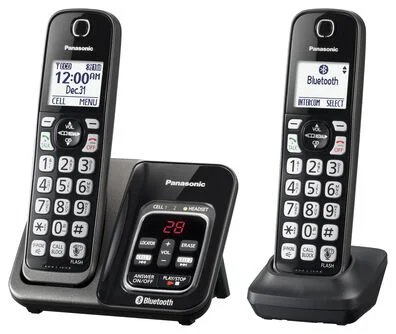
Best for multiple handsets. Price: from $49.99
The Panasonic KX-TGD562M is a great phone system for anyone in need of multiple handsets. It comes with two handsets as standard, but it can be fitted with up to six handsets.
The KX-TGD562M also comes with an answering machine with around 18 minutes of total recording time and Bluetooth to make and receive cell/phone calls. It also features caller ID announcements in English and Spanish, which will let you know who’s calling before you walk over to pick up the handset.
You should get around ten hours of talk time with the KX-TGD562M and up to five days’ worth of standby time, meaning you’ll likely never run out of battery.
However, the KX-TGD562M falls down when it comes to range. Most phones will let you travel around 700 feet from the base station before dropping out. This Panasonic phone, on the other hand, can only manage 330 feet. That won’t be a big deal if you spend most of your time at a desk but if you like to move around, you might find the KX-TGD562M wanting.
Panasonic KX-TGD562M
In Short
-
Pros
- Pairs with up to six handsets
- Strong battery life
- Supports caller ID in English and Spanish
-
Cons
- Lackluster range
- Pretty pricey
Pricing
-
Starts from $49.99 for two handsets
Images
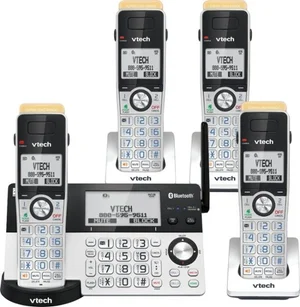
5. VTech IS8151
Best for range. Price: from $90
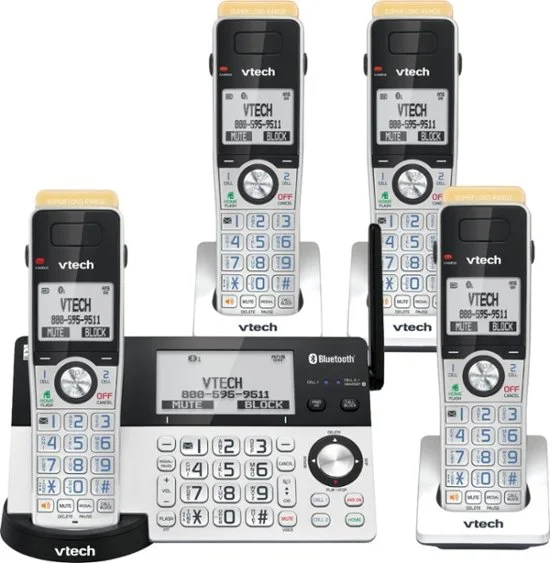
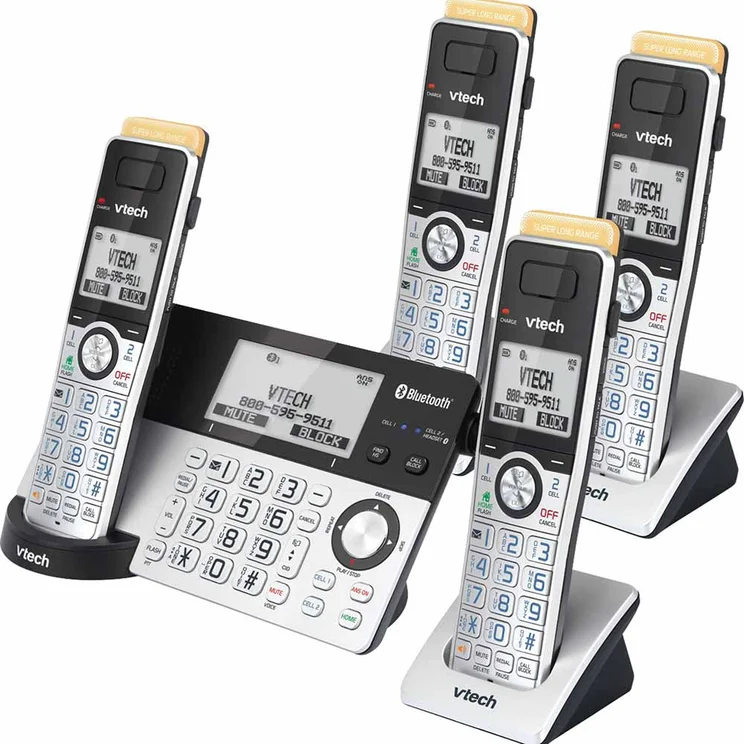
The VTech IS8151, on the other hand, knocks it out of the park (almost literally) when it comes to range.
With the IS8151, you can wander 2,300 feet away from the base station before your call drops out. In the real world, you might not hit these numbers, but it’s one heck of a party trick.
The IS8151 also comes with a large 3.5-inch touchscreen and will let you hold 200 contacts in the phone book. Call blocking, Bluetooth, and an answering machine are all included, as well.
However, for nearly $100, it’s missing some features, such as conference calling, which hold it back.
VTech IS8151
In Short
-
Pros
- Comes with four handsets as standard
- Massive 2,300 ft range
- Large 3.5-inch touchscreen
-
Cons
- Missing some features
Pricing
-
Starts from $90 for four handsets
Images
How to Find the Best Cordless Phone
Getting the right cordless phone can make a huge impact on your business’s effectiveness. You’ll be able to do more with your phone than you ever thought possible. However, there’s a lot to think about when picking your brand or model of choice. In this section, I’ll take you through some of the key things to consider.
DECT 6.0, ECO DECT, and Analog
You’ll likely see these two terms come up a lot when buying cordless phones. DECT stands for Digital Enhanced Cordless Technology.
DECT 6.0
DECT 6.0 is, basically, a marketing term and is used for phones sold in North America which operate on a 1.6 GHz spectrum – it’s important to note that there is no DECT 5.0, for example.
There is, however, a DECT 6.0 Plus standard that provides some benefits to clarity and voice enhancement.
ECO DECT
Of more interest, however, is ECO DECT. These phones incorporate a power-saving supply that uses up to 60% less energy than conventional DECT 6.0 phones.

Find the best phone system for your business
Use our free comparison tool to find the best provider and price quote for your needs.
How Much Does a Cordless Phone Cost?
The cordless phones we’ve listed on this page range between $20-$130 in price. There’s quite a lot of scope there, but you’ll be heartened to hear that all of the phones will make and receive the calls you need to hear.
However, the overall cost of a new phone system for your business will depend on a few factors.
Number of handsets and extensions
The chances are that your business needs more than one in your office.
Naturally, the more handsets you buy, the more you’ll need to pay. However, the number of different extensions you’ll need will have an impact on the overall cost as well. Alongside this, with some brands, you’ll be eligible for savings when buying in bulk.
If you get set up with a cloud-based VoIP provider, you won’t need to shell out too much for new extensions, as there is no hardware to install. However, if, for some reason, you think a hardware-based setup is preferable, you can expect to pay a lot more.
Answerphones
Answerphones are pretty standard for cordless phones nowadays. But, as the VTech CS6719-2 shows, they’re not universal.
Your office phones should have answerphones but, of course, this will increase the cost a bit more.
Headsets and other peripherals
Headsets can make the lives of your employees far, far easier. Gone are the days of awkwardly resting the phone between your neck and shoulder, and instead, you’ll have hands-free calling for optimum productivity.
Headsets can cost anywhere between $20-$170. However, if you’ve got a fleet of employees needing headsets, it might be worth checking out options for buying in bulk from VoIP providers.
The Difference Between Cordless and Wireless Phones
Cordless IP phones connect to a base unit that functions in essentially the same way as a conventional IP desk phone. The base station is connected to a landline or VoIP service. The phone’s ability to work is determined by the operating range of the base station.
Wireless IP phones use the business wireless LAN to connect directly to a PBX (private branch exchange) or network router to access the external telephone service. These phones do not require a base unit, and this gives them a more flexible operating range.
Wireless phones may also be used more commonly to refer to systems such as VoIP headsets, which have advantages of their own depending on the sector your business is in.
What is a Softphone?
Softphones are web-based apps that mimic the functionality of traditional deskphones. They leverage VoIP technology to enable users to make calls, rather than needing to rely on traditional hardware, wires, and cords.
Because softphones can be installed on any PC, Mac, phone, or tablet, they can be a good fit for small businesses without the resources to spend on dedicated phones for employees.
However, there are some things that a softphone simply can’t manage. For example, softphones eat into your internet bandwidth and could potentially slow down other forms of communication. Some softphones offer international coverage, but this isn’t guaranteed.
With that being said, softphones can often be cheaper overall than dedicated cordless phones. If you’re looking for a particularly cheap option, we would recommend Zoom Unlimited, which will allow you to get started for just $10 per user, per month.

Compare phone costs now
Get accurate price quotes for your specific needs from a range of providers, to find the best deal.
How Did We Decide the Best Cordless Phones?
After all that information, it’s safe to wonder how we came to rank these top cordless phones for small businesses. Well, at Tech.co, we take our research seriously, putting products through a thorough analysis to see what is good and what isn’t about these devices.
In this particular guide, we had some specific categories by which we evaluated the top cordless phones in our research. Here’s a breakdown of those categories:
- Pricing – The cost of any device should always be a big factor when it comes to choosing a cordless phone for your small business.
- Features – From noise reduction and caller ID to notifications and phonebook size, understanding what kind of features are available goes a long way in deciding.
- VoIP compatibility – Most businesses want a cordless phone to integrate with their business phone system, which is why VoIP provider compatibility had to be a serious factor.
- Battery life – If it’s not wired, it needs a battery, which is why we evaluated how long these cordless phones could be used on their base to decide their ranking.
- Range – For cordless phones, knowing exactly how far away they can operate from the base is a vital metric to decide which is best.
Check out our in-depth research guide to learn more about how we test business products
Why VoIP is Better for Businesses
If you’re in the market for cordless phones, it’s safe to assume that you’re in the process of revamping your business communication infrastructure. In that case, we’d like to recommend going with VoIP over a traditional landline system, and there are plenty of reasons why.
For starters, it’s more affordable, which alone should be able to convince you. Because VoIP just uses the internet to stay in touch, you won’t have to spend all that money on maintenance and infrastructure to keep your team connected.
VoIP systems are also more secure, with more security protocols in place to protect your data, and offer better audio quality, as connection through the internet doesn’t require actual wires to communicate with others. On top of that, VoIP systems are typically more flexible than landline options, allowing for more functionality like smartphone connections and third-party integrations.
Which is the best VoIP platform on the market?
Our pick of VoIP provider plans is Zoom Regional Unlimited. This is because it offers excellent call management features, a cheap starting price, flexible hardware options, and it integrates seamlessly with Zoom’s videoconferencing platform.
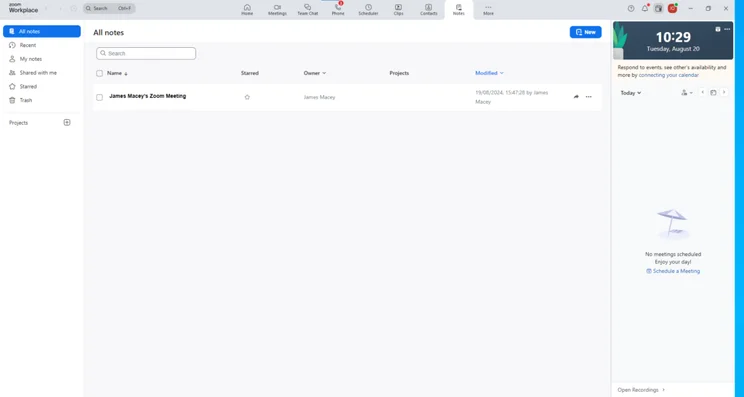
The dashboard in Zoom Phone. Source: Tech.co testing
For a quick at-a-glance rundown of our favorite VoIP provider plans, check out the table below. And to compare the different options with the rest of the market, you can check out our obligation-free comparison tool.
|
Price
|
Best for
|
Pros
|
Cons
|
Overall score
An aggregate score of all other metrics
|
||||
|---|---|---|---|---|---|---|---|---|
|
FEATURED
 |
BEST OVERALL
 |
 |
 |
 |
 |
 |
 |
 |
|
Phone.com |
Zoom Regional Unlimited |
Dialpad Standard |
Net2Phone Essentials |
RingCentral Core |
Nextiva Core |
Vonage |
Google Voice Premier |
Ooma Office Essentials |
|
$15/user/month |
$16/user/month |
$15/user/month |
$19.99/user/month |
$20/user/month |
$15/user/month |
|
$30/user/month |
$19.95/user/month |
|
Mid-range alternative |
Call management features |
Alternative communication channels |
Great for remote and hybrid teams |
Hospitality and retail businesses |
Best for growing teams |
Best staff training features |
Google Workspace users |
|
|
|
|
|
|
|
|
|
|
|
|
|
|
|
|
|
|
|
|
4.6
|
3.8
|
3.9
|
3.7
|
3.7
|
3.3
|
2.9
|
2.5
|
Our research suggests that the best cordless phone handset available for business use is the Panasonic KX-TGF573S, thanks to its high-end features and impressive battery life.
However, to truly know which the best phone system is for your business, the easiest way is to use our free VoIP matching tool. We help thousands of businesses each year to compare their options and save hours of time researching.
Simply fill out a few questions and receive tailored recommendations and quotes from leading business phone suppliers. You might even find the best deal for your business is by using softphones.
If you click on, sign up to a service through, or make a purchase through the links on our site, or use our quotes tool to receive custom pricing for your business needs, we may earn a referral fee from the supplier(s) of the technology you’re interested in. This helps Tech.co to provide free information and reviews, and carries no additional cost to you. Most importantly, it doesn’t affect our editorial impartiality. Ratings and rankings on Tech.co cannot be bought. Our reviews are based on objective research analysis. Rare exceptions to this will be marked clearly as a ‘sponsored’ table column, or explained by a full advertising disclosure on the page, in place of this one. Click to return to top of page


