

We may receive a commission from our partners if you click on a link to review or purchase a product or service. Click to Learn More
Zoho Projects is the project management platform from Zoho, providing users with access to automation and AI features thanks to the Zia AI model that can generate content, automate workflows, and translate foreign languages.
Zoho pricing starts at only $4 per user, per month, making it one of the more affordable options in the industry. It also has a free plan for up to five users, but the AI features are exclusively available on paid plans.
- Zoho pricing starts at $4 per user, per month, with additional plans costing $9 per user, per month, and $14 per user, per month.
- Zoho offers a free forever plan for up to five users, that allows for a maximum of three projects.
- Zoho Projects allows users access to the Zia AI tool, which can provide analytic insights, content generation, and translation functionality.
- Zoho Projects is best for small to medium-sized businesses, because of its affordable pricing options and vast integration potential with other Zoho services.
When it comes to project management software, we test out each program first-hand, guided by an in-house research framework consisting of six core assessment areas that break down into a range of smaller subcategories.
This framework is based on the factors companies and project managers have told us are important to their everyday usage. We weight essential criteria more heavily than “nice to have” features.
How Much Does Zoho Projects Cost?
Zoho Projects costs $4 per user, per month for the Premium plan, with more expensive plans that cost $9 per user, per month (Enterprise), and $14 per user, per month (Ultimate), for more features.
The most notable difference between the Premium and the Enterprise plan is that the Enterprise plan unlocks user hierarchy and teams functionality. The additional $5 per user, per month, also adds the Zia Search feature, which we talk about below.
As for the Ultimate plan, that mostly just increases the limits on automations, reports, and project templates that are allowed for your team.
Here’s a breakdown of what you get with each plan:
|
Price (annually)
The amount you'll pay per month, when billed annually
|
Users
|
Projects/boards
|
Storage
|
Automations
|
Custom project templates
|
Resource management
|
Time tracking
|
AI features
|
Integrations
|
||
|---|---|---|---|---|---|---|---|---|---|---|---|
 |
|
|
|
||||||||
|
Free |
Premium |
Enterprise |
Ultimate |
||||||||
|
Free |
$4/user/month |
$9/user/month |
$14/user/month |
||||||||
|
5 |
Unlimited |
Unlimited |
Unlimited |
||||||||
|
3 |
Unlimited |
Unlimited |
Unlimited |
||||||||
|
5GB |
100GB |
120GB |
150GB |
||||||||
|
50 executions/month |
500 execution/month |
50,000 executions/month |
500,000 executions/month |
||||||||
|
None |
20 |
30 |
50 |
||||||||
|
|
|
Add-on |
|
||||||||
|
|
|
|
|
||||||||
|
MCP Server |
|
|
|
||||||||
|
|
|
|
Does Zoho Projects have a free plan?
Yes, Zoho Projects has a free forever plan that allows for up to five users, three projects, and 5GB of storage, but it excludes Zia AI features.
The free plan from Zoho Projects has other limitations, including:
- No project templates
- No integration with Google Tasks
- No custom fields
- No workload reports
- No issue tracking features
The free plan does include access to the MCP server, though, which allows users to connect other AI models — like ChatGPT, Gemini, and Claude — to the platform to understand your data and perform actions based on natural language prompts.
Zoho Projects

In Short
-
Pros
- Paid plans from just $4/user/month
- Team instant messenger for collaboration
- Gantt chart, kanban board, calendar and task dependencies on all plans
-
Cons
- Free plan has no preset or custom project templates
- Teams of more than five will have to pay
- Guest access exclusive to high tiers and costs extra
Pricing
- Premium: $4/user/month
- Enterprise: $9/user/month
- Ultimate: $14/user/month
- Free plan for 5 users
- 15-day free trial
- $1/month off for annual contract
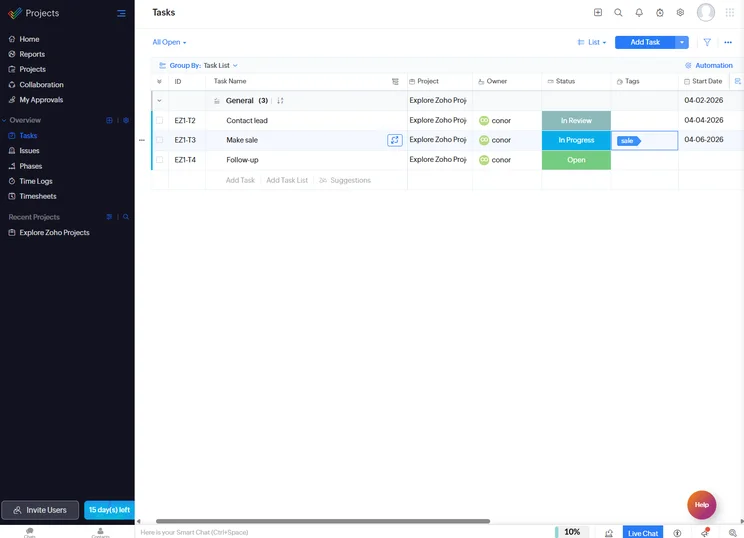
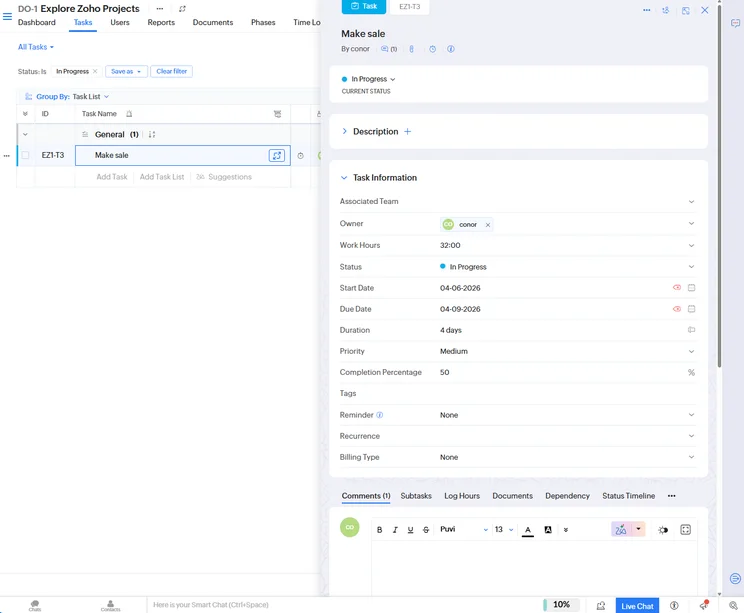
Images
How Does Zoho Projects Use Zia AI for Project Management?
Zoho Projects offers a range of AI features powered by its proprietary model Zia AI. This tool is used across the platform to:
- Automate workflows
- Translate foreign languages
- Generate content
- Search for specific items
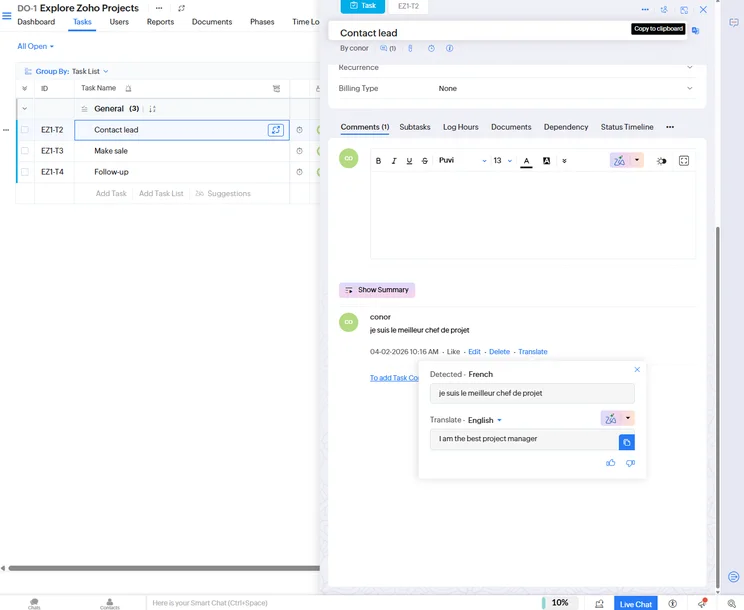
Zia AI can translate comments directly in the platform for international businesses. Source: Tech.co testing
Automated workflows
Zoho Projects allowed us to create automated workflows within the platform to streamline operations. We created simple if-then processes that trigger each other, and they can be stacked to develop entire system of automations.
To ensure our team was on the same page, we also added descriptions to each workflow automation, so that other users could get a clear picture of how the automation works and what gets triggered when.
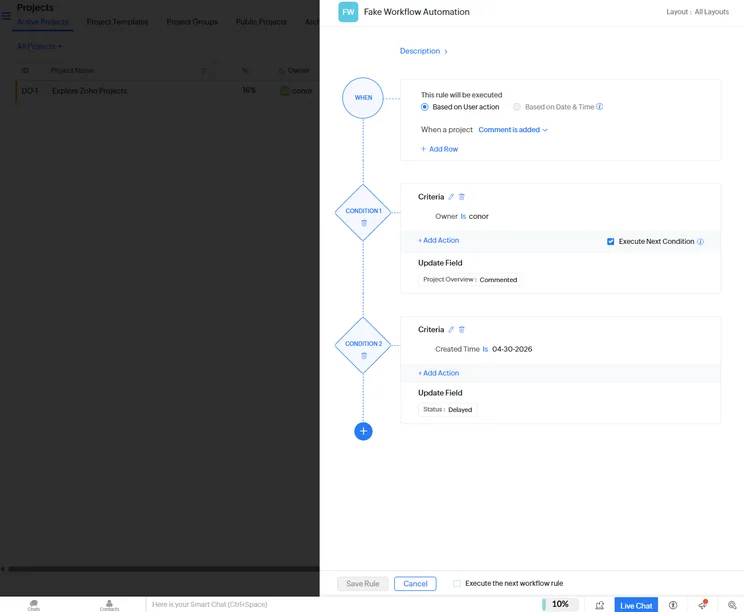
Zoho Projects allowed us to create automated workflows with basic if-then logic to streamline operations. Source: Tech.co testing
Content generation and translation
With Zia AI, we were able to take advantage of a lot of content generation features throughout the platform. We generated task descriptions, project summaries, and action items.
Even better, Zia AI makes suggestions and allows you to edit the length and tone of the content before inserting it into the system, so you can get exactly what you want out of the AI.
On top of that, the Zia Translate feature recognized foreign languages throughout the system and made it easy to translate immediately.
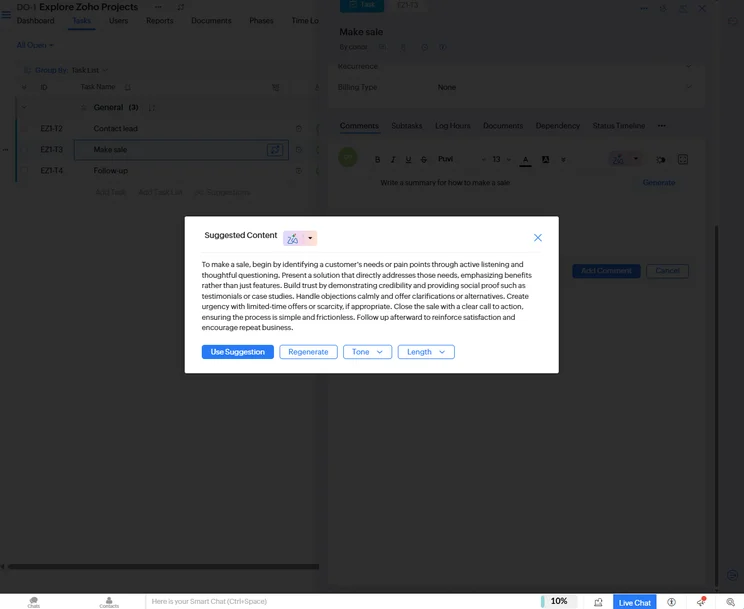
Zia AI can generate summaries, descriptions, and other content to expedite task assignments. Source: Tech.co testing
Zia Search
The Zia Search feature allowed us to search across the Zoho Projects platform for specific items. In our testing, Zia Search delivered accurate results instantly, an impressive mark for such a robust search tool.
More importantly, Zia Search can search across all of your Zoho services, like Zoho CRM, Zoho Mail, and of course Zoho Projects, so if you’re deep in the Zoho ecosystem, this feature is hugely helpful.
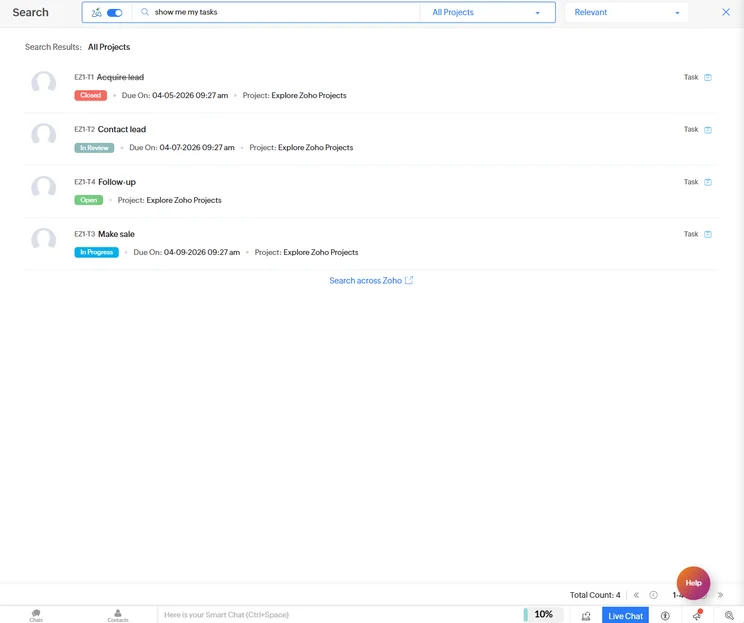
Zia Search allowed us to search for items across all Zoho services, like Zoho CRM and Zoho Mail. Source: Tech.co testing
What Are the Best Alternatives to Zoho Projects?
ClickUp and monday work management are the best Zoho alternatives. They provide similar interfaces and comparable pricing plans, while offering slightly more robust AI features, like the AI Blocks in monday work management, which can automate specific columns and rows across your entire system.
If you’d like to see the full range of other project management options available, then check out our review of the best Zoho Projects alternatives.
|
Price from
All prices listed as per user, per month (billed annually)
|
Free plan
|
Verdict
|
|||||||
|---|---|---|---|---|---|---|---|---|---|
|
|
BEST ALTERNATIVE
 |
 |
 |
 |
 |
 |
 |
 |
 |
|
Zoho Projects |
ClickUp |
monday work management |
Smartsheet |
Wrike |
Teamwork |
Trello |
Basecamp |
Jira |
Asana |
|
$4/user/month |
$7/user/month |
$9/user/month |
$9/user/month |
$10/user/month |
$9.99/user/month |
$5/user/month |
$15/user/month |
$7.91/user/month (300 users) |
$10.99/user/month |
|
|
|
|
|
|
|
10 users |
|
|
|
|
A solid project management solution with an attractive free tier for small teams and a very affordable premium plan |
Powerful, feature-rich software suitable for teams of all sizes, with an impressive free tier for individuals and a great value plans for teams |
Incredibly easy to use, great for small businesses, and our top-performing provider on test — and there’s a generous free trial period |
A great tool for spreadsheet-natives, which can take your Excel-based task planning to the next level |
A very capable yet pricey service with a huge number of useful integrations, plus a free tier option to try |
A great user experience all round, with an easy-to-use automation builder and great budget tracking capabilities |
A fairly-priced, stripped-down option, best for small teams who need a central location for basic task management |
A very basic, relatively limited software that’s a lot simpler than its competitors |
A great value piece of software that’s ideal for tech, software development, and engineering teams |
A simple task-list-based project management platform with an acceptable free tier |
| Visit Zoho | Visit ClickUp | Try the platform | Visit Smartsheet | Try Wrike | Compare Deals | Compare Deals | Compare Deals | Compare Deals | Compare Deals |
How We Evaluate Project Management Tools
At Tech.co we don’t write about products and services without conducting thorough research, and hands-on testing where applicable. While this process can be time consuming, it’s time well spent if it means we’re providing better, more useful information for your business.
- Ease of use: After getting five to six participants to test each project management software for an hour, we assessed how easy it was to set up a project with the platforms, how clear their interfaces were, and how easy they were to navigate.
- Pricing: We look at all plan costs. Providers offering lots of features for lower costs will have better pricing scores than those that lock them away on higher-tier plans.
- Customer support: We assess the ways you can contact your project management software provider if something goes wrong. Providers offering 24/7 live support, as well as phone-based support and onboarding assistance, get the best scores.
- Security: For this area, we assess the security options offered by each provider. This includes user-level security features like two-factor authentication, as well as more administrative security measures like user permissions and IP restrictions.
- Integrations: We assess the quantity — and the quality — of the applications each project management software provider integrates with.
- Functionality: This part of our research involves assessing the full feature set that each product provides. We look at four function-based sub-categories as part of this, including task management, project and workflow creation, data visualization, and collaboration.
Because of their central importance to project management, how easy each tool is to use, how much it costs, features for project and workflow creation, and task management had more of an impact overall than other criteria.
Zoho Projects’ pricing starts at $4 per user, per month, which our independent research found to be one of the most affordable entry-level tiers in the project management market.
Combined with a generous free plan, which allows for up to five users, it’s a clear choice for small to medium-sized businesses that want to save a bit of money without sacrificing AI features like content generation and automated workflows.
Frequently Asked Questions
Zoho Projects uses retrieval-augmented generation (RAG) to keep AI hallucinations to a minimum. This combines large language models with real-time retrieval requirements that make it impossible for AI to make up things that aren’t true in relation to certain queries.
Yes, you can connect Zoho Projects to other AI models, like ChatGPT, Claude, and Gemini, through the AI Bridge in the AI Hub of the platform, which can be found in the Setup section. This allows you to choose which is your go-to model for content generation and other AI-powered features.
Zoho ensures that its platforms are GDPR compliant through data encryption (at rest and in transit), ISO/IEC 27001:2013 certification, SOC 2 Type II compliance, and strict access controls.
If you click on, sign up to a service through, or make a purchase through the links on our site, or use our quotes tool to receive custom pricing for your business needs, we may earn a referral fee from the supplier(s) of the technology you’re interested in. This helps Tech.co to provide free information and reviews, and carries no additional cost to you. Most importantly, it doesn’t affect our editorial impartiality. Ratings and rankings on Tech.co cannot be bought. Our reviews are based on objective research analysis. Rare exceptions to this will be marked clearly as a ‘sponsored’ table column, or explained by a full advertising disclosure on the page, in place of this one. Click to return to top of page


