

We may receive a commission from our partners if you click on a link to review or purchase a product or service. Click to Learn More
Buffer is a competitive social media management platform for any small business with limited time or money to spend on social media – although it’s far from the best one we’ve used. It’s missing some listening features that are found in other services, like Hootsuite, and we found Zoho Social to be a better value provider overall.
That being said, Buffer provides an impressive range of team management features and new engagement features, making it a pretty solid all-rounder in the social media management industry.
Overall, Buffer has four pricing plans (prices given annually): a Free plan (3 channels max.), an Essentials plan ($5 per channel, per month), a Team plan ($10 per channel, per month), and an Agency plan ($100/month for 10 channels + $60 per year to add another).
Buffer Social Media Management Overview
Buffer covers Facebook, Twitter, Instagram, TikTok, LinkedIn, Google Business, Mastodon, and Pinterest. Until last year, Buffer had two services – Publish and Analyze – which were split into two and purchased separately. The former was designed to help you schedule your posts, while the latter helps you assess the impact your social media profiles are having.
But, as you’d expect in the rapidly-changing world of social media, nowadays, most social media managers need a blend of publishing and analytics tools at their fingertips, so these plans have been merged. Now, Buffer provides a more holistic solution to businesses’ social media needs.
Due to the fact customers are paying by the channel, Buffer offers a lot of customization when it comes to pricing. If you only want to manage one or two social channels, it’s going to be one of the cheaper options you can go for, but if you want a package with decent features that can cater to 7 or 8 channels, it starts to get expensive.
Buffer

In Short
-
Pros:
- Easy to set up and get going with
- Straightforward calendar scheduling
-
Cons
- Doesn’t support all types of social post
- Not many integrations compared to competitors
Small Facts
- Free plan available for individuals and small teams
- AI assistant on all Buffer plans
- Schedule up to 2,000 posts
- 14-day free trial
- Supports: Twitter, Facebook, Instagram, TikTok + More
Images
Buffer Pricing
As we’ve mentioned just above, Buffer offers four pricing plans in total, Here are the prices if you’re going to be paying annually:
- Free ($0): For individuals and businesses who are starting their social media journey
- Essentials ($5 per channel, per month): For social media pros who need publishing & analytics features
- Team ($10 per channel, per month): For large teams that need reporting tools
- Agency ($100 per channel, per month): For marketing agencies with 10+ social channels.
Check out the table below for a quick tour of these plans, or read on for a more detailed look at the features packaged into each one.
|
Price
|
Users
How many individuals can access your account
|
Channels
|
Cost for Extra Channel
|
Scheduled Posts Per Channel
|
||
|---|---|---|---|---|---|---|
 |
|
|
|
|||
|
Free |
Essentials |
Team |
Agency |
|||
|
Free |
$5/channel/month |
$10/channel/month |
$100/month for 10 channels |
|||
|
1 |
1 |
Unlimited |
Unlimited |
|||
|
3 |
Unlimited |
Unlimited |
Unlimited |
|||
|
N/A – 3 max. |
$5/channel/month |
$10/channel/month |
$60/year |
|||
|
10 |
Unlimited |
Unlimited |
Unlimited |
Buffer Free plan
Price: $0
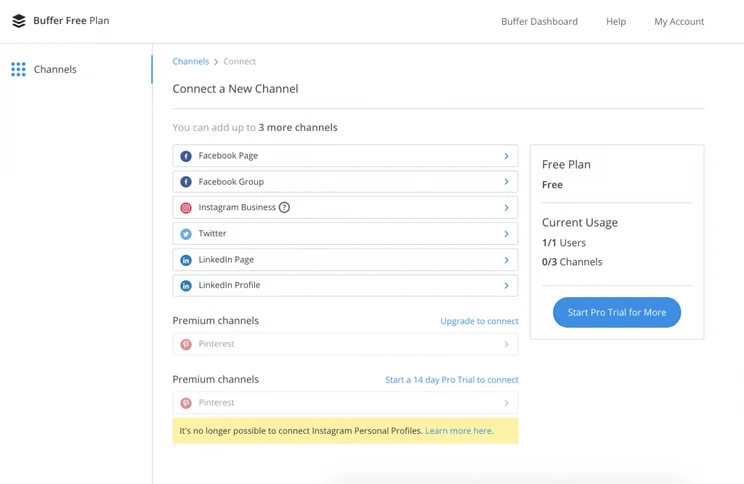
Buffer’s Free plan is faithful to its name and is entirely free for as long as you want to use it. It’s not too comprehensive, only allowing one user to make ten scheduled posts per month on three social channels, which can include Instagram, Facebook, Twitter, LinkedIn, and TikTok.
You’ll be given a calendar view for your posts, allowing you to have greater scope to view your campaigns, and 50 credits to generate responses with the Buffer AI assistant.
You’ll be able to use Buffer through a browser extension and iOS and Android apps, as well as integrate it with over 30 third-party applications, like Zapier and Feedly. And if you’re worried about security, this tier does offer two-factor authentication.
You’re also given access to all of Buffer’s support channels, which include email support, social media support, FAQs, and the Buffer community.
Essentials plan
Price: $5 per channel, per month, paid annually
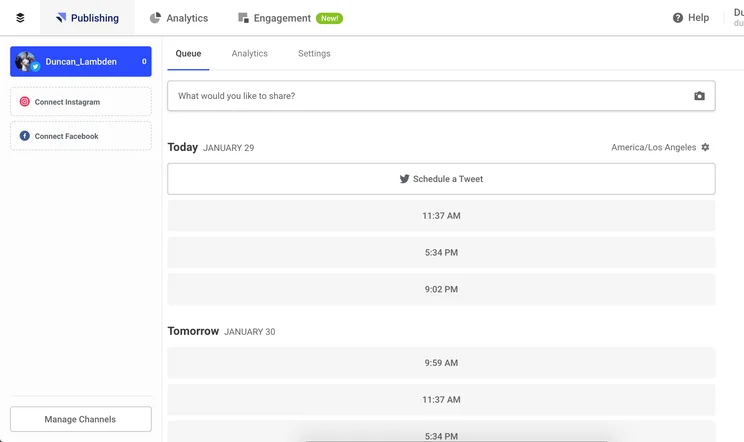
Buffer’s first paid plan is the Essentials plan, which allows one user to schedule 2,000 posts in a queue at any one time, across any platform of your choosing that Buffer caters to (Facebook, Twitter, Instagram, TikTok, Pinterest, Mastodon, Shopify, and Google Business).
You’ll be able to choose three of these channels to be packaged into the plan price, and after that, it’s $5 per channel, per month when paying annually – or $6 per channel, per month when paying monthly – for additional channels you’d like to post on. You’re also able to plan the first comment of any Instagram post, which can be useful for hashtags.
The big difference between this plan and the free plan is the reporting tools, including individual post analytics, which are great for gathering data that you can subsequently use to improve your post engagement and management.
It’s on this tier where you’ll pick up some engagement features. You’ll be shown a gridded dashboard of any unanswered comments on your posts and be able to jump to them directly. The “comment sentiment” will also allow you to gauge how a commenter is feeling, or if they have a question.
It’s in this tier that you’d expect to see some kind of listening feature, but there isn’t – because Buffer doesn’t offer them at all. Listening can be helpful, but the lack of listening shouldn’t be an immediate deal-breaker. There are also no team management features on this plan, so it’s not suitable for larger teams.
This can let Buffer down when you’re comparing it to its contemporaries, like Hootsuite. They’re pretty comparable in most areas, like organization and analytics, Hootsuite just has the edge due to the listening functionality.
Otherwise, there aren’t too many upgrades from the free plan. You could view this as Buffer’s first actual plan, since the free plan is quite restricted when it comes to limits, and it wouldn’t take long for a company to outgrow the free plan and need to upgrade to the Team plan.
Team plan
Price: $10 per channel, per month, paid annually
The Team plan is $10 per channel, per month when paid annually and $12 per channel, per month when paid monthly. You’ll be able to have an unlimited amount of users planning 2,000 posts for as many channels as you like, and 300 credits to spend on the Buffer AI assistant.
Although the volume of scheduled posts doesn’t improve, you’ll also unlock access to a lot of features, specifically team management tools like workflow approval tools and the ability to manage draft posts before they’re sent out.
Comparing the Buffer Team plan to the corresponding tier on Hootsuite, you can see it still falls a bit short on features. There is no content library, ad builder, or send time optimization, and an RSS auto poster requires integration with Feedly or Zapier. It is, however, half the price of Hootsuite’s Team tier, so this is fair enough.
Agency plan
Price: $100 per month + $6o per additional channel, per year, paid annually
The Agency plan costs $100 per month for 10 channels, and just $60 per year to add an additional channel when paying annually (or $120 per month when paying monthly). With Buffer support for YouTube coming soon, you can use the Agency plan to ensure you’re engaging with users wherever they are – this plan really leaves no stone unturned in terms of coverage.
The other major difference between the Agency plan and the Team plan is the 3000 credits for the Buffer AI assistant you get on this plan, so you’ll be able to automate responses at scale.
On the Agency plan, there’s a Google Analytics integration, a wide range of reporting tools, and the king team management features you’d expect from a plan that caters to larger businesses (or agencies), but these are all available on the Team plan too.
Does Buffer Offer a Free Trial?
Alongside Buffer’s Free plan, it also offers free trials for its more advanced tiers. Obviously, the free plan lasts for as long as you want it to, but these free trials last for 14 days. It’s not the longest trial period in the world, but it’ll be enough to give you an idea of how the software works, and what features you’ll be able to benefit from.
Is Buffer Easy to use?
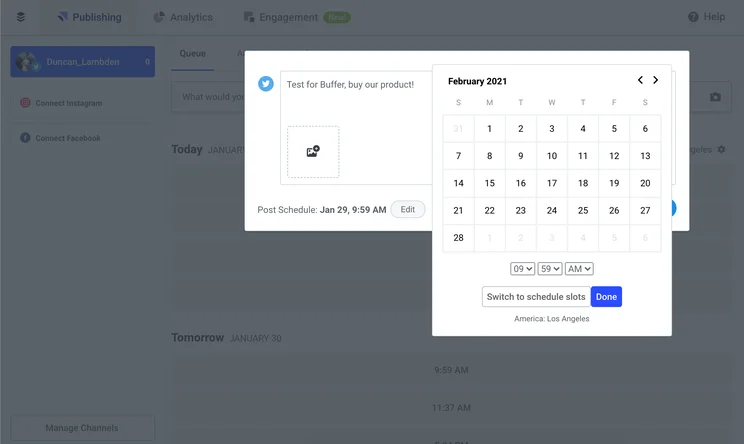
Ease of use is always a bit of a subjective question, but we’re comfortable saying that Buffer is a very easy piece of software to wrap your mind around. We tried the free trial and found it very easy to navigate.
Even if you’re using Buffer for half a dozen different social networking sites, they’ll all be on the sidebar, under easy-to-identify logos. The post queue will be easy to scroll through, and switching between things like drafted posts and analytics is very easy.
And we’re not the only ones who think so. On review aggregate site Capterra, Buffer has a user score of 4.5. There weren’t any consistent shortcomings, with the lower scores being more anecdotal than any real failure of the software.
If you do get lost or something goes wrong, Buffer prides itself on its cheerful and friendly customer service in the form of email support – this is provided to customers of all plans, including the free plan.
How to use Buffer
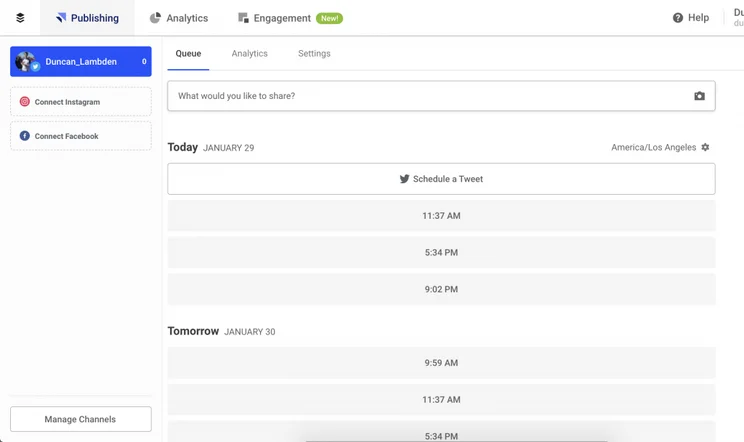
Since the free trial lasts only 14 days, you might want to go in knowing how to use Buffer, rather than sacrificing a precious day to learn the ropes. Here’s a quick crash course on how to get the most out of a Buffer account.
Firstly, you’ll obviously want to link your social media accounts to the software, giving Buffer access to post on your behalf. While a social media password is a very intimate thing to be passing around, don’t worry – you won’t lose control over your account, and security is top-notch.
Next, draft a post for the social media network of your choice, and tell Buffer when you’d like the post to go live. After the post goes live, you can interact with it directly from the software’s dashboard, tracking engagement figures like comments and likes.
After enough of these go live, you can wrap up all the info into a report, letting you get a wider view of your company’s online presence. This can be useful for yourself, or for third parties like investors, who may be looking to get a sense of your business’s reach.
You can also use Buffer demographic features to see who’s engaging with your posts in a broader sense, helping to see what kind of community is forming around your business.
Buffer Alternatives
If you’re just looking to post on social media without many other aspects to it, then Buffer is a good investment. But if you want some extra functions, you might want to look at another service, like Hootsuite or Sprout Social.
|
Core Benefit
|
Starting Price
|
Free Plan
Does this platform offer a free plan?
|
Unlimited Posting
Does this platform allow you to post as much as you like without imposing monthly limits?
|
Browser Extension
Is there an extension that allows you to use the software through a browser?
|
Facebook, Twitter, Instagram, LinkedIn
Does this platform support management on all four social media networks?
|
Other Platforms
What other platforms are supported by this platform?
|
||
|---|---|---|---|---|---|---|---|---|
|
SPONSORED
 |
BEST OVERALL
 |
 |
 |
 |
 |
 |
 |
|
|
Hootsuite |
Zoho Social |
HubSpot |
Sprout Social |
Sendible |
Loomly |
CoSchedule |
Constant Contact |
Buffer |
|
Best for publishing social media posts |
Best value for money |
Best for large businesses |
Best for providing customer service |
Best for affordable listening tools |
Best for managing multiple social profiles |
Best for collaboration |
Best for small business marketing |
Best for flexible pricing |
|
$99/month |
$10/month |
$800/month |
$249/user/month |
$29/month |
$26/month |
$19/user/month |
$9.99/month |
$5/month |
|
|
|
|
|
|
|
|
|
|
|
|
|
|
|
|
|
|
|
|
|
|
|
|
|
|
|
|
|
|
|
|
|
|
|
|
|
|
|
|
|
Pinterest, Tumblr, YouTube, TikTok |
Pinterest, TikTok, YouTube |
YouTube |
Pinterest, Reddit, YouTube, TikTok |
Pinterest, Tumblr, YouTube |
Pinterest, TikTok, YouTube |
Pinterest, Tumblr |
None |
|
Hootsuite vs Buffer
Hootsuite is our number one social media management software, so let’s see how it matches up against Buffer.
Buffer is cheaper than Hootsuite, making it a good choice if you’re looking for a low-cost option. Buffer costs between $15 and $159 per month, whereas Hootsuite costs $99 to $739 per month. Buffer also offers a free plan, while Hootsuite only offers a free trial.
Hootsuite offers a range of integrations, including MailChimp, Zendesk, Shopify, and ClickDesk, whereas Buffer offers a limited few, such as Canva, WordPress and Stencil.
Hootsuite also doesn’t place a limit on scheduled posts. Buffer’s maximum amount is 2,000 per month, which might be enough for a smaller business, but will quickly prove restrictive for a company with a focus on social media.
Buffer offers fewer features than Hootsuite, missing important functions such as an ad builder, send time optimization or a content library. Hootsuite used to have the advantage when it came to engagement, but Buffer’s newly introduced engagement features have quickly closed the gap.
In summary, if features are important to you, Hootsuite has Buffer beat across the board – but if you’re a smaller business just looking to plan your campaigns without many bells and whistles, the cheaper Buffer may be plenty for you.
|
Price
|
Users
How many individuals can access your account
|
Accounts
|
Posts
How many emails can be sent within a month
|
||
|---|---|---|---|---|---|
|
|
|
|
|||
|
Professional |
Team |
Enterprise |
|||
|
$99/month |
$249/month |
Price available on request |
|||
|
1 |
3 |
5+ |
|||
|
10 |
20 |
50+ |
|||
|
Unlimited |
Unlimited |
Unlimited |
HubSpot vs Buffer
HubSpot is not very similar to Buffer, or any of the other software programs featured in this article. Rather than being a dedicated social media management tool, it’s a full-blown marketing platform that’s going to be the ideal fit for large businesses than need effective social media management tools, but a lot more on top of that too.
HubSpot Social – which refers to the provider’s collection of social media management functions – will give you a top-level view of all of your organization’s social interactions, and has tools like custom keyword monitoring so your team can narrow down the user interactions they’d like to engage in.
Handily, if you’ve published a social post through HubSpot, you’ll be able to reply within HubSpot too. You’ll also be able to compile reports on how posts have fared on different platforms, including YouTube, which Buffer is yet to provide support for (but it’s coming soon).
Part of the reason HubSpot will be a better fit for large businesses (and Buffer for smaller ones) is the hefty price tag – HubSpot will set you back $800 per month.
As you can see from the table below, there’s a Free plan and a Starter plan for just $18 per month too – but these plans do not have social media support.
|
Plan
|
Price
Billed annually
|
Onboarding fee
|
Users
|
Storage
|
Email marketing
|
Social marketing
|
Content marketing
|
Paid marketing
|
Omnichannel features
|
Contact limit
|
|
|---|---|---|---|---|---|---|---|---|---|---|---|
|
|
|
|
|
||||||||
|
Free |
Starter |
Professional |
Enterprise |
||||||||
|
Free |
$9/user/month |
$800/month |
$3,600/month |
||||||||
|
|
|
$3,000 |
$7,000 |
||||||||
|
2 |
Unlimited |
Unlimited |
Unlimited |
||||||||
|
Unlimited |
Unlimited |
Unlimited |
Unlimited |
||||||||
|
|
|
|
|
||||||||
|
|
|
|
|
||||||||
|
|
|
|
|
||||||||
|
|
|
|
|
||||||||
|
|
|
|
|
||||||||
|
Unlimited |
1,000 |
2,000 |
10,000 |
Zoho Social vs Buffer
If you’re looking for value for money, look no further than Zoho Social. As you can see from the pricing table above, it’s cheaper than all of the competitors above – and it’s better value than Buffer overall.
Zoho Social pricing starts at $10 per month for their Standard plan or $30 per month for their Professional plan. They’ve also released a new Premium plan, which costs $40 per month. On all of these plans, you’ll get support for at least 9 social channels (10 on the premium plan), which means it’s significantly better value than Buffer, which charges per channel.
There’s also the Zoho Social Agency plan which retails at $230 per month (10 brands, 100 channels), and an Agency Plus plan that can be yours for $330 per month (20 brands, 200 channels). This is only really suitable for (surprisingly) agencies, but it’s certainly a better value deal than Buffer’s Agency plan.
all in all, you won’t be disappointed with Zoho Social – for the price tag, it’s surprisingly functional. The $30 per month Professional plan, for example, includes Livestream, Repeat posting, Bulk scheduling, Post insights, Media library, retweet scheduling features, as well as a monitoring dashboard and the ability to mute and block accounts.
|
Price
|
Users
How many individuals can access your account
|
Accounts
|
Posts
How many emails can be sent within a month
|
||
|---|---|---|---|---|---|
|
|
|
|
|
|
|
|
Standard |
Professional |
Premium |
Agency |
Agency Plus |
|
|
$10/month |
$30/month |
$40/month |
$230/month |
$330/month |
|
|
1 |
1 |
3 |
5 |
5 |
|
|
9 |
9 |
10 |
100 |
200 |
|
|
Unlimited |
Unlimited |
Unlimited |
Unlimited |
Unlimited |
Buffer vs Sprout Social
Buffer and Sprout Social are very similar, but just like Hootsuite, Buffer has Sprout Social beat on price. Sprout doesn’t have a free tier, and its cheapest level is $249 for a single user – making it one of the priciest pieces of software on the market.
However, Sprout Social does offer compatibility with YouTube and Reddit, as well as integration with Zendesk and Hubspot. It also comes with unlimited post queuing, and a Facebook ad builder – both of which Buffer doesn’t offer.
Sprout’s Organization is also better than Buffer’s, offering a task management dashboard and team comments – crucial if you run a larger team that needs to communicate more often.
In an echo of Hootsuite’s matchup with Buffer, Sprout Social wins when it comes to features and quantity. But if the price is an issue, and you’re a smaller business that can cope without all the extras, Buffer might be a better option for you.
|
Price
|
Users
How many individuals can access your account
|
Accounts
|
Posts
How many emails can be sent within a month
|
||
|---|---|---|---|---|---|
|
|
|
|
|
||
|
Standard |
Professional |
Advanced |
Enterprise |
||
|
$199/month |
$299/month |
$399/month |
Custom |
||
|
1 (additional user +$199/month) |
1 (additional user +$299/month) |
1 (additional user +$349/month) |
Custom |
||
|
5 |
Unlimited |
Unlimited |
Unlimited |
||
|
Unlimited |
Unlimited |
Unlimited |
Unlimited |
Buffer is an average social media management tool that isn’t going to break the bank (at least not as much as HootSuite or HubSpot). There are, however, cheaper options out there that offer more for your money, like Zoho Social, which has a $10 per month plan.
However, if you’re a company that has a lot to gain from younger demographics, Buffer’s Instagram features are some of the best around, and we’d recommend Buffer for Instagram influencers or visual brands.
The team management features included in Buffer’s pricier plans such as workflow approval tools and draft post management illustrate the provider is able to cater to expanding teams that demand more organization and oversight, as well as smaller ones.
Buffer Social Media Management: Frequently Asked Questions
While Buffer is a very useful tool when it comes to almost all social media management, it specifically shines when used for Instagram. If you’re a business with a particularly young audience, or an aesthetic that suits images, Buffer might be your best choice, due to its great Instagram connectivity.
You can choose whether to pay for Buffer monthly or annually. If you pay monthly, you can obviously cancel at your convenience, so there’s less risk in trying it out. But the annual billing is cheaper overall, so if you know you’ll be sticking with Buffer, it’s a good idea to pay for the full year to save some money. For example, The annual price for the Essentials plan is $5 per channel, per month when you pay annually, but this becomes $6 per channel, per month when you pay monthly.
If you’re focused on Instagram marketing, then Buffer will be the best social media management tool for you. Its Instagram options and features may be second to none, but Buffer is beaten in many other areas. We believe Hootsuite is the best social media management tool.
Buffer has a free plan which will allow you to manage a maximum of 3 channels, an Essentials plan that costs $5 per channel, per month, a Team plan that retails at $10 per channel, per month, and an Agency plan available for $100/month and will allow you to manage 10 social channels. Aside from the free plan, if you want more channels, you’ll pay more per-month.
Buffer does have a free plan. It’s not the most comprehensive – only accommodating one user, three social channels, and ten scheduled posts – but there’s no time limit, so it’s a pretty fair deal. A free trial is also available to test all plans for 14 days.
If you click on, sign up to a service through, or make a purchase through the links on our site, or use our quotes tool to receive custom pricing for your business needs, we may earn a referral fee from the supplier(s) of the technology you’re interested in. This helps Tech.co to provide free information and reviews, and carries no additional cost to you. Most importantly, it doesn’t affect our editorial impartiality. Ratings and rankings on Tech.co cannot be bought. Our reviews are based on objective research analysis. Rare exceptions to this will be marked clearly as a ‘sponsored’ table column, or explained by a full advertising disclosure on the page, in place of this one. Click to return to top of page


