
We may receive a commission from our partners if you click on a link to review or purchase a product or service. Click to Learn More
The best 8×8 alternative is RingCentral, thanks to its competitive range of pricing plans and its massive library of third party integrations. On top of that, RingCentral is the only top VoIP provider in our research that matches 8×8 on customer support, with 24/7 support for live chat and phone support on all paid plans.
RingCentral wasn’t the only 8×8 alternative in our research, though. Other top providers like Net2Phone, GoTo Connect, Dialpad, and Zoom Phone represent viable options that compare admirably to the VoIP solution, and we’ll help you understand exactly why.
In this guide, you’ll learn about all the features and pricing that make these VoIP solutions a clear choice if 8×8 Work isn’t your cup of tea. If you need help finding a VoIP provider for your business, try our helpful VoIP comparison tool to compare price quotes and get your business communication needs met today.
|
Starting price
The typical lowest starting price. The lowest price available for your business will depend on your needs
|
Pros
|
Cons
|
Free trial
|
Users
|
||
|---|---|---|---|---|---|---|
 |
BEST 8X8 ALTERNATIVE
 |
 |
 |
 |
 |
|
|
8×8 |
RingCentral |
Zoom Phone |
Dialpad |
GoTo Connect |
Net2Phone |
|
|
Custom |
$20/user/month |
$10.50/user/month |
$15/user/month |
Custom |
$19.99/user/month |
|
|
|
|
|
|
|
|
|
|
|
|
|
|
|
|
30 days |
14 days |
None |
14 days |
Free demo only |
30 days |
|
|
Unlimited (discounts for 50+ users) |
Limit of 1,000 (Enterprise Plan) |
Min. 3 users |
Unlimited |
|
Best 8×8 Alternatives
We’ve conducted hours of unbiased, independent research to find the best 8×8 alternatives around, so you can make an informed decision about your business communication needs. After comparing VoIP software side-by-side, we concluded the best 8×8 alternatives are the following:
- RingCentral – Best overall 8×8 alternative
- Zoom Phone – Most affordable 8×8 alternative
- Dialpad – Best for security features
- GoTo Connect – Best for compatibility with desk phones
- Net2Phone – Best for onboarding support
1. RingCentral – Best 8×8 Alternative Overall
RingCentral is the best 8×8 alternative and our top-rated VoIP provider overall. The platform provides a comprehensive, easy-to-use interface with a lot of functionality, including advanced features like voicemail screening and ring groups. Most notably, RingCentral features a massive library of third-party integrations for calendars, email, CRM, and helpdesk software, allowing you to effectively consolidate communication onto one system.
As an alternative to 8×8, RingCentral is a clear favorite for a few reasons. For one, it offers transparent and moderately affordable pricing. On top of that, RingCentral and 8×8 were two of the only VoIP solutions in our research with 24/7 live chat and phone support, so if you’ve gotten used to that kind of coverage, RingCentral is really your only option.
RingCentral RingEX

In Short
-
Pros
- Flexible range of pricing plans, with easy scaling for all businesses
- Largest library of third-party integrations across our research
- All-in-one hub for internal and external communication
-
Cons
- No automatic downloads for video meeting transcripts
- High starting price makes it prohibitive for smaller businesses
- CRM and helpdesk integrations reserved for more expensive plans
Pricing
-
 Core plan: $20/user/month
-
Advanced plan: $25/user/month
-
AI Customer Engagement Bundle with AIR: custom pricing
-
 AI Customer Engagement Bundle with AIR and ACE: custom pricing
Images
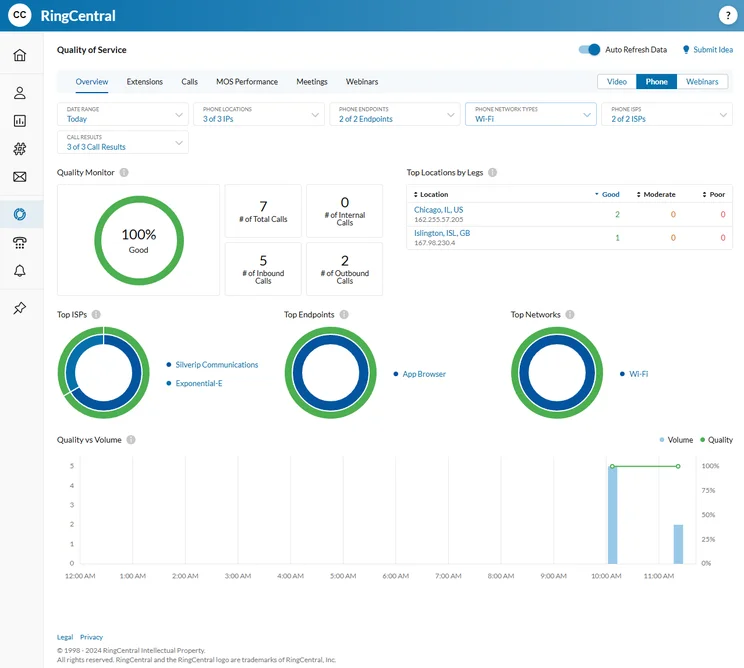
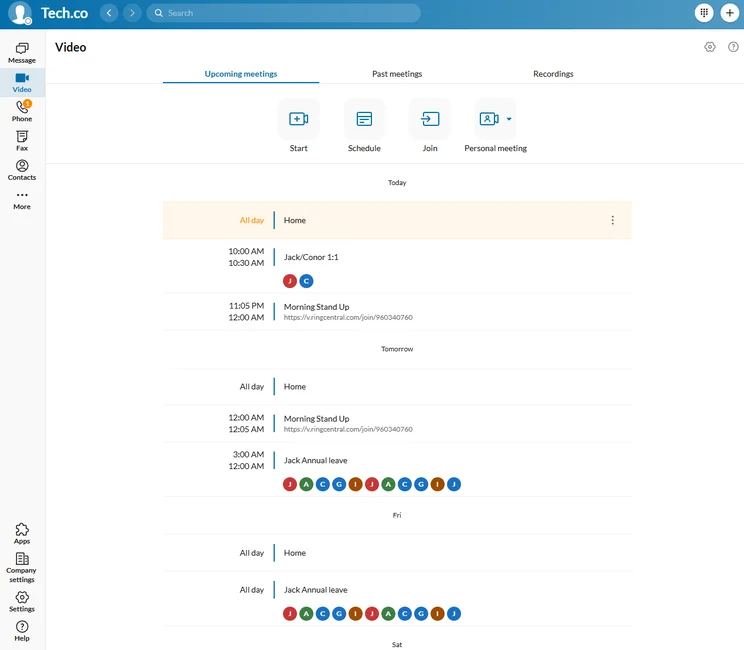
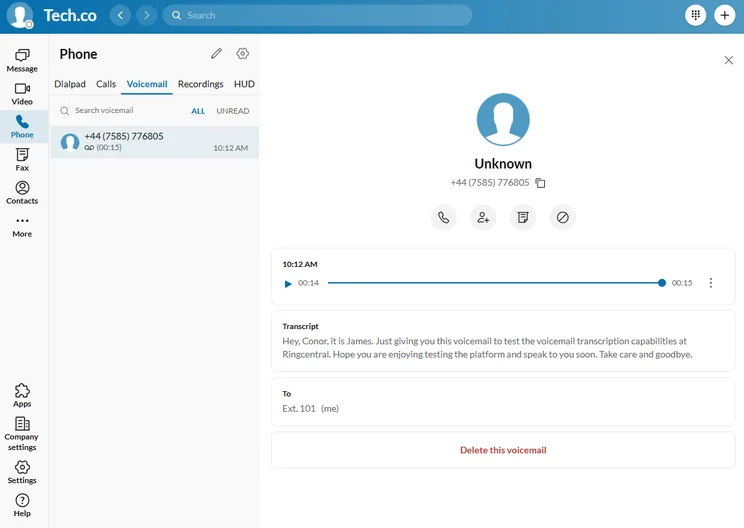
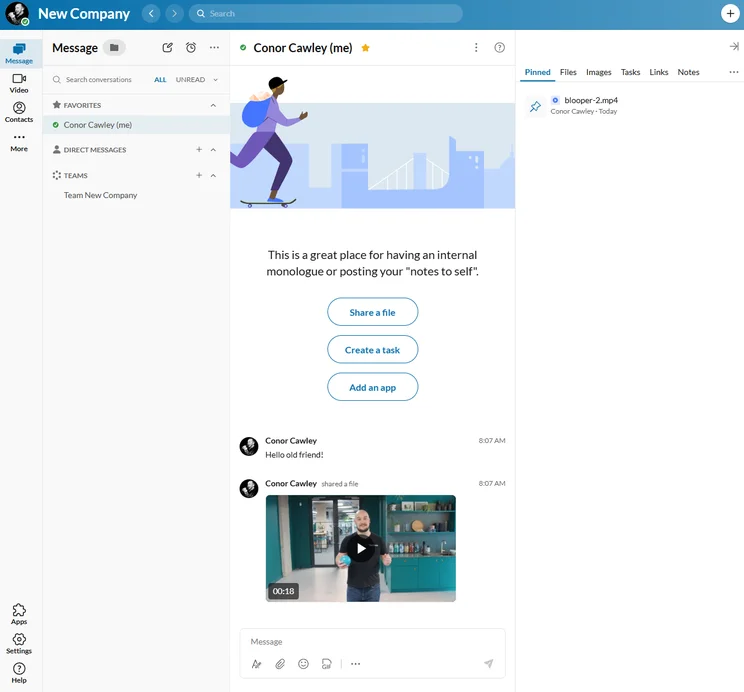
RingCentral pricing vs 8×8 pricing
Compared to 8×8, RingCentral is definitely a better value for your business. It offers more features and transparent pricing, so you know how much you’ll pay for what you get.
More specifically, RingCentral offers three pricing plans, as opposed to the five pricing plans from 8×8. Here’s how much they cost:
- Core – $20 per user, per month
- Advanced – $25 per user, per month
- Ultra – $35 per user, per month
It’s worth noting that the prices listed above are only available if you opt for a yearly contract. If you want to be billed month to month, it will be a bit more expensive. The Core plan will cost $30 per user, per month, the Advanced plan costs $35 per user, per month, and the Ultra plan costs $45 per user, per month.
For more information about RingCentral pricing, check out the table below, or cut to the chase and get a price quote for your specific business needs here.
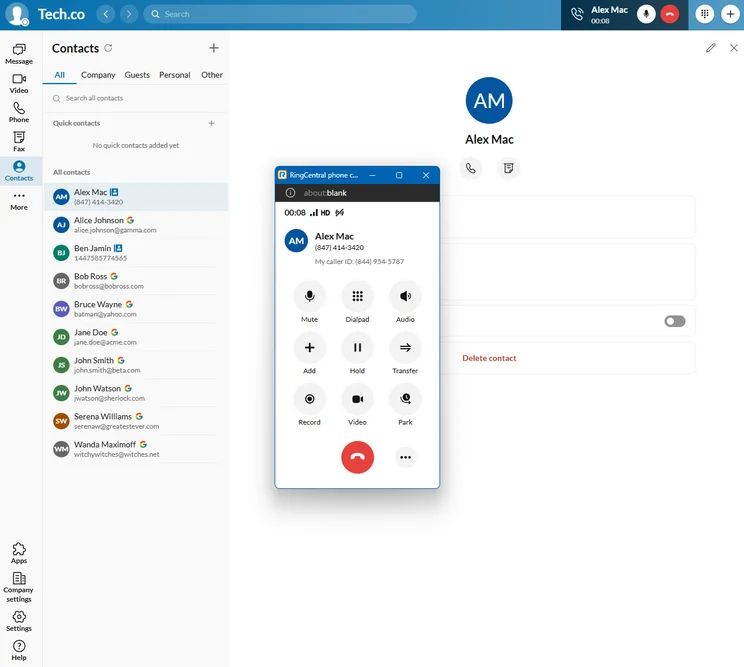
When we placed a call on RingCentral, the pop-up dial pad made it easy to interact with the interface. Source: Tech.co testing
2. Zoom Phone – Most Affordable 8×8 Alternative
When it comes to an affordable VoIP solution that doesn’t sacrifice functionality, Zoom Phone is best when compared to 8×8. At only $10 per user, per month, Zoom Phone still comes with all the call management features you can imagine, including automatic screening, call queue, and customizable routing.
Compared to 8×8, Zoom Phone excels in a few areas, including offering compatibility with seven desk phone brands, while 8×8 only offers it with four. Additionally, Zoom Phone was one of the few VoIP solutions in our research that can match the training features available with 8×8, with both offering call monitoring, call barge, and call whisper in all paid plans.
Vonage

In Short
-
Pros
- Great central hub for collaborating, with team messaging on all plans
- Great training and management features, perfect for sales and customer service teams
- Lots of big-name integrations means minimal changes for your team
-
Cons
- Analytics features are quite primitive, making it difficult to get actionable insights
- Lots of features include additional fees, so it’s hard to get a good gauge of your final price
Pricing
-
Mobile: $13.99/user/month
-
Premium: $20.99/user/month
-
Advanced: $27.99/user/month
Images
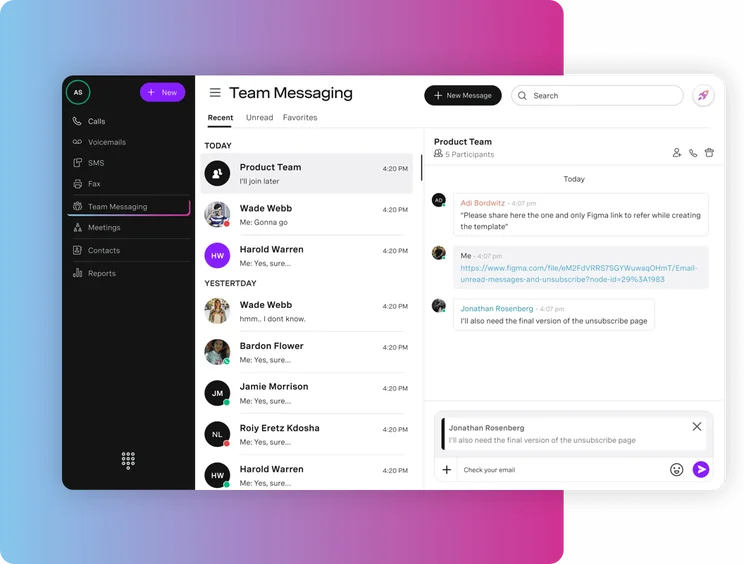
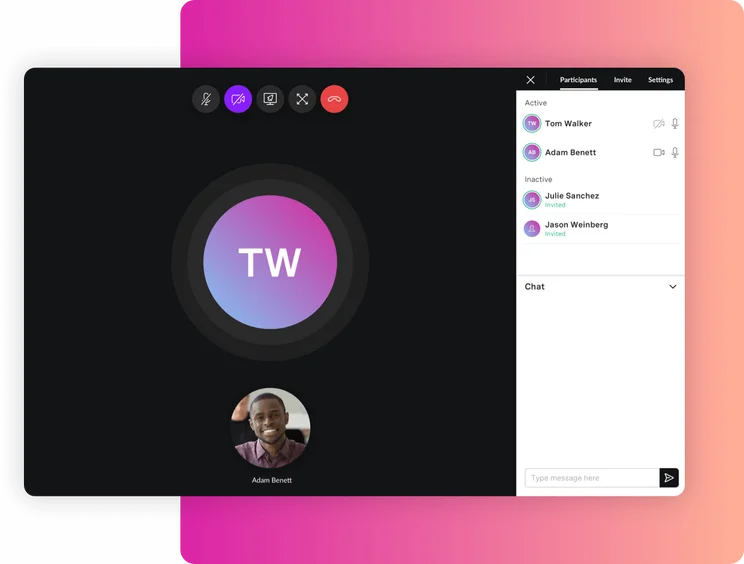
Zoom Phone pricing vs 8×8 pricing
Zoom Phone is one of the most affordable VoIP solutions in our research, while still providing a lot of functionality for businesses of all sizes. More importantly, compared to 8×8, the pricing is publicly available, so you’ll know how much the VoIP solution costs your business right out of the gate.
Zoom Phone offers three different pricing plans that provide usage of the VoIP platform and nothing more. Here’s how they match up:
- Metered – $10 per user, per month
- Regional Unlimited – $15 per user, per month
- Global Select – $20 per user, per month
There are also a few options to pair Zoom Phone with the rest of the Zoom Workspace system, which gives you access to video conferencing, task management, and AI Companion functionality. These plans start at $13.33 per user, per month.
Check out our Zoom Phone pricing guide for more information.
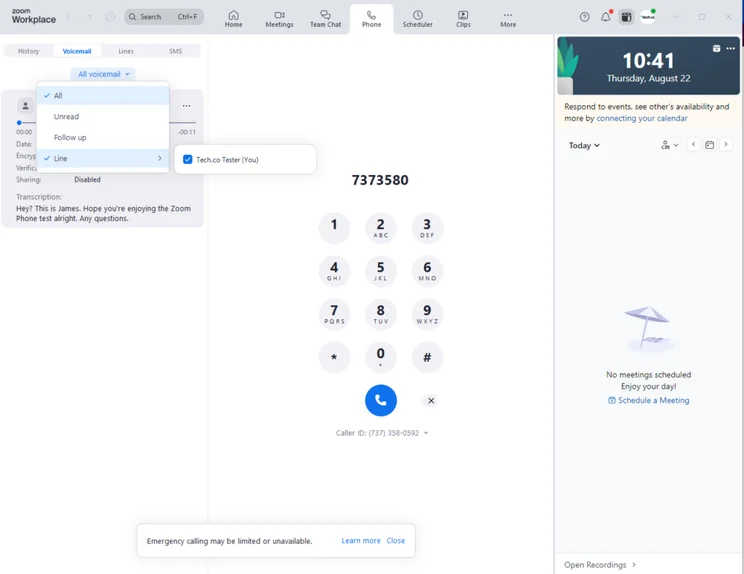
The voicemail interface in Zoom Phone made it easy to check messages without a lot of steps. Source: Tech.co testing
3. Dialpad – Best for Security Features
Dialpad is another excellent lower-cost option than 8×8, particularly given the massive selection of call management features and communication channels available within the system. Compared to 8×8, Dialpad excels when it comes to security, offering features like multi-factor authentication and password rules. Plus, it comes with a wide range of compliance certificates, including Health Insurance Portability and Accountability Act (HIPAA) and General Data Protection Regulation (GDPR).
A big downside, however, is that a lot of Dialpad’s customer support options — like phone and onboarding support — are add-ons, so you’ll have to pay extra to get that assistance, while it’s all included with 8×8. Dialpad also lacks training features like call monitoring and call whisper, so larger teams might need to look elsewhere.
Dialpad

In Short
-
Pros
- Good value pick with lower starting price than competitors
- Vast selection of communication channels to reach customers, including SMS and e-fax
- Includes all call management features like customizable call routing
-
Cons
- Missing training features like call monitoring and call whisper
- Limited CRM and helpdesk software integrations
- Onboarding support for your team costs extra
Pricing
-
Standard: $15/user/month
-
Pro: $25/user/month
-
14-day free trial
Images
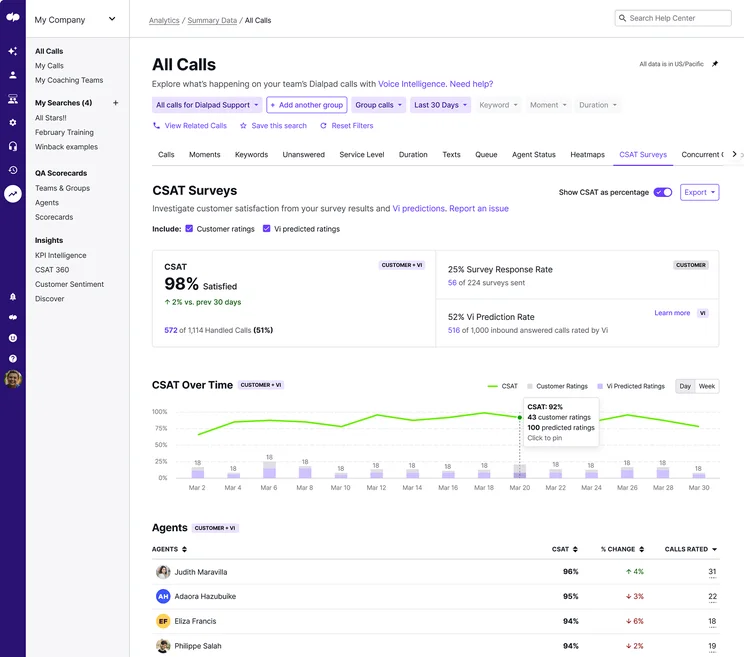
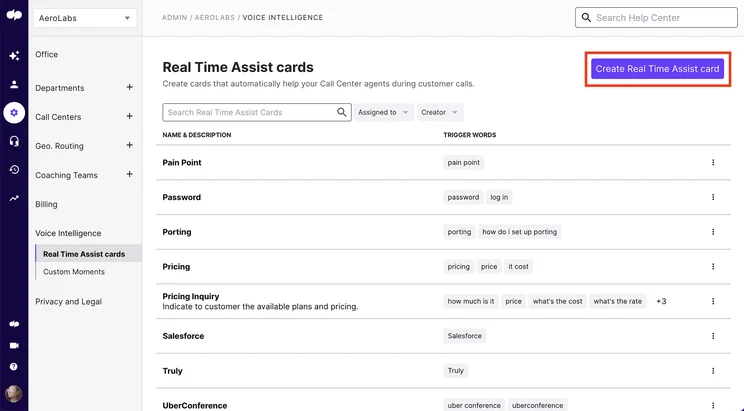
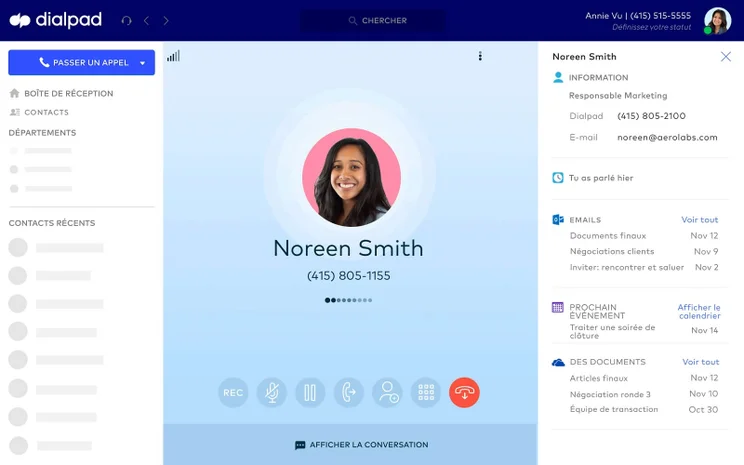
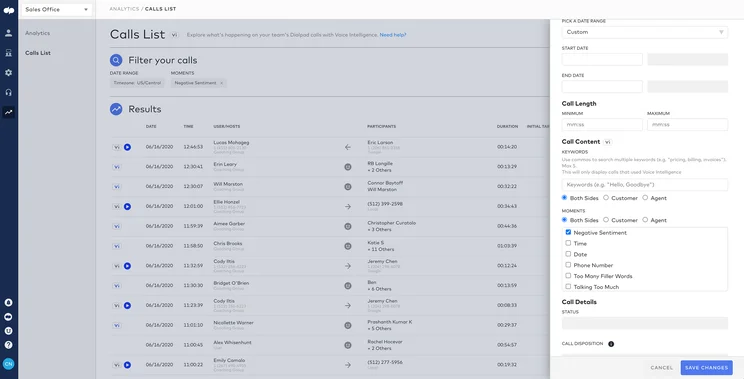

Dialpad pricing vs 8×8 pricing
Dialpad pricing is also quite competitive, and obviously transparent, which gives it a bit leg up on 8×8. The low starting price and the highly functional mid-tier plan both make it a viable option for small and medium-sized businesses, given the vast selection of call management features.
Here’s a list of the pricing options for Dialpad:
- Standard – $15 per user, per month
- Pro – $25 per user, per month
- Enterprise – Custom
The prices listed above are for an annual plan, and the prices increase substantially when you opt for the monthly option. The Standard plan, for example, will cost you $27 per user, per month if you don’t want to sign up for a full year, which means you’ll have to pay 44% more for a month-by-month contract.
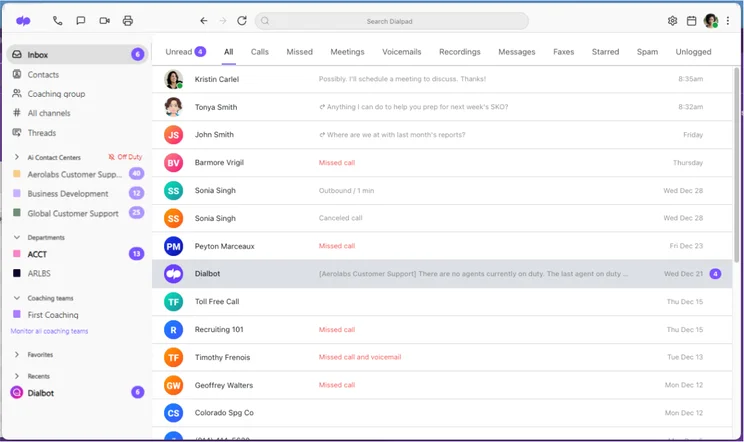
The Dialpad Inbox interface is clean and comprehensive. Source: Dialpad
4. GoTo Connect – Compatibility with Desk Phones
GoTo Connect represents another 8×8 alternative that could be a good fit for your business, particularly if you’ve got a larger team that needs training. The VoIP solution has a huge selection of training features, like call monitoring and call whisper, and the monthly cost of the system actually decreases when you add more users.
The biggest boon for GoTo Connect, however, is its substantial compatibility with desk phones. GoTo Connect can integrate with ten different desk phone brands, which is the most across all of our VoIP research. On the other hand, the GoTo Connect library of third-party integrations isn’t as robust, with limited options to connect, including no access to Microsoft Teams.
GoTo Connect

In Short
-
Pros
- Huge selection of training features, including call whisper and monitoring
- Compatible with over 180 desk phone models
- Robust internal messaging and communication built in
-
Cons
- Unlimited calling time for your team will cost extra
- Limited CRM integrations beyond Salesforce, Zoho, and Zendesk
- High starting price is prohibitive to small businesses
Pricing
-
Custom pricing
-
50+ countries included free
-
Hardware add-ons available
Images
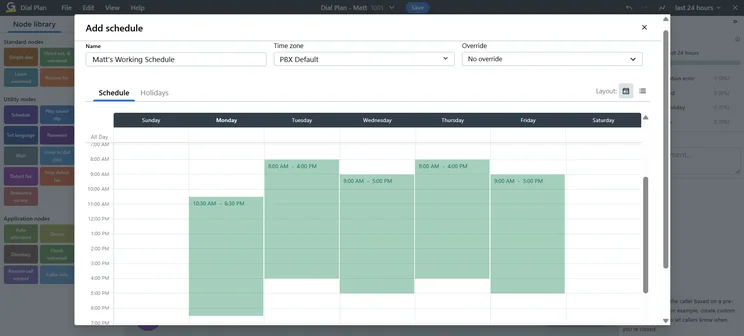
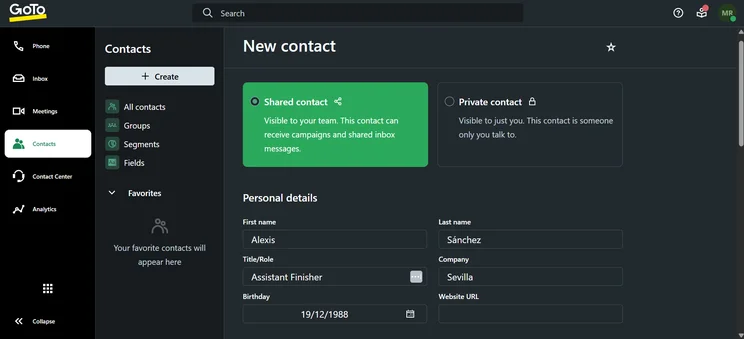

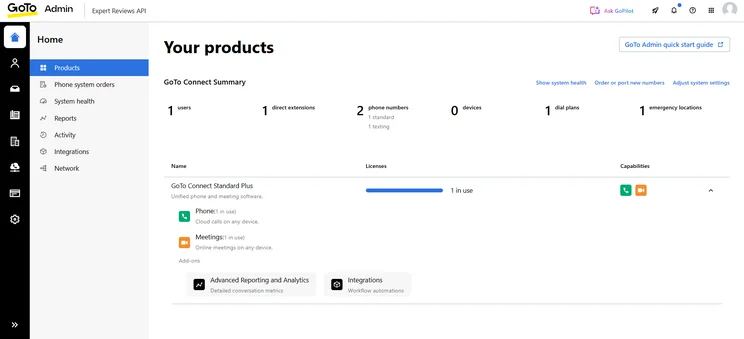
GoTo Connect pricing vs 8×8 pricing
GoTo Connect is different than 8×8 and other VoIP providers when it comes to pricing, as it uses a sliding scale to give a lower price to businesses with more users. So if you only have five employees, you’ll actually be paying a higher monthly rate than a company with 20 employees.
Here are the lowest-cost pricing options for GoTo Connect plans, which are available if you have more than 101 employees using the system:
- Phone System – $22 per user, per month
- CX – $29 per user, per month
- Contact Center – Custom
If you have fewer than 100 employees, though, you will have to pay a bit more. The Phone System plan, for example, would cost $29 per user, per month if you had 20 employees, and $32 per user, per month if you had five employees. For only one employee, you’ll pay as much as $43 per user, per month.
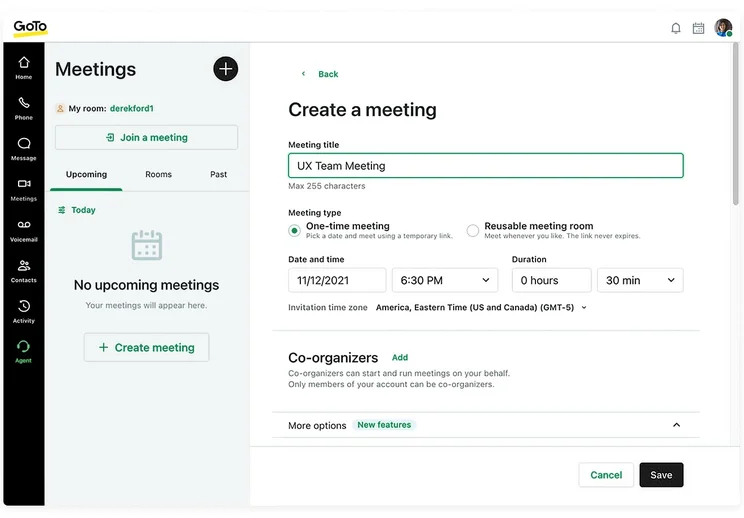
GoTo Connect makes setting and customizing meetings easy and intuitive for users. Source: GoTo
5. Net2Phone – Best for Onboarding Support
Net2Phone is the only VoIP provider on this list that technically scored lower than 8×8, but it was so close that we felt it still deserved a spot. The platform offers a lot of functionality for call management, including ring groups and voicemail screening, but some features, like call queue, are only available as a paid add-on. What won’t cost extra, however, is onboarding support, which is included with all pricing plans, something that is not the case for 8×8 or most other VoIP providers.
Like Dialpad, though, Net2Phone does not perform well when it comes to training features, with no call monitoring, call barge, or call whisper available for users. It’s also quite poor when it comes to integrates, both hardware and software, as it’s only compatible with two desk phone brands, and its third-party integrations are only available as paid add-ons unless you opt for the Enterprise plan.
net2phone

In Short
-
Pros
- Excellent call management features
- Video conferencing platform built-in for team communication
- Plenty of AI features to save time and improve productivity
-
Cons
- Video conferencing and AI features very limited in Essentials plan
- Toll-free and international numbers cost extra in all plans
- Training features are highly limited
Pricing
-
Essentials: From $19.99/user/month
-
Professional: From $24.99/user/month
-
Ultimate: From $29.99/user/month
Images
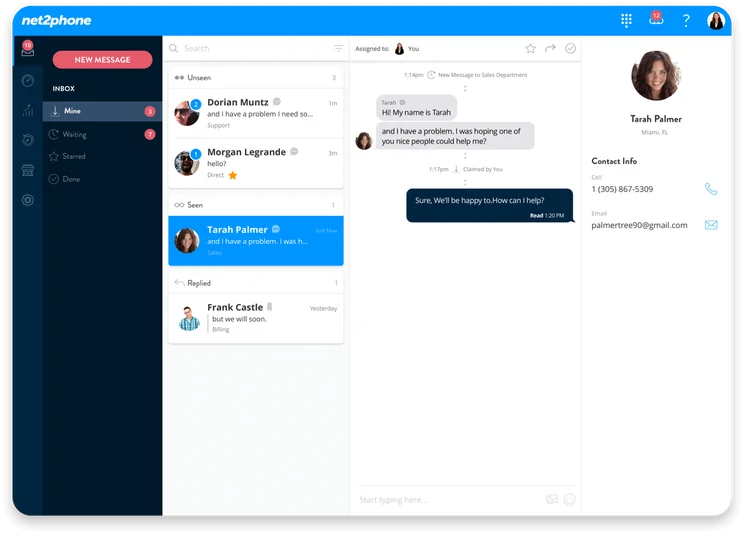
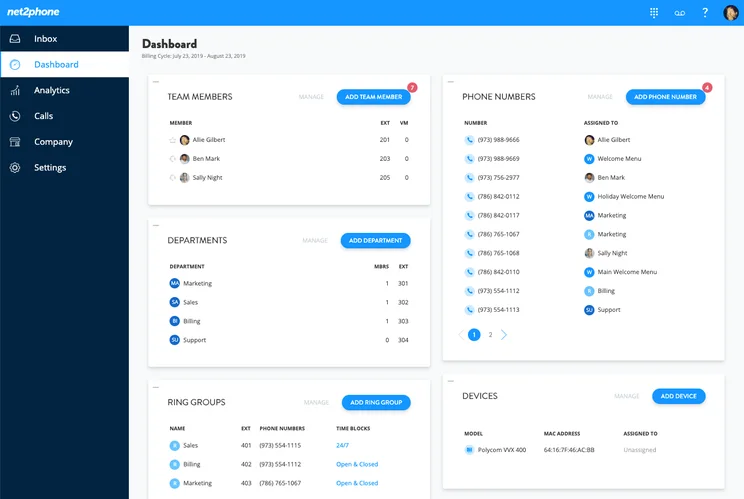
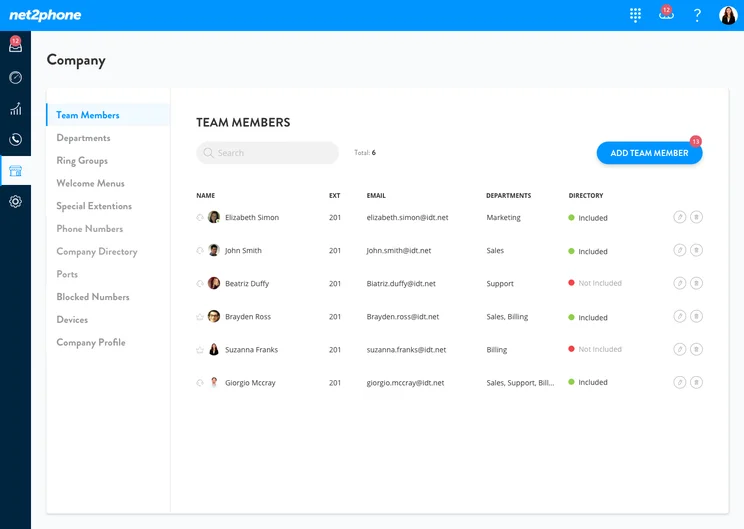
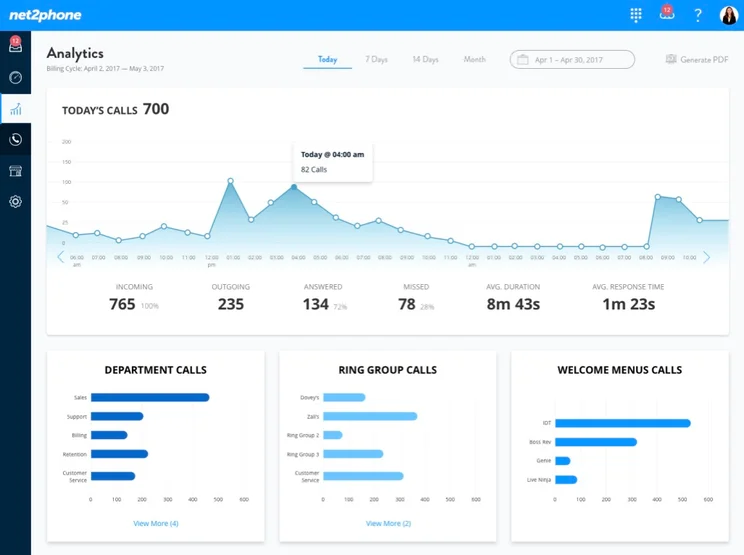
Net2Phone pricing vs 8×8 pricing
Net2Phone is the same as GoTo Connect on pricing, in that it uses a similar sliding scale to provide lower prices for businesses with more users. Obviously the thresholds and prices are different, but if you have a big team, this could be a way to save a bit of money.
Here’s the lowest starting price available for each of the plans from Net2Phone, which are for businesses with 25 or more employees.
- Essentials – $19.99 per user, per month
- Professional – $24.99 per user, per month
- Enterprise – Custom
Those prices do go up if you have fewer employees, though. The Essentials plan, for example, will cost $27.99 per user, per month if you have between one and nine employees, and it’ll cost $21.99 per user, per month if you have between ten and 24 employees.
Should You Stick With 8×8?
We understand why you might want to switch away from 8×8. The lack of transparent pricing is a dealbreaker for many businesses, and the absence of features like voicemail screening can be a big downside if your business experiences a high volume of calls.
Still, while all these alternatives certainly have merit, our research shows that 8×8 is an excellent choice when it comes to VoIP providers. In fact, 8×8 is comfortably in the top five in our VoIP research for medium-sized businesses, with its 8×8 Work system representing a robust, feature-rich solution from call management to training.
For small businesses, though, 8×8 is probably not your best bet. Our previous research found that 8×8 is likely quite expensive, even for a starting plan, so you’ll have to pay a lot to get access to all this functionality. Plus, onboarding support costs extra, so if your small team is unfamiliar with this kind of technology, you could spend a lot of time getting used to it.
8×8

In Short
-
Pros
- Huge selection of third-party software integrations available
- Responsive 24/7 support team via email, chat, or phone
- Training features, like call whisper and call barge, to help staff improve
-
Cons
- Non-transparent pricing is reportedly quite expensive
- No voicemail screening, automatic or otherwise
Pricing
-
Four different plans available
-
All plans have custom pricing
-
Free demo available
Images
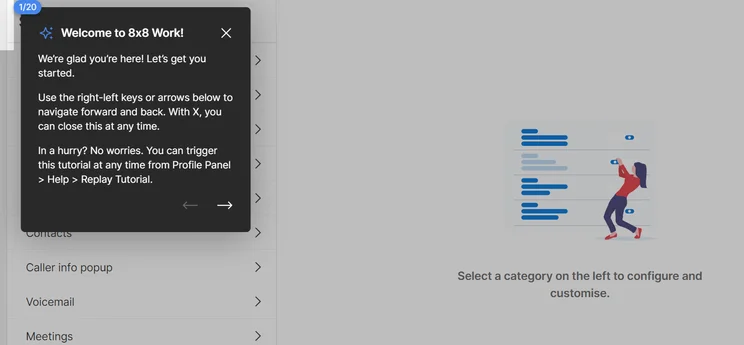
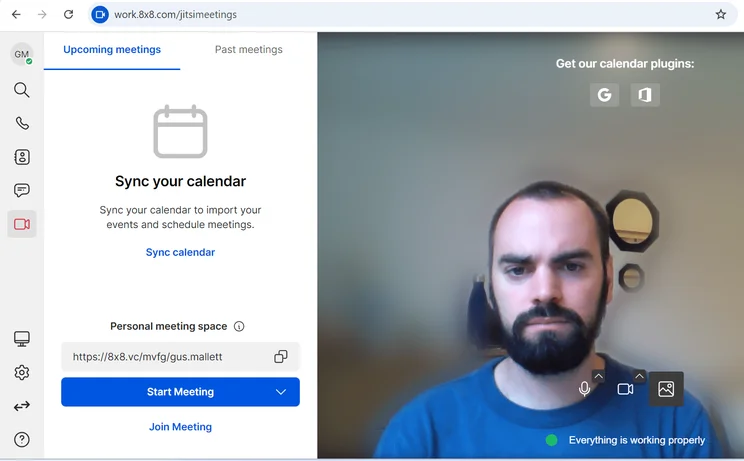
8×8 pricing
While it used to provide its pricing publicly, 8×8 does not display information about its pricing on its website currently. The VoIP provider insists that interested parties call the sales team or fill out a form to get a quote for your specific business, so we can’t say for sure how much 8×8 will cost your business.
In previous research, though, we found that 8×8 Work started at $24 per user, per month, which is pretty expensive in terms of other options on the market. On top of that, 8×8 offers a generous 30-day free trial, so you will be able to test out the platform before you make a big financial decision about your VoIP needs.
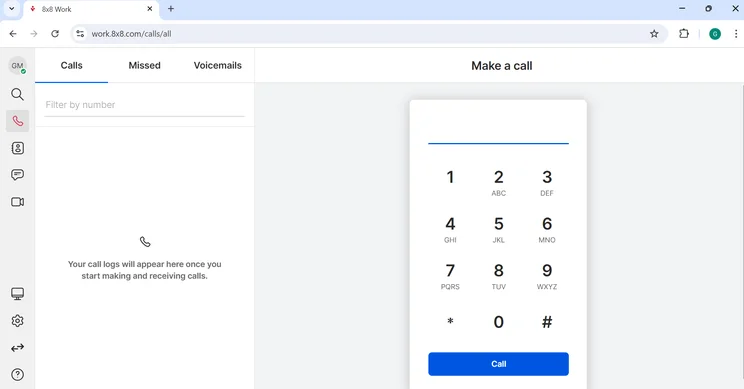
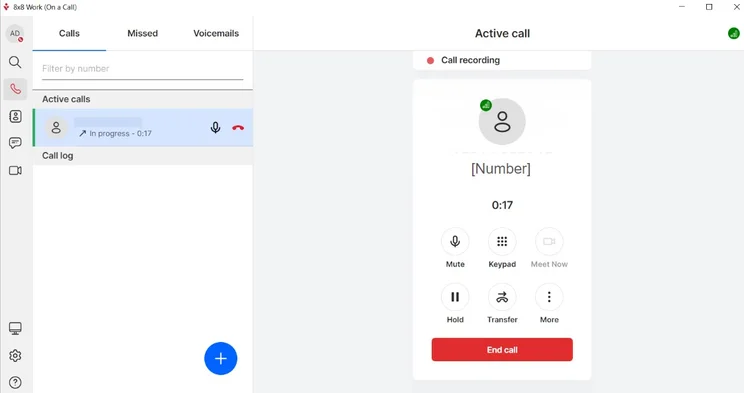
The 8×8 dial pad made it easy for our team to make calls directly on the platform. Source: Tech.co testing
How Did We Choose the Best 8×8 Alternatives?
We take our hands-on testing and impartial analysis seriously, so you can have complete confidence that we’re giving you the clearest, most useful recommendations.
After conducting an initial exploration to identify the most relevant, popular, and established business phone platforms on the market, we selected 10 top VoIP systems and took a deeper dive into their plans to find out more about the features and functionality on offer.
Based on years of market research, product testing, and user needs analysis, we’ve established a VoIP system research methodology that scores each product in six core categories of investigation, which are broken down into 44 further subcategories.
With this framework we cover everything, from internal communication tools and security options to niche training features, and it ensures we can accurately assess each product’s value for its price and suitability for different types of businesses.
Our main research categories for VoIP phone systems are:
- Call management features: The presence and quality of call handling features, including basic features such as call forwarding and voicemail, as well as more advanced features like auto-attendant and interactive voice response (IVR).
- Communication channels: Features designed to support communication other than calling, including integrations with websites and social media platforms.
- Training features: The presence and quality of features designed to support onboarding and training, like call barge, call whisper, and performance dashboards.
- Customer support: The assistance and resources provided by the VoIP service provider to customers, including online resources, knowledge bases, and access to customer support representatives and AI chatbots.
- Security options: The measures and features implemented by the VoIP service to ensure the confidentiality, integrity, and protection of voice communications and data.
- Pricing factors: The pricing structure associated with the VoIP service, including factors such as monthly subscription fees, domestic and international call rates, setup fees, hardware costs, and extra costs, like add-on features or services.
When it comes to calculating a product’s final score, not all testing areas are weighted evenly, as we know some aspects matter more to our readers than others, which are merely “nice to have.” After hundreds of hours, our process is complete, and the results should ensure you can find the best solution for your needs.
Learn more about our research testing process.
Our research shows that RingCentral is the best alternative to 8×8, offering better features, more integrations, 24/7 live support, and transparent, competitive pricing.. Other great options include Zoom Phone for its low pricing and GoTo Connect for its compatibility with desk phones.
Remember, though, 8×8 is one of the best options out there, providing a whole lot of features and excellent security for its users. If you’re in the market for a VoIP provider today, don’t forget to check out our VoIP comparison tool to get more information about how much our top picks for business will cost for your exact needs.
If you click on, sign up to a service through, or make a purchase through the links on our site, or use our quotes tool to receive custom pricing for your business needs, we may earn a referral fee from the supplier(s) of the technology you’re interested in. This helps Tech.co to provide free information and reviews, and carries no additional cost to you. Most importantly, it doesn’t affect our editorial impartiality. Ratings and rankings on Tech.co cannot be bought. Our reviews are based on objective research analysis. Rare exceptions to this will be marked clearly as a ‘sponsored’ table column, or explained by a full advertising disclosure on the page, in place of this one. Click to return to top of page


