


We may receive a commission from our partners if you click on a link to review or purchase a product or service. Click to Learn More
Nexar Classic is the best dash cam app for iPhone – it offers great basic abilities, impressive machine learning-powered features, and an automated cloud backup that makes it easy to save your videos instantly.
For Android, it was AutoBoy that took the crown – it includes granular settings and reliably records even while running in the background of a phone.
The best dash cam app should be able to loop record, use a collision detection sensor (or G sensor), and use a phone’s GPS ability to track location. It will be easy to use, shoot high-quality video, and offer a simple way to export files, whether by USB or uploading to cloud storage.
We’ve combed through the top dash cam apps for iPhone and Android to determine which are the best. Our criteria centered around three main areas: Core features, extra perks, and user feedback in app reviews.
- Nexar AI is the top dash cam app choice for iPhones, offering AI-powered event detection and automated cloud backups, all for free.
- For Android users, AutoBoy is the best option, with standout features including background recording while the phone is being used for other tasks.
- When choosing an app, key features to look for include automated loop recording, collision detection, and the ability to easily export video files.
- You don’t need to break the bank for an mobile dash cam app, with some of the best options available for free.
- Dash cam apps may not be appropriate in professional settings, where enhanced safety is required.
A dash cam app is best for a limited, non-commercial use, such as a long car ride that you want to document in case you get in a fender bender. It’s a practical way to benefit from your phone’s GPS and speed logging functions while saving money.
However, you’re better off with a physical dash camera if you’re trying to film yourself on a regular basis, whether for personal or business driving. You’ll get much better features and reliability, since it can be set to automatically turn on, and it won’t drain your phone battery like an energy vampire.

Best Dash Cam Apps for iPhone
Here are the top three dash cam apps available for download on the App Store right now.
- Nexar Classic Dashcam App – Best for features
- Driver Driving & Dash Cam App – Best for dual camera recording
- Smart Dash Cam App – Best for flexible settings
- Car Camera DVR. Pro App – Best for video data
Dash cam apps like Nexar are also on the Google Play Store, but we’ll discuss the top options available for Android users in the next section. Here’s a closer look at how the three providers above stack up against one another:
|
Price
|
Pros
|
Cons
|
||
|---|---|---|---|---|

|

|

|
||
|
Nexar AI |
Smart Dash Cam |
Car Camera DVR. Pro |
||
|
Free |
Free |
$12.99 |
||
|
|
|
||
|
|
|
Nexar Classic Dash Cam App
Best for features
Stars in the App Store: 4.4
Price: Free
Nexar Classic Dash Cam App for iPhone

In Short
-
Pros
- Saves to the cloud
- Incident report template
- GPS tracking
-
Cons
- Sells user data
- Drains phone battery
Images
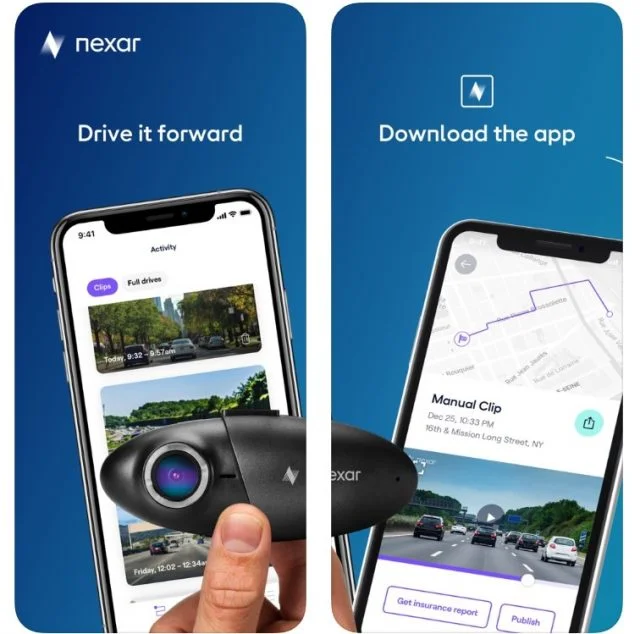
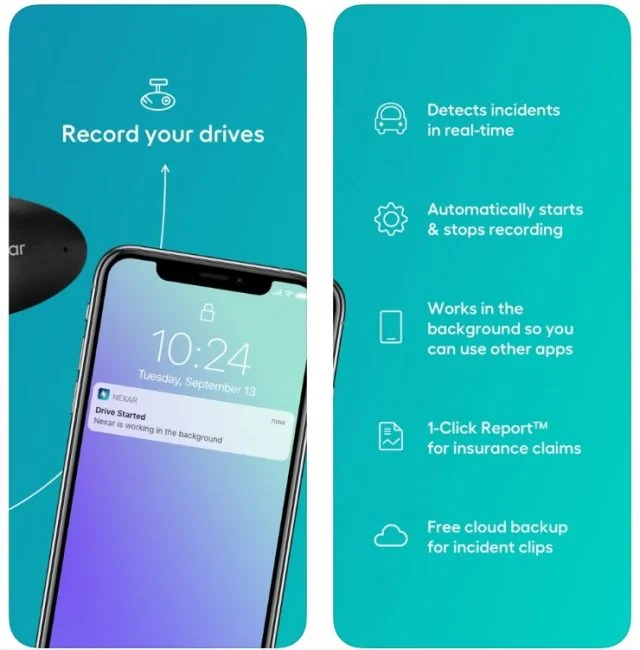
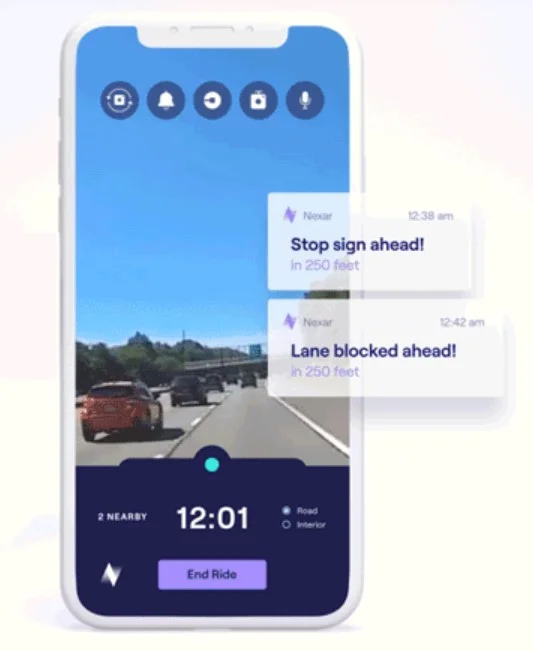
Powered by insights gleaned from a nationwide network of users, the Nexar dash cam app comes with a large fanbase – and for good reason. This free app offers a lot of the perks you’d expect from a physical dash cam.
It also records your drives, and it even uses AI-powered tools to automatically sense important driving events, such as hard brakes and collisions. These events are instantly saved to your phone, including GPS location tracking, and are also automatically backed up to the user’s private Nexar cloud.
The app also offers a unique feature: a “1-Click Report” template that lets you quickly fill out a detailed summary needed for an insurance claim, covering the place, time, impact, and video footage involved in the incident.There are a few catches, though. For one thing, the app will try hard to upsell you on one of several official Nexar dash cameras, which will pair with the Nexar app to offer high-quality video and additional features (the cams start at $170). This upselling could arguably be considered a benefit, since it makes it easy for users to upgrade.
Also, Nexar has been criticized in the past for selling its users’ data. And like any dash cam app, it’ll drain your phone’s battery, so you’d be wise to keep your phone charging at all times while using it. That said, the app is regularly updated, and recently, a ‘Battery Optimization’ toggle switch was added to save battery by disabling local streaming and auto recording.
Driver: Driving & Dash Cam App
Best for dual camera recording
Stars in the App Store: 4.7
Price: Free
Driver Driving & Dash Cam App for iPhone

In Short
-
Pros
- Records external and internal video at the same time
- Works with Apple CarPlay
- Saves to the cloud
-
Cons
- Overheats quickly
- Drains phone battery
Images
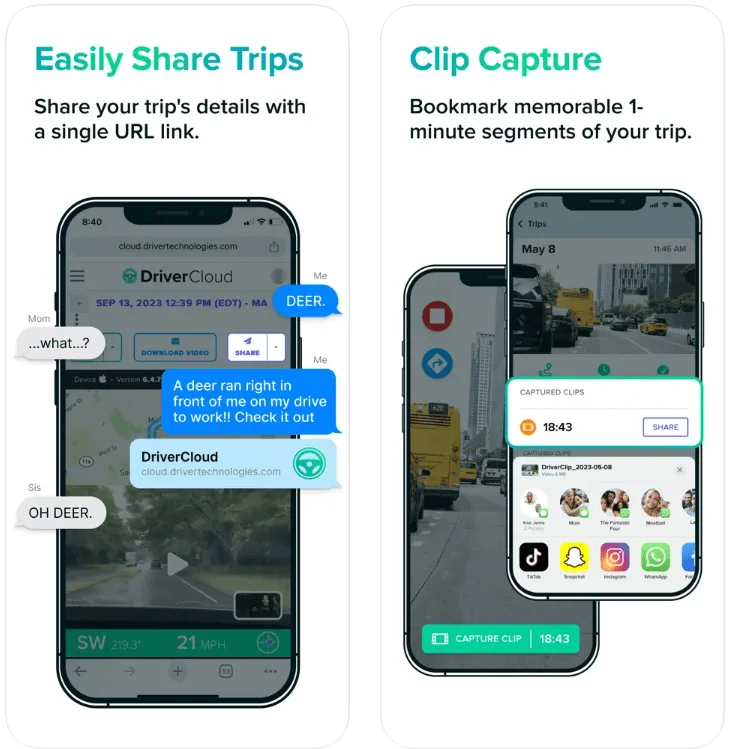
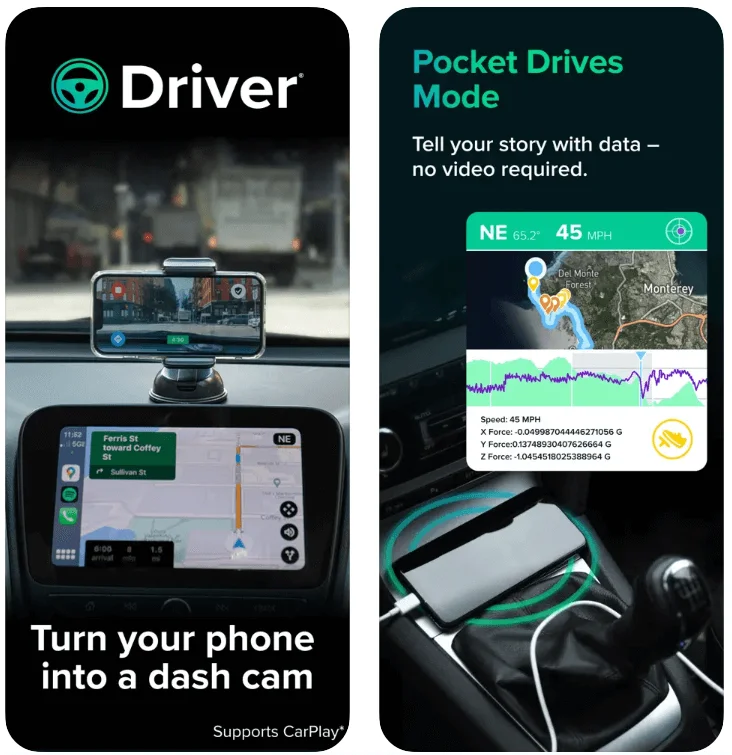
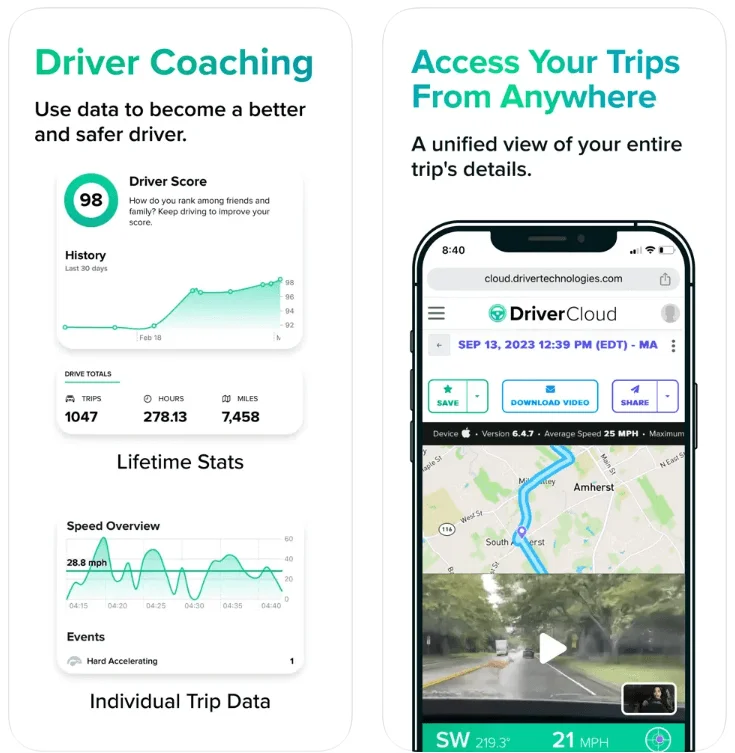
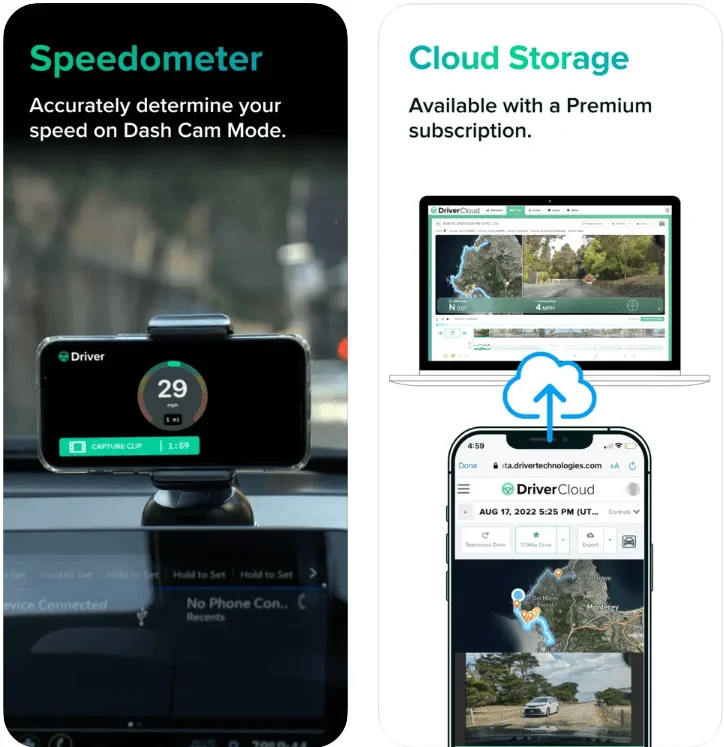
Driver stands out for its impressive dual camera recording: As long as you have an iPhone XS or newer, you can record external and internal video simultaneously, something no other app in this guide can handle.
The app has a lot to offer beyond this perk, too: Along with video, it records information including location, speed, G-force, and even weather, ensuring that you’ll have all the data you need for insurance tracking purposes.
It’s all automatically uploaded to the Driver Cloud once your drive ends, allowing you to free up the storage space on your phone while retaining the footage. You can also just wait, since the app will delete local storage itself after two days.
You’ll be able to share the historical view of the video with coworkers, family and friends, or insurance companies just by sharing a link to the online cloud storage. It does come with a 90-day lookback period, and the online video will be deleted after this period is over.
You can also try Pocket Drives mode, which records everything but video, for those who have separate devices. One downside (regardless of the video) is that your phone may overheat if you’re driving for hours on end. As a result, this app is best for quick trips.
Pair your device to Apple CarPlay, and you’ll be able to use navigation or music apps while Driver is running. Get a dash mount: You’ll want to record in landscape mode.
The main features listed above are all free, but the app does include a paid Premium plan as well. If you opt for it, you’ll be able to upload directly through Wi-Fi and access extra customization options, but you’re likely fine with the free plan.
What’s new for Driver?
- Improved uploading of drive data was rolled out in May 2025, and multiple bug fixes were issued in June, making Driver the most frequently updated app on this page.
IPCamSoft.com Smart Dash Cam App
Best for flexible settings
Stars in the App Store: 4.3
Price: Free
Smart Dash Cam App for iPhone

In Short
-
Pros
- Flexible settings
- Lots of local and cloud storage options
- Supports four languages
-
Cons
- Video quality can be shaky
- Comes with ads
Images
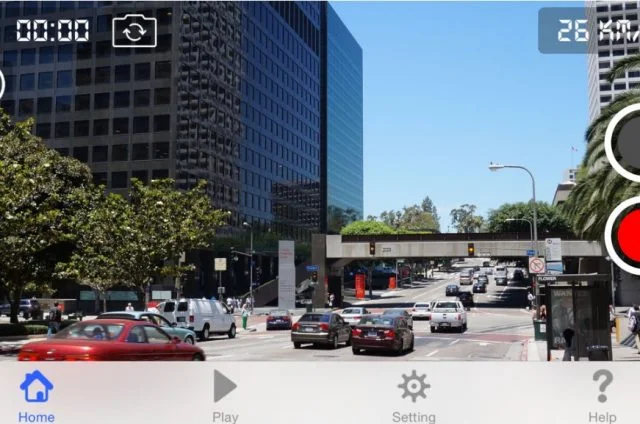

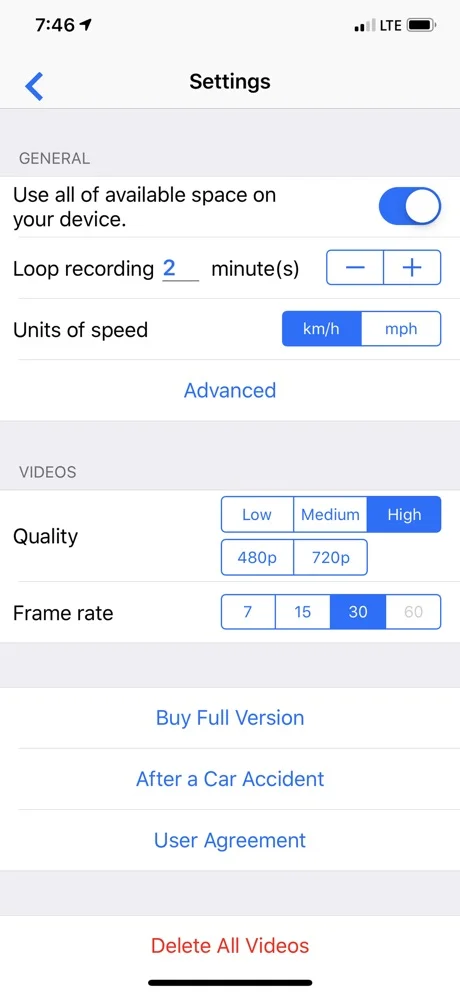
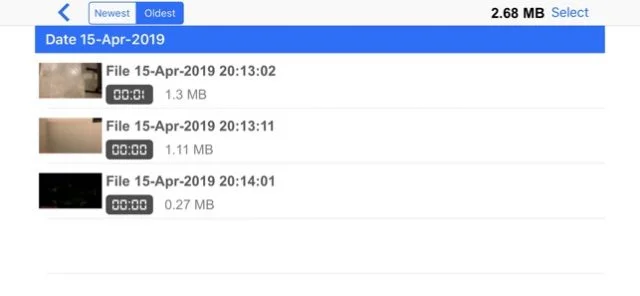
IPCamSoft.com’s Smart Dash Cam app makes a strong case as the top dash cam app for iPhone. It offers both manual and auto-recording modes, lets the user set their preferred resolution (up to 720p HD), can record audio, displays the time and speed of a vehicle in its videos, and auto-records a locked video file if it detects a collision.
If it hasn’t locked a video, it’ll use continuous loop recording with a time range of up to 60 minutes, which overrides the oldest videos in order to make room for new ones.
We found that you can play music on your phone even while the app is recording, which isn’t always a guarantee in the world of dash cam apps, and you can choose which video files to delete if you need to free up phone space after an uneventful trip.
You have two options for how the app uses your phone’s storage: you can set a max capacity that the app won’t go over, or you can just allow it to use all the available space on your phone before it starts writing over the oldest files.
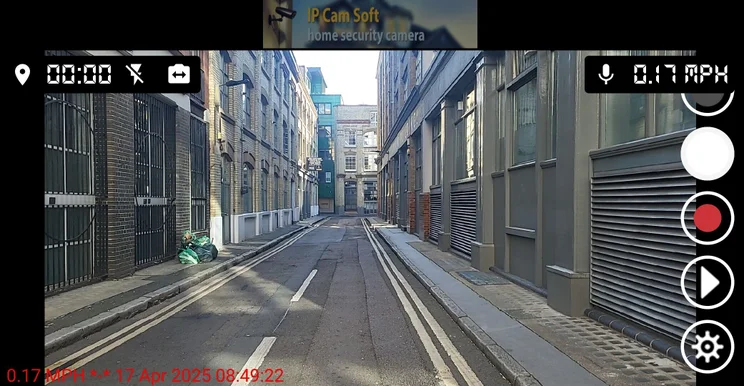
We found the Smart Dash Cam’s home screen simple and easy to navigate. Source: Tech.co testing
Recorded videos can also be uploaded to the cloud via Google Drive, YouTube, or Dropbox, and individual files can be sent to an email address. And on top of all that, four languages are supported: English, Spanish, French, and German.
Some reviewers have noted choppy video quality, and you’ll see some advertisements – but, hey, you can’t have everything.
Car Camera DVR. Pro App
Best for video data
Stars in the App Store: 4.2
Price: $12.99
Car Camera DVR. Pro App for iPhone

In Short
-
Pros
- Data overlay for video files
- High quality resolution and FPS
- 12 languages supported
-
Cons
- Not free
- Missing some features, such as collision detection
Images
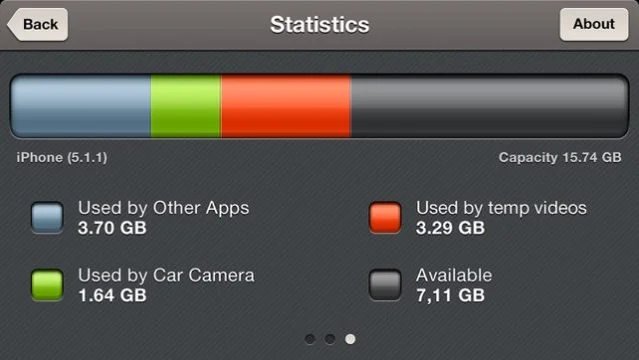
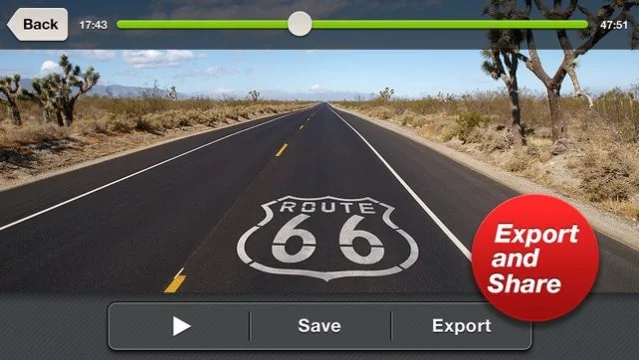

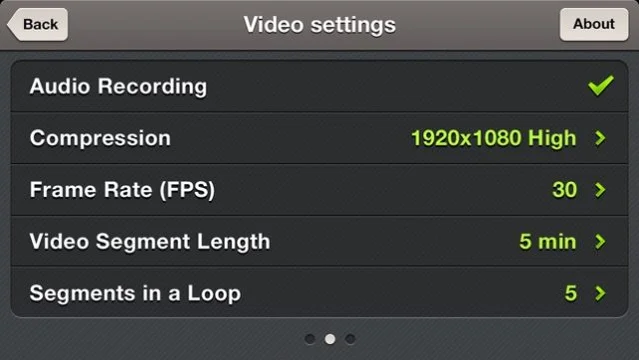
This app records at four resolutions – 480p, 720p, 1080p, and the recently added 4K – although which resolution is used will depend on your device. It can also record up to 60 FPS, so it should be able to capture all the details you need. You can also set the length of each video file and the number of files allowed in a loop before the app begins writing over the oldest ones.
One standout feature of the Car Camera DVR. Pro is its data overlay, which is embedded into the video files it produces. This allows you to see the time, vehicle speed, coordinates, and heading for every saved video.
This, in turn, makes the video footage more valuable, since it’s easy to prove how fast you were travelling and on which road, should you receive an erroneous speeding ticket or want to show you are not at fault in an insurance claim. Videos can be played back within the app or can be exported to the iPhone’s video gallery with the touch of a button.
The app supports 7 languages (English, French, German, Italian, Portuguese, Russian, and Spanish), and costs $12.99. While the feature set isn’t as wide as some of the free apps on this list, the Car Camera DVR. Pro is a top app for what counts: recording and saving data-rich video files when you need them.
Price: $12.99
|
Price
|
Pros
|
Cons
|
||
|---|---|---|---|---|

|

|

|
||
|
AutoBoy |
DailyRoads Voyager dash cam app logo |
Drive Recorder |
||
|
Free |
Free |
Free |
||
|
|
|
||
|
|
|
Best Dash Cam Apps for Android
Looking for an Android dash cam app? Here are the best options currently available on the Google Play Store.
AutoBoy Dash Cam App
Best for running in the background
Stars in the Google Play Store: 3.6
Price: Free
AutoBoy Dash Cam App for Android

In Short
-
Pros
- Runs in the background
- Granular video quality settings
-
Cons
- May crash or freeze on occasion
Images
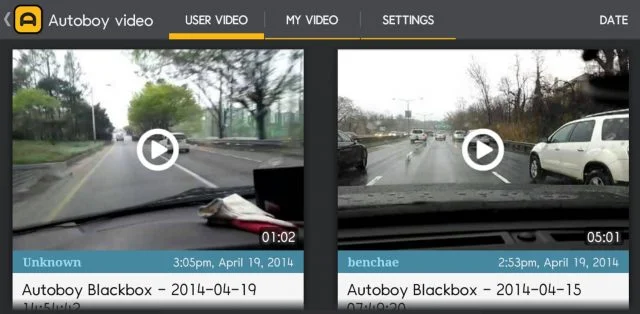
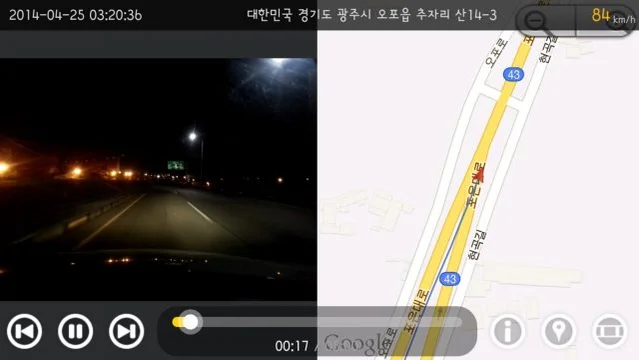
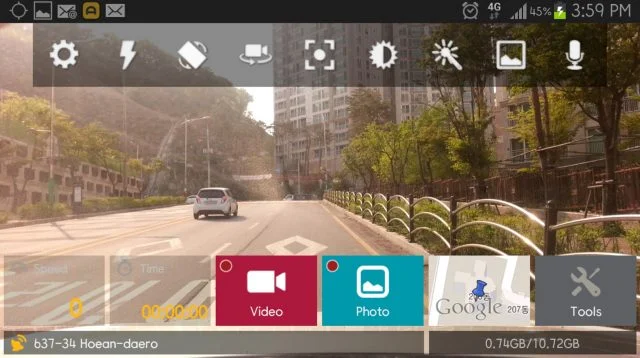

The AutoBoy app brings plenty of granular features with it, making it particularly appealing to tech nerds. However, it also offers another perk that will make it a popular dash cam app for many: it can record in the background, while the phone is being used for browsing the internet or other apps.
The AutoBoy’s recording functionality will loop files, auto-deleting the oldest file once it reaches the maximum allowed storage space. Users can choose their preferred recording cycles, maximum storage, and video quality, including resolution, encoder, frame rate, bit rate, and audio quality.
GPS functionality is included, as is a smart crash sensor, which locks the current video file when it detects a collision. You’ll know whether the dash cam is recording or not – it triggers an LED backlight that flickers when it records in the background.
Our researchers found the camera’s in-app functions more versatile than most dash cam apps: it can zoom, focus, flash, and display grid lines, as well as offering a scene mode option. The app supports 12 languages – Korean, English, Chinese, Japanese, Russian, German, Spanish, Dutch, Turkish, Italian, Vietnamese, and Thai.
Reviews have noted a few issues with crashing and freezing, but if you’re just leaving it undisturbed in the background, it should work okay.
This app is a good option for anyone who wants to use their phone to play music or podcasts, while on a trip that they also need to film.
What’s new for AutoBoy?
- General bug fixes – but no major updates since June 2022.
Droid Dash Cam Video Recorder App
Best for insurance tracking
Stars in the Google Play Store: 4.5
Price: Free
Droid Dash Cam Video Recorder for Android

In Short
-
Pros
- Loop recording in background
- Includes license plate number in each video file
- Impact detection preserves video of collisions
-
Cons
- Overheats quickly
- No video stablization
Images
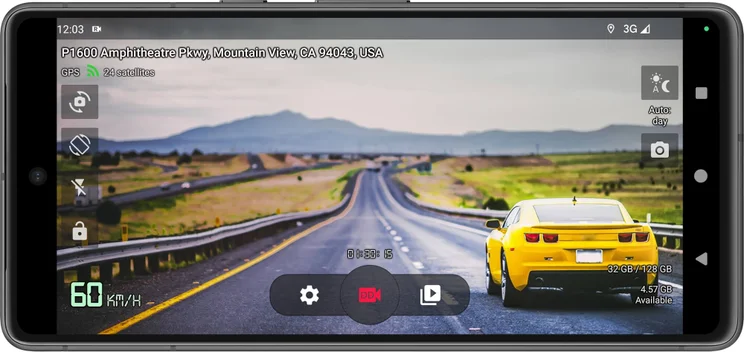
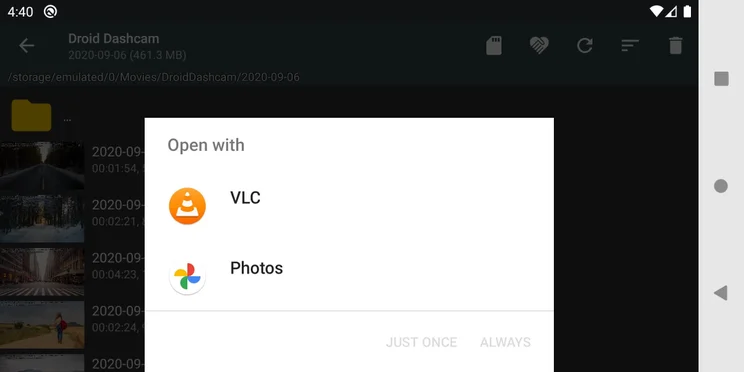
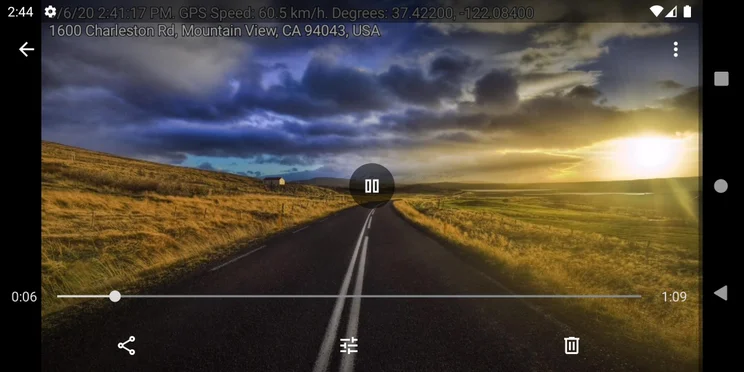
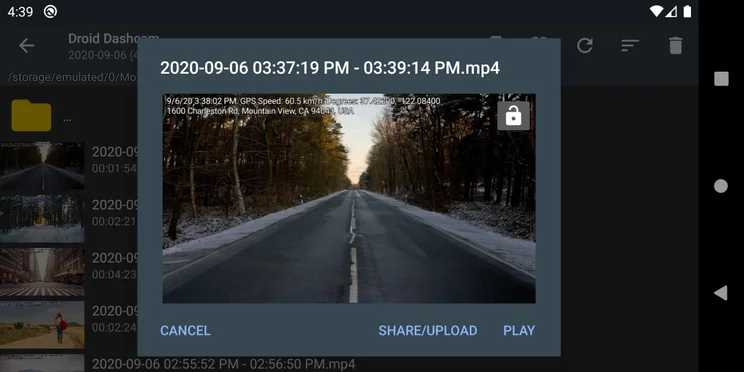
Just like the AutoBoy app, the Droid Dash cam records continuous video, with a loop mode that overwrites past recordings so that you won’t have to go a second without video. It comes with a unique benefit, too: It can add your vehicle’s license plate number to the video file data.
You’ll have to manually enter the plate number initially for this to work, but it’s an easy way to ensure that your vehicle is trackable and tied to any dashcam footage you record for your insurance needs.
Other information that will be automatically included with your landscape (or portrait – both can be recorded) video footage include timestamps, locations, GPS coordinates, and speed. Plus, the app will lock videos from overwriting if it detects an impact via the G-shock sensor, another helpful insurance tracking perk that can make sure collision videos aren’t overwritten and lost.
Videos are recorded in the background, and day/night video recording modes will toggle on automatically when needed. Users can upload or share videos to a range of different services, and can adjust the settings to log video files in the Shared Movies folder or in App owned folders.
You won’t get video stablization or the ability to use multiple cameras, and the app developers warn that the app can cause your phone to overheat and will drain the battery if used for too long. None of that seems to have dented this app’s popularity: It has over one million downloads in the Google Play store.
What’s new for Droid Dash Cam?
- Bug fixes are the latest update, issued to stop a selected localization from reverting to the system default in certain cases.
DailyRoads Voyager App
Best for automation
Stars in the Google Play Store: 3.8
Price: Free
DailyRoads Voyager App for Android

In Short
-
Pros
- Can automatically start up/shut down with the vehicle
- Video files are timestamped and geotagged
-
Cons
- Runs advertisements
Images
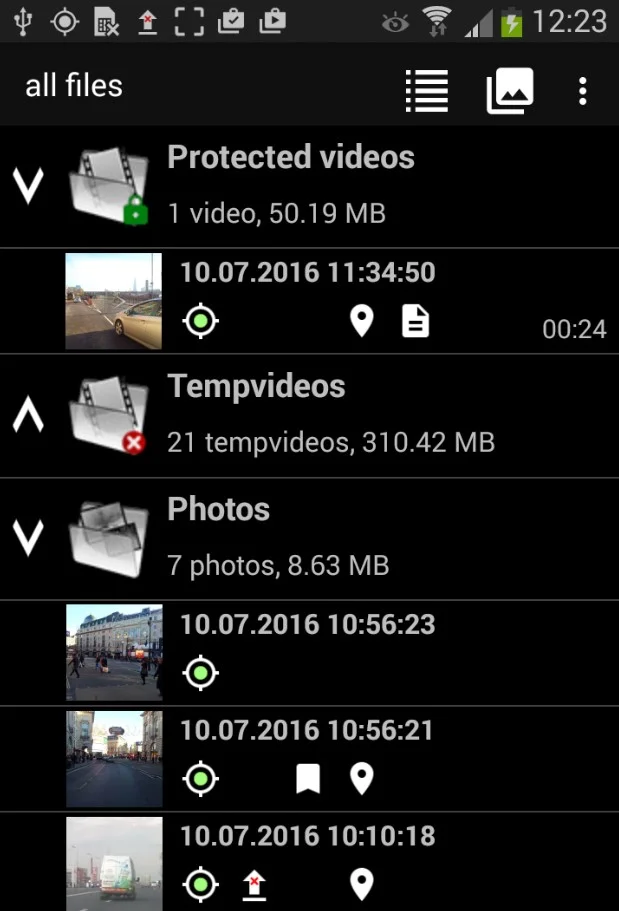
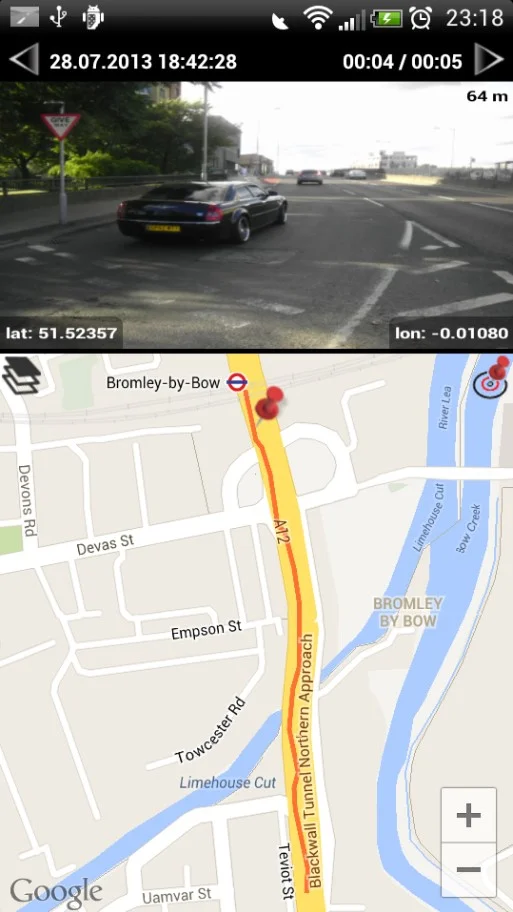

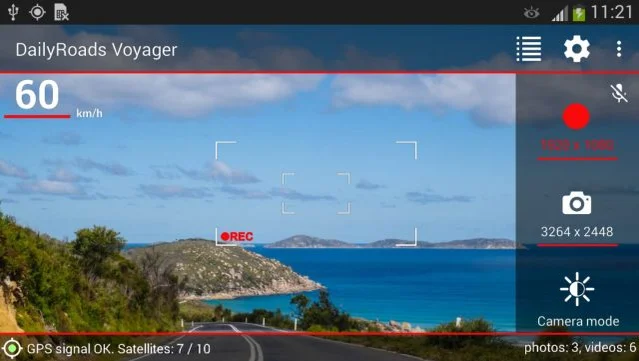
Like most dash cam apps, DailyRoads Voyager offers continuous looped video recording, letting users set the length and video quality for each file, as well as toggle the audio on or off. You can quickly save interesting video files by tapping the screen once.
Shock sensors can auto-lock the current video file when they detect a collision, while a time-lapse photography mode is also available. All video files are timestamped and geotagged with GPS functionality, though the GPS can be disabled to save power, and the files can be set to display vehicle speed and elevation as well.
Like AutoBoy, DailyRoads Voyager also comes with a background mode that frees up the phone it runs on.
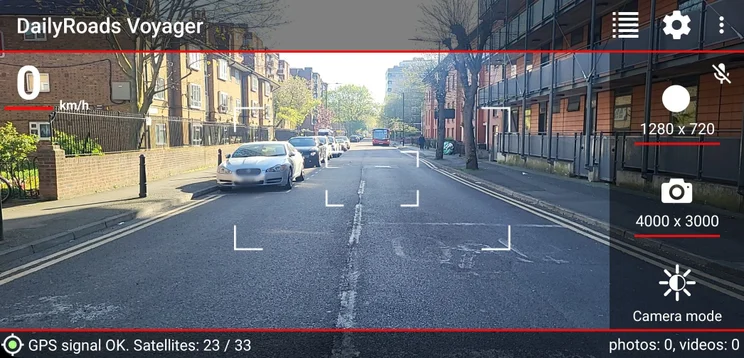
Our researchers found it useful to be able to quickly view saved photos and videos in the bottom right-hand corner of the app. Source: Tech.co testing
One cool perk that not every dash cam can handle: the Voyager app can be set to automatically start up and shut down with the car, as long as it is connected to the car deck. Other features include overheating protection, brightness adjustment, a built-in file manager, and the ability to upload files to DailyRoads.com.
The Voyager app comes with in-app advertisements that might bother some, but ultimately, we found it’s a serviceable app that does what a dash cam app should. The fact that it connects to a car desk in order to power on or off alongside the vehicle itself makes it a great pick for a driver who enjoys automating repetitive tasks.
If you’re willing to pay $4.99, you can get a second app, Voyager Pro, which comes with no ads, auto-starts, and uploads to Google Drive.
Drive Recorder Dash Cam App
Best for simplicity
Stars in the Google Play Store: 4.1
Price: Free
Drive Recorder Dash Cam App for Android

In Short
-
Pros
- Records in the background
- Auto-records at launch
-
Cons
- Run advertisements
Images


The Drive Recorder app includes plenty of great features. It records in the background, and can be set to auto-record as soon as the app is launched; it supports multiple video resolutions and file sizes; it can share the video to your phone’s cloud drive; it can record the driving trajectory; and it can navigate to the last location in the video.
You’ll also be able to edit videos within the app’s editing function, so you can drag and drop to determine the exact length of time that’s most relevant to keep as its own clip.

Advertisements were a tad annoying when using the Drive Recorder app. Source: Tech.co testing
Video files include timestamps and GPS location tracking when played back. Your Android OS should be 4.0 or higher for it to all work.
The Drive Recorder app is simple, although it does come with advertisements. It should be an easy option for a dash cam app, and is best for those who would just be confused or distracted by any unnecessary bells and whistles.
What’s new for Drive Recorder?
- No updates since 2024.
Best Free Dash Cam App
The best free iPhone dash cam app is the Nexar Classic app, thanks to its ease of use, extra machine learning abilities, and automatic cloud backup feature. The best free Android app is the AutoBoy dash cam app, due to its detailed video settings, ability to run in the background, and reliable video file recording.
As you can see above, most dash cam apps are free or come with a free version. The catch is that they either run annoying advertisements or save the best features for a paid upgrade. Neither option is ideal, as you won’t want to be faced with an ad when trying to save a video after a hit and run, and you don’t want to have to pay for a premium plan just to download the one dash cam video you need.
To be honest, though, if you’re going to pay money for a dash cam, you likely won’t want to settle for an app at all. If you need a professional dash cam, you’ll probably want a high-quality option, and for that, you’ll need a physical dash camera unit.
When Not to Use a Dash Cam App
Dash cam apps are great because of the convenience they offer, and how little they cost – and with 58% of logistics firms expecting spikes in vehicle and equipment costs in response to the tariffs, saving a little could mean plenty.
But these apps are not for everyone. Here are a few situations to consider that have kept the pros opting for a physical, dedicated dash camera unit every time.
Long-distance travel
Are you making grueling trips regularly? If so, you’ll likely run out of storage on your phone fairly quickly. One dash cam app developer estimates you should always have 20GB of storage on your phone, but even that will likely just last a few hours.
A physical dash camera, however, often supports 40 to 100 hours of storage space, depending on the size of the micro SD card you use with it.
Phone use
Do you use your phone regularly? If you’re using it for a dash cam app, you won’t have access to it for long stretches of time while your vehicle is in motion.
Even if you’re fine with the lack of access, you’ll still need to launch an app and set up your phone in its mount every single time you drive somewhere. The one time you don’t bother could be the one time you really wish you had! By contrast, a physical dash cam is set up once and stays there forever.
One of the biggest pain points that users report is dash cam apps that interfere with other apps. For instance, you might find that your navigation app of choice loses its GPS signal when you’re using your dash cam alongside it. If this will be a problem for you, we would recommend steering clear (if you’ll pardon the pun!).
Front and rear views
Certain dash cams come as two units, with the smaller one located in the back of the vehicle to record the road behind for total coverage. You can’t do that with your phone, naturally, and this extra security makes the physical option worth paying for. View our guide to the best front and rear dash cams.
Proper dash cam footage has key safety benefits. A recent Samsara report revealed that 93% of drivers reported increased awareness of distractions after looking at their footage, and having total coverage with both front and rear views ensures potential hazards can be properly captured.
Dual camera views
Other dash cams are called “dual” dash cams because they include two lenses in the same unit, shooting footage of the road in front and the interior of the vehicle, including driver and passengers. While many dash cam apps allow you to film with the selfie cam on your phone for a similar effect, none of them support filming with both cameras simultaneously.
We’ve rounded up the best dual dash cams for those who need to keep an eye on the road and their passengers.
Professional use
In short, if you operate vehicles in any sort of professional environment, you won’t be able to rely on an app. Dash cams are worth the investment, and we’ve assembled a comprehensive look at all the factors to consider in our Tech.co guide to dash cam costs. The bottom line? The best dash cams for truckers start at around $50.
About Our Research
At Tech.co, we want to provide you with the most valuable information to help you make the right decision for your business. In that vein, we’ve done hours of in-depth research on business software like dash cam apps to help you choose an option that fits your needs.
For dash cams specifically, we looked at a wide range of criteria to help you make your decision. We measured these devices on everything from price and features to how well they work with smartphones and whether they offer dual camera views.
If you want to learn more about how we rate and rank business tools, take a look at our research guide to get information on our process.
The best dash cam app for iPhone users is Nexar Classic. It has great key functionality, including recording, an AI-powered incident sensor, GPS location tracking, and a one-click report template that allows you to quickly fill out an insurance claim. What’s more, it’s totally free to use.
The best dash cam app for Android is Autoboy. You can record in the background, which is super useful if you want to have another app open, such as a navigation tool.
It also has some neat granular video settings, including the ability to loop files, auto-deletion of your oldest files once you’ve reached your maximum storage space. You can also adjust video quality, including resolution, encoder, frame rate, bit rate, and audio quality. Like its predecessor, it’s totally free to download and use.
If you click on, sign up to a service through, or make a purchase through the links on our site, or use our quotes tool to receive custom pricing for your business needs, we may earn a referral fee from the supplier(s) of the technology you’re interested in. This helps Tech.co to provide free information and reviews, and carries no additional cost to you. Most importantly, it doesn’t affect our editorial impartiality. Ratings and rankings on Tech.co cannot be bought. Our reviews are based on objective research analysis. Rare exceptions to this will be marked clearly as a ‘sponsored’ table column, or explained by a full advertising disclosure on the page, in place of this one. Click to return to top of page


