
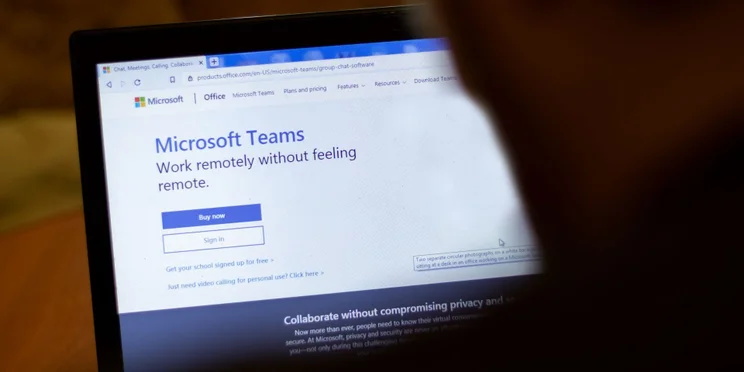
After serving businesses for almost six years, Microsoft Teams’ free Classic plan is officially retiring on April 12, forcing all remaining users to switch to a paid version to retain their chats, files, and data.
Microsoft Teams (free) will still be available to businesses looking for a complimentary web conferencing service, but annoyingly, migrating data from the legacy version will not be possible.
The changes will come just two months after Microsoft Teams announced the release of its new Premium tier that features a number of tools backed by OpenAI like intelligent recapping and automated note generation.
Currently using Microsoft’s Classic tier? Here’s what these changes will mean for you, and guidance on the different steps your business can take next.
Microsoft Teams Classic Plan is Ending on April 12
Microsoft has decided to call curtains on its free Classic plan —with the company permanently halting its services on April 12 this year.
This doesn’t mark the end of Team’s free offering though. The soon-to-be sheltered plan is being replaced by Microsoft Teams’ new free tier, which contains many of the same trappings as Classic, including unlimited group meetings for up to 60 minutes, meeting limits of 100, and up to 5GB of cloud storage per user.
But what does this mean for the thousands of businesses that currently depend on Microsoft’s free web conferencing service? Well, confusingly Classic users aren’t able to transfer chat data directly into the new free plan. Instead, the software company recommends backing up all Team files before April 12 before signing up for the new service. Or, upgrading to its paid Essentials package, which will cost companies $4 per user per month.
“You’ll be able to view and save files in your current account through April 12, 2023, however, none of it will transfer to your new account.” – Microsoft
By switching to Microsoft’s Essential package, businesses will be able to maintain full access to their chats, files, and meetings and unlock more benefits like unlimited group meetings for up to 30 hours, and generous call limits of up to 300 users.
Businesses willing to fork out slightly higher fees of $7 per month, per user can also opt for Microsoft’s new Premium tier. But what does the platforms’ recently released package include – and are its X features worth the extra cost?
Microsoft Teams Launches New OpenAI-Backed Premium Tier
In light of Microsoft’s recent partnership with OpenAI — the machine learning powerhouse that’s responsible for creating the world’s fastest-growing app, ChatGPT — the company has launched a new web conferencing tier; Microsoft Teams Premium.
The plan includes a number of features powered by OpenAI’s GPT-3.5 AI language model, the upgraded version of GPT-3 that utilizes deep learning to generate human-like output. Features using this new smart technology include an intelligent recap tool that generates meeting notes automatically, automated reminder emails to drive up attendance for webinars, and improved live translation capabilities.
For businesses looking to drive up operational efficiency and workplace collaboration, this suite of smart features is likely to pay for itself over time. However, if you’re looking to keep overheads as low as possible, paying for conferencing services isn’t your business’s only option, as we explore next.
Not Willing to Upgrade? Here Are Your Other Options
If you’re a Teams loyalist, backing up your data and switching to Microsoft’s new free package may be your best bet.
However, despite its market dominance, Microsoft Teams isn’t the only quality free complimentary conference call service out there, and our insights suggest it might not be the best, either.
If you’re looking for a free feature-rich video calling tool, our research suggests Zoom is the number one solution. While its meeting times might not be as generous as Microsoft Team’s free tier, it offers flawless usability and a number of capabilities that Microsoft free lacks like recording tools for calls and access to over 1000+ integrations.
RingCentral is another worthy contender, with generous user limits of 100 participants and a 24-hour time limits on calls. There’s no limit on competitive services though, so see how our favorite free services compare in the table below.
|
User rating
Average rating given by iOS and Android users in App Store and Google Play Store reviews
|
Best for
|
Pros
|
Cons
|
||
|---|---|---|---|---|---|
 |
 |
 |

|

|
|
|
Zoom |
RingCentral |
Google Meet |
FreeConferenceCall.com |
FreeConference.com |
|
|
4.4
|
4.7
|
3.5
|
3.2
|
3.1
|
|
|
Beginners |
Security |
Google Workspace users |
Recording capability |
Easy setup |
|
|
|
|
|
Comprehensive setup process |
|
|
|
|
|
Too few participants allowed |
If you click on, sign up to a service through, or make a purchase through the links on our site, or use our quotes tool to receive custom pricing for your business needs, we may earn a referral fee from the supplier(s) of the technology you’re interested in. This helps Tech.co to provide free information and reviews, and carries no additional cost to you. Most importantly, it doesn’t affect our editorial impartiality. Ratings and rankings on Tech.co cannot be bought. Our reviews are based on objective research analysis. Rare exceptions to this will be marked clearly as a ‘sponsored’ table column, or explained by a full advertising disclosure on the page, in place of this one. Click to return to top of page


