
We may receive a commission from our partners if you click on a link to review or purchase a product or service. Click to Learn More
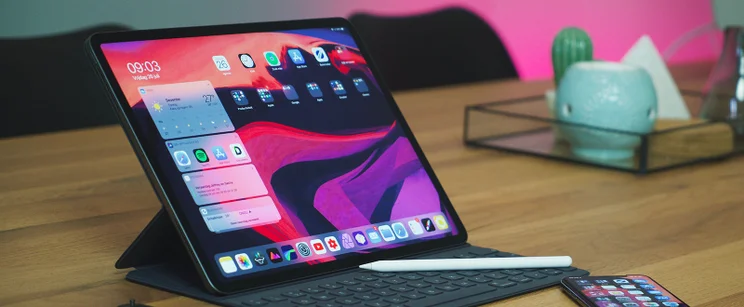
The choice used to be easy. If you wanted a computer on the go, you got a laptop. Today though, those lines are blurred, with Chromebooks and tablets competing in the same space. Both can be cheaper than a traditional laptop, but which one should you opt for?
For many of us, the proper equipment to work from home is crucial for us to do our jobs. Possibly the most crucial thing we need is a computer, which can nowadays take the form of a Chromebook or a tablet.
We take a look at the benefits of both devices so you can see which one is right for you. Let’s begin by comparing some key models – below, we round up some of the best value Chromebooks and tablets you can choose between. If you’re happy to spend more, keep on reading, as we also compare top-spec models in this guide.
|
Screen Size
Measured diagonally across.
|
Screen Resolution
In pixels – the higher the number, the greater the screen detail.
|
Battery Life
As claimed by the manufacturer – actual performance will vary depending on daily tasks.
|
Operating System
|
Touchscreen
|
Processor
|
Storage
The built in storage space for files, programs, apps and the operating system
|
RAM
More RAM tends to help a computer to run quickly and multitask
|
Price
|
Amazon
|
Buy
|
|||
|---|---|---|---|---|---|---|---|---|---|---|---|---|---|
  |
  |
  |
  |
  |
  |
  |
  |
||||||
|
The best choice iPad for virtually everyone. The screen and super processor are perfect for day-to-day browsing and apps, and it’s an excellent value |
An excellent portable tablet, but it feels less essential in this age of extra-large smartphones – especially as it’s pricier than the iPad 10.9 |
An exceptionally cheap and portable Chromebook that’s great value, provided you’re happy with a small screen size. |
Microsoft’s cheapest Surface model, and a perfectly decent tablet. But the keyboard is a necessary extra expense for the Windows experience. |
A flexible, low-cost Chromebook with a touchscreen. Small enough to carry to work or school with ease. |
Just one inch thick, with a neat 360-degree hinge touchscreen for tablet mode or watching videos |
A small screen, adaptable Chromebook that can double as a tablet – with a great cheap price point |
A large, detailed screen, quality finish and decent power make this an excellent laptop for work or play |
||||||
|
10.2″ |
8.3″ |
11.6″ |
10.5″ |
11.6″ |
11.6″ |
11.6″ |
15″ |
||||||
|
2160 x 1620 |
2266 x 1488 |
1366 x 768 |
1920 x 1280 |
1366 x 768 |
1366 x 768 |
1366 x 768 |
1920 x 1080 |
||||||
|
10 hrs |
10 hrs |
11 hrs |
10 hrs |
10 hrs |
10 hrs |
10 hrs |
13 hrs |
||||||
|
iPadOS |
iOS |
Chrome OS |
Windows 10 |
Chrome OS |
Chrome OS |
Chrome OS |
Chrome OS |
||||||
|
|
|
|
|
|
|
|
|
||||||
|
A13 Bionic |
A15 Bionic |
Intel Celeron Processor N3060 |
|
Intel Celeron Processor N3060 |
MediaTek MT8173C |
Intel Celeron N3060 |
Intel Pentium gold 4417U |
||||||
|
|
32GB |
|
32GB |
64GB |
32GB |
64GB |
||||||
|
4GB |
|
4GB |
4GB |
4GB |
4GB |
||||||||
| Amazon | Amazon | Amazon | Amazon | Amazon | Amazon | Amazon | Amazon |
Chromebook vs Tablet – Head to Head
| Chromebook | Tablet | |
| Operating System | Chrome OS | Android, Windows, iOS, Chrome OS |
| Typical price | Around $300 | Around $400 |
| Typical battery life | Expect 10+ hours | From 8+ hours |
| Screen size | 10 – 15 inches | 7 – 13 inches |
| Manufacturers | Almost everyone, except Apple | Samsung, Lenovo, Apple, Asus, Microsoft etc |
Can you run apps on a Chromebook?
Yes. In fact, most of the apps that you would expect to find on a tablet can be found on the Chromebook too. Some apps available on the Chrome Store might not be compatible with your specific Chromebook hardware, but that’s also the case for Android tablets.
Can you run Office on a Chromebook?
Yes. Microsoft has made Office fairly ubiquitous in recent years, making the smart move of selling it as a subscription rather than a one time purchase. It sells Office on many devices, including Chromebook. Only some older Chromebook models won’t be able to run it.
It’s also worth noting that Google has its own range of office apps (Google Docs etc.) that are compatible with Microsoft’s products.
Can you get a touchscreen Chromebook?
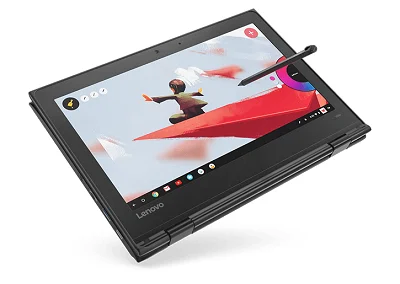
Yes. Not only that, but some models – such as the pricey Google Chromebook, or the more affordable Acer Chromebook Spin 11 – are also compatible with styli. The touch screen on a Chromebook features the same functionality you would expect from a tablet.
Can you get a keyboard for a tablet?
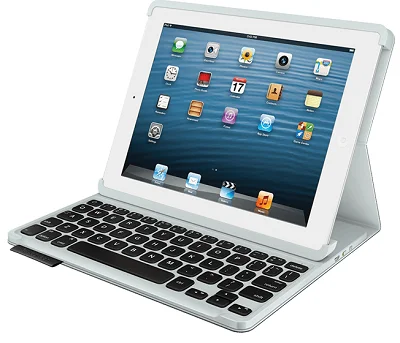
Yes. Even if the tablet doesn’t have a dedicated keyboard, there are many third party keyboards available that are compatible, typically connecting through Bluetooth. Be aware that some official keyboards can be pricey though, considerably increasing the cost of your tablet
Is a Chromebook or Tablet a Good Working From Home Device?
With the current pandemic forcing many office workers to set up their desks at home, you may find yourself asking if you can scrap the traditional Windows or Mac laptop and make do with a Chromebook or tablet instead.
The answer is…it depends. Realistically, it relies on many factors, such as the work that you do, the software your company wants you to use, and your home set up.
If you’re considering a Chromebook, remember that the operating system is wholly different to a Windows laptop or Macbook, and there’s a good chance that specialized software that your company requires just won’t be available to you. Web based applications, and Microsoft Office systems however are compatible, so if these are your main tools, then you’ll be fine.
When it comes to tablets, the operating systems of the iPad and Windows based tablets play much nicer with business applications, so you’re unlikely to hit many hitches here.
Any consideration we’d also stress is screen real estate. Yes, tablet screens can get fairly big these days, but you’ll find that they’re no substitute for the 23-inch monitor you left at the office. Being hunched over a small screen all day is no fun, so we’d recommend that if you do get the tablet or Chromebook route, you pick up a second screen. You can connect your device to it and have the best of both worlds.
We would also strongly suggest investing in a keyboard and mouse if you do go the tablet route. You (and your fingers) will thank us in the long run.
Chromebook vs iPad
The Chromebook and iPad are very different prospects, running different operating systems (Chrome vs iOS), but there are plenty of similarities between the two.
Both can run a version of Microsoft Office (although it will depend on what Chromebook you have), and both can also run the Google suite of office apps.
Both also have excellent battery life. You can expect around ten hours between charges from an iPad, and even more than that from a decent Chromebook.
So which is best? It really depends on your own needs. If you’re after a more traditional laptop experience, then a Chromebook is right for you. While an iPad can arguably offer a similar experience with the addition of a keyboard, it doesn’t feel quite as natural as a Chromebook.
If space and portability are key considerations, then an iPad is worth a look. While Chromebooks are hardly monoliths, they are larger than a tablet, and won’t fit into a small bag quite as easily.
If you need a device with a good amount of power, the iPad range beats the Chromebooks for the most part. While there are devices out there like the Pixelbook, most Chromebooks operate using low powered mobile processors. These provide more than enough power to see out their daily tasks with ease, but try and run a demanding app and they could struggle to keep up. Apple’s tech, for the most part, is buttery smooth under pressure.
If you’re considering an iPad, see our table below for an overview of the entire Apple range. For even more detail, head to our guide – Which iPad Should I Buy?
|
Screen Size
Measured diagonally across.
|
Screen Resolution
In pixels – the higher the number, the greater the screen detail.
|
Battery Life
As claimed by the manufacturer – actual performance will vary depending on daily tasks.
|
Processor
|
Storage
The built in storage space for files, programs, apps and the operating system
|
Rear Camera
|
Front Camera
|
Apple Device Compatibility
Which official Apple accessories the iPad pairs with
|
Price
|
Buy
|
|||
|---|---|---|---|---|---|---|---|---|---|---|---|---|
 |
 |

|
|
|

|
|
||||||
|
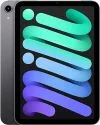
The best choice for virtually everyone. The screen and A14 processor are perfect for day-to-day browsing, and it’s a good value. |
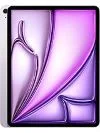
An excellent portable tablet, but it feels less essential in this age of extra-large smartphones – especially as it’s pricier than the iPad 10.9 |
A slim tablet with a great processor priced far above the sturdy iPad 10.9. |
A larger tablet with a great processor that is even more expensive. |
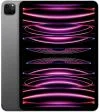
An exceptional tablet, and cheaper than the top-of-the-range 13-inch iPad Pro. The screen is glorious and there’s plenty of processing power. |
This is an excellent iPad, with a price tag to match. Pair it with the Magic Keyboard and it truly is a laptop alternative. |
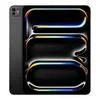
Apple’s best iPad Pro to date with a Tandem OLED display for enhanced brightness and color reproduction. |
||||||
|
10.9″ |
8.3″ |
10.9″ |
12.9″ |
11″ |
12.9″ |
13″ |
||||||
|
2360 x 1640 |
2266 x 1488 |
2360 x 1640 |
2732 x 2048 |
2388 x 1668 |
2732 x 2048 |
2752 x 2064 |
||||||
|
10 hrs |
10 hrs |
10 hrs |
10 hrs |
10 hrs |
10 hrs |
10 hrs |
||||||
|
A14 |
A15 Bionic |
M2 |
M2 |
M2 |
M2 |
M4 |
||||||
|
|
|
|
|
|
|
||||||
|
12MP |
12MP |
12MP |
12MP |
12Mp |
12Mp |
12Mp |
||||||
|
12MP |
12MP |
12MP |
12MP |
12Mp |
12Mp |
12Mp |
||||||
|
|
|
|
|
|
|
||||||
| Amazon | Amazon | Amazon | Amazon | Amazon | Amazon | Amazon |
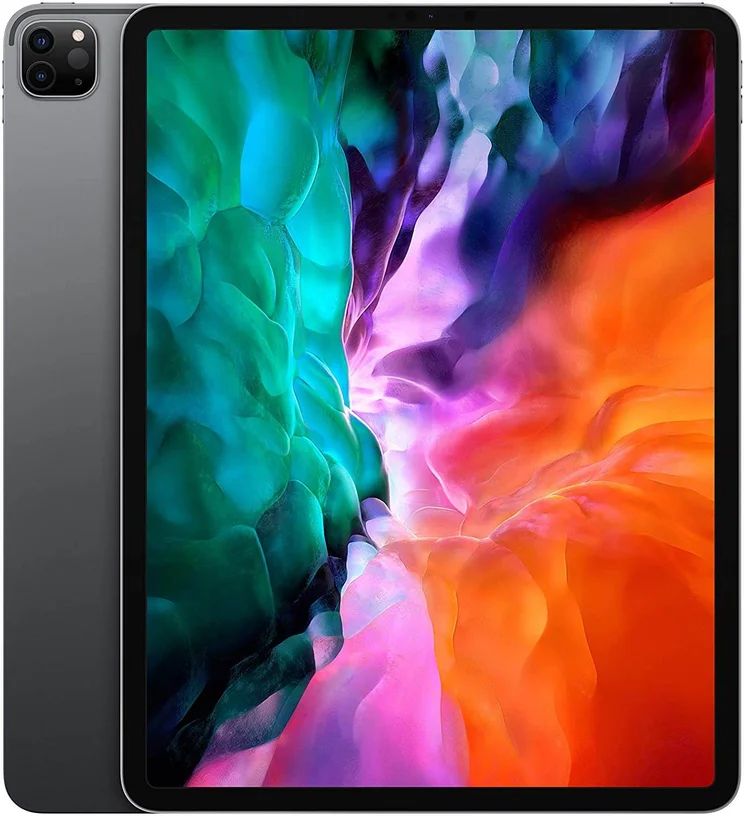
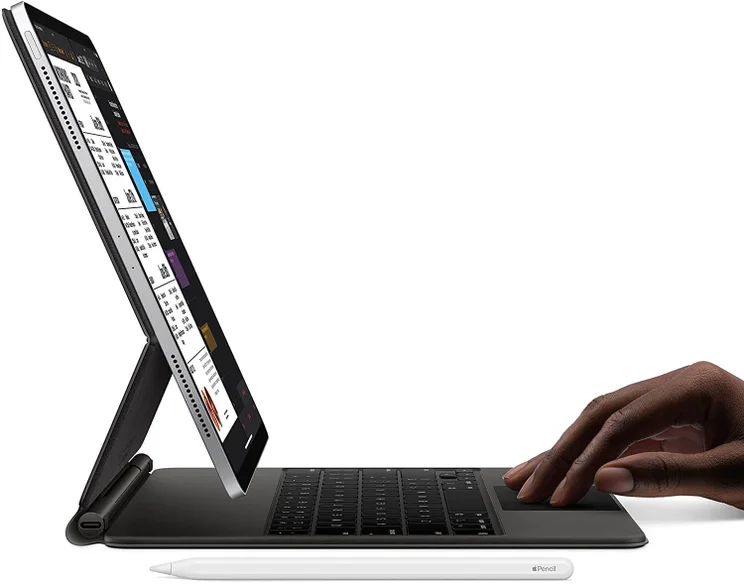
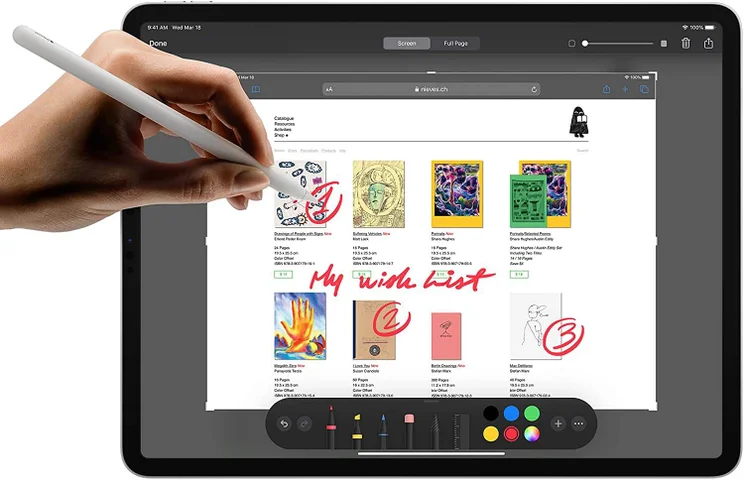
iPad Pro 12.9 (2020)
In Short
-
Pros
- Most powerful iPad yet
- Slim and light
- A12Z chip
- Perfect size for designers
-
Cons
- Expensive
- No headphone jack
Images
How Much is a Chromebook?
Chromebooks are known for being inexpensive, generally priced lower than the average laptop, and even the average tablet. You can expect to pick one up for around $200, although they can go lower if you can find one on clearance, or pick up an older model.
Of course, you can find tablets in a similar price range, although be aware that you’ll be making some compromises – these include a smaller screen, and the need to purchase a keyboard at extra cost.
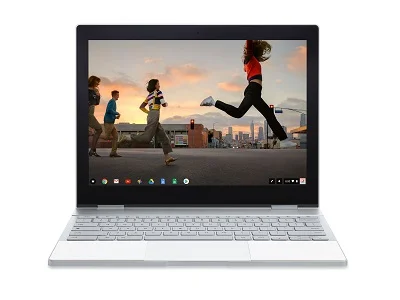
However, some Chromebooks are priced as premium products. The Google Pixelbook Go, an great piece of tech, bucks the cheap trend at around $650. Mind you, that’s still cheaper than any Apple Macbook on the market.
If you’re happy to spend a bit more, there are some fantastic devices to choose between. these include top-end Chromebooks (Google Pixelbook models), the iPad Pro range, and Microsoft’s Surface tablets. We round up your options side-by-side, below:
|
Screen Size
Measured diagonally across.
|
Screen Resolution
In pixels – the higher the number, the greater the screen detail.
|
Battery Life
As claimed by the manufacturer – actual performance will vary depending on daily tasks.
|
Operating System
|
Touchscreen
|
Processor
|
Storage
The built in storage space for files, programs, apps and the operating system
|
RAM
More RAM tends to help a computer to run quickly and multitask
|
Price
|
Amazon
|
Buy
|
|||
|---|---|---|---|---|---|---|---|---|---|---|---|---|---|
  |
  |
  |
  |
  |
  |
  |
  |
  |
|||||
|
Google Pixelbook i5 |
Google Pixelbook i7 |
Google Pixelbook Go |
Microsoft Surface Book 3 |
Google Pixel Slate |
|||||||||
|
An exceptional tablet, and cheaper than the top-of-the-range 12.9-inch iPad Pro. The screen is glorious and there’s plenty of processing power |
The absolute best iPad that money can buy, with a price tag to match. Pair it with the Magic Keyboard and it truly is a laptop alternative. |
Chromebook functions with MacBook looks. It’s cheaper than the i7 Pixelbook, but this is still a lot of (top quality) Chromebook for a lot of money |
A true MacBook rival when it comes to looks and build quality. It’s arguably overkill for a Chromebook though, especially at such a high price point. |
A slick, stylish Chromebook, though less powerful than the older Pixelbook. Pick the i5 model for the best balance of power and cost |
Arguably the best tablet to replace a laptop on the market, with an easy-to-use keyboard that attaches easily to the base. |
A tablet and laptop in one, the removable screen on the Book 3 offers the full Windows experience. Not cheap, but at least the keyboard is included. |
A powerful tablet from Google, running Chrome OS. To be a true business device, it still needs that extra keyboard purchase, however |
One of the best Android tablets business users can choose, with a powerful processor, a great screen and an S Pen included |
|||||
|
11″ |
12.9″ |
12.3″ |
12.3″ |
13.3″ |
13″ |
|
12.3″ |
12.4″ |
|||||
|
2388 x 1668 |
2732 x 2048 |
2400 x 1600 |
2400 x 1600 |
1920 x 1080 |
2880 x 1920 |
3000 x 2000 |
3000 x 2000 |
2800 x 1752 |
|||||
|
10 hrs |
10 hrs |
10 hrs |
10 hrs |
13 hrs |
15.5 hrs |
15.5 hrs |
12 hrs |
13 hrs |
|||||
|
iPadOS |
iPadOS |
Chrome OS |
Chrome OS |
Chrome OS |
Windows 11 |
Windows 10 |
Chrome OS |
Android 12 |
|||||
|
|
|
|
|
|
|
|
|
|
|||||
|
M2 |
M2 |
Intel i7 7th-gen |
Intel i5 7th-gen |
|
|
|
|
Qualcomm Snapdragon 8 Gen 1 |
|||||
|
|
128GB |
512GB |
|
|
|
|
|
|||||
|
|
8GB |
16GB |
|
|
|
|
|
|||||
|
$1,249 |
$1,500 |
$649 (M3) |
$1,599 |
$699 |
|||||||||
| Amazon | Amazon | Amazon | Amazon | Amazon | Amazon | Amazon | Amazon | Amazon |
Should you get a Chromebook or Android Tablet?
The Android tablet, as least as we know it, is pretty much dead. The two prominent operating systems in the tablet world today are iOS and Windows, and while there are still some Android based models out there – such as the Samsung Tab series, or Amazon’s Fire models (which actually uses a bespoke version of Android)– they represent a dying breed.
Choosing between a Chromebook or a Chrome OS tablet is a simple choice of deciding between two form factors. Do you want a tablet, or a laptop-style device? The other functions of the two devices are more or less identical.
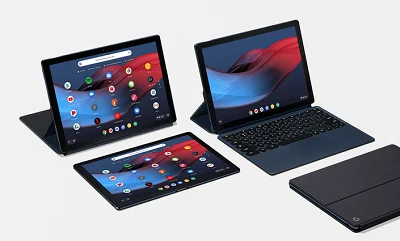
There’s no doubt that Chromebooks and tablets are viable alternatives to the traditional laptop, each with their own benefits.
A Chromebook offers lightning-fast boot up times, excellent integration with Google’s suite of apps, and has an incredible battery life.
A tablet gives you unmatched portability, with great battery life, and, depending on the tablet, the scope for impressive power. Throw in a physical keyboard and its a double threat.
The best way to make the decision about which is right for you is to look at the main use that your current device gets, and see if a Chromebook or tablet fits.
If you click on, sign up to a service through, or make a purchase through the links on our site, or use our quotes tool to receive custom pricing for your business needs, we may earn a referral fee from the supplier(s) of the technology you’re interested in. This helps Tech.co to provide free information and reviews, and carries no additional cost to you. Most importantly, it doesn’t affect our editorial impartiality. Ratings and rankings on Tech.co cannot be bought. Our reviews are based on objective research analysis. Rare exceptions to this will be marked clearly as a ‘sponsored’ table column, or explained by a full advertising disclosure on the page, in place of this one. Click to return to top of page


